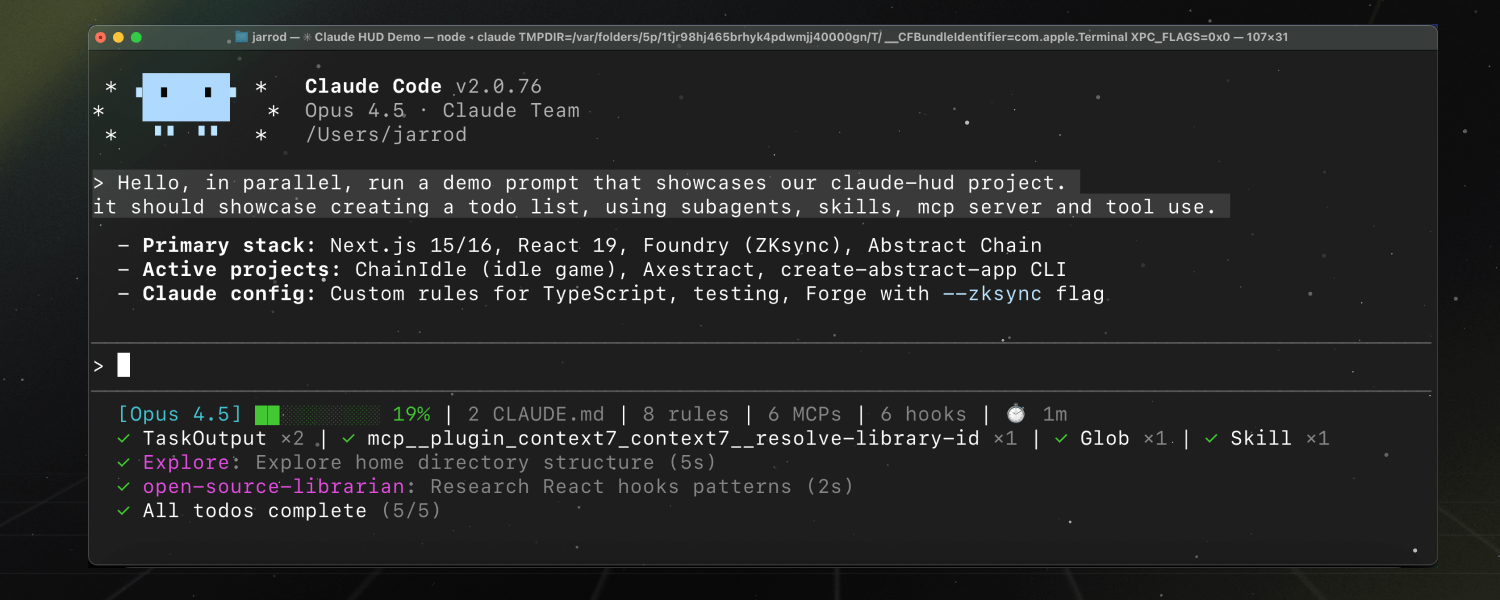
claude-hud
A Claude Code plugin that shows what's happening - context usage, active tools, running agents, and todo progress
- 29k
- JavaScript
- MIT
- 2 d ago
Scenario for Unity: generate images, textures and 3D assets with Scenario's AI models from inside the Unity Editor
Repo scenario-labs/unity-plugin, read from GitHub 14 h ago. scenario-labs has not joined Take My Repo.
scenario-labs/unity-plugin is a public repo on GitHub by scenario-labs. Scenario for Unity: generate images, textures and 3D assets with Scenario's AI models from inside the Unity Editor. It declares the MIT license on GitHub. It is written mainly in C#, has 88 stars and last changed on 2026-11-20. Nobody has reviewed it on Take My Repo yet, which says nothing about its quality. Read from GitHub on 2026-11-25.
A Claude Code plugin that shows what's happening - context usage, active tools, running agents, and todo progress

Every Scenario model inside the Unity Editor: images, video, 3D models, character animation, audio, PBR materials and skyboxes. A 3D model can then be retextured, edited with a prompt, remeshed, rigged, animated or split into parts without leaving Unity. Each request shows its price before anything is spent, and each result lands in the project as a wired Unity asset: a prefab on the ground at the Scene view pivot, a sprite on the selected renderer, a material on the selected mesh, an animated character with its Animator Controller, the scene's skybox. AI agents (Claude Code, Codex, Cursor, VS Code) drive the same actions through a local MCP server in the editor.
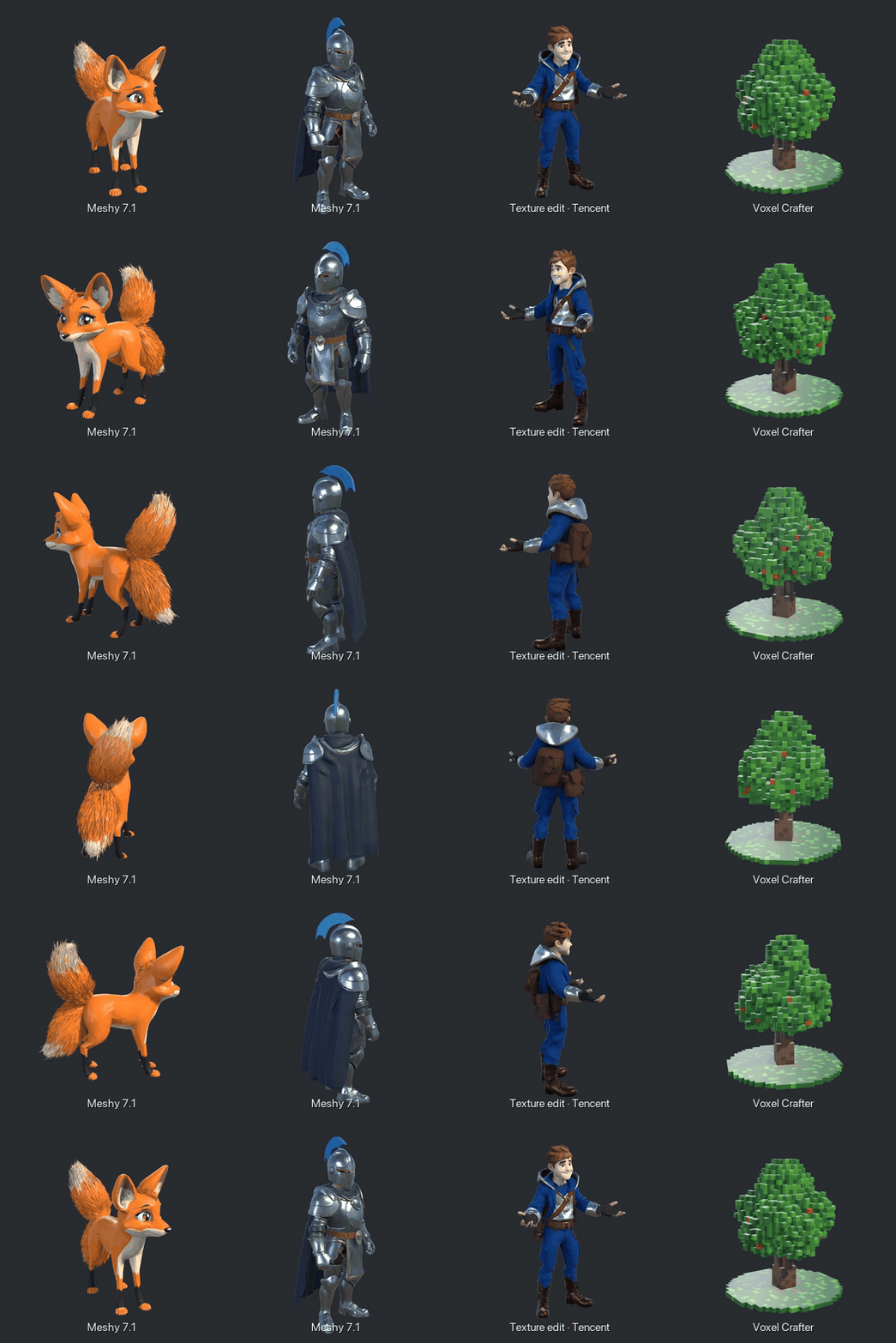
Every image below is a real Scenario result, imported by the plugin and rendered by Unity.
Generate a 3D model from a prompt or an image: Meshy 7.1, Rodin Gen-2.5, Hunyuan 3D 3.1 Pro, Tripo P2, Voxel Crafter and the rest of the catalog.
Then work on it with every 3D operation on Scenario. One chest, eight operations:
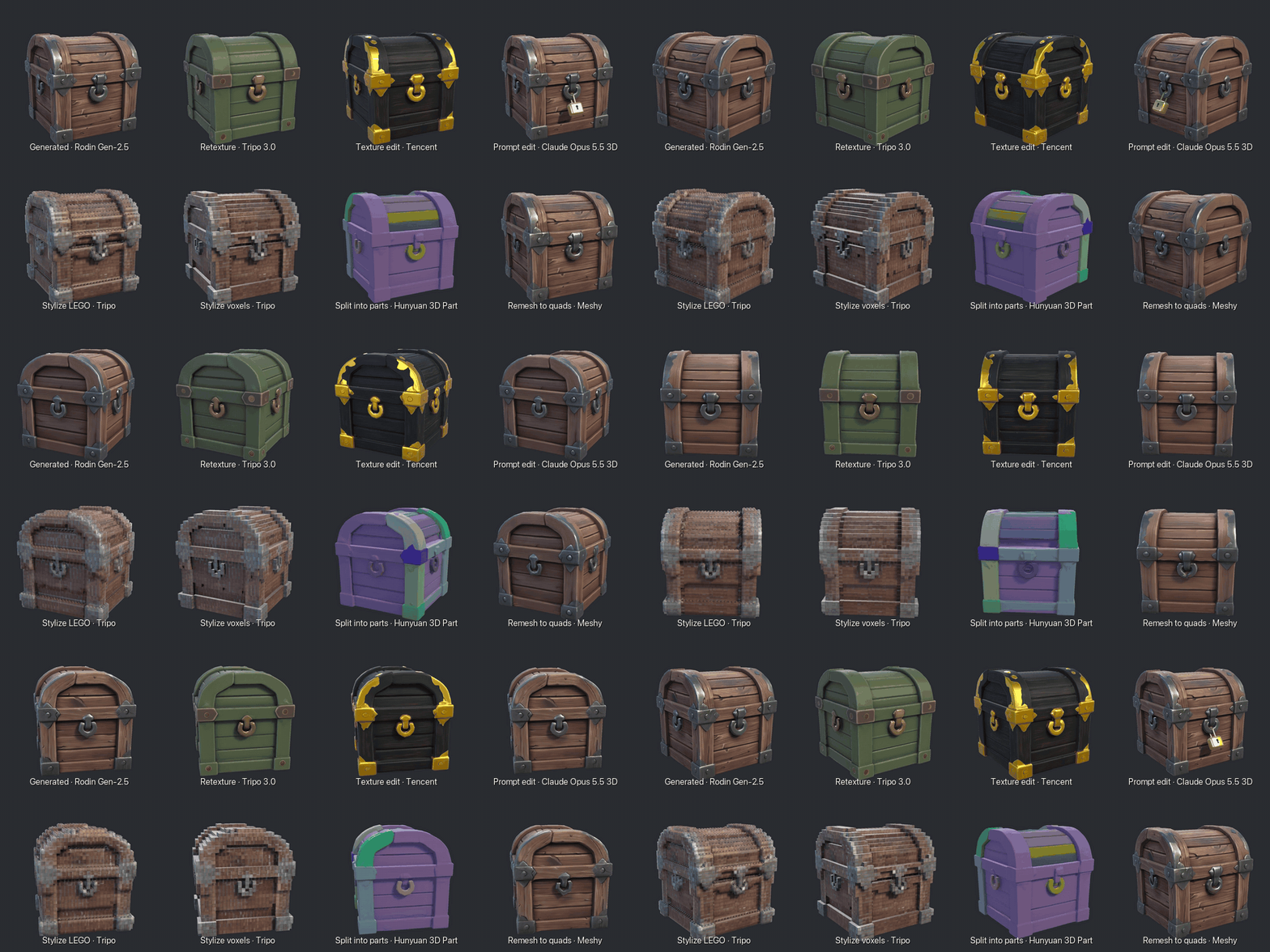
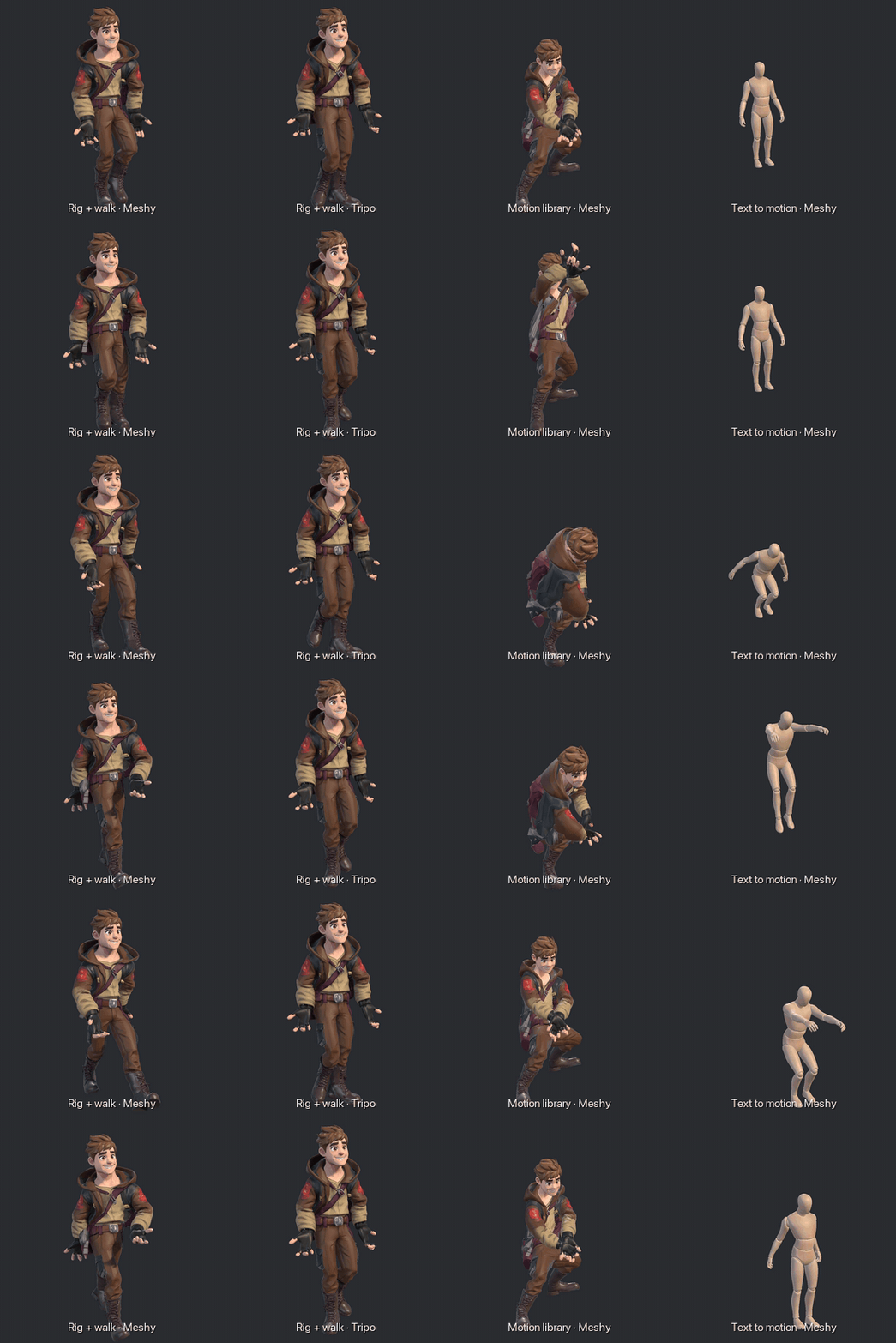
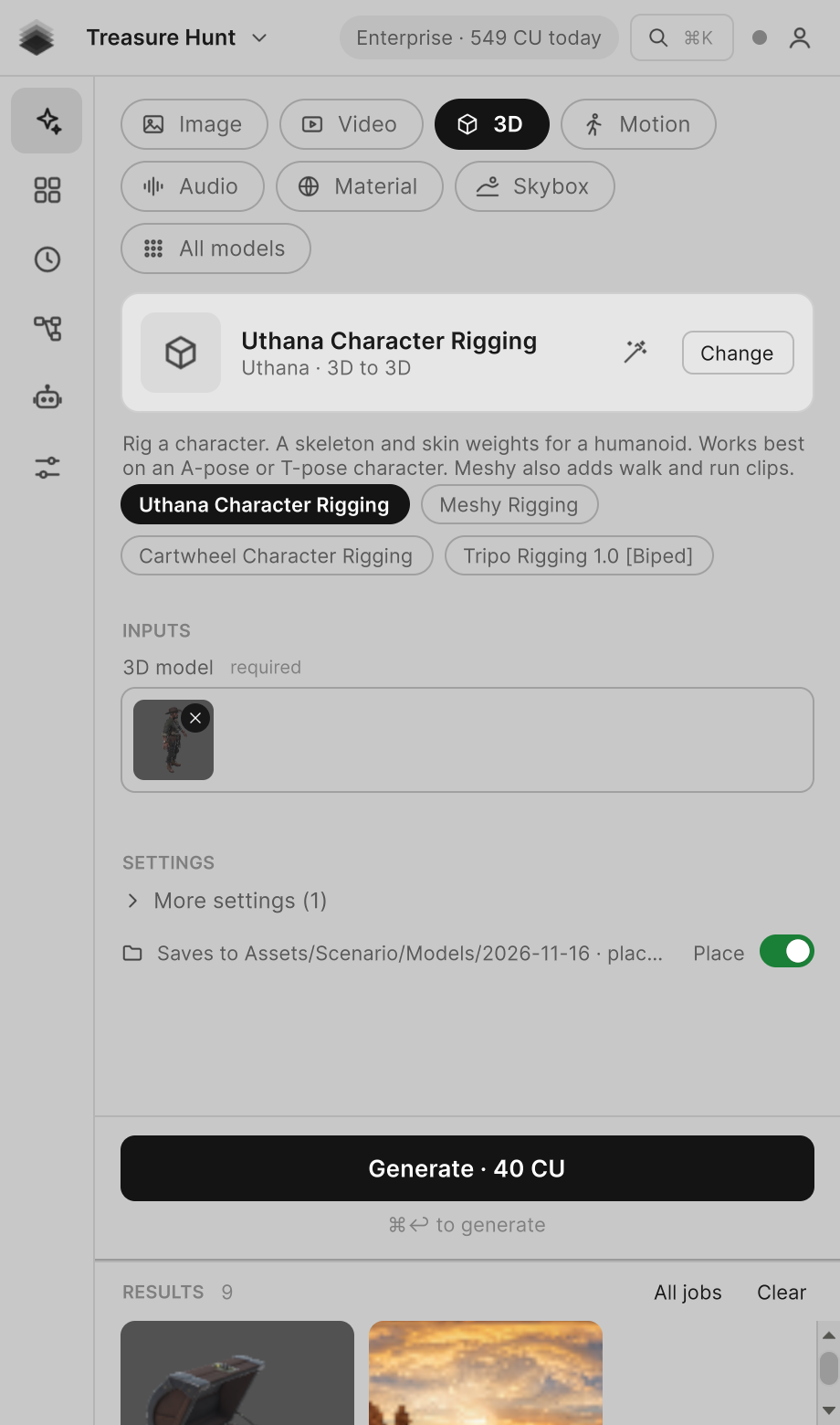
Rig and animate it. Rigging, Meshy's motion library (656 motions picked by name), motion from a prompt or from a video. The result arrives with an Animator Controller and plays in Play mode.
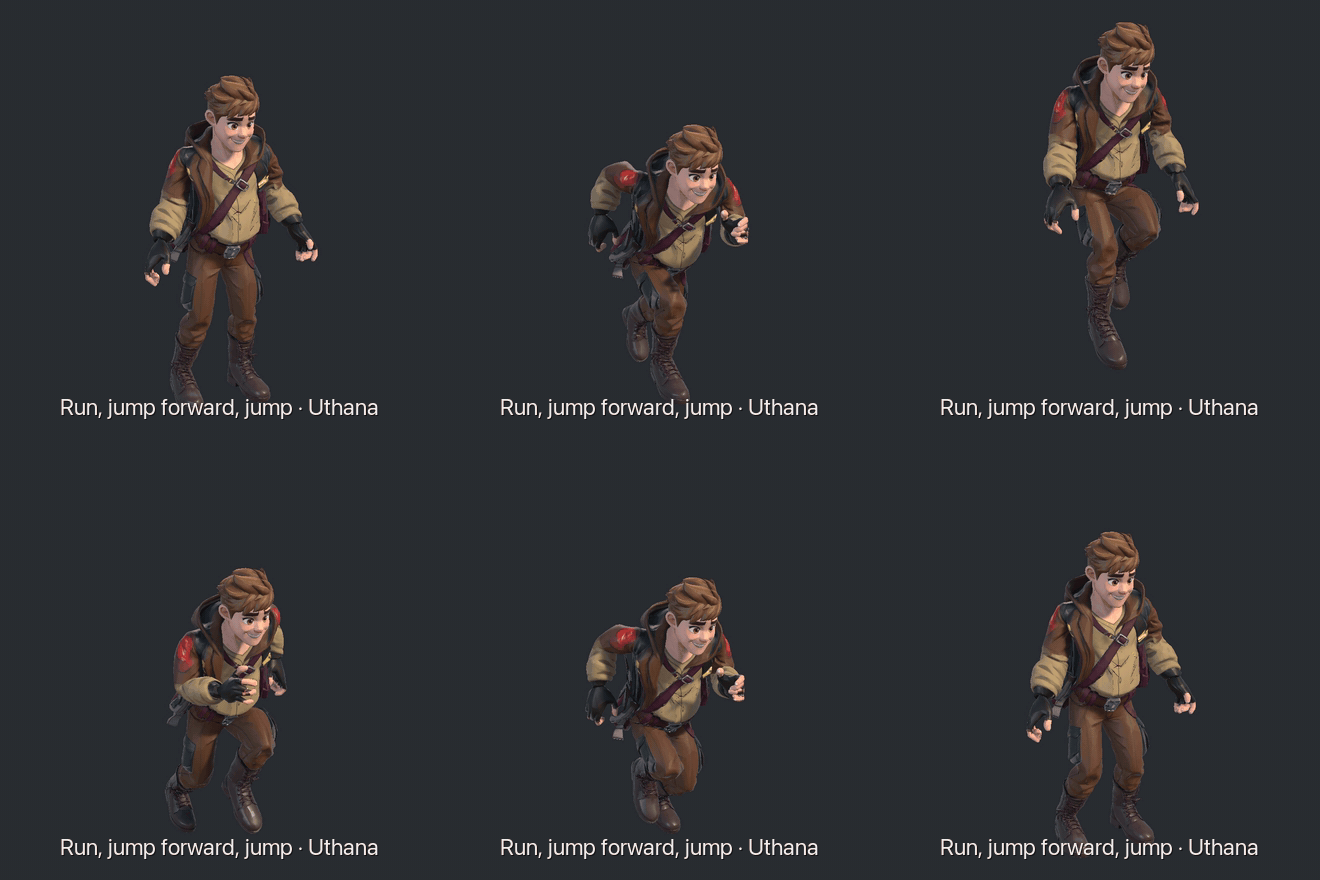 |
Text to motion. The prompt "runs forward fast, takes a big jump forward, lands and keeps running, then jumps high in the air", sent to Uthana Text to Motion 3.0 with the character on the left, returns an 8-second clip. The plugin imports the GLB, builds the Animator Controller and places the character. Cartwheel takes the same request. In this clip the hips are held over one spot so the jumps stay in frame. |
Install · Sign in · Create · 3D: every operation · Motion · Models · Next steps · Library, Jobs, Workflows · Agents (MCP) · Editor scripts and CI · Spending rules · Where files go · Documentation · Development
Unity 6.0 or later. Tested on Unity 6.3 on macOS, with URP and with the Built-in pipeline. Editor only: nothing from the package ships in a player build.
https://github.com/scenario-labs/unity-plugin.git?path=/Packages/com.scenario.unity
#unity-plugin-vX.Y.Z at the end to pin a release. The package pulls in glTFast (Unity's GLB importer) and Newtonsoft JSON.Install package from tarball instead, with no git on your machine (releases from 0.3.0 on):
com.scenario.unity-<version>.tgz from the latest release. Its SHA256SUMS and a build attestation are listed beside it: gh attestation verify com.scenario.unity-<version>.tgz -R scenario-labs/unity-plugin.Packages/ folder. Unity reads the package from that file for as long as the project uses it, so keep it there; inside the project it travels with it under version control."com.scenario.unity": "file:com.scenario.unity-<version>.tgz" to the dependencies of Packages/manifest.json.To update, install a newer release's tarball the same way, then delete the old file.
Earlier plugin. This package replaces the earlier Scenario plugin for Unity (com.scenarioinc.scenario, v0.11.0 and before), which is no longer maintained. Remove it in the Package Manager, then install this one. Its code stays on the legacy branch and under its v0.x tags, so an old install pinned with ?path=/package#v0.11.0 still resolves.
key:secret in one go). The key is tied to one project.SCENARIO_API_KEY and SCENARIO_API_SECRET.Secrets never go into the Unity project, so nothing reaches git: they live in the macOS Keychain or the Windows Credential Manager (entry "Scenario Unity Plugin"), or elsewhere in a file readable by your user only.
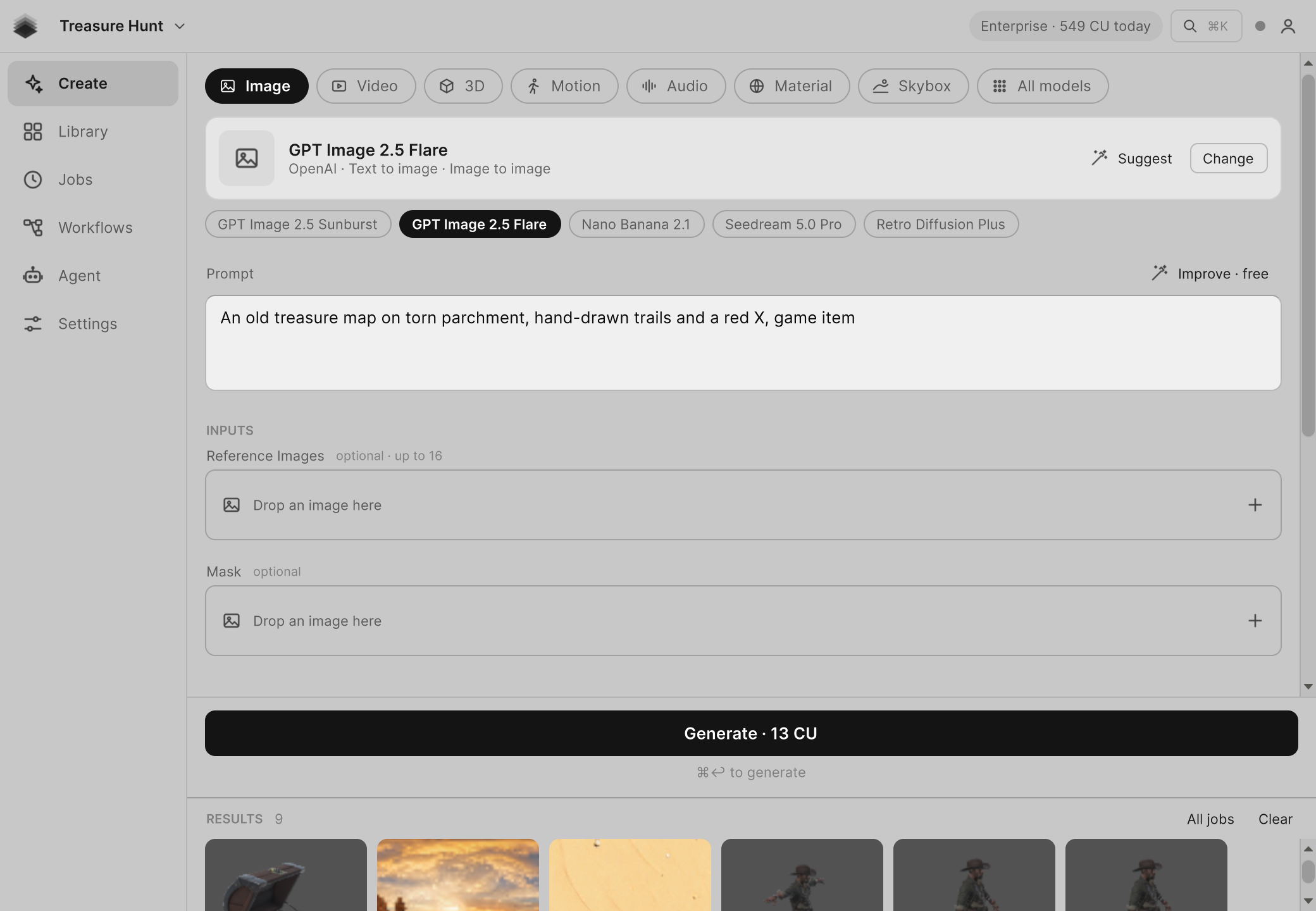
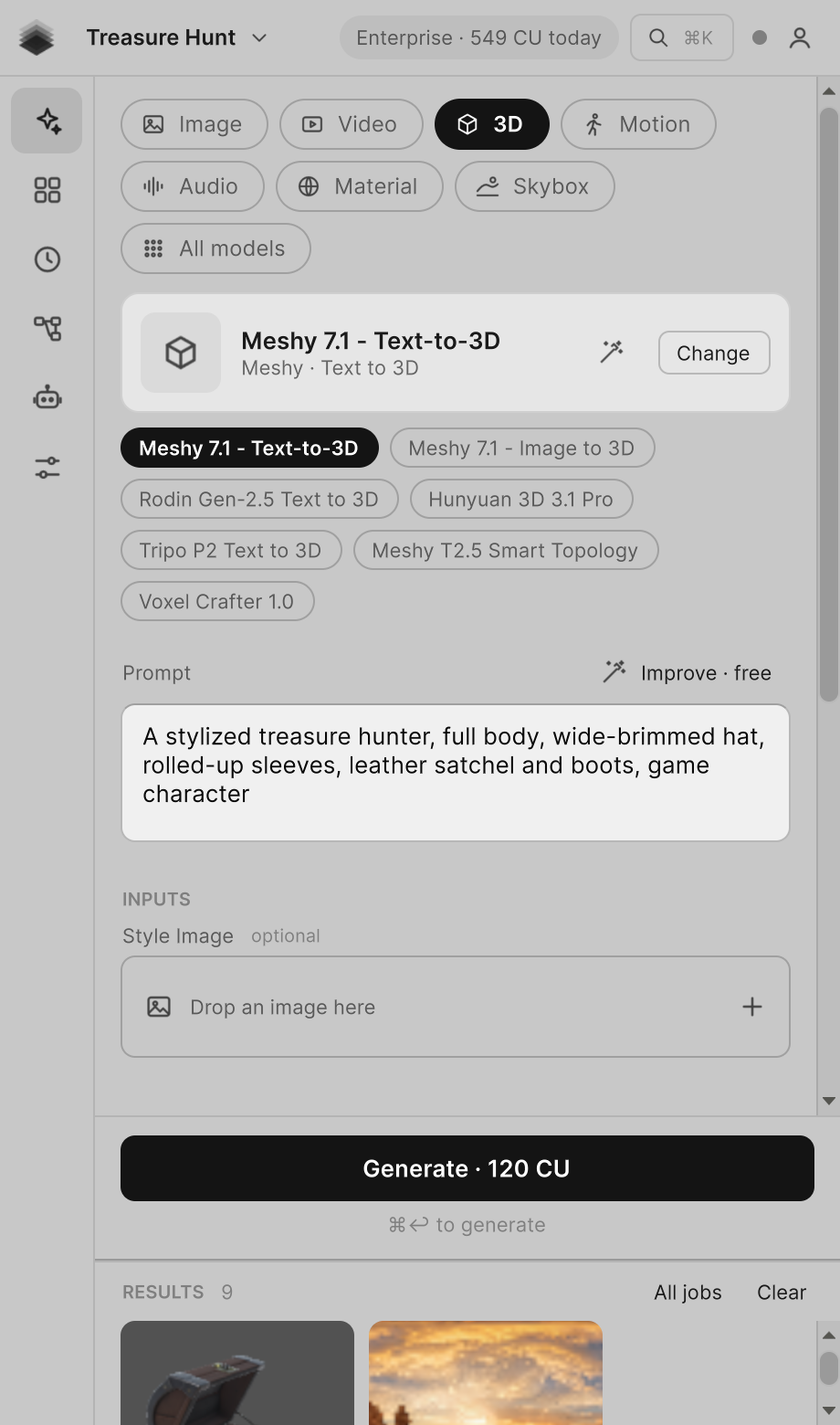
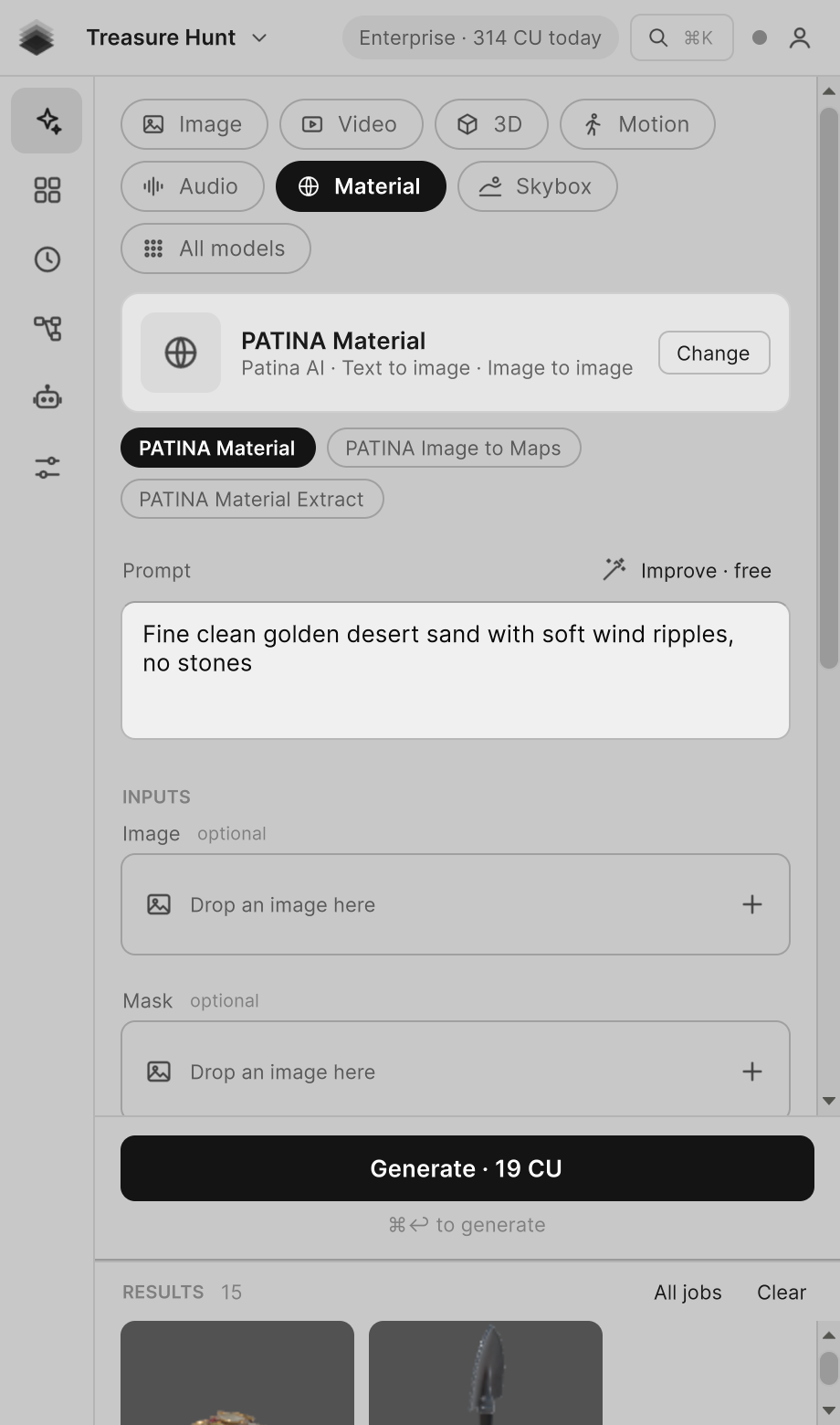
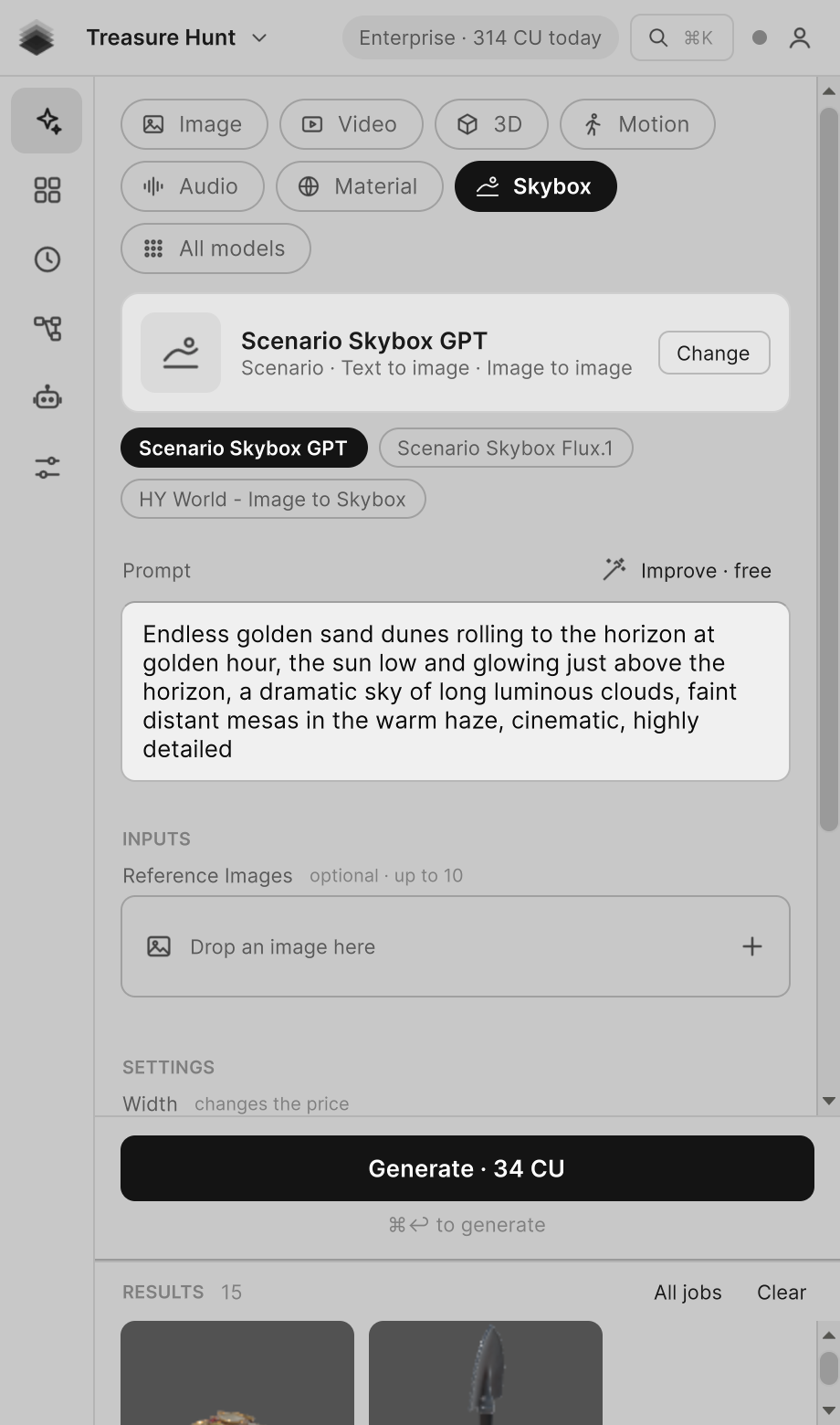
Pick a type, a model and a prompt. The settings form is built from the model's live schema, essentials first, and the Generate button carries the price of exactly this request.
 |
 |
 |
| 3D | Material | Skybox |
| Type | Quick picks (the whole catalog is one click away) | Lands in Unity as |
|---|---|---|
| Image | GPT Image 2.5 Sunburst, GPT Image 2.5 Flare, Nano Banana 2.1, Seedream 5.0 Pro, Retro Diffusion Plus | a texture or sprite, set on the selected SpriteRenderer, UI Image, RawImage or renderer, or a new quad or sprite |
| Video | Minimax H3, Gemini Omni 1.1 Flash, Wan 3.0, Seedance 2.5 | a VideoClip on the selected VideoPlayer, or a new screen quad |
| 3D | Meshy 7.1, Rodin Gen-2.5, Hunyuan 3D 3.1 Pro, Tripo P2, Meshy T2.5 Smart Topology, Voxel Crafter | a GLB imported as a prefab, placed on the ground at the Scene view pivot, optional MeshCollider |
| Motion | Cartwheel and Uthana text to motion, Meshy Text to Motion, Meshy Animation, Cartwheel and Uthana video to motion | an animated GLB with an Animator Controller, one state per clip |
| Audio | Mirelo SFX 2.0, ElevenLabs Sound Effects 2, Sonilo V1.1, ElevenLabs Music v2.5, Gemini 3.8 Flash TTS | an AudioClip on the selected AudioSource, or a new one |
| Material | PATINA Material, PATINA Image to Maps, PATINA Material Extract | a material for the active pipeline (Built-in, URP, HDRP) with normal, height and packed metallic and smoothness maps, set on the selected renderers |
| Skybox | Scenario Skybox GPT, Scenario Skybox Flux, HY World Image to Skybox | a Skybox/Panoramic material set as the scene's skybox |
| All models | every model in the catalog, plus your team's own | by the kind of file it returns |
Inputs (reference images, a start frame, a 3D model, a video, a voice) are filled by dragging from the Project window or the Hierarchy, or from the slot's menu: the selection, a capture of the Scene view or the main camera, a file, a Scenario asset. Unity files are uploaded once, free. Each result shows as a card with Place, Next (the typed steps for it) and More.
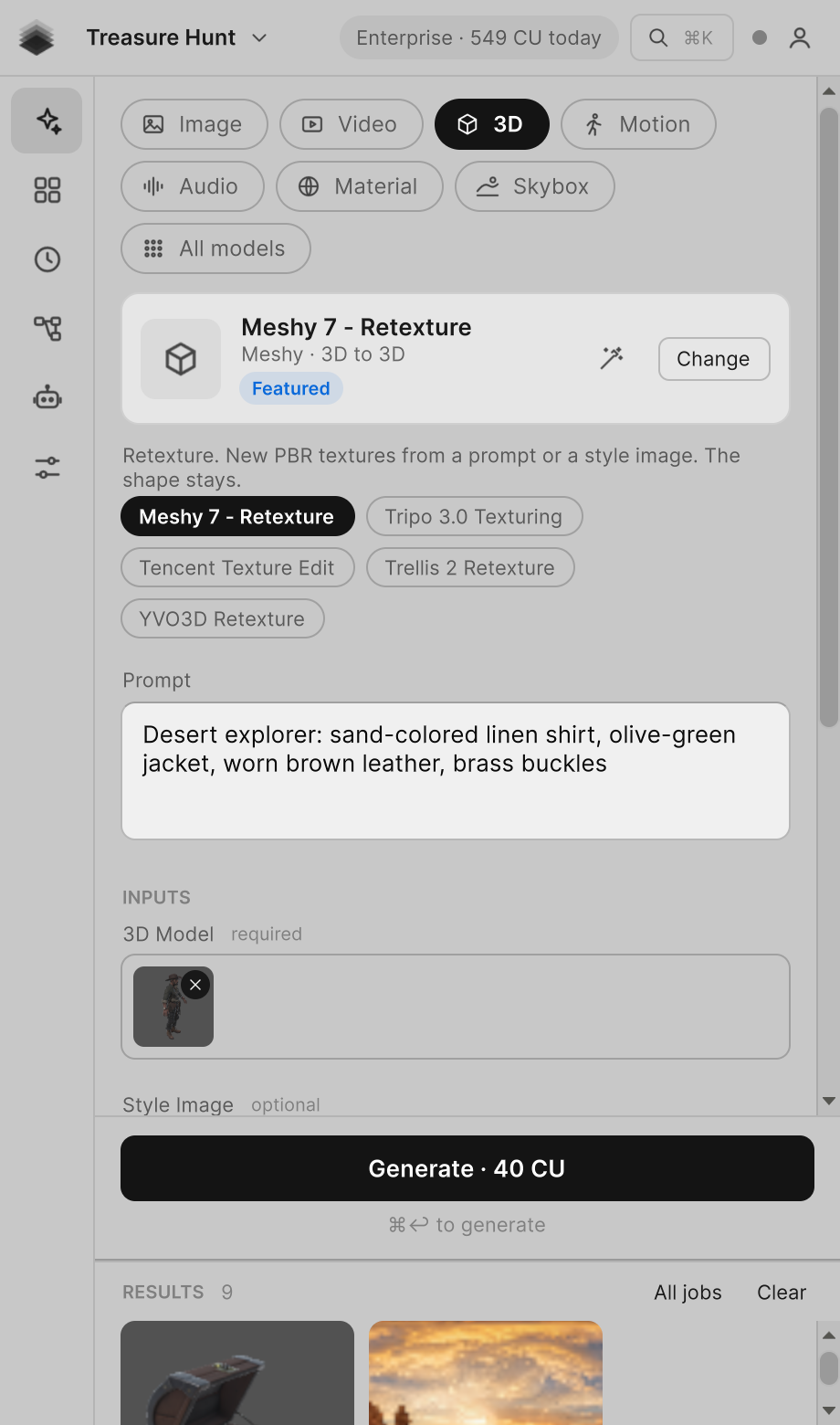
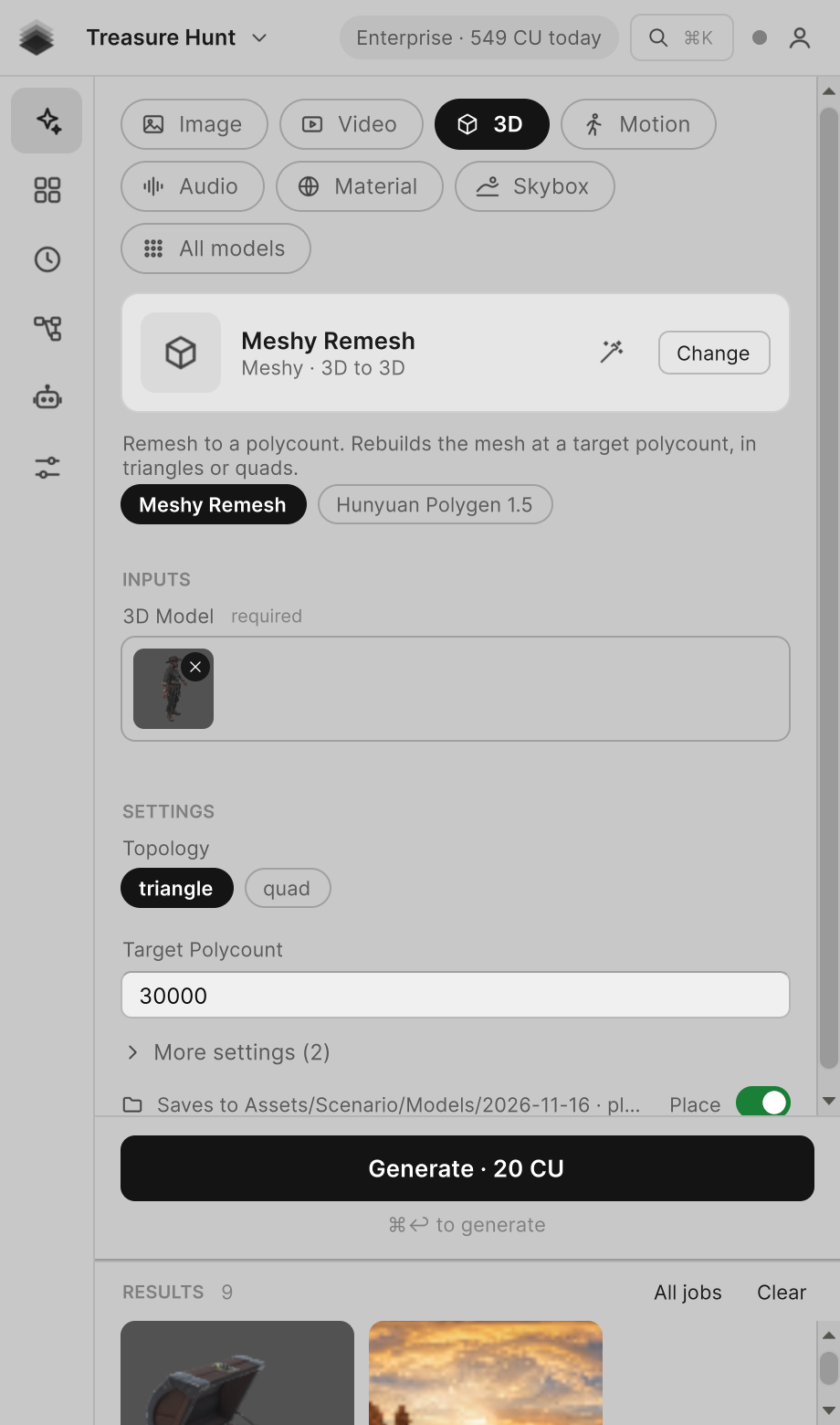
A generated or imported model opens the 3D steps, grouped in the Next menu. Each step opens Create with its default model and the model already attached, so the price shows before anything is sent; the other models of the step are one click away.
 |
 |
 |
| Retexture | Remesh to a polycount | Rig a character |
| Group | Step | Models (default first) |
|---|---|---|
| Texture | Retexture | Meshy 7 Retexture, Tripo 3.0 Texturing, Tencent Texture Edit, Trellis 2, YVO3D |
| UV unwrap | Tripo Smart UV, Meshy UV Unwrap, Tencent | |
| Shape | Edit with a prompt | Claude Opus 5.5 3D, Astra 3D |
| Retopology | Tripo Retopology v3, Hunyuan Polygen | |
| Remesh to a polycount | Meshy Remesh, Hunyuan Polygen | |
| Refine the shape from an image | UltraShape | |
| Rig and animate | Rig a character | Uthana, Meshy, Cartwheel, Tripo |
| Rig a creature | Tripo Rigging 2.5 | |
| Animate from the motion library | Meshy Animation, Tripo | |
| Animate from a prompt | Cartwheel, Uthana, Astra | |
| Animate from a video | Cartwheel, Uthana | |
| Parts and style | Split into parts | Tripo Segmentation v2, Hunyuan 3D Part, Hitem3D Split, Rodin Bang |
| Stylize as LEGO, voxels or Voronoi | Tripo Stylization, Hitem3D Multicolor |
What the plugin handles so the result just works in Unity:
.ply or .spz files, ready for a splat renderer package.Motion gathers the animation models: a motion from a prompt (Cartwheel, Uthana, Meshy), from a video (Cartwheel, Uthana), or from Meshy's library applied to your character. The library's 656 motions are picked by name, with a search and category chips, instead of a numeric id.
scenario-labs/unity-plugin is a public repo on GitHub by scenario-labs. Scenario for Unity: generate images, textures and 3D assets with Scenario's AI models from inside the Unity Editor.
It declares the MIT license on GitHub.
Its maker has not tagged a system, so it is unknown here. Its README says what it needs.
Open "Take it" on its page: Take My Repo writes an install plan for your machine and hands it to your AI agent (Claude Code, Codex or Cursor), which asks you before each step. Take My Repo has not tested it on any machine.
Turn Claude Code into a full game dev studio — 49 AI agents, 75 workflow skills, and a complete coordination system mirroring real studio hierarchy.
🎮 A step-by-step guide to implementing SSAO, depth of field, lighting, normal mapping, and more for your 3D game.
.NET Decompiler with support for PDB generation, ReadyToRun, Metadata (&more) - cross-platform!
Its last change on GitHub was on 2026-11-20. Take My Repo does not judge from that whether it is maintained.
Nobody has reviewed it on Take My Repo yet, which says nothing about its quality.
Take My Repo cannot say: it does not audit code and has not run unity-plugin. What is known comes from GitHub. It declares the MIT license on GitHub. Its last change was on 2026-11-20. It has 88 stars, which measure popularity, not safety. Nobody has reviewed it on Take My Repo yet, which says nothing about its quality. Read the source before you run it. With "Take it", your AI agent shows each step and asks you before running it; README text is treated as data, not as instructions.