bootstrap-theme
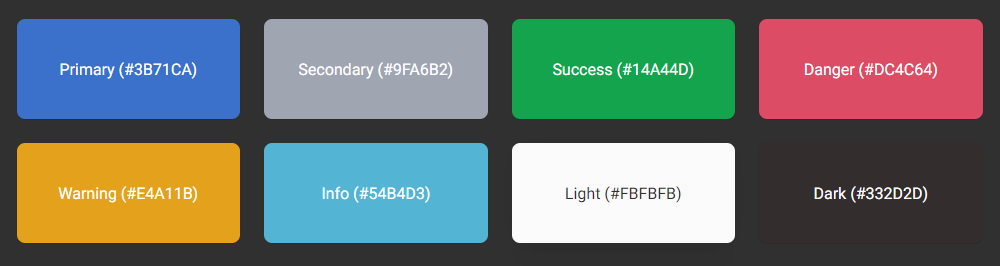
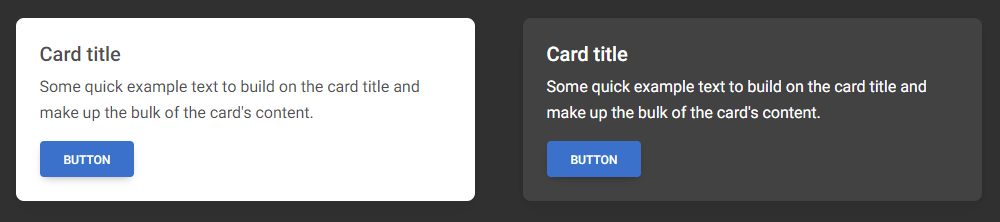
MDB now supports color modes, or themes, as of v7.0.0. Explore our default light color mode and the new dark mode, or create your own using our styles as your template.
- 1
- MIT
- 2 y ago

Load Bootstrap styles and scripts in your Webpack bundle
Repo shakacode/bootstrap-loader, read from GitHub 40 min ago. shakacode has not joined Take My Repo.
shakacode/bootstrap-loader is a public repo on GitHub by shakacode. Load Bootstrap styles and scripts in your Webpack bundle. It declares the MIT license on GitHub. It is written mainly in JavaScript, has 1,017 stars and last changed on 2026-07-05. Nobody has reviewed it on Take My Repo yet, which says nothing about its quality. Read from GitHub on 2026-11-23.
MDB now supports color modes, or themes, as of v7.0.0. Explore our default light color mode and the new dark mode, or create your own using our styles as your template.
Webpack v4 and Bootstrap v4 supported!
If you're using this project and you like it, please give us a star! Thanks!
If you're building an e-commerce site, like printivity.com or a marketplace site like datacenters.com and Hawaii Chee, and you want to use Rails and React, please get in touch, as that is ShakaCode's speciality. We built those sites!
Intersted in optimizing your webpack setup for React on Rails including code splitting with react-router v4, webpack v4, and react-loadable? Contact me.
ShakaCode is currently looking to hire like-minded developers that wish to work on our projects, including Hawaii Chee. We're getting into Reason!
We at ShakaCode are a small, boutique, remote-first application development company. We fund this project by:
Aloha and best wishes from the ShakaCode team!
From Joel Hooks, Co-Founder, Chief Nerd at egghead.io, January 30, 2017:

If you want the v1 docs which are compatible with Webpack v1, please see the v1 branch. If you're using v2, be sure to check the peer dependencies of webpack and the extract-text-webpack-plugin. See the v2 docs.
Successor to bootstrap-sass-loader. Load Bootstrap styles and scripts in your Webpack bundle. This loader uses SASS to process CSS styles. Bootstrap 3 & 4 are supported.
Get it via npm:
npm install bootstrap-loader
Don't forget to install these dependencies (use --save or --save-dev option per your needs to update your package.json):
# Bootstrap 3
npm install --save-dev bootstrap-sass

# or Bootstrap 4
npm install --save-dev bootstrap

# Node SASS & other loaders needed to handle styles
npm install --save-dev css-loader node-sass resolve-url-loader sass-loader style-loader url-loader

# Additional loaders required for Bootstrap 3 & 4
npm install --save-dev imports-loader exports-loader
If you're using Bootstrap 4, you probably need:
npm install --save-dev postcss-loader
Simply require it:
require('bootstrap-loader');
Or add bootstrap-loader as a module in an entry point in your webpack config (you'll need Webpack 2.1 beta and higher):
entry: [ 'bootstrap-loader', './app' ]
Config is optional. If used, by default it should be placed in your project's root dir with name .bootstraprc. You can write it in YAML or JSON formats. Take a look at the default config files for Bootstrap 3 and Bootstrap 4. Note, we recommend using a configuration or else you might pick up unwanted upgrades, such as when we make Bootstrap 4 the default. Config options don't fall back on the defaults once a config file is present. Be sure not to delete config options. To start with a custom config, copy over a default config file as a starting point.
If the default location doesn't work for you (e.g. you want to create multiple bootstrap configs for branding variations or you symlink your npm_modules directory), you may pass the absolute path of the .bootstraprc file to the loader in your webpack config, e.g. bootstrap-loader/lib/bootstrap.loader?extractStyles&configFilePath=${__dirname}/.bootstraprc!bootstrap-loader/no-op.js.
Note that :__dirname is a global variable that Node sets for us. It is "the name of the directory that the currently executing script resides in."
---
# You can use comments here
styleLoaders:
  - style-loader
  - css-loader
  - sass-loader

styles:
  normalize: true
  print: true

scripts:
  alert: true
  button: true
{
  // And JSON comments also!
  "styleLoaders": ["style-loader", "css-loader", "sass-loader"],

  "styles": {
    "normalize": true,
    "print": true
  },

  "scripts": {
    "alert": true,
    "button": true
  }
}
If no config provided, default one for Bootstrap 3 will be used.
The following settings can be set differently
Different settings for different environments can be used.
Example of setting production to extract styles and other envs don't and use the style-loader:
# It depends on value of NODE_ENV environment variable
env:
  production:
    extractStyles: true
    styleLoaders:
      - css-loader
      - postcss-loader
      - sass-loader

# If NODE_ENV specific value not found
extractStyles: false
styleLoaders:
  - style-loader
  - css-loader
  - postcss-loader
  - sass-loader
Because of Bootstrap 4's removal of UMD, internal dependencies, such as Popover's dependencies on Tooltip and Dropdown's dependency on Utils, are no longer naively resolved by Webpack (See Issue #172. In order to solve this issue, add the following code to your webpack configuration:
plugins: [
  new webpack.ProvidePlugin({
    $: "jquery",
    jQuery: "jquery",
    "window.jQuery": "jquery",
    Tether: "tether",
    "window.Tether": "tether",
    Popper: ['popper.js', 'default'],
    Alert: "exports-loader?Alert!bootstrap/js/dist/alert",
    Button: "exports-loader?Button!bootstrap/js/dist/button",
    Carousel: "exports-loader?Carousel!bootstrap/js/dist/carousel",
    Collapse: "exports-loader?Collapse!bootstrap/js/dist/collapse",
    Dropdown: "exports-loader?Dropdown!bootstrap/js/dist/dropdown",
    Modal: "exports-loader?Modal!bootstrap/js/dist/modal",
    Popover: "exports-loader?Popover!bootstrap/js/dist/popover",
    Scrollspy: "exports-loader?Scrollspy!bootstrap/js/dist/scrollspy",
    Tab: "exports-loader?Tab!bootstrap/js/dist/tab",
    Tooltip: "exports-loader?Tooltip!bootstrap/js/dist/tooltip",
    Util: "exports-loader?Util!bootstrap/js/dist/util",
  })
]
Check out example apps in examples/ folder:
Here are common options for Bootstrap 3 & 4.
loglevelDefault: disabled
Outputs debugging info. Set this option to debug to output debugging information. This is critical for debugging issues. The output will go to your webpack console.
loglevel: debug
bootstrapVersionDefault: 3
Major version of Bootstrap. Can be 3 or 4.
bootstrapVersion: 3
styleLoadersDefault: [ 'style-loader', 'css-loader', 'sass-loader' ]
Env Specific: true
Array of webpack loaders. sass-loader is required, order matters. In most cases the style loader should definitely go first and the sass loader should be last.
Note: Beginning with Webpack v2.1.0-beta.26, the '-loader' suffix is required for all loaders.
To maintain compatibility with older versions, all accepted style loaders (style, css, postcss, sass, resolve-url) are automatically appended with '-loader'.
It is recommended that you explicitly state the '-loader' suffix for every webpack loader in styleLoaders to ensure compatibility in the long term.
styleLoaders:
  - style-loader
  - css-loader
  - sass-loader

# You can apply loader params here:
  - sass-loader?outputStyle=expanded
Different settings for different environments can be used. See above example.
extractStylesDefault: false
Env Specific: true
Extract styles to stand-alone css file using mini-css-extract-plugin version 2.0.0-beta or higher. See mini-css-extract-plugin for more details.
extractStyles: false
Different settings for different environments can be used. See above example.
This param can also be set to true in webpack config:
entry: [ 'bootstrap-loader/extractStyles', './app' ]
See shakacode/react-webpack-rails-tutorial/blob/master/client/webpack.client.rails.build.config. for a working example which is deployed to www.reactrails.com.
preBootstrapCustomizationsDefault: disabled
Customize Bootstrap variables that get imported before the original Bootstrap variables. Thus, derived Bootstrap variables can depend on values from here. See the Bootstrap _variables.scss file for examples of derived Bootstrap variables.
preBootstrapCustomizations: ./path/to/bootstrap/pre-customizations.scss
bootstrapCustomizationsDefault: disabled
shakacode/bootstrap-loader is a public repo on GitHub by shakacode. Load Bootstrap styles and scripts in your Webpack bundle.
It declares the MIT license on GitHub.
Its maker tagged it for Windows. That is declared by the maker; Take My Repo has not tested it.
Open "Take it" on its page: Take My Repo writes an install plan for your machine and hands it to your AI agent (Claude Code, Codex or Cursor), which asks you before each step. Take My Repo has not tested it on any machine.
Setting a background image in Bootstrap can seem troublesome, especially for novice web developers. Thanks to this tutorial, you will not only learn how to use this functionality without any problems, but you will also learn advanced tricks that will allow you to create truly amazing projects with unconventional design.
MDB is supported by an extensive Material Design color system that themes our styles and components. This enables more comprehensive customization and extension for any project.
Divider lines for Bootstrap 5 layouts. Examples of horizontal divider lines (hr) as well as vertical divider lines for clearer organization of your content.
Documentation and examples for displaying related images and text with the figure component in MDB.
Its last change on GitHub was on 2026-07-05. GitHub counts 6 open issues and pull requests. Take My Repo does not judge from that whether it is maintained.
Nobody has reviewed it on Take My Repo yet, which says nothing about its quality.
Take My Repo cannot say: it does not audit code and has not run bootstrap-loader. What is known comes from GitHub. It declares the MIT license on GitHub. Its last change was on 2026-07-05. It has 1,017 stars, which measure popularity, not safety. Nobody has reviewed it on Take My Repo yet, which says nothing about its quality. Read the source before you run it. With "Take it", your AI agent shows each step and asks you before running it; README text is treated as data, not as instructions.