Chinese-LLaMA-Alpaca
中文LLaMA&Alpaca大语言模型+本地CPU/GPU训练部署 (Chinese LLaMA & Alpaca LLMs)
- 19k
- Python
- Apache-2.0
- 7 mo ago
A free, local live map of option gamma exposure (GEX) for SPY, QQQ, SPX, NDX and stocks: walls, gamma flip, regime, size and trade guidance. Not financial advice.
Repo simonro/Edge-GEX-Lab, read from GitHub 13 min ago. simonro has not joined Take My Repo.
simonro/Edge-GEX-Lab is a public repo on GitHub by simonro. A free, local live map of option gamma exposure (GEX) for SPY, QQQ, SPX, NDX and stocks: walls, gamma flip, regime, size and trade guidance. Not financial advice. It declares the MIT license on GitHub. It is written mainly in Python, has 75 stars and last changed on 2026-11-23. Nobody has reviewed it on Take My Repo yet, which says nothing about its quality. Read from GitHub on 2026-11-23.
中文LLaMA&Alpaca大语言模型+本地CPU/GPU训练部署 (Chinese LLaMA & Alpaca LLMs)
A local live map of modeled option gamma exposure (GEX) by strike for SPY, QQQ, SPX, NDX and any optionable US stock. It shows the call wall, the put wall, every gamma flip, the regime at spot, how big net GEX is next to the stock's own daily dollar volume, and a trade guidance panel that turns the map into levels and scenarios with every number traceable to the map. Built for active traders who want to see where option gamma sits without paying for a GEX service.
127.0.0.1 only. The
only call home is a once-a-day check for a new release, and you can turn it off.claude CLI for a narrative; a validator rejects any number or promise not in the data.Nov 20, 2026: Cboe now blocks apps from its free delayed quotes. SPX comes from Alpaca since v1.3.0 (live, from your keys). NDX has no other free source, so its map is unavailable; QQQ tracks the same index. The Futures view works for SPX and SPY (/ES) and is unavailable for NDX and QQQ (/NQ). Open interest now comes straight from OCC, the clearing house (v1.3.1, fixed for SPY and QQQ in v1.3.2). See SPX on Alpaca.
Quick start · Releases · Privacy
What this is not: Not financial advice. Not a signal service. The trade guidance is the textbook dealer-gamma reading of a model, untested, and says so on screen. Every screenshot below is synthetic demo data, not live market data.
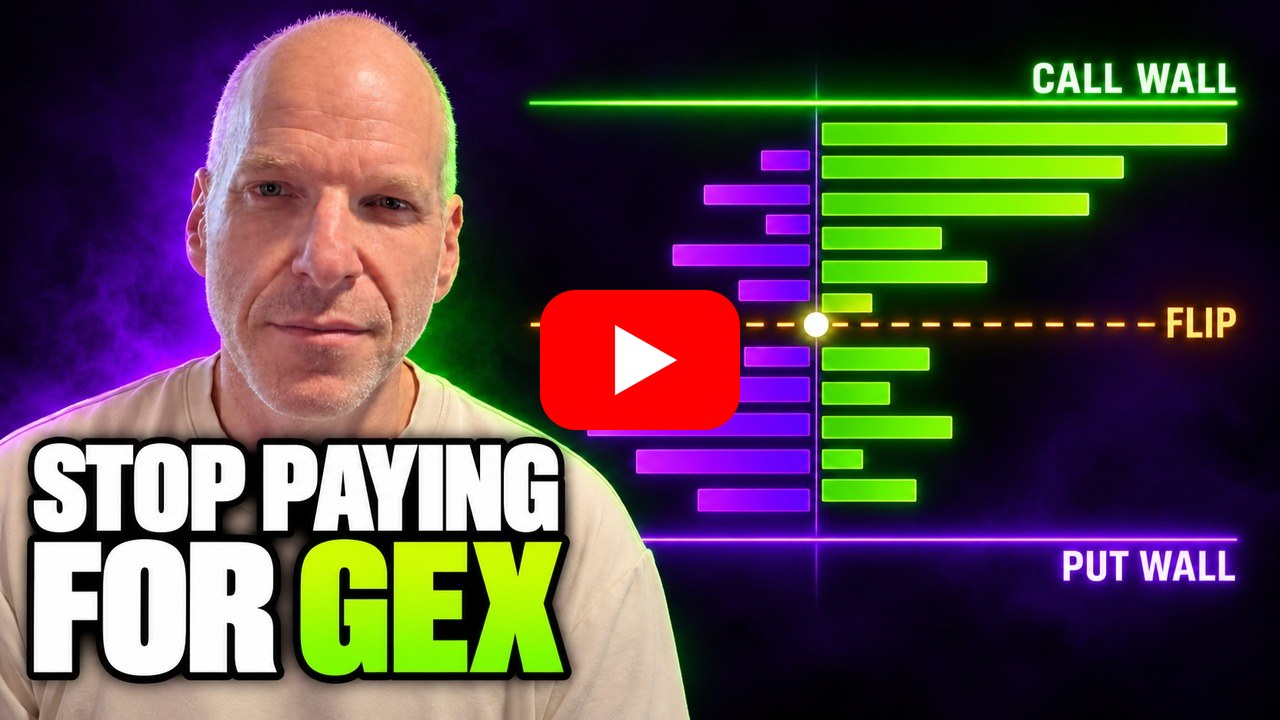
I Built a Free Gamma Exposure (GEX) Map You Can Understand: what GEX is and how traders use it, then the tool itself on demo data.
Edge GEX Lab runs on your own computer. It needs no account, sends no telemetry, and the server
listens on 127.0.0.1 only.
.env next to this README. They are read, never copied or logged.data/, which is not part of
the repo.Alpaca (your account, REST only): stock trades and daily bars for the spot price and volume, option contracts and option quotes, SPX included. It receives your API keys and the tickers you open. It never receives an order: the app calls no trading endpoint and never opens a websocket.
OCC (the options clearing house, public, no account): open interest by contract for every map,
from marketdata.theocc.com, the script address OCC documents for its reports. It receives the ticker
you open and the app's name and version. Downloaded at most once per ticker per 30 minutes. OCC's terms
allow no commercial use; you download it yourself, for personal research. If OCC is unavailable the
map falls back to Alpaca open interest and says so.
Cboe delayed quotes (public, no account): the NDX option chain, from cdn.cboe.com. It receives the
ticker you open. Since Nov 20, 2026 Cboe answers these requests with a block page, so NDX is
unavailable. The app does not try to get around the block. Cboe's site terms restrict automated use of these pages: you fetch them yourself, for
personal research, at your own risk. Do not redistribute the data.
Your local claude CLI (optional): only when you press "Explain this map". It receives the
guidance object for that map and nothing else, runs with every tool, MCP server and setting disabled,
and gets no API key from this app.
GitHub (update check): when the server starts, at most once a day, it asks api.github.com for
this repo's latest release. GitHub sees your IP address and the app version, nothing else: no keys, no
tickers, no settings. If a newer version exists, a banner on the page and a line in the launch.bat
window link to the release notes; nothing is downloaded or installed. It is silent when you are
offline, demo mode never checks, and set GEXLAB_NO_UPDATE_CHECK=1 before launch.bat turns it off.
Keys live in .env on your machine, which is never committed. Do not share or commit .env files,
caches or screenshots with your account details.
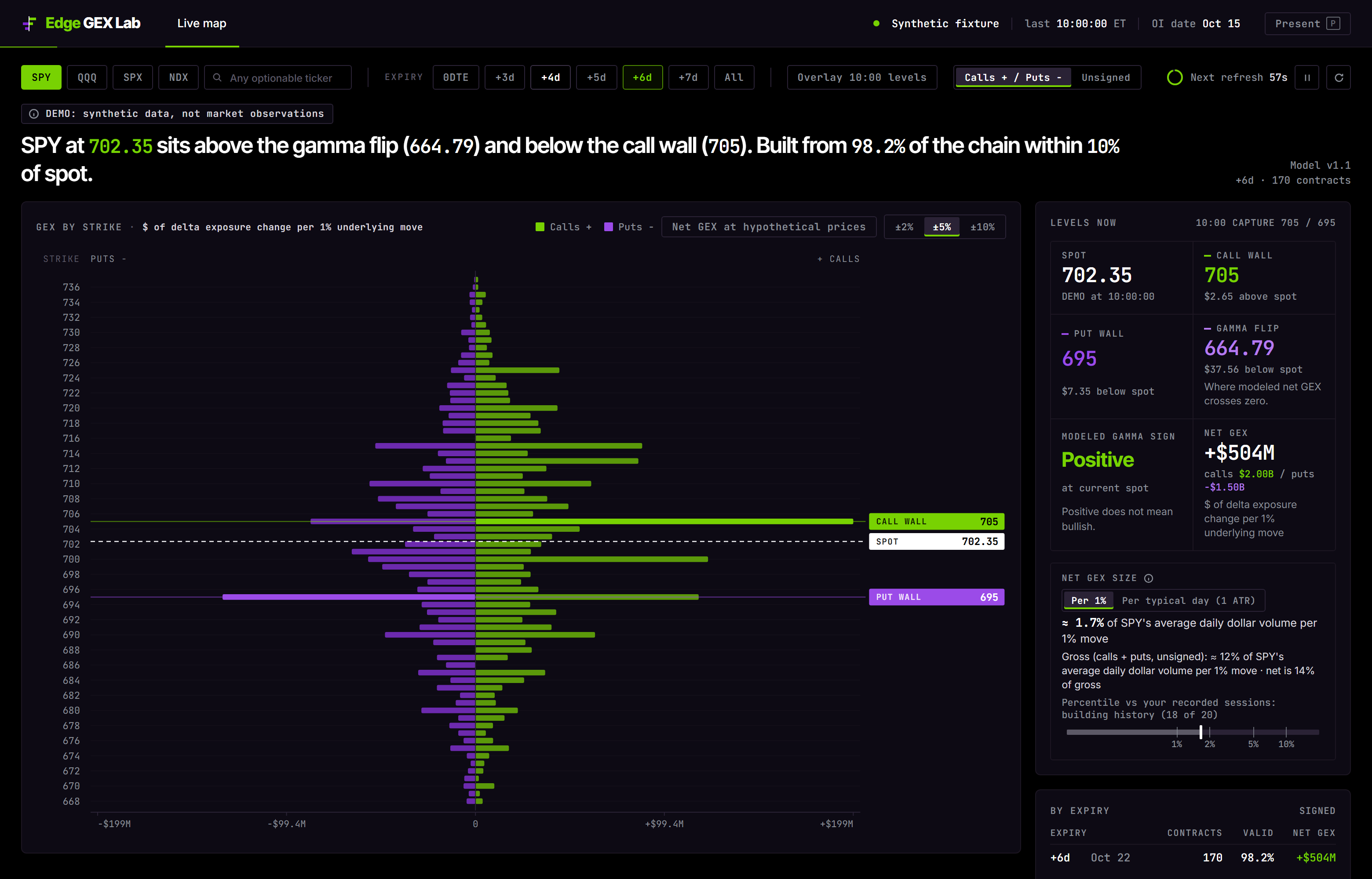
Live map. GEX by strike around spot, with the walls and the gamma flip marked and the method drawer one click away. Synthetic demo data.
Trade guidance. Levels to watch, scenarios with entry, stop and targets, and the regime change triggers, each price traceable to the map. Synthetic demo data. For education only, not financial advice.

Requirements: Python 3.11 or newer, Node.js LTS, and an Alpaca account for its free API keys (every map needs them).
Windows, two steps: download or clone the repo, then double-click
setup.bat, once. It installs everything, builds the web page and creates .env for your keys.
Open .env and paste your Alpaca key and secret.launch.bat, every time. It opens http://127.0.0.1:8240.Try it first with no keys and no network: launch.bat demo (or set GEXLAB_DEMO=1 before
starting the server) serves synthetic fixtures for SPY, QQQ, SPX, NDX and NVDA. Every screen carries a
"Synthetic fixture" badge, nothing in it is market data, and it writes only to data/gexlab_demo.db,
so your real install stays empty. Close the window and run launch.bat to switch to your own data.
Manual setup (Mac, Linux, or if you prefer):
python -m venv .venv
.venv/bin/python -m pip install -r requirements.txt     # Windows: .venv\Scripts\python
cp .env.example .env                                     # then add your Alpaca keys
cd web && npm ci && npm run build && cd ..
.venv/bin/python -m uvicorn gexlab.api:app --host 127.0.0.1 --port 8240
Install with an AI coding assistant: if you use one (Claude Code, Codex, Cursor or similar), open it in an empty folder and paste this prompt:
Install Edge GEX Lab on this computer from github.com/simonro/Edge-GEX-Lab. Follow the README Quick start
exactly. First check that Python 3.11+ and Node.js LTS are installed, and if one is missing, tell me
instead of installing it. Then run the setup, start the app and confirm http://127.0.0.1:8240 opens.
Do not add any API keys. Show me where the .env file is so I can paste my own Alpaca keys.
Every install starts empty: no saved maps and no history. Open the page, pick a ticker, and the map loads from your own data feed.
If the web build fails on Windows with "An Application Control policy has blocked this file":
that is Smart App Control blocking a native build helper. The project builds with the WebAssembly
version of Rollup to avoid it, so delete web\node_modules and run setup.bat again.
Your keys (.env) and caches (data/) are not part of a release, so an update never touches them.
When a new release is out, the app tells you with a banner at the top of the page (once a day, see
Privacy above), linking to its release notes.
If you cloned with git: git pull, then setup.bat (it rebuilds the page), then launch.bat.
If you downloaded the ZIP: unzip the new version into a new folder, copy .env across, run
setup.bat once, then launch.bat.
| Variable | Enables |
|---|---|
APCA_API_KEY_ID, APCA_API_SECRET_KEY |
Every map: SPY, QQQ, SPX and stocks (Alpaca quotes, spot and volume). |
ALPACA_MODE |
paper (default) or live: which Alpaca account the keys belong to. Market data is the same. |
ALPACA_ENV_FILE (environment variable, not .env) |
Optional path to a .env file somewhere else that already holds your Alpaca keys, used instead of the .env next to this README. Keys set directly as environment variables win over both. |
GEXLAB_PORT (environment variable, not .env) |
Port for launch.bat and the web dev server's proxy, 8240 by default. Example: set GEXLAB_PORT=8250 then launch.bat. For the manual start, pass the same number to --port. |
GEXLAB_NO_BROWSER (environment variable, not .env) |
1 stops launch.bat from opening your browser. |
GEXLAB_NO_UPDATE_CHECK (environment variable, not .env) |
1 turns off the once-a-day check for a new release on GitHub. |
GEXLAB_DEMO (environment variable, not .env) |
1 serves the synthetic demo fixtures, the same as launch.bat demo. |
GEXLAB_RECAP_MODEL (environment variable, not .env) |
Optional model name passed to your claude CLI for "Explain this map". |
simonro/Edge-GEX-Lab is a public repo on GitHub by simonro. A free, local live map of option gamma exposure (GEX) for SPY, QQQ, SPX, NDX and stocks: walls, gamma flip, regime, size and trade guidance. Not financial advice.
It declares the MIT license on GitHub.
Its maker has not tagged a system, so it is unknown here. Its README says what it needs.
Open "Take it" on its page: Take My Repo writes an install plan for your machine and hands it to your AI agent (Claude Code, Codex or Cursor), which asks you before each step. Take My Repo has not tested it on any machine.
FastAPI framework, high performance, easy to learn, fast to code, ready for production
Flutter makes it easy and fast to build beautiful apps for mobile and beyond
f.k.a. Awesome ChatGPT Prompts. Share, discover, and collect prompts from the community. Free and open source — self-host for your organization with complete privacy.
中文LLaMA-2 & Alpaca-2大模型二期项目 + 64K超长上下文模型 (Chinese LLaMA-2 & Alpaca-2 LLMs with 64K long context models)
Compress tool outputs, logs, files, and RAG chunks before they reach the LLM. 20% fewer tokens for coding agents, 60-95% fewer tokens for JSON, same answers. Library, proxy, MCP server.
Its last change on GitHub was on 2026-11-23. Take My Repo does not judge from that whether it is maintained.
Nobody has reviewed it on Take My Repo yet, which says nothing about its quality.
Take My Repo cannot say: it does not audit code and has not run Edge-GEX-Lab. What is known comes from GitHub. It declares the MIT license on GitHub. Its last change was on 2026-11-23. It has 75 stars, which measure popularity, not safety. Nobody has reviewed it on Take My Repo yet, which says nothing about its quality. Read the source before you run it. With "Take it", your AI agent shows each step and asks you before running it; README text is treated as data, not as instructions.