ECC
The agent harness performance optimization system. Skills, instincts, memory, security, and research-first development for Claude Code, Codex, Opencode, Cursor and beyond.
- 310k
- JavaScript
- MIT
- 1 d ago
Free, open-source embroidery software for Mac and Windows. Turn SVG artwork into machine embroidery, edit stitches visually, and create designs with AI agents via MCP.
Repo simpsoka/zigzag, read from GitHub 1 min ago. simpsoka has not joined Take My Repo.
simpsoka/zigzag is a public repo on GitHub by simpsoka. Free, open-source embroidery software for Mac and Windows. Turn SVG artwork into machine embroidery, edit stitches visually, and create designs with AI agents via MCP. It declares the Apache-2.0 license on GitHub. It is written mainly in Rust, has 1,116 stars and last changed on 2026-11-23. Nobody has reviewed it on Take My Repo yet, which says nothing about its quality. Read from GitHub on 2026-11-24.
The agent harness performance optimization system. Skills, instincts, memory, security, and research-first development for Claude Code, Codex, Opencode, Cursor and beyond.
Visit zigzag.diy · Download for Mac, Windows or Linux
ZigZag is a visual embroidery editor built in Rust for performance, with built-in MCP (Model Context Protocol) support so AI agents can create and edit designs alongside you. Turn SVG artwork into stitches, fine-tune it in the editor, and export PES, DST, EXP, JEF, or VP3 for broad compatibility with embroidery machines—or send designs directly to a Brother Skitch (PP1) over Bluetooth.
Draw in Illustrator, draw in ZigZag, or let an agent draw. The Rust engine
and zigzag command-line tool power the same workflow outside the editor.
https://github.com/user-attachments/assets/94812f25-82f4-429f-85db-5e20c1d5e723
Stitching on a Brother Skitch (PP1)
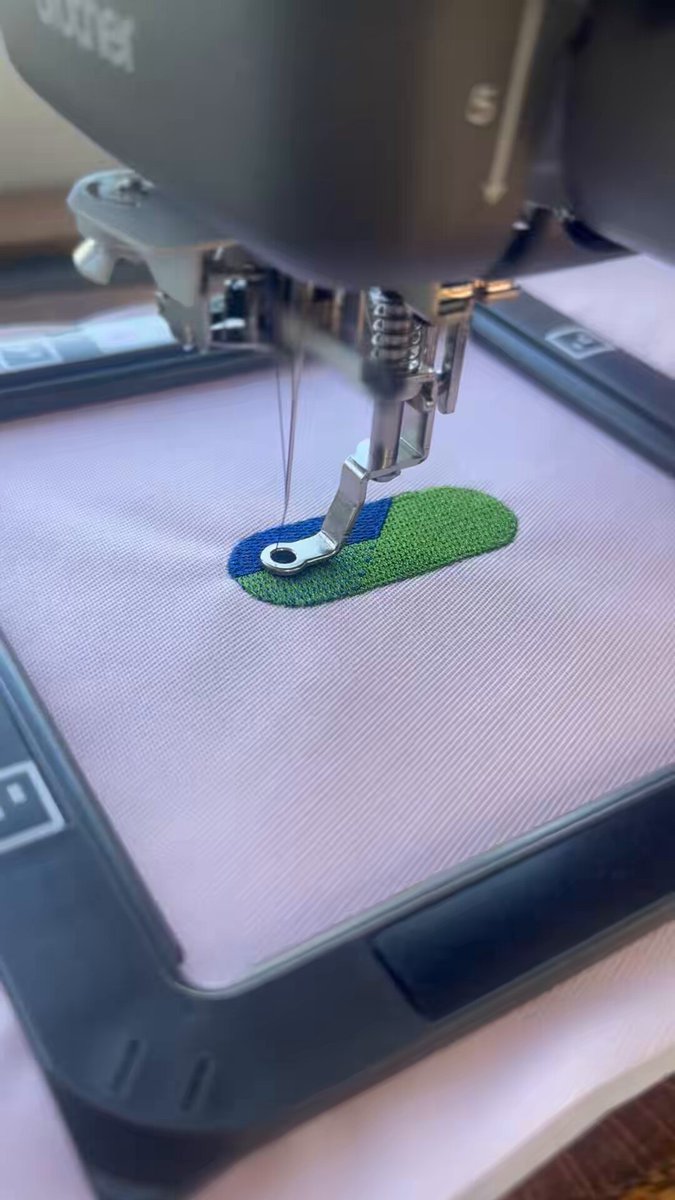
Download the video (MP4, 1080p) · Original post on X.
For Apple Silicon and Intel Macs, macOS 11 or later. Open the DMG, then drag ZigZag into Applications. The release is signed and notarized by Apple. No Rust installation is needed.
Or with Homebrew:
brew install --cask simpsoka/zigzag/zigzag
To update a Homebrew installation:
brew upgrade --cask --greedy simpsoka/zigzag/zigzag
ZigZag also updates itself: it tells you when there's a newer release and installs it when you say (ZigZag › Check for Updates…).
Download ZigZag for Windows
— the ZigZag-<version>-x86_64-windows.zip asset on the latest release.
For 64-bit Windows 10 (version 1709 or later) and Windows 11. Unzip it and double-click ZigZag.exe. Windows SmartScreen warns on apps without a Microsoft-trusted signature the first time they run; click More info → Run anyway. No Rust installation is needed.
Download ZigZag for Linux
— the ZigZag-<version>-x86_64-linux.tar.gz asset on the latest release.
For x86-64 Linux desktops with glibc 2.35 or newer (Ubuntu 22.04+, Debian 12+),
X11 or Wayland, and OpenGL. Extract the archive and run ./zigzag-studio
inside the extracted folder. It also includes the zigzag CLI and
zigzag-mcp bridge; no Rust installation is needed. See the included
README.txt for runtime dependencies and Bluetooth setup.
Release notes and checksums · Changelog · Publishing a release
cargo build --release                        # CLI + MCP bridge, no system deps
cargo build --release --features gui,ble     # + the studio editor and Skitch upload
Linux needs the usual X11/Wayland and OpenGL dev libraries for gui. libdbus
is vendored for ble.
zigzag/
  src/svg.rs              SVG import (usvg): fill and stroke parts, transforms, text
  src/document/           editable document; settings saved back into SVG ids,
                          layout edits as SVG transforms, lettering
  src/params.rs           stitch settings tokens + fabric presets
  src/stitch/fill.rs      tatami fill (scanline sections, staggered rows)
  src/stitch/satin.rs     satin columns: two rails, auto-satin, underlays, short stitches, lean
  src/stitch/cat.rs       letters into satin columns by their chordal axis (strokes, joins, mitres)
  src/stitch/columns.rs   shapes that branch or have holes, cut into satin columns (`cut`)
  src/stitch/stroke.rs    running / triple-run stitch
  src/boolean.rs          polygon booleans and offsets (i_overlay)
  src/design.rs           planner: overlap removal, cap order, routing, trims
  src/route.rs            travel out of sight: a way through fills and under what covers
  src/checks.rs           digitizing checks (sizes, widths, lettering, hoop, travel in sight)
  src/machine/profile.rs  machine profiles: hoops and file format, built in (profiles.json) or your own
  src/formats/            PES (+PEC), DST, EXP, JEF, VP3, Skitch PEN writers;
                          PES/PEC/DST/EXP/JEF readers; preview; worksheet;
                          ZigZag's stitch-plan file (plan.rs)
  src/machine/            Skitch Bluetooth protocol (+ btleplug client, `ble` feature)
  src/studio/             editor (egui on OpenGL via glow) + MCP server (`gui` feature)
  src/mcp_bridge.rs       stdio ↔ HTTP bridge for MCP clients that launch a command
Run the studio's tests with cargo test --features gui (plain cargo test
skips them).
Letter census: tools/census/census.sh NAME sets every letter and digit of about 50 popular fonts of every kind of type (tools/census/fonts.txt) as a satin and counts how many come out clean on every measure (no filled parts, stitches off the letter, extra cuts, travel in sight, bare cloth, off-square stitches, seams or satin piled three deep), with trims and letters sewn in one piece. It takes about half a minute; quick sweeps every 8th installed family and full all of them. Each process is stopped past 2 GB. ZIGZAG_FONT_SIZE=11 sets letters about 8 mm tall. tools/census/summary.py compares runs in target/census/. To try a change, tools/census/try.sh [VAR=VALUE …] runs the popular fonts at 8 and 15 mm as sewn and with the settings given, in one go, and shows each against the last try (results for code that hasn't changed are kept). tools/census/letter.sh FAMILY CHAR [8|15] [VAR=VALUE …] plans one letter and says where each trim is and why (ZIGZAG_TRIMS=1 does that for any zigzag convert); tools/census/trims.py sorts a census's trims that way, for a census run with ZIGZAG_TRIMS=1. tools/census/sheet.py OUT.png [8|15] FAMILY=CHARS … draws letters' stitches in a few settings side by side over their outlines, to judge by eye; tools/census/judged.txt is a set judged that way and tools/census/judge.py checks the census's faults against it (the census counts stitches crowded into one place, the narrow end of a fan, and needle points outside the letter, but judges fans poorly). They build with the trial profile: as fast as release, but an edit rebuilds in seconds.
App icons: the embroidered icons live in packaging/macos/AppIcon.png
(light) and packaging/macos/AppIcon-dark.png (dark). The Mac build
regenerates both .icns files; bash packaging/macos/make-icons.sh does it
separately. Finder and the unopened app use the light icon; while the studio
runs, its Dock icon follows the app's theme.
Screenshots and videos: start the studio with ZIGZAG_CAPTURE=<folder>
and ⌃⌥⌘S saves the window as a full-resolution PNG; ⌃⌥⌘R starts and stops
recording it. packaging/media/encode.sh <folder>/take-001 demo turns a
recording into demo.mp4 and demo.gif (needs ffmpeg).
| Type | What it does | Works on |
|---|---|---|
| Fill (tatami) | Staggered rows, any angle, with underlay (edge walk + rows) and pull compensation | Filled shapes |
| Satin | Zigzag column between two rails, with center/contour/zigzag underlay, pull compensation and short stitches on tight curves; plain, S-stitch or zig-zag top stitching; an even zigzag (each step shared between the stitch over and the stitch back; even=0 for one straight across and one stepping); stitches square across or leaning (lean=8); several threads across the column (multicolor satin) |
Strokes (any width); Ink/Stitch-style two-rail paths with rungs (open rails or closed ones, a ring; the rails are the pair every rung crosses, or the ones rails=1+2 names); filled shapes: rings use inner/outer outline, bars and crescents split at their tips, letters and other shapes that branch or have a counter are read as strokes by their chordal axis (the middle line of the triangulated outline: a P a stem and a bowl, a T a bar and a stem), cut into columns where the branches part, corners squared, one stroke run on and the other ended against it (the default, Corners: Cut; also what a shape that can't be read as strokes is, a square or a dot); or, with cut=0 (Corners: Auto), read as strokes by their chordal axis, each stroke a column with its stitches square across it, corners mitred and a stroke cut off at a slant ended along the cut, unless a corner is too sharp to mitre cleanly (the point of a V) or a join can't be read clearly, when it's cut (mitred, Corners: Mitred, mitres every corner); or border follows the outline |
| Run | Running stitch, single or triple (bean) | Strokes and outlines |
| Contour | Rows that follow the outline inward, or one spiral out from the center (Ink/Stitch's circular fill) | Filled shapes |
| Blanket | E-stitch: a line with prongs into the shape | Edges, appliqué |
| Appliqué | Placement line → stop → tack-down → stop → satin cover | Filled shapes |
| Manual | Every path point is a needle point | Imported machine files, pen tool |
| Meander | One wandering line through the shape, quilting style: light and soft | Filled shapes |
| Ripple | Open running-stitch rows following the outline, or one spiral | Filled shapes |
| Cross-stitch | A grid of X's, sewn as rows of half-crosses out and back | Filled shapes |
| Tartan | Woven stripes in several threads (a mirrored sett you edit in the panel), each thread its own color block | Filled shapes |
Satins wider than 7 mm are auto-split (shorter, staggered stitches) and use auto spacing (narrow columns more open, wide ones denser).
Planner features:
On a Mac with Rust and the Xcode command line tools
(xcode-select --install):
packaging/macos/make-app.sh --install    # builds ZigZag.app and copies it to /Applications
packaging/macos/make-app.sh --dmg        # also makes dist/ZigZag-<version>.dmg to share
packaging/macos/make-app.sh --universal  # one app for Apple Silicon and Intel Macs
packaging/macos/make-app.sh --release    # the DMG to publish: universal, signed, notarized
--release signs with your Developer ID and has Apple notarize the app and
the DMG, so it opens on any Mac without warnings. Once, beforehand: add a
Developer ID Application
simpsoka/zigzag is a public repo on GitHub by simpsoka. Free, open-source embroidery software for Mac and Windows. Turn SVG artwork into machine embroidery, edit stitches visually, and create designs with AI agents via MCP.
It declares the Apache-2.0 license on GitHub.
Its maker tagged it for macOS and Windows. That is declared by the maker; Take My Repo has not tested it.
Open "Take it" on its page: Take My Repo writes an install plan for your machine and hands it to your AI agent (Claude Code, Codex or Cursor), which asks you before each step. Take My Repo has not tested it on any machine.
Reverse engineer anything with agents, from app behavior down to native binaries.
Watch the downloads folder for embroidery stitch files, convert them to a format that your machine supports, and copy them to a USB drive
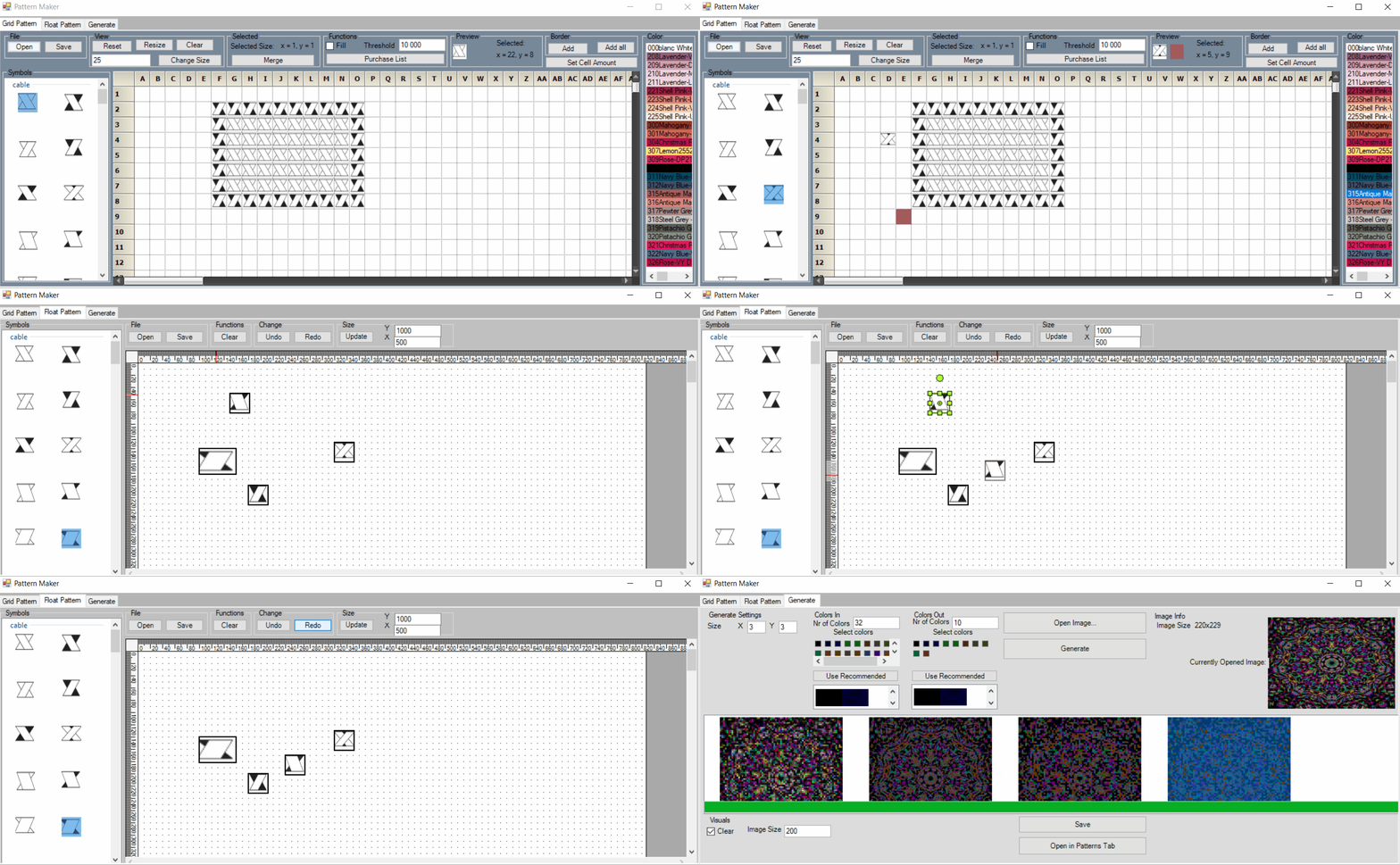
A helpful windows form application for creating and managing crochet, knitting, embroidery and stitching patterns.
Its last change on GitHub was on 2026-11-23. GitHub counts 10 open issues and pull requests. Take My Repo does not judge from that whether it is maintained.
Nobody has reviewed it on Take My Repo yet, which says nothing about its quality.
Take My Repo cannot say: it does not audit code and has not run zigzag. What is known comes from GitHub. It declares the Apache-2.0 license on GitHub. Its last change was on 2026-11-23. It has 1,116 stars, which measure popularity, not safety. Nobody has reviewed it on Take My Repo yet, which says nothing about its quality. Read the source before you run it. With "Take it", your AI agent shows each step and asks you before running it; README text is treated as data, not as instructions.