
harness-engineering
Harness Engineering(驭缰工程)中文学习档案:概念笔记、一手翻译与实践记录 · Chinese study archive
- 6.3k
- JavaScript
- MIT
- 10 h ago
Sync one AGENTS.md to every AI coding tool. Symlinks, no codegen
Repo snapsynapse/agentlink, read from GitHub 1 min ago. snapsynapse has not joined Take My Repo.
snapsynapse/agentlink is a public repo on GitHub by snapsynapse. Sync one AGENTS.md to every AI coding tool. Symlinks, no codegen. It declares the MIT license on GitHub. It is written mainly in Go, has 2 stars and last changed on 2026-11-22. It is archived: its maker no longer maintains it. Nobody has reviewed it on Take My Repo yet, which says nothing about its quality. Read from GitHub on 2026-11-23.
Status: retired. Agentlink was retired on November 21, 2026, and v0.7.0 is the final release. Existing symlinks keep working without it. Automatic triggers installed by earlier releases keep running until you remove them; see Uninstall. Releases up to v0.6.0 have a high-severity vulnerability, GHSA-jjf5-5jgx-hg9g; upgrade to v0.7.0 or uninstall. The project record is at https://agentlink.run/.
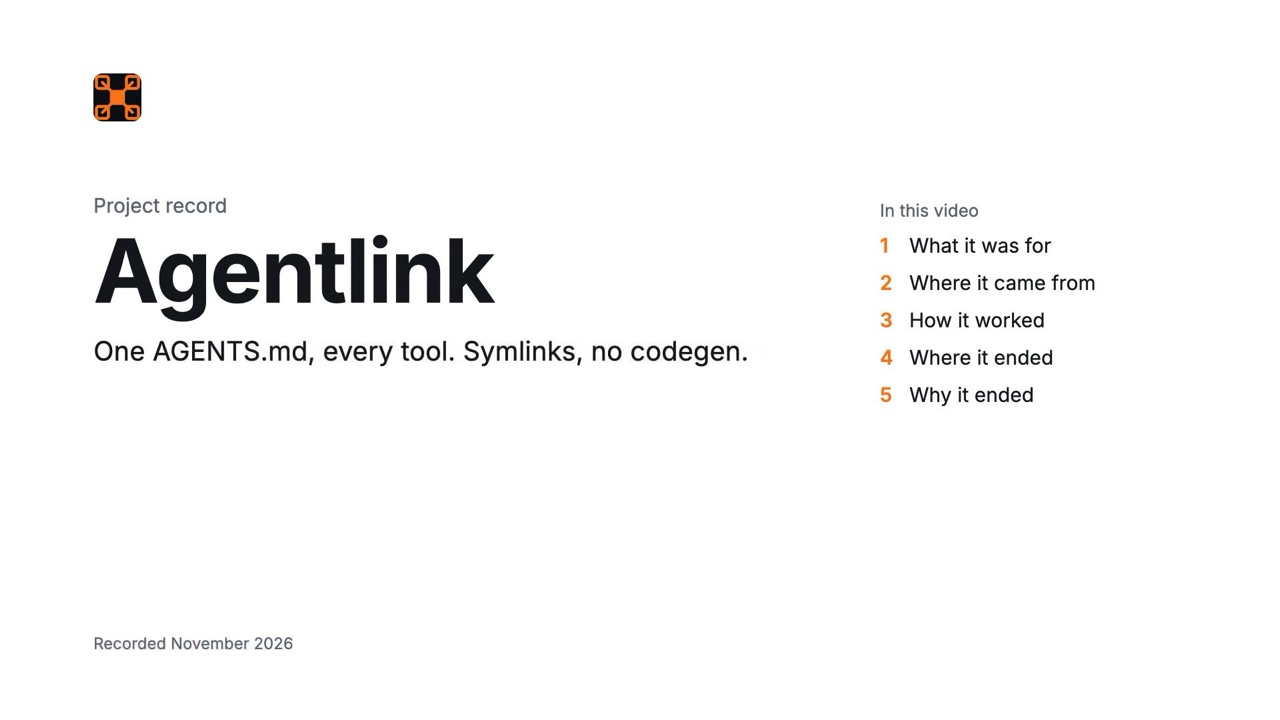
Agentlink, for the record (2026). 2:30, recorded November 21, 2026. Watch on YouTube or read the transcript.
Origin. Agentlink began as martinmose/agentlink by Martin Mose Facondini (MIT). This repository is the Snap Synapse-maintained standalone continuation, extended with
detect,scan,hooks(trigger installation retired in v0.7.0), automatic backup, global-config support, and integration tests. See NOTICE for full attribution and lineage.
Sync one AGENTS.md to every AI coding tool on your machine, with zero magic, just symlinks.
Different tools want different files at project root: AGENTS.md (OpenAI/Codex, OpenCode), CLAUDE.md (Claude Code), GEMINI.md, etc. There's no standard, and I'm not waiting for one. Agentlink solves the basic need: keep your personal instruction files (in ~) and your project instruction files in sync without generators. Edit one, they all reflect it.
Creating instruction files is easy with /init commands, but keeping them up to date is the hard part -- and expensive too. Good instruction files are often crucial and make a huge difference when using agentic tools. Since they're so important, these files are typically generated with expensive models. Why pay repeatedly to regenerate similar content across different tools?
Future-proof by design: We don't know what tomorrow brings in the AI tooling space, but agentlink is ready. New tool expects .newtool/ai-config.md? Just add it to your config. Complex nested structure like workspace/ai/tools/newframework/instructions.md? No problem. Agentlink automatically creates the directories and symlinks without any code changes needed.
Scope: instruction files only. No MCP
.mcp.jsonor chain configs. Simple on purpose.
Agentlink publishes a GuideCheck Human-Verifiable Assistant Guide for bounded local review, build, and test work:
The guide and manifest are tracked twice: review copies at repository root and byte-identical served copies under docs/.well-known/. CI rejects drift. The guide is anchored to the v0.7.0 release, and a DNS TXT record at _assistant-guide.agentlink.run carries the same SHA-256 as an independent channel; independent verification is required. Matching local copies alone do not establish Level 4.
Before asking an assistant to perform local Agentlink setup or verification work, verify the guide, read it in full, and approve proceeding under the reported level.
The AI posture is likewise tracked as byte-identical root and served copies. It states the local-only data and execution boundaries of the CLI; it is not an API or a claim about the behavior of tools Agentlink configures.
CLAUDE.md or AGENTS.md or whatever), symlink the rest.~/.config/....--force.You tell Agentlink which file is the source, and which other files should link to it. Agentlink creates/fixes symlinks accordingly.
# .agentlink.yaml (in project root)
source: AGENTS.md
links:
  - CLAUDE.md                             # Claude Code
  - .github/copilot-instructions.md       # GitHub Copilot
  - .cursorrules                           # Cursor AI
  - GEMINI.md                              # Gemini CLI
Result:
./AGENTS.md                              # real file you edit
./CLAUDE.md                           -> AGENTS.md  (symlink)
./.github/copilot-instructions.md     -> ../AGENTS.md  (symlink)
./.cursorrules                        -> AGENTS.md  (symlink)
./GEMINI.md                           -> AGENTS.md  (symlink)
Use a symlink when two tools should read identical bytes. Use a real tool-specific wrapper when one tool needs the shared instructions plus its own additions. For Claude Code, keep CLAUDE.md out of links and commit it as a real file:
@AGENTS.md

## Claude-specific guidance

Use plan mode for changes under `src/billing/`.
Agentlink continues to manage the aliases that remain in .agentlink.yaml. It does not generate, parse, or rewrite the wrapper. Claude Code expands the import and then appends the remaining CLAUDE.md content; Claude's own hierarchy determines how root, parent, local, and nested files combine. Agentlink does not normalize precedence between harnesses. See the Claude Code memory documentation.
For monorepos, the practical rule is "symlink by default, real wrapper at exception points": place a sibling alias beside each nested AGENTS.md when the tool documents nested discovery, but replace an alias with a real importing wrapper wherever that tool needs additional local guidance. Limited Edition Jonathan's AGENTS.md guide for the CEO of Shopify describes the nested symlink workaround and the operational problem it addresses. Agentlink can create the identical aliases with scan --nested; wrapper contents remain a manual, committed project decision.
Gemini CLI can similarly be configured to load AGENTS.md directly through context.fileName, avoiding a GEMINI.md alias. See the Gemini CLI context documentation.
Global mode (in HOME) is the same idea:
# ~/.config/agentlink/config.yaml
source: ~/AGENTS.md
links:
  - ~/.claude/CLAUDE.md
  - ~/.codex/AGENTS.md
  - ~/.gemini/GEMINI.md
  - ~/.config/AGENTS.md
  - ~/.factory/AGENTS.md
  - ~/.config/opencode/AGENTS.md
Project configs are scoped to their repository. A .agentlink.yaml arrives with whatever you clone, and the git and zsh hooks from earlier releases applied it automatically, so its source and every link must resolve inside the directory that holds the config, after symlinks are followed. ~/, absolute, and .. paths are accepted only when they stay inside it, and a directory symlink inside the repository can't carry a link or source out of it. scan applies the same rule to every repository it visits. Links into your home directory belong in the global config, which you own.
brew install snapsynapse/tap/agentlink
The formula lives in snapsynapse/homebrew-tap and installs the same checksummed binaries as the release page.
Download the binary for your platform from the latest release, verify it against SHA256SUMS.txt, then:
chmod +x agentlink-darwin-arm64 && mv agentlink-darwin-arm64 /usr/local/bin/agentlinkBinaries: darwin-arm64, darwin-amd64, linux-amd64, linux-arm64. The v0.7.0 SHA-256 values, published here separately from the release:
fd2933926a3398ae29b2f9dd3eecdeed8c40c8f9171471147af5d743651b3021  agentlink-darwin-arm64
fde1c7a9d621112a6c2c3aa1225a9142853b577593b38bef5418626fa531efda  agentlink-darwin-amd64
0910b2482d02cb0a724db784ff540ff0294e2c6be2e86737b1ae9cbca7cd948c  agentlink-linux-amd64
f9741feeb4c9fc1dbeb7e7bf5588a4fdada8b0c36e4d02123783a0ccef2ef4db  agentlink-linux-arm64
go install github.com/snapsynapse/agentlink/cmd/agentlink@latest
Source builds require Go 1.23 or newer. CI verifies the minimum contract with Go 1.23.12 and current Go 1.26.8 and 1.27.1 releases, including Go 1.27.1 on macOS.
This puts the binary in your Go bin directory (usually ~/go/bin/). Make sure it's in your PATH:
# Check if it worked
which agentlink

# If "command not found", add Go's bin to your PATH.
# Add this line to your ~/.zshrc or ~/.bashrc:
export PATH="$HOME/go/bin:$PATH"
Final release: v0.7.0. No further distribution channels are planned.
If you maintain one set of AI instructions for all your tools, this is the fastest path.
1. Create your source file (skip if you already have one):
# ~/AGENTS.md is the recommended global location.
# Put your instructions, conventions, and preferences here.
vim ~/AGENTS.md
2. Detect your installed tools:
agentlink detect -v
This shows which tools are installed and their expected config paths.
3. Create the global config:
mkdir -p ~/.config/agentlink
cat > ~/.config/agentlink/config.yaml << 'EOF'
source: ~/AGENTS.md
links:
  - ~/.claude/CLAUDE.md
  - ~/.codex/AGENTS.md
  - ~/.gemini/GEMINI.md
  # Add paths from 'agentlink detect' for tools you use
EOF
4. Sync:
agentlink sync
If any target path already has a real file, agentlink will refuse to overwrite it and tell you the file size and modification date. Your options:
cat ~/.codex/AGENTS.md         # inspect the existing file
agentlink sync --backup        # back up existing regular files to .bak, then replace
agentlink sync --force         # replace without backup (destructive)
agentlink sync --dry-run       # preview only, with no filesystem changes
5. Automatic triggers (retired):
Installing automatic triggers is no longer supported; agentlink hooks install exits with an error that explains how to remove them. If an earlier release installed them, remove them:
agentlink hooks remove --all
6. Scan your repos (optional):
agentlink scan ~/GitFinds git repos with AGENTS.md and creates tool-specific symlinks (CLAUDE.md, GEMINI.md, etc.) in each, including git worktrees and submodule-style checkouts where .git is a file rather than a directory.
# Initialize in your project
agentlink init

# Edit the created .agentlink.yaml to match your needs
# Create your source file (e.g., AGENTS.md)

# Sync to create symlinks
agentlink sync
agentlink init               # create .agentlink.yaml in current directory
agentlink sync               # create/fix symlinks based on config
agentlink check              # print status and problems
agentlink clean              # remove managed symlinks (non-destructive)
agentlink doctor             # environment + permissions sanity checks for project and global config
agentlink detect             # auto-detect installed AI coding tools
agentlink scan [dir]         # scan git repos and manage symlinks
agentlink hooks remove --all  # remove triggers installed by earlier releases
agentlink hooks status       # show installed trigger status
agentlink sync --dry-run     # show what would change without filesystem changes
agentlink sync --backup      # back up existing regular files to .bak before replacing
agentlink sync --force       # replace conflicting files or symlinks without backup (or -f)
agentlink sync --quiet       # suppress non-error output (or -q)
agentlink --verbose          # detailed output for any command (or -v)
When a target path already contains a real file (not a symlink), agentlink stops and reports the conflict with the file size and last-modified date. It never silently overwrites your files. Options:
--backup backs up the existing file to <name>.bak (or <name>.<timestamp>.bak, with a numeric suffix for further collisions), then creates the symlink. Backups use an exclusive hard link so an existing backup is never overwritten. On filesystems without hard-link support, sync stops and leaves the original unchanged.--force replaces a regular file or conflicting symlink without backup. Use when you've already inspected or don't care about the existing content.--dry-run is a hard preview mode. It does not create symlinks, remove files, fix broken links, or write backups, even when combined with --backup or --force.Agentlink refuses to recursively replace directories or special files. If a configured link path is a directory, move or rename it yourself before running sync.
Agentlink maintains a registry of known AI coding tools and their configuration paths. Run detect to see what's installed:
agentlink detect             # list installed tools
agentlink detect --generate  # generate .agentlink.yaml from detected tools
agentlink detect --generate --prefer-native # recommend imports/config before symlinks
agentlink detect -v          # show global config paths and AGENTS.md support
The homepage support listing is the complete registry reference, including operating systems, project and global paths, integration modes, vendor sources, and caveats. It is generated from internal/registry/tools.go; run go run ./cmd/update-docs after changing the registry.
Version 0.7.0, the final release, confines project configs to their repository, retires hooks install, and makes hooks remove fully undo earlier installs. The registry is unchanged from 0.6.0.
Native readers need no alias. detect --generate --prefer-native reports configuration or import steps instead of writing vendor settings. Detection alone does not prove instruction loading.
Existing configurations remain authoritative. After upgrading tools, review old aliases: current Qwen and Goose can read AGENTS.md directly, so a second loaded alias can duplicate instructions. Remove any Continue config.yaml path from Agentlink’s links list; keep that settings file real and use .continue/rules/AGENTS.md for a Markdown alias. Registry updates do not migrate existing configuration files.
Scan a directory tree to find git repos and wire up symlinks:
agentlink scan                    # scan ~/Git (default)
agentlink scan ~/Projects         # scan a different directory
agentlink scan --dir ~/Work       # alternative syntax
agentlink scan --dry-run          # preview without changes
agentlink scan --nested           # also link beside nested AGENTS.md files
The scanner recognizes standard repos, git worktrees, and submodule-style checkouts where .git is a file. When a repository has .agentlink.yaml, that explicit configuration is authoritative: only its declared source and links are managed. Without a config, scan uses root AGENTS.md and the registry's root-level aliases. Existing real alias files are preserved as intentionally unmanaged unless --force is supplied, so a layered CLAUDE.md is not treated as an error.
--nested is opt-in and applies only to unconfigured repositories. It finds nested AGENTS.md files and creates sibling aliases only for registry entries with documented nested discovery, currently Claude Code and Gemini CLI. Unknown tools fail closed at the repository root rather than being assumed equivalent. The walk skips hidden directories, nested repositories, node_modules, vendor, dist, build, handoffs, and working. Tool-specific precedence is unchanged and remains the consuming harness's responsibility. The AGENTS.md convention gives the nearest file precedence; other tools may concatenate or order nested files differently.
The integration suite verifies the exact root and nested topology, relative targets, explicit-config authority, wrapper preservation, root-only behavior for unknown integrations, repeat-run idempotence, and byte-preserving dry runs. Registry invariants require a public documentation reference before nested discovery can be enabled, and a documentation contract keeps the generated homepage support listing aligned with the registry.
The default scan directory is ~/Git. Override it per-invocation with the --dir flag or positional argument. To change the compiled default, build with:
go build -ldflags "-X github.com/snapsynapse/agentlink/internal/cli.DefaultScanDir=/your/path" ./cmd/agentlink/Installing automatic triggers is retired. Earlier releases could install three, and they keep running until removed:
post-checkout and post-merge in the global core.hooksPath (default ~/.config/git/hooks), running agentlink sync after every clone, checkout, and pull. While a global core.hooksPath is set, Git ignores every repository's own .git/hooks.chpwd function in ~/.zshrc that ran agentlink sync in the background on every cd into a configured repository.~/Library/LaunchAgents/com.agentlink.sync.plist, running agentlink sync hourly and at login, logging to /tmp/agentlink-sync.log.agentlink hooks status # check what's installed agentlink hooks remove --all # remove all of them agentlink hooks remove --dry-run --all # preview first
Removal deletes only the marked agentlink sections (# >>> agentlink >>> / # <<< agentlink <<<), rewriting each file atomically and keeping its permissions. Hook files that held nothing but agentlink's block are deleted. If core.hooksPath is agentlink's default directory and nothing else is left in it, the directory is removed and core.hooksPath is unset, so repository hooks run again. Otherwise removal leaves core.hooksPath alone and says so. The LaunchAgent's legacy logs in /tmp are deleted when they are regular files you own.
Remove automatic triggers first, so nothing recreates links afterwards:
agentlink hooks remove --all
Check for stray links. Releases up to v0.6.0 applied a cloned repository's .agentlink.yaml without confining it to that repository, so a hostile config could create links elsewhere in your home directory. This lists links under your home directory, three levels deep, whose target is an instruction file; your configured global links will appear too:
find "$HOME" -maxdepth 3 -type l \( -lname '*AGENTS.md' -o -lname '*CLAUDE.md' \) -exec ls -l {} + 2>/dev/null
Optionally remove managed links. They're plain symlinks and keep working without agentlink, so this is only for links you no longer want. clean removes only symlinks that point at the configured source:
agentlink clean            # in each configured project
agentlink clean --global   # links from ~/.config/agentlink/config.yaml
Remove the binary and its config:
brew uninstall agentlink   # or delete the binary you installed
rm -r ~/.config/agentlink
See examples/project.agentlink.yaml for a
copyable project configuration.
Place a single file at repo root:
.agentlink.yaml
source: AGENTS.md
links:
  - CLAUDE.md
  - GEMINI.md
Notes:
source must be a real file, not a symlink. By default agentlink sync refuses a symlinked source, exits with an error, and changes nothing. --force links to it anyway, creating a chain that agentlink check still reports as a problem; point source at the real file instead.links are relative to the project root.links and keep its wrapper as a real committed file.See examples/global.agentlink.yaml for a
copyable global configuration.
~/.config/agentlink/config.yaml
source: ~/AGENTS.md
links:
  - ~/.claude/CLAUDE.md
  - ~/.codex/AGENTS.md
  - ~/.gemini/GEMINI.md
agentlink doctor checks project and global configuration separately. In particular, the "Global Configuration" section always inspects ~/.config/agentlink/config.yaml directly, even when .agentlink.yaml exists in the current repo.
ln -s), same behavior on both..gitignore.Since agentlink creates multiple instruction files but only one is the real source, you can gitignore all AI instruction files except your chosen source:
# Ignore all AI instruction files
AGENTS.md
CLAUDE.md
GEMINI.md
OPENCODE.md
.cursorrules
.github/copilot-instructions.md

# But track your chosen source file (example: tracking AGENTS.md)
!AGENTS.md
This keeps your repository clean while ensuring your source file is version controlled.
Agentlink is not the first tool to tackle this problem. The ecosystem is young and fragmented; many people have built solutions independently. Here's what exists as of April 2026:
| Tool | Language | Approach | Scope |
|---|---|---|---|
| agentsync | Rust | Symlinks + MCP config generation | Per-project .agents/ directory |
| agents | TypeScript | Config-file generation + watch mode | MCP servers + skills + instructions |
| AI Rules Sync | Node | Git-repo-sourced rules + adapters | Multi-repo rule federation |
| Rulesync | Node | Bidirectional format conversion | Rules + commands + MCP + skills |
| Vibe Rules | Node | Hard links/symlinks + VS Code ext | 15+ tools, skill management |
| agent-sync | Python | Format conversion, hub-and-spoke | Claude + Copilot + Gemini |
| agent-sync | OCaml | Symlinks, AGENT_GUIDE.md canonical | Early stage |
| claude-agents-sync | Python | PostToolUse hook, bidirectional | Claude Code only |
| AgentLoom | Rust/Svelte | Desktop GUI for skill symlinks | Skills only (12+ tools) |
| DevKit | Node | Skill marketplace + auto-detect | Skill discovery + install |
| AGR | Python | Package manager for agent resources | Team skill distribution |
Agentlink differentiates by staying minimal (symlinks only, no codegen), supporting both global and project-level configs, and adding automation (detect and scan; automatic triggers until v0.7.0) without requiring Node/Python runtimes. The compiled Go binary has zero runtime dependencies.
For the emerging AGENTS.md standard, see agents.md (now under the Agentic AI Foundation / Linux Foundation).
Why not templates or generators? Because most aliases should be identical. When one tool needs an additional layer, keep its wrapper real, import the shared source using that tool's supported syntax, and omit the wrapper from Agentlink's links. Agentlink deliberately does not generate or transform it.
Do imports and nested files have the same priority everywhere?
No cross-tool guarantee exists. Agentlink manages filesystem aliases, not instruction precedence. Claude Code expands imports into its context and combines discovered CLAUDE.md files according to Claude's hierarchy. AGENTS.md-aware tools apply their own documented scoping rules. Verify effective context with the consuming tool when precedence matters.
What if my source differs per project?
Perfect -- put a .agentlink.yaml in each repo and choose the source you actually edit there.
Can the source be AGENTS.md instead of CLAUDE.md?
Yes. The source is whatever you want to edit. The others link to it.
What happens when a new AI tool comes out?
Just add its expected path to your config. If "SuperCoder AI" expects .supercoder/prompts/main.md, add that path and run agentlink sync. Directories are created automatically, symlink points to your source file. Zero code changes, zero updates needed. The built-in registry is frozen at v0.7.0, so new tools are not added to it.
MCP / .mcp.json?
Out of scope. Formats differ between tools; symlinking a single JSON to multiple consumers usually doesn't make sense.
What about local models (Ollama, LM Studio, etc.)? Local model runners don't read AGENTS.md or any instruction file convention. The model itself has no filesystem protocol -- it depends on the harness. If a tool built on top of local models reads AGENTS.md or another instruction file, add its path to your config.
Agentlink is retired and no longer accepts feature requests, registry additions, or pull requests. Report security issues privately as described in SECURITY.md. The project is MIT licensed, so forks are welcome; see CONTRIBUTING.md.
Maintained as a Snap Synapse project. Agentlink began as martinmose/agentlink by Martin Mose Facondini (MIT); upstream credit remains intact in NOTICE. This repository is the canonical record of the project: its code, releases, security advisory, and documentation.
snapsynapse/agentlink is a public repo on GitHub by snapsynapse. Sync one AGENTS.md to every AI coding tool. Symlinks, no codegen.
It declares the MIT license on GitHub.
Its maker tagged it for macOS and Linux. That is declared by the maker; Take My Repo has not tested it.
Open "Take it" on its page: Take My Repo writes an install plan for your machine and hands it to your AI agent (Claude Code, Codex or Cursor), which asks you before each step. Take My Repo has not tested it on any machine.
No. It is archived on GitHub: its maker no longer maintains it.
Nobody has reviewed it on Take My Repo yet, which says nothing about its quality.
Harness Engineering(驭缰工程)中文学习档案:概念笔记、一手翻译与实践记录 · Chinese study archive
An agent skill to write AGENTS.md, with fancy stuff like secrets leaks checking
Autonomous software factory. Give it a GitHub issue, a spec or a one-line task; get back a pull request with a signed receipt anyone can re-check offline. Runs on your machine with your own keys: Claude, Codex, OpenCode.
Reverse engineer anything with agents, from app behavior down to native binaries.
The agent harness performance optimization system. Skills, instincts, memory, security, and research-first development for Claude Code, Codex, Opencode, Cursor and beyond.
AGENTS.md rules / skills for AI coding agents: Codex, Cursor & Claude Code. Inspired by Clean Code, Refactoring, DDD, Clean Architecture and DDIA programming books.
Convert Substack posts to clean, Obsidian-friendly Markdown using your authenticated browser session.
Evidence-backed reference for AI capabilities, pricing tiers, availability, and platform support across ChatGPT, Claude, Gemini, Copilot, and more.
Auditable peer disagreement for LLM agents: a thin, file-based governance layer with a human arbiter and no orchestrator.
A template for building structured, self-healing, agent-accessible knowledge bases. Zero dependencies. Git-native. Ontology-driven. Multi-output.
Version identity and integrity verification for Agent Skills. Tracks versions, detects staleness, and verifies bundle integrity with SHA-256 hashes across sessions, surfaces, and platforms.
AI setup guides can hide instructions a model reads but a human never sees. GuideCheck is the plain-text standard that makes an assistant's instruction surface reviewable before it acts.





