solid
A declarative, efficient, and flexible JavaScript library for building user interfaces.
- 37k
- TypeScript
- MIT
- 6 h ago

A simple integration to run solid-js with vite
Repo solidjs/solid-vite-plugin, read from GitHub 51 min ago. solidjs has not joined Take My Repo.
solidjs/solid-vite-plugin is a public repo on GitHub by solidjs. A simple integration to run solid-js with vite. It declares the MIT license on GitHub. It is written mainly in TypeScript, has 526 stars and last changed on 2026-11-20. Nobody has reviewed it on Take My Repo yet, which says nothing about its quality. Read from GitHub on 2026-11-22.
vite-plugin-solidhas moved to@solidjs/vite-plugin. See Migrating from vite-plugin-solid.
A simple integration to run solid-js with vite
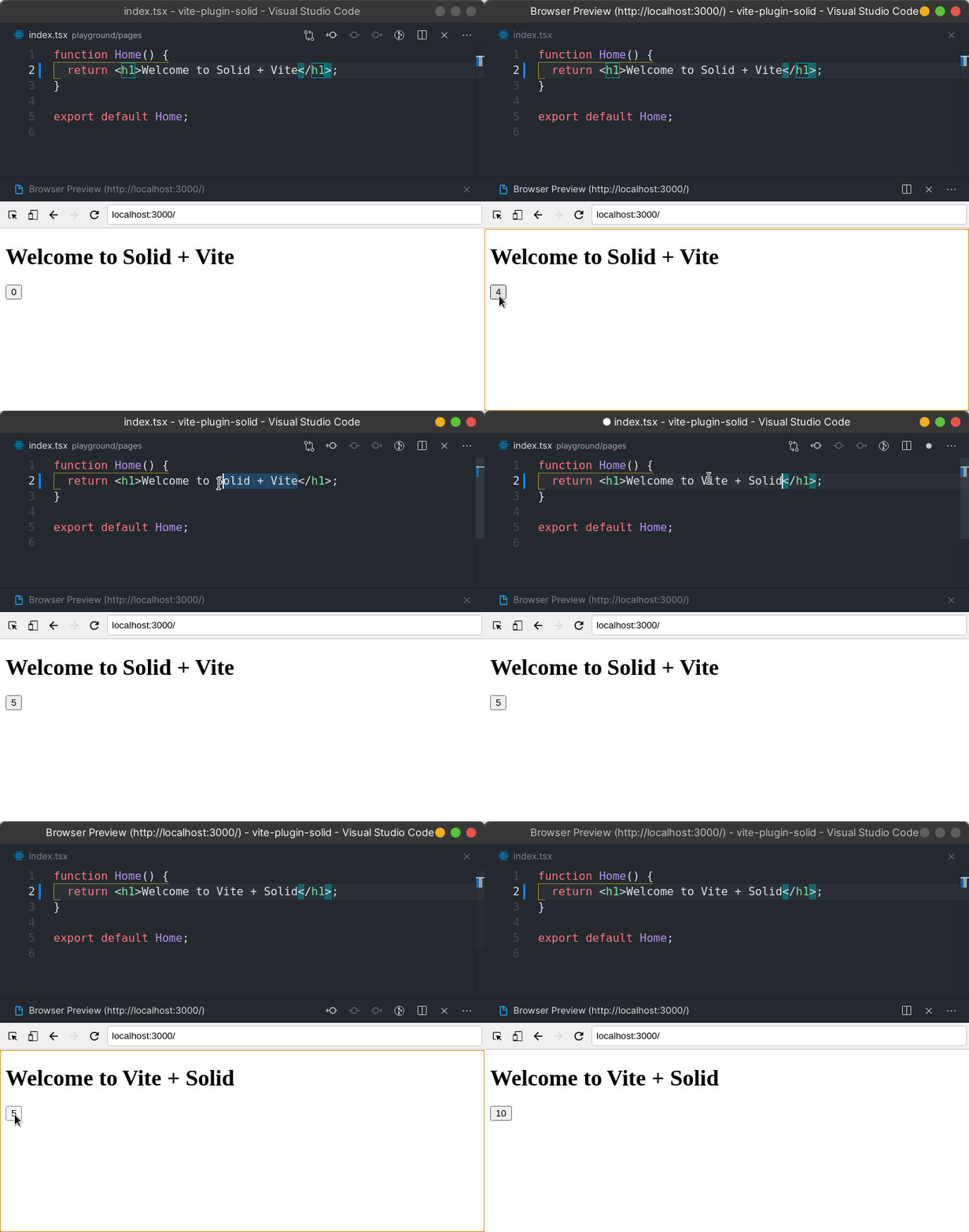
Join solid discord and check the troubleshooting section to see if your question hasn't been already answered.
.tsx) out of the box.tsrx) support out of the boxThis module is 100% ESM compatible and requires Node.js >=22.12.0 (the same
floor as the solid-js 2.0 runtime packages).
You can check your current Node.js version by running node -v. Use a version
manager such as Volta or nvm
to update it.
Supported Vite versions: Vite 8 and 9.
Start from one of the Solid 2 templates:
$ npx degit solidjs/templates/solid-v2/basic my-solid-project
$ cd my-solid-project
$ npm install # or pnpm install or yarn install
$ npm run dev # starts the dev server with hot module replacement
$ npm run build # builds to /dist
solid-v2/bare is the minimal starting point, and solid-v2/fullstack adds streaming SSR,
middleware and server functions.
Install vite and @solidjs/vite-plugin as dev dependencies, and Solid's runtime, solid-js
and @solidjs/web, as dependencies. Both runtime packages are peer dependencies of the plugin,
so you control which Solid version your code is compiled against.
# with npm
$ npm install -D vite @solidjs/vite-plugin
$ npm install solid-js @solidjs/web

# with pnpm
$ pnpm add -D vite @solidjs/vite-plugin
$ pnpm add solid-js @solidjs/web

# with yarn
$ yarn add -D vite @solidjs/vite-plugin
$ yarn add solid-js @solidjs/web
Add it as plugin to vite.config.js
// vite.config.ts
import { defineConfig } from 'vite';
import solidPlugin from '@solidjs/vite-plugin';

export default defineConfig({
  plugins: [solidPlugin()],
});
Just use regular vite or vite build commands
{
  "scripts": {
    "dev": "vite",
    "build": "vite build"
  }
}
A picomatch pattern, or array of patterns, which specifies the files the plugin should operate on.
A picomatch pattern, or array of patterns, which specifies the files to be ignored by the plugin.
vite dev, production builds otherwise)Use Solid's development builds: the development export condition of solid-js and
@solidjs/web, which carry the extra checks, warnings and diagnostics, plus the compiler's
dev output. Left unset, they are used under vite dev (and vitest) only. true forces them in
vite build too, for example to debug a production bundle with the dev warnings on. false
serves the production builds under vite dev as well; HMR then falls back to full reloads,
since the production refresh runtime is an inert stub.
Resolve Solid's observe builds in production: the production-speed runtime that keeps the
diagnostics and attribution channels (OBSERVE) alive for observability tooling (error
monitoring, performance tracing). Adds the observe export condition to every environment
and turns on the compiler's source names (see options.solid.sourceNames), so graph labels
(<Home>, span.textContent, count) survive minification. Under vite dev the dev build
still wins.
@solidjs/diagnostics)Dev-serve only: expose Solid's diagnostic and attribution channels to out-of-process
consumers (agents, tests, curl). The plugin injects a client module that installs the
in-page bridge from the app's own @solidjs/diagnostics, and serves a /__solid/diagnostics
endpoint on the dev server: GET reports status, and POST { method, params } forwards
capture control (begin/end), whyDidRun and cost queries to the page over the Vite
WebSocket. The dev server prints the endpoint at startup.
Left unset, it turns on when the nearest package.json declares @solidjs/diagnostics, so
adding the dev dependency is the whole setup. true forces it on (and errors if the package
is missing), false opts out. Never active on vite build, preview or in test mode, and off
with dev: false unless observe is on, since the channels only exist in the dev and
observe builds.
boolean | PerformanceTracksOptions (from @solidjs/web/performance-tracks)Dev-serve only: paint Solid's records — effect and memo re-runs, interactions, holds, async
flights, navigations, server-function calls — as custom tracks in the Chrome Performance
panel, without the app calling enablePerformanceTracks() itself. Record a trace with the
Performance panel while the dev server serves the page; the Solid group appears beside
Chrome's main-thread and network tracks (Interactions, Propagation, Effects, Memos,
Async, Holds, Navigations, Server), every span labelled by why it ran, findings as
markers on the Timings track. See Chrome Performance panel
in the Solid 2.0 diagnostics guide for how to read them.
The plugin injects a small client module that enables the tracks ahead of the app's entry
— a <script type="module"> prepended to <head> for index.html apps, the first import
of the client entry (generated or authored) in start mode — so hydration and the first
interaction are on the timeline. The dev server needs nothing: it already writes its side
of the work (Server-Timing: solid-shell, solid-boundary, solid-invocation), which the
tracks read back onto the Server track.
| Value | vite dev |
vite build / preview / vitest |
|---|---|---|
omitted or true |
enabled, adapter defaults | off |
{ minMs, rich, attribution } |
enabled with those options | off |
false |
off | off |
The object form passes PerformanceTracksOptions through — minMs (floor for run spans),
rich (performance.measure with tooltips and properties vs console.timeStamp), and
attribution (the options of the engine hold the adapter takes: thresholds and the values
level). All plain data: the options are serialized into the injected module. Never active on
vite build — not for dev: true or observe builds; an observe app that wants tracks in
production calls enablePerformanceTracks() itself — and never in test mode or preview.
With dev: false (and no observe) the production runtime is served under vite dev and
the adapter is a no-op. Requires the installed @solidjs/web to export ./performance-tracks (every version
in the peer range does); an older install warns once at startup and skips the injection.
boolean | { granular?: boolean }Component hot replacement under vite dev through the native refresh transform (see
Note on HMR). false turns it off, so edits fall back to a full reload. Has no
effect on vite build, and is off with dev: false, since the production refresh runtime is
an inert stub.
granular (default true) emits per-component signature and dependency metadata, so an edit
only remounts the components whose code actually changed.
Whether the app is server-rendered — one meaning everywhere.
Without start, ssr: true enables the SSR transforms
(hydratable client code, SSR server code); you provide the entries and the
server yourself, as before. With ssr: false, client code is
non-hydratable DOM output. Modules that Vite loads on the server, for
example through ssrLoadModule to prerender static pages, get
non-hydratable SSR output, so they render to HTML without hydration keys.
With start, the boolean selects the start
mode: ssr: true is SSR start mode, ssr: false/omitted is client start
mode — see below.
Start mode is the plugin's application layer, in place of SolidStart:
the plugin owns the entries, dev serving and the build, so there are no
entry files, no index.html and no dev server script. start: true is the
zero-config spelling; add ssr: true for streaming SSR:
// vite.config.ts
import { defineConfig } from 'vite';
import solidPlugin from '@solidjs/vite-plugin';

export default defineConfig({
  plugins: [solidPlugin({ start: true, ssr: true })],
});
One set of conventions serves both rendering modes, and the
ssr boolean picks between them: ssr: true streams
server-side rendering with zero wiring; without it the same app is
client-rendered onto a prerendered static shell. Flipping a project between
SPA and SSR is toggling that one boolean — same App, same Document,
same server functions.
The object form carries the options (start: true is sugar for
start: {}, and false or absent means off): app, document,
entries, middleware, serverRenderSetup, serverSetup, clientSetup,
renderMode, devtools, productionErrorBoundary, externalServer and
nodeServer, all documented below. Only options that need start mode live
under start; those that also work without it (ssr, serverFunctions,
env, css, diagnostics, performanceTracks) stay top-level.
Install @solidjs/start-devtools as a development dependency to add the
development toolbar with runtime errors and server function calls:
pnpm add -D @solidjs/start-devtools
Start mode detects the package automatically. Set start: { devtools: true }
to require it or start: { devtools: false } to disable automatic integration.
The package is an optional peer and the toolbar is not included in production
builds.
During vite dev the plugin also connects the toolbar to the dev server. The
toolbar then lists the errors the server runtime reports through
configureServerErrors (renders, server functions and requests), beside the
app's own hook. It opens files in the editor through
/__solid/devtools/open-in-editor, which resolves paths against the Vite root.
Server errors are heard when the server environment runs in the dev server's
process, as Vite's default Node runner does.
Generated entries wrap the app automatically. With custom server and client entries, place the development boundary around the app in the shared document or root:
import { DevToolbar } from "@solidjs/start-devtools";

<body>
  <DevToolbar>
    <App />
  </DevToolbar>
</body>;
The package becomes a children-only passthrough in production, so no toolbar code is included in either production bundle.
// src/App.tsx — the entire app: a plain content component
export default function App() {
  return <h1>Hello SSR</h1>;
}
With ssr: true — SSR start mode:
vite just works — a middleware on the dev server streams the
rendered app for HTML-accepting GET requests through the SSR environment,
injecting the Vite client (HMR, error overlay) and the dev style patch
into <head>. SSR errors render Vite's error page with the overlay. The
client entry enables the Chrome Performance panel tracks before it
hydrates (see performanceTracks).vite build produces both bundles via the
environments/builder API: client assets to dist/client and the server
bundle to dist/server/server.js. (vite build --app, or the classic
vite build + vite build --ssr two-step, work too.)ssr
enabled the plugin also orders builder-mode (environments API) app builds
client-first via a buildApp hook. That covers composed
setups whose own orchestrator builds server environments before the
client — e.g. @cloudflare/vite-plugin — with no hand-written ordering
plugin; setups without another orchestrator keep Vite's stock
build-everything behavior, just client-first.virtual:solid-ssr-handler.
Its named handleRequest(request) export maps a web-standard Request
to a streamed Response; its default { fetch(request) } export provides
the same handler in the Fetchable shape used by Workers, Nitro, Netlify
Functions, Bun, and deno serve:import app, { handleRequest } from './dist/server/server.js';
// serve dist/client statically, everything else:
const response = await handleRequest(request);
const sameResponse = await app.fetch(request);
The Fetchable wrapper deliberately accepts only the request. Hosts may pass
environment or execution-context arguments after it; those are not the
Solid options accepted by handleRequest's second parameter.
nodeServer): Node is the one mainstream
runtime without a fetch-shaped server API (Workers, Deno, Bun, Netlify, and Nitro
consume { fetch } directly), so the build can emit the Node server for
you. With start: { nodeServer: true } the ssr build writes
dist/server/node.js beside server.js, and the production start
command is:node dist/server/node.js # PORT (default 3000), HOST
The entry serves dist/client statically — files under
build.assetsDir as Cache-Control: public, max-age=31536000, immutable
(their names are content hashes), everything else public, max-age=0, must-revalidate with Last-Modified; HEAD supported, dot-segment
paths and .. traversal refused. The build also writes a .br and a
.gz beside every client text file of 1 KiB or more (JS, CSS, HTML,
JSON, SVG and the like), and the entry serves the best one the request's
Accept-Encoding allows with Content-Encoding, the variant's
Content-Length and Vary: Accept-Encoding; set
nodeServer: { precompress: false } when a proxy or CDN compresses
instead. Rendered pages and every other handler response stream
uncompressed. The entry hands every other request to
handleRequest with the raw Node request as nativeEvent, so
getRequestEvent().nativeEvent is the IncomingMessage (client IP:
event.nativeEvent.socket.remoteAddress; behind a proxy read the
forwarding headers off event.request instead, only when you trust the
proxy). The node<->web bridge is the plugin's own — the same code the dev
and preview middlewares run: HTTP/2 pseudo-headers, https: on TLS
sockets, client disconnects as the request's AbortSignal, HEAD
short-circuit, set-cookie split, backpressure that also settles when
the client goes away. Errors log to console.error and answer 500. The
file is ESM, depends on nothing but node:* and ./server.js, and
exports listener — the (req, res) function — plus
createListener(options?) and serve(options?), so it composes with an
existing server. With Express, either let the entry serve everything or
keep only the bridge behind Express's own static handling:
import express from 'express';
import compression from 'compression';
import { listener, createListener } from './dist/server/node.js';

const app = express();
app.use(compression());
app.use(listener); // static + pages + server functions
// — or — let Express own static files (point it at dist/client):
app.use(express.static('dist/client', { immutable: true, maxAge: '1y' }));
app.use(createListener({ static: false }));
app.listen(process.env.PORT || 3000);
createListener({ static: false }) skips the file lookup and, in client
mode, the index.html history fallback — the framework owns both.
createListener({ event: (req) => ({ ... }) }) merges extra fields over
{ nativeEvent: req } into the request event. serve({ port, host, static, event }) takes the same two options on top of the listen address.
node.js is an emitted asset, not a second build input: server.js and
its handleRequest / { fetch } contracts are unchanged. With
serverSetup set, node.js is a small wrapper that awaits ./server.js
(and so the server setup module) before it loads the server from
node-runtime.js beside it, so node:http is not loaded until the
server setup module has run; deploy both files. It applies to
both start modes — in client mode with serverFunctions (which keeps
dist/server) the entry serves the static client with an index.html
history fallback for HTML navigations plus the endpoint. Nothing is
emitted where no server bundle exists (client mode without
serverFunctions, or start.externalServer); the build warns. The
compression/proxy stance is unchanged: the entry speaks plain HTTP —
terminate TLS and compress at the reverse proxy or CDN in front of it.
Among the handleRequest options, event is the supported public seam
for extending the request event: its fields spread into the event at
creation, so a custom server entry (or a host wrapper) can attach whatever
its platform knows and read it back anywhere in the request scope with
getRequestEvent(). The conventional field name is nativeEvent — the
platform's raw request object. This is what the emitted node.js does; a
hand-written Node entry (the custom-server recipe) passes the
IncomingMessage the same way:
import { createServer } from 'node:http';
import { handleRequest } from './dist/server/server.js';

createServer(async (req, res) => {
  const response = await handleRequest(webRequest(req), {
    event: { nativeEvent: req },
  });
  // ... write response to res
});
// anywhere inside the request scope (middleware, serverRenderSetup, app code)
import { getRequestEvent } from '@solidjs/web';
const event = getRequestEvent();
event.nativeEvent; // the Node IncomingMessage the entry passed
The plugin's own dev and preview middlewares (and the server-function dev
middleware) pass event: { nativeEvent: req } with the Node request, so
getRequestEvent().nativeEvent answers the same under vite dev,
vite preview, and node dist/server/node.js as behind a Node entry
written like the above. For the client's IP on bare Node, read
event.nativeEvent.socket.remoteAddress; behind a proxy or load balancer
that address is the proxy's, so read the forwarding headers off
event.request instead (x-forwarded-for and friends) — only when you
trust the proxy that set them.
vite build && vite preview runs the production artifact
with no server file — Vite's preview statics serve dist/client, and
everything else (pages, the server-function endpoint, middleware)
dispatches through the built handler.Each request is scoped with provideRequestEvent, so getRequestEvent()
works during the render; hashed client assets (entry script, CSS) are
resolved through the build manifest and injected into <head>.
Every dispatch runs under a stub-backed request event
(createRequestEvent from @solidjs/web), and page responses go through
the runtime's response-head lifecycle (createSSRResponse):
httpStatus() / httpHeader() writes made during the render land on the
wire at shell flush, a Location header set before the flush becomes a
real 3xx redirect, and one set after it (streamed responses) falls back to
a <script>window.location=...</script> tail. That stub is
event.response, which @solidjs/web's base RequestEvent type does not
declare: type start-mode events as StartRequestEvent (exported from the
plugin, and what StartMiddleware receives), or cast a getRequestEvent()
result to it.
middleware points at a server-only module default-exporting one
middleware — (event, next) => Response | Promise<Response>, the request
at event.request — or an array of them. The plugin composes the chain
itself. next() takes no arguments: assign event.request = new Request(...)
before calling it to hand a different request downstream (calling
next(request), the previous shape, throws a migration error).
The page render runs inside next(), so per-request render inputs go on
the event before that call. event.nonce is the CSP nonce (a string, or
{ script, style } with each a non-empty string or false).
event.renderMode is 'stream' or 'async' for this request, overriding
the static renderMode below.
handleRequest(request, { nonce, renderMode }) is seeded onto the event
before the chain and wins over a middleware write.
// vite.config.ts
solid({ start: { middleware: './src/middleware.ts' }, ssr: true });

// src/middleware.ts
export default async (event, next) => {
  event.nonce ??= crypto.randomUUID();
  if (/bot|crawler/i.test(event.request.headers.get('user-agent') ?? '')) {
    event.renderMode = 'async';
  }
  const response = await next();
  const scriptNonce = typeof event.nonce === 'string' ? event.nonce : event.nonce?.script;
  if (scriptNonce && response.headers.get('content-type')?.startsWith('text/html')) {
    response.headers.set(
      'content-security-policy',
      `script-src 'nonce-${scriptNonce}' 'strict-dynamic'; object-src 'none'; base-uri 'none'`,
    );
  }
  return response;
};
Generated entries pass event.nonce into renderToStream. An authored
entry-server must forward the context.nonce the handler passes it
(renderToStream(app, { manifest, nonce: context.nonce })).
The chain fronts every request the plugin dispatches — page SSR and the
server-function endpoint, dev, production, and preview alike — and runs
inside the request-event scope, so getRequestEvent() answers with the
same event as the event argument (the endpoint shares it, so locals
decoration is visible to server functions too). Nothing reaches the wire
until the outermost middleware returns: headers stay mutable after
next() even for streamed responses. In dev, writing event.nonce or
event.renderMode after await next() warns: the render already read them.
Whatever escapes the chain is settled at the handler edge. A thrown
Response is the response, so throw redirect('/login') answers the 302
(as the server-function endpoint does), and so is the Response a thrown
respond() envelope carries; Response.error() is not a response and
counts as a failure. In a production build any other failure (a middleware
throw, a serverRenderSetup failure, or an invalid event.renderMode / event.nonce) is contained by the
handler instead of rejecting to the host. It is reported once to the hook
registered with configureServerErrors from @solidjs/web (through its
reportRequestFailure: { kind: 'request', handling: 'failed' } and the
request event; an error the runtime already reported is not heard
again), or logged with console.error when no hook is
registered, and the client gets a bodyless 500. That 500 carries the
headers and cookies written to the request event only while the response
head is still open: once next() has returned a rendered page, the head
was committed with that page, and a later throw drops them. An error
middleware still sees a throw first, and with productionErrorBoundary on, render
errors are handled by the boundary before they get this far. In dev those
failures still reject, so the dev server sees the original error (with the
built-in dev middleware, Vite's error middleware and its overlay).
serverRenderSetup points at a server-only module whose default export runs
before every page render: (event, App) => Component | void | Promise<Component | void>. The generated server entry awaits it after the
middleware chain has dispatched to the page render and immediately before
renderToStream. It is the seam for routers that must prepare an app
instance per request before SSR can begin (create a router bound to the
request, await router.load(), then render):
// vite.config.ts
solid({ start: { serverRenderSetup: './src/server-render-setup.tsx' }, ssr: true });

// src/server-render-setup.tsx
import type { StartServerRenderSetup } from '@solidjs/vite-plugin';

const serverRenderSetup: StartServerRenderSetup = async (event, App) => {
  const router = createRouter({ url: event.request.url });
  await router.load(); // async work completes before the shell streams
  return () => <App router={router} />; // rendered in the app's place
};
export default serverRenderSetup;
event is the shared request event, the same one the middleware chain
decorated, so locals are visible, and the function runs inside the
request scope (getRequestEvent() answers in anything it calls). Return a
component and the generated entry renders it inside the Document where
<App /> would have been; return nothing and <App /> renders unchanged,
so a pure side-effect setup (seeding a per-request cache) needs no return.
Zero-config apps are untouched: without the option the generated entry is
byte-identical to before.
Three boundaries to know. It runs for page renders only: the middleware
chain and the server-function endpoint run without it, and so does a
request that a middleware answers without calling next(). The module's
top level evaluates once, when the handler loads, so per-request work
belongs in the default export. And it only exists in generated entries (an
authored entry-server owns render() already; configuring both is an
error). As with any server-side tree shaping, whatever it renders must be
matched client-side for hydration: routers that own both sides (their
client entry re-creates the router and hydrates the same tree) fit
naturally.
serverSetup points at a server-only module that runs to
completion before anything else in the server graph loads: the app, the
middleware, @solidjs/web, every dependency. It is the seam for code that
must run first, typically instrumentation that patches the runtime before
the modules it patches are loaded (an APM's OpenTelemetry setup, a
profiler, a module.register hook):
// vite.config.ts
solid({ start: { serverSetup: './src/server-setup.ts' }, ssr: true });

// src/server-setup.ts
import * as Sentry from '@sentry/node';
Sentry.init({ dsn: process.env.SENTRY_DSN, tracesSampleRate: 1 });
Import order alone cannot do this in ESM. A static import './server-setup'
at the top of an entry does run first, but every module in the static graph
is loaded before any of them runs, so a loader hook it registers comes too
late for the modules it patches, and an async setup module does not hold
back the imports after it. The plugin therefore hands out the handler as
await import(serverSetup); await import(handler), since top-level
await sequencing is the one construct that guarantees the order. It does
so on every surface: vite dev, vite build, vite preview, a host
consuming the handler entry, and the nodeServer entry. This replaces the
per-host node --import instrument.mjs dance. The module may be async and
needs no exports. It runs once per server start (under vite dev, again
whenever the server environment reloads). The server build must keep code
splitting on (the default), since inlining dynamic imports would hoist the
handler graph back above the server setup module.
clientSetup points at a client module that the generated client entry
runs before it hydrates (SSR mode) or mounts (client mode) the app. Use it
for browser setup that must be in place before the first render:
vite:preloadError listener,init().// vite.config.ts
solid({ start: { clientSetup: './src/client-setup.ts' }, ssr: true });
// src/client-setup.ts
window.addEventListener('vite:preloadError', () => window.location.reload());
How it runs:
await. hydrate() / render() waits for
it to settle. The app's modules may evaluate while it waits, but nothing
renders.<script> in
<body> defines: await DOMContentLoaded first.The module needs no exports. It only applies to a generated client entry.
An authored entry-client can run its own code before hydrate(), so
configuring both is an error.
renderMode — how a page render becomes a response body: 'stream'
(the default) or 'async'.
Streaming flushes the document shell as soon as it is ready, with every
<Loading> fallback in place, and streams the boundaries' content behind it
in later chunks; inline scripts swap that content into the page as it
arrives. That is the best time-to-first-byte a server render can have, but a
client that never runs JavaScript — a crawler, curl, a browser with
scripts disabled — is left looking at the fallbacks forever
(solidjs/solid#3280).
'async' is the other end of that trade: the handler awaits the render until
every boundary has settled and sends one complete document.
solid({ start: { renderMode: 'async' }, ssr: true });
Because nothing has flushed when a boundary resolves, its content is spliced
in place of its placeholder — the document carries no fallback markup, no
swap templates, no swap scripts — while hydration data still serializes
exactly as before, so JavaScript clients hydrate the settled document the
same way they hydrate a streamed one. The tradeoffs are inherent: the
response waits for the slowest boundary before its first byte, and the whole
page buffers in memory before it goes out. Two consequences worth knowing:
deferStream is moot under 'async' (everything defers), and a Location
header written mid-render — the post-flush script redirect in stream mode —
becomes a real 3xx with no body, which is exactly what a no-JS client needs.
Most apps want streaming for browsers and a complete document for the few
clients that cannot run the swap. Decide that per request in middleware,
before next() — see the middleware example above:
if (/bot|crawler/i.test(event.request.headers.get('user-agent') ?? '')) {
  event.renderMode = 'async';
}
The module form (renderMode: './src/render-mode.ts') shipped only in
3.0.0-next prereleases and is a config error pointing at event.renderMode.
Hosts driving the handler directly can decide per call instead:
handleRequest(request, { renderMode: 'async' }). Precedence is that
option, then event.renderMode, then this static value. A bad
handleRequest option rejects the call before the chain runs; a bad
event.renderMode is a request failure, contained in production like any
other. The mode applies to generated and authored entries alike — an
authored render() returning a renderToStream result is awaited the same
way (and in production its client-entry reference is still rewritten).
httpStatus() / httpHeader() declarations survive either mode: the
runtime freezes the response head when the awaited render completes,
just as streaming freezes it at shell flush.
Server mode only — in client mode the served shell has no boundaries to
settle, so the option is a documented no-op there. A nonce set during the
client-mode shell prerender is ignored (and the build warns): baking one
into dist/client/index.html would replay it on every load.
productionErrorBoundary — in a production build, generated entries wrap the app
in a default error boundary (and the document in an outer one): a render
error streams a generic 500 | Internal Server Error fallback — no stack
or error details reach the HTML; the error itself goes to console.error
— and an error caught before the shell flushes commits a real 500 status
through the response-head lifecycle. Development is unaffected (Vite's
error overlay owns dev errors), as are authored entries — the boundary is
generated-entry codegen. Disable it with start: { productionErrorBoundary: false }
when application middleware owns error handling (an error middleware only
sees the throw when no boundary catches it first). Default: true.
Entry resolution (all paths relative to the Vite root):
start.entries.server / start.entries.client options.src/entry-server.{tsx,jsx,ts,js,mjs,tsrx} and
src/entry-client.{tsx,jsx,ts,js,mjs,tsrx}. Entry files come in pairs —
providing only one is an error. The server entry must export
render(request?, context?) returning a renderToStream result, an HTML
string, or a Response; context (typed StartServerRenderContext)
carries the resolved client entry URL as context.clientEntry, and in
production any literal "/src/entry-client.tsx" reference in the
rendered HTML is rewritten to the hashed asset (the classic harness
convention keeps working).start.app, defaulting to
src/App.{tsx,jsx,ts,js,tsrx} (or lowercase src/app.*) — wrapped in a
document shell: start.document, defaulting to src/Document.{tsx,jsx,tsrx},
else a built-in minimal shell. A custom document receives the app as
props.children and must render the full <html> document including
<HydrationScript />; the client entry script is injected into <head>
automatically.With serverFunctions also enabled the two
compose: handleRequest serves the endpoint on every surface (in dev the
server-function middleware pre-loads the referenced module, then dispatches
through the same handler), so one middleware chain and one request event
front pages and server functions identically.
The normal ssr environment exposes the default Fetchable handler as its
index service entry in development and production. Provider Vite plugins
can adopt that environment directly: they supply its runtime and build
orchestration while Solid continues to supply the application entry,
manifest, middleware, and server-function dispatch. When a provider replaces
the development environment with a non-runnable one, Solid detects that
ownership and stands its HTTP middlewares down automatically.
Two explicit switches remain for custom host setups:
start.externalServer: true — hands the whole server side to a host that
does not adopt Solid's normal ssr environment. Solid skips its
server-build wiring and stands its development middlewares down, while
continuing to provide the generated entries, client manifest, and
virtual:solid-ssr-handler. This is mainly for differently named or
independently configured environments.serverFunctions.devMiddleware: false —
the narrow, endpoint-only switch: keeps start mode's server build and SSR
serving, hands only server-function dispatch in dev to the host. For
setups without start, or when only the endpoint should move.virtual:solid-manifest exposes the client asset manifest that serving
works from — a server-side module, available in dev and in SSR builds. In
an SSR build its default export is the parsed client manifest
(dist/client/.vite/manifest.json), keyed by source path with the resolved
Vite base attached as _base; in dev it exports the live asset resolver
the plugin uses for dev CSS collection instead of a static object. This is
the seam for frameworks and routers that do their own asset gating —
deciding which scripts and styles a response carries, as the TanStack Start
integration does — without re-reading the manifest from disk or re-deriving
base. Ambient types ship with the plugin
(/// <reference types="@solidjs/vite-plugin/virtual-modules" />, which
also covers the plugin's other virtual modules): the default export is
typed ViteManifest | DevAssetResolver (both exported
from the plugin). Either one can be passed to renderToStream's manifest
option as is; code that reads it narrows with if (manifest.resolve).
Without ssr: true — client mode (experimental), the same conventions
with client-only rendering:
export default defineConfig({
  plugins: [solidPlugin({ start: true })],
});
render()s (not hydrates) the app
into document.body.vite build emits a static dist/client. The shell
is prerendered once through the built handler into dist/client/index.html,
with hashed scripts and CSS links, ready for a static host. The server bundle
is removed unless serverFunctions is enabled, in which case dist/server
is kept and its handleRequest serves the endpoint (pages stay static).
Hosts such as Nitro can relocate the client and server outputs; prerender
uses those directories and retains the server service for the host's build.generate: 'dom', non-hydratable); only the document shell goes through
the SSR transforms.vite preview serves the static build with history fallback (and
dispatches the server-function endpoint through the kept handler).start.entries.server (and conventional
src/entry-server.* files) are ignored — the shell render is always
generated — and so is start.externalServer. An authored src/entry-client.*
stands alone and owns the mount.The point is the migration story: an app born with start: true moves to
server rendering by setting ssr: true — same App, same Document,
same routes, same server functions; the plugin swaps render for hydrate,
turns the hydratable transforms on, and ships the server bundle. (A
Document authored for SSR carries <HydrationScript />; in client mode
the plugin strips its script from the served shell — nothing hydrates, so
a shared Document costs nothing — and the built-in shell omits it.)
Start-mode serving is opt-in via start, so bare ssr: true setups keep the
transform-only behavior. See examples/start-ssr for a complete SSR app
(including a one-file production server and server functions),
examples/start-client for client mode (whose test flips the same app
between the modes), and examples/ssr for the manual ssr: true wiring.
start: probe env.ts / env.js, off when
absent; without start: off)First-party typed environment variables. A schema file at the project root,
env.ts or env.js, default-exports server and client maps of
Standard Schema validators (zod, valibot,
arktype — even mixed per key; nothing is imported from the plugin). env: true requires that file, env: './path' points elsewhere, and env: false
turns the feature off. With start the conventional file is
picked up with zero config; other setups opt in explicitly, so a project
with an unrelated env.ts is unaffected:
// vite.config.ts (without start mode)
solidPlugin({ ssr: true, env: true });
// env.ts
import { z } from 'zod';

export default {
  server: {
    DATABASE_URL: z.url(),
    SESSION_SECRET: z.string().min(32),
  },
  client: {
    VITE_APP_NAME: z.string().min(1),
  },
};
The validated values come back through two fully typed virtual modules:
// server-only modules (middleware, "use server" modules, the server entry)
import { env } from 'virtual:solid-env/server'; // every var

// anywhere
import { env } from 'virtual:solid-env/client'; // the VITE_-prefixed client vars
.env*
files through Vite's loadEnv (with process.env winning, so CI
secrets take precedence), folds them into process.env itself — no
loadEnv one-liner in vite.config, and server code reading
process.env directly sees the file-loaded vars too — and validates
before anything builds. In dev every failure renders the error overlay
with the per-key report, and .env*/schema edits revalidate live. In a
build, client failures fail the build (those values are baked);
server failures only warn — a build machine may legitimately not have
the production secrets — and boot validation enforces them.VITE_ prefix means: virtual:solid-env/client is the validated
output serialized as plain JSON (defaults applied, coercions done) with
zero schema-library bytes. virtual:solid-env/server is not baked: it reads
process.env when the server boots and validates through your own
schema (imported into the server bundle, where shipping the validator
is fine). Platform-injected vars that don't exist at build time work,
secrets rotate without a rebuild, and no secret value exists in any
dist artifact; an invalid server environment fails boot with the same
per-key report. Boot validation is synchronous: the generated server
env module contains no top-level await, so the server bundle works
under any downstream build target (Nitro's node-server preset,
es2020 — no esnext override needed). The flip side: server
validators must be synchronous — an async refinement/transform on a
server key is rejected at config time with the fix in the message
(client keys may stay async; they are awaited at build time where
the values are baked).virtual:solid-env/server from a client
module graph is a hard error naming the importer (the app root and
everything it imports hydrate — they are client code; keep server env
in middleware, "use server" modules, or an authored server entry).
Client keys must carry the public prefix (VITE_, or your envPrefix)
— enforced at config time. And a client-build scan fails the build when
a server var's literal value shows up quoted in a client chunk. The scan
is a heuristic: it skips non-string values, strings under 8 characters,
values a client var also has, and chunks built only from node_modules
code.solid-env.d.ts is written next
to the schema file (keep both inside your tsconfig include): it
derives each var's type from your own schema through the Standard
Schema output type, so env.VITE_APP_NAME is whatever your validator
outputs — with any compliant library and no per-library plumbing.Env works identically in both start modes (a client-mode static build
carries only the client vars), and in setups without start once enabled.
See examples/start-env for the full story, including the failure modes.
Design credit: the shape of this feature — the schema-file convention, the separate server and client env modules, baked client values, the leak scan — follows @vite-env/core (MIT), the design-correct prior art, reimplemented on this plugin's machinery with Standard Schema as the only contract (and runtime-read server values).
Enables "use server" server function compilation (experimental). Pass
true for the defaults (runtime from @solidjs/web/server-functions,
endpoint /_server) or an options object (runtime, endpoint, filter,
directive, devMiddleware, serverSetup) to customize.
The setup is zero-config: in dev a middleware on the Vite server handles the
endpoint end to end — no server-function code needed in your server entry.
For production SSR builds, either use SSR start mode (start
with ssr: true, whose handler serves the endpoint automatically) or
import virtual:solid-server-function-handler in your server entry and
mount its handleServerFunctionRequest(request) export on the endpoint.
The client build also writes .vite/solid-server-functions.json into its
output directory (dist/client in start mode), typed
PersistedServerFunctionManifest: the modules containing server functions,
every function the client references (by wire id), and the build id, with
paths relative to the Vite root. A separate vite build --ssr reads it back.
When one process builds both, the server build takes the same data from
memory and moves the file into its own output directory (dist/server in
start mode), so a host that publishes the client output doesn't serve it.
Build tooling such as a prerenderer can read it there.
devMiddleware: false hands endpoint dispatch in dev to a host instead
of the plugin's middleware. The middleware executes functions in Vite's
node-side SSR environment; when another plugin's server environment should
run them — e.g. @cloudflare/vite-plugin, so functions see workerd bindings
(env/ctx) in dev exactly like production — turn it off and let the host
dispatch: it loads virtual:solid-server-function-handler through its own
environment and calls handleServerFunctionRequest(request), the same
contract as production. Compilation and the virtual modules keep working;
endpoint requests simply fall through to the host. Since the middleware's
on-demand module loading is off too, a host owning dev dispatch should
side-effect import virtual:solid-server-function-manifest in its server
entry so functions referenced only by client code still register. (When a
provider owns the ssr environment outright — it isn't runnable — the
middleware already stands down automatically; see the externalServer option
under start for the whole-server switch and how the
three options relate.)
serverSetup: './src/server-functions-setup.ts' pins a server-only
module (path resolved against the Vite root) into the handler graph: the
generated virtual:solid-server-function-handler module side-effect imports
it before dispatching anything. Unlike start.serverSetup,
which runs before the whole server graph and needs start, it only precedes
server-function dispatch and works in any setup. It's the guaranteed
pre-dispatch home for server-side runtime registration, e.g. a router's
single-flight collector:
// src/server-functions-setup.ts
import { configureServerFunctionsServer } from '@solidjs/web/server-functions/server';
configureServerFunctionsServer({ collectFlightData: createFlightDataCollector(router) });
Registration living in the app graph only loads with the first page render, so after a dev-server restart the first mutation can race it; the handler graph loads before the first dispatch on every surface (dev middleware and production handler alike), and edits to the module hot-invalidate the handler in dev. Config calls merge per key, so it composes with the plugin's own runtime configuration.
Server-function requests are same-origin protected by @solidjs/web. To
allow another trusted origin, configure it in the same server-only module:
import { configureServerFunctionsServer } from '@solidjs/web/server-functions/server';

configureServerFunctionsServer({
  csrf: { origin: ['https://app.example.com'] },
});
Set csrf: false only when another trusted layer protects the endpoint.
Custom serialization (extra seroval plugins for class instances such as a
Money or an ObjectId) is configured the same way, once per side. Set the
server codec in the serverSetup module and the client codec in
start.clientSetup, both from one shared options module:
// src/serialization.ts
import type { JSONCodecOptions } from '@solidjs/web/serialization';
export default { plugins: [MoneyPlugin] } satisfies JSONCodecOptions;

// src/server-functions-setup.ts (serverFunctions.serverSetup)
import { configureServerFunctionsServer } from '@solidjs/web/server-functions/server';
import codec from './serialization';
configureServerFunctionsServer({ codec });

// src/client-setup.ts (start.clientSetup)
import { configureServerFunctionsClient } from '@solidjs/web/server-functions/client';
import codec from './serialization';
configureServerFunctionsClient({ codec });
Both sides must use the same plugins. This covers server-function arguments
and results; the SSR hydration payload takes its own plugins option.
Meta-frameworks that need to control plugin ordering and dispatch requests
through their own server should use the standalone serverFunctions()
export instead, which never installs the dev middleware. See
examples/start-ssr for a complete app.
Server components (experimental): serverFunctions: { components: true }
lets a "use server" function return a component. Server components ride
server functions — same endpoint, same compilation — with zero extra plugin
config: responses for component-returning functions are served as streamed
HTML that the client applies in place (client state and DOM identity inside
survive updates), and the plugin's dev middleware and production handler
handle that automatically. Combined with SSR start mode
(start with ssr: true) and generated entries, the
document wiring is emitted too: server components render inline in the
SSR'd document and are adopted
at boot with zero endpoint requests. With authored entries, the app-side
pieces (the render plugin and the client's installServerComponents()
call, both from @solidjs/web/frames) live in your entry files instead.
See examples/start-ssr for a complete page.
Composing hosts (e.g. the Astro adapter or TanStack Start's Solid
integration) that emit that document wiring themselves — the render plugin
around their renders plus a client-side installServerComponents() call —
should set components: 'external' instead of true. It behaves
identically (all the same transforms and codegen), and declares the host
owns the wiring, so the plugin skips the warning it otherwise prints when
the option is enabled without SSR start mode. It reuses the plugin's
external vocabulary (cf. start.externalServer — a host owns the server).
css.devInline takes include/exclude patterns
(picomatch globs or regexes;
relative globs resolve against the Vite root) for the module graphs the dev
server crawls when collecting the CSS it inlines into <head> (the no-FOUC
guarantee), in start mode and in ssr: true setups reading
virtual:solid-manifest. By default the crawl covers the app's own sources and skips
node_modules. exclude prunes matching graphs (providing one replaces
the default node_modules exclusion), and include opts matching files in
on top of that baseline, which is how a dependency's CSS gets
server-inlined in dev:
solid({
  start: true,
  css: { devInline: { include: /node_modules\/some-ui-lib/ } },
  ssr: true,
});
CSS files themselves and virtual modules always pass (the patterns decide
which module graphs are traversed, not which stylesheets are kept), and a
file matching both patterns stays excluded (Vite createFilter's
conflict rule). Development only: excluding a graph does not remove its
CSS from the production build, where CSS always comes from the built
assets.
"babel" | "native""native"Choose the JSX compiler backend. The default "native" compiles JSX through
the native compiler from @solidjs/compiler. "babel" runs
@solidjs/babel-plugin instead and only switches the JSX transform — every
other pass (the lazy() module-URL transform and the HMR refresh
transform) is native in both modes.
"babel" is the escape hatch: if the native output ever differs from what
you expect, set compiler: 'babel' and file an issue — the behavioral diff
between the two modes is the bug report. Babel is not installed with the
plugin, so add its packages first:
$ npm install -D @babel/core @solidjs/babel-plugin
Platforms without a prebuilt native
binary (for example StackBlitz WebContainers) automatically fall back to the
@solidjs/compiler-wasm32-wasi build, so no configuration is needed
there.
import { defineConfig } from 'vite';
import solidPlugin from '@solidjs/vite-plugin';

export default defineConfig({
  plugins: [solidPlugin({ compiler: 'babel' })],
});
Files ending in .tsrx are recognized automatically as TypeScript TSRX; they
do not need to be listed in options.extensions. Both the native and Babel
compiler backends preserve the .tsrx filename when invoking their TSRX
frontends.
Scoped CSS emitted by either backend is exposed as a sibling virtual CSS sidecar and imported once from the compiled module. The sidecar goes through Vite's normal CSS pipeline, so extraction and injection work in development, production builds, and SSR, including client HMR and SSR development style collection. A file that emits no CSS has no sidecar import.
The Babel backend chains TSRX source maps through the later lazy-module and
refresh transforms. The native compiler does not currently emit the required
TSRX projection map, so native .tsrx transforms return no source map. With
compiler: "native" and custom babel options, the custom Babel support pass
runs after native TSRX lowering (on ordinary JavaScript); ordinary JSX/TSX
keeps the existing pre-native ordering.
With serverFunctions enabled, function-level "use server" directives work
in .tsrx with both compiler backends. The plugin lowers TSRX first, then runs
the same native directive transform while retaining the authored .tsrx path
for stable client/server function IDs. TSRX's host-defined
module server { ... } profile is not supported.
BabelOptions (accepts Babel's TransformOptions)Pass any additional babel transform options. Those will be merged with the transformations required by Solid.
Install @babel/core in the project to use this option, and @types/babel__core
if you want Babel's own types for the options you write.
With the native compiler these options normally run before JSX lowering; for
.tsrx only, they run after native TSRX lowering as described above.
Pass additional Solid JSX compiler options. Both backends carry the Solid
defaults (moduleName: "@solidjs/web", the control-flow built-ins,
custom-element context, and conditional wrapping) internally; anything set
here is merged over them and applied to whichever backend is selected.
boolean | { components?: boolean; bindings?: boolean; primitives?: boolean; locations?: boolean }observe, off in production builds; locations on in dev onlyWhich names as written in source are carried into output so the dev and observe runtimes
can label the reactive graph after minification — in diagnostics, whyDidRun chains, error
owner paths, and the Chrome performance tracks. Three kinds:
components emits the tag name (createComponent(Home, props, "Home") → owners read
<Home>).bindings names compiled binding effects by what they write (span.textContent,
div.class:active, a hole div.children).primitives names createSignal/createMemo/createStore/… after the identifier they
are declared as (count, doubled, todos.title), prefixed with the enclosing
non-component function for composed primitives (createCounter.value). An explicit
name option is never overridden.locations adds a file:line:col next to every name the other kinds emit —
createComponent(Home, props, "Home", "src/App.tsx:12:5"),
createSignal(0, { name: "count", loc: "src/store.ts:3:22" }) — so a diagnostic report, a
whyDidRun chain, or a devtools entry points at the line that declared the node. Paths are
relative to the Vite root, so under vite dev the console's
http://localhost:5173/src/App.tsx:12:5 opens the file in the browser's sources panel. A
location is only emitted where its name is.The kinds come from two different places. components and bindings are the JSX compiler's
own sourceNames option, passed through to whichever backend compiles your JSX
(@solidjs/compiler or @solidjs/babel-plugin). primitives is the native compiler's
standalone transformSourceNames pass — plain JavaScript in and out — which the plugin runs
on every module it sees, .ts/.js files included, never inside node_modules. The plugin
always runs its non-JSX work through the native compiler, so babel apps get primitive names
too.
The default follows the posture: on whenever the plugin compiles for the dev runtime (the
same dev flag it hands the compilers — vite dev, or dev: true) and for observe
builds; off for production builds, whose runtime ignores the names anyway, so production
output is unchanged. locations is the one kind that does not follow observe: an observe
build is a production bundle, and a source path inside it is an opt-in, so it is on in dev
only. sourceNames: false turns every kind off, in dev too; true turns every kind on,
production builds included. The object form sets the listed kinds and leaves the rest at the
posture default — { primitives: false } keeps component and binding names in dev but skips
the primitives pass; { locations: true } ships locations in an observe build.
sourceNames |
dev | observe build |
production build |
|---|---|---|---|
| (unset) | all on | names on, locations off |
all off |
true |
all on | all on | all on |
false |
all off | all off | all off |
{ kind: true/false } |
as given; the rest on | as given; the rest as unset | as given; the rest off |
locations needs a compiler release that takes the option; on an older @solidjs/compiler
the names keep coming without locations, with a one-time warning when it was asked for
explicitly.
An array of custom extension that will be passed through the solid compiler.
By default, the plugin transforms jsx, tsx, and experimental tsrx files.
TSRX is always recognized and does not need to be added here.
This is useful if you want to transform mdx files for example.
Record<string, Frontend>{} (plus the built-in .rx, below)Front ends for languages that lower to Solid themselves, keyed by file
extension ({ ".x": x() }). Unlike extensions, whose files are parsed as
JSX text, a front end's module is handed to its compile function, which
returns the module's code, source map and stylesheet:
interface Frontend {
  compile(
    source: string,
    context: {
      id: string; // the module's file path
      moduleId: string; // its full id, query included (`./x.rx?dep`)
      ssr: boolean; // compiled for a server environment
      root: string; // Vite's resolved root
      solid: SolidOptions; // what this plugin would pass @solidjs/compiler for a JSX module here
      addWatchFile(file: string): void; // recompile this module when `file` changes
    },
  ): { code: string; map?: string | object | null; css?: string } | null;
}
A front end usually ends in @solidjs/compiler with context.solid, so its
output matches this environment's generate, hydratable and moduleName.
From there the module takes the route a lowered .tsrx module takes: the
lazy and HMR refresh passes, server functions (IDs from the module's own
path), and css as a CSS module the module imports. Solid's own extensions
(.jsx, .tsx, .tsrx, ...) can't be claimed. Return null to leave a
module to the rest of the pipeline.
.rx (ReactiveScript) is
built in: install @reactivescript/compiler in the project and .rx
modules compile with no option. The plugin loads the package's /vite
front end the first time it meets an .rx module, so a project without
.rx files never loads it. A .rx entry in frontends replaces it.
Start mode ships no platform adapters. An app deploys through a provider
Vite plugin (Nitro's nitro/vite, @cloudflare/vite-plugin, and others) or
through the Node server start.nodeServer emits. From 3.0, providers can
rely on the following; virtual modules and generated files not documented
in this README are internal.
client and
ssr (consumer server).ssr environment's build input index is the
app's handler (dist/server/server.js by default). Its default export is
{ fetch(request) }; its named handleRequest(request, options) takes
per-call options, such as event: { nativeEvent } to hand the platform's
raw request to getRequestEvent(). It answers pages, start.middleware
and the server-function endpoint. With ssr: true, the ssr dev
environment has the same index input.buildApp
hook, so a provider that builds from a later one (order: 'post', as
Nitro does) may take the environments in any order.client environment's outDir
(default dist/client): content-hashed files under build.assetsDir,
safe to cache forever. Build metadata goes under .vite/, which is not
for serving. When one process builds both environments, the server reads
it from memory, and the plugin then removes Vite's manifest (unless
build.manifest is set) and moves solid-server-functions.json to the
server output. The server bundle goes to the ssr environment's
outDir. A provider may move either directory; the plugin follows the
configured outDir.ssr: true, every request that isn't a static file goes
to the handler. In client mode, dist/client is a static site with a
prerendered index.html, the fallback for page navigations. Its server
bundle stays when serverFunctions needs it for their endpoint
(/_server, joined with base) or when a provider's buildApp hook
orchestrates the build; a standalone build drops it.ssr dev environment with one that
can't run in Vite's process (workerd, for example), the plugin's dev
middlewares stand down and the provider dispatches requests to index;
dev CSS reaches that runtime over HTTP from the dev server, with nothing
to configure. start.externalServer hands over the whole server
environment, and serverFunctions.devMiddleware: false only the
endpoint.The provider owns the rest: the runtime, serving static files and routing other requests to the handler, platform configuration, and bindings.
Static asset URLs in src, srcset and poster on <img>, <source> and
<video>, and in href / xlink:href on SVG <image> and <use>, are
resolved like Vite resolves them in HTML. A relative URL
(<img src="./logo.png" />) becomes an import of the asset, so it is
bundled and its URL follows base. A / URL naming a file in publicDir
takes the base (/icon.svg becomes /app/icon.svg under base: '/app/'),
and a build with a relative base, such as an Electron app's, imports it so
it resolves next to the chunk. Other URLs stay as written.
In builds, a CSS module class used directly in a JSX attribute
(class={styles.button}, class={`${styles.a} ${styles.b}`}, or a
named import) is inlined as a string, so it compiles into the element's
template instead of an effect. The stylesheet is kept even when every use
was inlined. Dev serving leaves the classes as written.
server-only and client-only boundary markersThe plugin always claims the bare specifiers server-only and client-only
as marker modules. Import one to pin a module to an environment:
import 'server-only'; // this module must never be bundled for the client

export const dbClient = createDbClient(process.env.DATABASE_URL);
Importing server-only from a module that ends up in a client bundle fails
the build with an error naming the importer (and vice versa for
client-only); in the allowed environment the marker resolves to an empty
module. This turns "server code silently shipped to the browser and crashed
at runtime" into a build-time error at the exact import edge.
For TypeScript, the ambient declarations ship with the plugin (TypeScript 6
and later reject the bare import without them). Add to an env.d.ts:
/// <reference types="@solidjs/vite-plugin/boundary-modules" />
Note: these markers shadow React's server-only / client-only npm
packages if they happen to be installed; the semantics are the same, and the
plugin's errors are prefixed [@solidjs/vite-plugin].
HMR works out of the box under vite dev. The refresh transform is compiled
natively by @solidjs/compiler and drives the dev-only solid-js/refresh
runtime entry that ships with Solid (the standalone
solid-refresh package is no
longer used). A few things to keep in mind:
When you modify a file every state below this component will be reset to default state (including the current file). The state in parent component is preserved.
The entrypoint can't benefit from HMR yet and will force a hard reload of the entire app. This is still really fast thanks to browser caching.
If at least one of this point is blocking to you, you can revert to the old behavior by setting refresh: false and placing the following snippet in your entry point:
const dispose = render(() => <App />, document.body);

if (import.meta.hot) {
  import.meta.hot.accept();
  import.meta.hot.dispose(dispose);
}
Publish your components as JSX source under a solid export condition. The app that uses the library then compiles it with its own settings.
Solid compiles JSX at build time, and the output depends on the target. Client code, server code (ssr), and hydratable code are all different. A library that ships only compiled JavaScript has fixed one of these choices. For example, DOM output throws "Client-only API called on the server side" when an app renders it on the server. React and Vue libraries do not have this problem, because their compiled output is the same on the client and the server.
This plugin adds solid to Vite's resolve.conditions. It also scans your dependencies, and every package that has a solid key in its exports is excluded from dependency pre-bundling and is bundled into the SSR build instead of being externalized. Its JSX then goes through the same compile step as your own files.
Put solid before import so Vite picks it first. Keep import for tools that do not know the solid condition. List solid-js and @solidjs/web as peer dependencies, so the app and the library share one copy.
{
  "name": "my-solid-lib",
  "type": "module",
  "files": ["dist"],
  "sideEffects": ["**/*.css"],
  "exports": {
    ".": {
      "types": "./dist/source/index.d.ts",
      "solid": "./dist/source/index.jsx",
      "import": "./dist/index.js"
    }
  },
  "scripts": {
    "build": "vite build && tsc -p tsconfig.build.json && cp src/*.css dist/source/"
  },
  "peerDependencies": {
    "@solidjs/web": "^2.0.0",
    "solid-js": "^2.0.0"
  }
}
Each subpath export, such as "./button", needs its own solid entry.
TypeScript can write the JSX source and the type declarations in one step. Set jsx to preserve so the JSX stays in the output.
// tsconfig.build.json
{
  "compilerOptions": {
    "target": "ESNext",
    "module": "ESNext",
    "moduleResolution": "bundler",
    "jsx": "preserve",
    "jsxImportSource": "@solidjs/web",
    "declaration": true,
    "outDir": "dist/source",
    "rootDir": "src",
    "strict": true,
    "skipLibCheck": true
  },
  "include": ["src"]
}
tsc does not copy CSS files. Copy them next to the output yourself, as the build script above does. CSS that needs a preprocessor, such as Sass, has to be compiled to plain CSS first, unless every app that uses the library also has that preprocessor installed.
Vite's library mode builds the import entry. Mark solid-js and @solidjs/web as external so they are not bundled into the library.
// vite.config.js
import { defineConfig } from 'vite';
import solid from '@solidjs/vite-plugin';

export default defineConfig({
  plugins: [solid()],
  build: {
    lib: { entry: 'src/index.tsx', formats: ['es'], fileName: 'index' },
    rolldownOptions: { external: [/^solid-js(\/|$)/, /^@solidjs\/web(\/|$)/] },
  },
});
This output is client-only DOM code that cannot hydrate. Library mode also writes imported CSS to a separate file (dist/index.css) and does not import it from the JavaScript.
Install the library and import it. No extra configuration is needed. This also works for a package in the same monorepo that is linked through the workspace, as long as it is listed in the app's package.json.
If a library ships only compiled code and fails during SSR, ask its author to add a solid export condition.
WebStorm can trigger extra reloads when saving a file. To prevent that, follow this thread and disable the "Safe Write" option in "Settings | Appearance & Behavior | System Settings".
If a dependency outputs React code instead of Solid, it doesn't expose its JSX source properly. Exclude it from dependency optimization to work around it.
vite-plugin-solid has moved to @solidjs/vite-plugin. Upgrade the app itself with Solid's
2.0 migration guide
(it covers jsxImportSource and the move from solid-js/web to @solidjs/web). On the plugin
side, swap the package and the import:
$ npm uninstall vite-plugin-solid
$ npm install -D @solidjs/vite-plugin
$ npm install solid-js @solidjs/web
// vite.config.ts
import solid from '@solidjs/vite-plugin'; // was 'vite-plugin-solid'
The plugin now requires Vite 8 or 9 and Node.js >=22.12.0, and @solidjs/web is a peer
dependency next to solid-js.
Every vite-plugin-solid option except hot keeps its name, but some behave differently:
vite-plugin-solid |
@solidjs/vite-plugin |
|---|---|
hot: false |
refresh: false. hot is now a config error. |
dev: true |
Remove it. Development builds under vite dev are still the default, and true now also forces them in vite build. |
dev: false |
Serves the production builds of solid-js and @solidjs/web under vite dev, and HMR falls back to full reloads. |
solid: { moduleName: 'solid-js/web' } |
Remove it. Both compilers default to @solidjs/web. |
babel |
Still applied, but JSX is compiled by the native @solidjs/compiler, and your Babel options run in their own pass before it. Install @babel/core to use it. compiler: 'babel' switches the JSX transform back to Babel and also needs @solidjs/babel-plugin. |
include / exclude |
Relative globs resolve against the Vite root instead of process.cwd(). |
ssr: false |
Modules Vite loads on the server (for example through ssrLoadModule to prerender a page) compile to SSR output instead of DOM output. |
For Vitest, the plugin no longer sets test.environment: 'jsdom'. Add environment: 'jsdom'
(or 'happy-dom') to your test config for DOM component tests. An ssr: mode !== 'test'
workaround can go: tests compile for the client unless a project sets environment: 'node'
(see Testing).
Everything else is new and opt-in. start is the framework layer for Solid 2
(the generated entries, dev server, middleware and production server that SolidStart used to
provide), alongside serverFunctions, env and
css.
If you are using vitest, this plugin already injects the necessary configuration for you. It even automatically detects if you have @testing-library/jest-dom installed in your project and automatically adds it to the setupFiles. All you need to add (if you want) is globals, coverage, and other testing configuration of your choice. If you can live without those, enjoy using vitest without the need to configure it yourself.
Tests default to the client posture, regardless of the app's ssr flag: DOM codegen, non-hydratable (nothing hydrates in a test), and browser export conditions. The plugin does not set test.environment: set environment: 'jsdom' (or 'happy-dom') for DOM component tests, as Vitest's own default is node. solid-js, @solidjs/web and the packages that import them (such as @solidjs/testing-library) are inlined, so their imports resolve the browser build through Vite on any host runtime, Deno included. A server-rendered app needs no ssr: mode !== 'test' workaround — DOM component tests just work.
Server-runtime unit tests (server functions, sessions, renderToString — anything that needs isServer to be true and the real server build of the framework) opt out per vitest project by setting test.environment: 'node' (or 'edge-runtime') explicitly. That project gets the server posture end to end: server export conditions, ssr codegen, and the framework inlined so the whole graph — request-event storage included — resolves into one server-build instance. No inline/alias configuration needed. Both postures coexist in one workspace:
// vite.config.ts
test: {
  projects: [
    {
      extends: true,
      test: { name: 'client', environment: 'jsdom', include: ['src/**/*.test.tsx'] },
    },
    {
      extends: true,
      test: { name: 'server', environment: 'node', include: ['src/server/**/*.test.ts'] },
    },
  ],
},
The posture is chosen while each project resolves its own Vite config. Vitest 5 lets inline projects reuse the root Vite server instead (test.sharedViteServer, on by default), which skips that step, so the plugin sets sharedViteServer: false when the root config declares test.projects — trading Vitest 5's shared-server optimization for the per-project resolution Vitest 4 always did. Setting the option yourself overrides this; with true, every shared project runs with the root config's posture, without the injected jest-dom setup file, and without the plugin's server.deps handling (the framework inlined in both postures, together with its consumers such as @solidjs/testing-library in the client one).
solidjs/solid-vite-plugin is a public repo on GitHub by solidjs. A simple integration to run solid-js with vite.
It declares the MIT license on GitHub.
Its maker has not tagged a system, so it is unknown here. Its README says what it needs.
Open "Take it" on its page: Take My Repo writes an install plan for your machine and hands it to your AI agent (Claude Code, Codex or Cursor), which asks you before each step. Take My Repo has not tested it on any machine.
Its last change on GitHub was on 2026-11-20. Take My Repo does not judge from that whether it is maintained.
Nobody has reviewed it on Take My Repo yet, which says nothing about its quality.
A declarative, efficient, and flexible JavaScript library for building user interfaces.
SolidStart, the Solid app framework