
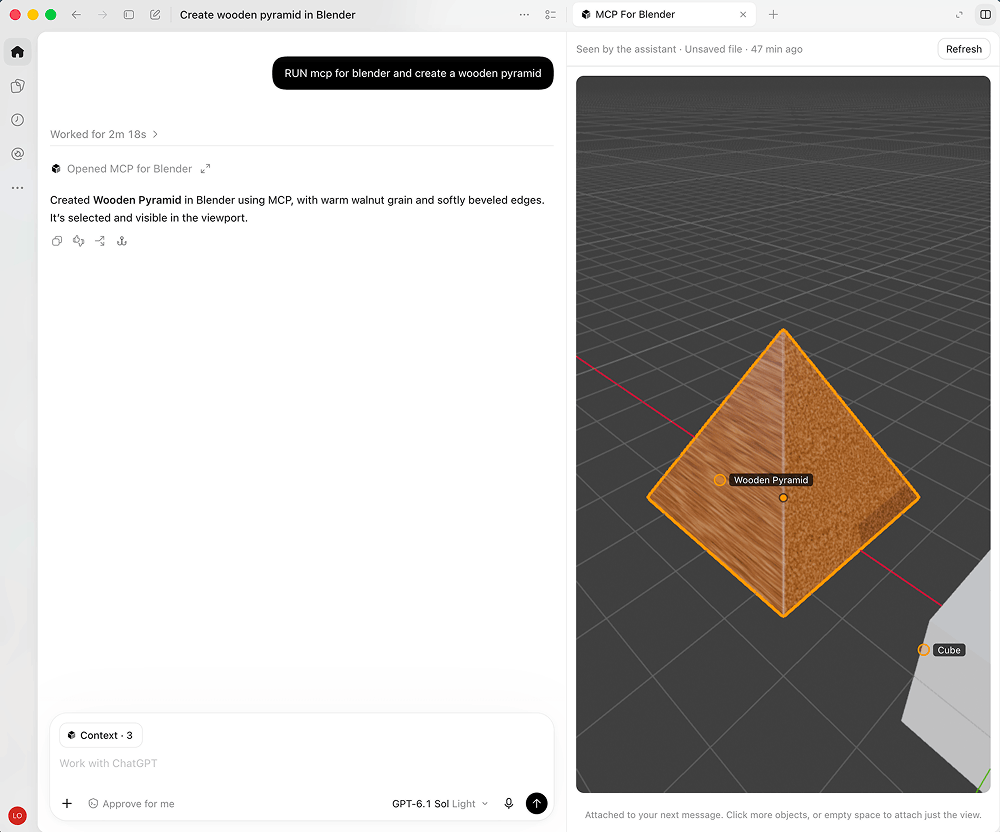
mcp-for-blender
Community plugin to control Blender 3D with any LLM of your choice. Not affiliated with the official Blender Foundation.
- 36k
- Python
- MIT
- 6 d ago
Open source CAD and PCB design in one app: parametric 3D modeling and electronics (schematic, board, KiCad export) with a board to 3D link. Electron for Windows, Linux, macOS; native SwiftUI for Mac, iPad, iPhone. Shared Rust core over the SolidCraft and PCBCraft engines. GPL-3.0.
Repo soma-intelligence/ViaForm, read from GitHub 1 d ago. soma-intelligence has not joined Take My Repo.
soma-intelligence/ViaForm is a public repo on GitHub by soma-intelligence. Open source CAD and PCB design in one app: parametric 3D modeling and electronics (schematic, board, KiCad export) with a board to 3D link. Electron for Windows, Linux, macOS; native SwiftUI for Mac, iPad, iPhone. Shared Rust core over the SolidCraft and PCBCraft engines. GPL-3.0. It declares the GPL-3.0 license on GitHub. It is written mainly in Swift, has 2 stars and last changed on 2026-11-21. Nobody has reviewed it on Take My Repo yet, which says nothing about its quality. Read from GitHub on 2026-11-23.
Community plugin to control Blender 3D with any LLM of your choice. Not affiliated with the official Blender Foundation.
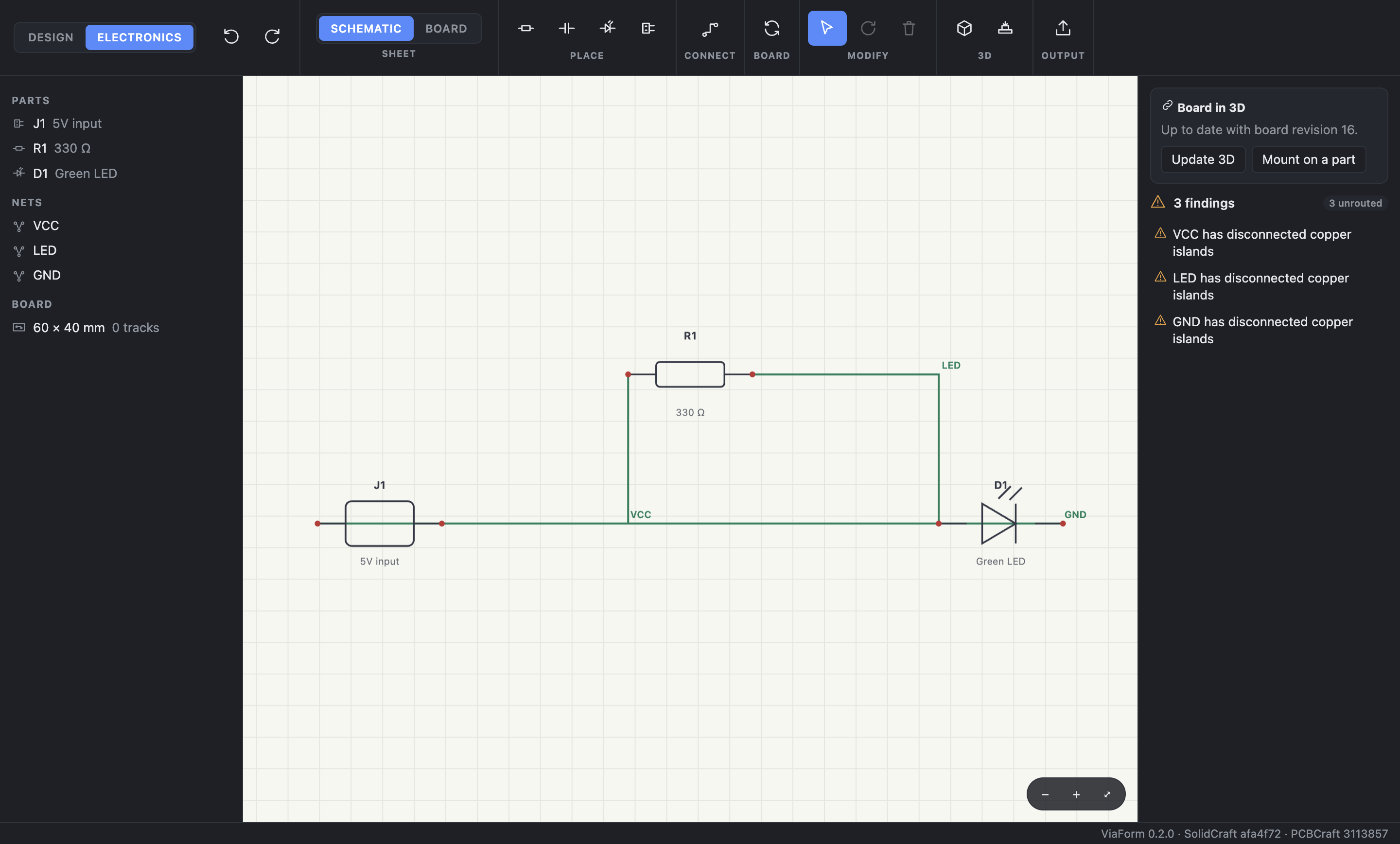
ViaForm is an open source CAD and PCB design app for makers and hardware engineers that puts 3D mechanical design and electronics (schematic and board) in one project, and links the printed circuit board to the 3D model so an enclosure and its board stay in step. It is licensed GPL-3.0-or-later, runs as an Electron desktop app on Windows, Linux and macOS and as native SwiftUI apps on macOS, iPad and iPhone, and is built on two open source Rust engines: SolidCraft (parametric 3D CAD) and PCBCraft (PCB design). Status: early, version 0.2.0, built from source (no published release yet).
There's no published release yet, so you build ViaForm from source. You need Git, Rust and Node 22.
git clone --recursive https://github.com/soma-intelligence/ViaForm.gitcd ViaForm/electron && npm ci && npm start. The first build compiles both engines, so give it a few minutes.For developers, the core's tests cover the board to 3D link and the .viaform file:
git clone --recursive https://github.com/soma-intelligence/ViaForm.git && cd ViaForm
cargo test --release -p viaform-core
The Apple apps, prerequisites and every script: Build ViaForm from source.
3D design and electronics as one app, on open source Rust engines (SolidCraft for CAD, PCBCraft for PCB).
electron/). Design and Electronics are two
workspaces of one project, saved together as a .viaform file. It updates itself from this
repository's GitHub Releases.The Apple apps draw with Metal, the Electron app with WebGL. All of them run every action
through the engines' command APIs, and share one Rust core (core/) for everything that joins
the two engines, so the board to 3D link behaves the same everywhere.
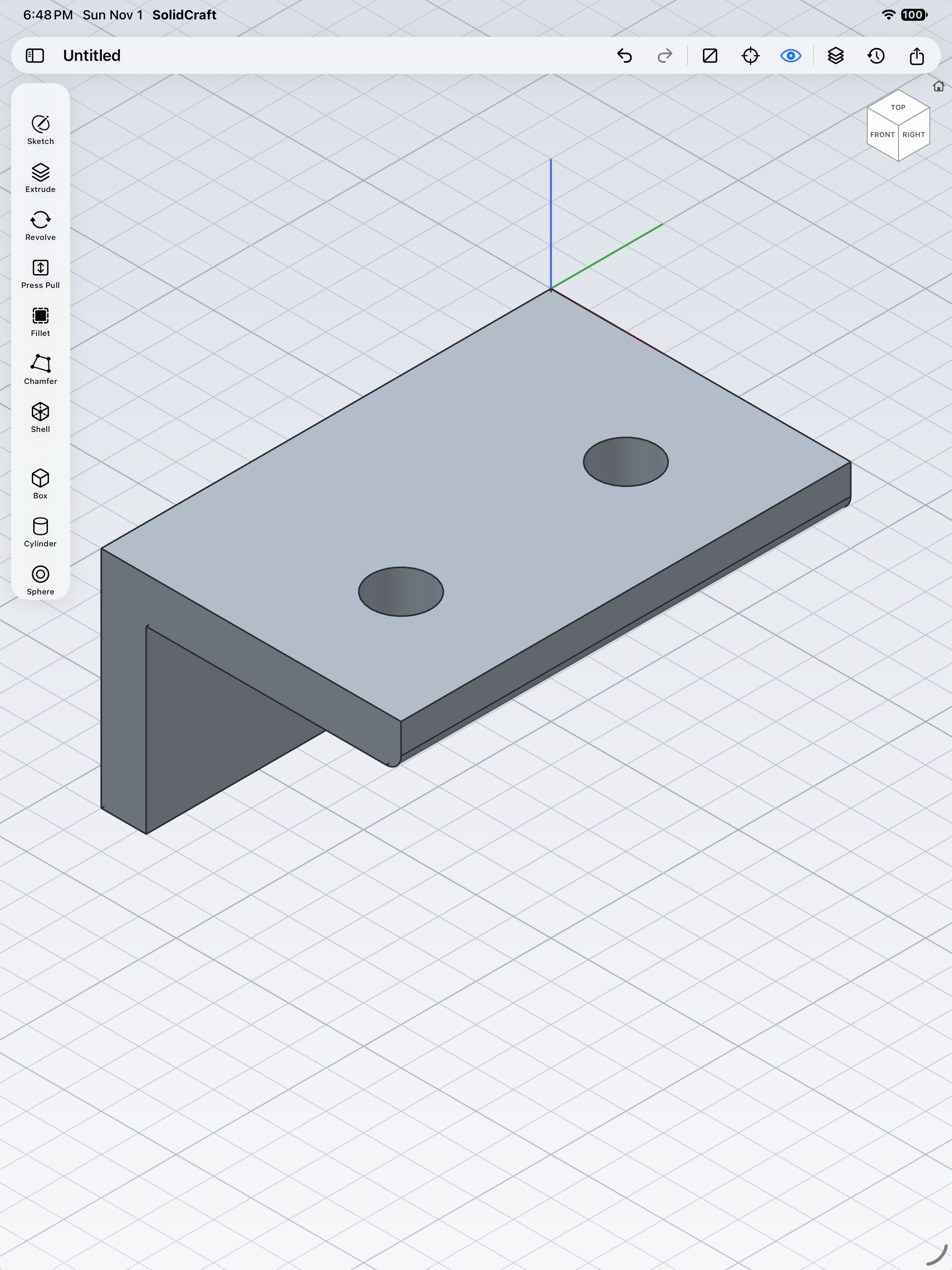
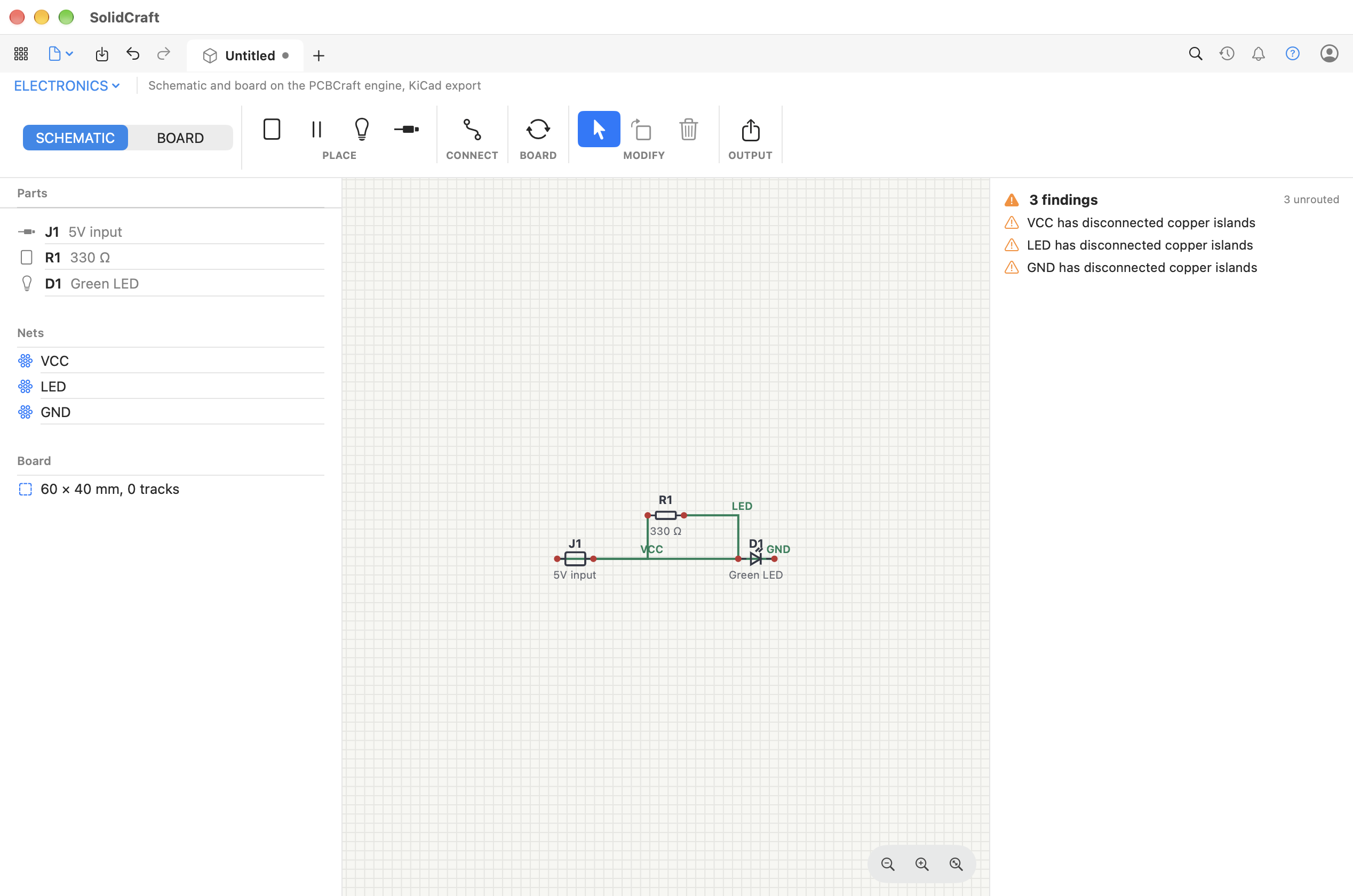
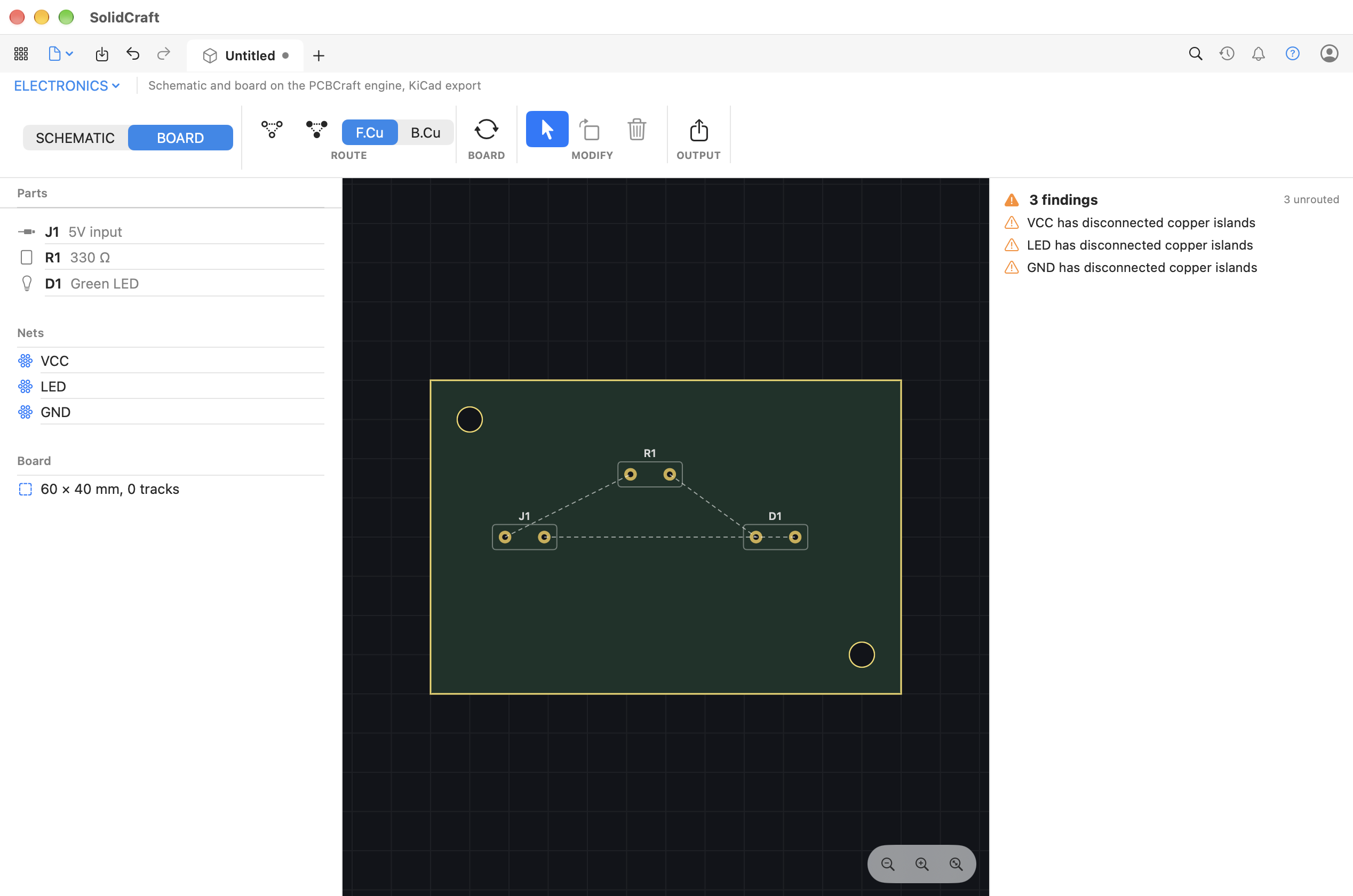
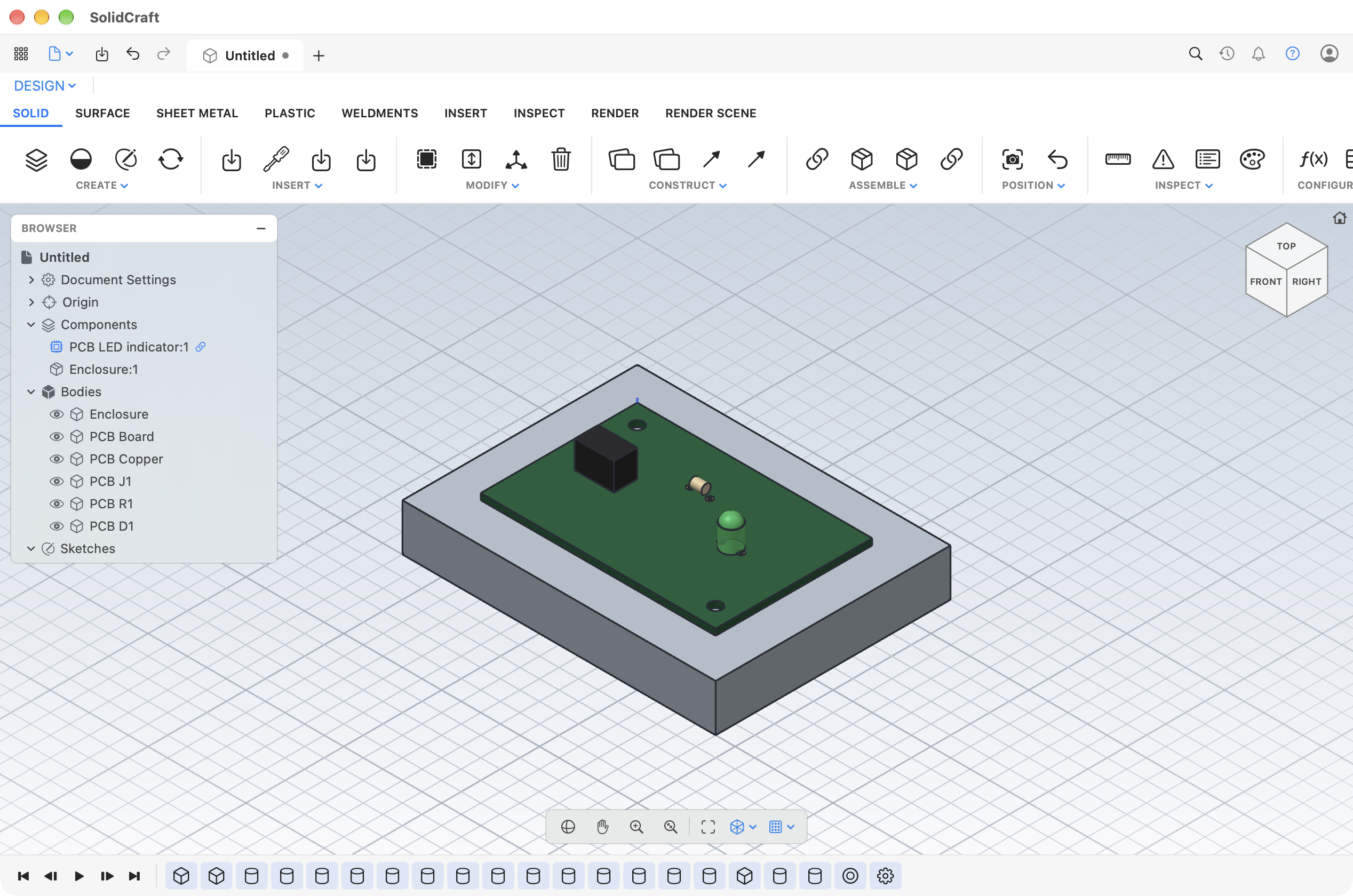
| What | 3D CAD and PCB design in one app, with a board to 3D link |
| License | GPL-3.0-or-later (LICENSE) |
| Version | 0.2.0 (Cargo.toml, electron/package.json); Apple targets carry 0.1.0 |
| Platforms | Windows, Linux, macOS (Electron); macOS 14+ on Apple silicon, iPadOS and iOS 17+ (SwiftUI) |
| Stack | Rust (core, C ABI bridge, N-API addon), TypeScript + three.js (Electron), Swift 6 + Metal (Apple) |
| Engines | SolidCraft (3D CAD), PCBCraft (PCB), as git submodules |
| File format | .viaform: a zip of the 3D design and the PCB project (details) |
| Install | Build from source: git submodule update --init --recursive && cd electron && npm ci && npm start |
| Homepage | https://github.com/soma-intelligence/ViaForm |
3D design (SolidCraft engine)
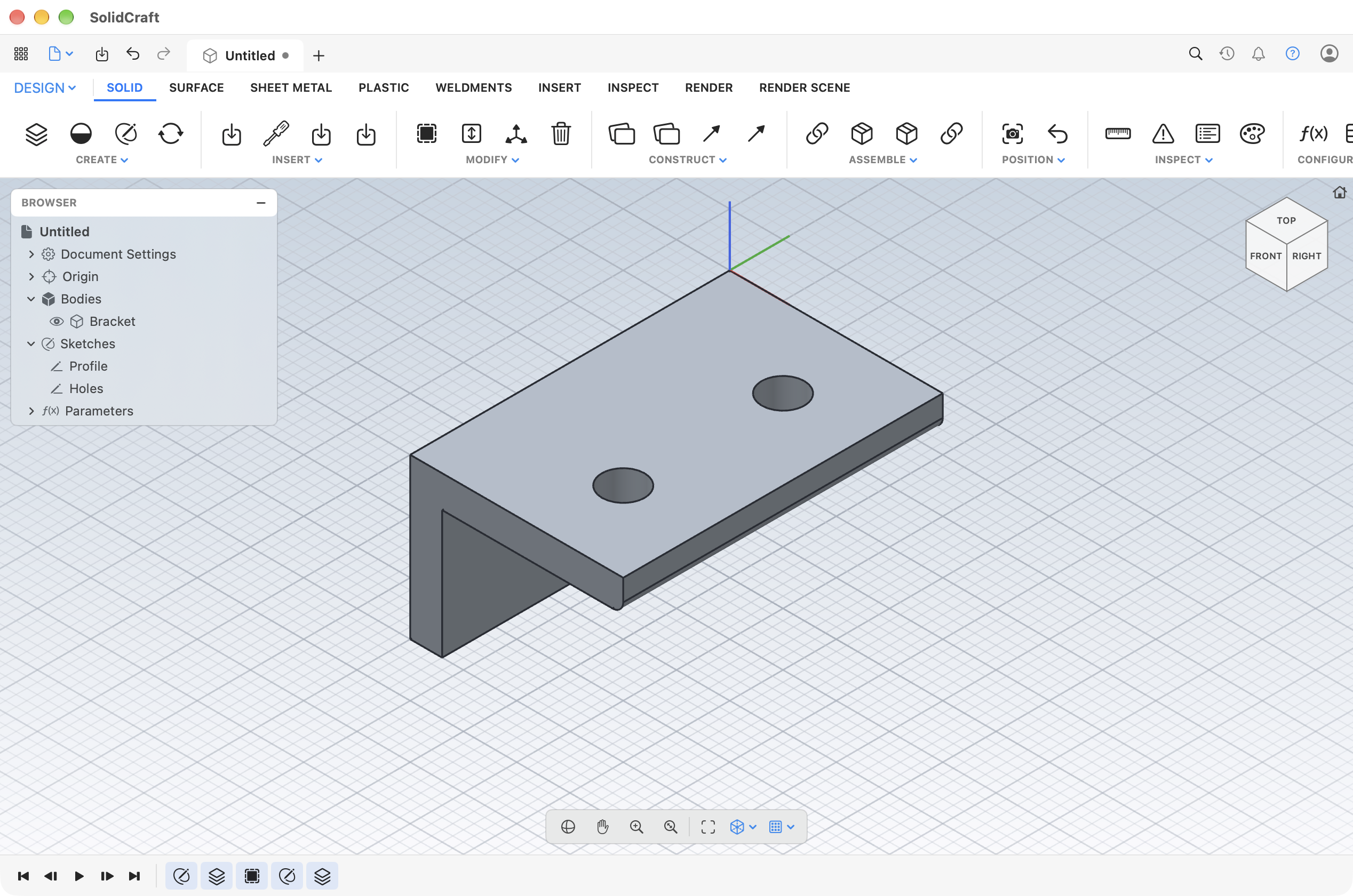
.sc files.Electronics (PCBCraft engine)
F.Cu, B.Cu)..kicad_pcb KiCad board.Board to 3D link (viaform-core)
App
.viaform project file (Electron) with a format version; a file from a newer format is
refused with a message to update.engines/solidcraft submodule: tangency-labs/solidcraft, parametric 3D CAD in Rust
engines/pcbcraft submodule: tangency-labs/pcbcraft, KiCad-compatible PCB engine in Rust
core/ viaform-core: one workspace over both engines, the board to 3D link, the .viaform file
bridge/ solidcraft-ffi: a C ABI static library over the core, for the Swift apps
node/ viaform-node: a Node addon (N-API) over the core, for the Electron app
electron/ the cross-platform app: main process, preload, renderer (TypeScript, three.js)
apple/ XcodeGen project: Shared (engine, renderer, model), Desk (macOS), Touch (iOS)
docs/ screenshots, the UI reference sheet and the guides
scripts/ build-bridge.sh (Apple bridge), engine-sync.sh (move the engines to upstream)
.github/workflows/ CI, Release (signed builds and the update feed), Engine sync (daily)
git submodule update --init --recursive
Electron app (any platform, needs Rust and Node 22):
cd electron && npm ci && npm start
npm test runs the app's end-to-end tests on the addon; cargo test -p viaform-core runs the
core's. npm run dist packages for the current platform.
Apple apps:
scripts/build-bridge.sh
cd apple && xcodegen generate && open SolidCraftNative.xcodeproj
SolidCraft --selftest runs the tool paths end to end (sketch, extrude, press pull, fillet,
undo, primitives, scene) and exits. --sample opens the bracket sample.
Full steps, prerequisites and Rust targets: Build ViaForm from source.
Every front end talks to one Rust core, viaform-core (core/). Its Workspace holds a
SolidCraft Session (the 3D design) and a PCBCraft Session (schematic and board) side by
side. core/src/link.rs is the board to 3D link, core/src/project.rs the .viaform file,
core/src/scene.rs the 3D scene flattened to f32 buffers for the GPU.
bridge/ (solidcraft-ffi, a static library with the
C header bridge/include/solidcraft.h: sc_* for CAD, pcb_* for PCB, vf_link_* for the
link) and draw with Metal.node/ (viaform-node, an N-API addon exposing a Workspace class)
in its main process; the renderer reaches it over IPC as window.viaform and draws with
three.js.More: Architecture of the Rust core and FFI.
.kicad_pcb.As of November 2026. Facts about other products are from their public pages; ViaForm is younger and covers far less ground than any of them. ViaForm is an independent project and is not affiliated with Autodesk, Shapr3D or KiCad.
| ViaForm | Autodesk Fusion | Shapr3D | KiCad | |
|---|---|---|---|---|
| License | GPL-3.0-or-later, open source | Proprietary | Proprietary | GPL-3.0, open source |
| Scope | 3D CAD and PCB in one app | 3D CAD, CAM, electronics | 3D CAD | Schematic and PCB |
| Platforms | Windows, Linux, macOS, iPad, iPhone | Windows, macOS | iPad, macOS, Windows | Windows, macOS, Linux |
| Cost model | Free | Subscription, free personal-use license | Subscription, free plan | Free |
Per-product notes: Fusion, Shapr3D, KiCad.
What is ViaForm? An open source (GPL-3.0-or-later) app that combines parametric 3D CAD and PCB design in one project, on the SolidCraft and PCBCraft Rust engines, for Windows, Linux, macOS, iPad and iPhone.
Is ViaForm free? Yes. It is free and open source under GPL-3.0-or-later.
Is there an open source alternative to Fusion 360 that does both CAD and PCB? ViaForm is one: it pairs 3D design and electronics in one project with a board to 3D link. It is early and has far fewer features than Fusion. See the comparison.
Can I download ViaForm? Not yet as a published release. Build it from source; the Release workflow is set up to publish signed builds to GitHub Releases once signing secrets are configured.
Does ViaForm run on iPad?
Yes, from source. The SolidCraft-iOS target builds a touch app for iPad and iPhone (iOS 17+).
GPL rules out App Store distribution. See PCB design on iPad.
Can ViaForm open KiCad files?
No. It exports a .kicad_pcb board; importing KiCad projects and using KiCad library parts
are not in the code yet. See ViaForm vs KiCad.
What is a .viaform file?
A zip holding viaform.json (format and version), design.solidcraft and board.pcbcraft.
See the file format.
How do I put my PCB into the 3D model? In Electronics, press Send to 3D, then Mount on a Part and click a face. See Link a PCB to the 3D model.
What file formats can ViaForm export?
STEP from the design and .kicad_pcb
soma-intelligence/ViaForm is a public repo on GitHub by soma-intelligence. Open source CAD and PCB design in one app: parametric 3D modeling and electronics (schematic, board, KiCad export) with a board to 3D link. Electron for Windows, Linux, macOS; native SwiftUI for Mac, iPad, iPhone. Shared Rust core over the SolidCraft and PCBCraft engines. GPL-3.0.
It declares the GPL-3.0 license on GitHub.
Its maker tagged it for macOS, Windows and Linux, or as Docker or cross-platform. That is declared by the maker; Take My Repo has not tested it.
Official source code of FreeCAD, a free and opensource multiplatform 3D parametric modeler.
A free open source cross-platform C++ library for parsing ODB++ Design archives, accessing their data, and building net list product models. Exposed via a REST and gRPC API packaged inside of a Docker image, ready for deployment onto k8s clusters.
SolidCraft: an open-source parametric 3D CAD application built in pure Rust. Desktop, web, and automation through MCP.
Open "Take it" on its page: Take My Repo writes an install plan for your machine and hands it to your AI agent (Claude Code, Codex or Cursor), which asks you before each step. Take My Repo has not tested it on any machine.
Its last change on GitHub was on 2026-11-21. Take My Repo does not judge from that whether it is maintained.
Nobody has reviewed it on Take My Repo yet, which says nothing about its quality.
Take My Repo cannot say: it does not audit code and has not run ViaForm. What is known comes from GitHub. It declares the GPL-3.0 license on GitHub. Its last change was on 2026-11-21. It has 2 stars, which measure popularity, not safety. Nobody has reviewed it on Take My Repo yet, which says nothing about its quality. Read the source before you run it. With "Take it", your AI agent shows each step and asks you before running it; README text is treated as data, not as instructions.


