
kit
Kit is a coding agent runtime. Claude Code but faster, cheaper and more to the point 🎯
- 46
- MIT
- 16 h ago
Repo speakeasy-api/kit, read from GitHub 11 h ago. speakeasy-api has not joined Take My Repo.
In short
speakeasy-api/kit is a public repo on GitHub by speakeasy-api. Kit is a coding agent runtime. Claude Code but faster, cheaper and more to the point 🎯. It declares the MIT license on GitHub. It is written mainly in Rust, has 46 stars and last changed on 2026-11-25. Nobody has reviewed it on Take My Repo yet, which says nothing about its quality. Read from GitHub on 2026-11-25.
Similar repos


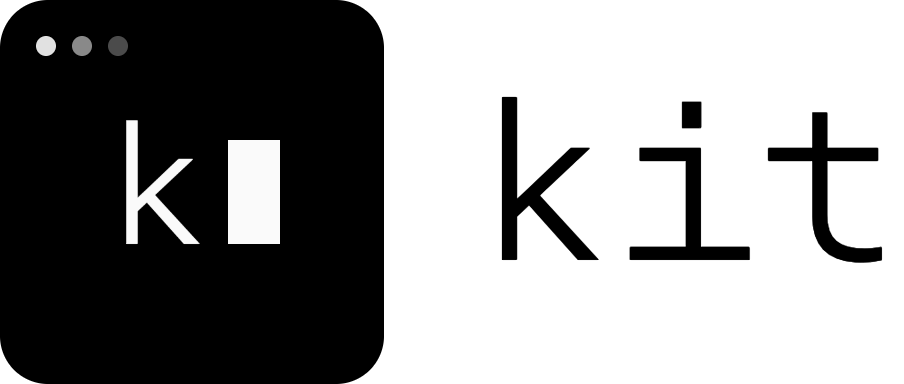
Kit is a coding agent runtime. It gives the model one tool for writing and running programs.
Kit provides a terminal client, an Agent Client Protocol (ACP) server, an A2A endpoint, and a subagent orchestrator in one static binary.
ACP separates agent clients from agent runtimes, so Kit works in compatible editors and can orchestrate other harnesses without custom integrations.
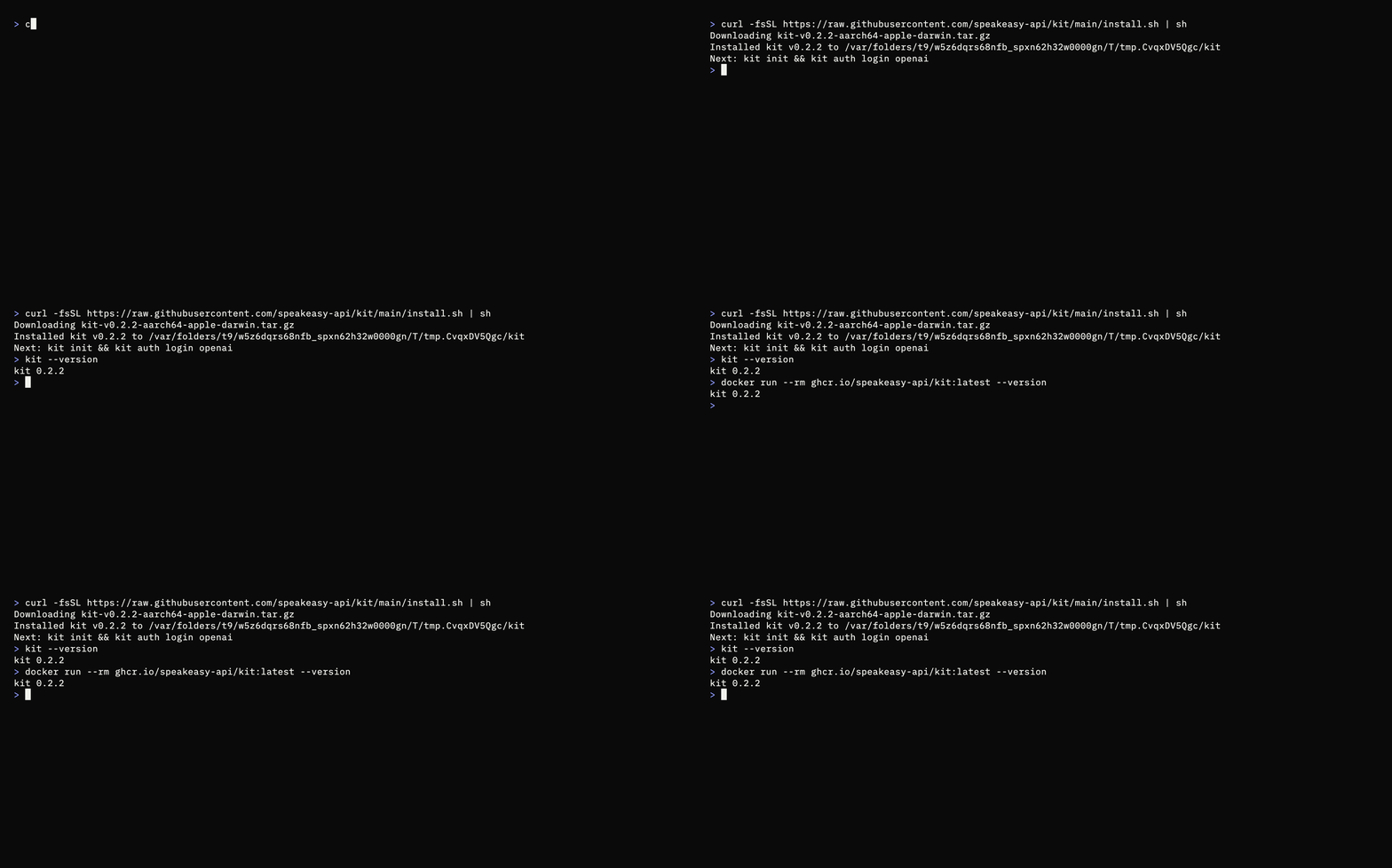
curl -fsSL https://raw.githubusercontent.com/speakeasy-api/kit/main/install.sh | sh
kit init && kit auth login openai && kit tui
Why Kit
Most agent harnesses expose many tools and require one model round trip for each call. Kit exposes compose for tool orchestration, plus ask_user for interactive decisions when the connected client supports forms. The compose argument is a short program in Runlet. In one round trip, the program can read files, run tests, apply edits, retry failed commands, delegate work to subagents, and return structured data.
Fewer model round trips repeat less context and complete more work in each request. In size-matched production tasks, Kit used approximately half the input tokens and active time per hand-written line of Codex CLI or Claude Code (comparison).
- One tool for orchestration, unlimited composition. The model uses
composeto orchestrate work. Acomposeprogram can callshell,edit,subagent,prompt,fork,tool_search,tool_schema,tool,auth,skill,a2a, anddocs. Independent calls run concurrently. Use data dependencies orafterblocks to control execution order. Useboundary retry Nandfail()to handle errors in the program. - Reusable subagents. A subagent is a reusable value. You can continue, fork, inspect, and close a subagent. You can require JSON that matches a schema. You can also use Claude Code, Codex, Cursor, or Kit as the subagent harness over ACP.
- Open protocols. Kit supports ACP v1 and v2 over stdio, HTTP/SSE, and WebSocket. Kit supports A2A v1 in both directions. It also supports MCP, Agent Skills, and Agent Plugin packages.
- Long sessions. Kit synchronizes each append-only JSONL transcript item to disk before it accepts the item. It compacts context automatically at 80% of the context window. You can resume a session from
tui,prompt, or any ACP client. Kit also uses crash-safe locks. It retries eligibleopenai-subscriptionfailures for up to 24 hours. - Model choice. Kit supports ChatGPT subscriptions through native OAuth. It also supports the Anthropic API directly and models through OpenRouter and the Speakeasy AI Control Plane. Use
/modelto change the model during a session. - Small runtime. Kit has no permissions framework, sandbox, or web UI. The
--rootoption sets the working directory. Kit is a runtime, not a security boundary. Run Kit inside a security boundary that you trust. See the trust model.
Install
Install script (macOS arm64, Linux x86-64)
curl -fsSL https://raw.githubusercontent.com/speakeasy-api/kit/main/install.sh | sh
The installation script downloads the release archive. It verifies the archive against SHA256SUMS and installs Kit in ~/.local/bin. Set KIT_VERSION=v0.1.108 to select a release. Set KIT_INSTALL_DIR to change the destination.
Update Kit
kit update --dry-run  # inspect the installation method and proposed action
kit update
Kit checks the running executable, not the first kit on PATH. Dry runs only
read local provenance: they do not download, run package managers, or change files.
Release CLI builds in ~/.local/bin use the installer embedded in Kit to install
the latest release, verify its checksum, and atomically replace the executable.
KIT_VERSION is ignored for updates. For a custom installer destination, set
KIT_INSTALL_DIR to that same directory. Symlinks to a recognized installation
work; moving a binary elsewhere does not establish installer provenance.
Cargo installations use the owning install root's metadata and keep their source:
local paths rebuild the original checkout (update that checkout first), Git sources
keep explicit branch/tag/revision selectors, and crates.io installs stay on
crates.io. Recorded features, profile, and target are preserved when available.
Missing checkouts, inconsistent provenance, and custom registries are refused
rather than silently switching to upstream. Use the original cargo install
command when an automatic plan is unavailable.
Unknown/source-built binaries and older release builds without a release marker
are not overwritten. Rebuild and run mise run install, or rerun the release
installer explicitly. For Homebrew, verify the owning formula with brew list
and use brew upgrade <owning-formula>; automatic Homebrew updates are not
supported. Update desktop apps through the app distribution, and pull a new image
and recreate containers rather than modifying bundled executables.
mise
mise use -g github:speakeasy-api/kit        # latest
mise use -g github:speakeasy-api/kit@0.1.108
kit update (including --dry-run) recognizes mise-managed installations and
refuses to overwrite their versioned files, even with KIT_INSTALL_DIR set.
Detection checks the canonical executable under mise's actual installs directory:
MISE_INSTALLS_DIR, or MISE_DATA_DIR/installs, defaulting to
${XDG_DATA_HOME:-~/.local/share}/mise/installs on macOS and Linux.
Update through mise from the directory whose configuration selects Kit:
mise ls github:speakeasy-api/kit       # inspect selected version and config
mise upgrade github:speakeasy-api/kit # respect the configured version range
An exact version pin remains pinned. To deliberately update that pin, use
mise upgrade --bump github:speakeasy-api/kit in the intended configuration
scope. Kit does not choose a project/global scope or change mise config for you.
This is distinct from mise run install in a source checkout, which creates a
Cargo installation and follows the Cargo update rules above.
Docker
docker run --rm -i -v "$PWD:/workspace" -v ~/.kit:/home/kit/.kit \
  ghcr.io/speakeasy-api/kit:latest acp --credential-store file
Images are headless: they serve ACP, A2A, and prompt but omit the tui command and native voice. Use a release binary or mise run install for the terminal client.
Kit publishes images for linux/amd64 and linux/arm64. Each image has three variants: slim, bookworm, and alpine. The default slim variant uses Debian slim. The alpine variant uses a native musl build.
Each release adds the tags v<version>, v<version>-slim, v<version>-bookworm, and v<version>-alpine. The newest stable release also updates the latest, slim, bookworm, and alpine tags.
Images run as the non-root kit user with UID 1000. The working directory is /workspace. Images do not include Git or language toolchains. Extend the image if you need these tools:
FROM ghcr.io/speakeasy-api/kit:latest
USER root
RUN apt-get update && apt-get install -y --no-install-recommends git ripgrep && rm -rf /var/lib/apt/lists/*
USER kit
From source
mise owns the toolchain: mise.toml pins Rust and every other build tool, and mise run exposes the build, test, and packaging tasks. Docker, Linux system development packages, and, on macOS, Xcode are not installed by mise install.
git clone https://github.com/speakeasy-api/kit && cd kit
mise install                   # Rust 1.99 with rustfmt and clippy; Python and XcodeGen on macOS
mise run setup:linux           # Debian/Ubuntu only: C/C++, CMake, pkg-config, ALSA/PulseAudio headers (sudo)
mise run install               # cargo install into ~/.cargo/bin
mise run dev -- tui --root .   # cargo run; arguments pass through
mise run test -- --test cli    # cargo test; arguments select a suite or a test name
mise run check                 # lint, Rust tests, and script tests, as CI runs them
mise run build:release         # target/release/kit
mise run sign                  # macOS only: sign before using the Keychain credential store
mise tasks lists the rest: macos:run builds and opens the desktop app (see macos/README.md), and docker:build builds a container flavor with docker buildx.
macOS release artifacts are unsigned and unnotarized by default. Maintainers can enable signing and notarization with the sign_macos release workflow input; the CLI uses com.speakeasy.kit and the outer desktop app uses com.speakeasy.kit.desktop. See Releasing.
Quick start
kit init                                   # ~/.kit/config.toml + ~/.kit/mcp.json
kit auth login openai                      # ChatGPT subscription, native OAuth (PKCE)
kit tui --root /path/to/project            # interactive
kit prompt --root /path/to/project "Summarize this repo in three lines"   # one-shot, prints session_id
kit acp --root /path/to/project            # ACP over stdio for editors and clients
kit serve --root /path/to/project --remote-acp --no-a2a --no-stdio --http 0.0.0.0:8081 \
  --server-credential-file /private/token  # headless daemon
OpenRouter and Speakeasy use the same login process. Run kit auth login openrouter or kit auth login speakeasy. Then add --provider openrouter --model anthropic/claude-sonnet-5 to the Kit command that you run. Providers and MCP servers share one credential backend (--credential-store keychain|file|memory).
For direct Anthropic API usage, run kit auth login anthropic, then select
--provider anthropic --model claude-sonnet-5-5. Use a single-workspace Console
API key; ANTHROPIC_API_KEY is also supported. See
Anthropic setup.
Coming from Claude Code or Codex
Read Migrate from Claude Code or Codex for the file mappings, safety boundaries, and settings that need manual review. Or start kit tui in the existing project and paste this prompt:
Help me migrate my Claude Code and Codex project instructions, skills, and MCP servers into Kit. Consult your version-matched bundled documentation for the migration procedure. Preserve my source files, do not copy credentials, and show me any conflicts before changing an existing Kit file.
Kit does not need an import slash command. The agent can find the same guide in its bundled docs, inspect the source configuration, translate compatible settings, and validate the result.
Feature tour
One tool: compose
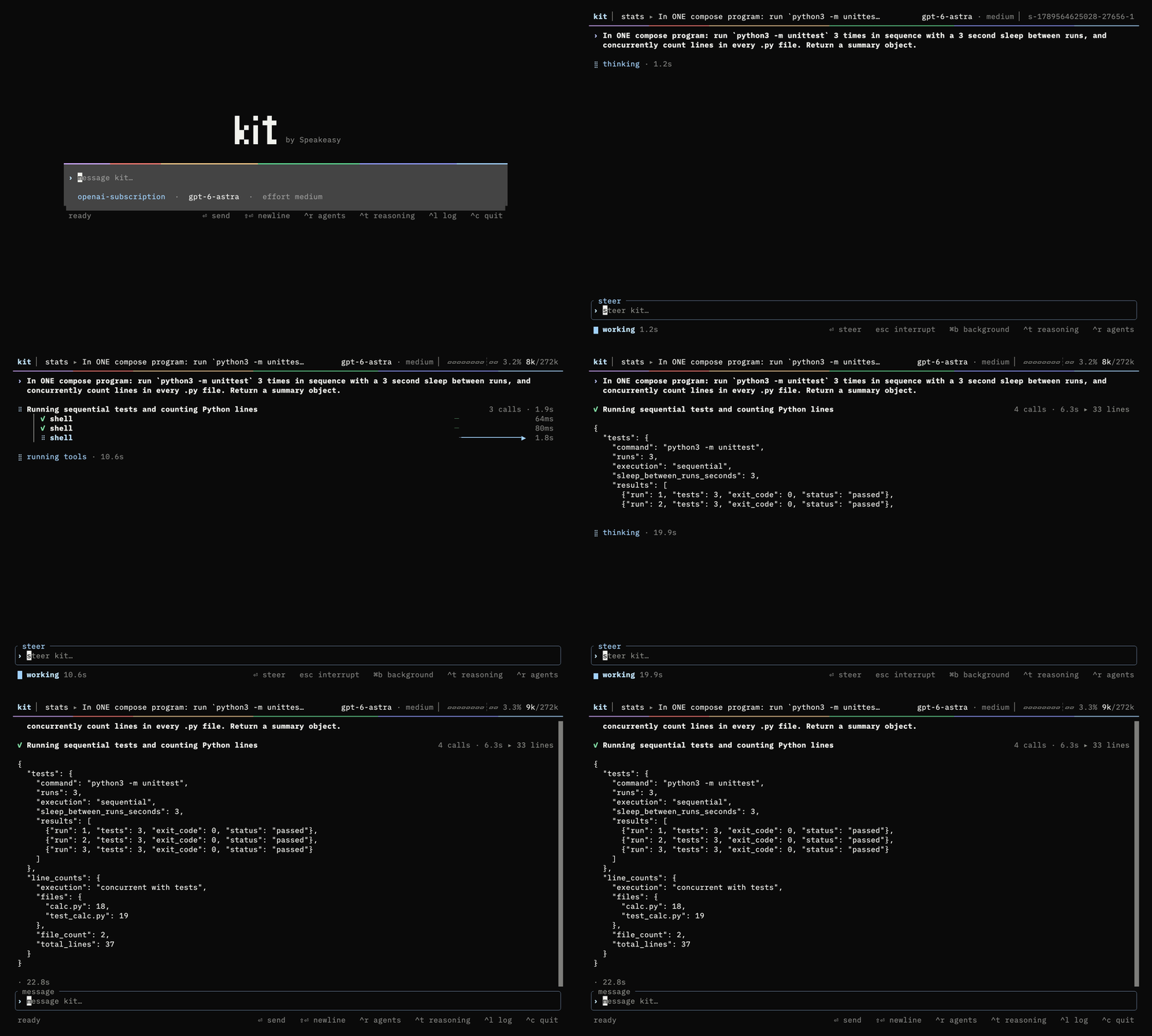
The model writes a Runlet program. While the program runs, Kit shows the source in the transcript. Kit shows the status of each call and binding. Kit also shows loop and retry counters. When the program finishes, Kit replaces the source with the result.
tests   = shell({ command: "python3 -m unittest -q" })
counts  = for path in text.split(text.trim(shell({ command: "ls *.py" }).stdout), "\n") {
  return { path, lines: number.parse(text.trim(shell({ command: "wc -l < " + path }).stdout)) }
}
fixed   = after tests { return edit({ path: "calc.py", hunks: [ ... ] }) }
return { tests: tests.success, counts, fixed }
tests and counts run concurrently. The fixed binding waits for tests because it uses after. A hunk edit uses context_before, old, and context_after as anchors. The anchors must match exactly once. Hunk edits do not require Git. Each file edit is atomic and preserves permissions and CRLF line endings. See Compose and local tools.
Subagents you can steer, continue, and fork
Kit remains the orchestrator while a bounded task runs in the harness or model best suited to it. For example, you can send visual-direction work to Claude Opus through the Claude ACP adapter, keep implementation in Kit, run independent specialists concurrently, and bring their structured results back into one workflow. External harnesses retain their own configuration and authentication. Kit cannot use a Claude subscription as provider credentials for its built-in acp.kit
Questions
What is kit?
speakeasy-api/kit is a public repo on GitHub by speakeasy-api. Kit is a coding agent runtime. Claude Code but faster, cheaper and more to the point 🎯.
Is kit open source?
It declares the MIT license on GitHub.
Does kit run on macOS, Windows or Linux?
Its maker tagged it for macOS, Windows and Linux, or as Docker or cross-platform. That is declared by the maker; Take My Repo has not tested it.
How do I install kit?
Open "Take it" on its page: Take My Repo writes an install plan for your machine and hands it to your AI agent (Claude Code, Codex or Cursor), which asks you before each step. Take My Repo has not tested it on any machine.


