rea
Reverse engineer anything with agents, from app behavior down to native binaries.
- 477k
- TypeScript
- MIT
- 2 h ago
Cortex Terminal: run real Ubuntu 24.04 LTS (glibc 2.39, apt) natively on Android. No root, no PRoot, no containers, no VM. A fast Termux alternative for arm64 and armv7, with 50 languages.
Repo ssfuisu/cortex, read from GitHub 4 h ago. ssfuisu has not joined Take My Repo.
ssfuisu/cortex is a public repo on GitHub by ssfuisu. Cortex Terminal: run real Ubuntu 24.04 LTS (glibc 2.39, apt) natively on Android. No root, no PRoot, no containers, no VM. A fast Termux alternative for arm64 and armv7, with 50 languages. It declares the Apache-2.0 license on GitHub. It is written mainly in C, has 91 stars and last changed on 2026-11-24. Nobody has reviewed it on Take My Repo yet, which says nothing about its quality. Read from GitHub on 2026-11-24.
Reverse engineer anything with agents, from app behavior down to native binaries.
Ubuntu 24.04 on Android, without root, PRoot or a virtual machine.
Ubuntu's own arm64 programs, installed with apt, running on the phone's CPU and kernel.
Download · How it works · Real vs emulated · Package tests · Security · Changelog · Issues · Telegram
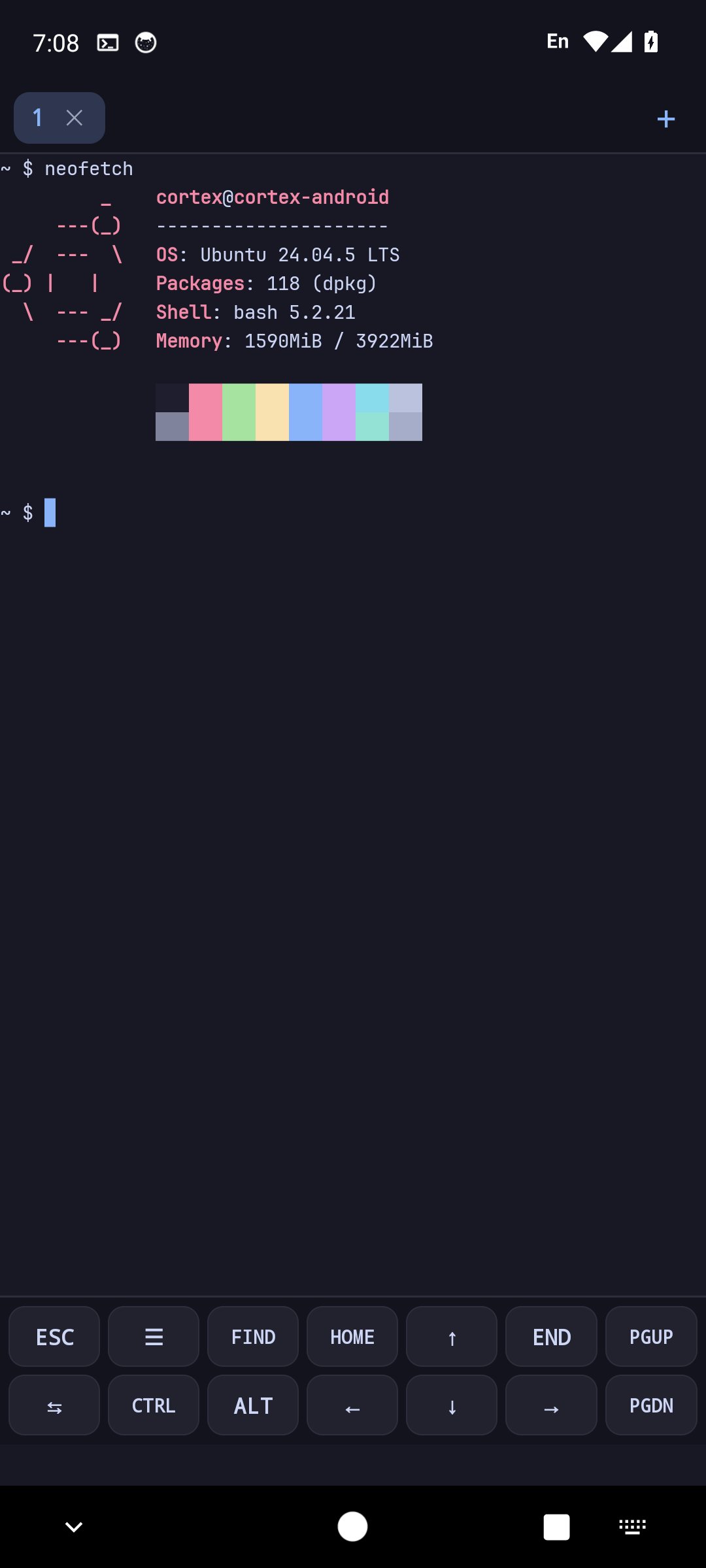
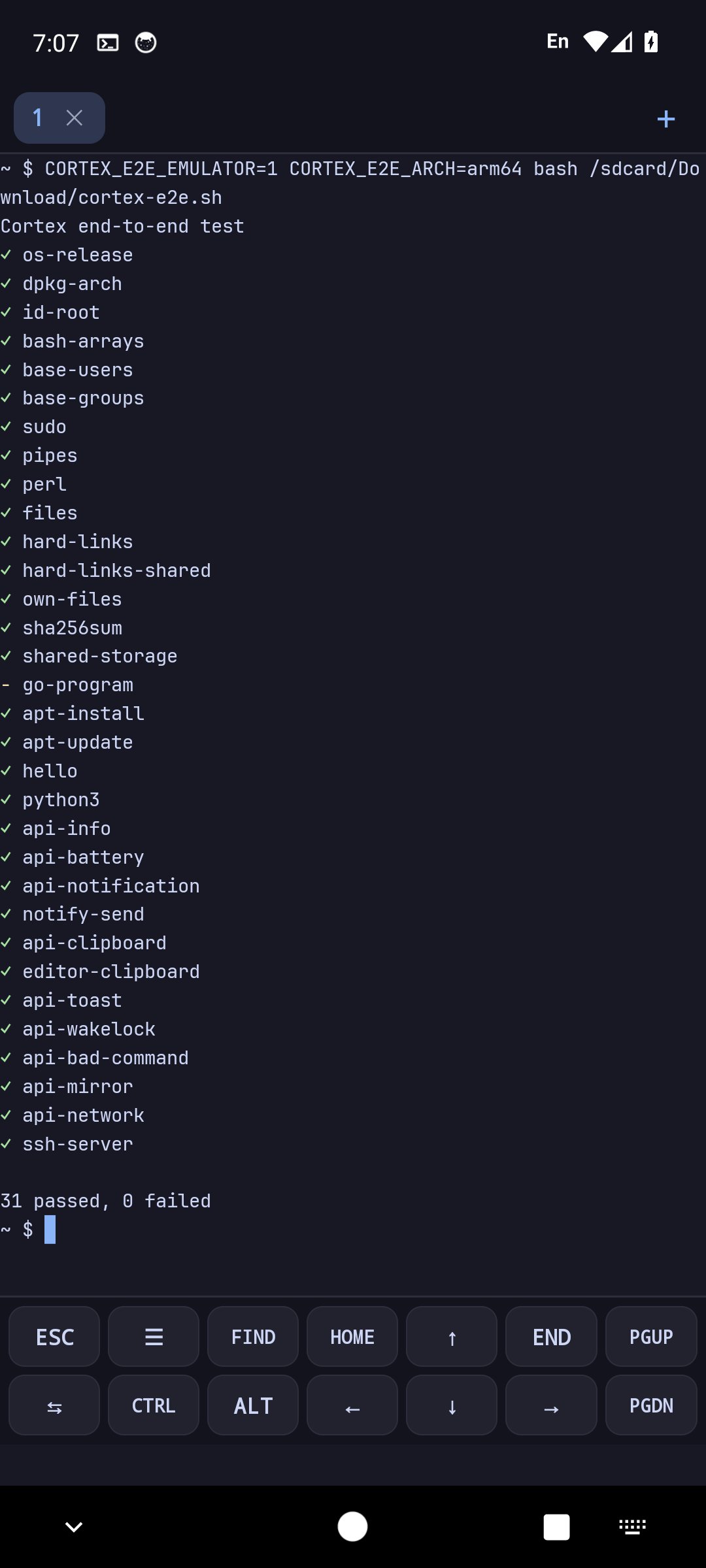
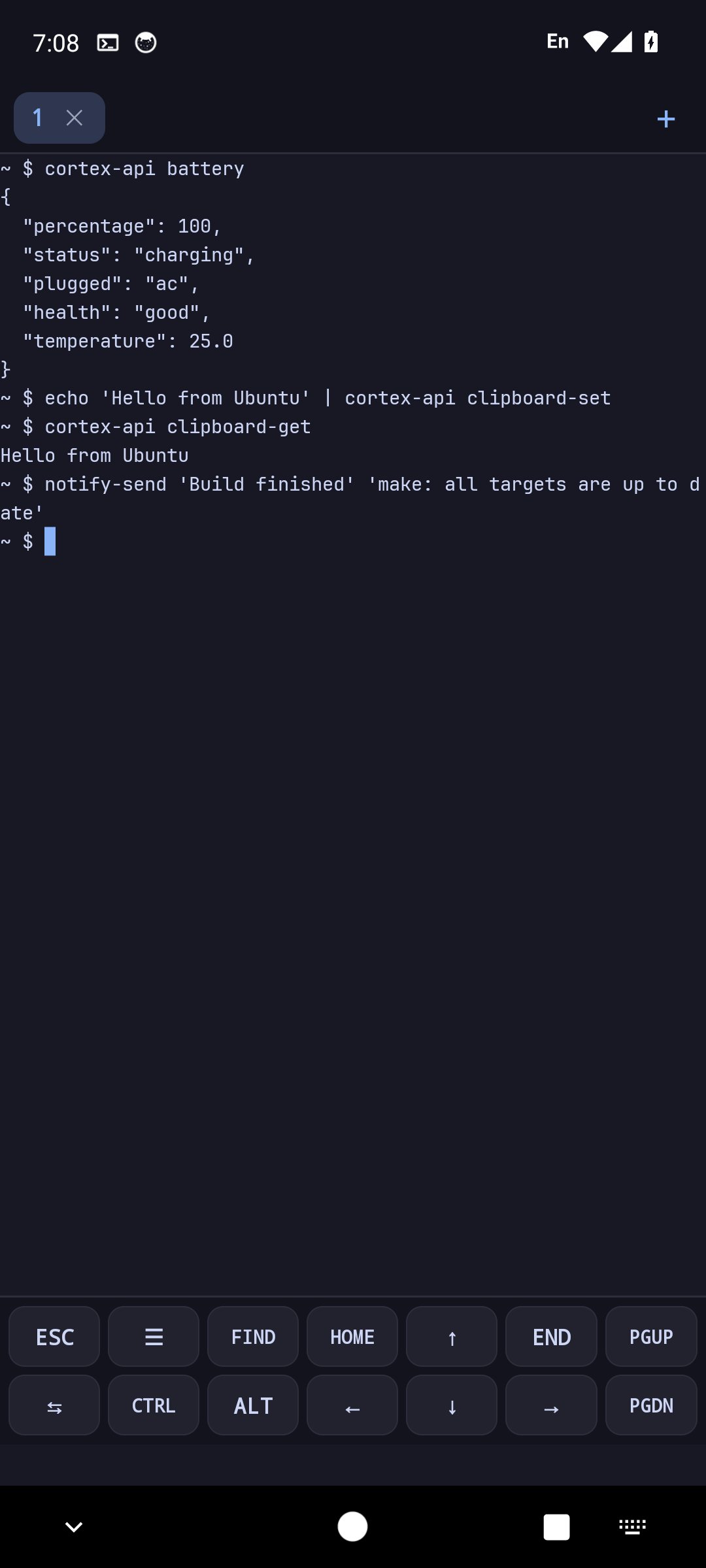
Cortex is an Android terminal app that ships an Ubuntu 24.04 root file system (built from Ubuntu's official arm64 and armhf images) and runs it inside the app's private storage. The programs are the ones from Ubuntu's archive, not rebuilt for Android. They run as ordinary processes of the app, directly on the CPU, and their system calls go straight to Android's Linux kernel. What makes that work is a library loaded into every program with LD_PRELOAD: it maps paths like /usr and /etc into the app's storage and covers for the things Android does not let an app do. Nothing traces the programs and nothing virtualizes them.
flowchart LR
    subgraph APP["Cortex: an ordinary Android app, no root"]
        P["Ubuntu program<br/>bash, gcc, python3, apt"] --> G["glibc 2.39<br/>(Ubuntu's)"]
        G -- "calls that take a path<br/>open, stat, exec, connect" --> H["libcortex-hook.so<br/>(LD_PRELOAD)"]
    end
    H -- "same call, path mapped<br/>/usr/lib/x becomes<br/>/data/.../cortex/usr/lib/x" --> K["Android's Linux kernel"]
    G -- "everything else<br/>read, write, mmap, futex, fork" --> K
libcortex-hook.so defines open, stat, execve and about 200 other libc functions. A call goes through it like through any shared library and then to the kernel. There is no ptrace, no seccomp trap on the normal path and no second process./lib/ld-linux-aarch64.so.1, so execve is turned into a start of Ubuntu's ld.so from the app's storage, with the library and the right library path.The library is about 10,000 lines of C in app/src/main/cpp/hook, with tests that run it under qemu on every change.
Not PRoot. PRoot runs programs under ptrace and stops them at the system calls that take a path. Cortex never traces anything.
Same family as fakechroot, but not fakechroot. Like fakechroot and fakeroot, Cortex uses an LD_PRELOAD library, and that is the honest name for the technique. It does not contain fakechroot or PRoot code. It was written for what Android does differently: the seccomp filter, no exec from writable storage on new target levels, no hard links, no SysV IPC, no other users, and statically linked programs, which fakechroot cannot reach at all.
| Cortex | fakechroot + fakeroot | PRoot (proot-distro) | Linux Terminal app (VM) | |
|---|---|---|---|---|
| Technique | LD_PRELOAD library |
LD_PRELOAD library |
ptrace tracer |
Virtual machine |
| A program's system calls | go straight to the kernel | go straight to the kernel | stopped by the tracer when they take a path | go to a guest kernel |
| Static programs | patched before their first start | not covered | covered | covered |
| Android's seccomp, hard links, SysV shm | handled | not handled | partly | not an issue |
| Root needed | No | No | No | No, supported devices only |
"Native" in this README means exactly this: the binaries are Ubuntu's own, they run on the phone's CPU, and the kernel executes their system calls. It does not mean Android turned into Ubuntu. The kernel is Android's and the app is still an app, which is what the next section is about.
| In Cortex | Status | |
|---|---|---|
| CPU | Programs run on it directly, no translation | Real |
| Kernel | Android's Linux kernel: processes, threads, signals, pipes, sockets, mmap, futex |
Real |
| Programs | The binaries from Ubuntu's archive, unchanged (glibc and static programs are the exceptions, below) | Real |
| Packages | apt and dpkg with Ubuntu's mirrors and signatures |
Real |
| Files | Contents, modes, timestamps, symbolic links | Real |
| Network | Sockets and DNS, IPv4 and IPv6 | Real |
| glibc | Ubuntu's 2.39 build with three system call sites patched: set_robust_list is skipped, clone3 and rseq answer "not available" so glibc uses the older calls. libc6 is held at this build |
Adapted |
| Paths | / is the app's private directory, mapped in the libc calls |
Emulated |
| Root and other users | Programs see uid 0 and files owned by root, the kernel sees the app's user. su, runuser and servers that drop to their user become that user for the programs, and chown records owners |
Emulated |
| Forbidden calls | setuid and the other calls Android's seccomp filter forbids are answered by a signal handler instead of killing the program |
Emulated |
| Hard links | Copies that report a real link count, the same in every process | Emulated |
| SysV shared memory, memfd locks | Files of Cortex's own (X11's MIT-SHM, PHP's opcache) | Emulated |
| Static programs | Patched once in their file before their first start | Adapted |
| Maintenance tools | A few that package installs call (systemd-sysusers, mandb, update-mime-database) are stand-ins that do nothing |
Adapted |
What does not work in normal mode, because an app is not root: systemd as the init system, mount, kernel modules, containers, reading the kernel's network tables (ss, netstat), and the GPU. Users other than root exist for the programs only (the kernel still sees one user), which is enough for PostgreSQL's own cluster and servers that drop privileges. A server that asks for a port below 1024 gets the port 8000 above it (80 becomes 8080, and localhost:80 still reaches it). On a rooted phone, root mode removes most of these.
Cortex-arm64-v8a-signed.apk for nearly every phone, Cortex-armeabi-v7a-signed.apk for 32-bit ARM.gh attestation verify Cortex-arm64-v8a-signed.apk --repo ssfuisu/cortex proves it, and SHA256SUMS.txt is next to it. The signing key is in signing/README.md.Android 7.0 or newer. Like Termux, the app targets API level 28, the last one that lets an app run programs from its own data directory.
apt install build-essential git python3 nodejs   # the first install fetches the package lists itself
cd /sdcard/Download                              # the phone's shared storage
cortex-desktop install xfce                      # optional desktop, also from the menu
|
Ubuntu
|
Terminal
|
|
Android
|
Desktop and remote
|
Programs run at native speed. The library only costs something on calls that take a file path and when a program starts. Measured on one 8-core phone (Linux 4.14, one big core, median of 9 runs), time added per call:
| Call | Added by the library |
|---|---|
stat() of a file |
+39 ns (+3%) |
open + read + close |
+226 ns (+8%) |
opendir + readdir + closedir |
+426 ns (+7%) |
write, dup, getcwd, sigprocmask |
up to +21 ns |
| Code without system calls | 0 |
| Starting a program | 769 µs, against 491 µs for Ubuntu's ld.so alone |
Run tests/bench/run-micro.sh inside Cortex to measure your own phone.
Comparing with proot-distro yourself. tests/bench/compare.sh runs the same tests anywhere (starting programs, creating, listing and reading files, tar, find, pure CPU, Python start-up, a compile, apt-cache) and prints a table. Run it in Cortex and in proot-distro on the same phone:
curl -fsSL https://raw.githubusercontent.com/ssfuisu/cortex/main/tests/bench/compare.sh | bash
It also says what it detected it runs in, so the two tables can't get mixed up.
On a rooted phone (Magisk, KernelSU, APatch), Settings > Root mode runs new sessions as real root in a chroot of the same Ubuntu files. The library is not loaded there. Mounts, real owners, hard links, set-user-ID programs and low ports work as on a PC. Each session gets its own mount namespace, so nothing is mounted for Android or other apps. Turning it off gives the files back to the app.
Containers need root mode. Since 1.27.7 it also mounts the phone's cgroups at /sys/fs/cgroup
ssfuisu/cortex is a public repo on GitHub by ssfuisu. Cortex Terminal: run real Ubuntu 24.04 LTS (glibc 2.39, apt) natively on Android. No root, no PRoot, no containers, no VM. A fast Termux alternative for arm64 and armv7, with 50 languages.
It declares the Apache-2.0 license on GitHub.
Its maker tagged it for Linux. That is declared by the maker; Take My Repo has not tested it.
Open "Take it" on its page: Take My Repo writes an install plan for your machine and hands it to your AI agent (Claude Code, Codex or Cursor), which asks you before each step. Take My Repo has not tested it on any machine.
A local-first package manager for Termux on Android. Browse, build, and install community tools through a native TUI & CLI, with SHA-256-verified binaries, source builds, and no root required. Transparency over magic.
The agent harness performance optimization system. Skills, instincts, memory, security, and research-first development for Claude Code, Codex, Opencode, Cursor and beyond.
Flutter makes it easy and fast to build beautiful apps for mobile and beyond
Its last change on GitHub was on 2026-11-24. Take My Repo does not judge from that whether it is maintained.
Nobody has reviewed it on Take My Repo yet, which says nothing about its quality.
Take My Repo cannot say: it does not audit code and has not run cortex. What is known comes from GitHub. It declares the Apache-2.0 license on GitHub. Its last change was on 2026-11-24. It has 91 stars, which measure popularity, not safety. Nobody has reviewed it on Take My Repo yet, which says nothing about its quality. Read the source before you run it. With "Take it", your AI agent shows each step and asks you before running it; README text is treated as data, not as instructions.