supabase
The Postgres development platform. Supabase gives you a dedicated Postgres database to build your web, mobile, and AI applications.
- 115k
- TypeScript
- Apache-2.0
- 12 h ago
Example app with SAML support, built with Python + FastAPI + SSOReady
Repo ssoready/ssoready-example-app-python-fastapi-saml, read from GitHub 1 min ago. ssoready has not joined Take My Repo.
ssoready/ssoready-example-app-python-fastapi-saml is a public repo on GitHub by ssoready. Example app with SAML support, built with Python + FastAPI + SSOReady. It declares the MIT license on GitHub. It is written mainly in Python, has 4 stars and last changed on 2024-10-31. Nobody has reviewed it on Take My Repo yet, which says nothing about its quality. Read from GitHub on 2026-11-22.
This repo contains a minimal example app built with Python and FastAPI that supports SAML using the SSOReady Python SDK.
SSOReady is an open-source way to add SAML and SCIM support to your application.
To check out this repo yourself, you'll need a working installation of Python. Then, run:
git clone https://github.com/ssoready/ssoready-example-app-python-fastapi-saml
cd ssoready-example-app-python-fastapi-saml

python3 -m venv env
source env/bin/activate
pip install -r requirements.txt

fastapi dev main.py
Then, visit http://localhost:8000.
There are two steps involved in implementing SAML:
In this demo app, initiating SAML logins happens from the /saml-redirect
endpoint:
@app.get("/saml-redirect")
def saml_redirect(email: str):
    redirect_url = ssoready.saml.get_saml_redirect_url(
        # Convert "john.doe@example.com" into "example.com".
        organization_external_id=email.split("@")[1]
    ).redirect_url
    return RedirectResponse(redirect_url)
You initiate a SAML login by calling
saml.get_saml_redirect_url
and redirecting to the returned URL.
The
organization_external_id
is to tell SSOReady which customer's corporate identity provider you want to
redirect to. In the demo app, we use example.com or example.org as the
organization external
ID.
After your user finishes authenticating over SAML, SSOReady will redirect them
back to your application. In this demo app, that callback URL is configured to
be http://localhost:8000/ssoready-callback, so you'll get requests that look
like this:
GET http://localhost:8000/ssoready-callback?saml_access_code=saml_access_code_...
Here's how the demo app handles those requests:
@app.get("/ssoready-callback")
def ssoready_callback(saml_access_code: str):
    email = ssoready.saml.redeem_saml_access_code(
        saml_access_code=saml_access_code
    ).email

    response = RedirectResponse("/")
    response.set_cookie(key="email", value=email)
    return response
You handle a SAML login by calling
saml.redeem_saml_access_code
with the saml_access_code query parameter value, and logging the user in from
the email SSOReady returns to you.
And that's it! That's all the code you have to write to add SAML support to your application.
To make this demo app work out of the box, we did some work for you. You'll need to follow these steps yourself when you integrate SAML into your app.
The steps we took were:
We signed up for SSOReady at https://app.ssoready.com.
We created an
environment, and
configured its redirect
URL
to be http://localhost:8000/ssoready-callback.
We created an API
key.
Because this is a demo app, we hard-coded the API key. In production apps,
you'll instead put that API key secret into an SSOREADY_API_KEY environment
variable on your backend.
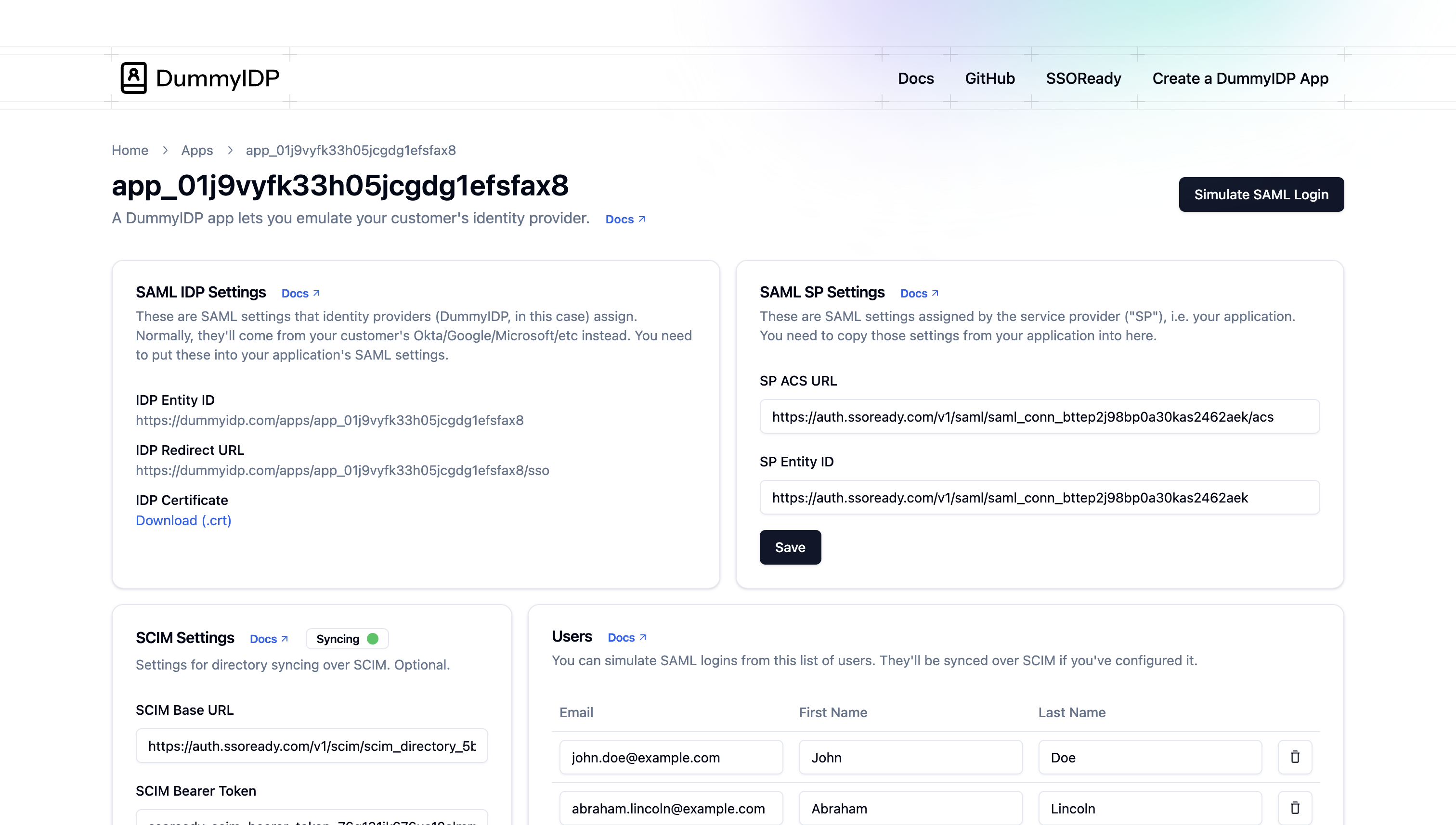
We created two organizations, both of which use DummyIDP.com as their "corporate" identity provider:
example.com and a domain
whitelist
of just example.com.example.org and domain whitelist
example.org.In production, you'll create a separate organization for each company that wants SAML. Your customers won't be using DummyIDP.com; that's just a SAML testing service that SSOReady offers for free. Your customers will instead be using vendors including Okta, Microsoft Entra, and Google Workspace. From your code's perspective, those vendors will all look exactly the same.
This demo app gives you a crash-course demo of how to implement SAML end-to-end. If you want to see how this all fits together in greater detail, with every step described in greater detail, check out the SAML quickstart or the rest of the SSOReady docs.
ssoready/ssoready-example-app-python-fastapi-saml is a public repo on GitHub by ssoready. Example app with SAML support, built with Python + FastAPI + SSOReady.
It declares the MIT license on GitHub.
Its maker has not tagged a system, so it is unknown here. Its README says what it needs.
Open "Take it" on its page: Take My Repo writes an install plan for your machine and hands it to your AI agent (Claude Code, Codex or Cursor), which asks you before each step. Take My Repo has not tested it on any machine.
The Postgres development platform. Supabase gives you a dedicated Postgres database to build your web, mobile, and AI applications.
Its last change on GitHub was on 2024-10-31. GitHub counts 0 open issues and pull requests. Take My Repo does not judge from that whether it is maintained.
Nobody has reviewed it on Take My Repo yet, which says nothing about its quality.
Build desktop apps built with Python. Examples for PyQt6, PySide6, Flet, DearPyGUI, Kivy, NiceGUI, Streamlit, Tkinter, PyQt5 & PySide2
Hello world in every computer language. Thanks to everyone who contributes to this, make sure to see contributing.md for contribution instructions!
FastAPI framework, high performance, easy to learn, fast to code, ready for production
Open-source dev tools for enterprise SSO. Ship SAML + SCIM support this afternoon.
Test your SAML/SCIM integration without setting up a full-blown Identity Provider
TypeScript / Node.js SDK for SSOReady. Add SAML + SCIM support to any JavaScript application this afternoon.
Example app with SAML support, built with Go + net/http + SSOReady
Python SDK for SSOReady. Add SAML + SCIM support to any Python application this afternoon.