

blocks
Set of reusable building blocks for Tangram
- 24
- MIT
- 7 y ago
Repo tangrams/blocks, read from GitHub 3 h ago. tangrams has not joined Take My Repo.
In short
tangrams/blocks is a public repo on GitHub by tangrams. Set of reusable building blocks for Tangram. It declares the MIT license on GitHub. It is written mainly in GLSL, has 24 stars and last changed on 2019-12-08. Nobody has reviewed it on Take My Repo yet, which says nothing about its quality. Read from GitHub on 2026-11-25.
Tangram Blocks
Gallery of reusable building blocks for Tangram to make beautiful maps simpler.
Writing custom styles for Tangram can be tricky because you need to know some GL Shading Language, but using this library for recipes, you can mix and reuse some of the snippets of shader code blocks that flavor our maps.
How to use them?
So first you need to import the block to the YAML scene file you are working on. That will look something like this:
import:
    - https://tangrams.github.io/blocks/filter/grain.yaml
Then you need to mix it with the custom styles of your choise. For example:
styles:
    buildings:
        base: polygons
        mix: [filter-grain]
Some of the blocks like points, lines, polygons, fx and filter automatically will add the necessary lines to the normals, color and filter blocks to make it work. So you don't have to do anything else other than add it to the mix:. Then you can tweak the values from the defines to your own prefernces. For example in the above example we can increase the detail and amount of the grain by modifying these two defines:
styles:
    buildings:
        base: polygons
        mix: [filter-grain]
        shaders:
            defines:
                GRAIN_AMOUNT: .4
                NUM_OCTAVES: 3
The rest of the building blocks just provide reusable GLSL functions into the global shader block.
To learn basic principles about shaders we recomend reading The Book of shaders, if you are interested to learn about shaders inside Tangram read tangram documentation about that subject.
Want to contribute?
If you have made a nice shader style you are proud of and want to share it, send me an email to patricio@mapzen.com or a DM to @patriciogv and I will be happy to help you make a block out of it.
Blocks description
COLOR
color-conversion
Set of functions to convert colors between color systems/spaces. For more information on this theme read this chapter of The Book of Shaders about color.
To import this block add the following url to your import list:
import:
    - https://tangrams.github.io/blocks/color/conversion.yaml
If you want to import this block together with their dependencies use this other url:
import:
    - https://tangrams.github.io/blocks/color/conversion-full.yaml
These blocks uses a custom shader. These are the shader blocks:
- global:
vec3 rgb2hsb (vec3 c)vec3 rgb2hsb (vec4 c)vec3 hsb2rgb (vec3 c)
color-palette
Procedural generation of color palettes implemented by Inigo Quiles (1999) explained in this article
To import this block add the following url to your import list:
import:
    - https://tangrams.github.io/blocks/color/palette.yaml
If you want to import this block together with their dependencies use this other url:
import:
    - https://tangrams.github.io/blocks/color/palette-full.yaml
These blocks uses a custom shader. These are the shader blocks:
- global:
vec3 palette (float t, vec3 a, vec3 b, vec3 c, vec3 d)
color-tools
Set of color tools to get the intensity and brightness of a color. For more information on this theme read this chapter of The Book of Shaders about color.
To import this block add the following url to your import list:
import:
    - https://tangrams.github.io/blocks/color/tools.yaml
If you want to import this block together with their dependencies use this other url:
import:
    - https://tangrams.github.io/blocks/color/tools-full.yaml
These blocks uses a custom shader. These are the shader blocks:
- global:
float getIntensity (vec3 c)float getIntensity (vec4 c)float getBrightness (vec3 c)float getBrightness (vec4 c)

ELEVATION
elevation-contours
To import this block add the following url to your import list:
import:
    - https://tangrams.github.io/blocks/elevation/contours.yaml
If you want to import this block together with their dependencies use this other url:
import:
    - https://tangrams.github.io/blocks/elevation/contours-full.yaml
These blocks uses a custom shader. These are the defines:
- CONTOURS_SCALE: The default value is
60.0. - CONTOURS_OFFSET: The default value is
u_time*CONTOURS_SPEED. - CONTOURS_ALPHA: The default value is
color.a. - CONTOURS_COLOR: The default value is
color.rgb. - CONTOURS_BACKGROUND_ALPHA: The default value is
1.0. - CONTOURS_BACKGROUND_COLOR: The default value is
vec3(0.0). - CONTOURS_SPEED: The default value is
-0.1.
These are the shader blocks:
- color:
color = mix(vec4(CONTOURS_BACKGROUND_COLOR,CONTOURS_BACKGROUND_ALPHA),
            vec4(CONTOURS_COLOR,CONTOURS_ALPHA),
            aastep( dot(normal, vec3(0.,0.,1.)),
                    abs(sin((normal_elv_raster.a*PI)*CONTOURS_SCALE+CONTOURS_OFFSET)) ) );
elevation-dash
Perfect for the landuse layer on your elevation maps, the elevation-dash modules use the color of the layer to draw a dash pattern that changes width based on the surface of the terrain.
To import this block add the following url to your import list:
import:
    - https://tangrams.github.io/blocks/elevation/dash.yaml
If you want to import this block together with their dependencies use this other url:
import:
    - https://tangrams.github.io/blocks/elevation/dash-full.yaml
These blocks uses a custom shader. These are the defines:
- NORMAL_TEXTURE_INDEX: The default value is
0. - DASH_SIZE: The default value is
shade. - DASH_BACKGROUND_COLOR: The default value is
color.rgb. - DASH_TYPE: The default value is
fill. - DASH_TILE_STYLE: The default value is
tile. - DASH_DIR: The default value is
vec3(-0.600,-0.420,0.560). - DASH_SCALE: The default value is
10.0. - DASH_MAX_SIZE: The default value is
1.0. - DASH_MIN_SIZE: The default value is
0.8. - DASH_COLOR: The default value is
color.rgb*.5.
These are the shader blocks:
- normal:
float shade = dot((sampleRaster(int(NORMAL_TEXTURE_INDEX)).rgb-.5)*2., DASH_DIR);
shade = mix(DASH_MIN_SIZE, DASH_MAX_SIZE, (shade*shade*shade)*4.);
elevation-normal
The raster normal map tiles needs to be load like this:
    normals-elevation:
        type: Raster
        url: https://s3.amazonaws.com/elevation-tiles-prod/normal/{z}/{x}/{y}.png
        max_zoom: 15
A simple way to do it is to import https://tangrams.github.io/blocks/source-elevation.yaml and then link the vector tiles to them (see the example).
To import this block add the following url to your import list:
import:
    - https://tangrams.github.io/blocks/elevation/normal.yaml
If you want to import this block together with their dependencies use this other url:
import:
    - https://tangrams.github.io/blocks/elevation/normal-full.yaml
These blocks uses a custom shader. These are the defines:
- NORMAL_TEXTURE_INDEX: The default value is
0.
These are the shader blocks:
- normal:
vec4 normal_elv_raster = sampleRaster(int(NORMAL_TEXTURE_INDEX));
normal = (normal_elv_raster.rgb-.5)*2.;
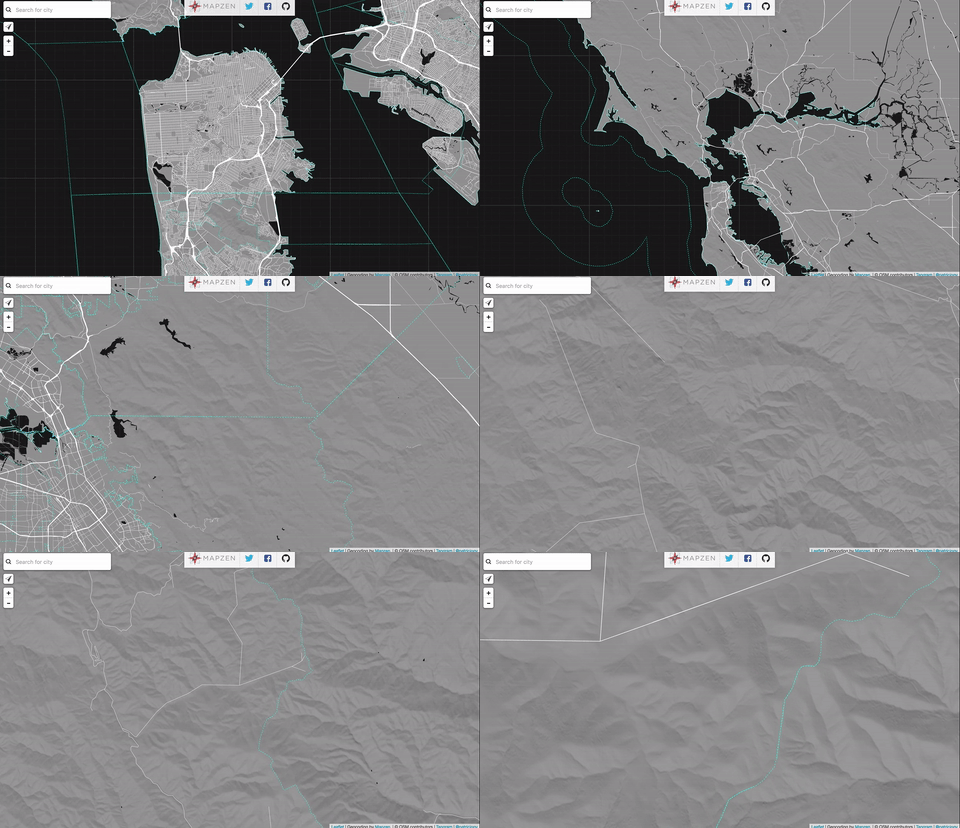
Examples:
elevation-rainbow
To import this block add the following url to your import list:
import:
    - https://tangrams.github.io/blocks/elevation/rainbow.yaml
If you want to import this block together with their dependencies use this other url:
import:
    - https://tangrams.github.io/blocks/elevation/rainbow-full.yaml
These blocks uses a custom shader. These are the defines:
- RAINBOW_SPEED: The default value is
-0.5.
These are the shader blocks:
- color:
color.rgb = palette(0.380+normal_elv_raster.a+u_time*RAINBOW_SPEED,vec3(.5),vec3(.5),vec3(2.,1.,0.),vec3(.5,.2,0.25));
elevation-ramp
Applies a image/texture named u_ramp to the height of a terrain.
The texture is essentially an image of 1 height by N width.
Add as many pixels as you want, they will get lineraly interpolated
producing a colorful gradient ramp, that any other way is hard to produce.
For example this is the default ramp texture:
To import this block add the following url to your import list:
import:
    - https://tangrams.github.io/blocks/elevation/ramp.yaml
If you want to import this block together with their dependencies use this other url:
import:
    - https://tangrams.github.io/blocks/elevation/ramp-full.yaml
These blocks uses a custom shader. These are the uniforms:
- u_ramp: The default value
Questions
What is blocks?
tangrams/blocks is a public repo on GitHub by tangrams. Set of reusable building blocks for Tangram.
Is blocks open source?
It declares the MIT license on GitHub.
Does blocks run on macOS, Windows or Linux?
Its maker has not tagged a system, so it is unknown here. Its README says what it needs.
How do I install blocks?
Open "Take it" on its page: Take My Repo writes an install plan for your machine and hands it to your AI agent (Claude Code, Codex or Cursor), which asks you before each step. Take My Repo has not tested it on any machine.
Is blocks still maintained?
Its last change on GitHub was on 2019-12-08. GitHub counts 0 open issues and pull requests. Take My Repo does not judge from that whether it is maintained.