DataTable
A feature-rich, server-side data table implementation built with React, TanStack Table, Laravel, and Inertia.js. This data table provides pagination, sorting, search, bulk actions, and column visibility controls out of the box.
📸 Demo
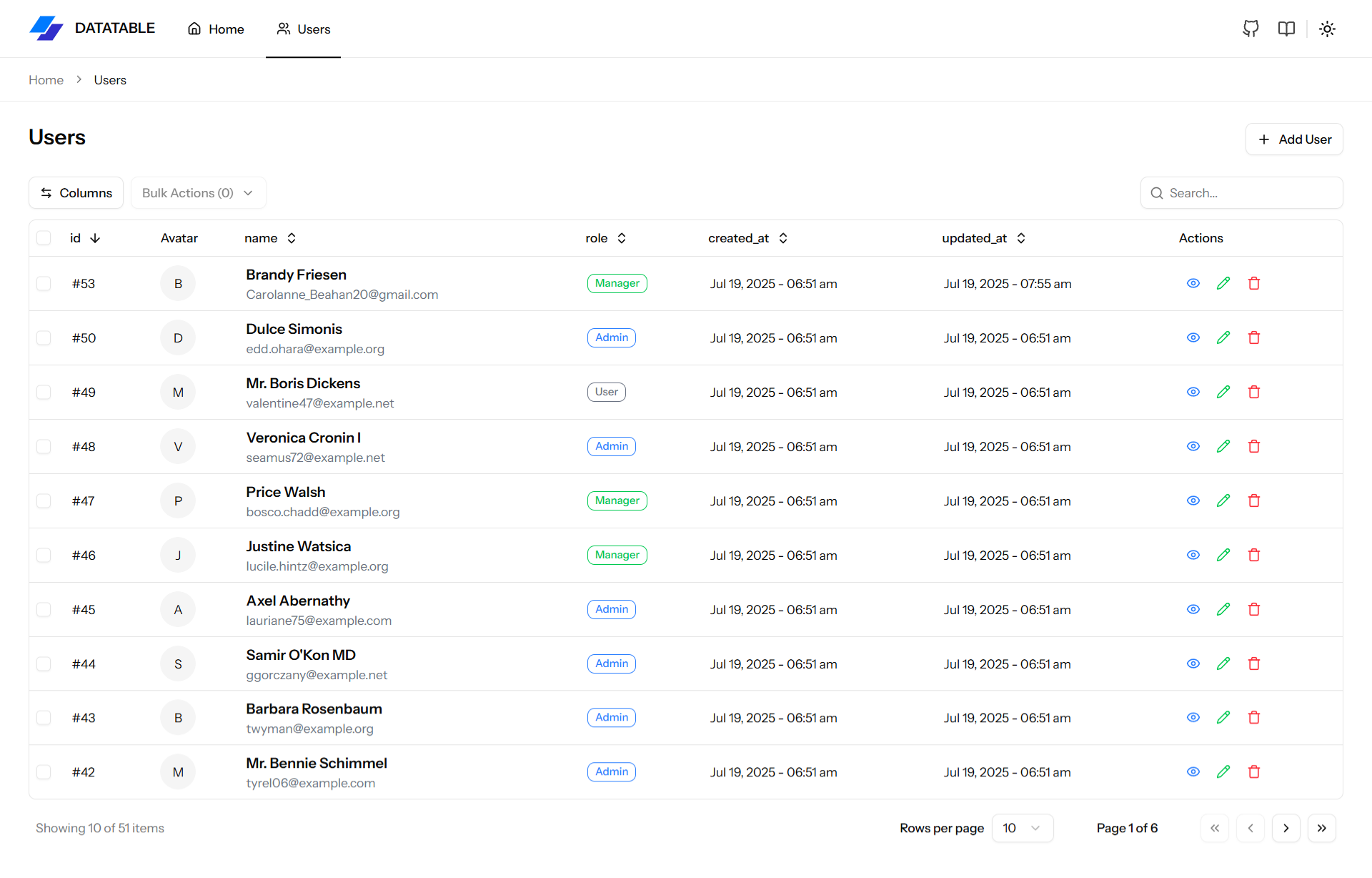 Main datatable view with pagination, search, sorting, column visibility, bulk actions
📱 More Screenshots
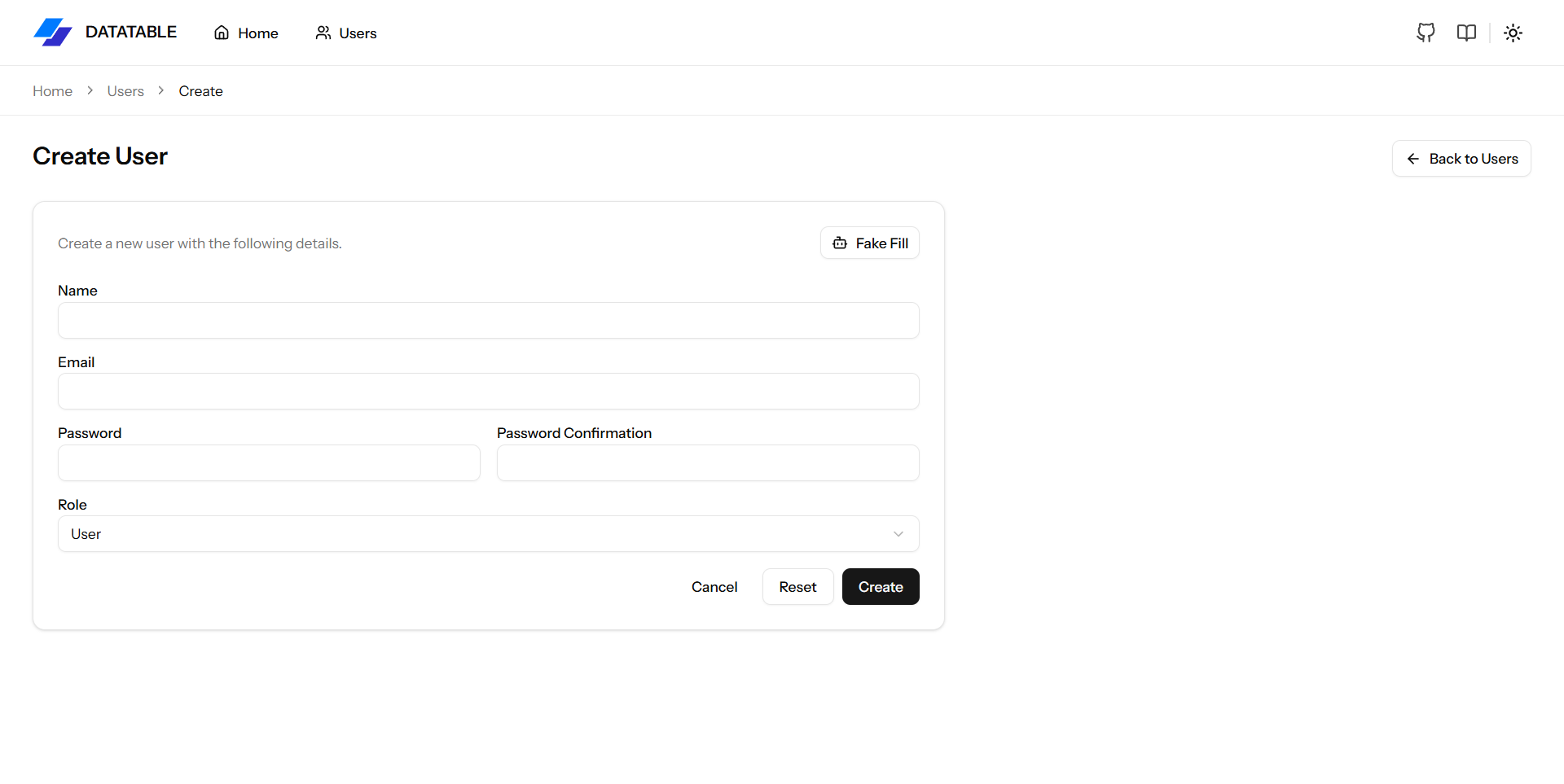 Create user page (Part of CRUD)
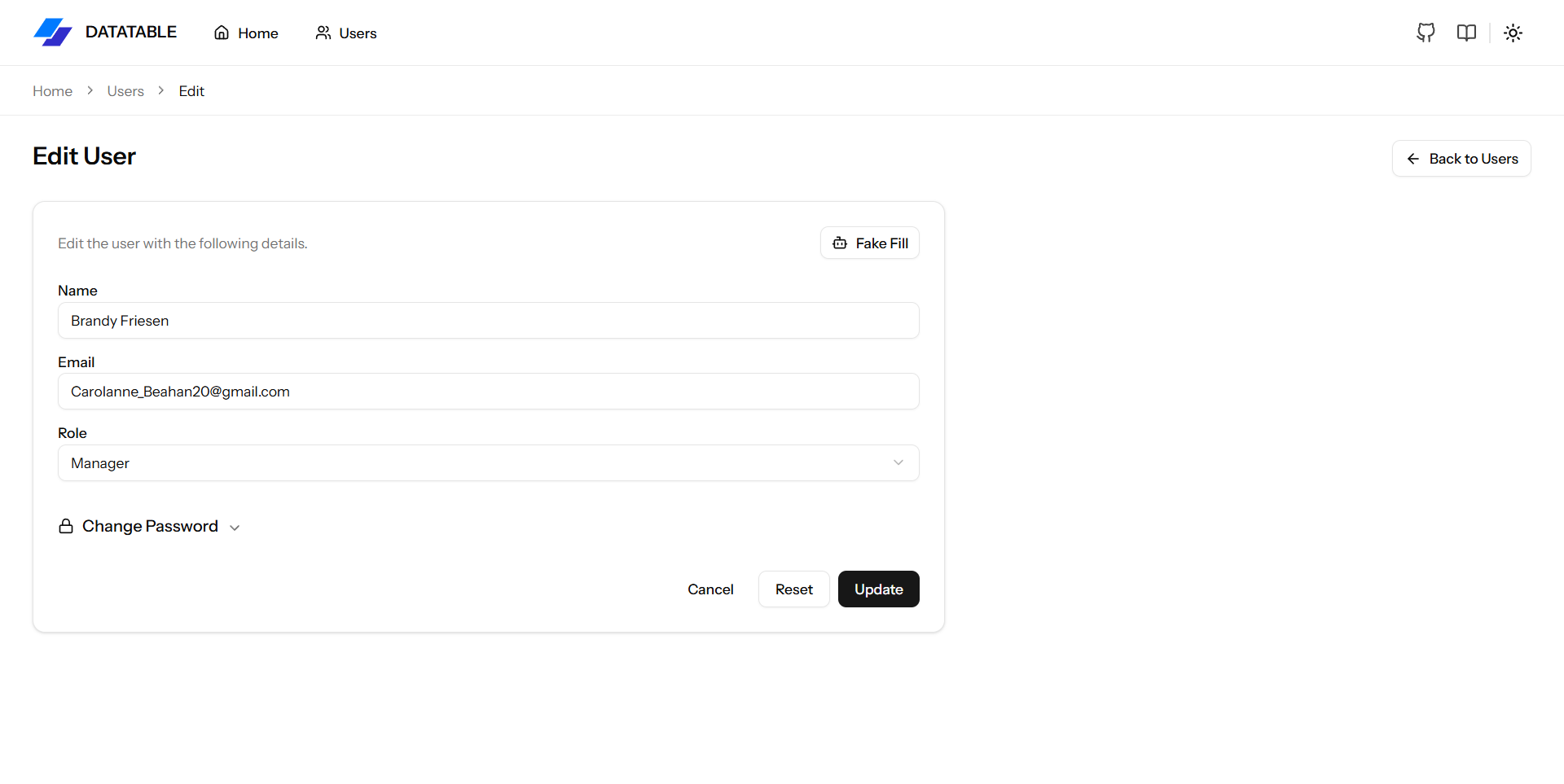 Edit user page (Part of CRUD)
🛠️ Tech Stack
Frontend Stack
- React 18 - Modern UI library with hooks and concurrent features
- TypeScript - Type-safe JavaScript with excellent developer experience
- Inertia.js - Modern monolith approach connecting Laravel and React seamlessly
- TanStack Table - Powerful headless table library for complex data interactions
- Tailwind CSS - Utility-first CSS framework for rapid UI development
- Radix UI - Unstyled, accessible UI primitives for custom design systems
- Lucide Icons - Beautiful & consistent icon library
- Vite - Fast build tool and development server
Backend Stack
- Laravel 11 - Elegant PHP framework with rich ecosystem
- PHP 8.3+ - Modern PHP with performance improvements and type safety
- MySQL/PostgreSQL - Robust database with full-text search capabilities
- Laravel Resources - API resource transformation for consistent data formatting
- Laravel Pagination - Built-in pagination with query string persistence
🚀 Getting Started
Prerequisites
Make sure you have the following installed on your system:
- PHP 8.2+ with extensions:
mbstring, xml, ctype, json, bcmath, fileinfo, tokenizer
- Composer - PHP dependency manager
- Node.js 18+ and npm (or yarn/pnpm)
- MySQL 8.0+ or PostgreSQL 13+
- Git
Installation
Clone the repository
git clone https://github.com/your-username/data-table.git
cd data-table
Install PHP dependencies
composer install
Install Node.js dependencies
npm install
# or
yarn install
# or
pnpm install
Environment setup
# Copy environment file
cp .env.example .env

# Generate application key
php artisan key:generate
Configure your .env file
APP_NAME="Data Table"
APP_URL=http://localhost:8000

DB_CONNECTION=mysql
DB_HOST=127.0.0.1
DB_PORT=3306
DB_DATABASE=data_table
DB_USERNAME=your_username
DB_PASSWORD=your_password
Database setup
# Create database (make sure MySQL/PostgreSQL is running)
# Then run migrations
php artisan migrate

# Seed with sample data (optional)
php artisan db:seed
Build frontend assets
# For development
npm run dev

# For production
npm run build
Start the development server
# In one terminal - Laravel server
php artisan serve

# In another terminal - Vite dev server (for hot reload)
npm run dev
Access the application
Open your browser and visit: http://localhost:8000
Quick Development Commands
# Watch for file changes (auto-reload)
npm run dev

# Run Laravel with specific host/port
php artisan serve --host=0.0.0.0 --port=8080

# Clear application cache
php artisan cache:clear
php artisan config:clear
php artisan view:clear

# Run database migrations
php artisan migrate:fresh --seed

# Generate TypeScript types for Laravel routes (if using Ziggy)
php artisan ziggy:generate
Docker Setup (Alternative)
If you prefer using Docker:
# Using Laravel Sail
./vendor/bin/sail up -d

# Install dependencies inside container
./vendor/bin/sail composer install
./vendor/bin/sail npm install

# Run migrations
./vendor/bin/sail artisan migrate --seed

# Build assets
./vendor/bin/sail npm run dev
Troubleshooting
Common Issues:
- Vite connection refused: Make sure both
php artisan serve and npm run dev are running
- Database connection error: Verify database credentials in
.env
- Permission errors: Set proper permissions:
chmod -R 775 storage bootstrap/cache
- Missing APP_KEY: Run
php artisan key:generate
✨ Features
- 🔍 Server-side Search - Debounced search with query parameter persistence
- 📄 Server-side Pagination - Configurable page sizes with navigation controls
- 🔄 Server-side Sorting - Click-to-sort columns with visual indicators
- ✅ Bulk Actions - Select multiple rows and perform batch operations
- 🗑️ Bulk Delete - Built-in bulk delete functionality with confirmation dialog
- 👁️ Column Visibility - Show/hide columns with localStorage persistence
- 📱 Responsive Design - Works on desktop and mobile devices
- 🎯 TypeScript Support - Fully typed with generic interfaces
- 🎨 Customizable - Extensible styling and behavior
📋 Table of Contents
🧩 Components Overview
Core Components
| Component |
File |
Description |
DataTable |
resources/js/components/datatable.tsx |
Main table component with all features |
DataTableToolbar |
resources/js/components/datatable-toolbar.tsx |
Search, bulk actions, column visibility |
DataTablePagination |
resources/js/components/datatable-pagination.tsx |
Pagination controls and page size selector |
DataTableColumnHeader |
resources/js/components/datatable-column-header.tsx |
Sortable column headers with sort indicators |
Supporting Files
| File |
Description |
resources/js/hooks/use-column-visibility.tsx |
Hook for managing column visibility with localStorage |
resources/js/types/index.d.ts |
TypeScript interfaces and types |
🚀 Quick Start
1. Basic Implementation
import { DataTable } from '@/components/datatable';
import { ColumnDef } from '@tanstack/react-table';

// Define your data type
interface User {
    id: number;
    name: string;
    email: string;
    created_at: string;
}

// Define columns
const columns: (ColumnDef<User> & { enable_sorting?: boolean })[] = [
    {
        accessorKey: 'id',
        header: 'ID',
        enable_sorting: true,
    },
    {
        accessorKey: 'name',
        header: 'Name',
        enable_sorting: true,
    },
    {
        accessorKey: 'email',
        header: 'Email',
        enable_sorting: true,
    },
];

// Use in your page component
function UsersPage({ usersData }: { usersData: PaginatedData<User> }) {
    return <DataTable columns={columns} data={usersData.data} paginatedData={usersData} tableKey="users-table" />;
}
2. With Bulk Actions
<DataTable
    columns={columns}
    data={usersData.data}
    paginatedData={usersData}
    activeBulkActions={true}
    bulkDelete={{
        route: route('users.bulk-delete'),
        title: 'Delete Users',
        description: 'Are you sure you want to delete the selected users?',
    }}
    tableKey="users-table"
/>
💻 Frontend Usage
Column Definition
Columns follow TanStack Table's ColumnDef interface with an additional enable_sorting property:
const columns: (ColumnDef<YourDataType> & { enable_sorting?: boolean })[] = [
    {
        accessorKey: 'field_name',
        header: 'Display Name',
        enable_sorting: true, // Enable server-side sorting for this column
        cell: ({ row }) => {
            // Custom cell rendering
            return <div>{row.original.field_name}</div>;
        },
    },
    {
        header: 'Actions',
        accessorKey: 'actions',
        enable_sorting: false,
        cell: ({ row }) => {
            return (
                <div className="flex gap-2">
                    <Button onClick={() => editItem(row.original.id)}>Edit</Button>
                    <Button onClick={() => deleteItem(row.original.id)}>Delete</Button>
                </div>
            );
        },
    },
];
Custom Bulk Actions
const bulkActions: BulkAction<User>[] = [
    {
        label: 'Export Selected',
        icon: Download,
        onClick: (selectedRows) => {
            // Handle export
            exportUsers(selectedRows);
        },
    },
    {
        label: 'Archive Selected',
        icon: Archive,
        className: 'text-orange-600',
        onClick: (selectedRows) => {
            // Handle archive
            archiveUsers(selectedRows);
        },
    },
];

<DataTable
    // ... other props
    bulkActions={bulkActions}
    activeBulkActions={true}
/>;
DataTable Props
interface DataTableProps<TData, TValue> {
    columns: (ColumnDef<TData, TValue> & { enable_sorting?: boolean })[];
    data: TData[];
    paginatedData?: PaginatedData<TData>;
    bulkActions?: BulkAction<TData>[];
    bulkDelete?: {
        route: string;
        title?: string;
        description?: string;
    };
    activeBulkActions?: boolean;
    tableKey?: string; // For localStorage column visibility
}
🛠️ Backend Implementation
1. Controller Method
<?php

namespace App\Http\Controllers;

use App\Http\Resources\UserResource;
use App\Models\User;
use Illuminate\Http\Request;
use Inertia\Inertia;

class UserController extends Controller
{
    public function index(Request $request)
    {
        // Extract query parameters with defaults
        $queryParams = request()->only(['search', 'page', 'per_page', 'sort_by', 'sort_dir']) + [
            'sort_by' => 'id',
            'sort_dir' => 'desc',
            'per_page' => 10,
            'page' => 1
        ];

        $users = User::query()
            // Search functionality
            ->when($request->search, function ($query, $search) {
                $query->where('name', 'like', '%' . $search . '%')
                      ->orWhere('email', 'like', '%' . $search . '%');
            })
            // Sorting
            ->orderBy($queryParams['sort_by'], $queryParams['sort_dir'])
            // Pagination
            ->paginate($queryParams['per_page'])
            ->withQueryString();

        return Inertia::render('users/index', [
            'usersData' => UserResource::collection($users)->additional([
                'queryParams' => $queryParams,
            ]),
        ]);
    }

    // Bulk delete method
    public function bulkDelete(Request $request)
    {
        $request->validate([
            'ids' => 'required|array',
            'ids.*' => 'exists:users,id',
        ]);

        User::whereIn('id', $request->ids)->delete();

        return redirect()->route('users.index')
                        ->with('success', 'Users deleted successfully');
    }
}
2. Resource Collection
<?php

namespace App\Http\Resources;

use Illuminate\Http\Request;
use Illuminate\Http\Resources\Json\JsonResource;

class UserResource extends JsonResource
{
    public function toArray(Request $request): array
    {
        return [
            'id' => $this->id,
            'name' => $this->name,
            'email' => $this->email,
            'role' => $this->role,
            'created_at' => $this->created_at->format('M d, Y'),
            'updated_at' => $this->updated_at->format('M d, Y'),
            // Add any other fields you need
        ];
    }
}
3. Routes
// routes/web.php
Route::delete('users/bulk-delete', [UserController::class, 'bulkDelete'])->name('users.bulk-delete');
Route::resource('users', UserController::class);
📚 API Reference
TypeScript Interfaces
// Main data structure returned from backend
interface PaginatedData<T> {
    data: T[];
    queryParams: QueryParams;
    meta: PaginationMeta;
    links: SimplePaginationLinks;
}

// Query parameters for server requests
interface QueryParams {
    search?: string;
    page?: number;
    per_page?: number;
    sort_by?: string | null;
    sort_dir?: 'asc' | 'desc' | null;
    [key: string]: unknown;
}

// Bulk action definition
interface BulkAction<TData> {
    label: string;
    icon?: LucideIcon | IconType | null;
    onClick: (selectedRows: TData[]) => void;
    className?: string; // For custom styling
}

// Pagination metadata from Laravel
interface PaginationMeta {
    current_page: number;
    from: number;
    last_page: number;
    per_page: number;
    to: number;
    total: number;
    links: Array<{
        url: string | null;
        label: string;
        active: boolean;
    }>;
}
🎯 Examples
Complete Users Table Example