
rea
Reverse engineer anything with agents, from app behavior down to native binaries.
- 476k
- TypeScript
- MIT
- 52 min ago
🤖 Official Taskade MCP server and agent plugin. Connect Claude, Cursor, Codex and other MCP clients to your Taskade workspace. Plus OpenAPI-to-MCP codegen.
Repo taskade/mcp, read from GitHub 11 h ago. taskade has not joined Take My Repo.
taskade/mcp is a public repo on GitHub by taskade. 🤖 Official Taskade MCP server and agent plugin. Connect Claude, Cursor, Codex and other MCP clients to your Taskade workspace. Plus OpenAPI-to-MCP codegen. It declares the MIT license on GitHub. It is written mainly in TypeScript, has 170 stars and last changed on 2026-11-19. Nobody has reviewed it on Take My Repo yet, which says nothing about its quality. Read from GitHub on 2026-11-23.
Connect your AI client to your Taskade workspace: projects, tasks, AI agents, automations and Taskade Genesis apps.
Paste this to your agent:
Set up Taskade for me. Read and follow https://www.taskade.com/SKILL.md
The hosted server is https://www.taskade.com/mcp. You install nothing. Your client opens a Taskade sign-in page once.
Claude Code
claude mcp add --transport http taskade https://www.taskade.com/mcp
Then type /mcp, select the Taskade server, and sign in.
Codex
codex mcp add taskade --url https://www.taskade.com/mcp
codex mcp login taskade
Cursor

Or add this to ~/.cursor/mcp.json, then sign in from the MCP settings of Cursor:
{
  "mcpServers": {
    "taskade": {
      "type": "http",
      "url": "https://www.taskade.com/mcp"
    }
  }
}
VS Code
Or run:
code --add-mcp '{"name":"taskade","type":"http","url":"https://www.taskade.com/mcp"}'
Claude (desktop and web)
Open Taskade AI in the Claude directory, connect it, and sign in to Taskade.
Any of these clients, from a terminal
npx @taskade/cli plug <client>
The client is claude-code, codex, cursor, vscode or claude-desktop. The CLI shows the change and asks before it writes anything.
ChatGPT, Windsurf, a client with no sign-in page, and a client that runs only local servers: see the setup for each client.
Taskade runs the hosted server. This repository does not build it. Most people need only the hosted server.
| Hosted server | Local package (@taskade/mcp-server) |
|
|---|---|---|
| Address or command | https://www.taskade.com/mcp |
npx -y @taskade/mcp-server |
| Sign-in | OAuth in your browser. A client with no OAuth sends a personal access token in the Authorization: Bearer header. |
A personal access token in the TASKADE_API_KEY environment variable |
| Install | None | Node.js 18 or later. Your client starts the server on your computer over stdio. |
| What it can do | Read and change projects, tasks, custom fields and AI agents. Prompt an agent and attach knowledge to it. Edit the source of a Taskade Genesis app. Run an automation that starts "When asked", and read its runs. Publish a new version of an app kit. | Read and change projects, tasks, custom fields, AI agents and media through REST API v1. Generate an agent from a prompt, turn on public agent access, delete media, prompt an agent, and manage the legacy webhook subscriptions. It cannot edit app source. |
| Plan | Every paid Taskade plan | Any plan. Each tool keeps the access rules of the API call that it makes. |
| Use it when | Your client connects to remote servers. This is the case for most clients. | You need a REST API v1 operation that the hosted server does not expose. |
| Tool reference | Hosted tools | Local package tools |
To call another MCP server from Taskade, use the MCP Client connector in an automation. It runs on every plan. Help to choose: Which Taskade MCP do I want?
This repository holds:
@taskade/mcp-server): the local package.@taskade/mcp-openapi-codegen): generate MCP tools from any OpenAPI spec, not only Taskade.The taskade plugin connects your AI tool to your Taskade workspace through the hosted server, and adds skills: a front door (taskade) and one skill for each job. The skills tell the agent which tools to call, in which order, and what to check before it reports back. The home of the skills is taskade/skills. It lists each skill, and it takes issues and pull requests for the skills. The skills/ folder of this repository holds a generated copy of each release.
To start, paste this to your agent:
Set up Taskade for me. Read and follow https://www.taskade.com/SKILL.md
| Host | Install |
|---|---|
| Claude Code | claude plugin marketplace add taskade/mcp, then claude plugin install taskade@taskade. Run /mcp, select taskade and sign in. |
| Codex | codex plugin marketplace add taskade/mcp, then codex plugin add taskade@taskade |
| GitHub Copilot CLI | copilot plugin install taskade/mcp |
| Gemini CLI | gemini extensions install https://github.com/taskade/mcp |
| VS Code | See below |
| Cursor | See below |
| Any other agent | npx skills add taskade/skills installs the skills from their home, and npx skills add taskade/mcp installs the copy in this repository. Both install the skills only. Then add the hosted server https://www.taskade.com/mcp to the agent and sign in (see the quick start). |
VS Code: turn on the chat.plugins.enabled setting. Then run Chat: Install Plugin From Source from the Command Palette and enter https://github.com/taskade/mcp.
Cursor: the Cursor plugin taskade (.cursor-plugin/) in this repository adds the same hosted server and skills.
Claude directory: the directory listing reads the plugin from plugins/taskade/. The other hosts read the root files. The sync of each release of taskade/skills writes skills/ and plugins/taskade/skills/ with the same files.
To add only the hosted server to Codex, run codex mcp add taskade --url https://www.taskade.com/mcp, then codex mcp login taskade.
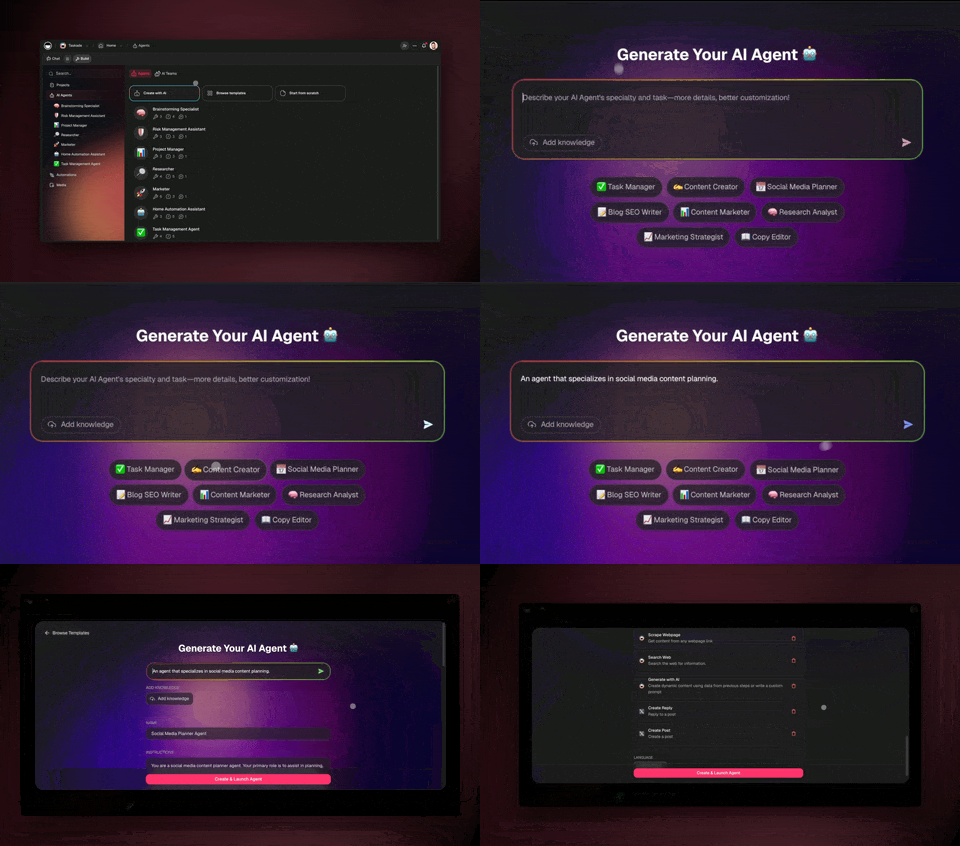
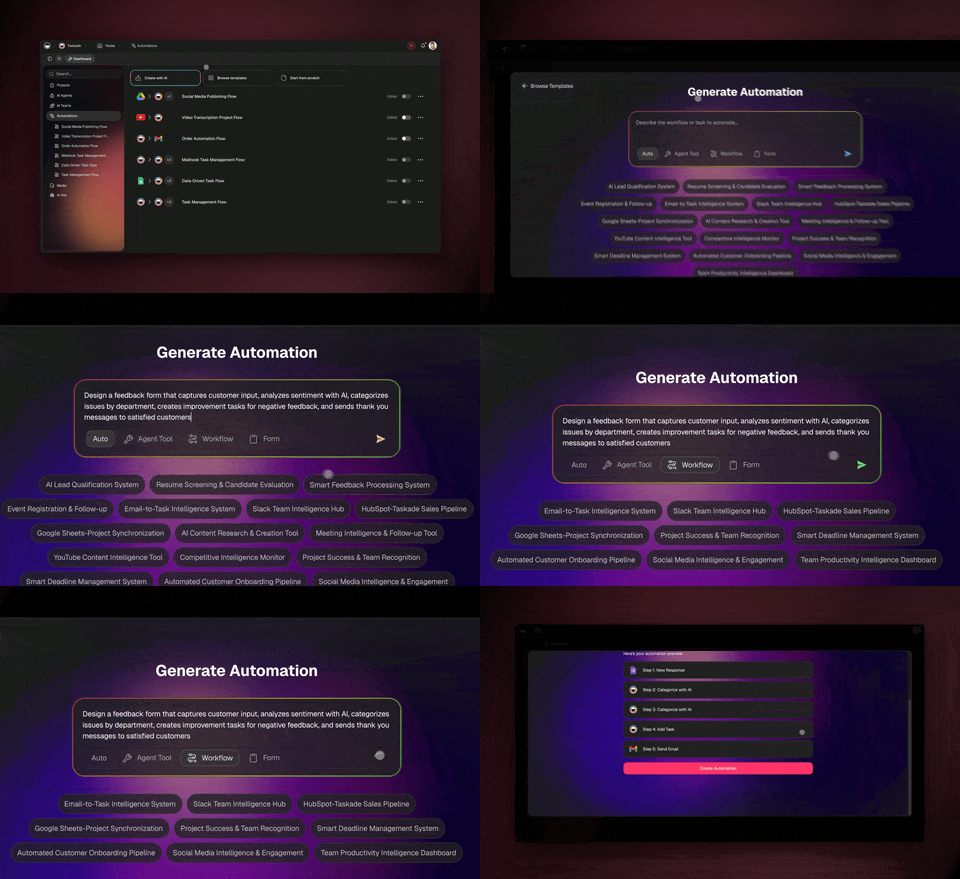
MCP-powered Taskade agent running inside Claude Desktop by Anthropic:
| Build Agents via MCP | Run Automations | Manage Projects |
|---|---|---|
 |
 |
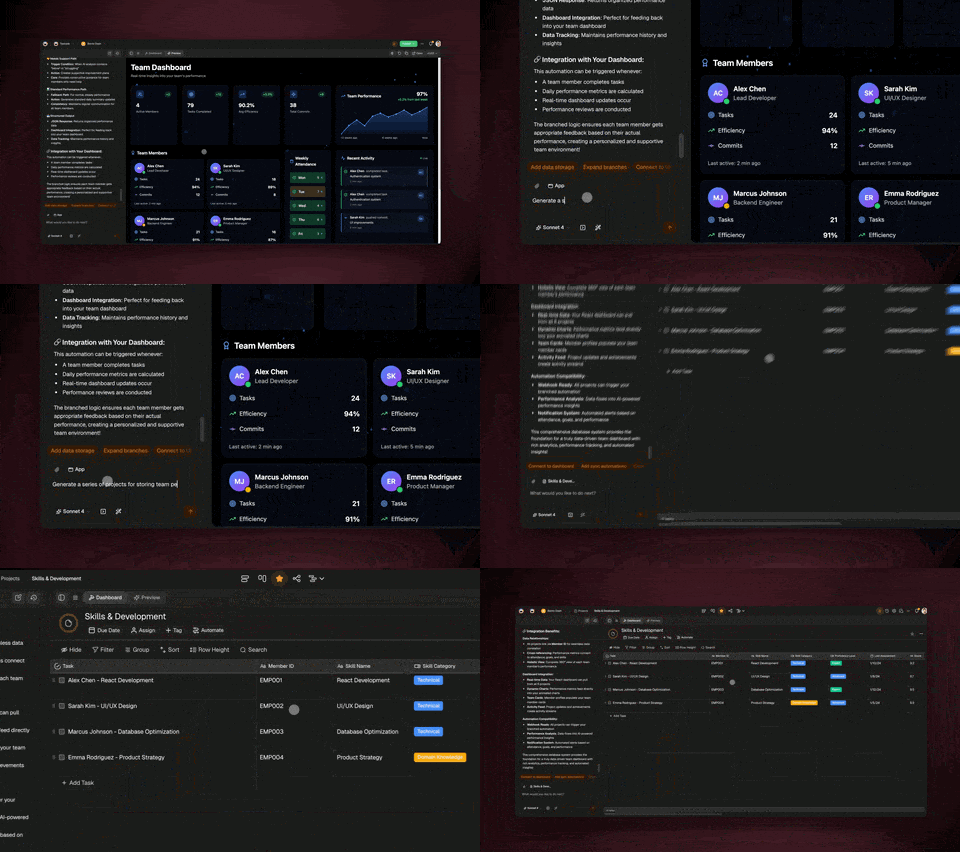 |
| Create, train, deploy AI agents from Claude/Cursor | List automations, run one, and read its runs | Full workspace management from your AI assistant (paid plans) |
Every client uses the same server and the same two sign-in options. The reference for each command below is the public guide Hosted Taskade MCP.
| URL | https://www.taskade.com/mcp |
| Transport | Streamable HTTP |
| Auth | OAuth 2.0 with PKCE and dynamic client registration. Your client opens a Taskade sign-in page once. A client that sends only headers uses Authorization: Bearer <personal access token>. |
| Plan | MCP access is part of every paid Taskade plan (Starter and up). A Free workspace does not show in list_spaces. |
| Discovery | https://www.taskade.com/.well-known/oauth-protected-resource/mcp |
An initialize request without a token returns 401 on purpose. The 401 tells your client where to start the OAuth sign-in.
The Claude directory lists the hosted server as Taskade AI. Open Taskade AI in the Claude directory, connect it, and sign in to Taskade.
To add the server by hand as a custom connector:
Taskade as the name. Paste https://www.taskade.com/mcp as the URL. Click Add.The Claude labels can change between releases. If you do not see Connectors, search the Claude help for "custom connectors".
claude mcp add --transport http taskade https://www.taskade.com/mcp
In Claude Code, type /mcp, select the Taskade server, and sign in. To share the server with your team, commit this .mcp.json file at the root of the repository:
{
  "mcpServers": {
    "taskade": {
      "type": "http",
      "url": "https://www.taskade.com/mcp"
    }
  }
}
To add the server and the Taskade skills together, install the agent plugin.
codex mcp add taskade --url https://www.taskade.com/mcp
codex mcp login taskade
The login command opens Taskade in your browser. Sign in and allow access.
ChatGPT connects to a remote MCP server as a custom connector in developer mode. It uses OAuth only.
Taskade as the name and https://www.taskade.com/mcptaskade/mcp is a public repo on GitHub by taskade. 🤖 Official Taskade MCP server and agent plugin. Connect Claude, Cursor, Codex and other MCP clients to your Taskade workspace. Plus OpenAPI-to-MCP codegen.
It declares the MIT license on GitHub.
Its maker tagged it for macOS and Windows. That is declared by the maker; Take My Repo has not tested it.
Open "Take it" on its page: Take My Repo writes an install plan for your machine and hands it to your AI agent (Claude Code, Codex or Cursor), which asks you before each step. Take My Repo has not tested it on any machine.
Makes your AI agent think like the laziest senior dev in the room. The best code is the code you never wrote.
Its last change on GitHub was on 2026-11-19. GitHub counts 6 open issues and pull requests. Take My Repo does not judge from that whether it is maintained.
Nobody has reviewed it on Take My Repo yet, which says nothing about its quality.
Take My Repo cannot say: it does not audit code and has not run mcp. What is known comes from GitHub. It declares the MIT license on GitHub. Its last change was on 2026-11-19. It has 170 stars, which measure popularity, not safety. Nobody has reviewed it on Take My Repo yet, which says nothing about its quality. Read the source before you run it. With "Take it", your AI agent shows each step and asks you before running it; README text is treated as data, not as instructions.






