CodeGuide
:books: 本代码库是作者小傅哥多年从事一线互联网 Java 开发的学习历程技术汇总,旨在为大家提供一个清晰详细的学习教程,侧重点更倾向编写Java核心内容。如果本仓库能为您提供帮助,请给予支持(关注、点赞、分享)!
- 12k
- Shell
- Apache-2.0
- 2 d ago
Techsenger PatternFX – MVC, MVP and MVVM templates for building JavaFX applications.
Repo techsenger/patternfx, read from GitHub 23 h ago. techsenger has not joined Take My Repo.
techsenger/patternfx is a public repo on GitHub by techsenger. Techsenger PatternFX – MVC, MVP and MVVM templates for building JavaFX applications. It declares the Apache-2.0 license on GitHub. It is written mainly in Java, has 27 stars and last changed on 2026-11-06. Nobody has reviewed it on Take My Repo yet, which says nothing about its quality. Read from GitHub on 2026-11-22.
PatternFX is a compact, practical, component-oriented, and modular framework that provides architectural pattern templates for building JavaFX applications. Each template is a concrete implementation of a specific architectural pattern, comes with its own strengths and weaknesses, and users can choose the one that best fits their application. At the same time, all templates share a common architectural foundation. Using multiple templates within a single application is not supported.
All templates provide a complete implementation required for building complex applications with dynamic composition and are intended for practical, real-world use. For each template, a demo consisting of three components is provided, demonstrating its practical usage.
The main feature of PatternFX is its component model, which represents a window as a dynamically modifiable tree of components where a component is a fundamental, self-contained building block of a user interface that provides a specific piece of functionality and enables user interaction. This approach enables a clear and consistent structure, predictable dynamic composition, and controlled lifecycle management.
As a real example of using this framework, see ShellFX project.
Today, there are various architectural patterns available for developing JavaFX applications, such as MVC, MVP, and MVVM, which can be chosen depending on their goals and preferences. However, when building real-world applications, developers often encounter challenges that these patterns do not fully address. These include:
While these issues may not arise when developing simple applications, they become critical when building complex applications.
The templates in PatternFX are specifically designed to address these challenges. Each template provides its own solution to the above problems, with its own advantages and trade-offs — as is well known, there is no silver bullet. It is up to the developer to choose the solution that best fits their needs.
At its core, PatternFX follows the KISS principle – every class, method, and abstraction exists only for a clear reason, avoiding unnecessary complexity or dependencies. This simplicity is deliberate: it keeps the architecture transparent, predictable, and easy to extend.
Key features include:
MVC, MVP, and MVVM are three proven architectural patterns for JavaFX applications, each offering a distinct approach to
separating concerns and managing complexity. The fundamental difference between them lies in where the
presentation (view-related) logic is located and who is responsible for updating the UI. The way each pattern
accesses the View follows directly from this decision.
Controller. The Controller directly manipulates the
concrete View, handling user input and updating UI elements. As a result, the Controller holds a direct reference
to the View.View and the Presenter. The View is responsible for
passive rendering and user event forwarding, while the Presenter contains the main coordination logic. The Presenter
interacts with the View only through a View interface, which decouples it from the concrete UI implementation.View itself, expressed declaratively through bindings to the
ViewModel’s state. The ViewModel contains no UI-specific logic and has no reference to the View. UI updates are
performed automatically via data binding rather than explicit method calls.In all patterns, a core principle is maintained: the View never directly interacts with the Model. All other
characteristics of these patterns—such as testability, use of bindings, and the way UI updates are performed — are
direct consequences.
Across all architectural patterns in PatternFX, the Model represents the application's data and core business logic. It is an independent, foundational layer that does not depend on data presentation or user interaction mechanisms.
A well-designed Model typically encompasses:
In PatternFX, it is supposed the Model is reusable and interchangeable. The same Model can be used with different
presentation patterns without modification. The fundamental principle is that the Model never references the
View or presentation logic. It has no awareness of how its data is displayed. This strict isolation makes the
application core robust, easily testable, and independent of the UI layer.
MVC (Model-View-Controller) is an architectural pattern that separates an application's logic into three main
parts: Model, View, and Controller.
View — represents the user interface and is responsible for rendering UI elements and exposing them to the
Controller. Unlike MVP and MVVM, the View is not intentionally passive and does not need to hide its concrete
JavaFX implementation behind an interface. The Controller may directly access JavaFX nodes and invoke methods on the
concrete View.
Controller — contains the presentation and interaction logic. It reacts to user events, coordinates work with the
Model, and directly manipulates the View. The Controller holds a reference to the concrete View it controls.
Because there is no additional abstraction boundary between the Controller and View, the Controller can perform
imperative UI operations directly, such as changing control values, managing focus, updating selections, or modifying
the component's layout.
Model — represents the application's data and business logic. As in other patterns, the Model is completely
independent of the UI and does not reference either the View or the Controller.
A key characteristic of MVC is that the Controller is the central point where user interaction and presentation
logic meet. The typical control flow is:
User Action → View → Controller → Model → Controller → View
Unlike MVP, the Controller is not restricted to a toolkit-agnostic View interface. It can work directly with the
concrete JavaFX View, which makes MVC simple and concise, but also means that the separation between presentation
logic and UI implementation is enforced primarily by convention rather than by the architecture itself.
View interface or
ViewModel abstraction.Controller can directly manipulate the concrete JavaFX View, making imperative UI
operations straightforward and concise.ViewModel or define a separate View
interface solely to isolate the Controller.Controller has direct access to the View, it can naturally handle
interaction patterns that are difficult to express through state alone, such as focus, selection, scrolling, and
other procedural UI operations.Controller directly depends on the
concrete View, presentation logic can become tightly coupled to JavaFX controls.Controller. Without a structural boundary between presentation logic and the View, a growing
component can accumulate event handling, presentation logic, UI manipulation, and coordination logic in a single
class.Controller independently may require constructing or mocking
the concrete View and its JavaFX-related API.Controller from reaching into arbitrary
parts of the View. Keeping responsibilities well organized therefore depends more heavily on the design of the
component.View interface defines the operations available to the
Presenter, MVC exposes the concrete View directly. This reduces ceremony but also provides fewer architectural
boundaries.View can
make the Controller increasingly difficult to maintain and test. In such cases, the additional separation provided
by MVP may be beneficial.MVP (Model-View-Presenter) is an architectural pattern that separates an application's logic into three main parts:
Model, View, and Presenter.
View — represents the user interface and is responsible for rendering UI elements and forwarding user interactions
to the Presenter. In MVP, the View is intentionally kept passive: it does not contain business logic or decision-making
code. Instead, it exposes a View interface that defines what can be displayed or updated. The concrete UI implementation
(JavaFX nodes, layouts, controls) remains hidden behind this interface.
Presenter — contains the presentation and interaction logic. It reacts to user events forwarded by the View,
coordinates work with the Model, and updates the View by invoking methods on the View interface. The Presenter
does not know anything about concrete UI controls; it operates purely on abstractions. This makes the Presenter
independent of the UI toolkit and straightforward to test.
Model — represents the application’s data and business logic. As in other patterns, the Model is completely
independent of the UI and does not reference either the View or the Presenter.
A key characteristic of MVP is that all interaction logic flows through the Presenter. The View never updates
itself based on internal decisions, and the Model never directly influences the UI. This creates an explicit and
predictable control flow:
User Action → View → Presenter → Model → Presenter → View
In JavaFX, MVP aligns naturally with imperative UI updates. Instead of expressing UI behavior through declarative state
and bindings, the Presenter can directly instruct the View to perform concrete actions, such as focusing controls,
scrolling, opening dialogs, or updating selections.
View is responsible only for rendering and event forwarding, the
Presenter handles interaction logic, and the Model encapsulates business rules and data.Presenter can be tested independently by mocking the View interface,
allowing verification of complex UI behavior without creating JavaFX components.Presenter can directly instruct the View to update itself.Presenter often contains more
boilerplate compared to declarative approaches.View interface. Although the Presenter does not depend on concrete UI controls, it is still
strongly coupled to the shape of the View interface, which must be carefully designed and maintained.Presenter keeps the View consistent
with the underlying state, as there is no automatic binding mechanism.MVVM (Model-View-ViewModel) is an architectural pattern that divides an application's logic into three main parts:
Model, View, and ViewModel.
View — represents the user interface that displays the data. The View's task is to contain UI elements and bind their
state to the ViewModel. View is responsible for displaying data and interacting with the user, but it should not
contain logic for managing the state of these elements. Because it is the responsibility of the ViewModel to control
this state without knowing about specific controls in the View. For example, if the ViewModel indicates that a button
should be active or inactive, the View will update the control, but the View will not manage the logic that determines
when the button should be enabled or disabled.
Besides, the View may and should contain logic related to the visual behavior and layout of elements (presentation
logic). This includes calculating positions and sizes, managing component arrangement (e.g., docking or resizing),
handling animations, drag-and-drop operations, or other view-related interactions that depend on specific UI components.
ViewModel — manages the state of UI elements without needing to know the implementation details of the user interface.
ViewModel can also serve as a layer between the View and Model, obtaining data from the Model and preparing it for
display in the View. It can transform the data from the model into a format suitable for UI presentation.
It is worth noting that there are two common interpretations of what the ViewModel should hold. In the classical
definition, rooted in the origins of the pattern, the ViewModel is a Presentation Model — a wrapper around the
domain model whose primary purpose is to maintain View state that does not belong to the domain. In this
interpretation, the ViewModel explicitly holds properties like buttonEnabled or isLoading, mirroring the state
of UI elements in an abstract, UI-toolkit-agnostic form. In the alternative interpretation, the ViewModel operates
in business terms — exposing properties like orderValid or documentDirty — and leaves the mapping to concrete
UI state as the responsibility of the View. Both approaches are valid, but they imply different distributions of
responsibility between the View and the ViewModel.
To simplify working with the ViewModel, you can use the StateFX
library, which allows creating JavaFX node states through composition using interfaces.
Model — represents the application’s data and business logic. As in other patterns, the Model is completely
independent of the UI and does not reference either the View or the Presenter.
View), business logic and data
(Model), and interaction logic (ViewModel). This simplifies code maintenance and makes it more readable.ViewModel can be tested independently of the user interface (UI) because it is not tied to specific
visual elements. This makes it easy to write unit tests for business logic.View and ViewModel, which reduces the
amount of code required for managing UI state and simplifies updates.ViewModel manages updates to the View via data binding, avoiding direct
manipulation of UI elements. This makes the code more flexible and scalable.ViewModel. JavaFX nodes already contain their own state (properties like selected,
disabled, and text). MVVM requires creating parallel state in the ViewModel and synchronizing it through data binding.
This creates redundancy: the same state exists in two places—natively in the View's nodes and explicitly in the
ViewModel's properties. It is important to note that this state must be explicitly exposed in the ViewModel
due to MVVM's architecture, and is not required for any other purpose in JavaFX (unlike mobile application development,
where it may be necessary to store state separately from the View). To illustrate, imagine you have a
ToggleButton in the View. Then, in the ViewModel, you might have 3 properties (disable, selected, text) and
9 methods (3 property accessors, 3 setters, 3 getters).View are difficult to propagate through state. This occurs when JavaFX provides only read-only
properties or special methods for performing actions, or when using controls from third-party libraries.Each of the discussed patterns has its own strengths and weaknesses, and the choice of architecture should be driven by the project's requirements and the developer's preferences.
MVC provides maximum control and is the simplest of the three to implement, but it also carries the most risk:
with no structural boundary between presentation and interaction logic, both tend to accumulate inside the
Controller, which often leads to tightly coupled and harder-to-test code. PatternFX's Composer (see
Component Composer) keeps composition logic out of the Controller even in MVC,
but the Controller is still free to reach into the View directly, so avoiding a "God" Controller remains a
matter of discipline rather than something the template enforces. MVC's own template and trade-offs are covered
separately in MVC Template; for this reason, the following comparison focuses on MVP and MVVM,
where PatternFX's Port/Composer boundaries provide stronger structural guarantees.
MVP and MVVM are similar in that both patterns introduce an explicit representation of UI state outside of the View,
unlike MVC. In MVP, the state is stored in the Presenter, while in MVVM, the state is stored in the ViewModel.
This additional abstraction makes both patterns significantly more complex than MVC, but also improves separation of
responsibilities.
MVVM naturally aligns with declarative UI frameworks and state-based rendering models, which makes it particularly well
suited for CRUD-style screens where the UI is a deterministic projection of state. In such scenarios, the main
responsibility of the ViewModel is to expose state that the View can observe and render. However, this advantage is
limited to scenarios where the UI behavior is primarily state-driven.
When the interaction model becomes action-driven — for example:
the logic no longer maps naturally to state. Attempting to express such behavior purely through ViewModel state
often results in complex derived properties, one-shot events, numerous listeners, and additional abstractions for
representing actions.
MVP, on the other hand, allows interaction-heavy and algorithmic logic to be expressed directly through explicit
method calls in the Presenter. This makes it a natural fit for scenarios where UI behavior cannot be modeled as
state alone, and where the execution flow is better represented as a sequence of interactions.
Reactive state propagation naturally distributes application logic across property bindings, listeners, and observable collections. As the application grows, a single state change may indirectly trigger multiple updates in different parts of the system, making it increasingly difficult to understand the complete execution path and identify the origin of a particular behavior during debugging.
MVP keeps the workflow explicit. User interactions are processed sequentially inside the Presenter, which invokes
the required operations directly on the model and the view. This results in a linear, predictable execution flow that
is generally easier to trace, debug, and maintain, especially in interaction-heavy desktop applications.
MVP has no built-in mechanism for notifying about a change to a nested field, a single element inside a collection,
or one property of an object held deep inside the Presenter's state. The Presenter's state is just plain fields
and plain objects; nothing observes them. If, say, a single cell in a table row changes, or one field inside a
nested domain object changes, the Presenter itself has to notice this happened and decide what to do about it —
there is no framework-level signal it can rely on. In practice this pushes the Presenter toward one of two
unsatisfying options: re-push the entire collection or object to the View on every change (wasteful, and for a
TableView it can mean losing selection, scroll position, or triggering a visible flicker for a one-cell edit), or
hand-write a dedicated updateX(index, value)-style View method for every granular case that needs it (which does
not scale as the number of such cases grows).
This is not a flaw specific to this framework's MVP template — it is inherent to the pattern itself. The Presenter
holds state, but nothing in MVP requires or provides a way for that state to be observable at a sub-field or
sub-element granularity. MVVM does not have this problem, for a reason covered in the next section: it is built
directly on the platform's own tools for exactly this purpose.
From a testability perspective, MVVM has an advantage because the ViewModel is an ideal unit for isolated testing.
In contrast, MVP requires mocking the View in Presenter tests, which introduces additional boilerplate.
So far the comparison has been pattern-vs-pattern, on their own terms. It is equally important to ask a different question: how well does each pattern align with what the JavaFX platform itself already provides, as opposed to requiring an abstraction layer to be built on top of it?
JavaFX does not favor MVC, MVP, or MVVM as a multi-component application architecture. Its own Controller concept
(via FXML's fx:controller and @FXML field/method injection) is deliberately thin — an event-handling class wired
with direct access to the nodes it was given — and JavaFX has no equivalent built-in concept for a Presenter or
a ViewModel at all. So the one concrete architectural stance JavaFX does take, its FXML Controller, leans toward
MVC's shape specifically, not MVP's or MVVM's — which is exactly the FXML-based approach this framework deliberately
avoids.
Where JavaFX most clearly aligns with MVVM is at the state layer:
Every JavaFX control already exposes its state as Property objects (selected, disable, text, and so on),
and Bindings/ObjectBinding let derived state be expressed declaratively instead of recomputed manually after every
change. MVVM's View and ViewModel can make direct use of this machinery. MVC and MVP can also use JavaFX properties,
but an imperative MVC/MVP design does not normally make them the central mechanism for application state; it can instead
work with ordinary fields and explicit method calls.
ObservableList/ObservableMap/ObservableSet (via FXCollections) fire fine-grained change events — additions,
removals, permutations, and updates at specific indices — rather than an opaque "something changed" signal. This is
exactly the capability Nested State above identifies as difficult to express with a purely
imperative MVP approach. A TableView bound to an ObservableList<RowViewModel>, where each row's columns are
themselves Property-typed, can update an affected cell natively when that property's value changes. An imperative
MVP design has no equivalent platform-native mechanism that provides this behavior automatically; it must explicitly
propagate the relevant changes to the View or introduce its own observable mechanism.
This is a genuine platform alignment, not just a library preference: MVVM can use JavaFX's reactive state machinery directly, rather than introducing a separate mechanism for observable UI state. MVC and MVP do not necessarily need to reject that machinery, but an imperative implementation deliberately keeps state propagation explicit instead of making bindings and listeners the primary control-flow mechanism.
This alignment is not free of cost, and it does not make MVVM strictly better. JavaFX's Property and binding system
introduces additional objects and listener/binding lifecycle management, and UI-bound state is closely tied to JavaFX's
Application Thread model. An imperative MVC or MVP implementation can avoid much of this machinery when ordinary fields
and explicit method calls are sufficient.
The trade-off therefore still depends on whether the UI is primarily state-driven or action-driven, as discussed above. JavaFX's native support for observable state gives MVVM a strong platform fit, but that fit is not, by itself, an argument that MVVM is the better architecture for every JavaFX application.
Conceptually, MVVM is centered around modeling the UI as a projection of state, while MVP models UI behavior as an explicit sequence of interactions. The more deterministic and state-driven the UI is, the more natural MVVM becomes. The more procedural and interaction-driven it is, the more natural MVP becomes.
Therefore, when choosing between MVP and MVVM, it is important to consider the nature of the application. MVVM is often better suited for data-driven interfaces such as forms and dashboards, whereas MVP tends to fit better for interaction-heavy applications such as file managers, IDEs, navigation systems, and complex editing tools.
MVC is worth choosing over MVP mainly for small, short-lived, or throwaway components — simple dialogs, prototypes,
or a team already comfortable writing imperative JavaFX code — where the Controller's direct access to the View
saves the ceremony of a passive View interface without much added risk. As a component's interaction logic grows,
that same directness is what makes a Controller gradually accumulate presentation logic it should not own, which is
exactly the failure mode MVP's View interface exists to prevent (see Architecture Overview).
In PatternFX, a template is a complete, opinionated implementation of an architectural pattern adapted for JavaFX applications. A template defines:
View, Presenter, ViewModel).A template is not a conceptual guideline or a loose recommendation. It is a fully functional architectural infrastructure that provides all required base classes, interfaces, and runtime behavior needed to build a non-trivial application.
Each template enforces a single architectural pattern consistently across the entire application. Mixing multiple templates within the same application is explicitly unsupported, as it would break the assumptions and guarantees made by the template.
By selecting a template, the application commits to a specific structure, interaction model, and lifecycle semantics. This allows PatternFX to provide predictable behavior, strong architectural boundaries, and consistent composition rules while still supporting dynamic UI assembly.
PatternFX provides templates for different architectural patterns. In addition, even within a single pattern, multiple
templates may exist, each with its own set of constituent classes. For these reasons, the term component is
introduced to describe a higher-level abstraction than standard UI controls, fundamentally distinguished by its
compositional nature, which encompasses and organizes multiple UI controls, and its managed lifecycle.
For example, consider an application that uses the MVC pattern and contains an editor and a search panel that is
dynamically added and removed. In this case, there are two components. The first component includes the classes
EditorView, EditorController, while the second includes SearchView, SearchController.
A natural question might arise: why is there no Model in the component? Firstly, a component is a building block
for constructing a user interface, which might not be related to the application's business logic at all. Secondly,
the Model exists independently of the UI and should have no knowledge of the component's existence.
The Descriptor represents the internal metadata and platform-level state of a component. It acts as a
technical identity card, containing all framework-related information while keeping it completely separate
from business data. In other words, the purpose of this class is to ensure that internal component data does not mix
with business-related data handled by the Controller, Presenter, ViewModel depending on the template.
The component lifecycle defines the process and order of initialization and deinitialization of a component, as well as of its child components in the case of a composite component. Violations of the lifecycle may lead to issues such as failure to restore or persist state, unreleased resources resulting in memory leaks, and incorrect component behavior (for example, required bindings not being established).
Due to the importance of lifecycle management, all templates provided by the framework define the methods initialize()
and deinitialize(). These methods serve as the primary mechanisms for controlling the component lifecycle
and its State. The internal implementation of these methods is defined by the selected template.
Each component has five distinct states (see State):
| State | Description |
|---|---|
| CREATING | The component is being constructed; some or all objects exist, but the component has not yet been initialized. |
| INITIALIZING | The component is undergoing initialization. |
| INITIALIZED | The component has been fully initialized and is ready for use. |
| DEINITIALIZING | The component is undergoing deinitialization. |
| DEINITIALIZED | The component has been completely deinitialized; all resources have been released and cleanup has been performed. |
PatternFX supports component-scoped logging, allowing log messages to be produced in the context of a specific component instance rather than only at the class or subsystem level. This approach is especially useful in complex and dynamic applications where multiple instances of the same component type may exist simultaneously (for example, tabs, dialogs, editors, or background components). Component-scoped logging makes it possible to precisely identify the exact source of a log message and greatly simplifies debugging and diagnostics.
Each component exposes a log prefix that uniquely identifies its instance. This prefix is provided by the Descriptor.
Each template in the framework provides base classes and interfaces for creating three types of components, which form a hierarchy of inheritance and composition:
Component — the fundamental implementation of the selected architectural pattern. This is the simplest and “purest” component type, providing only minimal functionality: lifecycle management and interaction between the core elements of the pattern. Base components do not support parent–child relationships and therefore cannot participate in a tree-like composition. They are intended for isolated, self-contained windows or dialogs.
Parent Component — extends the base component by adding the ability to act as a container for child components. This type is responsible for creating children, managing their lifecycle, and composing them. It is typically used for composite screens, forming the root of a component tree.
Child Component — extends the parent component by adding a reference to its parent and full integration into the composition tree. This is the most powerful and feature-rich component type, capable of participating in complex scenarios such as being dynamically added to or removed from the hierarchy. It is used to implement reusable, nested UI building blocks (for example, toolbars, forms, or widgets).
This three-level system allows developers to flexibly choose the appropriate level of component complexity depending on its role — from a simple isolated dialog (Base Component) to a complex reusable control embedded into the overall application structure (Child Component).
Components in PatternFX form a hierarchical structure, called the component tree, that can change dynamically. This tree represents the logical composition of the application and defines component ownership, parent-child relationships, and lifecycle boundaries.
Each Component may have a parent component and multiple child components. Together, they form a directed,
acyclic structure that reflects ownership, lifecycle management, and state boundaries rather than visual layout.
The component tree must not be confused with the JavaFX node tree. These are two distinct but interconnected hierarchies that serve different purposes:
The component tree is independent of the JavaFX node tree in terms of structure and responsibility. A component does not necessarily correspond to a single JavaFX node, and the parent-child relationships between components do not necessarily mirror the visual hierarchy of JavaFX nodes.
Despite this independence, both trees must remain synchronized. When a node is inserted into or removed from the
JavaFX node tree, JavaFX performs additional operations on it, such as initializing or disposing skins, updating
selection, managing focus, and notifying listeners. Throughout these operations the corresponding component must remain
accessible in the component tree, so modifications to the two trees follow a strictly defined order, implemented by the
Composer methods that add or remove components:
In some cases the JavaFX node tree is modified independently of the component tree, by the UI toolkit itself or by UI-level operations. For example, dragging and dropping a tab detaches its node from one container and inserts it into another. The order above cannot be kept there, so such operations must trigger an immediate synchronization of the component tree. This synchronization must be handled centrally to ensure that both hierarchies remain consistent and that the ownership and lifecycle model is preserved.
The component tree is built according to the Unidirectional Hierarchy Rule (UHR). This rule establishes a strict hierarchical order by explicitly prohibiting circular parent-child relationships, meaning a component cannot be both a direct or indirect parent and child of another component. The UHR is designed to maintain a clear, acyclic structure, which prevents logical conflicts and ensures predictable behavior. Importantly, this rule does not restrict child components from directly accessing or communicating with their parents; it solely forbids cyclical dependencies that would compromise the architectural integrity of the hierarchy.
It is important to note that the component layer is intentionally designed to be thin. A Component must not contain
business logic, presentation logic, or state manipulation beyond what is required for lifecycle management and
structural composition. Its responsibility is limited to coordinating initialization and deinitialization, managing
parent–child relationships, and defining ownership boundaries between components.
Keeping the component layer thin prevents it from becoming a God object and ensures that application logic remains properly distributed between the View and the ViewModel (or Presenter, depending on the selected template). This constraint is essential for preserving architectural clarity, testability, and long-term maintainability.
Params contains the initial parameter values required to bring a component into existence — construction and
initialization are the two real steps of that, so a component's Presenter or ViewModel may retain its Params
(typically as its own field) across both: through the constructor and through its initialize() call, most commonly
to read a value it only needs once, during preInitialize()/postInitialize() on the Presenter (MVP) or the
ViewModel (MVVM). Once initialization completes, the component is fully synchronized with its View, and no longer
needs its construction-time input, so Params must not be retained beyond that point. Before use, the params are
validated via the overridable validate() method. Using a Params object ensures that all required parameters are
explicitly defined before initialization, preventing missing values at runtime. Subclasses that introduce their own
required fields should override validate() to validate them. Additionally, Params is a convenient data container
for passing information to the Composer when creating components.
Params is defined once, at the component layer shared by every template, and is used identically by Presenters
in MVP and ViewModels in MVVM — there is no template-specific variant of it.
Port is an interface implemented by a Presenter (MVP) or a ViewModel (MVVM) to enable explicit communication
between components. A single Presenter/ViewModel may implement multiple distinct Ports.
This interface is introduced to achieve the following objectives:
It is important to note that Presenter/ViewModel instances should never be shared directly between components.
A Port is the only intended mechanism for inter-component communication.
Like Params, Port is defined once, at the component layer shared by every template.
The Composer serves two primary purposes:
View (MVP, MVVM).The Composer acts as a dedicated composition layer placed above the View. Its purpose is to isolate component
creation and structural composition logic from the primary responsibilities of the architectural pattern in use.
It is important to note that the Composer is responsible for adding, managing, and removing two types of components:
In MVC, the Controller may access the View, so there is no strict architectural restriction preventing it from
creating or composing components directly. However, introducing a Composer still provides a significant structural
benefit: it centralizes and isolates component composition logic. This prevents the View (and optionally the
Controller) from accumulating orchestration responsibilities that do not belong to their primary roles.
In MVP, the Presenter must not depend on the View. At the same time, it may need to initiate the creation
of new components (for example, opening a dialog) and manage their composition. Since component creation ultimately
involves view-level constructs, doing this directly would violate the separation rules of MVP. The Composer
resolves this by acting as an abstraction layer: the Presenter interacts only with the Composer interface, while
the concrete implementation performs the necessary view-related operations.
In MVVM, the ViewModel must not depend on the View. However, it may still need to create and compose
components. The Composer provides the required abstraction: the ViewModel works only with the Composer
interface, while the implementation handles view-specific logic. This preserves the separation between presentation
logic and UI constructs.
The Composer provides the following advantages:
View, Controller, Presenter, and ViewModel focused on their primary responsibilities.There are two main approaches to managing UI components: declarative and imperative. Each has its own strengths and weaknesses.
PatternFX adopts the imperative approach. In this approach, components are explicitly created, initialized, added to the component tree, and deinitialized by the developer. This choice leads to the following characteristics:
Strengths:
Component, ComponentView, and ComponentViewModel.Weaknesses:
This approach ensures that PatternFX components behave predictably, remain testable, and can support complex, long-living, dynamic UI applications.
View.ViewModel would contain no meaningful behavior or data - making the component redundant.In this template, additional responsibilities are distributed between the View and Controller. For
responsibilities that cannot be performed without creating an additional element, a Composer is introduced:
| Task | Responsible |
|---|---|
| Storing component metadata and state | Descriptor in Controller |
| Managing the component lifecycle | Controller |
| Creating and removing components | Composer |
| Composing and decomposing components | Composer |
| Maintaining references to parent and child components | Composer |
| Representing the node in the "component" tree | View |
This table is identical to MVP's (see MVP Template) — both templates give the Controller/Presenter
ownership of the descriptor and lifecycle, and both keep composition centralized in a Composer held by the View.
The difference between the two templates is not in this table; it is in what the Controller is allowed to do with
the View it holds. In MVP, the Presenter depends only on a toolkit-agnostic View interface, so the framework
splits the view layer into a passive View/ParentView/ChildView interface hierarchy and a separate
FxView/ParentFxView/ChildFxView JavaFX implementation of it (see MVP Template). In MVC, the
Controller is expected to hold a direct reference to the concrete View and manipulate it imperatively, so that
split serves no purpose: MVC has a single View/ParentView/ChildView hierarchy that is JavaFX-based from the
start, and a concrete Controller is typically parameterized with the concrete View subclass it drives, not with
an interface. For the same reason, a component's Composer in MVC does not need its own dedicated interface either
(compare with FooView.Composer/FooComposer in the MVP/MVVM
examples) — it can be a plain concrete inner class, since there is no boundary left for an interface to protect.
A component consists of the following classes: a View, a Controller. In addition to them, a component always has
a Descriptor (which is provided by the framework and normally does not require custom implementation) and may
include Params, Composer, and Port classes. Params and Port are not MVC-specific — see
Component Params and Component Port — the Controller
is simply the class that, in this template, retains Params across initialization and implements a Port. Even
though the Controller can reach the concrete View directly, Port is still the only type ever handed to another
component — Controller instances are never shared directly between components, exactly as in MVP and MVVM.
Each Controller provides the Controller#initialize() and Controller#deinitialize() methods, which initialize
and deinitialize all parts of the component respectively, updating its state. This mirrors MVP exactly, where the
Presenter — not the View — is the owner of the lifecycle.
The default implementation of these methods in AbstractController is based on the Template Method pattern.
Initialization and deinitialization are divided into three phases.
The first phase consists of invoking the protected methods preInitialize() / preDeinitialize(), which may be
overridden. The second phase is strictly fixed and performs the core initialization and deinitialization logic.
The third phase consists of invoking the protected methods postInitialize() / postDeinitialize(), which may also
be overridden.
The second phase is the most important one. During this phase, the View is initialized and deinitialized via
calls to the methods View#initialize() and View#deinitialize(). During the second phase, the AbstractView
is initialized and deinitialized by invoking four protected methods that perform the core View operations. These
protected methods may be overridden and are responsible for the following:
It is important to note that these protected methods should not be considered the only place for performing such tasks
(e.g., adding or removing handlers) within the View; rather, they represent one part of the
initialization/deinitialization process. Thus, such tasks may also be performed in other methods.
The Composer is created and assigned to the AbstractParentController when the AbstractParentView#setController()
method is called.
View class:
public class FooView extends AbstractParentView<FooController<?>> {

    public class Composer extends AbstractParentView<FooController<?>>.Composer {

        private BarView bar;

        public void showBar(ComponentParams params) {
            bar = new BarView();
            var c = new BarController(bar, params);
            c.initialize();
            getModifiableChildren().add(bar);
            someNode.getChildren().add(bar.getNode()); // adding bar view into foo view
        }

        public BarPort getBar() {
            return bar == null ? null : bar.getController();
        }

        public void hideBar() {
            someNode.getChildren().remove(bar.getNode()); // removing bar view from foo view
            getModifiableChildren().remove(bar);
            bar.getController().deinitialize();
            bar = null;
        }
    }

    public FooView() {
        super();
    }

    @Override
    protected void build() {
        super.build();
        logger.debug("{} View is initializing", getDescriptor().getLogPrefix());
    }

    @Override
    public Composer getComposer() {
        return (Composer) super.getComposer();
    }

    @Override
    protected Composer createComposer() {
        return new Composer();
    }
    ...
}
Controller class:
public class FooController<V extends FooView> extends AbstractParentController<V> {

    public FooController(V view, ComponentParams params) {
        super(view, params);
    }

    public void onAction() {
        var params = new ComponentParams();
        ...
        getView().getComposer().showBar(params);
        // use bar
    }

    ...
}
This code demonstrates how to create the foo component instance:
var params = new ComponentParams();
var view = new FooView();
var controller = new FooController<>(view, params);
controller.initialize();
... // use the component
controller.deinitialize();
Note the difference from the MVP/MVVM examples above: there, Composer implements a dedicated business interface
(FooView.Composer in MVP, FooComposer in MVVM) that the Presenter/ViewModel depends on instead of the
concrete View. Here, FooView.Composer implements no such interface — since FooController already depends on
the concrete FooView, and through it the concrete FooView.Composer, there is no abstraction boundary left for
one to protect. BarPort, on the other hand, is still returned rather than the concrete BarController, because
Component Port is a rule shared by every template, not one specific to MVP or MVVM.
In this template, additional responsibilities are distributed between the View and Presenter. For responsibilities
that cannot be performed without creating an additional element, a Composer is introduced:
| Task | Responsible |
|---|---|
| Storing component metadata and state | Descriptor in Presenter |
| Managing the component lifecycle | Presenter |
| Creating and removing components | Composer |
| Composing and decomposing components | Composer |
| Maintaining references to parent and child components | Composer |
| Representing the node in the "component" tree | View |
As you can see the View and Presenter start to accumulate logic that does not traditionally belong to
them within a classic MVP template. The View, which should operate solely at the JavaFX node level holds a
Composer in its structure. As for the Presenter, it gains a descriptor and handles component initialization.
A component consists of the following classes: a View, FxView, Presenter. In addition to them, a component
always has a Descriptor (which is provided by the framework and normally does not require custom implementation)
and may include Params, Composer and Port classes. Params and Port are not MVP-specific — see
Component Params and Component Port — the Presenter is
simply the class that, in this template, retains Params across initialization and implements a Port.
Each Presenter provides the Presenter#initialize() and Presenter#deinitialize() methods, which initialize and
deinitialize all parts of the component respectively, updating its state.
The default implementation of these methods in AbstractPresenter is based on the Template Method pattern.
Initialization and deinitialization are divided into three phases.
The first phase consists of invoking the protected methods preInitialize() / preDeinitialize(), which may be
overridden. The second phase is strictly fixed and performs the core initialization and deinitialization logic.
The third phase consists of invoking the protected methods postInitialize() / postDeinitialize(), which may also
be overridden.
The second phase is the most important one. During this phase, the View is initialized and deinitialized via
calls to the methods View#initialize() and View#deinitialize(). During the second phase, the AbstractFxView
is initialized and deinitialized by invoking four protected methods that perform the core FxView operations. These
protected methods may be overridden and are responsible for the following:
It is important to note that these protected methods should not be considered the only place for performing such tasks
(e.g., adding or removing handlers) within the FxView; rather, they represent one part of the
initialization/deinitialization process. Thus, such tasks may also be performed in other methods.
The Composer is created and assigned to the AbstractParentPresenter when the AbstractParentFxView#setPresenter()
method is called.
View interface:
public interface FooView extends ParentView {

    interface Composer extends ParentView.Composer {

        void showBar(ComponentParams params);

        void hideBar();

        BarPort getBar();
    }

    @Override
    Composer getComposer();

    ...
}
Presenter class:
public class FooPresenter<V extends FooView> extends AbstractParentPresenter<V> {

    public FooPresenter(V view, ComponentParams params) {
        super(view, params);
    }

    public void onAction() {
        var params = new ComponentParams();
        ...
        getView().getComposer().showBar(params);
        // use bar
    }

    ...
}
FxView class:
public class FooFxView<P extends FooPresenter<?>> extends AbstractParentFxView<P> implements FooView {

    public class Composer extends AbstractParentFxView<P>.Composer implements FooView.Composer {

        private BarFxView bar;

        @Override
        public void showBar(ComponentParams params) {
            bar = new BarFxView();
            var p = new BarPresenter(bar, params);
            p.initialize();
            getModifiableChildren().add(bar);
            someNode.getChildren().add(bar.getNode()); // adding bar view into foo view
        }

        @Override
        public BarPort getBar() {
            if (bar != null) {
                return bar.getPresenter();
            } else {
                return null;
            }
        }

        @Override
        public void hideBar() {
            someNode.getChildren().remove(bar.getNode()); // removing bar view from foo view
            getModifiableChildren().remove(bar);
            bar.getPresenter().deinitialize();
            bar = null;
        }
    }

    public FooFxView() {
        ...
    }

    @Override
    protected void initialize() {
        super.initialize();
        logger.debug("{} View is initializing", getDescriptor().getLogPrefix());
    }

    @Override
    public Composer getComposer() {
        return (Composer) super.getComposer();
    }

    @Override
    protected Composer createComposer() {
        return new Composer();
    }
    ...
}
This code demonstrates how to create the foo component instance:
var params = new ComponentParams();
var view = new FooFxView<>();
var presenter = new FooPresenter<>(view, params);
presenter.initialize();
... // use the component
presenter.deinitialize();
In this template, additional responsibilities are distributed between the View and ViewModel. For responsibilities
that cannot be performed without creating an additional element, a Composer is introduced:
| Task | Responsible |
|---|---|
| Storing component metadata and state | Descriptor in ViewModel |
| Managing the component lifecycle | View / ViewModel |
| Creating and removing components | Composer |
| Composing and decomposing components | Composer |
| Maintaining references to parent and child components | Composer |
| Representing the node in the "component" tree | View |
Thus, we can see that the View and ViewModel start to accumulate logic that does not traditionally belong to
them within a classic MVVM template. The View, which should operate solely at the JavaFX node level holds a Composer
in its structure. As for the ViewModel, it gains a descriptor and handles component initialization.
A component consists of the following classes: a View and a ViewModel. In addition to them, a component
always has a Descriptor (which is provided by the framework and normally does not require custom implementation)
and may include Params, Composer, and Port classes. Params and Port are not MVVM-specific
— see Component Params and Component Port — the
ViewModel is simply the class that, in this template, retains Params across initialization and implements a
Port.
Each View provides the View#initialize() and View#deinitialize() methods, which initialize and deinitialize all
parts of the component respectively. They are the template's only public entry points into the lifecycle, because the
ViewModel holds no reference back to the View and therefore cannot trigger them itself.
The default implementation of these methods in AbstractView is based on the Template Method pattern. Initialization
and deinitialization are divided into three phases, mirroring MVP, except that here it is the ViewModel — not the
View — that owns the phases surrounding the fixed core, exactly as the Presenter does in MVP.
The first phase consists of invoking the protected methods AbstractViewModel#preInitialize() /
AbstractViewModel#preDeinitialize(), which may be overridden. The second phase is strictly fixed and performs the
core initialization and deinitialization logic. The third phase consists of invoking the protected methods
AbstractViewModel#postInitialize() / AbstractViewModel#postDeinitialize(), which may also be overridden. The
ViewModel also validates and advances the component's ComponentState around these phases, since it is the owner
of the Descriptor (see the responsibility table above) — the View never touches the state directly.
The second phase is the most important one. During this phase, the AbstractView itself is initialized and
deinitialized by invoking four protected methods that perform the core View operations. These protected methods
may be overridden and are responsible for the following:
It is important to note that these protected methods should not be considered the only place for performing such tasks
(e.g., adding or removing handlers) within the View; rather, they represent one part of the
initialization/deinitialization process. Thus, such tasks may also be performed in other methods.
The Composer is created and assigned to AbstractParentViewModel in the constructor of AbstractParentView. Its
compose() method is invoked automatically from AbstractParentViewModel#postInitialize(), mirroring how
AbstractParentPresenter#postInitialize() invokes it in MVP.
Composer interface:
public interface FooComposer extends Composer {

    void showBar(ComponentParams params);

    void hideBar();

    BarPort getBar();
}
ViewModel class:
public class FooViewModel extends AbstractParentViewModel<FooComposer> {

    public FooViewModel(ComponentParams params) {
        super(params);
    }

    public void onAction() {
        var params = new ComponentParams();
        ...
        getComposer().showBar(params);
        // use bar
    }

    ...
}
View class:
public class FooView extends AbstractParentView<FooViewModel> {

    public class Composer extends AbstractParentView<FooViewModel>.Composer implements FooComposer {

        private BarView bar;

        @Override
        public void showBar(ComponentParams params) {
            var vm = new BarViewModel(params);
            bar = new BarView(vm);
            bar.initialize();
            getModifiableChildren().add(bar);
            someNode.getChildren().add(bar.getNode()); // adding bar view into foo view
        }

        @Override
        public BarPort getBar() {
            return this.bar == null ? null : bar.getViewModel();
        }

        @Override
        public void hideBar() {
            someNode.getChildren().remove(bar.getNode()); // removing bar view from foo view
            getModifiableChildren().remove(bar);
            bar.deinitialize();
            bar = null;
        }
    }

    public FooView(FooViewModel viewModel) {
        super(viewModel);
    }

    @Override
    protected void build() {
        super.build();
        logger.debug("{} View is initializing", getDescriptor().getLogPrefix());
    }

    @Override
    public Composer getComposer() {
        return (Composer) super.getComposer();
    }

    @Override
    protected Composer createComposer() {
        return new Composer();
    }
    ...
}
This code demonstrates how to create the foo component instance:
var params = new ComponentParams();
var viewModel = new FooViewModel(params);
var view = new FooView(viewModel);
view.initialize();
... // use the component
view.deinitialize();
Note the symmetry with the MVP example above: Params is always built by the caller that initiates creation (here,
FooViewModel#onAction()), and showBar()/hideBar()/getBar() return and accept only Ports (BarPort) and
Params — never a BarView or a BarViewModel directly.
ToolBar such as .tool-bar > .container > .button that only apply styles to
direct children of the toolbar's internal container. When toolbar items are wrapped in another container (HBox, VBox,
etc.), default control styles no longer apply. Therefore, when working with ToolBar, it is recommended to create a
single dedicated component without nested components to avoid duplicating styles for toolbar items.Java 25+ and JavaFX 25+.
This project will be available on Maven Central in a few weeks.
For MVC template:
<dependency>
    <groupId>com.techsenger.patternfx</groupId>
    <artifactId>patternfx-core</artifactId>
    <version>${patternfx.version}</version>
</dependency>
<dependency>
    <groupId>com.techsenger.patternfx</groupId>
    <artifactId>patternfx-mvc</artifactId>
    <version>${patternfx.version}</version>
</dependency>
For MVP template:
<dependency>
    <groupId>com.techsenger.patternfx</groupId>
    <artifactId>patternfx-core</artifactId>
    <version>${patternfx.version}</version>
</dependency>
<dependency>
    <groupId>com.techsenger.patternfx</groupId>
    <artifactId>patternfx-mvp</artifactId>
    <version>${patternfx.version}</version>
</dependency>
For MVVM template:
<dependency>
    <groupId>com.techsenger.patternfx</groupId>
    <artifactId>patternfx-core</artifactId>
    <version>${patternfx.version}</version>
</dependency>
<dependency>
    <groupId>com.techsenger.patternfx</groupId>
    <artifactId>patternfx-mvvm</artifactId>
    <version>${patternfx.version}</version>
</dependency>
To build the library use standard Git and Maven commands:
git clone https://github.com/techsenger/patternfx
cd patternfx
mvn clean install
To run the demo execute the following commands in the root of the project:
cd patternfx-demo
mvn javafx:run
Please note, that debugger settings are in patternfx-demo/pom.xml file.
Techsenger PatternFX is licensed under the Apache License, Version 2.0.
We welcome all contributions. You can help by reporting bugs, suggesting improvements, or submitting pull requests with fixes and new features. If you have any questions, feel free to reach out — we’ll be happy to assist you.
You can support our open-source work through GitHub Sponsors. Your contribution helps us maintain projects, develop new features, and provide ongoing improvements. Multiple sponsorship tiers are available, each offering different levels of recognition and benefits.
techsenger/patternfx is a public repo on GitHub by techsenger. Techsenger PatternFX – MVC, MVP and MVVM templates for building JavaFX applications.
It declares the Apache-2.0 license on GitHub.
Its maker tagged it for Windows. That is declared by the maker; Take My Repo has not tested it.
Open "Take it" on its page: Take My Repo writes an install plan for your machine and hands it to your AI agent (Claude Code, Codex or Cursor), which asks you before each step. Take My Repo has not tested it on any machine.
Its last change on GitHub was on 2026-11-06. GitHub counts 0 open issues and pull requests. Take My Repo does not judge from that whether it is maintained.
Nobody has reviewed it on Take My Repo yet, which says nothing about its quality.
:books: 本代码库是作者小傅哥多年从事一线互联网 Java 开发的学习历程技术汇总,旨在为大家提供一个清晰详细的学习教程,侧重点更倾向编写Java核心内容。如果本仓库能为您提供帮助,请给予支持(关注、点赞、分享)!
The modern Java bytecode editor
All projects are based on ☕ Java(Swing.All projects are database(MySql) connected📂 and compatible to run is🖥️ Desktop(with .exe)🖱️.All projects have a Graphical User Interface(GUI)👨🏻💻 that user can communicate and understand the application easily).
A Minecraft Launcher which is multi-functional, cross-platform and popular
Techsenger ShellFX – A platform for building JavaFX applications using an extended MVVM pattern.
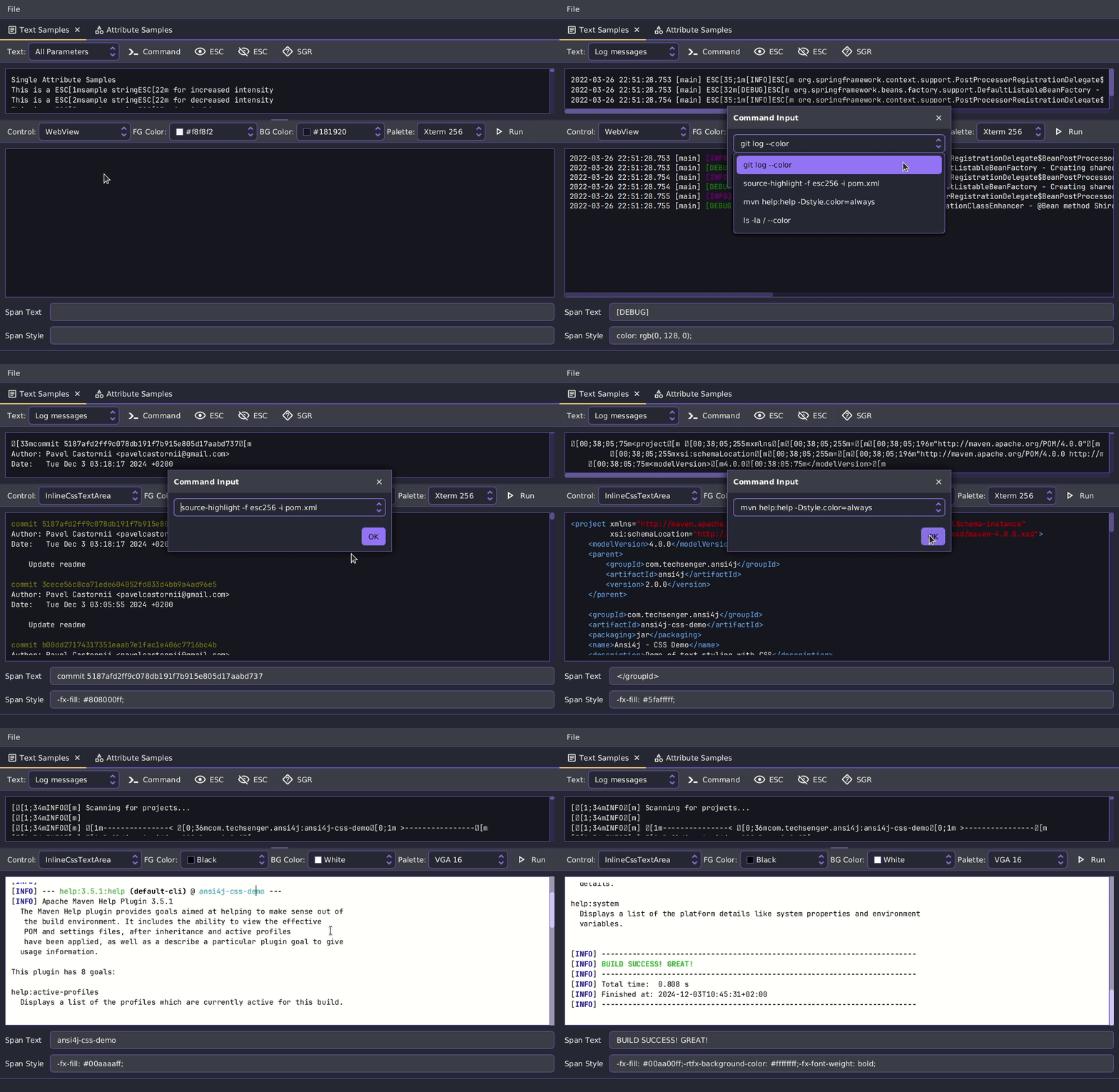
Techsenger ANSI4J – A library that includes Java parser for processing text with ANSI escape codes (ISO/IEC 6429 control functions) and a CSS extension for styling the text.
Techsenger CEFFX – A library providing a modern Chromium-based web browser component for JavaFX using the Chromium Embedded Framework (CEF). It can be used to build web browsers, display web content, embed web-based user interfaces, and more.
Techsenger TabPanePro – A lightweight JavaFX library that extends TabPane with practical features.
Techsenger StagePro – A library for creating custom JavaFX stages with fine-grained control over appearance and layout.