
LinuxWebUI
🐧 Self-hosted Linux server dashboard — monitor stats & control services from your browser | v0.1.0-beta
- 1
- 8 mo ago
Repo theNareshofficial/LinuxWebUI, read from GitHub 1 min ago. theNareshofficial has not joined Take My Repo.
In short
theNareshofficial/LinuxWebUI is a public repo on GitHub by theNareshofficial. 🐧 Self-hosted Linux server dashboard — monitor stats & control services from your browser | v0.1.0-beta. It declares no license on GitHub. Public does not mean open source: without a license, nobody is granted the right to reuse it. It is written mainly in PHP, has 1 stars and last changed on 2026-03-22. Nobody has reviewed it on Take My Repo yet, which says nothing about its quality. Read from GitHub on 2026-11-21.
🐧 LinuxWebUI
⚠️ Beta Release — v0.1.0-beta
This project is under active development. Expect bugs, breaking changes, and incomplete features. Contributions and feedback are welcome.
A clean, fast, Apple-inspired web interface for monitoring and controlling your Linux server — built with pure PHP, no frameworks, no bloat.
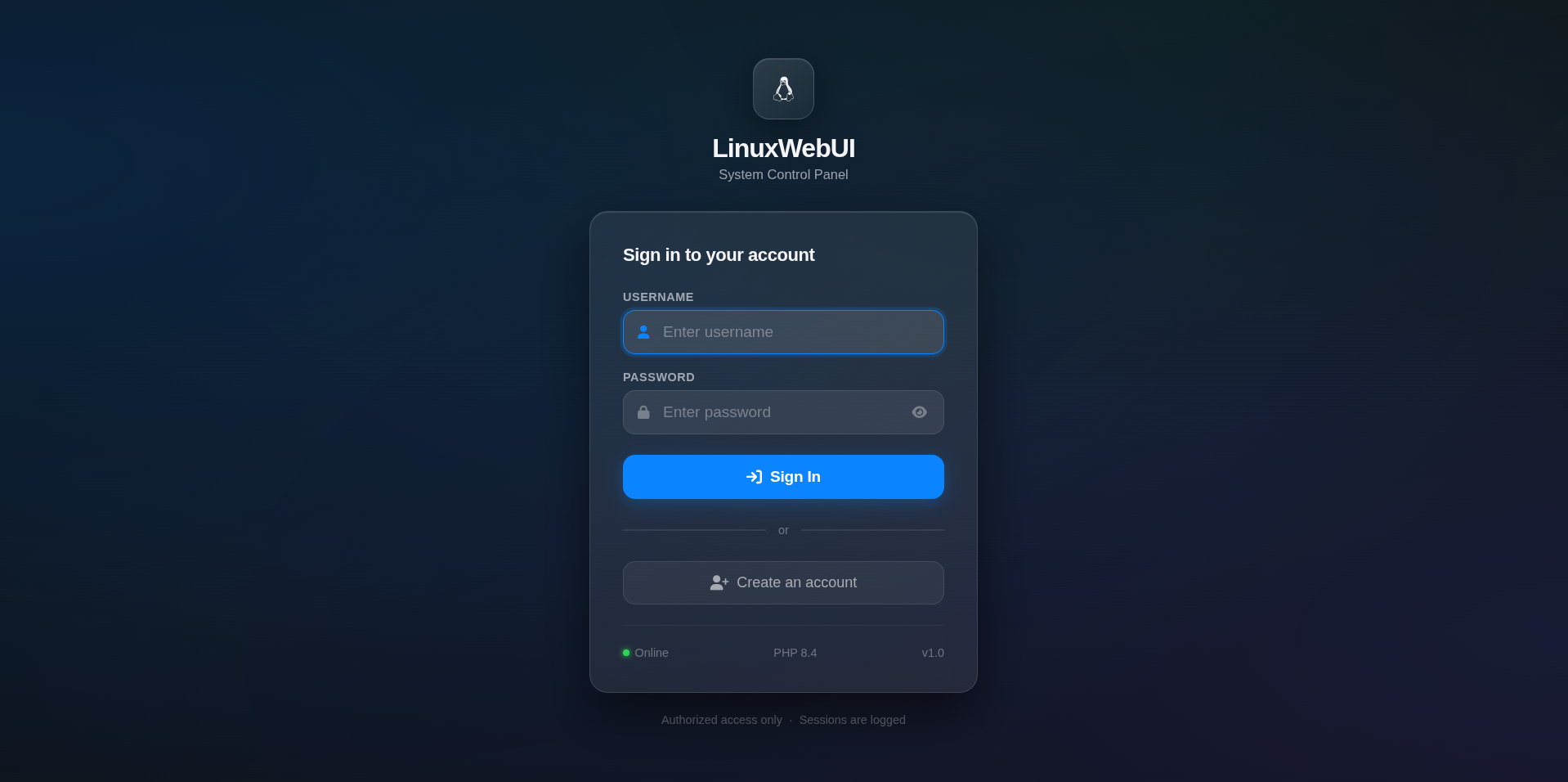
Screenshots
Dashboard with live RAM, CPU, Disk monitoring and service control cards.


Features
- Live System Stats — RAM, CPU load, Disk usage, Uptime — updates every 3 seconds
- Service Control — Start, Stop, Restart services with one click (Apache2, SSH, FTP, MongoDB, MySQL, Nginx)
- Real-time Charts — RAM donut chart, CPU sparkline history, Disk usage bars
- User Auth — Secure login and registration with bcrypt password hashing
- Apple-inspired UI — Frosted glass design, system font, smooth animations — loads fast
- Session Security — PHP sessions with login time tracking
- Responsive — Works on desktop and mobile
Requirements
- Linux (Debian/Ubuntu/Kali recommended)
- Apache2
- PHP 8.0+
gcc(for service control binary)systemctl(systemd-based distros only)
Installation
1. Clone the repository
git clone https://github.com/yourusername/LinuxWebUI.git
cd LinuxWebUI
2. Copy to Apache webroot
sudo cp -r . /var/www/html/
sudo chown -R www-data:www-data /var/www/html/
sudo chmod 640 /var/www/html/config/users.json
3. Build the service control binary
sudo gcc svc-control.c -o /tmp/svc-control
sudo chown root:root /tmp/svc-control
sudo chmod 4755 /tmp/svc-control
4. Configure sudoers (optional — for systemctl access)
sudo bash -c 'cat > /etc/sudoers.d/www-data-systemctl << EOF
Defaults:www-data !requiretty
www-data ALL=(root) NOPASSWD: /tmp/svc-control
EOF'
sudo chmod 440 /etc/sudoers.d/www-data-systemctl
5. Restart Apache
sudo systemctl restart apache2
6. Open in browser
http://localhost/
Register your first account and you're in.
Project Structure
LinuxWebUI/
├── index.php              # Redirects to login
├── login.php              # Login page
├── register.php           # Registration page
├── dashboard.php          # Main dashboard
├── logout.php             # Session destroy
│
├── api/
│   ├── stats.php          # Returns RAM/CPU/Disk JSON
│   └── service.php        # Service start/stop/restart API
│
├── includes/
│   ├── auth.php           # Session guard
│   └── functions.php      # getRAM, getCPU, getDisk, getUptime
│
├── config/
│   └── users.json         # User store (bcrypt hashed passwords)
│
└── docker/                # Docker setup (dev only)
    ├── Dockerfile
    └── php.ini
Services Monitored
| Service | Port | Description |
|---|---|---|
| Apache2 | 80, 443 | Web Server |
| SSH | 22 | Secure Shell |
| FTP (vsftpd) | 21 | File Transfer |
| MongoDB | 27017 | NoSQL Database |
| MySQL | 3306 | SQL Database |
| Nginx | 80, 443 | Proxy Server |
To add more services — edit the SERVICES array in dashboard.php and the whitelist in api/service.php.
Security Notes
- All passwords are hashed with
bcrypt(PHPPASSWORD_BCRYPT) - Service control uses a whitelisted C binary — arbitrary commands are not possible
- Sessions use
httponlycookies - All user input is validated and sanitized with
htmlspecialchars() open_basediris configurable viadocker/php.ini
This project is intended for local network / homelab use. Do NOT expose it to the public internet without adding HTTPS and additional hardening.
Known Issues (Beta)
- Service status detection uses port checking — may show false positives if another process uses the same port
- No HTTPS support yet (planned for v0.2.0)
- No role-based access control yet (all users have equal access)
- Mobile sidebar not yet implemented
- Processes, Network, Files pages are UI placeholders only
Contributing
Pull requests are welcome. For major changes please open an issue first.
git checkout -b feature/your-feature
git commit -m "Add your feature"
git push origin feature/your-feature
License
MIT License — free to use, modify, and distribute.
Beta disclaimer: This software is provided as-is. It is not production-ready. Use at your own risk on trusted networks only.
Questions
What is LinuxWebUI?
theNareshofficial/LinuxWebUI is a public repo on GitHub by theNareshofficial. 🐧 Self-hosted Linux server dashboard — monitor stats & control services from your browser | v0.1.0-beta.
Is LinuxWebUI open source?
It declares no license on GitHub. Public does not mean open source: without a license, nobody is granted the right to reuse it.
Does LinuxWebUI run on macOS, Windows or Linux?
Its maker tagged it for Linux. That is declared by the maker; Take My Repo has not tested it.
How do I install LinuxWebUI?
Open "Take it" on its page: Take My Repo writes an install plan for your machine and hands it to your AI agent (Claude Code, Codex or Cursor), which asks you before each step. Take My Repo has not tested it on any machine.
Is LinuxWebUI still maintained?
Its last change on GitHub was on 2026-03-22. Take My Repo does not judge from that whether it is maintained.
What do people who ran LinuxWebUI say?
Nobody has reviewed it on Take My Repo yet, which says nothing about its quality.