
deckard
Presentations built out of React components: fixed layouts, speaker notes, themes, and PDF export.
- 4
- MIT
- 3 wk ago
Repo thebuilder/deckard, read from GitHub 5 h ago. thebuilder has not joined Take My Repo.
In short
thebuilder/deckard is a public repo on GitHub by thebuilder. Presentations built out of React components: fixed layouts, speaker notes, themes, and PDF export. It declares the MIT license on GitHub. It is written mainly in TypeScript, has 4 stars and last changed on 2026-11-01. Nobody has reviewed it on Take My Repo yet, which says nothing about its quality. Read from GitHub on 2026-11-24.
Deckard
Presentations built out of React components: fixed layouts, speaker notes, themes, and PDF export.
A slide is a React component. A chart, a live demo, a form, or an awaited database query goes on a slide the same way it goes in an app, because a deck is a Next.js app: routes, Server Components, your components, your styles.
Deckard supplies the parts a presentation needs and an app does not. A fixed 1920x1080 canvas that scales to whatever screen it lands on, so a slide looks the same on a laptop, a projector, and in the exported PDF. Keyboard and swipe navigation, step reveals, a command menu, and a presenter window carrying your notes. Themes you can take ownership of the moment you want to.
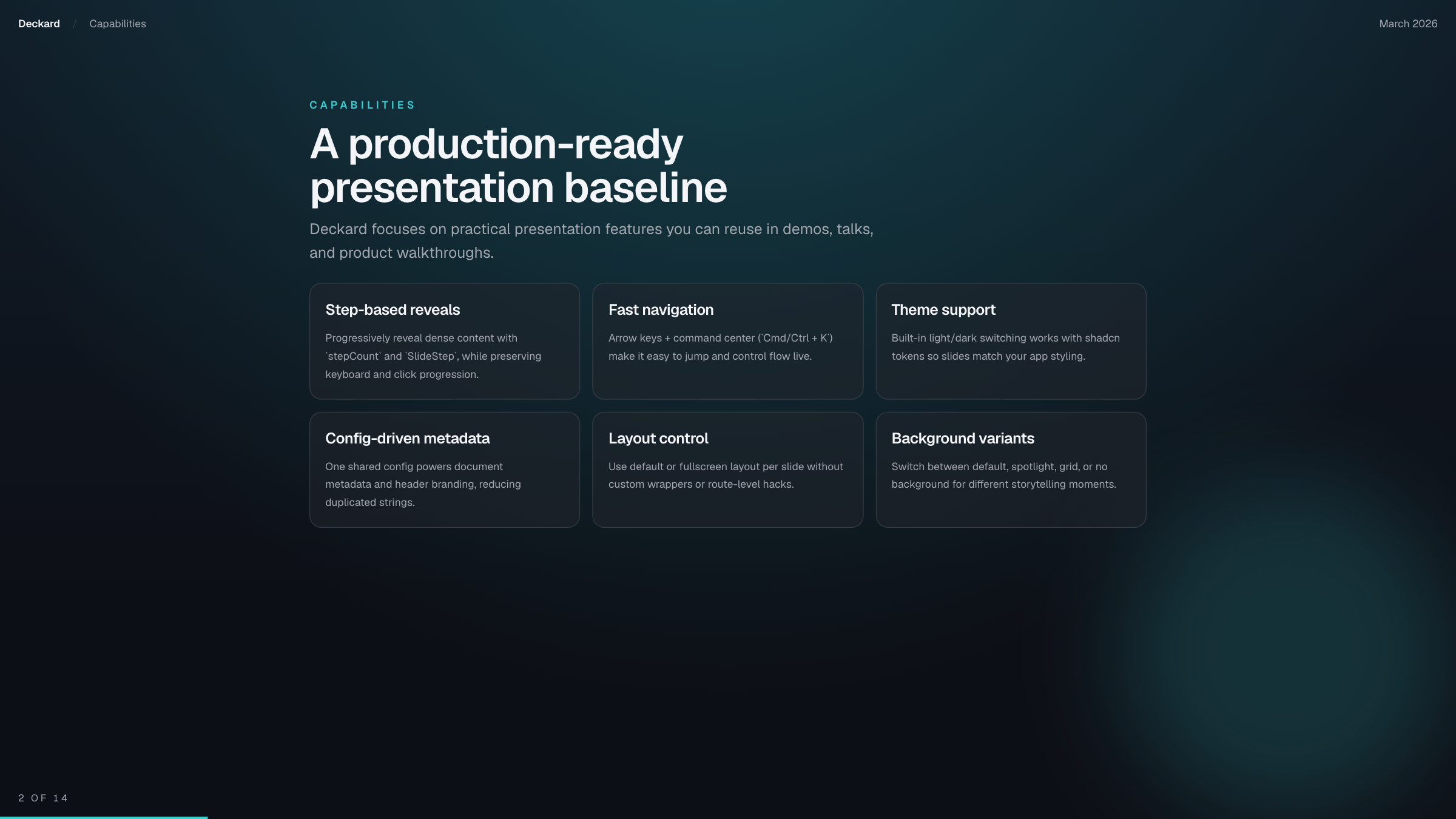
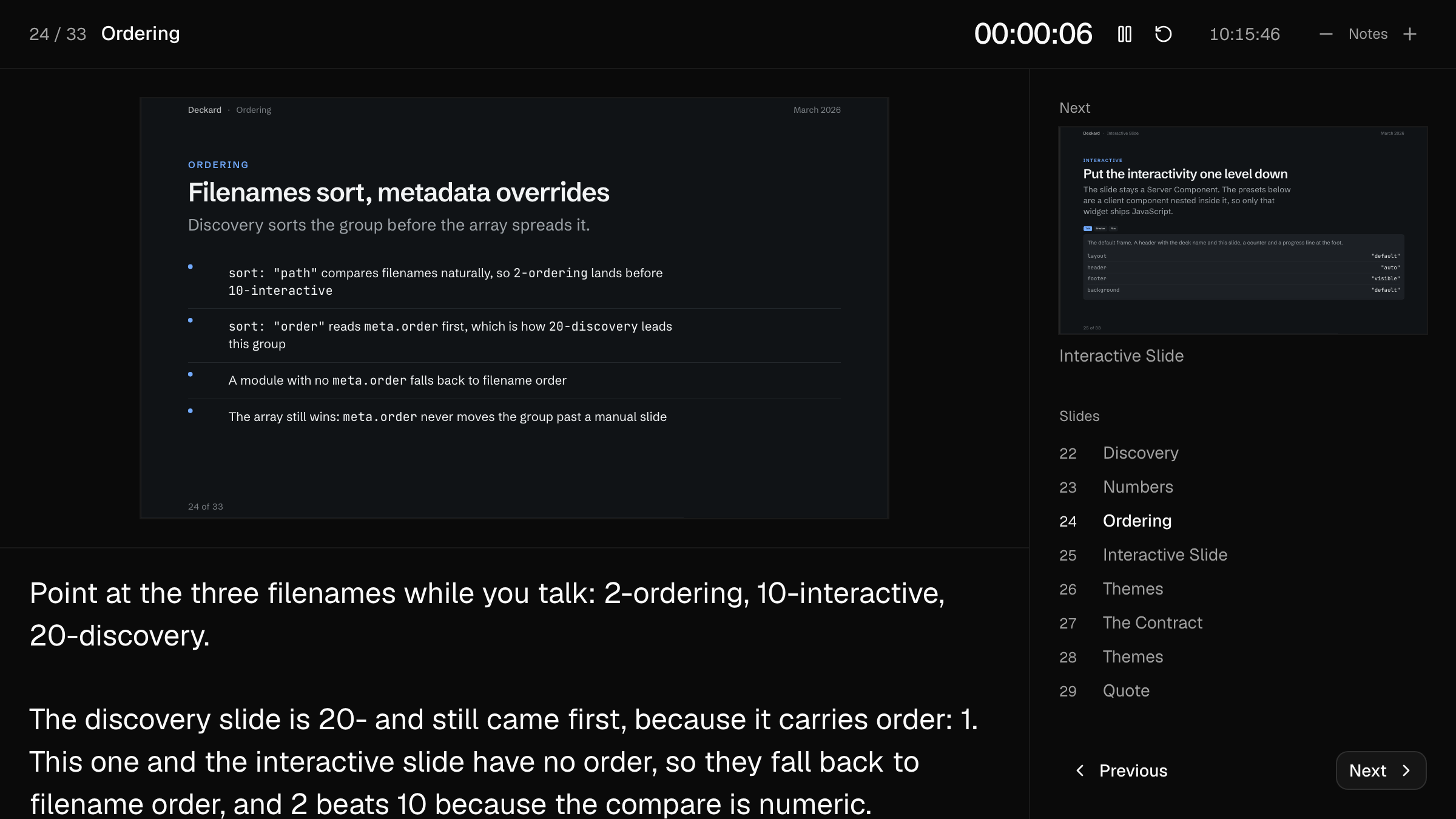
Start a deck
npx @thebuilder/deckard-cli init my-talk
cd my-talk
npm run dev
That writes a Next.js app, installs it, commits it, and typechecks it. Open
deck/slides.tsx, where the sample deck is yours to delete.
init takes --theme <name> for any built-in, --empty to skip the sample
deck, and --no-install or --no-git. Run deckard --help for the names, or
read the theme gallery. It asks no
questions. It installs with whichever package manager ran it, and writes no
packageManager field, so nobody who clones your deck is locked to your choice.
What a deck looks like
// deck/slides.tsx
export const slides: SlideDefinition[] = [
  {
    slug: "intro",
    title: "What we shipped",
    notes: "Speaker-only. Reaches the presenter window, never the room.",
    body: <HeroSlide eyebrow="Q1 review" />,
  },
  {
    title: "Adoption",
    body: <AdoptionChart />,
  },
]
An array of objects with a body. Everything else is optional. The fourth
slide is served at /slides/4 unless you give it a slug, and a slide that
outgrows the array moves to deck/slides/<name>.slide.tsx, where it can await
data before it renders. Discovery picks those files up. The array still decides
the order.
The packages
| Package | What it holds |
|---|---|
@thebuilder/deckard-core |
the deck contract, the canvas, the shell, navigation, presenter mode, the route adapters |
@thebuilder/deckard-themes |
the built-in themes, imported rather than installed, ejected into your repo when you want to edit one |
@thebuilder/deckard-cli |
the deckard binary: scaffold, validate, screenshot, export |
A theme is one import. Write theme: nexus in deck/deck.ts and the deck is a
flight console; run deckard add theme phosphor and it is a green CRT.
deckard eject theme copies the source into deck/theme/ and it is yours from
then on.
A theme that comes from a design set in a real face carries that face: Chivo and Azeret Mono for blueprint, Source Serif 4 and Public Sans for ledger, Schibsted Grotesk for meridian, Orbitron and IBM Plex for nexus, JetBrains Mono for phosphor, the IBM Plex family for quorum. Every one is SIL Open Font License 1.1 and ships inside the package, subset and self-hosted, so a deck renders offline and never calls a font host. A theme on a system stack downloads nothing, and a deck only pays for the theme it uses.
Slide blocks are the other half, and they work the other way around. Those install as source through the shadcn registry, because a layout is something you edit.
Documentation
The docs site is deckard.thebuilder.dk, built from
apps/docs. To run it locally:
pnpm --filter docs dev
It covers writing slides, the canvas, presenting, themes and the token
contract, the CLI, and the deck config. AGENTS.md and
.claude/skills/slide-authoring/SKILL.md are the same material written for
coding agents.
Working on Deckard
A pnpm workspace on Turborepo. Node 20.9 or newer, the floor the packages
declare in engines and deckard doctor checks. CI runs Node 24.
| Path | What it is |
|---|---|
packages/core, packages/themes, packages/cli |
the published packages |
apps/playground |
the deck. It exercises every feature, so it is a test surface rather than a template |
apps/docs |
the documentation site, which also serves the block registry |
tools/* |
smoke tests that pack the packages and build scratch apps against them |
pnpm install
pnpm dev                 # the playground on :3000
pnpm --filter docs dev   # docs and the registry on :3001
Then the gates, all from the root:
pnpm lint
pnpm typecheck
pnpm test                # node and browser projects, on chromium, firefox, and webkit
pnpm build
pnpm validate            # the deck resolves, the theme is coherent, registry paths exist
pnpm check-overflow      # fails naming any slide the canvas clips
pnpm release:pack        # build, pack, inspect, then scaffold a deck from the tarballs
pnpm deck:contact-sheet puts every slide in one image, which is the fastest
way to see what a change did to a deck. pnpm deck:screenshots and
pnpm export:pdf do the obvious things.
Slides added to the playground demonstrate the framework. They are nobody's presentation and they ship to nobody.
Set routes.slides when a site hosts more than one deck. Set
routes.presenter to its matching presenter page, or to false when that deck
does not expose presenter mode.
License
MIT
Questions
What is deckard?
thebuilder/deckard is a public repo on GitHub by thebuilder. Presentations built out of React components: fixed layouts, speaker notes, themes, and PDF export.
Is deckard open source?
It declares the MIT license on GitHub.
Does deckard run on macOS, Windows or Linux?
Its maker has not tagged a system, so it is unknown here. Its README says what it needs.
How do I install deckard?
Open "Take it" on its page: Take My Repo writes an install plan for your machine and hands it to your AI agent (Claude Code, Codex or Cursor), which asks you before each step. Take My Repo has not tested it on any machine.