
chrome-plugin
Plugin for Google Chrome web browser.
- 5
- MIT
- 2 wk ago
Repo tolgee/chrome-plugin, read from GitHub 2 h ago. tolgee has not joined Take My Repo.
In short
tolgee/chrome-plugin is a public repo on GitHub by tolgee. Plugin for Google Chrome web browser. It declares the MIT license on GitHub. It is written mainly in TypeScript, has 5 stars and last changed on 2026-11-09. Nobody has reviewed it on Take My Repo yet, which says nothing about its quality. Read from GitHub on 2026-11-24.
Tolgee Chrome Browser Plugin
Modify your translations live and
take screenshots automatically

Translate your web application more effectively with the Tolgee plugin!
Tolgee Chrome plugin is an integral part of Tolgee ecosystem
Features
- Quick screenshot capture for app localization
You can capture a screenshot of your application with highlighted phrases for translation with just one click. Hold ALT/Option + click on a string, then hit the camera button. Your screenshot is instantly generated.
- In-context localization on production
Hold the ALT/Option key and click on an element to open a dialog where you can modify your strings effortlessly — no need to navigate through bulky .json/.po/.whatever files.
Plus, in-context translation works seamlessly, even in the production environment.
Install Extension
You can download our Chrome browser extension on the Chrome Web Store:
Building from source
Environment
- Any operating system (Linux, macOS, Windows). Released builds are produced on Ubuntu.
- Node.js 20.x, with the npm version bundled with it.
- No other tools, compilers, or system libraries are required.
Build
npm ci
npm run build
Output
| Path | Contents |
|---|---|
dist-chrome/, dist-zip/chrome.zip |
Chrome build |
dist-firefox/, dist-zip/firefox.zip |
Firefox build |
Both targets are built by Vite from vite.config.chrome.ts and vite.config.firefox.ts.
The extension version comes from manifest.json, which is committed at release time,
so building a release tag produces that release's version and configuration.
Additional information
To learn more, visit https://tolgee.io
Or visit our main GitHub page: https://github.com/tolgee/tolgee-platform
👇 Consider supporting us with your stars ⭐️
How to
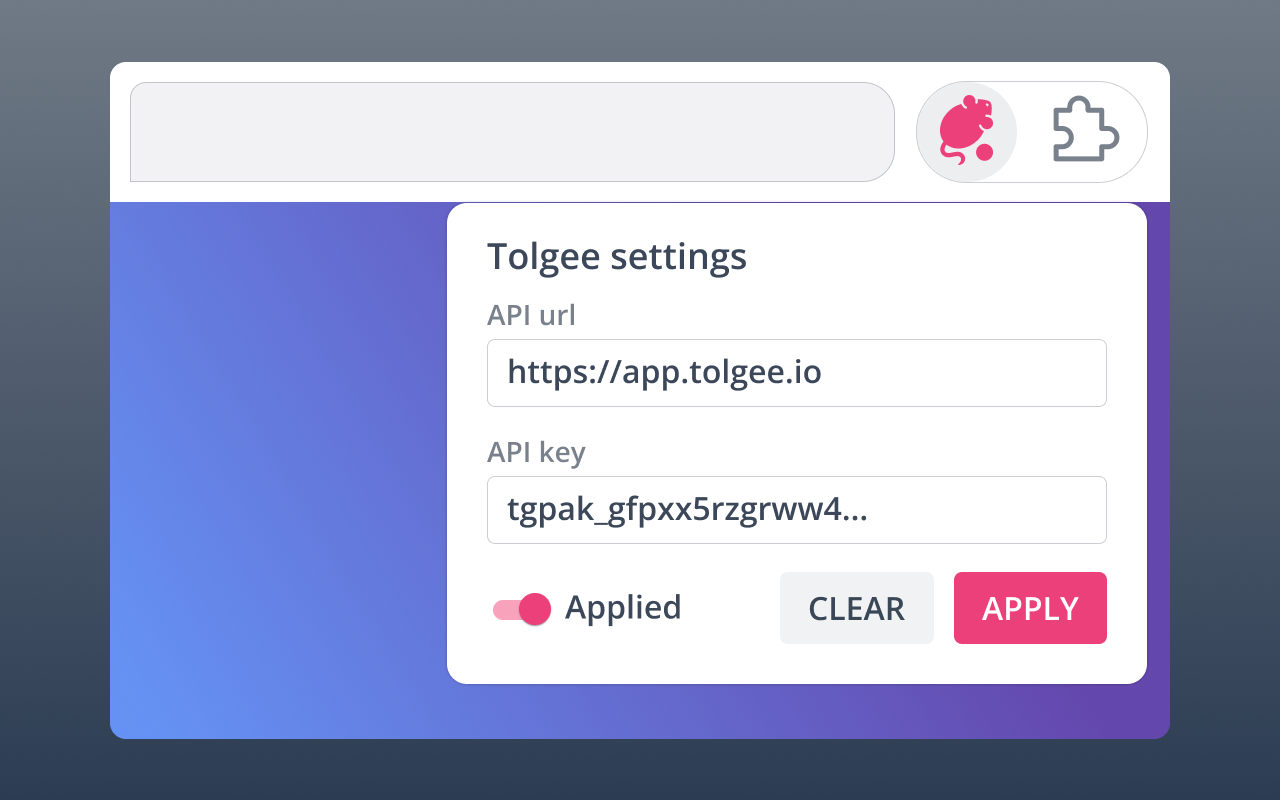
- Install Tolgee Tools plugin
- Go to the production version of your website, which is using Tolgee SDK
- Click on Tolgee Tools extension and sign in with your Tolgee account, or apply an API key
- You are done! In-context editing should work
Signing in with a Tolgee account
Signing in needs the site to declare its projectId in the Tolgee SDK configuration and an SDK that speaks the
extension's protocol 2 (planned for the @tolgee/web 7.2.0 release). The extension signs you in through Tolgee's OAuth authorization server and keeps the access token in its own
service worker only. The page never receives it: the SDK hands every Tolgee API request to the extension, which
attaches the token, performs the request and returns the response. Screenshots are captured and uploaded by the
extension too. A page can only reach the project it was signed in for, on the server it was signed in to; anything
else is refused.
The popup's in-context editing switch only controls whether alt+click editing is turned on for the current page; it is not a session control. Turning editing off does not end the OAuth session: the origin stays connected, and the session stays valid (available to be turned back on with a click) until you sign out, or until it goes 30 days without being used.
Connecting with a project API key
A project API key entered in the extension stays in the extension as well: the page is only told that a connection exists, and the extension sends the SDK's requests (screenshot uploads included) with the key, pinned to the key's own project. When a page declares another project than the key belongs to, edits go to the key's project. A key the site ships in its own Tolgee configuration (development mode) is used by the page directly, as before.
Signing in needs that SDK; on an older one the extension asks for an SDK update and offers the API key instead. A
key applied on such a page is written into the page's session storage (__tolgee_apiKey), where the older SDK
picks it up and sends its own requests with it, as extension releases before the relay did; the popup's summary says
so. Which way a key is delivered is decided from the SDK in front of the popup each time the key is handed over,
so a site that updates its SDK gets the key moved into the extension the next time the popup opens on the page.
The request relay
The relay (src/content/apiProxyRelayScript.ts) is a content script that runs at document_start on every
http(s) page. It has to be listening before the SDK's first request leaves, which happens as soon as the in-context
bundle loads, before DOMContentLoaded, and window.postMessage has no queue: a later listener would miss it and
the page would only see a timeout. It reads nothing from the page and holds no credential: it forwards the page's
own TOLGEE_* messages to the service worker, which decides whether that origin is connected at all, and posts the
reply back.
License
This project is licensed under the MIT License (see LICENSE). It also inlines a small number of third-party icon assets under a different license; see NOTICE for details.
Questions
What is chrome-plugin?
tolgee/chrome-plugin is a public repo on GitHub by tolgee. Plugin for Google Chrome web browser.
Is chrome-plugin open source?
It declares the MIT license on GitHub.
Does chrome-plugin run on macOS, Windows or Linux?
Its maker has not tagged a system, so it is unknown here. Its README says what it needs.
How do I install chrome-plugin?
Open "Take it" on its page: Take My Repo writes an install plan for your machine and hands it to your AI agent (Claude Code, Codex or Cursor), which asks you before each step. Take My Repo has not tested it on any machine.