
Runway
C# SDK for the Runway API -- AI video generation
- 2
- MIT
- 11 h ago
Repo tryAGI/Runway, read from GitHub 1 min ago. tryAGI has not joined Take My Repo.
In short
tryAGI/Runway is a public repo on GitHub by tryAGI. C# SDK for the Runway API -- AI video generation. It declares the MIT license on GitHub. It is written mainly in C#, has 2 stars and last changed on 2026-11-24. Nobody has reviewed it on Take My Repo yet, which says nothing about its quality. Read from GitHub on 2026-11-24.
Similar repos
open-webui
User-friendly AI Interface (Supports Ollama, OpenAI API, ...)

Runway
What runway short-video produces
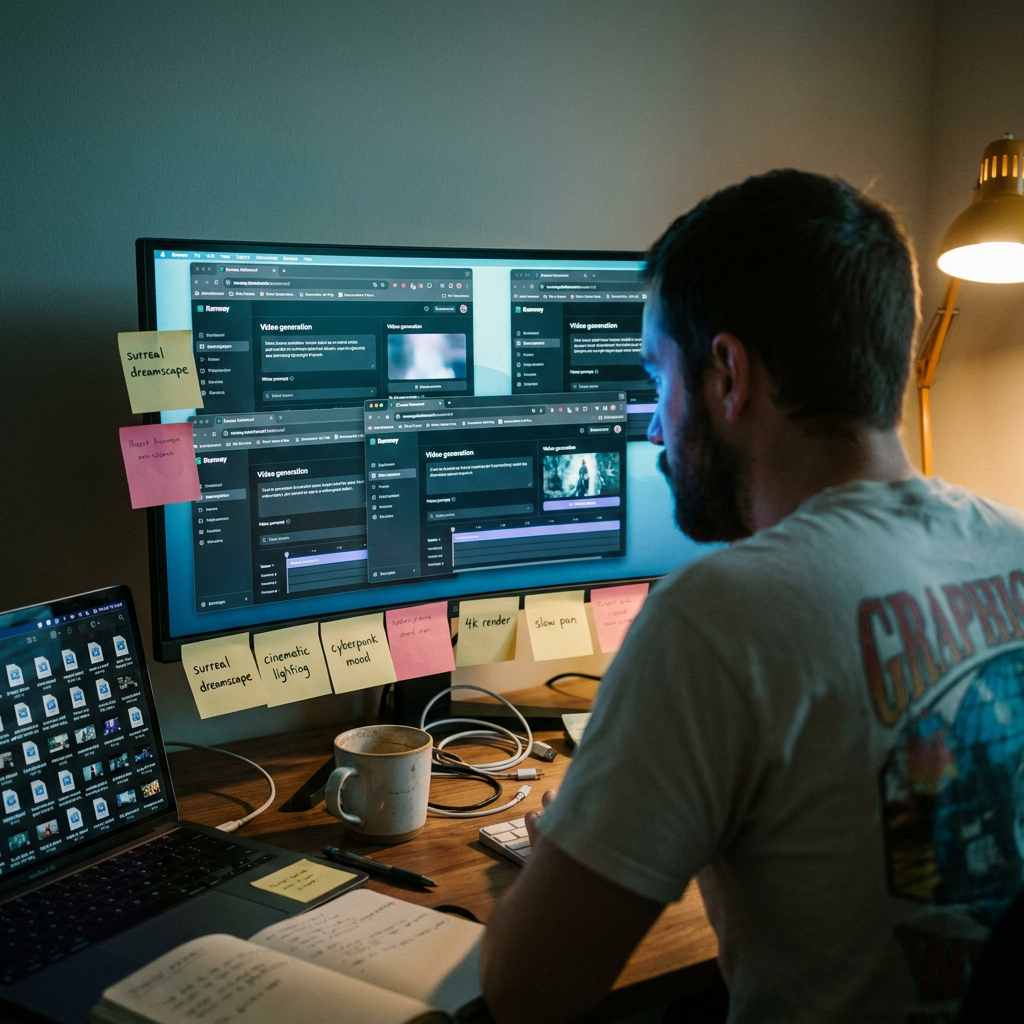
Five storyboard keyframes generated end-to-end by Runway.Cli with --keyframes gemini-image3-pro, planned by Claude from the repo's MARKETING.md brief. These are the exact stills that anchor the linked motion demo below — each was rendered with Nano Banana Pro at 768:1344 and then animated by veo3.1_fast image-to-video.
| BEFORE | the pain | the pivot | the work | AFTER |
|---|---|---|---|---|
 |
 |
 |
 |
 |
| Five glowing Runway dashboard tabs, sticky-note prompt fragments, scattered clip files | The hand-typed ffmpeg -f concat -safe 0 -i list.txt -c copy output.mp4 while a wall clock reads 15 minutes lost |
The pivot: same developer types runway short-video launch-our-new-feature in one focused terminal |
Plan JSON streams (urban_night / noir / shot_id / type) while three shot progress bars climb | A single polished vertical mp4 tile centered on the desktop, hand drifting up to upload |
▶ Watch the 30-second motion versions (audio on):
| Mode | File | How it was generated |
|---|---|---|
| Text-to-video | runway-short-video-promo-v2.mp4 |
5 shots planned by Claude, each rendered directly with veo3.1_fast text-to-video |
| Keyframes mode | runway-short-video-promo-v3.mp4 |
Same plan; each shot anchored on a gemini-image3-pro keyframe still, then animated with veo3.1_fast image-to-video |
Reproduce locally:
dotnet tool install -g Runway.Cli --prerelease
echo "RUNWAY_API_KEY=..." > .env

# Plan + generate the same 30-second short (text-to-video, demo-promo-v1)
runway short-video "developer types one command and the promo for Runway.Cli assembles itself" \
  --shots 5 --duration 6 --ratio 720:1280 --audio --planner auto

# Higher fidelity: anchor each shot on a Nano Banana Pro keyframe (demo-promo-v2)
runway short-video "..." \
  --shots 5 --duration 6 --ratio 720:1280 --audio --planner auto \
  --keyframes gemini-image3-pro
Use as an agent skill
The CLI also ships as an installable agent skill via the skills.sh ecosystem. The skill bundles guidance for Claude Code, Cursor, Codex, and 50+ other agents on how to drive dnx Runway.Cli for image, video, and audio generation, multi-shot short videos, and the named custom workflows.
# Install into the current project (auto-detects your agent)
npx skills add tryAGI/Runway

# Or globally for all agents
npx skills add tryAGI/Runway -g

# Target a specific agent and skip prompts (CI-friendly)
npx skills add tryAGI/Runway -a claude-code -y
After install, the skill's instructions live at .agents/skills/runway-cli/SKILL.md. Listing on skills.sh/tryAGI/Runway is updated automatically from anonymous install telemetry.
Features 🔥
- Fully generated C# SDK based on the official Runway OpenAPI specification, with a small documented feature patch while the published spec catches up, using AutoSDK
- Same day update to support new features
- Updated and supported automatically if there are no breaking changes
- All modern .NET features - nullability, trimming, NativeAOT, etc.
Usage
Enhance Frame Rate and Ruby
enhance_frame_rate uses the video upscale endpoint. The target rate is required; NTSC rates use x2398, x2997, or x5994 in C# and serialize to 23_98, 29_97, or 59_94. Inputs can be up to five minutes and 4K.
using Runway;

using var client = new RunwayClient(apiKey);

var interpolation = await client.StartGenerating.CreateVideoUpscaleAsync(
    new CreateVideoUpscaleRequestEnhanceFrameRate(
        "https://example.com/source.mov",
        CreateVideoUpscaleRequestEnhanceFrameRateTargetFramerate.x5994));

var hdr = await client.StartGenerating.CreateVideoToHdrAsync(
    new CreateVideoToHdrRequestRuby
    {
        VideoUri = "https://example.com/source-with-alpha.mov",
        OutputFormat = CreateVideoToHdrRequestRubyOutputFormat.HdrExrAcescgSequence20,
    });
Ruby detects alpha in the source automatically. Choose hdr_prores or an EXR output to retain it; hdr10 and hlg cannot carry alpha. The SDK also exposes published workflow invocation, linked workspace usage, and organization credit usage endpoints. Credit sharing and transfers are managed by Runway account/workspace settings; they do not require a new SDK request field. See Runway's model guide and API changelog.
Avatar Video
Generate a talking-avatar video from text using a Runway preset avatar.
using Runway;

using var client = new RunwayClient(apiKey);

var response = await client.AvatarVideos.CreateAvatarVideosAsync(
    xRunwayVersion: "2024-11-06",
    request: new CreateAvatarVideosRequest
    {
        Avatar = new CreateAvatarVideosRequestAvatarRunwayPresetAvatar
        {
            PresetId = CreateAvatarVideosRequestAvatarRunwayPresetAvatarPresetId.Influencer,
        },
        Speech = new CreateAvatarVideosRequestSpeechTextInput
        {
            Text = "Welcome to the Runway API hackathon. Here is a quick prototype walkthrough.",
            Voice = new CreateAvatarVideosRequestSpeechTextInputVoiceRunwayPresetVoice
            {
                PresetId = CreateAvatarVideosRequestSpeechTextInputVoiceRunwayPresetVoicePresetId.Clara,
            },
        },
    });
Create Avatar
Create a custom realtime avatar from a reference image, personality prompt, and voice.
var avatar = await client.Avatars.CreateAvatarsAsync(
    xRunwayVersion: "2024-11-06",
    request: new CreateAvatarsRequest
    {
        Name = "Hackathon Producer",
        ReferenceImage = "https://example.com/reference.jpg",
        Personality = "You are a concise creative producer who helps teams turn rough ideas into practical video plans.",
        StartScript = "Tell me what you want to make and I will help shape the shot list.",
        Voice = new CreateAvatarsRequestVoiceRunwayLivePresetVoice
        {
            PresetId = CreateAvatarsRequestVoiceRunwayLivePresetVoicePresetId.Adrian,
        },
        ImageProcessing = CreateAvatarsRequestImageProcessing.Optimize,
    });
Realtime Avatar Session
Use this path for live Characters calls and backend bridges. The session ID is also the conversation ID for transcript and recording retrieval.
var session = await client.RealtimeSessions.CreateRealtimeSessionsAsync(
    request: new CreateRealtimeSessionsRequest
    {
        Avatar = new CreateRealtimeSessionsRequestAvatarRunwayPresetAvatar
        {
            PresetId = CreateRealtimeSessionsRequestAvatarRunwayPresetAvatarPresetId.Influencer,
        },
        MaxDuration = 60,
    });

GetRealtimeSessionsResponse status;
do
{
    status = await client.RealtimeSessions.GetRealtimeSessionsByIdAsync(id: session.Id);
    await Task.Delay(TimeSpan.FromSeconds(1));
}
while (status.IsNotReady);

if (!status.IsReady)
{
    throw new InvalidOperationException("Realtime session did not become ready.");
}

var credentials = await client.RealtimeSessions.ConsumeRealtimeSessionAsync(
    id: session.Id,
    sessionKey: status.Ready!.SessionKey);
For watchOS or other clients without WebRTC support, terminate WebRTC in your backend using the returned LiveKit credentials and relay optimized media over your own transport. AvatarVideos.CreateAvatarVideosAsync and StartGenerating.CreateCharacterPerformanceAsync are asynchronous generation endpoints, not live conversation transports.
The watch bridge controls the client-facing media shape after it receives the realtime avatar track. Set only watchVideoWidth
Questions
What is Runway?
tryAGI/Runway is a public repo on GitHub by tryAGI. C# SDK for the Runway API -- AI video generation.
Is Runway open source?
It declares the MIT license on GitHub.
Does Runway run on macOS, Windows or Linux?
Its maker has not tagged a system, so it is unknown here. Its README says what it needs.
How do I install Runway?
Open "Take it" on its page: Take My Repo writes an install plan for your machine and hands it to your AI agent (Claude Code, Codex or Cursor), which asks you before each step. Take My Repo has not tested it on any machine.
Is Runway still maintained?
Its last change on GitHub was on 2026-11-24. GitHub counts 2 open issues and pull requests. Take My Repo does not judge from that whether it is maintained.


