stacker
Orchestrate dockerized apps from cli, control, monitor, install apps on own servers and in the cloud
- 7
- MIT
- 1 d ago
Repo trydirect/stacker, read from GitHub 8 h ago. trydirect has not joined Take My Repo.
In short
trydirect/stacker is a public repo on GitHub by trydirect. Orchestrate dockerized apps from cli, control, monitor, install apps on own servers and in the cloud. It declares the MIT license on GitHub. It is written mainly in Rust, has 7 stars and last changed on 2026-11-22. Nobody has reviewed it on Take My Repo yet, which says nothing about its quality. Read from GitHub on 2026-11-23.
Similar repos
coolify
An open-source, self-hostable PaaS alternative to Vercel, Heroku & Netlify that lets you easily deploy static sites, databases, full-stack applications and 360+ one-click services on your own servers.

Build, deploy, and manage containerised applications with a single config file.
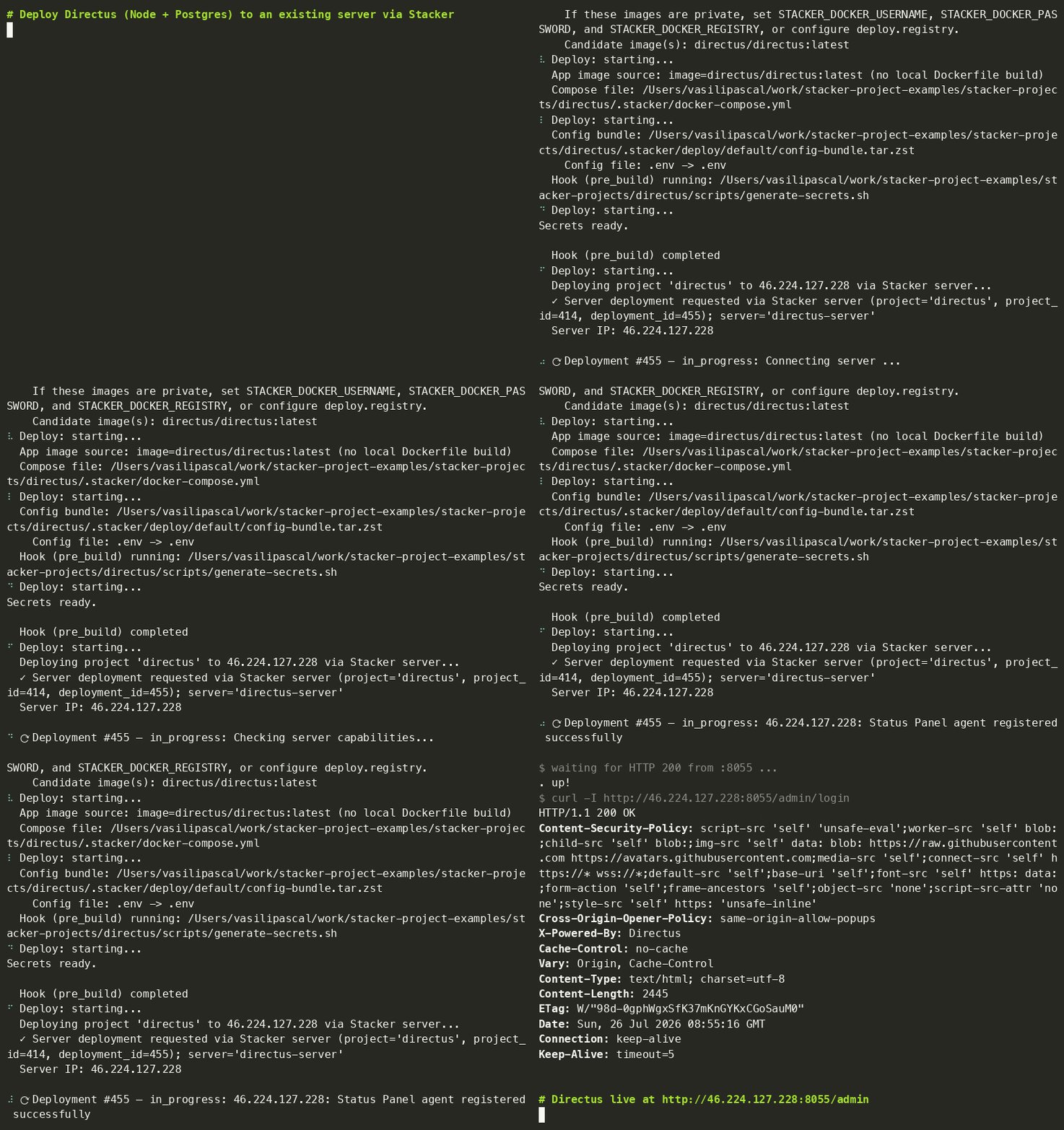
Real deploys, one command each. See stacker-project-examples.
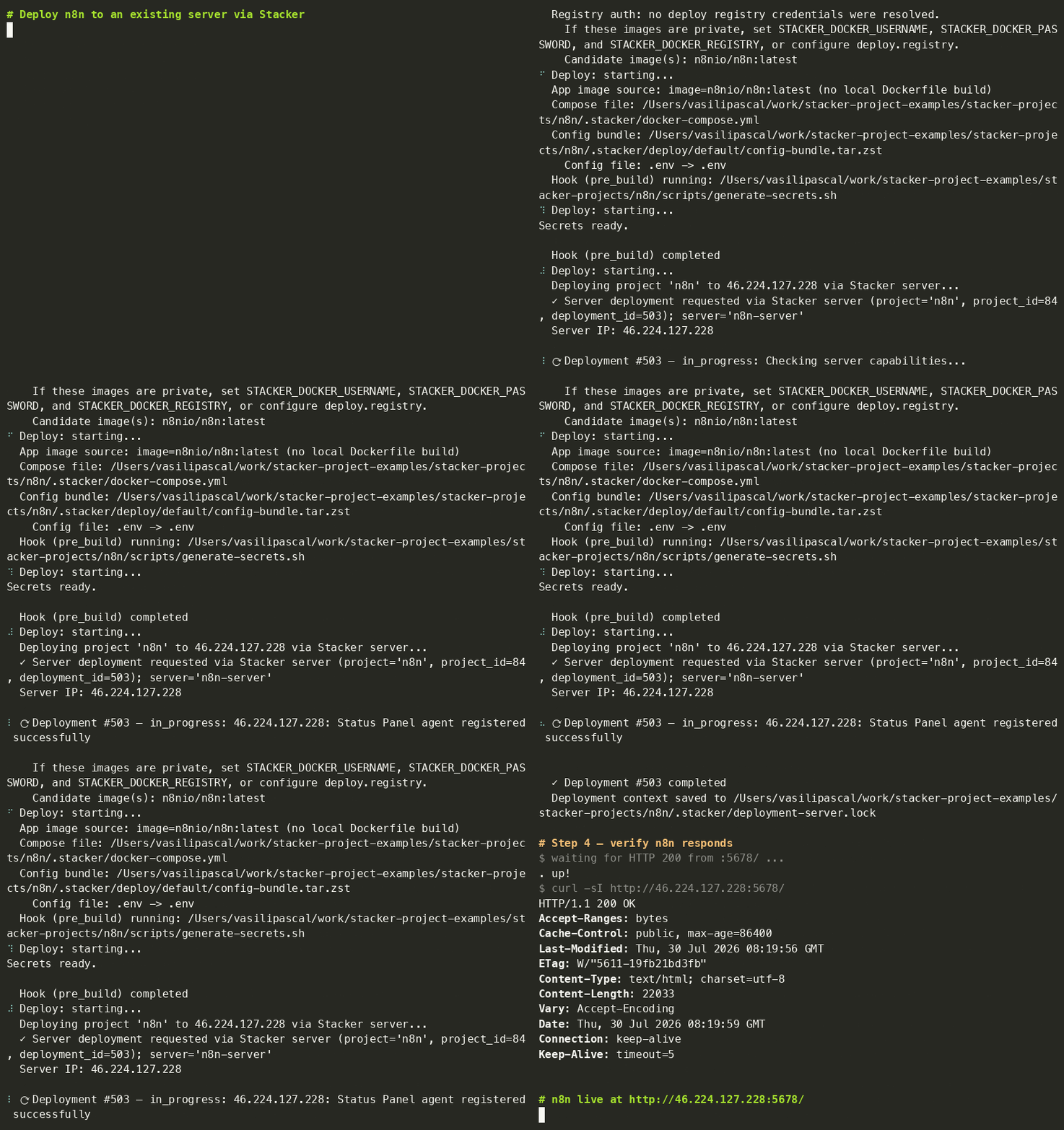
More demos — n8n · Gotify
n8n (workflow automation, Node + Postgres)
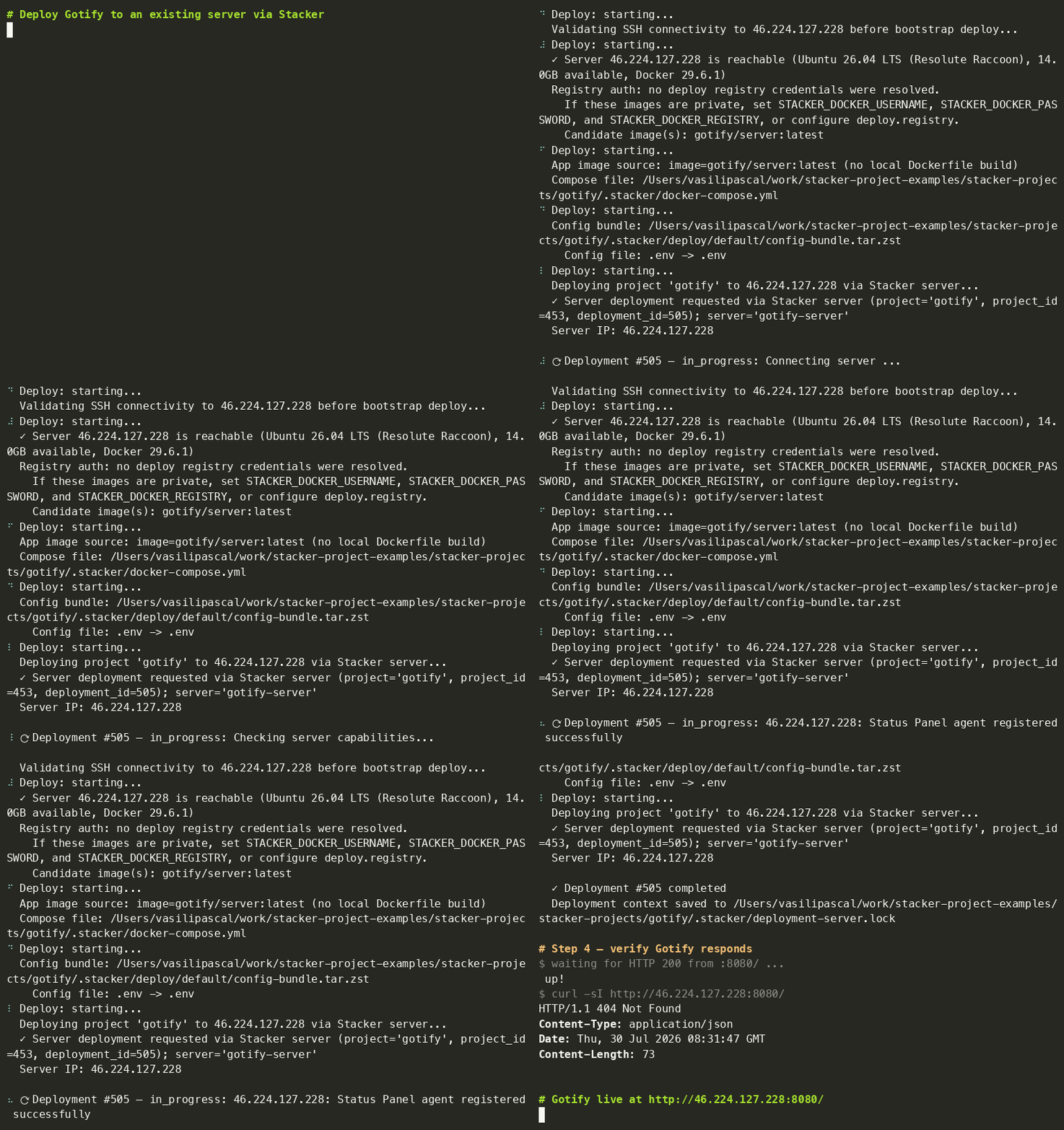
Gotify (push-notification server, single container)
Stacker is a platform for turning any project into a deployable Docker stack. Add a stacker.yml to your repo, and Stacker generates Dockerfiles, docker-compose definitions, reverse-proxy configs, and deploys locally or to cloud providers — optionally with AI assistance.
v0.3.0 highlights: generate stacker.yml from any GitHub repo with stacker init --from-github, infra-service healthcheck inference, remote Vault-backed secrets for deployable service/app targets, paused or failed cloud/server installs retain discovered IP addresses, and cloud-provider firewalls can be managed without SSH.
Quick Start
Install the CLI
curl -fsSL https://get.stacker.my/install.sh | bash
Or with Homebrew, on macOS and Linux:
brew install trydirect/tap/stacker
Both fetch the same prebuilt binary from the releases. The Linux builds need glibc 2.34 or newer, which covers Ubuntu 22.04, Debian 12, RHEL 9 and anything later.
Create & deploy a project
cd my-project
stacker init              # auto-detects project type, generates stacker.yml
stacker deploy            # builds and runs locally via docker compose
stacker status            # check running containers
Synchronize project configuration without deploying
Use stacker sync for fast developer iteration. It updates project metadata
and app configuration in Stacker, but does not create a deployment, contact a
target server, or start containers.
stacker sync                              # synchronize the current project
stacker sync --verify                     # verify the synchronized result
stacker sync --json                       # machine-readable result
stacker sync --deployment deployment_...  # pin to a project deployment
Runtime files are uploaded and containers are started only by a subsequent
stacker deploy. Sensitive environment values are omitted from project
metadata; store new secrets with stacker secrets.
Deploy from any GitHub repo
Generate a stacker.yml from a GitHub repository — no clone required.
For the best results (port mappings, env vars, service context inferred
from README and source), use --with-ai:
# AI-powered (recommended — reads README, compose, source files)
stacker init --from-github owner/repo --with-ai

# Template-based (project type + Dockerfile detection only)
stacker init -g https://github.com/ArchiveBox/ArchiveBox
With --with-ai, Stacker shallow-clones the repo, then uses an LLM (Ollama
by default) to scan project files and generate a context-aware stacker.yml
with services, ports, env vars, and healthchecks. Falls back to template
detection if the AI provider is unreachable.
When environment variables are in the compose file, .env.example and
scripts/generate-secrets.sh are also generated.
AI-powered init (optional)
Stacker can scan your project files and use an LLM to generate a tailored stacker.yml:
# Local AI with Ollama (free, private, default)
stacker init --with-ai

# OpenAI
stacker init --with-ai --ai-provider openai --ai-api-key sk-...

# Anthropic (key from env)
export ANTHROPIC_API_KEY=sk-ant-...
stacker init --with-ai --ai-provider anthropic
If the AI provider is unreachable, Stacker falls back to template-based generation automatically.
When the project looks like a simple HTML or Next.js website and the configured
Ollama model is qwen2.5-code or qwen2.5-coder, stacker init --with-ai
can also bootstrap a website deployment scenario. The bootstrap seeds values
from the generated stacker.yml, asks only for the missing deploy inputs, and
saves scenario state under .stacker/scenarios/qwen2.5-code/website-deploy/
for later continuation with stacker ai.
AI deployment workflows
For the canonical AI/MCP deployment flow — inspect state, explain topology or env provenance, preview a plan, apply it safely, and recover with events or rollback — see AI deployment workflows.
For the qwen-specific website scenario flow, including --scenario and --step
continuation, see the same guide.
stacker.yml example
name: my-app
app:
  type: node
  path: ./src
  ports:
    - "8080:3000"
  environment:
    NODE_ENV: production

services:
  - name: postgres
    image: postgres:16
    environment:
      POSTGRES_DB: myapp
      POSTGRES_PASSWORD: ${DB_PASSWORD}

proxy:
  type: nginx-proxy-manager
  auto_detect: true
  domains:
    - domain: app.example.com
      ssl: auto
      upstream: app:3000

deploy:
  target: local    # or: cloud, server

ai:
  enabled: true
  provider: ollama
  model: llama3

monitoring:
  status_panel: true
  healthcheck:
    endpoint: /health
    interval: 30s
  alerts:                       # container-down alarm for `stacker monitor` (0.3.2)
    interval: 30
    target:
      terminal: true            # or: { url: "https://ntfy.example.com/alerts" }
Full schema reference: docs/STACKER_YML_REFERENCE.md
Three components
| Component | What it does | Binary |
|---|---|---|
| Stacker CLI | Developer tool — init, deploy, monitor from the terminal | stacker-cli |
| Stacker Server | REST API + Stack Builder UI + deployment orchestration + MCP Server | server |
| Status Panel Agent | Deployed alongside your app on the target server — executes commands, streams logs, reports health | (separate repo) |
┌──────────────┐         ┌──────────────────┐         ┌─────────────────────┐
│  Stacker CLI │────────►│  Stacker Server  │────────►│  Status Panel Agent │
│              │  REST   │                  │  queue  │  (on target server) │
│  stacker.yml │  API    │  Stack Builder UI│  pull   │                     │
│  init/deploy │         │  85+ MCP tools   │◄────────│  health / logs /    │
│  status/logs │         │  Vault · AMQP    │  HMAC   │  restart / exec /   │
└──────────────┘         └──────────────────┘         │  deploy_app / proxy │
                                │                     └─────────────────────┘
                                ▼
                    Terraform + Ansible ──► Cloud
                    (Hetzner, DO, AWS, Linode)
1. Stacker CLI
The end-user tool. No server required for local deploys.
Commands
| Command | Description |
|---|---|
stacker init |
Detect project type, generate stacker.yml + .stacker/ artifacts |
stacker deploy |
Build & deploy the stack (local, cloud, or server). Cloud deploys also install a local SSH backup key when possible. --runtime kata|runc selects container runtime |
stacker sync |
Synchronize project metadata and app configuration with Stacker without creating a deployment, contacting a server, or starting containers |
stacker status |
Show running containers and health |
stacker logs |
View container logs (--follow, --service, --tail) |
stacker deployment state / stacker deployment status |
Show canonical deployment state (defaults to latest; --pinned uses stacker.yml hash) |
stacker deployment events |
Show structured deployment events (--pinned uses stacker.yml hash) |
stacker deployment rollback |
Preview or apply a deployment rollback |
stacker secrets |
Manage local .env secrets or remote Vault-backed service / server secrets |
stacker list deployments / stacker deployments / stacker ps |
List deployments on the Stacker server |
stacker list servers / stacker servers |
List saved servers |
stacker list clouds / stacker clouds / stacker keys / stacker cloud keys |
List saved cloud credentials |
stacker list ssh-keys / stacker ssh-keys |
List per-server SSH key status |
stacker destroy |
Tear down the deployed stack |
stacker config validate |
Validate stacker.yml syntax |
stacker config show |
Show resolved configuration |
stacker config example |
Print a full commented reference |
stacker config setup cloud |
Guided cloud deployment setup |
stacker config setup ai |
Configure AI provider, endpoint, model, and tasks |
stacker ai ask "question" |
Ask the AI about your stack |
stacker proxy add |
Add a reverse-proxy domain entry |
stacker proxy detect |
Auto-detect existing reverse-proxy containers |
stacker cloud firewall add |
Open cloud-provider firewall ports without SSH, for example --public-ports 8000/tcp on Hetzner |
stacker cloud firewall remove |
Remove Stacker-managed cloud-provider firewall rules |
stacker cloud firewall list |
List cloud-provider firewall rules for a server |
stacker ssh-key generate |
Generate a new SSH key pair for a server (Vault-backed) |
stacker ssh-key show |
Display the public SSH key for a server |
stacker ssh-key upload |
Upload an existing SSH key pair for a server |
stacker ssh-key inject |
Repair Vault-key trust by using an already-working private key to update authorized_keys |
stacker service add |
Add a service from the template catalog to stacker.yml |
stacker service list |
List available service templates (20+ built-in) |
stacker agent health |
Check Status Panel agent connectivity and health |
stacker agent status |
Display agent snapshot — containers, versions, uptime |
stacker agent list apps / stacker agent apps |
List apps for the target deployment |
stacker agent list containers / stacker agent containers |
List containers on the target server |
stacker agent logs <app> |
Retrieve container logs from the remote agent |
stacker agent restart <app> |
Restart a container via the agent |
stacker agent deploy-app |
Deploy or update an app container on the target server. --runtime kata|runc selects container runtime; --env <name> selects the deploy environment/profile |
stacker agent remove-app |
Remove an app container (with optional volume/image cleanup) |
stacker agent configure-proxy |
Configure Nginx Proxy Manager via the agent; use --no-ssl for plain HTTP hosts (credentials are resolved from Vault and are auto-seeded for managed Status Panel + NPM deploys) |
stacker agent configure-firewall |
Configure guest OS firewall rules via the Status Panel agent; use stacker cloud firewall for provider firewalls |
stacker agent history |
Show recent command execution history |
stacker agent exec |
Execute a raw agent command with JSON parameters |
stacker pipe scan |
Discover local endpoints/resources from running containers (when target is local) |
stacker pipe scan --containers [filter] |
Discover local endpoints/resources for matching containers |
stacker pipe scan --app <app> |
Probe a remote app for API endpoints |
stacker pipe create <src> <tgt> |
Create a data pipe between two containers (interactive; or non-interactive with --source-endpoint/--target-endpoint/--name — added in 0.3.2). --retry/--on-failure/--on-success attach a retry policy + lifecycle handlers |
stacker pipe diff |
Compare the declared pipes: block against deployed pipes (added in 0.3.2) |
stacker pipe apply |
Reconcile declared pipes into the deployment; --prune removes orphans, --dry-run previews (added in 0.3.2) |
Questions
What is stacker?
trydirect/stacker is a public repo on GitHub by trydirect. Orchestrate dockerized apps from cli, control, monitor, install apps on own servers and in the cloud.
Is stacker open source?
It declares the MIT license on GitHub.
Does stacker run on macOS, Windows or Linux?
Its maker tagged it for macOS, Windows and Linux, or as Docker or cross-platform. That is declared by the maker; Take My Repo has not tested it.
How do I install stacker?
Open "Take it" on its page: Take My Repo writes an install plan for your machine and hands it to your AI agent (Claude Code, Codex or Cursor), which asks you before each step. Take My Repo has not tested it on any machine.