
ECC
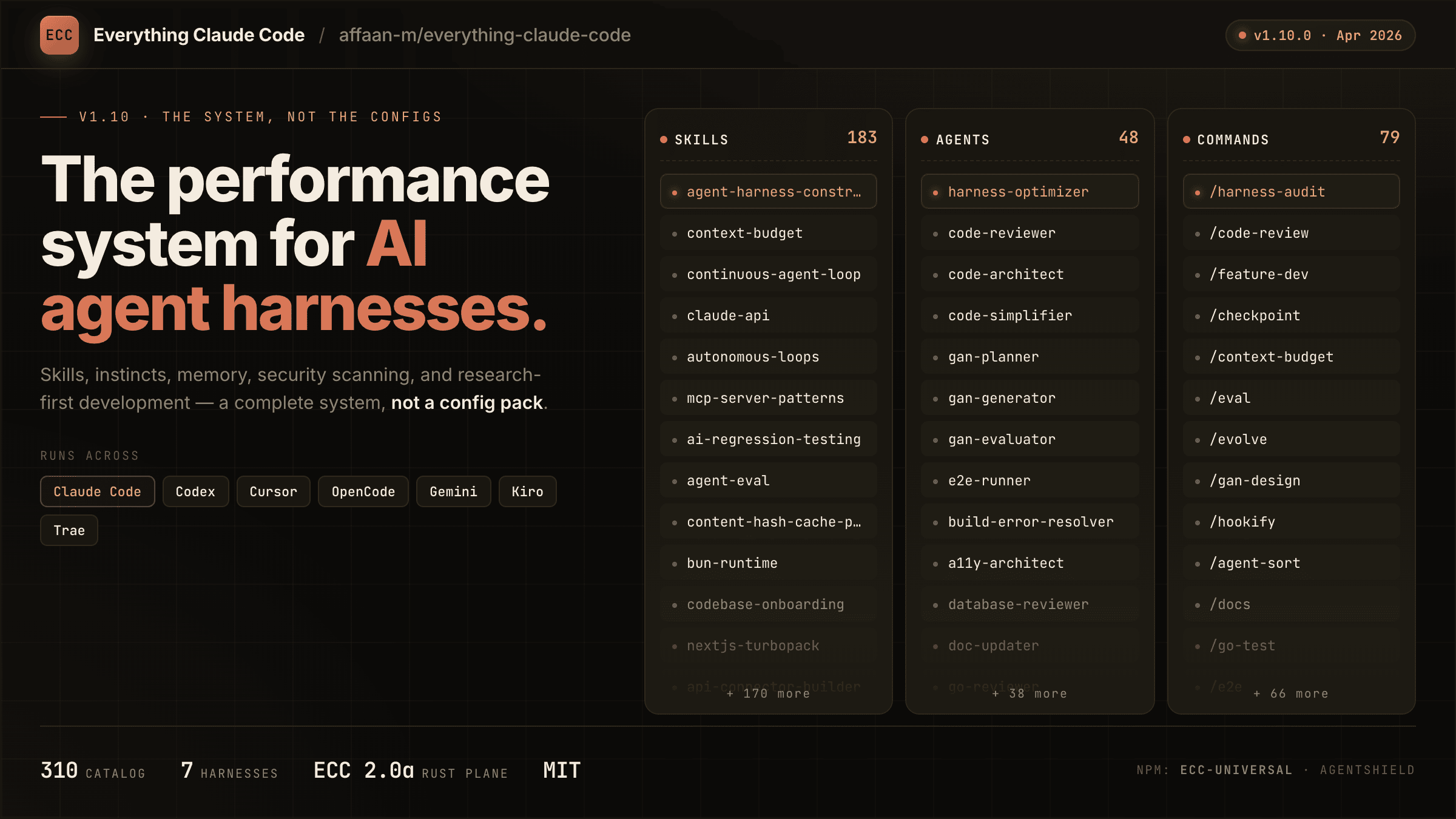
The agent harness performance optimization system. Skills, instincts, memory, security, and research-first development for Claude Code, Codex, Opencode, Cursor and beyond.
- 308k
- JavaScript
- MIT
- 1 d ago
Official Crawl4AI Cloud: a hosted web scraping, extraction, and search API for AI agents. Free API key, 1,000 credits a month, no card. Fully open source: this repo is the Apache-2.0 crawler that powers it, and you can self-host it.
Repo unclecode/crawl4ai, read from GitHub 7 min ago. unclecode has not joined Take My Repo.
unclecode/crawl4ai is a public repo on GitHub by unclecode. Official Crawl4AI Cloud: a hosted web scraping, extraction, and search API for AI agents. Free API key, 1,000 credits a month, no card. Fully open source: this repo is the Apache-2.0 crawler that powers it, and you can self-host it. It declares the Apache-2.0 license on GitHub. It is written mainly in Python, has 87,623 stars and last changed on 2026-11-20. Nobody has reviewed it on Take My Repo yet, which says nothing about its quality. Read from GitHub on 2026-11-21.
Crawl4AI Cloud is a hosted web scraping, extraction, and search API for AI agents and data pipelines. Turn pages into clean Markdown for RAG, extract structured JSON, or search the live web with one API key. Crawl4AI runs the browsers and manages the proxies.
Get a free API key · 1,000 free credits every month. No credit card required.
Try a URL in the playground · Set up Crawl4AI Cloud in Claude Code, Cursor, or Codex
This repository is home to the Apache-2.0 crawler that powers Crawl4AI Cloud. Run it yourself with Python or Docker.
Hosted API base URL: https://api.crawl4ai.com.
Cloud API reference · Agent setup and MCP
Set CRAWL4AI_KEY to your API key, then scrape a page as Markdown:
curl -s https://api.crawl4ai.com/scrape \
  -H "Authorization: Bearer $CRAWL4AI_KEY" \
  -H "Content-Type: application/json" \
  -d '{"url": "https://news.ycombinator.com"}' | jq -r .markdown
import json
import os
from urllib.request import Request, urlopen

request = Request(
    "https://api.crawl4ai.com/scrape",
    data=json.dumps({"url": "https://news.ycombinator.com"}).encode("utf-8"),
    headers={
        "Authorization": f"Bearer {os.environ['CRAWL4AI_KEY']}",
        "Content-Type": "application/json",
    },
    method="POST",
)

with urlopen(request) as response:
    print(json.load(response)["markdown"])
async function main() {
  const key = process.env.CRAWL4AI_KEY;
  if (!key) throw new Error("Set CRAWL4AI_KEY first.");

  const response = await fetch("https://api.crawl4ai.com/scrape", {
    method: "POST",
    headers: {
      Authorization: `Bearer ${key}`,
      "Content-Type": "application/json",
    },
    body: JSON.stringify({ url: "https://news.ycombinator.com" }),
  });

  if (!response.ok) {
    throw new Error(`Scrape failed (HTTP ${response.status}): ${await response.text()}`);
  }

  const { markdown } = await response.json();
  console.log(markdown);
}

main().catch((error) => {
  console.error(error.message);
  process.exitCode = 1;
});
Example Markdown output (illustrative excerpt):
# Hacker News

1. [Example story title](https://example.com/story)
2. [Another story title](https://example.com/another-story)
The same key works for /extract, /search, /serp, /answer and many URLs at once (/scrape/batch, /scrape/jobs). Pay as you go: live prices.
For Claude Code, connect to the hosted MCP server:
claude mcp add --transport http crawl4ai https://api.crawl4ai.com/mcp \
--header "Authorization: Bearer $CRAWL4AI_KEY"Latest: v0.9.6 (20 Nov 2026) · all releases →
pip install -U crawl4ai
crawl4ai-setup        # installs the browser, once
import asyncio from crawl4ai import AsyncWebCrawler async def main(): async with AsyncWebCrawler() as crawler: result = await crawler.arun(url="https://news.ycombinator.com") print(result.markdown) asyncio.run(main())
Docker server, CLI and every option: Installation · Self-hosted docs
| ☁️ Crawl4AI Cloud | 🐍 Library | 🐳 Your own server | |
|---|---|---|---|
| Runs the browsers | we do | you, in your Python process | you, in Docker on your machine |
| JS-heavy pages and bot walls | handled for you, automatically | your settings, your proxies | your settings, your proxies |
| Web search | /search, /serp and /answer |
– | – |
| Price | 1,000 free credits a month; plans from $10 | Free, Apache-2.0. You cover infrastructure. | Free, Apache-2.0. You cover hosting. |
I grew up on an Amstrad, thanks to my dad, and never stopped building. In grad school I specialized in NLP and built crawlers for research. That’s where I learned how much extraction matters.
In 2023, I needed web-to-Markdown. The “open source” option wanted an account, API token, and $16, and still under-delivered. I went turbo anger mode, built Crawl4AI in days, and it went viral.
I made it open source for availability, anyone can use it without a gate. Now I’m building the platform for affordability, anyone can run serious crawls without breaking the bank. If that resonates, join in, send feedback, or just crawl something amazing.
That platform is live now: Crawl4AI Cloud.
PruningContentFilterLXML, BM25ContentFilter (for a query) and LLMContentFilter.☁️ Same in the cloud: POST /scrape returns this Markdown, with no browser to run. Docs →
JsonCssExtractionStrategy, JsonXPathExtractionStrategy, RegexExtractionStrategy).generate_schema writes a reusable schema.LLMExtractionStrategy).CosineStrategy).☁️ Same in the cloud: POST /extract, with no LLM key of your own. Docs →
enable_stealth, and an undetected-browser adapter for sites that detect automation.resume_state) for long crawls.AdaptiveCrawler stops when it has learned enough to answer your query.AsyncUrlSeeder (sitemaps, Common Crawl) and DomainMapper; prefetch=True finds URLs 5 to 10 times faster.scan_full_page) for infinite scroll and lazy images.srcset, internal and external links, iframes, metadata.raw: and file://.arun_many with a memory-adaptive dispatcher.☁️ Same in the cloud: up to 50 URLs in one streamed call, or 10,000 in a background job. Docs →
CRAWL4AI_API_TOKEN./md, /html, /crawl, /crawl/stream, /screenshot, /pdf, /execute_js.☁️ Rather not run a server? The cloud is the same idea, hosted. Get a key →
GET /search, browser-free, ranked and cleaned. Docs →GET /serp, Google's results page as data: true ranks, every block, localised to a place. Beta. Docs →GET /answer gives a direct answer to a question (experimental). Docs →POST /extract. Docs →pip install -U crawl4ai crawl4ai-setup # installs and sets up the browser crawl4ai-doctor # checks the installation
If the browser setup fails, install it by hand:
python -m playwright install --with-deps chromium
Pre-release versions: pip install crawl4ai --pre
Development install, for contributors:
git clone https://github.com/unclecode/crawl4ai.git
cd crawl4ai
pip install -e ".[all]"     # or: pip install -e .   (the core only)
The server needs a token. Without one it answers only inside its container.
export CRAWL4AI_API_TOKEN="$(openssl rand -hex 32)"
docker run -d -p 11235:11235 --name crawl4ai --shm-size=1g \
  -e CRAWL4AI_API_TOKEN="$CRAWL4AI_API_TOKEN" \
  unclecode/crawl4ai:latest
Test it (allow about 10 seconds for the start):
curl -s http://localhost:11235/md \
  -H "Authorization: Bearer $CRAWL4AI_API_TOKEN" \
  -H "Content-Type: application/json" \
  -d '{"url": "https://news.ycombinator.com"}' | jq -r .markdown
The dashboard is at http://localhost:11235/dashboard, the playground at http://localhost:11235/playground. LLM keys, MCP and every setting: Self-hosting guide.
# A page as Markdown
crwl https://news.ycombinator.com -o markdown

# Deep crawl, breadth first, at most 10 pages
crwl https://docs.crawl4ai.com --deep-crawl bfs --max-pages 10

# Ask a question about a page (needs an LLM key: crwl config)
crwl https://www.example.com/products -q "Extract all product prices"
More in docs/examples.
import asyncio
from crawl4ai import AsyncWebCrawler, BrowserConfig, CrawlerRunConfig, CacheMode
from crawl4ai.content_filter_strategy import PruningContentFilterLXML
from crawl4ai.markdown_generation_strategy import DefaultMarkdownGenerator

async def main():
    run_config = CrawlerRunConfig(
        cache_mode=CacheMode.BYPASS,
        markdown_generator=DefaultMarkdownGenerator(
            content_filter=PruningContentFilterLXML(threshold=0.48, threshold_type="fixed", min_word_threshold=0)
        ),
    )
    async with AsyncWebCrawler(config=BrowserConfig(headless=True)) as crawler:
        result = await crawler.arun(url="https://en.wikipedia.org/wiki/Web_crawler", config=run_config)
        print(len(result.markdown.raw_markdown), "characters of raw Markdown")
        print(len(result.markdown.fit_markdown), "characters after the filter")

asyncio.run(main())
import asyncio, json
from crawl4ai import AsyncWebCrawler, BrowserConfig, CrawlerRunConfig, CacheMode, JsonCssExtractionStrategy

schema = {
    "name": "Quotes",
    "baseSelector": "div.quote",
    "fields": [
        {"name": "text", "selector": "span.text", "type": "text"},
        {"name": "author", "selector": "small.author", "type": "text"},
        {"name": "tags", "selector": "a.tag", "type": "list", "fields": [{"name": "tag", "type": "text"}]},
    ],
}

async def main():
    run_config = CrawlerRunConfig(
        extraction_strategy=JsonCssExtractionStrategy(schema),
        scan_full_page=True,   # scroll to the end, so the page loads every quote
        scroll_delay=0.5,
        cache_mode=CacheMode.BYPASS,
    )
    async with AsyncWebCrawler(config=BrowserConfig(headless=True)) as crawler:
        result = await crawler.arun(url="https://quotes.toscrape.com/scroll", config=run_config)
        quotes = json.loads(result.extracted_content)
        print(f"Extracted {len(quotes)} quotes")
        print(json.dumps(quotes[0], indent=2))

asyncio.run(main())
import os, asyncio
from pydantic import BaseModel, Field
from crawl4ai import AsyncWebCrawler, CrawlerRunConfig, CacheMode, LLMConfig, LLMExtractionStrategy

class ModelFee(BaseModel):
    model_name: str = Field(..., description="Name of the model.")
    input_fee: str = Field(..., description="Fee for input tokens.")
    output_fee: str = Field(..., description="Fee for output tokens.")

async def main():
    run_config = CrawlerRunConfig(
        cache_mode=CacheMode.BYPASS,
        extraction_strategy=LLMExtractionStrategy(
            # any provider LiteLLM supports, e.g. "ollama/llama3.3" with api_token="no-token"
            llm_config=LLMConfig(provider="openai/gpt-6-luna", api_token=os.getenv("OPENAI_API_KEY")),
            schema=ModelFee.model_json_schema(),
            extraction_type="schema",
            instruction="Extract every model name with its input and output token fee.",
        ),
    )
    async with AsyncWebCrawler() as crawler:
        result = await crawler.arun(url="https://openai.com/api/pricing/", config=run_config)
        print(result.extracted_content)

asyncio.run(main())
import os, asyncio
from pathlib import Path
from crawl4ai import AsyncWebCrawler, BrowserConfig, CrawlerRunConfig, CacheMode

async def main():
    user_data_dir = os.path.join(Path.home(), ".crawl4ai", "browser_profile")
    os.makedirs(user_data_dir, exist_ok=True)
    browser_config = BrowserConfig(headless=True, user_data_dir=user_data_dir, use_persistent_context=True)
    run_config = CrawlerRunConfig(cache_mode=CacheMode.BYPASS, magic=True)
    async with AsyncWebCrawler(config=browser_config) as crawler:
        result = await crawler.arun(url="ADDRESS_OF_A_CHALLENGING_WEBSITE", config=run_config)
        print(result.success, len(result.markdown))

asyncio.run(main())
We welcome contributions from the open-source community. Check out our contribution guidelines for more information.
This project is licensed under the Apache License 2.0, attribution is recommended via the badges below. See the Apache 2.0 License file for details.
When using Crawl4AI, you must include one of the following attribution methods:
| Theme | Badge |
|---|---|
| Disco Theme (Animated) |  |
| Night Theme (Dark with Neon) |  |
| Dark Theme (Classic) |  |
| Light Theme (Classic) |  |
HTML code for adding the badges:
<!-- Disco Theme (Animated) -->
<a href="https://github.com/unclecode/crawl4ai">
  <img src="https://raw.githubusercontent.com/unclecode/crawl4ai/main/docs/assets/powered-by-disco.svg" alt="Powered by Crawl4AI" width="200"/>
</a>

<!-- Night Theme (Dark with Neon) -->
<a href="https://github.com/unclecode/crawl4ai">
  <img src="https://raw.githubusercontent.com/unclecode/crawl4ai/main/docs/assets/powered-by-night.svg" alt="Powered by Crawl4AI" width="200"/>
</a>

<!-- Dark Theme (Classic) -->
<a href="https://github.com/unclecode/crawl4ai">
  <img src="https://raw.githubusercontent.com/unclecode/crawl4ai/main/docs/assets/powered-by-dark.svg" alt="Powered by Crawl4AI" width="200"/>
</a>

<!-- Light Theme (Classic) -->
<a href="https://github.com/unclecode/crawl4ai">
  <img src="https://raw.githubusercontent.com/unclecode/crawl4ai/main/docs/assets/powered-by-light.svg" alt="Powered by Crawl4AI" width="200"/>
</a>

<!-- Simple Shield Badge -->
<a href="https://github.com/unclecode/crawl4ai">
  <img src="https://img.shields.io/badge/Powered%20by-Crawl4AI-blue?style=flat-square" alt="Powered by Crawl4AI"/>
</a>
If you use Crawl4AI in your research or project, please cite:
@software{crawl4ai2024,
  author = {UncleCode},
  title = {Crawl4AI: Open-source LLM Friendly Web Crawler & Scraper},
  year = {2024},
  publisher = {GitHub},
  journal = {GitHub Repository},
  howpublished = {\url{https://github.com/unclecode/crawl4ai}},
  commit = {Please use the commit hash you're working with}
}
Text citation format:
UncleCode. (2024). Crawl4AI: Open-source LLM Friendly Web Crawler & Scraper [Computer software].
GitHub. https://github.com/unclecode/crawl4ai
Our mission is to unlock the value of personal and enterprise data by turning digital footprints into structured, useful assets. Crawl4AI gives individuals and organizations open-source tools to extract and structure data, and a fair way to benefit from it. Full mission statement →
These companies provide core infrastructure and technology that power Crawl4AI’s capabilities — from web access and proxy networks to AI tooling and data pipelines.
| Company | About |
|---|---|
 |
Massive provides a web access API for AI agents and data pipelines. Partnership details. |
Our enterprise sponsors support Crawl4AI and help scale it to power production-grade data pipelines.
| Company | About | Sponsorship Tier |
|---|---|---|
| Helps engineers and buyers find, compare, and source electronic & industrial parts in seconds, with specs, pricing, lead times & alternatives. | 🥇 Gold | |
| Kidocode is a hybrid technology and entrepreneurship school for kids aged 5–18, offering both online and on-campus education. | 🥇 Gold | |
 |
Singapore-based Aleph Null is Asia’s leading edtech hub, dedicated to student-centric, AI-driven education—empowering learners with the tools to thrive in a fast-changing world. | 🥇 Gold |
Interested in partnering with Crawl4AI?
Whether you’re a proxy provider, AI infrastructure company, cloud platform, or an organization looking to support the Crawl4AI ecosystem, we’d love to hear from you.
📩 Contact: hello@crawl4ai.com
A heartfelt thanks to our individual supporters! Every contribution helps us keep our opensource mission alive and thriving!


Want to join them? Sponsor Crawl4AI →
Discord · X @unclecode · GitHub @unclecode · hello@crawl4ai.com
Happy crawling! 🕸️🚀
unclecode/crawl4ai is a public repo on GitHub by unclecode. Official Crawl4AI Cloud: a hosted web scraping, extraction, and search API for AI agents. Free API key, 1,000 credits a month, no card. Fully open source: this repo is the Apache-2.0 crawler that powers it, and you can self-host it.
It declares the Apache-2.0 license on GitHub.
Its maker has not tagged a system, so it is unknown here. Its README says what it needs.
Open "Take it" on its page: Take My Repo writes an install plan for your machine and hands it to your AI agent (Claude Code, Codex or Cursor), which asks you before each step. Take My Repo has not tested it on any machine.
Its last change on GitHub was on 2026-11-20. Take My Repo does not judge from that whether it is maintained.
Nobody has reviewed it on Take My Repo yet, which says nothing about its quality.
The agent harness performance optimization system. Skills, instincts, memory, security, and research-first development for Claude Code, Codex, Opencode, Cursor and beyond.
Knowledge infrastructure to make your agents smarter. Search, scrape and access 550+ data providers through one API.
Reverse engineer anything with agents, from app behavior down to native binaries.
🕷️ The BEST Web Scraping framework that handles everything from a single request to a full-scale crawl! Don't be shy, join here: https://discord.gg/EMgGbDceNQ and follow here for daily tips and tricks: https://x.com/Scrapling_dev
Who is really behind that API? Fingerprint any OpenAI-compatible endpoint in the browser: 9 infrastructure probes, side-by-side comparison, community-extensible.
𝙏𝙪𝙧𝙣𝙞𝙣𝙜 𝙨𝙢𝙖𝙡𝙡 𝙩𝙖𝙨𝙠 𝙙𝙚𝙨𝙘𝙧𝙞𝙥𝙩𝙞𝙤𝙣𝙨 𝙞𝙣𝙩𝙤 𝙢𝙚𝙜𝙖 𝙥𝙧𝙤𝙢𝙥𝙩𝙨 𝙖𝙪𝙩𝙤𝙢𝙖𝙜𝙞𝙘𝙖𝙡𝙡𝙮.
GroqChat: Local ChatGPT-like environment in your browser using best open model LLama 3.1 Series on the Grow fastest inference engine.
🎥➡️📝 Hermes: Blazing-fast video transcription powered by AI gods! Transcribe 6.5 minutes of video in just 1 second using Groq's LPU. Choose your transcription deity: MLX Whisper (local), Groq (speed demon), or OpenAI (cloud classic). Convert speech to text faster than Hermes delivering messages on Olympus!





