
opencodedocs
Source-driven tutorials for libraries & software. Auto-generated, auto-verified, and strictly synced with source code changes. Say goodbye to broken examples. Powered by OpenCode Agents.
- 69
- 9 mo ago
Repo vbgate/opencodedocs, read from GitHub 1 d ago. vbgate has not joined Take My Repo.
In short
vbgate/opencodedocs is a public repo on GitHub by vbgate. Source-driven tutorials for libraries & software. Auto-generated, auto-verified, and strictly synced with source code changes. Say goodbye to broken examples. Powered by OpenCode Agents. It declares no license on GitHub. Public does not mean open source: without a license, nobody is granted the right to reuse it. It is written mainly in TypeScript, has 69 stars and last changed on 2026-03-04. Nobody has reviewed it on Take My Repo yet, which says nothing about its quality. Read from GitHub on 2026-11-24.
🔥 OpenCodeDocs
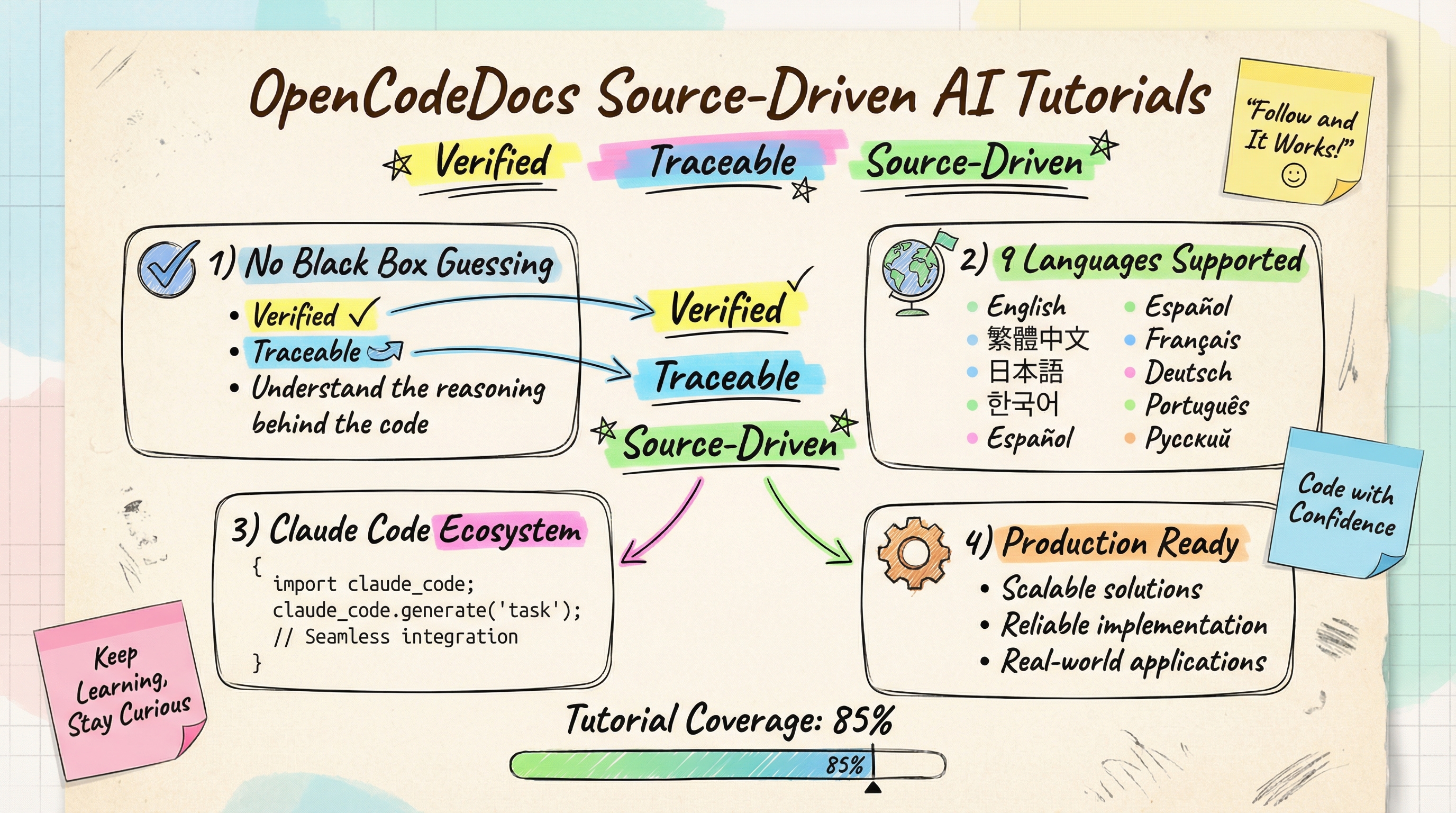
🎯 #1 AI Ecosystem Tutorial Site · Source-Driven · 100% Runnable
AI tools iterating too fast? Official docs can't keep up? Tutorials online are outdated?
We deeply analyze open source project source code, and every line of code is verified. ✅ Follow along, succeed on the first try, no detours.
语言
简体中文 · English · 日本語 · 한국어 · Español · Français · Deutsch · Português · Русский · 繁體中文
💡 Have you encountered these situations?
- ❌ Official docs lag behind, following tutorials but can't get it working?
- ❌ Online tutorials are just copy-paste, code won't run?
- ❌ Encounter errors, search everywhere but can't find solutions?
- ❌ Want to advance, but can't find practical guidance diving into source code?
OpenCodeDocs is specifically designed to solve these problems.
✨ Why Choose OpenCodeDocs?
🎯 Source-Verified, No Hallucinations
Not copied from the internet, but core logic derived from real source code
We deeply analyze open source project source code, ensuring every line of code passes automated verification. Tutorials specify the exact Git Commit version, so you know exactly which version the code is based on.
🚀 Continuous Updates, Synchronized Upgrades
When tools update, tutorials update automatically
When projects release new versions, our tutorials update synchronously. You don't need to worry about outdated tutorials—always learn the latest content.
💡 Our tutorials are rapidly updating, continuously adding more high-quality projects!
🌍 10+ Languages, Globally Accessible
Chinese, English, Japanese, Korean, Spanish, French, German, Portuguese, Russian, Traditional Chinese...
No matter where you're from, learn AI tools in your native language.
✅ 100% Runnable, Zero Trial-and-Error
Follow along, succeed on the first try, no guessing, no trial and error
Every step of our tutorials is verified, from installation to deployment. Just follow along and it will work. No frustration, no pitfalls, no detours.
👤 Which category do you belong to?
🌱 AI Tool Beginners
Can't install? Can't configure? Don't worry, we have step-by-step tutorials
- Zero knowledge needed to get started
- Detailed explanations for every step
- Solutions for common errors
💻 Advanced Developers
Want to advance? Let's dive deep into source code
- Multi-account rotation techniques
- Token-saving secrets
- Agent automation in practice
- Deep analysis at source code level
🏢 Tech Teams
Need unified standards for team collaboration?
- Reusable best practices
- Complete project structure
- Production deployment guide
🚀 Get Started in 3 Minutes
Step 1: Clone Repository
git clone https://github.com/vbgate/opencodedocs.git
cd opencodedocs/site
Step 2: Install Dependencies
npm install
Step 3: Start Development Server
npm run dev
Visit http://localhost:5173 and start your AI tool learning journey! 🎉
💡 Tip: You can also visit opencodedocs.com to view online documentation.
📂 Project Structure
site/
├── docs/                      # Documentation root
│   ├── zh/                    # Chinese tutorials 🇨🇳
│   ├── en/                    # English tutorials 🇺🇸
│   ├── ja/                    # Japanese tutorials 🇯🇵
│   ├── ko/                    # Korean tutorials 🇰🇷
│   ├── es/                    # Spanish tutorials 🇪🇸
│   ├── fr/                    # French tutorials 🇫🇷
│   ├── de/                    # German tutorials 🇩🇪
│   ├── pt/                    # Portuguese tutorials 🇵🇹
│   ├── ru/                    # Russian tutorials 🇷🇺
│   ├── zh-tw/                 # Traditional Chinese tutorials 🇹🇼
│   ├── .vitepress/            # VitePress configuration
│   │   ├── config.mts         # Main config file
│   │   ├── sidebar.config.ts  # Sidebar auto-generation
│   │   └── theme/             # Custom theme components
│   ├── about.md               # About us
│   └── terms.md               # Terms of service
├── scripts/                   # Utility scripts
│   ├── add-order-to-md.ts     # Add order field
│   ├── check-frontmatter.ts   # Check Frontmatter
│   └── create-category-indexes.ts  # Create category indexes
├── package.json               # Project configuration
├── tailwind.config.js         # Tailwind CSS configuration
└── postcss.config.js          # PostCSS configuration
🛠️ Tech Stack
| Technology | Version | Description |
|---|---|---|
| 1.x | Static site generator · Lightning-fast builds | |
| 3.4+ | Frontend framework · Composition API | |
| 4.x | Styling system · CSS-first configuration | |
| 5.9+ | Type safety · Compile-time checking | |
| 11.x | Diagram support · Flowchart visualization | |
| Pages | Global CDN · 200+ edge nodes |
📚 Development Guide
➕ Add New Tutorial
Create directory structure
docs/zh/[owner]/[repo]/
├── index.md          # Project homepage
├── start/            # Quick start
├── features/         # Feature introduction
└── faq/              # FAQ
Write Frontmatter
---
title: "Tutorial Title"              # 2-6 Chinese characters or 4-12 English words
order: 10                            # Sort order (10, 20, 30...)
sidebarTitle: "Sidebar Title"        # Optional
description: "SEO description"       # Search engine optimization
---
Verify Build
npm run docs:build
🌍 Add Multi-Language Support
Add project in docs/.vitepress/sidebar.config.ts:
const projects = [
  'owner/repo',  // Add your project
]
Then translate home-config.[lang].json files.
🎨 Customize Theme
- Component location:
docs/.vitepress/theme/components/ - Style file:
docs/.vitepress/theme/custom.css - Tailwind v4: Use CSS-first configuration
🚀 Deployment Guide
Local Build
npm run docs:build
Build output is located in docs/.vitepress/dist/ directory.
Deploy to Cloudflare Pages
# Auto deploy
npm run deploy
Preview Build Results
npm run docs:preview
⚡ Performance Optimization
- Image optimization: Use WebP format, compress under 200KB
- Code splitting: VitePress automatically splits by route
- CDN acceleration: Static assets automatically uploaded to Cloudflare CDN
- Prerendering: Core pages prerendered, first-screen load < 500ms
✅ Our site is deployed on a global CDN with lightning-fast access speed!
🤝 Contributing
We welcome community contributions! Submit your tutorials, fix bugs, add new features.
Contribution Workflow
Fork this repository
# Click the Fork button on GitHub pageCreate feature branch
git checkout -b feature/amazing-featureCommit changes
git commit -m 'Add amazing feature'Push to branch
git push origin feature/amazing-featureSubmit Pull Request
- Click the "Pull Request" button on GitHub
- Fill in PR description, explain your changes
🌟 Your contribution will help developers worldwide better use AI tools!
📥 Submit Tutorial Request
Want high-quality tutorials for your project? Just 3 steps!
📝 Submission Process
Step 1: Submit Issue
- Visit GitHub Issues
- Click "New Issue"
- Use the following template:
**Project Name**: [Project Name]
**GitHub Repository**: https://github.com/[owner]/[repo]
**Project Description**: [1-2 sentences describing project purpose]
**Target Audience**: [Beginner/Intermediate/Expert/All]
**Tutorial Language**: [Chinese/English/Other]
**Notes**: [Additional information]
Step 2: Team Review
- We review your application within 1-3 business days
- Evaluate whether the project is suitable for inclusion
- Confirm project source code quality and activity
Step 3: Tutorial Launch
- After approval, we automatically generate tutorials
- Verify runnable nature of every step
- Publish to official website, support multiple languages
⏱️ Processing Time
- Review cycle: 1-3 business days
- Tutorial generation: 3-7 business days
- Launch time: Immediately published after approval
❓ FAQ
Q: What types of projects are suitable for inclusion? A: Open source AI tools, development tools, libraries, frameworks, etc. Must have certain technical depth and usage value.
Q: Are tutorials free? A: Yes, our tutorials are completely free and will be continuously updated and maintained.
Q: Can I specify tutorial language? A: Yes, we support 10 languages. You can specify needed language in Issue.
🎯 Submit now: Create Issue →
📄 License
Site Code
Tutorial Content
Attribution - NonCommercial - ShareAlike
✅ You can:
- 📋 Share: Freely share and adapt
- 🔧 Modify: Create derivative works based on tutorial content
- 👥 Contribute: Submit your improvements
❌ You cannot:
- 💰 Commercial use: Unauthorized use for commercial purposes is prohibited
💡 If you want to use tutorials for commercial purposes, please contact us: vbgatecom@gmail.com
📞 Contact Us
Any questions or suggestions? Feel free to contact us!
- 📧 Email: vbgatecom@gmail.com
- 🐦 Twitter: @codingzys
- 💻 GitHub: vbgate/opencodedocs
- 📥 Submit Tutorial: GitHub Issues
- 🌐 Website: opencodedocs.com
🎉 Thank you for choosing OpenCodeDocs!
From first line of code to production-grade apps, we provide tutorials for every stage.
⭐ Star This Repo · 📥 Submit Tutorial Request · 💬 Join Discussion
Made with ❤️ by OpenCodeDocs Team
Questions
What is opencodedocs?
vbgate/opencodedocs is a public repo on GitHub by vbgate. Source-driven tutorials for libraries & software. Auto-generated, auto-verified, and strictly synced with source code changes. Say goodbye to broken examples. Powered by OpenCode Agents.
Is opencodedocs open source?
It declares no license on GitHub. Public does not mean open source: without a license, nobody is granted the right to reuse it.