rea
Reverse engineer anything with agents, from app behavior down to native binaries.
- 475k
- TypeScript
- MIT
- 9 min ago
ForwardX is an Android app that automatically copies messages from one Telegram chat to another, using your own account. Its Free, Automatic, Filterable and Always ON
Repo weebzone/ForwardX, read from GitHub 19 h ago. weebzone has not joined Take My Repo.
weebzone/ForwardX is a public repo on GitHub by weebzone. ForwardX is an Android app that automatically copies messages from one Telegram chat to another, using your own account. Its Free, Automatic, Filterable and Always ON. It declares no license on GitHub. Public does not mean open source: without a license, nobody is granted the right to reuse it. It has 39 stars and last changed on 2026-10-10. Nobody has reviewed it on Take My Repo yet, which says nothing about its quality. Read from GitHub on 2026-11-22.
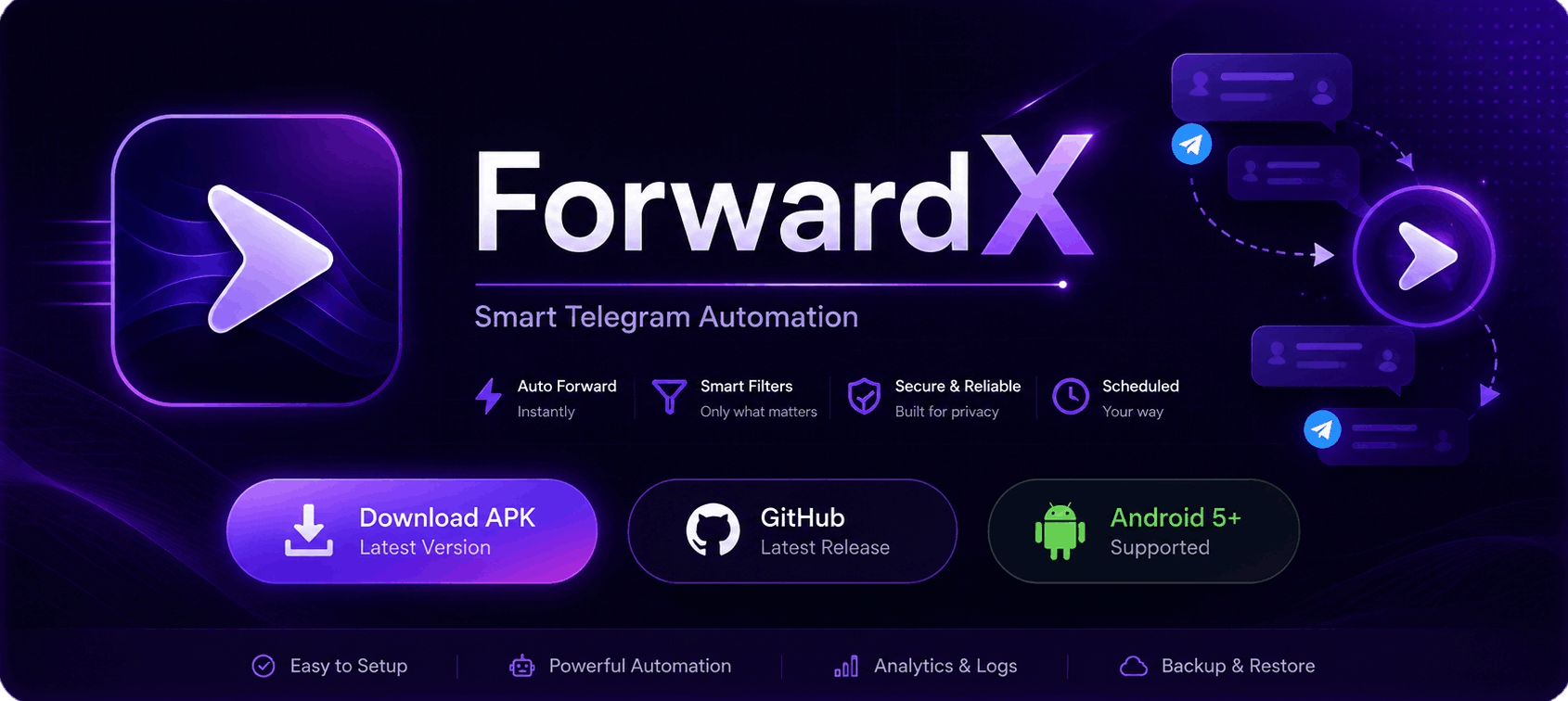
ForwardX is an Android app that automatically copies messages from one Telegram chat to another, using your own account. Its Free, Automatic, Filterable and Always ON

Latest stable APK • Free • No Ads
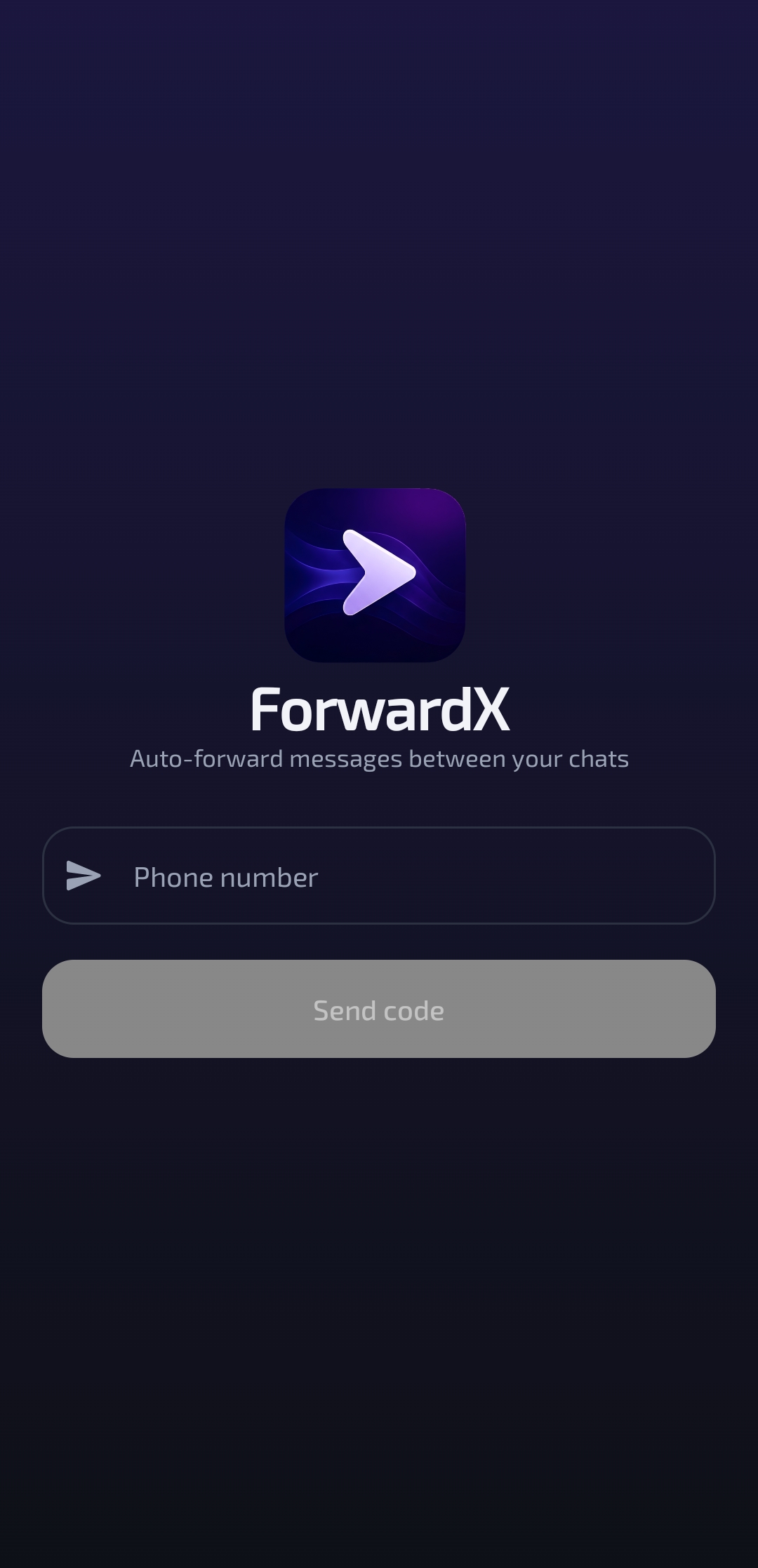
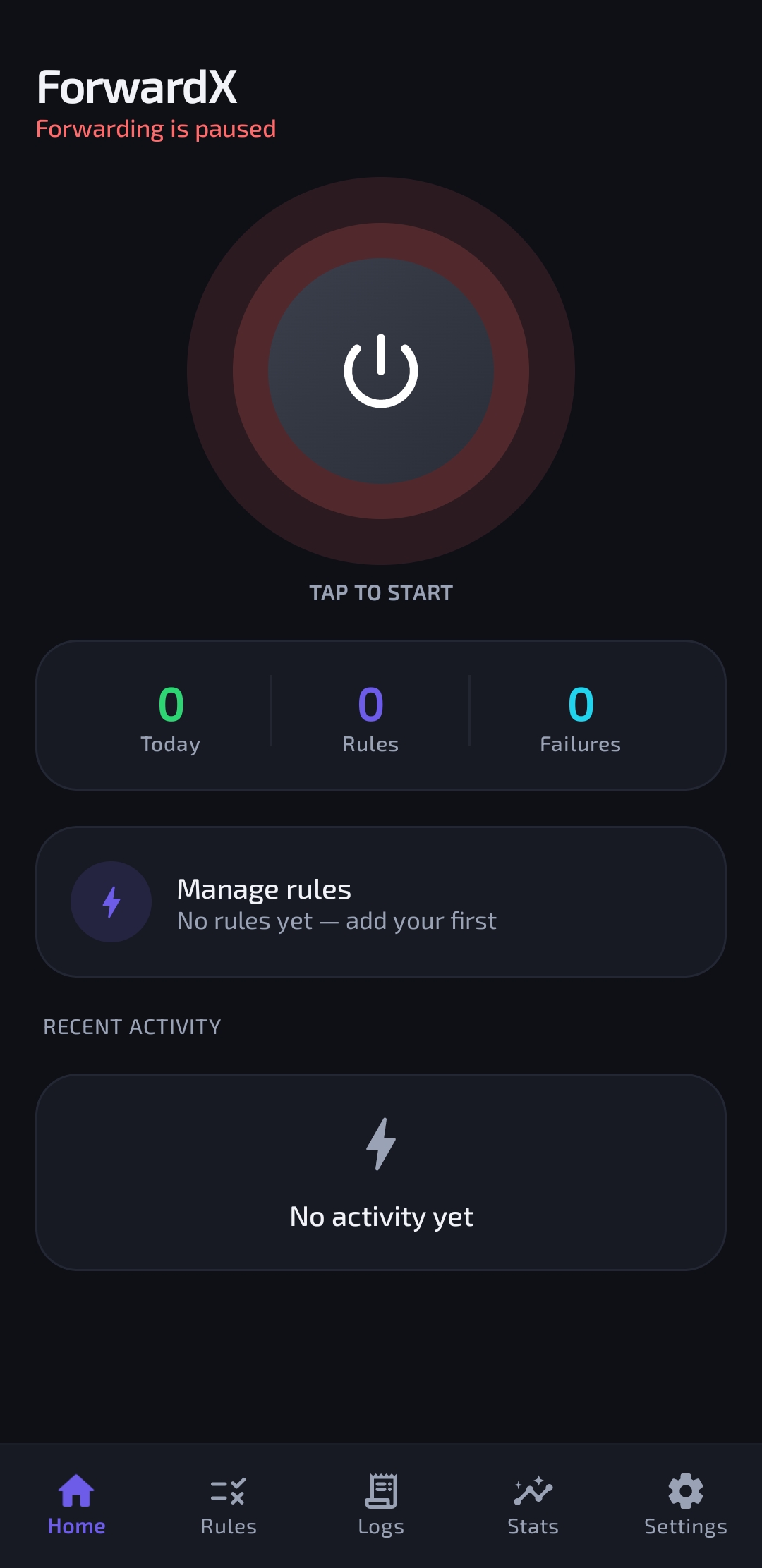
| Login | Home | PowerOn | Rules |
|---|---|---|---|
 |
 |
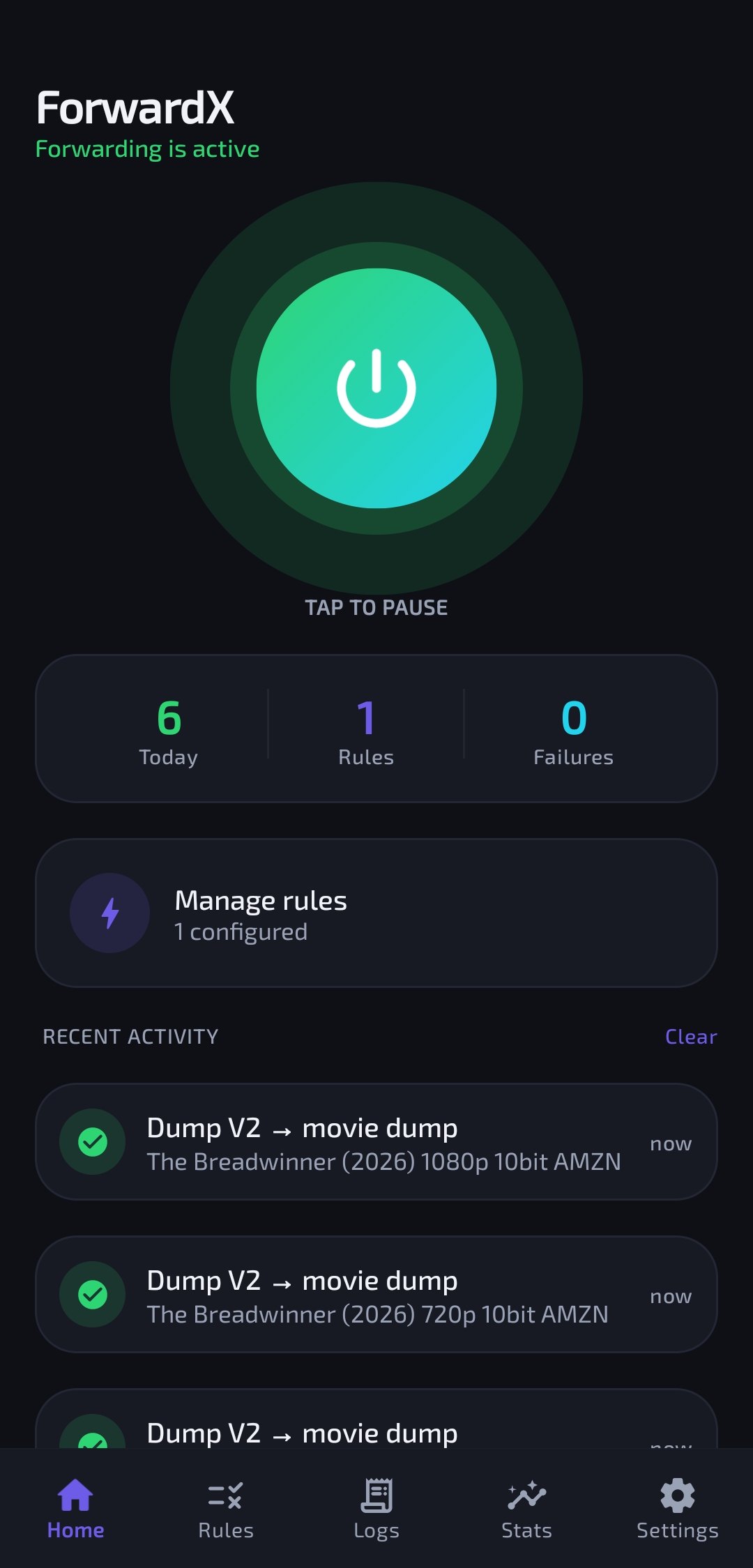 |
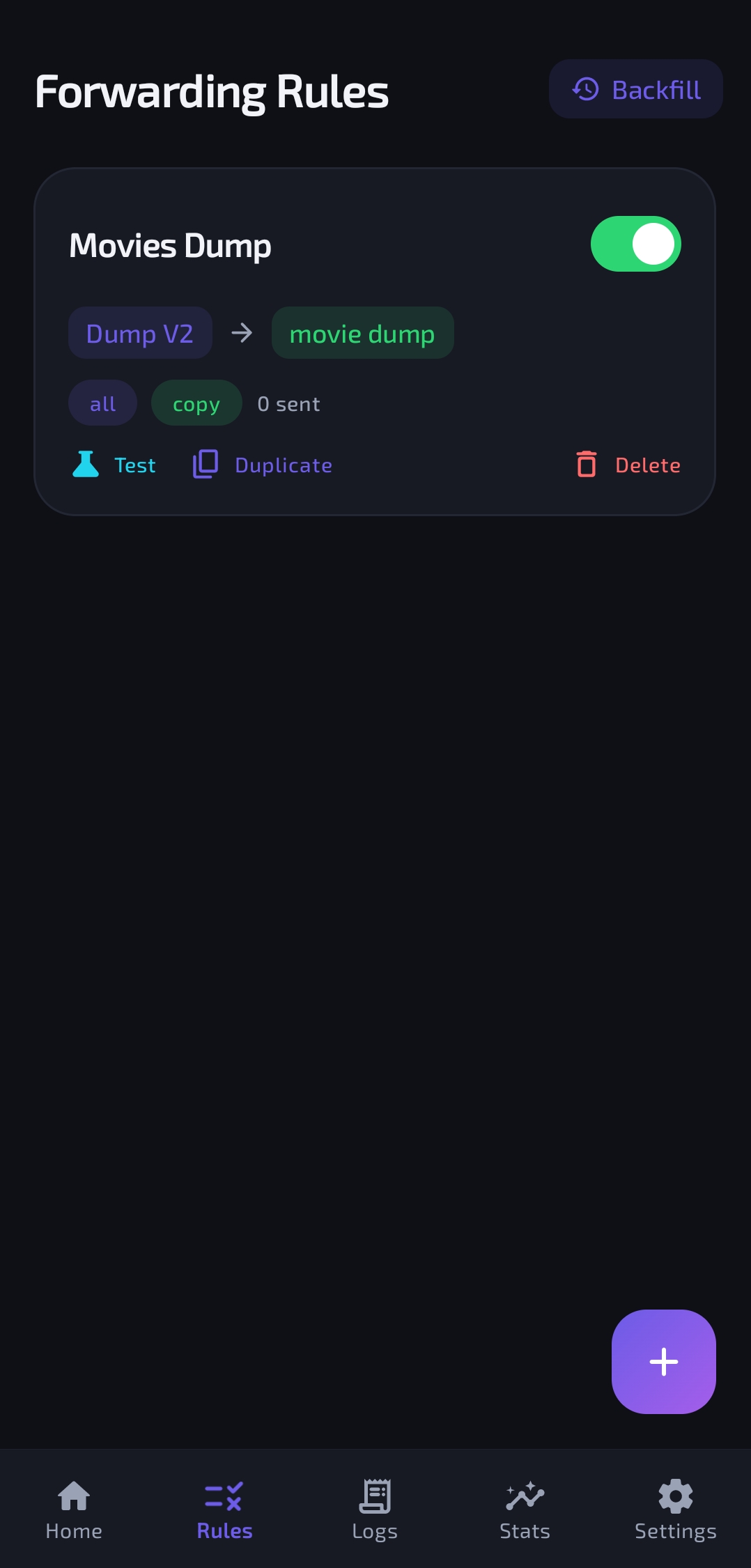 |
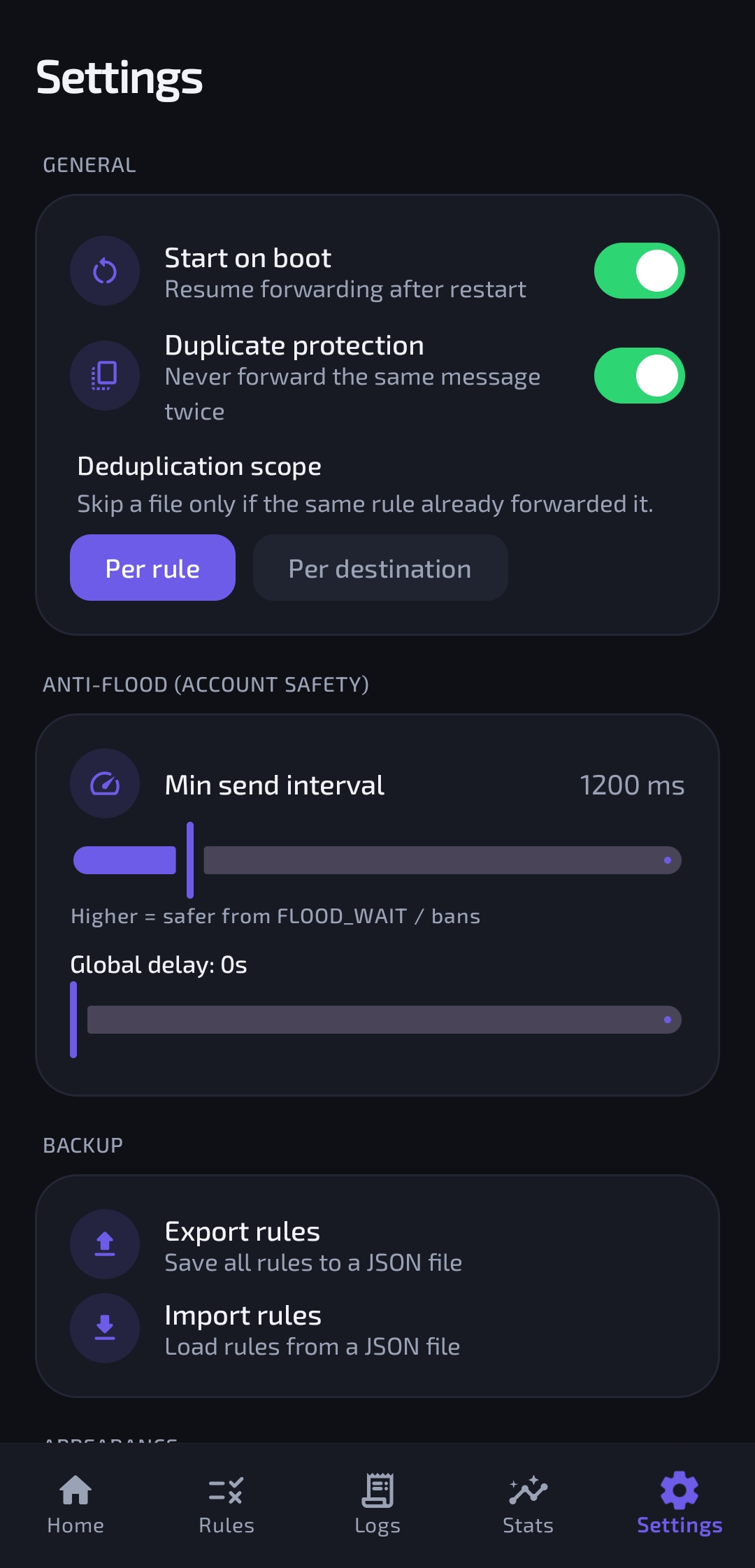
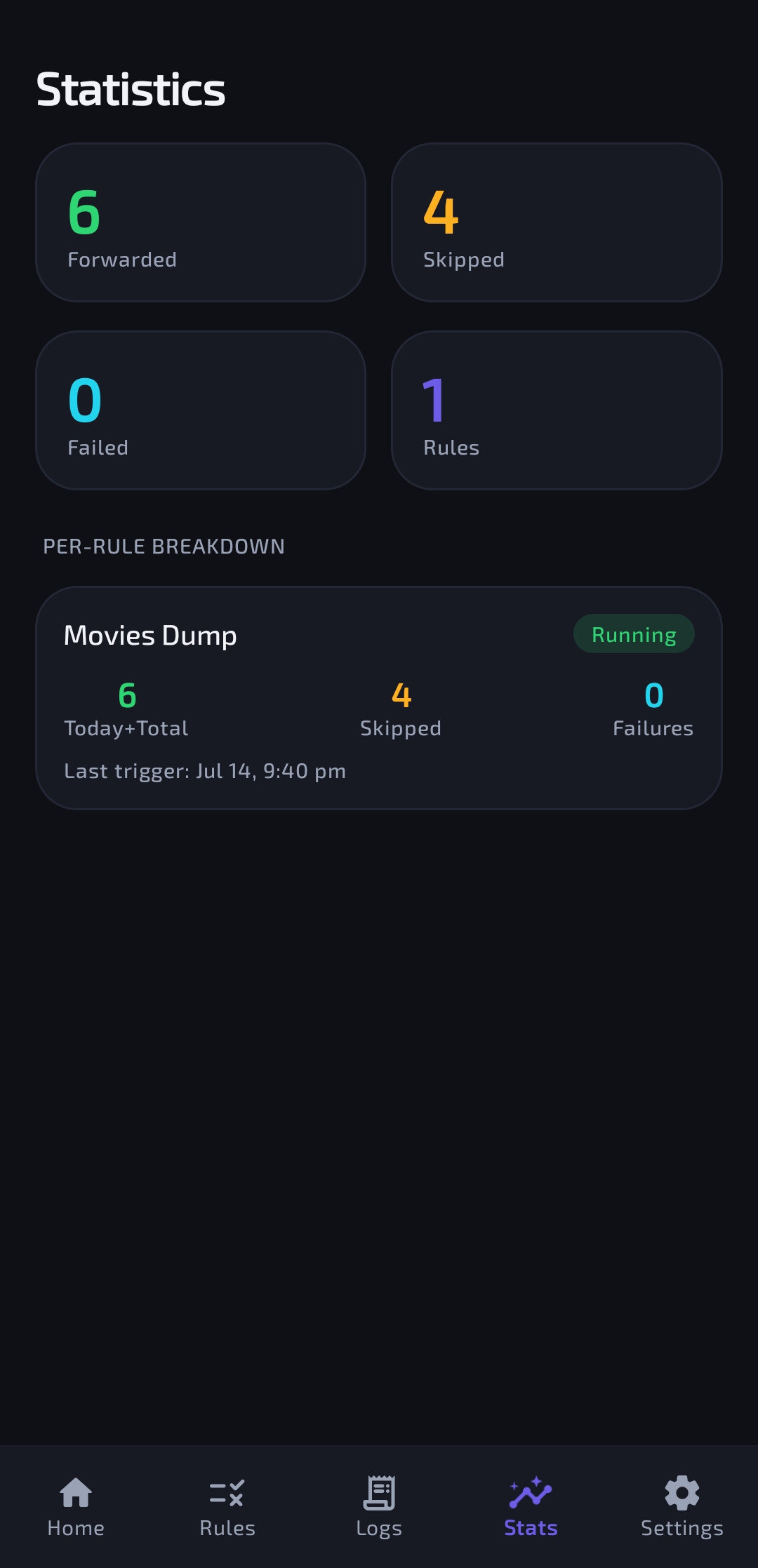
| Rule editor | Logs | Settings | Stats |
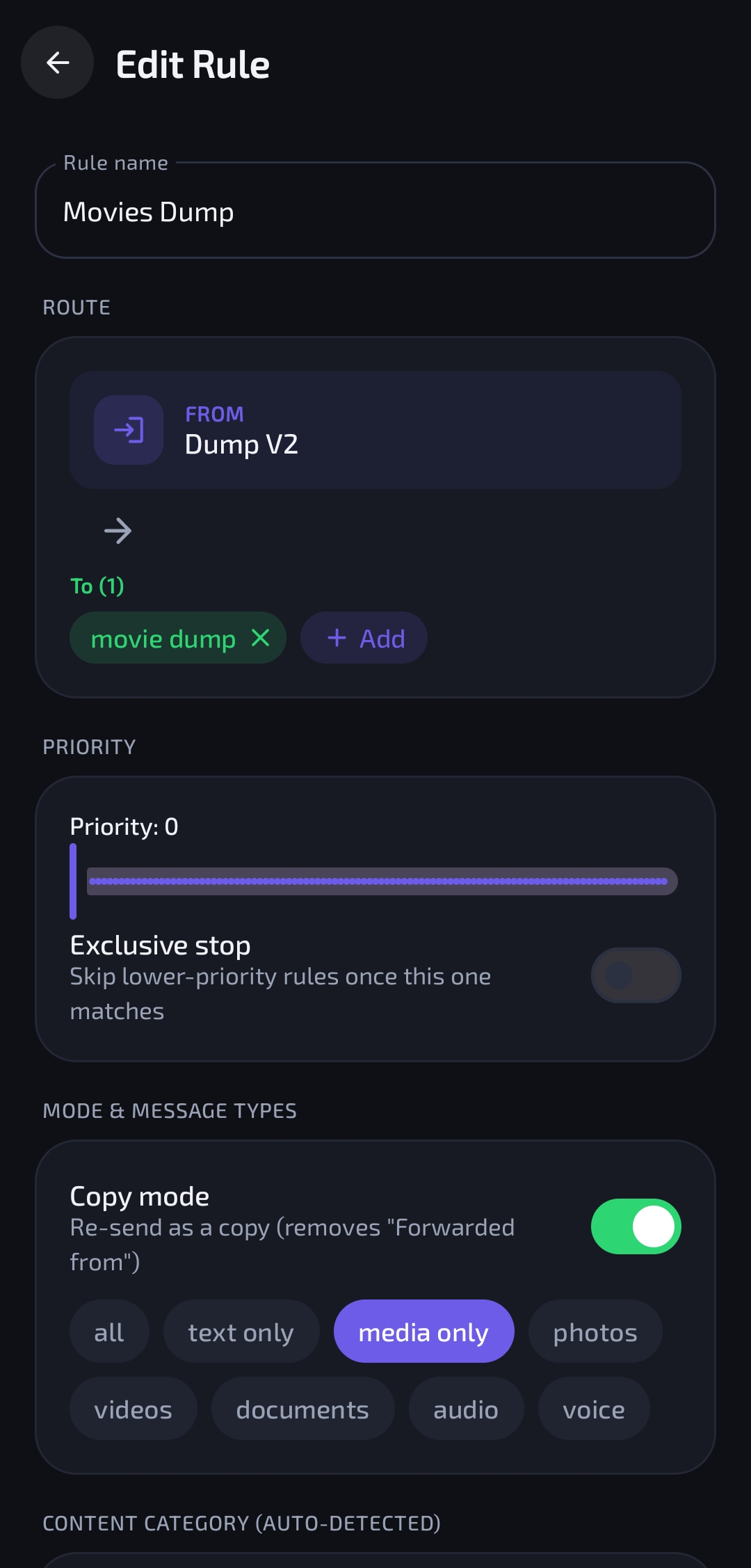 |
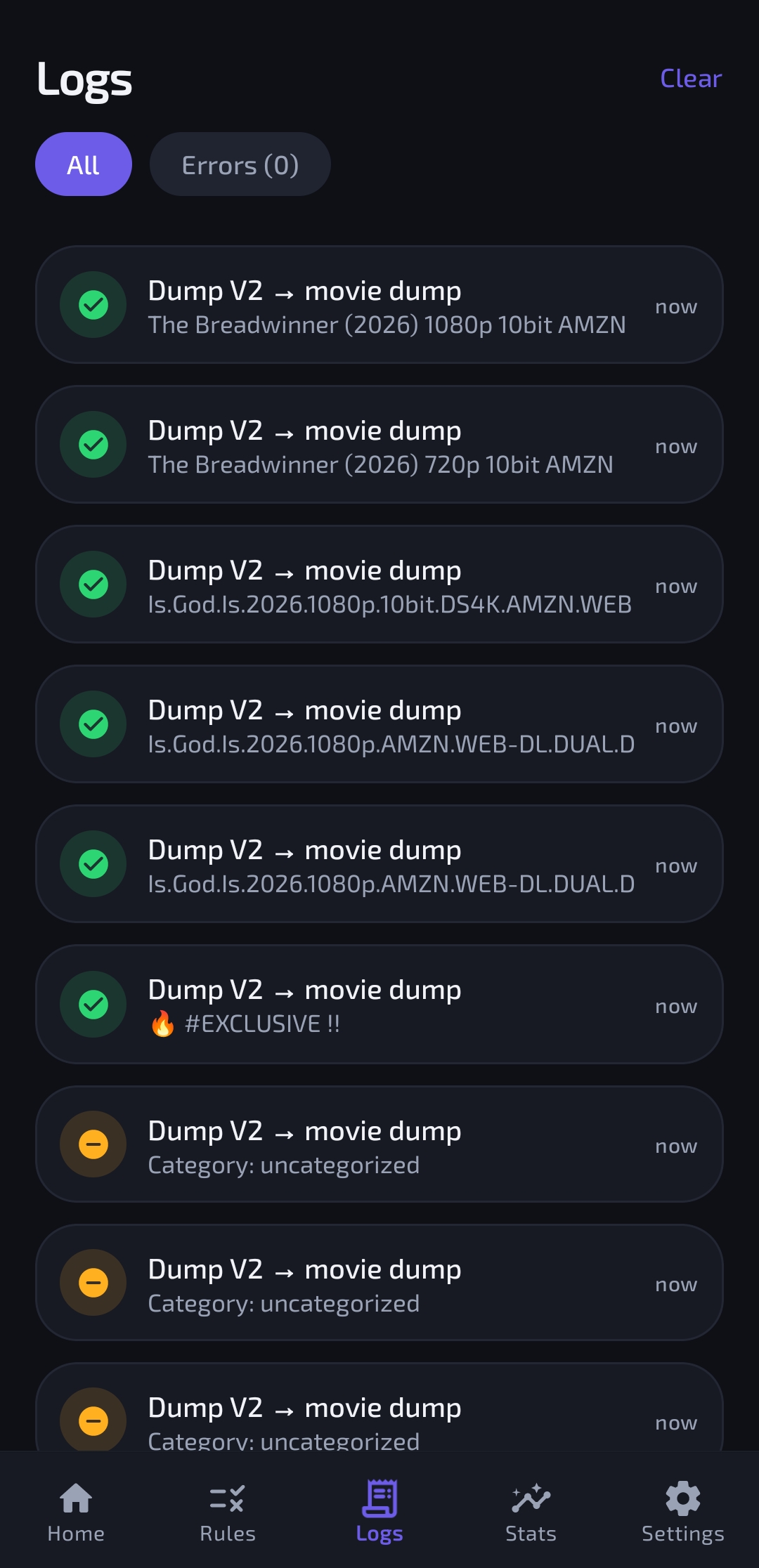 |
 |
 |
The app ships as a few different APK files — one per phone type. Pick just one:
| APK file | Pick this if… |
|---|---|
app-arm64-v8a-release.apk |
✅ You have a normal, modern phone (2017 or newer). Best choice for 95% of people — smallest download. |
app-armeabi-v7a-release.apk |
You have an older / low-end 32-bit phone. |
app-x86_64-release.apk |
You're running an Android emulator on a PC. |
app-universal-release.apk |
Not sure which one you need? This works on every device (just a bit bigger). |
🤔 Why so many files? Each phone chip needs slightly different internal code. Shipping the exact one your phone needs keeps the download small. When in doubt, grab
universal— it always works.
To install: download the APK → open it → allow "Install from unknown sources" if Android asks → tap Install. ✅
ForwardX logs in as you, so Telegram needs your own personal API keys first.
ForwardX, short name: forwardx, platform: Android — anything works here).api_id (a number) and an api_hash (a long string of letters and numbers). Keep both handy.+919876543210) → Send code.🔒 Your privacy: your credentials stay only on your phone. Nothing is ever uploaded anywhere.
Just three words to know:
The main power switch: on the Home screen there's a big toggle.
💡 Tip: you can build rules while forwarding is off, then flip the switch on once you're ready.
Let's forward everything from a channel called "Movies HD" into your own "My Backup" channel:
Movies backup.🎉 That's it! New posts in Movies HD now land in My Backup automatically.
⚠️ A rule only saves once it has a name, a source, and at least one destination.
Want to change it later? Rules tab → tap the rule. Want to try it safely first? Use the Test 🧪 button on the rule — nothing gets sent.
Fields are grouped into sections inside the rule editor. You really only need the first three (Name, From, To) — everything below is optional fine-tuning.
📝 Example: From =
Anime Uploads, To =My AnimeandBackup Drive Channel→ every match goes to both.
0–100): when several rules watch the same source, higher numbers get checked first.💡 A file can match multiple rules. Priority + Exclusive stop lets you send each message to exactly one place. See the category routing example.
⚠️ Caption edits (Section 5.9) only work when Copy mode is ON, since cleaning a caption means re-sending the message.
Choose exactly what this rule should forward:
ALL · TEXT ONLY · MEDIA ONLY · PHOTOS · VIDEOS · DOCUMENTS · AUDIO · VOICE
📝 Example: set to VIDEOS to skip text chatter and photos, and forward only video posts.
Automatically detects each file's type and forwards only the categories you pick — full details in Section 6. Leave everything off to allow any type.
Movie + Split = only split movies).Movie or Split).Forward messages only from certain senders:
📝 Example: in a busy group, set to Admins so only staff posts get forwarded.
1080p, 2160p, 4k → forwards posts mentioning any of those.sample, trailer, hdcam → skips samples, trailers, hdcam.| for alternatives).S\d{2}E\d{2} → only posts with an S01E02-style tag.100 skips tiny junk/sample files).1080p, x265..mkv, .mp4 → only those extensions.| = multiple) — e.g. S\d{2}E\d{2}\.mkv$.ℹ️ All filled-in file filters must pass together (AND). Empty ones are simply ignored.
Clean up messy captions before sending:
@usernames, #hashtags, emojis, and decorative symbols, then trims everything after the file extension (keeping a .001 split suffix if present).🎬 Tuck Jagadish (2021) 1080p WEB-DL.mkv
━━━━━━━━━━━
📥 via @SomeBot 🔗 https://t.me/somechannel
#Bollywood #Movies
Tuck Jagadish (2021) 1080p WEB-DL.mkv🎬 New upload:.Join @MyChannel.Only forward within a chosen time window and set of days.
📝 Example:
22:00 → 06:00, Mon–Fri → forwards only overnight on weekdays. (Overnight windows crossing midnight are supported.)
0–120s) — wait before sending each match (adds to the global delay in Settings).0–10) — how many times to retry a failed send.ForwardX reads each file's caption first, then its filename, and auto-tags it — no manual keyword typing needed.
A single film — detected by a release year or a standalone video/document with no episode markers.
Tuck Jagadish (2021) 1080p WEB-DL.mkv
Inception.2010.BluRay.x264.mkv
Interstellar 2014 2160p HDR.mkv
Episodic content with an S01E05, 1x05, or "Season + Episode" marker.
Loki S01E05 1080p.mkv
The Office 1x05.mkv
Breaking Bad Season 2 Episode 3.mkv
A multi-episode pack — episode ranges, or "complete / batch" whole-season packs.
Loki S01 E01-E06.mkv
One Piece Complete Season 1.mkv
Attack on Titan S04 Batch.zip
EP01 to EP12 720p
A multi-part upload — split file parts.
BigMovie.2021.1080p.mkv.001
Season.Pack.7z.002
film.part1.rar
Movie.cd2.avi
🔀 A file can be several categories at once. Example:
Loki S01 E01-E06.mkv.001is TV Show + Combined + Split, all together.
Since one file can match multiple categories, combine Priority + Exclusive stop so each file lands in exactly one place. Recommended setup (highest priority first), all with Exclusive stop ON and Must match ALL ON:
| Priority | Rule (categories) | Destination |
|---|---|---|
| 60 | Combined + Split + TV Show | Combined-Split-Series channel |
| 50 | Combined + TV Show | Combined-Series channel |
| 40 | Split + TV Show | Split-Series channel |
| 30 | TV Show | Series channel |
| 20 | Split + Movie | Split-Movies channel |
| 10 | Movie | Movies channel |
This exact setup is available as a ready-to-import recipe — see Section 10.
📝 Worked example: a post
Loki S01 E01-E06.mkvis detected as TV Show + Combined → matches the priority-50 rule first (Exclusive stop) → goes only to the Combined-Series channel.
Normally ForwardX only forwards new messages. Backfill sends the messages that already exist in a channel's history — perfect for when you set up a rule after the content was posted.
Open it: Rules tab → Backfill (top right).
It scans the source once and runs every historical message through all the rules for that source — so it obeys the exact same filters and category routing as live forwarding.
.../1200, To blank → message 1200 onward. From blank, To .../5000 → everything up to 5000. Both filled → just that slice.🐢 Backfilling a huge channel sends a lot of messages, paced by the anti-flood setting (Section 8) to keep your account safe — big imports simply take a while.
Live forwarding only works while ForwardX is actually running. So if your phone was switched off, the app was closed, or you lost internet, any messages posted during that gap were never forwarded — they slip through the cracks. ForwardX can fill that gap for you in two ways:
Behind the scenes this is simply a "New messages only" backfill (Section 7.2), so it's quick — and thanks to duplicate protection, it never re-sends anything you already have.
🔔 You'll know when it's done: whenever a backfill or catch-up finishes, ForwardX posts a notification with the result (e.g. "1,240 forwarded · 88 skipped · 3 failed") — so you don't have to sit and watch a long import.
| Setting | What it does |
|---|---|
| 🔁 Start on boot | Automatically resumes forwarding after your phone restarts — you don't have to open the app. (Just opening the app also resumes forwarding on its own.) |
| 📥 Auto catch-up on startup | When the app starts and reconnects, automatically forwards anything posted in your sources while it was offline, then continues live (see Section 7.4). Off by default. Runs only when the main power switch is ON. |
| 🛡️ Duplicate protection | Never forwards the same message twice (survives restarts). Scope: Per rule (default) or Per destination (skip if it already reached that destination via any rule — great when several sources feed one channel). |
| 🐢 Min send interval | Minimum gap between two sends. Higher = safer from Telegram rate limits. Start around 1200 ms, raise for big backfills. |
| ⏱️ Global delay | Extra pause added before every send, on top of each rule's own delay. |
| 🎨 Theme | System / Light / Dark. |
| 💾 Export / Import rules | Back up all rules to a JSON file, or load rules from a file — this is how you use the recipes. |
| 🚪 Log out | Disconnects your Telegram session and returns to the login screen. |
| ℹ️ About | Credits and links to other projects. |
Other screens: 📄 Logs shows every forward/skip/failure with the reason. 📊 Stats shows per-rule totals.
🧠 Why anti-flood matter: Telegram limits how fast an account can send. Too fast triggers a temporary "FLOOD_WAIT," or worst case, a ban. ForwardX funnels all sends through one paced queue to stay under the limit — that's why sends are spaced out on purpose.
Confused about what forwards, when, and why? It all comes down to 3 switches and 2 ways a message gets delivered.
| Switch | Where | What it does |
|---|---|---|
| 🔘 Power button | Home | The master ON/OFF. Nothing forwards unless this is ON. |
| 🔁 Start on boot | Settings | After the phone restarts, turns the power back on by itself. |
| 📥 Auto catch-up | Settings | After being offline, automatically forwards the messages that were missed. |
🏆 The one golden rule: messages forward only while the background worker is alive. Everything else is just about (a) keeping it alive and (b) filling the gaps from when it wasn't. The worker keeps running even when you swipe the app away — it only dies when the phone turns off or Android kills it to save battery.
When the Power button is ON:
| Situation | Worker alive? | The file… | When you reopen the app |
|---|---|---|---|
| App open, you're using it | ✅ | forwarded instantly (live) | nothing to do |
| You swipe the app away | ✅ (it survives) | forwarded instantly (live) | nothing to do |
| Android killed it in the background | ❌ | missed during the dead time | forwarding resumes → Auto catch-up ON: sent automatically · OFF: tap the catch-up card |
| Phone powered off / restarted | ❌ | missed while off | see "After a restart" below |
When the Power button is OFF: nothing is forwarded at all, in any situation — and catch-up won't run either (it needs Power ON).
| Start on boot | What happens |
|---|---|
| ON | Forwarding turns itself back on automatically — no need to open the app. |
| OFF | Forwarding stays off until you open the app (opening it turns forwarding back on). |
Then, once forwarding is back on:
| Auto catch-up | The files missed while the phone was off… |
|---|---|
| ON | get forwarded automatically. |
| OFF | wait for you — the catch-up card appears on Home; tap it to send them. |
⚠️ Start on boot only does something if the power was ON before the phone turned off. If you'd already turned forwarding off, it stays off after a reboot.
For truly hands-free, never-miss-anything forwarding, turn on all three:
Power ON + Start on boot ON + Auto catch-up ON
That way, after any reboot or background-kill, ForwardX restarts itself, forwards anything it missed, and keeps going — you never have to touch it. And if you ever open the app and see no catch-up card, that means nothing was missed. 🎯
Import these to get started fast: Settings → Import rules → paste the JSON (or load the file). After importing, open each rule and set its From/To — recipes ship with placeholders since only you know your channel IDs.
| Recipe | What it does |
|---|---|
simple-mirror.json |
Forwards everything from one chat to another. |
movies-clean-captions.json |
Forwards only movies, in copy mode, with fully cleaned captions. |
keyword-and-schedule.json |
Only 1080p/4k videos over 100 MB, skips samples/ads, overnight only. |
media-routing-rules.json |
The full 6-category routing set (Movies, Split Movies, TV, Split TV, Combined TV, Combined Split TV) with priority + exclusive-stop. |
Category values for JSON:
"MOVIE","TV_SHOW","COMBINED","SPLIT"Media types:"ALL","TEXT_ONLY","MEDIA_ONLY","PHOTOS","VIDEOS","DOCUMENTS","AUDIO","VOICE"File sizes are in bytes (100 MB =104857600). Schedule times are minutes from midnight (1320= 22:00).scheduleDaysMaskis a bitmask (127= every day).
weebzone/ForwardX is a public repo on GitHub by weebzone. ForwardX is an Android app that automatically copies messages from one Telegram chat to another, using your own account. Its Free, Automatic, Filterable and Always ON.
It declares no license on GitHub. Public does not mean open source: without a license, nobody is granted the right to reuse it.
Its maker tagged it for Windows. That is declared by the maker; Take My Repo has not tested it.
Open "Take it" on its page: Take My Repo writes an install plan for your machine and hands it to your AI agent (Claude Code, Codex or Cursor), which asks you before each step. Take My Repo has not tested it on any machine.
Its last change on GitHub was on 2026-10-10. GitHub counts 2 open issues and pull requests. Take My Repo does not judge from that whether it is maintained.
Reverse engineer anything with agents, from app behavior down to native binaries.
Nobody has reviewed it on Take My Repo yet, which says nothing about its quality.
Fair-code workflow automation platform with native AI capabilities. Combine visual building with custom code, self-host or cloud, 400+ integrations.
A list of Free Software network services and web applications which can be hosted on your own servers
Flutter makes it easy and fast to build beautiful apps for mobile and beyond
Self-hosted server that turns your Telegram channels into a multi-user Stremio & Nuvio addon: web panel, catalogs, tokens, subscriptions. Updates: t.me/TGMediaServer
Python Web App which Indexes a Your Telegram Channel and Serves its Files for Download and Stream.