mtlog
Serilog-inspired structured logging for Go with message templates, rich formatting, and native Seq support
- 97
- MIT
- 14 mo ago
Repo willibrandon/mtlog, read from GitHub 1 h ago. willibrandon has not joined Take My Repo.
In short
willibrandon/mtlog is a public repo on GitHub by willibrandon. Serilog-inspired structured logging for Go with message templates, rich formatting, and native Seq support. It declares the MIT license on GitHub. It is written mainly in Go, has 97 stars and last changed on 2025-10-04. Nobody has reviewed it on Take My Repo yet, which says nothing about its quality. Read from GitHub on 2026-11-25.

mtlog - Message Template Logging for Go
mtlog is a high-performance structured logging library for Go, inspired by Serilog. It brings message templates and pipeline architecture to the Go ecosystem, achieving zero allocations for simple logging operations while providing powerful features for complex scenarios.
Features
Core Features
- Zero-allocation logging for simple messages (17.3 ns/op)
- Message templates with positional property extraction and format specifiers
- Go template syntax support (
{{.Property}}) alongside traditional syntax - OpenTelemetry compatibility with support for dotted property names (
{http.method},{service.name}) - Structured fields via
With()method for slog-style key-value pairs - Output templates for customizable log formatting
- Per-message sampling with multiple strategies (counter, rate, time, adaptive) for intelligent log volume control
- ForType logging with automatic SourceContext from Go types and intelligent caching
- LogContext scoped properties that flow through operation contexts
- Source context enrichment with intelligent caching for automatic logger categorization
- Context deadline awareness with automatic timeout warnings and deadline tracking
- Pipeline architecture for clean separation of concerns
- Type-safe generics for better compile-time safety
- LogValue interface for safe logging of sensitive data
- SelfLog diagnostics for debugging silent failures and configuration issues
- Standard library compatibility via slog.Handler adapter (Go 1.21+)
- Kubernetes ecosystem support via logr.LogSink adapter
HTTP Middleware
- Multi-framework support for net/http, Gin, Echo, Fiber, and Chi
- High-performance request/response logging with minimal overhead (~2.3μs per request)
- Object pooling for zero-allocation paths in high-throughput scenarios
- Advanced sampling strategies (rate, adaptive, path-based) for log volume control
- Request body logging with automatic sanitization of sensitive data
- Distributed tracing with W3C Trace Context, B3, and X-Ray format support
- Health check handlers with configurable metrics and liveness/readiness probes
- Panic recovery with detailed stack traces and custom error handling
Sinks & Output
- Console sink with customizable themes (dark, light, ANSI, Literate)
- File sink with rolling policies (size, time-based)
- Seq integration with CLEF format and dynamic level control
- Elasticsearch sink for centralized log storage and search
- Splunk sink with HEC (HTTP Event Collector) support
- OpenTelemetry (OTLP) sink with gRPC/HTTP transport, batching, and trace correlation
- Sentry integration with error tracking, performance monitoring, and intelligent sampling
- Conditional sink for predicate-based routing with zero overhead
- Router sink for multi-destination routing with FirstMatch/AllMatch modes
- Async sink wrapper for high-throughput scenarios
- Durable buffering with persistent storage for reliability
Pipeline Components
- Rich enrichment with built-in and custom enrichers
- Advanced filtering including rate limiting and sampling
- Minimum level overrides by source context patterns
- Type-safe capturing with caching for performance
- Dynamic level control with runtime adjustments
- Configuration from JSON for flexible deployment
Installation
go get github.com/willibrandon/mtlog
Quick Start
package main

import (
    "github.com/willibrandon/mtlog"
    "github.com/willibrandon/mtlog/core"
)

func main() {
    // Create a logger with console output
    log := mtlog.New(
        mtlog.WithConsole(),
        mtlog.WithMinimumLevel(core.InformationLevel),
    )

    // Simple logging
    log.Info("Application started")

    // Message templates with properties
    userId := 123
    log.Info("User {UserId} logged in", userId)

    // Capturing complex types
    order := Order{ID: 456, Total: 99.95}
    log.Info("Processing {@Order}", order)
}

// For libraries that need error handling:
func NewLibraryLogger() (*mtlog.Logger, error) {
    return mtlog.Build(
        mtlog.WithConsoleTemplate("[${Timestamp:HH:mm:ss} ${Level:u3}] ${Message}"),
        mtlog.WithMinimumLevel(core.DebugLevel),
    )
}
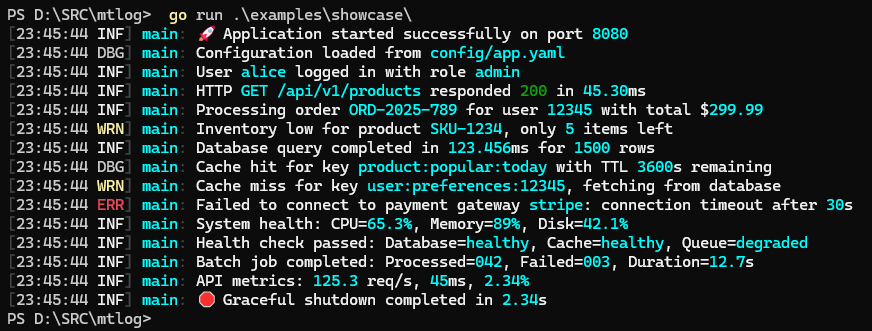
Visual Example
Message Templates
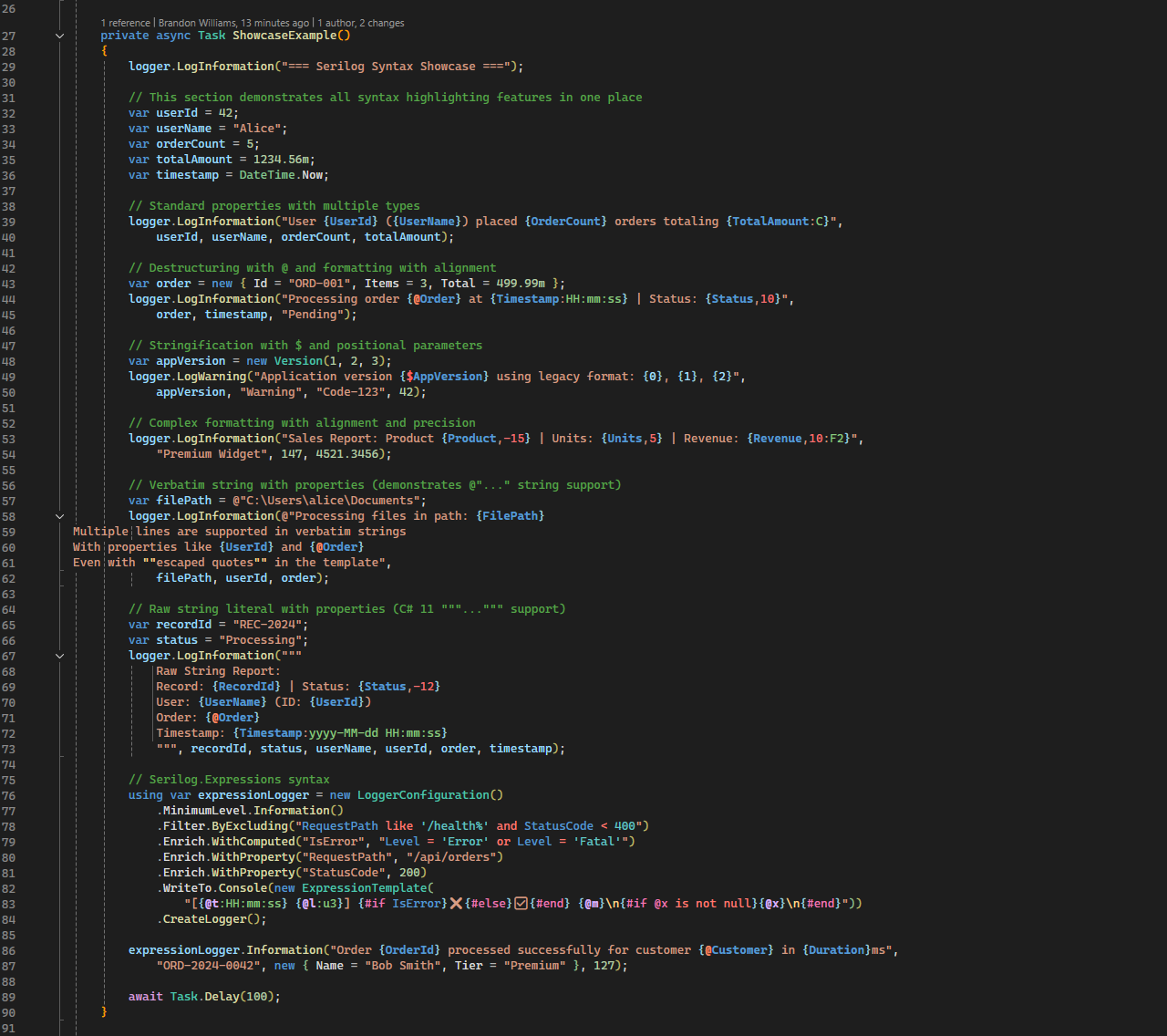
mtlog uses message templates that preserve structure throughout the logging pipeline:
// Properties are extracted positionally
log.Information("User {UserId} logged in from {IP}", userId, ipAddress)

// Go template syntax is also supported
log.Information("User {{.UserId}} logged in from {{.IP}}", userId, ipAddress)

// OTEL-style dotted properties for compatibility with OpenTelemetry conventions
log.Information("HTTP {http.method} to {http.url} returned {http.status_code}", "GET", "/api", 200)
log.Information("Service {service.name} in {service.namespace}", "api", "production")

// Mix both syntaxes as needed
log.Information("User {UserId} ({{.Username}}) from {IP}", userId, username, ipAddress)

// Capturing hints:
// @ - capture complex types into properties
log.Information("Order {@Order} created", order)

// $ - force scalar rendering (stringify)
log.Information("Error occurred: {$Error}", err)

// Format specifiers
log.Information("Processing time: {Duration:F2}ms", 123.456)
log.Information("Disk usage at {Percentage:P1}", 0.85)  // 85.0%
log.Information("Order {OrderId:000} total: ${Amount:F2}", 42, 99.95)

// String formatting - default is no quotes (Go-idiomatic)
log.Information("User {Name} logged in", "Alice")  // User Alice logged in
log.Information("User {Name:q} logged in", "Alice")  // User "Alice" logged in (explicit quotes)
log.Information("User {Name:l} logged in", "Alice")  // User Alice logged in (same as default)

// JSON formatting - outputs any value as JSON
log.Information("Config: {Settings:j}", map[string]any{"debug": true, "port": 8080})
// Config: {"debug":true,"port":8080}

// Numeric indexing (like string.Format in .NET)
log.Information("Processing {0} of {1} items", 5, 10)
log.Information("The {0} {1} {2} jumped over the {3} {4}",
    "quick", "brown", "fox", "lazy", "dog")
Numeric Indexing
mtlog supports numeric indexing similar to .NET's string.Format and Serilog:
// Pure numeric indexing uses index values (like string.Format)
log.Information("Processing {0} of {1}", 5, 10)  // Processing 5 of 10
log.Information("Result: {1} before {0}", "first", "second")  // Result: second before first

// Mixed named and numeric uses positional matching (left-to-right)
log.Information("User {UserId} processed {0} of {1}", 123, 50, 100)
// UserId=123 (1st arg), 0=50 (2nd arg), 1=100 (3rd arg)

// Note: Avoid mixing named and numeric properties for clarity
Output Templates
Control how log events are formatted for output with customizable templates. Output templates use ${...} syntax for built-in elements to distinguish them from message template properties:
// Console with custom output template and theme
log := mtlog.New(
    mtlog.WithConsoleTemplateAndTheme(
        "[${Timestamp:HH:mm:ss} ${Level:u3}] {SourceContext}: ${Message}",
        sinks.LiterateTheme(),
    ),
)

// File with detailed template
log := mtlog.New(
    mtlog.WithFileTemplate("app.log",
        "[${Timestamp:yyyy-MM-dd HH:mm:ss.fff zzz} ${Level:u3}] {SourceContext}: ${Message}${NewLine}${Exception}"),
)
Template Properties
${Timestamp}- Event timestamp with optional format${Level}- Log level with format options (u3, u, l)${Message}- Rendered message from template{SourceContext}- Logger context/category${Exception}- Exception details if present${NewLine}- Platform-specific line separator- Custom properties by name:
{RequestId},{UserId}, etc.
Format Specifiers
- Timestamps:
HH:mm:ss,yyyy-MM-dd,HH:mm:ss.fff - Levels:
u3orw3- Three-letter uppercase (INF, WRN, ERR)u- Full uppercase (INFORMATION, WARNING, ERROR)w- Full lowercase (information, warning, error)l- Lowercase three-letter (inf, wrn, err) [deprecated, use w3]
- Numbers:
000(zero-pad),F2(2 decimals),P1(percentage) - Strings:
:lremoves quotes (literal format)
Design Note: Why ${...} for Built-ins?
Unlike Serilog which uses {...} for both built-in elements and properties in output templates, mtlog uses ${...} for built-ins. This design choice prevents ambiguity when user properties have the same names as built-in elements (e.g., a property named "Message" would conflict with the built-in {Message}).
The ${...} syntax provides clear disambiguation:
${Message},${Timestamp},${Level}- Built-in template elements{UserId},{OrderId},{Message}- User properties from your log events
This means you can safely log a property called "Message" without conflicts:
log.Information("Processing {Message} from {Queue}", userMessage, queueName)
// Output template: "[${Timestamp}] ${Level}: ${Message}"
// Result: "[2024-01-15] INF: Processing Hello World from orders"
Pipeline Architecture
The logging pipeline processes events through distinct stages:
Message Template Parser → Enrichment → Filtering → Capturing → Output
Configuration with Functional Options
log := mtlog.New(
    // Output configuration
    mtlog.WithConsoleTheme("dark"),     // Console with dark theme
    mtlog.WithRollingFile("app.log", 10*1024*1024), // Rolling file (10MB)
    mtlog.WithSeq("http://localhost:5341", "api-key"), // Seq integration

    // Enrichment
    mtlog.WithTimestamp(),              // Add timestamp
    mtlog.WithMachineName(),            // Add hostname
    mtlog.WithProcessInfo(),            // Add process ID/name
    mtlog.WithCallersInfo(),            // Add file/line info

    // Filtering & Level Control
    mtlog.WithMinimumLevel(core.DebugLevel),
    mtlog.WithDynamicLevel(levelSwitch), // Runtime level control
    mtlog.WithFilter(customFilter),

    // Capturing
    mtlog.WithCapturing(),          // Enable @ hints
    mtlog.WithCapturingDepth(5),    // Max depth
)
Enrichers
Enrichers add contextual information to all log events:
// Built-in enrichers
log := mtlog.New(
    mtlog.WithTimestamp(),
    mtlog.WithMachineName(),
    mtlog.WithProcessInfo(),
    mtlog.WithEnvironmentVariables("APP_ENV", "VERSION"),
    mtlog.WithThreadId(),
    mtlog.WithCallersInfo(),
    mtlog.WithCorrelationId("RequestId"),
    mtlog.WithSourceContext(), // Auto-detect logger context
)

// Structured fields with With() - slog-style
log.With("service", "auth", "version", "1.0").Info("Service started")
log.With("user_id", 123, "request_id", "abc-123").Info("Processing request")

// Context-based enrichment
ctx := context.WithValue(context.Background(), "RequestId", "abc-123")
log.ForContext("UserId", userId).Information("Processing request")

// Source context for sub-loggers
serviceLog := log.ForSourceContext("MyApp.Services.UserService")
serviceLog.Information("User service started")

// Type-based loggers with automatic SourceContext
userLogger := mtlog.ForType[User](log)
userLogger.Information("User operation") // SourceContext: "User"

orderLogger := mtlog.ForType[OrderService](log)
orderLogger.Information("Processing order") // SourceContext: "OrderService"
Per-Message Sampling
Efficient log volume management through intelligent per-message sampling. mtlog provides comprehensive sampling capabilities to help control log volume in production while preserving important events.
Quick Examples
// Basic sampling methods
logger.Sample(10).Info("Every 10th message")
logger.SampleRate(0.2).Info("20% of messages")
logger.SampleDuration(time.Second).Info("Once per second")
logger.SampleFirst(100).Info("First 100 only")

// Adaptive sampling - maintains target events/second
logger.SampleAdaptive(100).Info("Auto-adjusting rate")

// Use predefined profiles
logger.SampleProfile("HighTrafficAPI").Info("API call")
logger.SampleProfile("ProductionErrors").Error("Error occurred")
Key Features
- Multiple Strategies: Counter, rate, time-based, first-N, group, conditional, and exponential backoff sampling
- Adaptive Sampling: Automatically adjusts rates to maintain target throughput with hysteresis and dampening
- Predefined Profiles: Ready-to-use configurations for common scenarios
- Custom Profiles: Define and register your own reusable sampling configurations
- Version Management: Support for versioned profiles with auto-migration
- Zero Allocations: Optimized for minimal performance impact
Learn More
For comprehensive documentation including advanced strategies, configuration options, and best practices, see the Sampling Guide.
Structured Fields with With()
The With() method provides a convenient way to add structured fields to log events, following the slog convention of accepting variadic key-value pairs:
Questions
What is mtlog?
willibrandon/mtlog is a public repo on GitHub by willibrandon. Serilog-inspired structured logging for Go with message templates, rich formatting, and native Seq support.
Is mtlog open source?
It declares the MIT license on GitHub.
Does mtlog run on macOS, Windows or Linux?
Its maker has not tagged a system, so it is unknown here. Its README says what it needs.
How do I install mtlog?
Open "Take it" on its page: Take My Repo writes an install plan for your machine and hands it to your AI agent (Claude Code, Codex or Cursor), which asks you before each step. Take My Repo has not tested it on any machine.