
markion
A blazing-fast native Markdown editor built with Rust and GPUI.
- 38
- MIT
- 1 d ago
Repo willmove/markion, read from GitHub 1 d ago. willmove has not joined Take My Repo.
In short
willmove/markion is a public repo on GitHub by willmove. A blazing-fast native Markdown editor built with Rust and GPUI. It declares the MIT license on GitHub. It is written mainly in Rust, has 38 stars and last changed on 2026-11-24. Nobody has reviewed it on Take My Repo yet, which says nothing about its quality. Read from GitHub on 2026-11-24.


Markion
Write naturally. Keep your Markdown.
A native editor for notes, technical docs and your next published piece. Built with Rust + GPUI.
English · 简体中文 · 繁體中文 · 日本語 · 한국어 · Français · Deutsch · Español
Download · What's new · Performance · User guide
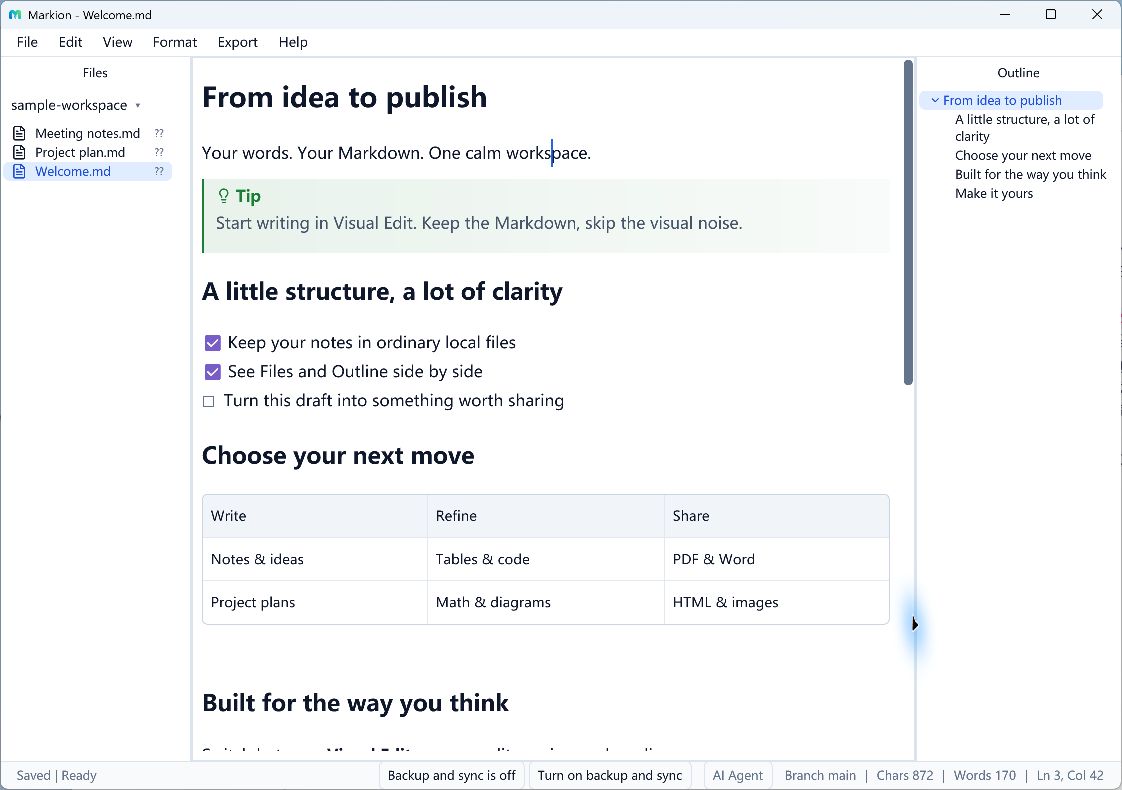
Actual Windows capture, v0.6.0 development build · Screenshots and sample workspace
Why Markion
| ✍️ Write with less friction | 📁 Keep control | 📤 Take your work further |
|---|---|---|
| Visual Edit hides syntax as you write; switch to source or split preview whenever you need. | Ordinary local Markdown files, no account required. Native Rust + GPUI editor, without Electron or an embedded WebView. | Import Word, work with code, math and diagrams, then export to PDF, Word, HTML or images. |
New in v0.6.1
| Highlight | What it means for your writing |
|---|---|
| Korean UI | Eight complete interface languages; choose 한국어 in Preferences. |
| Your preferred spacing | Set line spacing to 75–300% and paragraph spacing to 0–128px in Preferences → Appearance. |
| Updates prepared in the background | Check every five hours; automatic downloads are on by default. Install only after confirmation, with unsaved edits protected. |
| Safer block insertion | Compact Insert controls and direct Add Table/Divider Below keep existing text and tables intact; continue typing after a divider. |
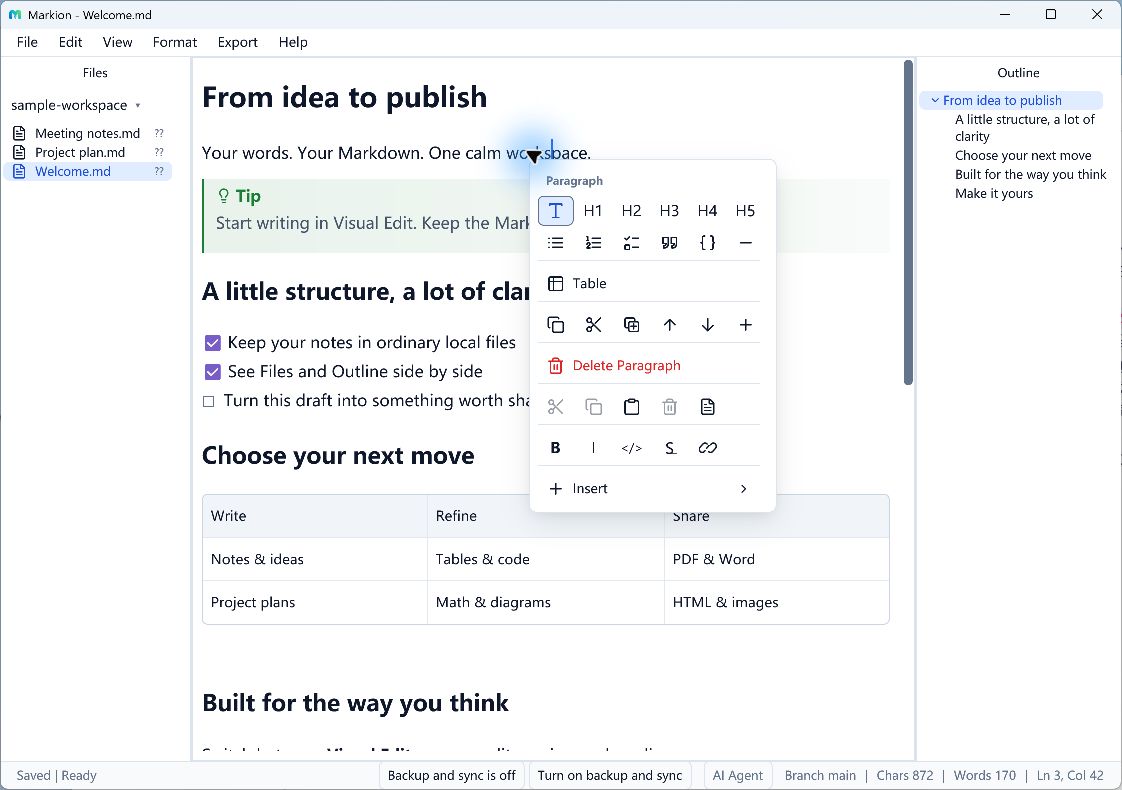
v0.6.0
Release notes · Project status and verification
Download and start writing
| Platform | v0.6.3 downloads |
|---|---|
| Windows x64 | Installer · Portable ZIP |
| macOS 11+ | Apple Silicon · Intel |
| Linux x86_64 | AppImage · DEB · RPM · pacman (Arch/Omarchy) |
- Windows: run the installer or extract the ZIP. No Authenticode signature yet; SmartScreen may require More info → Run anyway.
- macOS. Choose the Apple Silicon or Intel DMG for your Mac. Open it, drag Markion to Applications, then double-click Markion. Both DMGs are Developer ID signed and Apple notarized. First-launch details.
- Linux: make the AppImage executable (
chmod +x markion*.AppImage) and run it, or install DEB/RPM/pacman. On Arch Linux and Omarchy, runsudo pacman -U markion-0.6.3-1-x86_64.pkg.tar.zst. Without FUSE, use--appimage-extract-and-run.
Open a Markdown file or folder. To try the examples, copy the entire examples folder, including images, before editing. Getting started.
One document, four ways to work
| Mode | Best for |
|---|---|
| Visual Edit · default | Write in rendered Markdown; directly edit text, tables, code and math. |
| Source | Full control of Markdown syntax. |
| Split Preview | Source and preview together, with optional synchronized scrolling. |
| Read | A clean, non-editing reading view. |
Switch modes while keeping your place, selection and undo history. Shortcuts.
| From first draft to delivery | Included |
|---|---|
| Technical writing | GFM tables, highlighted code, LaTeX math, Mermaid, footnotes, callouts and linked outline. |
| Bring existing work | Local DOCX import and rich-text paste from Word, Google Docs or the web. Word import |
| Export and publish | Markdown, styled/plain HTML, LaTeX, DOCX, PDF, PNG/JPEG and a local MarkNice workspace for WeChat. Publishing |
| Images and assets | Paste, drop, copy/download or upload through PicGo/custom commands. Image guide |
| Make it yours | Themes, per-surface fonts and typography in Preferences → Appearance; focus/typewriter modes and custom shortcuts. |
| Optional connected tools | Git-backed Backup and Sync; AI Agent with your own key or local models. AI is off by default. Sync · AI |
Performance you can inspect
Historical Windows release-build measurements · 2026-11-11. Intel Core Ultra 5 225U, ~31 GiB RAM; 100 localized edits per size. This compares model processing across document sizes, excluding UI layout/paint and GPU presentation.
| Mixed Markdown | Initial model build | Edit P50 | Edit P95 |
|---|---|---|---|
| 100 KiB | 10.77 ms | 0.64 ms | 1.21 ms |
| 300 KiB | 28.67 ms | 2.55 ms | 3.69 ms |
| 600 KiB | 55.03 ms | 5.81 ms | 6.86 ms |
| 1 MiB | 96.84 ms | 10.33 ms | 11.24 ms |
In a separate 1080-system-key-event run on a 1 MiB document, application callback → caret paint was 26.63 ms P50 / 33.14 ms P95. It excludes hardware/OS delivery and GPU presentation. These are earlier recorded results, not a fresh v0.6.1 benchmark or a competitor ranking. Method, raw data and reproduction.
Know before you start
- Visual Edit keeps Markdown canonical; unsupported or byte-ambiguous syntax uses conservative source editing. GFM merged cells and image pixel cropping are unsupported. Coverage and remaining gaps.
- Built-in PDF/DOCX need no external converter; optional Pandoc falls back to built-in export. Fidelity varies by format. The MarkNice browser workspace follows its pinned editor skin; Word import is session-local, never writes back, and requires Copy MD or an explicit Markdown save to bring work back. Its Word export and themed print-to-PDF differ from native export; Markdown/PDF/image import and sample actions are unavailable there.
- Windows installers and Linux AppImages support Minisign-verified in-app installation; macOS and DEB/RPM/pacman updates open a download. Update verification is separate from OS code signing.
- 8 README and 8 UI languages: English, Simplified/Traditional Chinese, Japanese, Korean, French, German and Spanish. Choose 한국어 in Preferences for the Korean UI.
Build and contribute
With Rust stable and your platform's native build tools (CI build recipes), run from the repository root:
cargo run
cargo test --workspace
pwsh ./scripts/check-quality.ps1
User guide / 使用指南 · FAQ · Report a bug · Release process · MIT license
Questions
What is markion?
willmove/markion is a public repo on GitHub by willmove. A blazing-fast native Markdown editor built with Rust and GPUI.
Is markion open source?
It declares the MIT license on GitHub.
Does markion run on macOS, Windows or Linux?
Its maker has not tagged a system, so it is unknown here. Its README says what it needs.
How do I install markion?
Open "Take it" on its page: Take My Repo writes an install plan for your machine and hands it to your AI agent (Claude Code, Codex or Cursor), which asks you before each step. Take My Repo has not tested it on any machine.
Is markion still maintained?
Its last change on GitHub was on 2026-11-24. Take My Repo does not judge from that whether it is maintained.




