
htmltoadf
An HTML to Atlassian Document Format (ADF) converter, written in Rust
- 50
- MIT
- 5 mo ago
Repo wouterken/htmltoadf, read from GitHub 1 min ago. wouterken has not joined Take My Repo.
In short
wouterken/htmltoadf is a public repo on GitHub by wouterken. An HTML to Atlassian Document Format (ADF) converter, written in Rust. It declares the MIT license on GitHub. It is written mainly in Rust, has 50 stars and last changed on 2026-06-15. Nobody has reviewed it on Take My Repo yet, which says nothing about its quality. Read from GitHub on 2026-11-21.
htmltoadf
htmltoadf is an HTML to Atlassian Document Format (ADF) converter written in Rust.
The library can be used in several different ways:
- As a command line binary (either directly on a compatible host or using Docker)
- Included as a library within a Rust project
- Called from a different language or environment (e.g. C, JavaScript, Ruby, PHP, .NET etc.) using FFI
- Called as a Web Assembly (wasm) module


Demo
See demo of the tool running as a WASM library entirely in the client here: https://wouterken.github.io/htmltoadf/
CLI
Binaries
The htmltoadf tool includes an html2adf binary.
Usage
$ html2adf -h
htmltoadf 0.1.13
An HTML to Atlassian Document Format (ADF) converter

USAGE:
    html2adf [OPTIONS] [INPATH]

ARGS:
    <INPATH>    The path to the file to read

OPTIONS:
    -h, --help                 Print help information
    -o, --outpath <OUTPATH>
    -V, --version              Print version information
Install Binary from Crates.io with cargo install
$ cargo install htmltoadf
    installing htmltoadf v0.1.13 (/usr/src/html2adf)
    Updating crates.io index
 Downloading crates ...
  Downloaded lock_api v0.4.6
--snip--
      Compiling htmltoadf v0.1.13
    Finished release [optimized] target(s) in 1m 42s
  Installing ~/.cargo/bin/htmltoadf
   Installed package `htmltoadf v0.1.13` (executable `html2adf`)
Download Binary file from Github
Pre-built binaries can be downloaded from here: https://github.com/wouterken/htmltoadf/releases/tag/0.1.13
Docker Image
Docker Repo:
https://hub.docker.com/r/wouterken/html2adf
Usage
$ echo "<h1>Hello world<p>Test</p></h1>" | docker run --rm -i wouterken/html2adf:0.1.13
{"version":1,"type":"doc","content":[{"type":"heading","attrs":{"level":1},"content":[{"type":"text","text":"Hello world"},{"type":"text","text":"Test"}]}]}

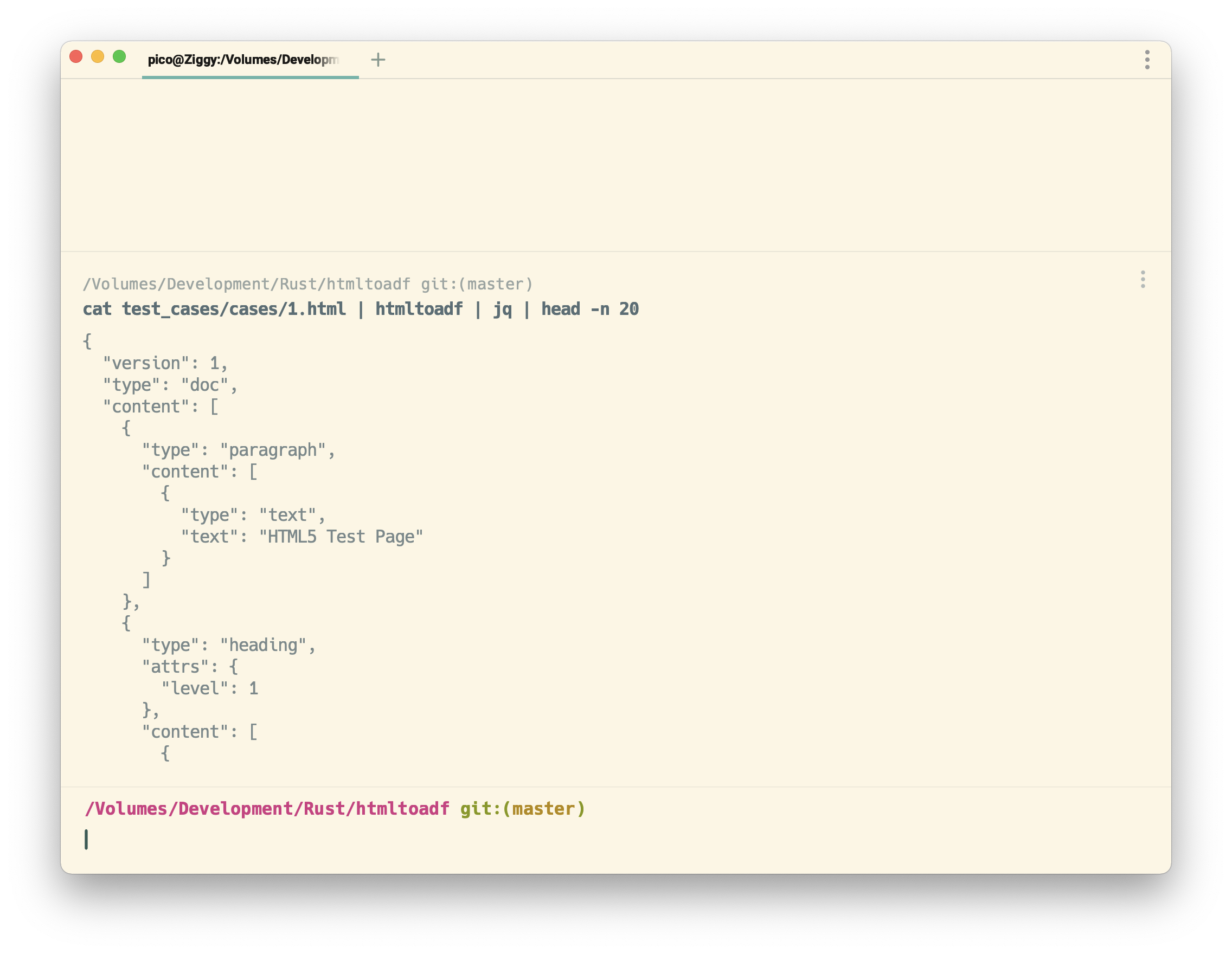
$ echo "<h1>Hello world<p>Test</p></h1>" | docker run --rm -i wouterken/html2adf:0.1.13 | jq
{
  "version": 1,
  "type": "doc",
  "content": [
    {
      "type": "heading",
      "attrs": {
        "level": 1
      },
      "content": [
        {
          "type": "text",
          "text": "Hello world"
        },
        {
          "type": "text",
          "text": "Test"
        }
      ]
    }
  ]
}
Lib
Example Rust Code
Cargo.toml
[dependencies]
htmltoadf = "0.1.13"
Code
use htmltoadf::convert_html_str_to_adf_str;
use serde_json::json;

let converted = convert_html_str_to_adf_str("<h1>Hello World</h1>".to_string());
let expected = json!({
    "version": 1,
    "type": "doc",
    "content": [
        {
            "type": "heading",
            "attrs": {
                "level": 1
            },
            "content": [
                {
                    "type": "text",
                    "text": "Hello World"
                }
            ]
        }
    ]
}).to_string();

assert_eq!(expected, converted);
WASM
Install package from npm
import init, {convert} from "htmltoadf";
init()
  .then(() => {
    alert(convert("<h1>Hello from WebAssembly</h1>"))
  });
FFI
First compile the code as a library, e.g.:
cargo build --lib --release
Then you can link to the library dynamic from any environment that supports a FFI. It is important to copy the dynamic library from the release directory, and provide a relative link to the library file from the FFI
E.g.
Ruby
require 'ffi'

module HTMLToADF
  extend FFI::Library
  ffi_lib 'libhtmltoadf'
  attach_function :convert, [ :string ], :string
end

puts HTMLToADF.convert("<h1>Hello from Ruby</h1>")
Node/JavaScript
var ffi = require('ffi-napi');

var htmltoadf = ffi.Library('libhtmltoadf', {
  'convert': [ 'string', [ 'string' ] ]
});
console.log(htmltoadf.convert("<h1>Hello from Node!</h1>"));
Python
from cffi import FFI
ffi = FFI()
lib = ffi.dlopen("libhtmltoadf")
ffi.cdef("char * convert(char *);")
print(ffi.string(lib.convert(b"<h1>Hello from Python!</h1>")))
Implemented features
This converter only implements a subset of possible mappings between HTML and ADF. The following features are implemented:
- Headings
- Images
- Lists (ordered and unordered)
- Tables
- Text and Paragraphs
- Code
- Fuzz Tests
- Support for named CSS colors
- Smart image sizing
- Inline Cards
- Panels
- Emoji
- In built JSON Schema Validation
Release Process
- Increment the version number in
Cargo.tomlandREADME.md. - Update the demo dependency in
docs/index.html. Keep this step before the final VCS push. The demo page loads the npm package directly from unpkg, so pushing the page before the npm publish is live can break the demo. - Run local validation and build release artifacts.
- Requires:
cargo-zigbuild,cargo-xwin,zig,wasm-pack,gh,npm, Docker, and the nightly toolchain. - Prefer rustup-managed tooling for wasm builds. If Homebrew Rust appears earlier in
PATH, runPATH="$HOME/.cargo/bin:$PATH" wasm-pack ...sowasm-packcan see the installedwasm32-unknown-unknowntarget. - Preflight checks:
cargo owner --list htmltoadfnpm whoami --registry=https://registry.npmjs.org/docker infogh auth status
- Run
sh scripts/release_checklist.sh <version>forfmt,clippy,test, release artifacts, and an amd64 Docker smoke build.
- Requires:
- Build the wasm package.
PATH="$HOME/.cargo/bin:$PATH" wasm-pack build --release --target web --out-dir pkg
- Publish registry artifacts in this order.
- Docker:
docker buildx build --platform linux/amd64,linux/arm64 --build-arg VERSION=<version> -t wouterken/html2adf:<version> -t wouterken/html2adf:latest --push . - npm:
npm publish ./pkgIf npm publish is protected by 2FA, pass--otp=<code>. - crates.io:
cargo publish
- Docker:
- Push to VCS after the registry publishes succeed.
- Push the release commit.
- Tag the release.
- Create the GitHub release and upload the release artifacts from
releases/<version>/. - GitHub release asset names should be target-prefixed, for example
x86_64-unknown-linux-gnu_html2adf, to avoid collisions between files likelibhtmltoadf.rlib.
For a scripted publish flow after version bumping, validation, and release artifact generation, use:
sh scripts/release_publish.sh <version> [npm-otp]
Testing
Run cargo test from the repository root.
Contributing
Bug reports and pull requests are welcome on GitHub at https://github.com/wouterken/htmltoadf. This project is intended to be a safe, welcoming space for collaboration, and contributors are expected to adhere to the Contributor Covenant code of conduct.
Questions
What is htmltoadf?
wouterken/htmltoadf is a public repo on GitHub by wouterken. An HTML to Atlassian Document Format (ADF) converter, written in Rust.
Is htmltoadf open source?
It declares the MIT license on GitHub.
Does htmltoadf run on macOS, Windows or Linux?
Its maker has not tagged a system, so it is unknown here. Its README says what it needs.
How do I install htmltoadf?
Open "Take it" on its page: Take My Repo writes an install plan for your machine and hands it to your AI agent (Claude Code, Codex or Cursor), which asks you before each step. Take My Repo has not tested it on any machine.
Is htmltoadf still maintained?
Its last change on GitHub was on 2026-06-15. Take My Repo does not judge from that whether it is maintained.
What do people who ran htmltoadf say?
Nobody has reviewed it on Take My Repo yet, which says nothing about its quality.

