
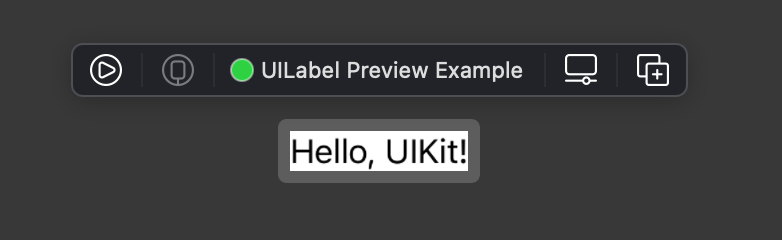
SwiftUIKitView
Easily use UIKit views in your SwiftUI applications. Create Xcode Previews for UIView elements
- 785
- Swift
- MIT
- 4 y ago
Use UIKit views inside SwiftUI, including Xcode Previews
Repo ymm-oss/RepresentableKit, read from GitHub 16 min ago. ymm-oss has not joined Take My Repo.
ymm-oss/RepresentableKit is a public repo on GitHub by ymm-oss. Use UIKit views inside SwiftUI, including Xcode Previews. It declares the MIT license on GitHub. It is written mainly in Swift, has 70 stars and last changed on 2024-07-27. It is archived: its maker no longer maintains it. Nobody has reviewed it on Take My Repo yet, which says nothing about its quality. Read from GitHub on 2026-11-24.
Easily use UIKit views in your SwiftUI applications. Create Xcode Previews for UIView elements
ymm-oss/RepresentableKit is a public repo on GitHub by ymm-oss. Use UIKit views inside SwiftUI, including Xcode Previews.
It declares the MIT license on GitHub.
Its maker tagged it for macOS. That is declared by the maker; Take My Repo has not tested it.
Open "Take it" on its page: Take My Repo writes an install plan for your machine and hands it to your AI agent (Claude Code, Codex or Cursor), which asks you before each step. Take My Repo has not tested it on any machine.
This project is dedicated to collecting high-quality macOS software and organizing them systematically by different categories for easy search and use.
An AI skill that provides design intelligence for building professional UI/UX across multiple platforms.
Free and open source admin dashboard UI kit built on Bootstrap: 100+ pages, 6,500+ icons, dark mode, RTL.
No. It is archived on GitHub: its maker no longer maintains it.
Nobody has reviewed it on Take My Repo yet, which says nothing about its quality.
Take My Repo cannot say: it does not audit code and has not run RepresentableKit. What is known comes from GitHub. It declares the MIT license on GitHub. It is archived: its maker no longer maintains it. It has 70 stars, which measure popularity, not safety. Nobody has reviewed it on Take My Repo yet, which says nothing about its quality. Read the source before you run it. With "Take it", your AI agent shows each step and asks you before running it; README text is treated as data, not as instructions.


