code-atlas
A C++ implementation of Open Interpreter. / Open Interpreter 的 C++ 实现
- 63
- MIT
- 12 mo ago
Repo ystemsrx/code-atlas, read from GitHub 1 min ago. ystemsrx has not joined Take My Repo.
In short
ystemsrx/code-atlas is a public repo on GitHub by ystemsrx. A C++ implementation of Open Interpreter. / Open Interpreter 的 C++ 实现. It declares the MIT license on GitHub. It is written mainly in C++, has 63 stars and last changed on 2025-11-13. Nobody has reviewed it on Take My Repo yet, which says nothing about its quality. Read from GitHub on 2026-11-21.
Code Atlas
Code Atlas is a powerful cross-platform local intelligent agent application inspired by Open Interpreter. Implemented in C++, it supports running Python and shell scripts locally on Windows, Linux, and macOS, with integrated LLMs for natural language-driven interactive programming.
✨ Features
- 🤖 Local AI Agent: Runs entirely offline without relying on external APIs
- 💬 Optional Cloud Access: Supports remote services compatible with the OpenAI API
- 🐍 Multi-language Execution: Supports Python / PowerShell / Batch scripts
- 🔄 Persistent Session State: Retains Python environment state across multiple rounds
- 🚀 Built-in LLM Support: Compatible with
llama.cppfor local model inference - ⚡ Streaming CLI Interface: Command line supports real-time output
- 🛡️ Privacy First: Everything runs locally, no data leaves your machine
- 🔧 Highly Configurable: JSON-based configuration system
- 🌐 Cross-Platform Design: Works seamlessly across Windows, Linux, and macOS
📋 System Requirements
- OS: Windows 10/11, Linux, or macOS
- CPU: x64 architecture (CUDA-compatible GPU recommended)
- Memory: Minimum 8GB (16GB+ recommended)
- Storage: At least 10GB free space
Required Dependencies
- CMake ≥ 3.16
- C++ Compiler (GCC/Clang/MSVC)
- Python 3.x + development headers
- Git
🚀 Getting Started
Option 1: Download Prebuilt Binary
Download a precompiled binary from Releases.
Option 2: Build from Source
Windows (MSYS2 / MinGW64)
pacman -Syu && pacman -Su
pacman -S --needed \
  mingw-w64-x86_64-toolchain \
  mingw-w64-x86_64-cmake \
  mingw-w64-x86_64-cpr \
  mingw-w64-x86_64-nlohmann-json \
  mingw-w64-x86_64-python
Linux
sudo apt update && sudo apt install -y ninja-build
pip3 install --upgrade "conan>=1.60,<2"

mkdir -p build && cd build
conan install .. --build=missing

cmake .. -G Ninja \
  -DCMAKE_TOOLCHAIN_FILE=conan_toolchain.cmake \
  -DCMAKE_BUILD_TYPE=Release

cmake --build .
Or simply run:
./build.sh
General Build Process
git clone --depth 1 https://github.com/ystemsrx/code-atlas.git
cd code-atlas
mkdir build
cd build
cmake ..
cmake --build .
Option 3: Using Docker
-
First, modify
config_template.jsonaccording to your needs. If you want to connect to a locally running llama.cpp server, change thebase_urlto:"base_url": "http://host.docker.internal:8080/v1/chat/completions" -
Build the Docker image:
docker build -t code-atlas . -
Run the container:
docker run -it --add-host=host.docker.internal:host-gateway code-atlas
The
--add-hostflag allows the container to connect to services running on your host machine.
⚙️ Configuration
Copy the template configuration file:
cp config_template.json config.json
Edit the config.json file:
{
  "api": {
    "base_url": "https://api.openai.com/v1/chat/completions",
    "key": "sk-..."
  },
  "model": {
    "name": "gpt-4o",
    "parameters": {
      "temperature": 0.2,
      "top_p": 0.9,
      "max_tokens": 4096
    }
  }
}
Configuration Details
system.prompt: System prompt stringmodel: Model parametersapi: API base URL and key (if using cloud models)
Supported Runtime Environments
Code Atlas automatically selects the appropriate environment based on your OS:
- Python: Stateful execution, IPython-like
- PowerShell/Batch: For Windows
- Bash: For Linux/macOS
🔌 Using with LLM Server
For local inference, you can use llama.cpp:
llama-server --jinja -fa -m model.gguf
# or:
llama-server --jinja -fa -hf user/model.gguf
Reference: llama.cpp/function-calling.md
🚀 Running the Application
./code-atlas
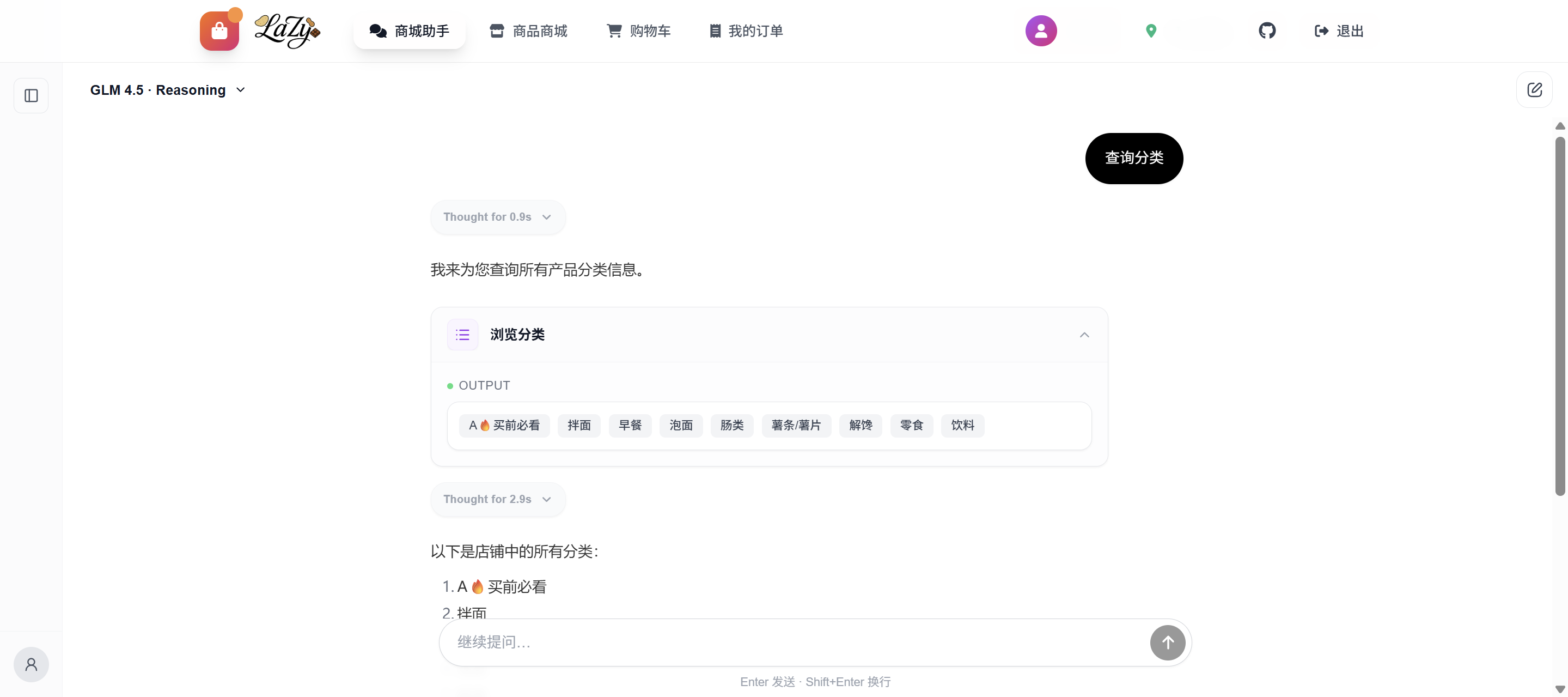
💡 Usage Demo
Calculate factorial:

List processes:

Create/rename files:

🧩 Troubleshooting
- Build Failure: Check CMake, Python environment, and dependencies
- Runtime Errors: Ensure
config.jsonis valid and model/API is accessible - Low Performance: Consider enabling GPU acceleration and adjusting model settings
🙌 Contributing
Contributions via issues, pull requests, and feedback are highly welcome!
📄 License
This project is licensed under the MIT License.
🙏 Acknowledgments
⚠️ Security Notice: Code Atlas executes scripts locally. Be cautious when using untrusted models or prompts.
Questions
What is code-atlas?
ystemsrx/code-atlas is a public repo on GitHub by ystemsrx. A C++ implementation of Open Interpreter. / Open Interpreter 的 C++ 实现.
Is code-atlas open source?
It declares the MIT license on GitHub.
Does code-atlas run on macOS, Windows or Linux?
Its maker tagged it for macOS, Windows and Linux, or as Docker or cross-platform. That is declared by the maker; Take My Repo has not tested it.
How do I install code-atlas?
Open "Take it" on its page: Take My Repo writes an install plan for your machine and hands it to your AI agent (Claude Code, Codex or Cursor), which asks you before each step. Take My Repo has not tested it on any machine.
Is code-atlas still maintained?
Its last change on GitHub was on 2025-11-13. Take My Repo does not judge from that whether it is maintained.
What do people who ran code-atlas say?
Nobody has reviewed it on Take My Repo yet, which says nothing about its quality.