PayloadsAllTheThings
A list of useful payloads and bypass for Web Application Security and Pentest/CTF
- 83k
- Python
- MIT
- 4 wk ago
Ultimate collection of OpenCode tips, tricks, and workflows that you can use to master OpenCode CLI in minutes.
Repo BA-CalderonMorales/opencode-cheat-sheet, read from GitHub 2 d ago. BA-CalderonMorales has not joined Take My Repo.
BA-CalderonMorales/opencode-cheat-sheet is a public repo on GitHub by BA-CalderonMorales. Ultimate collection of OpenCode tips, tricks, and workflows that you can use to master OpenCode CLI in minutes. It declares the MIT license on GitHub. It has 3 stars and last changed on 2026-10-24. Nobody has reviewed it on Take My Repo yet, which says nothing about its quality. Read from GitHub on 2026-11-22.
A list of useful payloads and bypass for Web Application Security and Pentest/CTF
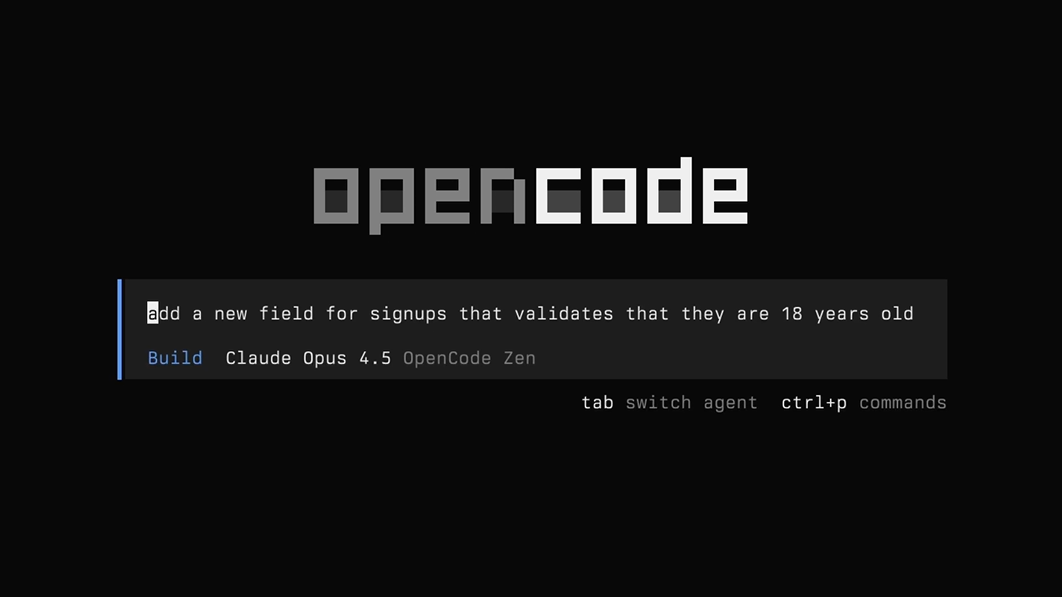
A working reference for OpenCode v2. Every command below was checked against
opencode 2.1.4and the v2 docs.
Coming from OpenCode v1? v2 changed a lot. The CLI commands
agent,attach,web,github,pr,db, and top-levelexport/importare gone.providersis nowauth,--miniis now theminisubcommand, andtui.jsonis now a single globalcli.json. See Migrating from v1.
# Install v2 (recommended)
curl -fsSL https://opencode.ai/v2/install | bash

# Or with a package manager
npm install -g @opencode/cli
bun install -g --trust @opencode/cli
pnpm add -g --allow-build=@opencode/cli @opencode/cli
yarn global add @opencode/cli
brew install anomalyco/tap/opencode-v2
vp install -g @opencode/cli
mise use -g opencode
paru -S opencode-beta

# Launch and check the version
cd /path/to/project
opencode
opencode --version
The npm package uses a postinstall script to pick the right native binary. Bun and pnpm need the extra flag above to allow that script.
curl -fsSL https://opencode.ai/v2/install | bash

npm install -g @opencode/cli
bun install -g --trust @opencode/cli
pnpm add -g --allow-build=@opencode/cli @opencode/cli
yarn global add @opencode/cli
brew install anomalyco/tap/opencode-v2
vp install -g @opencode/cli
mise use -g opencode
paru -S opencode-beta

opencode --version
Windows package managers are not supported. Use WSL, or download a standalone binary from opencode.ai.
Docker images use versioned tags:
docker run -it --rm ghcr.io/anomalyco/opencode:2.0.0
opencode                          # TUI in the current directory
opencode /path/to/project         # TUI in a specific project

opencode auth login               # add a provider and paste its API key
opencode auth list                # list authenticated providers
opencode auth logout              # log out of a provider
Credentials live in ~/.local/share/opencode/auth.json. In the TUI, /connect opens the same flow.
OpenCode reads the provider list from models.dev, so opencode auth login works for any provider in that catalog, not just the ones OpenCode ships.
# Inside the TUI
/init
/init walks the project and writes an AGENTS.md with the structure and conventions it found. Commit it so every session starts with the same context.
# Message prefixes
@path/to/file.ts         # fuzzy file reference, contents go into context
@src/auth.ts#20-45       # a line range
!ls -la                  # run a shell command, output stays in the session

# Keybinds (leader key: ctrl+x)
ctrl+x n                  # new session
ctrl+x l                  # list and switch sessions
ctrl+x u                  # undo the last message and its file changes
ctrl+x r                  # redo an undone message
ctrl+x c                  # compact the session
ctrl+x e                  # open the external editor
ctrl+x x                  # export to Markdown
ctrl+x m                  # list models
ctrl+x a                  # list agents
ctrl+x t                  # list themes
ctrl+x q                  # exit
ctrl+p                    # command palette
shift+tab                 # cycle primary agents
f2                        # cycle recently used models
ctrl+t                    # cycle model variants
Type / in the TUI to see the list for your build. In v2:
# Agent
/agents                   # choose an agent
/models                   # list models
/variants                 # choose a reasoning variant (aliases: /thinking, /effort)

# Session
/new                      # start a new session
/sessions                 # list and switch (aliases: /resume, /continue)
/open                     # open a project (aliases: /projects, /project)
/fork                     # fork the session
/rename <arg>             # rename the session
/timeline                 # session timeline
/compact                  # compact the context
/undo                     # undo the last message and its changes
/redo                     # restore an undone message
/clear                    # clear the transcript
/copy                     # copy the last message
/export                   # export to Markdown
/worktrees                # list worktrees
/cd <arg>                 # change directory

# System
/connect                  # add a provider
/mcps                     # MCP servers
/plugins                  # plugins
/settings                 # settings
/stats                    # usage statistics
/status                   # session status
/themes                   # list themes
/update                   # check for and install an update
/restart                  # restart the server
/pair                     # pair a browser or app (alias: /web)
/reload                   # reload configuration
/highlights               # release notes
/help                     # help dialog
/exit                     # quit (aliases: /quit, /q)
/debug                    # debug menu
/diff                     # diff view
/terminal                 # terminal panel

# Other
/btw <arg>                # side question, not added to the conversation
/skills                   # list available skills
/editor                   # compose in $EDITOR
/init and /review are server-side commands. /review takes an optional commit, branch, or PR and defaults to uncommitted changes.
v2 ships four visible agents. Switch between primary agents with Shift+Tab.
build, primary) - the default, with full tool access.plan, primary) - explores and plans without editing project files.general, subagent) - multi-step work with broad tool access.explore, subagent) - reads and searches code or web sources without editing.There is no scout agent in v2. That was a v1 built-in.
Subagents run in a child session. The parent agent's subagent permission decides which ones it may launch, and the child uses its own permissions.
{
  "agents": {
    "orchestrator": {
      "permissions": [
        { "action": "subagent", "resource": "*", "effect": "deny" },
        { "action": "subagent", "resource": "reviewer", "effect": "allow" }
      ]
    }
  }
}
# Reference files with @
"How is auth handled in @packages/functions/src/api/index.ts?"

# Reference a configured reference root
"Compare our setup with @docs/README.md"

# OpenCode reads, writes, and edits files as part of normal work
"Add error handling to src/utils.py"
"Create a new file called components/Button.tsx"
# From the CLI
opencode session list                 # list sessions in the current project
opencode session list -n 10           # the 10 most recent
opencode session list --format json   # JSON instead of a table
opencode session delete <sessionID>   # delete a session and its children
opencode session export <sessionID> --sanitize   # export as JSON, secrets redacted
opencode session import session.json   # import from a file or URL

# Continue and fork
opencode -c                           # continue the last session
opencode -s <sessionID>               # resume a specific session
opencode -c --fork                    # fork, keeping the original intact
# Model selection (provider/model, optionally provider/model#variant)
opencode -m anthropic/claude-sonnet-5-5 "your prompt"
opencode run -m opencode/gpt-6.1-sol "explain this"

# Continue, resume, fork
opencode -c
opencode -s <sessionID> --fork

# Agent and prompt
opencode --agent plan "draft a migration plan"
opencode --prompt "summarize this repo"

# Auto-approve anything not explicitly denied
opencode run --auto "refactor src/"

# Connect to a server instead of the local one
opencode run --server http://localhost:49374 "explain async/await"
opencode --standalone                    # run a private server for this invocation
OpenCode uses JSON or JSONC (opencode.json / opencode.jsonc) and merges every file it finds, lowest precedence first:
~/.config/opencode/opencode.json(c) - your user configopencode.json(c) files from the farthest ancestor directory down to the current oneopencode.json(c) files inside .opencode/ directories, in the same order. These override every direct config./etc/opencode, /Library/Application Support/opencode, or %ProgramData%\opencodeai.opencode.managed domain, which users and projects cannot override{
"$schema": "https://opencode.ai/config.json",
"model": "anthropic/claude-sonnet-5-5",
"default_agent": "build",
"update": "notify"
}
Terminal settings live in one global file, ~/.config/opencode/cli.json. There is no project-local equivalent, and v1's tui.json is migrated automatically on first v2 start.
{
  "$schema": "https://opencode.ai/v2/cli.json",
  "theme": { "name": "opencode" },
  "leader": { "timeout": 2000 },
  "keybinds": { "command_list": "ctrl+p" }
}
See the Config Reference for the full schema.
opencode models                    # one provider/model ID per line
opencode models anthropic          # filter by provider
Set a default in config:
{
  "model": "anthropic/claude-sonnet-5-5"
}
Model IDs are provider/model. Add #variant to pin a reasoning effort, as in provider/model#high. The root model value drops the variant; agent and command references keep it.
OpenCode's own provider ID is opencode, covering the Zen and Console catalog. opencode pair and /pair in the TUI give you browser access.
# Inside the TUI
/init
# Project Guidelines

## Tech Stack
- Node.js with Fastify
- PostgreSQL
- Vitest

## Patterns
- Use dependency injection
- Prefer async functions for I/O
- Follow the existing ESLint rules
Point OpenCode at other instruction files with instructions:
{
  "instructions": ["CONTRIBUTING.md", "docs/guidelines.md", ".cursor/rules/*.md"]
}
v2 discovers AGENTS.md but not CLAUDE.md.
v2 uses an ordered array of rules. The last matching rule wins, and no match means ask.
{
  "permissions": [
    { "action": "shell", "resource": "*", "effect": "ask" },
    { "action": "shell", "resource": "git status *", "effect": "allow" },
    { "action": "shell", "resource": "git push *", "effect": "deny" }
  ]
}
Actions in v2: read, edit, glob, grep, shell, subagent, skill, question, webfetch, websearch, external_directory, plus <server>_<tool> for MCP tools.
Every agent starts with a base policy that allows everything, then asks before reading *.env and *.env.*. One thing to know: external_directory is allowed by default in v2. If you want the old prompt-before-outside-the-project behavior, add it yourself:
{
  "permissions": [
    { "action": "external_directory", "resource": "*", "effect": "ask" }
  ]
}
Approvals come back as once, always, or reject. "Always" saves a durable, project-scoped allow rule. It never overrides a deny.
See Permissions for details.
SKILL.md file, loaded on demand through the native skill tool.BA-CalderonMorales/opencode-cheat-sheet is a public repo on GitHub by BA-CalderonMorales. Ultimate collection of OpenCode tips, tricks, and workflows that you can use to master OpenCode CLI in minutes.
It declares the MIT license on GitHub.
Its maker has not tagged a system, so it is unknown here. Its README says what it needs.
Open "Take it" on its page: Take My Repo writes an install plan for your machine and hands it to your AI agent (Claude Code, Codex or Cursor), which asks you before each step. Take My Repo has not tested it on any machine.
Reverse engineer anything with agents, from app behavior down to native binaries.
freeCodeCamp.org's open-source codebase and curriculum. Learn math, programming, and computer science for free.
A cross-platform desktop All-in-One assistant for Claude Code, Codex, OpenCode,DeepSeek Harness and more. Only official website: ccswitch.io
The agent harness performance optimization system. Skills, instincts, memory, security, and research-first development for Claude Code, Codex, Opencode, Cursor and beyond.
Its last change on GitHub was on 2026-10-24. Take My Repo does not judge from that whether it is maintained.
Nobody has reviewed it on Take My Repo yet, which says nothing about its quality.
Take My Repo cannot say: it does not audit code and has not run opencode-cheat-sheet. What is known comes from GitHub. It declares the MIT license on GitHub. Its last change was on 2026-10-24. It has 3 stars, which measure popularity, not safety. Nobody has reviewed it on Take My Repo yet, which says nothing about its quality. Read the source before you run it. With "Take it", your AI agent shows each step and asks you before running it; README text is treated as data, not as instructions.