opencrew
Openclaw多智能体协同系统 | Multi-Agent OS for Decision Makers — 基于 OpenClaw (Clawbot) + Slack,让 AI 团队各司其职、自主稳定迭代。
- 499
- Shell
- MIT
- 8 mo ago
Agent deployment platform on Kubernetes. Deploy, manage, and monitor AI agents at scale with ArgoCD and Argo Workflows.
Repo CleanSlice/ranch, read from GitHub 1 min ago. CleanSlice has not joined Take My Repo.
CleanSlice/ranch is a public repo on GitHub by CleanSlice. Agent deployment platform on Kubernetes. Deploy, manage, and monitor AI agents at scale with ArgoCD and Argo Workflows. It declares no license on GitHub. Public does not mean open source: without a license, nobody is granted the right to reuse it. It is written mainly in TypeScript, has 1 stars and last changed on 2026-11-19. Nobody has reviewed it on Take My Repo yet, which says nothing about its quality. Read from GitHub on 2026-11-19.

Ranch runs AI agents as pods on Kubernetes. You describe an agent once as a template, start as many as you need, and talk to them from one console. Each agent keeps its own tools, files, secrets and knowledge.
Live demo · Quick start · Examples · Guides

bun add -g @cleanslice/ranch   # or: npm install -g @cleanslice/ranch
ranch dev
The first run offers to clone this repository. Then it starts the API, both web apps, PostgreSQL and a local k3d cluster, so agents run as real pods on your machine. The first start is slow, because it pulls every image, the knowledge stack included: Ollama, LightRAG and its own PostgreSQL.
The two Ollama models that stack uses are fetched on first use rather than at startup; make lightrag-up pulls them up front instead, about 3 GB. To leave the cluster and the knowledge stack out, run ranch dev --no-k3d, or name a single app: ranch dev admin.
| Open | To |
|---|---|
| http://localhost:3002 | set things up in the admin panel |
| http://localhost:3001 | talk to agents in the console |
| http://localhost:3000/api | browse the API (Swagger) |
Your first agent takes four steps in the admin panel:
ranch down stops everything. All commands: cli/README.md.
The examples use two variables:
export RANCH_API=http://localhost:3000
export AGENT_ID=<the agent's id, from its page address in the admin panel>
Create an API key with the embed:mint scope under API Keys, then mint a short-lived token for the person who is asking:
curl -X POST "$RANCH_API/auth/embed/token" \
  -H "Authorization: Bearer $RANCH_API_KEY" \
  -H "Content-Type: application/json" \
  -d '{"sub":"user-123","email":"alice@example.com","expiresIn":"1h"}'
{ "token": "eyJhbGciOiJIUzI1NiIs…", "expiresAt": "2026-11-16T18:45:00.000Z" }Put the token in $TOKEN, send a message and wait for the reply:
curl -X POST "$RANCH_API/api/agent/$AGENT_ID/message/sync" \
  -H "Authorization: Bearer $TOKEN" \
  -H "Content-Type: application/json" \
  -d '{"text":"What is your refund policy?"}'
{ "text": "<the agent's answer>", "messageId": "a1b2c3…", "ts": 1763318700123 }ts is the hub clock in milliseconds. Each sub gets its own conversation and history. Without expiresIn a token lives 15 minutes.
The route waits up to 120 seconds for the agent. A timeout is still 200, with the sentence Timeout: no response from agent in text — check the text, not the status. Owner and Admin roles are stripped from a minted token unless the key also carries embed:mint-admin, and such a token is capped at 7 days.
<script
  src="https://bridle.cleanslice.org/sdk/latest.js"
  data-api-url="https://api.your-ranch.example"
  data-agent-id="AGENT_ID"
  data-token="JWT_FROM_YOUR_BACKEND"
></script>
This adds a chat bubble to the page. For a public agent, list your site under Allowed origins and drop data-token. The admin panel shows the snippet for every agent, including an inline variant that mounts into your own container.
Press Share on an agent in the console. You get one public link that opens a chat with that agent and nothing else: no login, no other pages. Regenerate the link to cut off the old one, or revoke it.
Open an agent in the admin panel, go to A2A and connect a peer: another agent of this ranch, or an external A2A agent by its address. After a restart the agent has a delegation tool, and it tries a suitable peer before answering "I don't know". The chat shows which peer was asked and why.
Ranch watches the agents it starts. Your cluster tooling can report a failure too, with an API key that has only the events:write scope:
curl -X POST "$RANCH_API/agent-events" \
  -H "Authorization: Bearer $RANCH_API_KEY" \
  -H "Content-Type: application/json" \
  -d '{"agentId":"'"$AGENT_ID"'","status":"failed","reason":"CrashLoopBackOff"}'
Choose where the team is told under Settings → Notifications. Details: docs/operations/agent-events.md.
flowchart LR
  people([You and your team]) --> web[Console and admin panel]
  outside([Your site, Telegram, HTTP]) --> api
  web --> api[Ranch API]
  api -->|submits a workflow| argo[Argo Workflows]
  argo -->|starts| pods[Agent pods]
  api <-->|chat, tools, files| pods
  pods <-->|A2A| peers[Other agents]
  api --- db[(PostgreSQL)]
The API is the only thing people and other systems talk to. It keeps agents, templates and chats in PostgreSQL, asks Argo Workflows to start a pod for each agent, and relays chat between the pod and whoever is asking. Agent files, skills and secrets live in S3-compatible storage.
| Folder | Contents |
|---|---|
api/ |
The API: agents, the chat hub, the MCP server, usage metering (NestJS, Prisma) |
app/ |
The console for people who talk to agents (Nuxt) |
admin/ |
The admin panel for operators (Nuxt) |
cli/ |
The ranch command, published as @cleanslice/ranch |
k8s/ |
Kubernetes manifests: Argo CD apps, workflow templates, platform deployments |
terraform/ |
Hetzner Cloud infrastructure |
extension/ |
A Chrome extension that hands an agent your logged-in browser session |
specs/ |
The specification behind each feature |
Code is organised in slices, following CleanSlice: each feature keeps its API, data and UI together.
Ranch ships with Terraform for Hetzner Cloud and deploys through Argo CD.
cp -r terraform/environments/dev terraform/environments/myenv   # then fill in terraform.tfvars
make infra-init ENV=myenv
make infra-apply ENV=myenv
The remaining steps (snapshots, platform services, DNS, secrets) are in docs/guides/deploy.md and terraform/README.md.
| Guide | Covers |
|---|---|
| Development | Prerequisites, make targets, local endpoints, the Prisma schema per slice, translations |
| Architecture | Components, tech stack, project structure |
| A2A and peers | Agent cards, connecting peers, delegation limits |
| Tools and skills | The Tools panel, the skills library |
| Share links | How public chat links work |
| Sessions and authentication | Console sessions, token kinds, the public route list |
| Sources in answers | Citations, reader access to documents |
| Events and notifications | Failure reports and Slack |
| Deploy | Hetzner step by step, forking, cluster management, GitOps flow |
Proprietary to CleanSlice. No permission is granted to use, copy, modify or redistribute this code. The repository is public because npm refuses to verify build provenance for a package built from a private repository — readable is not the same as licensed.
The one exception is cli/, published to npm as @cleanslice/ranch under the MIT licence. It carries its own LICENSE, and the bundle it publishes contains no platform code.
CleanSlice/ranch is a public repo on GitHub by CleanSlice. Agent deployment platform on Kubernetes. Deploy, manage, and monitor AI agents at scale with ArgoCD and Argo Workflows.
It declares no license on GitHub. Public does not mean open source: without a license, nobody is granted the right to reuse it.
Its maker has not tagged a system, so it is unknown here. Its README says what it needs.
Open "Take it" on its page: Take My Repo writes an install plan for your machine and hands it to your AI agent (Claude Code, Codex or Cursor), which asks you before each step. Take My Repo has not tested it on any machine.
Its last change on GitHub was on 2026-11-19. Take My Repo does not judge from that whether it is maintained.
Nobody has reviewed it on Take My Repo yet, which says nothing about its quality.
Openclaw多智能体协同系统 | Multi-Agent OS for Decision Makers — 基于 OpenClaw (Clawbot) + Slack,让 AI 团队各司其职、自主稳定迭代。
A collection of inspiring lists, manuals, cheatsheets, blogs, hacks, one-liners, cli/web tools and more.
The agent harness performance optimization system. Skills, instincts, memory, security, and research-first development for Claude Code, Codex, Opencode, Cursor and beyond.
Reverse engineer anything with agents, from app behavior down to native binaries.
MCP (Model Context Protocol) server for CleanSlice architecture — connect Claude Code, Cursor, Windsurf to CleanSlice documentation.
Agent runtime for CleanSlice — TypeScript gateway, model adapter, and tool layer
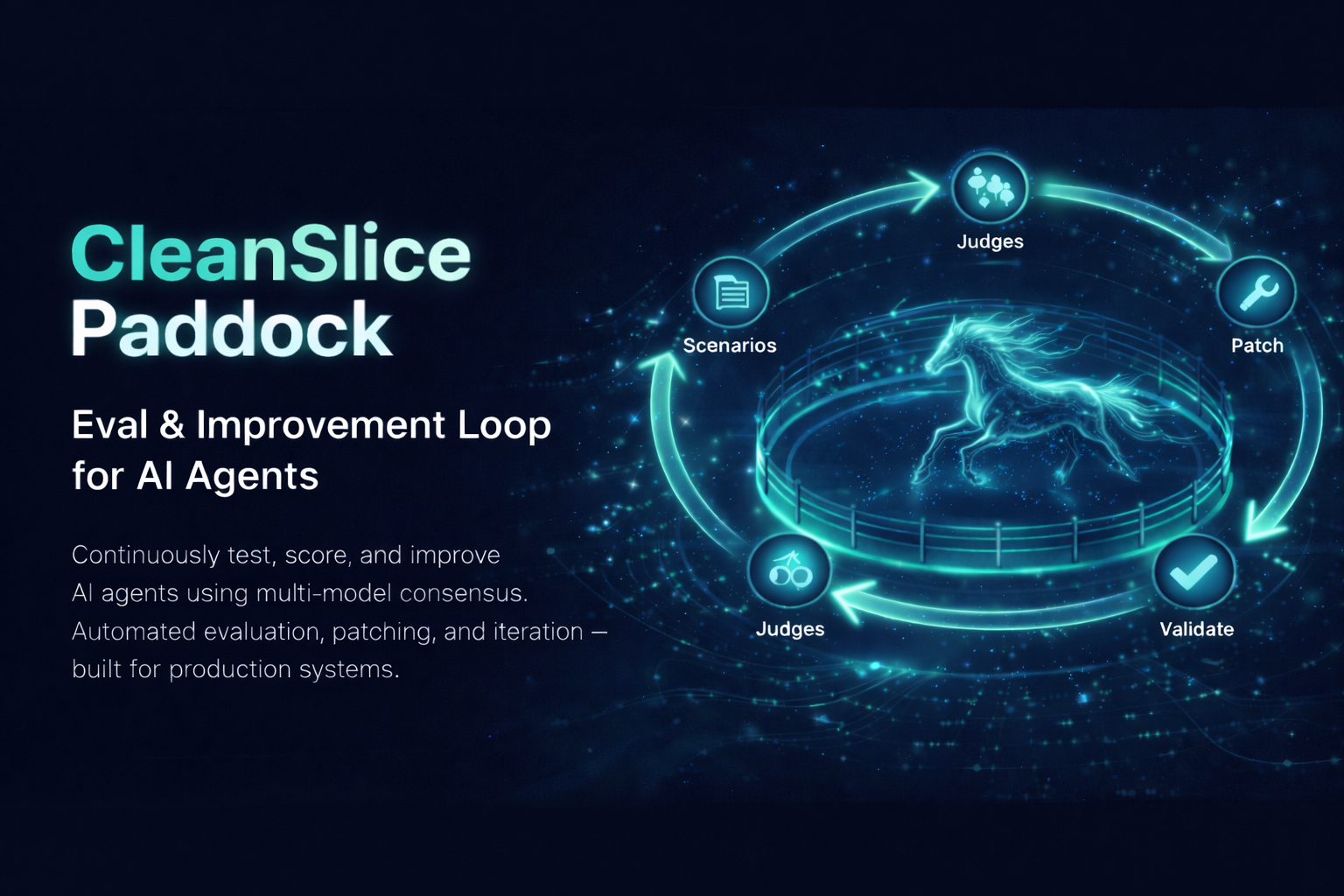
Automated eval & improvement loop for AI agents. Generates test scenarios, runs the agent, scores with multi-model consensus (Claude + GPT + Gemini), and iteratively patches code until quality targets are met.
CleanSlice agent skills — architecture patterns, vertical slices, conventional commits for Claude Code and AI coding agents.
Official CleanSlice documentation — Clean Architecture framework for NestJS + Nuxt full-stack apps with vertical slices.
CleanSlice full-stack starter kit — NestJS + Nuxt with Clean Architecture vertical slices, Prisma, Pinia, shadcn-vue, Tailwind.