mcp
MCP (Model Context Protocol) server for CleanSlice architecture — connect Claude Code, Cursor, Windsurf to CleanSlice documentation.
- 18
- TypeScript
- MIT
- 3 wk ago

Agent runtime for CleanSlice — TypeScript gateway, model adapter, and tool layer
Repo CleanSlice/runtime, read from GitHub 1 min ago. CleanSlice has not joined Take My Repo.
CleanSlice/runtime is a public repo on GitHub by CleanSlice. Agent runtime for CleanSlice — TypeScript gateway, model adapter, and tool layer. It declares the MIT license on GitHub. It is written mainly in TypeScript, has 2 stars and last changed on 2026-11-19. Nobody has reviewed it on Take My Repo yet, which says nothing about its quality. Read from GitHub on 2026-11-19.

Agent runtime for the CleanSlice ecosystem. Define an agent as files, connect it to channels (Telegram, Slack), and let it use tools — all powered by a pluggable LLM backend.
Prerequisites: Bun installed.
git clone https://github.com/CleanSlice/runtime.git
cd runtime
bun installbun run cli init
This copies .agent.example/ into .agent/, creating all required files and an agent.config.json with default settings. If .agent.example/ doesn't exist, a minimal scaffold is created from built-in templates.
cp .env.example .env
Fill in the required values:
| Variable | Required | Description |
|---|---|---|
TELEGRAM_BOT_TOKEN |
yes | Bot token from @BotFather |
TELEGRAM_BOT_NAME |
yes | Bot username (without @) |
TELEGRAM_BOT_ADMIN_IDS |
yes | Comma-separated Telegram user IDs |
CLAUDE_CODE_OAUTH_TOKEN |
yes | Anthropic OAuth token (supports comma-separated list for rotation) |
LLM_MODEL |
no | Model to use (default: claude-sonnet-4-6) |
LLM_FALLBACK_MODEL |
no | Fallback model (default: claude-haiku-4-5) |
LLM_AUX_MODEL |
no | Auxiliary model for background work (compaction, memory flush). Defaults to main LLM when unset. |
LLM_AUX_PROVIDER |
no | Auxiliary provider — defaults to main provider. |
LLM_AUX_API_KEY |
no | Auxiliary API key — defaults to main key. |
LLM_AUX_FALLBACK_MODEL |
no | Auxiliary fallback model. |
SLACK_BOT_TOKEN |
no | Slack bot token |
SLACK_APP_TOKEN |
no | Slack app token |
SECRET_PROVIDER |
no | file (dev) or aws (prod) |
CLEANSLICE_AGENT_DIR |
no | Override default .agent directory |
bun run start          # production
bun run dev            # development (auto-reload on file changes)
An agent is just files:
.agent/
├── SOUL.md              ← who the agent is
├── USER.md              ← who it works with
├── MEMORY.md            ← what it remembers
├── HEARTBEAT.md         ← periodic tasks to run
├── agent.config.json    ← runtime configuration
├── skills/              ← pluggable skills
├── data/                ← cron jobs, secrets
├── sessions/            ← conversation history (JSONL)
└── memory/              ← long-term memory storage
The runtime brings those files to life. It handles channels, LLM calls, tool execution, sessions, cron, and heartbeat — all configured through agent.config.json.
All runtime settings live in .agent/agent.config.json. You only need to specify values you want to override — everything has sensible defaults.
{
  // Max LLM iterations per task (tool calls + responses).
  // Increase if the agent hits "Reached max iterations" on complex tasks.
  "maxIterations": 25,

  // Max characters shown in task label previews
  "taskLabelLength": 60,

  "heartbeat": {
    // How often the heartbeat fires (minutes)
    "intervalMin": 30
  },

  "session": {
    // Compact session history after this many events
    "compactionThreshold": 60,
    // Keep this many recent events after compaction
    "recentKeep": 20,
    // Idle sessions over the threshold are compacted by the heartbeat sweep (minutes, 0 = off)
    "idleCompactMin": 30,
    // Size-triggered compaction may interrupt a running task only above this % of contextBudgetChars
    "hardLimitPct": 90
  },

  // Character budget for the always-on system prompt. `/context` shows the actual split.
  "contextBudget": {
    "total": 48000,
    "sections": { "soul": 12000, "tooling": 6000, "skillsCatalog": 3000, "memory": 2200, "dailyNotes": 8000, "alwaysSkills": 12000, "instincts": 2500 }
  },

  "skills": {
    // "model": the agent pulls a skill with `skill_load` when its description fits; "keyword": legacy word overlap
    "selection": "model",
    // Turns a loaded skill stays in the conversation after its last use
    "retainTurns": 3
  },

  // Learned behaviours with confidence — see "Learning" below
  "memory": {
    "instincts": {
      "enabled": true,
      "bands": { "suggested": 0.3, "apply": 0.5, "core": 0.8 },
      "decayDays": 14,
      "maxInjected": 8
    }
  },

  "s3": {
    // Auto-sync interval for S3 backup (seconds)
    "syncIntervalSec": 60
  },

  "tools": {
    "spawnAgent": {
      // Timeout for spawned Claude Code sub-agents (minutes)
      "timeoutMin": 5,
      // Max characters in sub-agent output notification
      "outputLimit": 4000
    },
    "browser": {
      // Max characters returned from browser tool
      "outputLimit": 5000
    },
    "webFetch": {
      // Max characters returned from web_fetch tool
      "maxChars": 8000
    },
    // Tools with a full description always in the prompt; the rest are one-line stubs + `tool_describe`
    "coreCatalogue": ["exec", "file", "http", "web_fetch", "memory_search", "secret_get", "skill_load", "tool_describe"],
    // How many times one tool may be called in a single turn (by full MCP name or bare name); empty = no cap
    "callsPerTurn": {},
    // delegate_task worker budgets
    "delegate": { "timeoutMs": 300000, "maxParallel": 5, "summaryChars": 4000, "allowWrite": false }
  }
}On first run, the runtime automatically:
.agent/ exists and is initialized.agent.example/ (including agent.config.json)data/, sessions/, memory/, skills/)This means you can customize .agent.example/ in your repo as a template for new deployments.
| File | Purpose | Required |
|---|---|---|
SOUL.md |
Agent personality and behavior rules | yes |
USER.md |
Context about the user the agent serves | yes |
MEMORY.md |
Long-term memory (agent writes here) | yes |
HEARTBEAT.md |
Periodic tasks — agent checks this on every heartbeat | no |
agent.config.json |
Runtime configuration (see above) | no (defaults used) |
skills/<name>/SKILL.md |
Pluggable skills activated by keywords in user messages | no |
The CLI provides commands for managing the agent from the terminal.
bun run cli <command> [options]
| Command | Description |
|---|---|
init |
Scaffold a new .agent directory |
start |
Start the agent runtime (foreground) |
status |
Show agent directory status and health |
cron |
Manage scheduled jobs |
memory |
View or clear agent memory |
sessions |
List or clear conversation sessions |
skills |
List or inspect loaded skills |
version |
Show version |
initbun run cli init [--dir <path>]
Creates the .agent/ directory with all required files. If .agent.example/ exists in the project root, copies files from there. Otherwise creates from built-in templates.
startbun run cli start [--dir <agent-dir>]
Starts the runtime in the foreground. Equivalent to bun run start but allows overriding the agent directory.
statusbun run cli status
Shows a dashboard of agent health: which files exist, how many sessions/cron jobs are active, which environment variables are set.
cronbun run cli cron list bun run cli cron add --name "Daily digest" --schedule "0 9 * * *" --message "Send morning digest" [--to <chat_id>] [--channel telegram] [--tz Europe/Kiev] bun run cli cron remove <id> bun run cli cron enable <id> bun run cli cron disable <id>
Manage cron jobs stored in .agent/data/cron.json. Jobs are picked up by the runtime and executed on schedule.
memorybun run cli memory show # print MEMORY.md bun run cli memory clear # reset MEMORY.md
sessionsbun run cli sessions list # list all sessions with message counts bun run cli sessions clear # delete all session files
skillsbun run cli skills list # list loaded skills bun run cli skills show <name> # print SKILL.md for a skill
| Option | Description |
|---|---|
--help, -h |
Show help for any command |
--version, -v |
Show version |
CLEANSLICE_AGENT_DIR |
Env var to override default .agent directory |
┌─────────────────────────────────────────────────────┐
│                    Channels                          │
│          Telegram · Slack · Discord · API            │
└──────────────────────┬──────────────────────────────┘
                       │
┌──────────────────────▼──────────────────────────────┐
│                  Agent Runtime                       │
│                                                      │
│  ┌──────────┐  ┌──────────┐  ┌──────────┐           │
│  │   Init   │  │   LLM    │  │  Tools   │           │
│  │ config   │  │ Claude   │  │ exec     │           │
│  │ bootstrap│  │ GPT      │  │ browser  │           │
│  └──────────┘  │ local    │  │ file     │           │
│                └──────────┘  │ http     │           │
│  ┌──────────┐                │ memory   │           │
│  │  Agent   │  ┌──────────┐  │ web      │           │
│  │ SOUL.md  │  │ Session  │  │ cron     │           │
│  │ USER.md  │  │ JSONL    │  │ image    │           │
│  │ MEMORY   │  │ compact  │  │ secret   │           │
│  │ skills/  │  └──────────┘  │ message  │           │
│  └──────────┘                │ spawn    │           │
│                              └──────────┘           │
└─────────────────────────────────────────────────────┘
The runtime is organized into vertical slices following CleanSlice architecture:
| Slice | Purpose |
|---|---|
init |
First-run bootstrap and agent.config.json loading |
agent |
Loads agent files (SOUL, USER, MEMORY) and builds system prompt |
session |
Append-only JSONL conversation history with auto-compaction |
llm |
Pluggable LLM adapters (Claude, OpenClaw, etc.) |
channel |
Message routing (Telegram, Slack) |
tool |
Tool registry and execution |
task |
Task manager with dispatcher (parallel tasks, inbox) |
memory |
Agent long-term memory persistence |
skill |
Dynamic skill loading from .agent/skills/ |
cron |
Scheduled job execution |
heartbeat |
Periodic health checks |
access |
User authorization and invite codes |
voice |
Text-to-speech voice mode |
sync |
S3 backup and sync |
Built-in tools available to the agent:
| Tool | Description |
|---|---|
exec |
Run shell commands |
process |
Run long-running processes |
spawn_agent |
Spawn a Claude Code sub-agent for complex tasks |
browser |
Fetch web pages (headless Chromium) |
playwright |
Full browser automation (click, fill, screenshot) |
screenshot |
Take page screenshots with AI analysis |
web_search |
Search the web |
web_fetch |
Fetch and extract clean text from URLs |
file |
Read and write files |
unzip |
Extract archives |
http |
Make HTTP requests |
memory_search |
Search agent memory |
image_analyze |
Analyze images with Claude Vision |
pdf_analyze |
Extract and analyze PDF content |
telegram_send |
Send messages to Telegram chats |
tts |
Text-to-speech via Telegram voice messages |
cron_* |
Manage cron jobs (list, add, remove, disable) |
invite |
Manage user invite codes |
secret_* |
Manage encrypted user secrets (set, get, list, delete) |
The always-on prompt is accounted per section against contextBudget; /context shows the last turn's split and what was pulled in on demand, agent_status carries the same under context. The ## Rules section of SOUL.md is never truncated to fit memory.limits.soul — reference material goes first, and an overflow is logged at start-up naming the file. Skills enter a turn when the model calls skill_load (their catalogue description says when), stay for skills.retainTurns turns, and ride in the history rather than the system prompt so the cached prefix stays stable; a skill whose requires.env / requires.bins are unmet is listed as (unavailable: …). A skill with metadata.always: true is the exception: its whole body rides in every system prompt, so none of the bundled skills sets it (CLEAN-199) and an agent-level skill should only when it is needed on every turn. Tools outside tools.coreCatalogue appear as one-line stubs and tool_describe returns the full description and parameters. tools.callsPerTurn caps how often one tool may be called in a single turn (by its full MCP name or its bare name): past the cap the call is not run and the model gets a result telling it to answer from what it already has — a retrieval loop then ends in an answer instead of in maxIterations (CLEAN-202). Empty by default.
Three parts of the prompt exist for a personal messenger bot and can be switched off for a product agent (CLEAN-213): memory.dailyNotes: false stops the memory flush from writing memory/YYYY-MM-DD.md and the prompt from reading it (one file per agent, read into every user's prompt, so a visitor's session otherwise travels into everyone else's); memory.ownerBlock: false keeps the "## Bot Owner" Telegram approval instructions out of MEMORY.md; and a curated file that still reads exactly as .agent.example shipped it (USER.md with "Name: Unknown", HEARTBEAT.md with an empty task list) stays out of the prompt until someone edits it, since deleting it only makes the scaffold recreate it. Two more lists narrow the catalogue (CLEAN-214): tools.enabled names the built-in tools the agent keeps (empty keeps all; MCP tools are chosen by their server, skill_load and tool_describe always stay, a dropped tool is not registered at all), and skills.exclude names skills never loaded, which is how a product agent sheds the bundled ranch-sessions, runtime-tools and skill-creator that syncSkills would otherwise bring back on every start.
delegate_task (admin) runs sub-tasks in isolated workers inside the runtime: each gets a fresh history with the goal and the context the parent passed, the parent's identity, and the parent's tools minus everything that leaves the conversation (telegram_send, tts, memory_save, skill_*, secret_set/delete, cron_*, channel_*, spawn_agent, and delegate_task itself). Independent sub-tasks run concurrently up to tools.delegate.maxParallel; each has a time budget and returns one summary cut to summaryChars. The parent owns collection: a turn cannot end while its workers run — the loop waits up to the budget, cancels the rest, and hands the model a note listing what finished and what was cancelled so it reports facts rather than "waiting". /tasks shows workers indented under their parent. spawn_agent remains the way to run an external Claude Code coding agent.
The agent learns behaviours, not just notes. Every memory.review.everyTurns turns (and on /clear) the auxiliary model reviews the conversation and reports, in JSON, durable facts for MEMORY.md plus instincts — one trigger, one action, with evidence pointing at the exchange. Each instinct lives as one markdown file in .agent/memory/instincts/ and carries a confidence:
| Source | Starts at | Band |
|---|---|---|
| explicit admin rule ("never …", "always …") | 0.9, pinned | core — rendered as a standing rule |
| correction ("shorter next time") | 0.6 | apply — shapes the agent's actions |
| resolved error, repeated workflow | 0.5 | apply |
Confidence moves with experience: +0.05 when the review sees the behaviour applied without complaint, −0.2 when the person pushes back, −0.05 per decayDays without reinforcement (pinned ones never decay). Bands (memory.instincts.bands): below suggested a behaviour is hidden, from suggested it is listed for the operator only, from apply it is rendered into the prompt, from core it reads as a rule. A contradicting pair keeps the higher confidence in the prompt and surfaces the conflict.
/learned lists everything by band with evidence counts; /learned show <id> the evidence; pin / unpin, prune [<id>], promote <id…> (writes skills/learned-<slug>/SKILL.md for review), export. agent_status.learned carries the counts. bun run eval tests/evals/corrections.jsonl checks that one correction holds on the next matching messages.
Users can interact with the bot via Telegram/Slack commands:
| Command | Description |
|---|---|
/start |
Start the bot / activate via invite link |
/help |
Show available commands |
/status |
Agent status and model info |
/clear |
Reset current conversation session |
/memory |
What the agent remembers about you |
/tasks |
List active tasks |
/cancel <id> |
Cancel a running task |
/voice |
Toggle voice mode (TTS) |
/skills |
List loaded skills |
/skills reload |
Reload skills from disk (admin only) |
/context |
System prompt size per section vs budget, and what was loaded on demand last turn (admin only) |
/learned |
What the agent has learned, with confidence; show, pin, unpin, prune, promote, export (admin only) |
/compact |
Archive this conversation's older history now (admin only) |
When compaction runs. History is archived at task boundaries (after a turn ends), on the heartbeat's idle sweep (session.idleCompactMin), or on /compact. While a task of the session is still running, size-triggered compaction waits — the archive would lose the paths and partial results the task is using — unless the history passes session.hardLimitPct of contextBudgetChars, when it proceeds as hard-limit. Every archive summary records its reason and an in-flight note (goal, last steps, pending work); agent_status.lastCompaction shows the latest.
Every conversation is a session — a JSONL file where each line is one event:
{"type":"user","text":"hello","ts":1741900800}
{"type":"tool_call","name":"exec","params":{"command":"ls"}}
{"type":"tool_result","result":"..."}
{"type":"assistant","text":"done","ts":1741900801}
Sessions are append-only and crash-safe. When a session exceeds session.compactionThreshold events, older events are summarized by the LLM into an archived context block, keeping only the most recent session.recentKeep events.
MIT
CleanSlice/runtime is a public repo on GitHub by CleanSlice. Agent runtime for CleanSlice — TypeScript gateway, model adapter, and tool layer.
It declares the MIT license on GitHub.
Its maker has not tagged a system, so it is unknown here. Its README says what it needs.
Open "Take it" on its page: Take My Repo writes an install plan for your machine and hands it to your AI agent (Claude Code, Codex or Cursor), which asks you before each step. Take My Repo has not tested it on any machine.
Its last change on GitHub was on 2026-11-19. Take My Repo does not judge from that whether it is maintained.
Nobody has reviewed it on Take My Repo yet, which says nothing about its quality.
MCP (Model Context Protocol) server for CleanSlice architecture — connect Claude Code, Cursor, Windsurf to CleanSlice documentation.
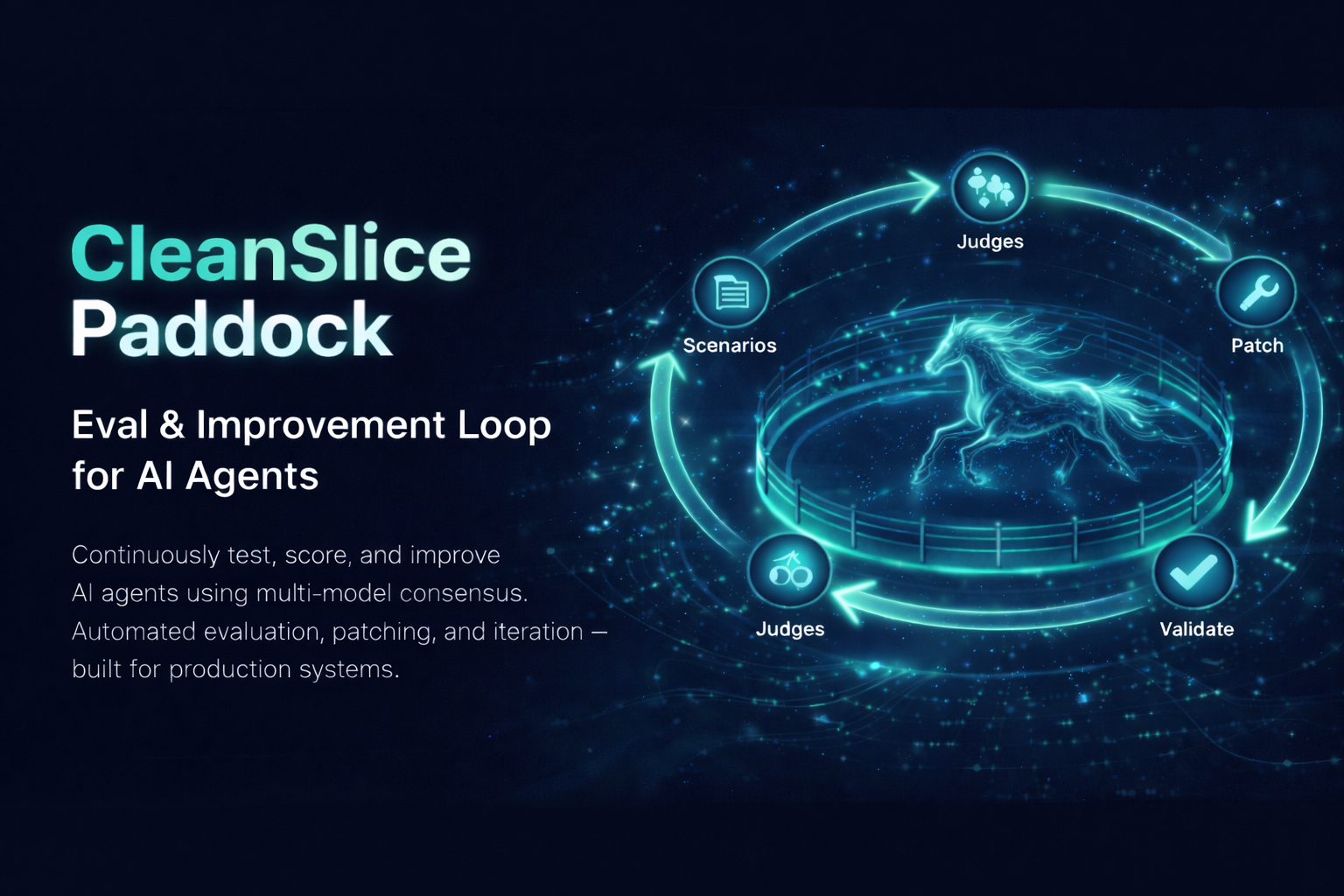
Automated eval & improvement loop for AI agents. Generates test scenarios, runs the agent, scores with multi-model consensus (Claude + GPT + Gemini), and iteratively patches code until quality targets are met.
CleanSlice agent skills — architecture patterns, vertical slices, conventional commits for Claude Code and AI coding agents.
Official CleanSlice documentation — Clean Architecture framework for NestJS + Nuxt full-stack apps with vertical slices.
Agent deployment platform on Kubernetes. Deploy, manage, and monitor AI agents at scale with ArgoCD and Argo Workflows.
CleanSlice full-stack starter kit — NestJS + Nuxt with Clean Architecture vertical slices, Prisma, Pinia, shadcn-vue, Tailwind.