a2ui
Open-source generative UI framework: agents stream layout data, and apps render it with native components in React, Angular, Lit, Flutter, SwiftUI and Jetpack Compose.
- 18k
- TypeScript
- Apache-2.0
- 25 min ago
Generative UI examples for: AG-UI, A2UI/Open-JSON-UI, and MCP Apps.
Repo CopilotKit/generative-ui, read from GitHub 11 h ago. CopilotKit has not joined Take My Repo.
CopilotKit/generative-ui is a public repo on GitHub by CopilotKit. Generative UI examples for: AG-UI, A2UI/Open-JSON-UI, and MCP Apps. It declares no license on GitHub. Public does not mean open source: without a license, nobody is granted the right to reuse it. It has 898 stars and last changed on 2026-03-20. Nobody has reviewed it on Take My Repo yet, which says nothing about its quality. Read from GitHub on 2026-11-21.
Build apps that adapt to your users.
https://github.com/user-attachments/assets/ed28c734-e54e-4412-873f-4801da544a7f
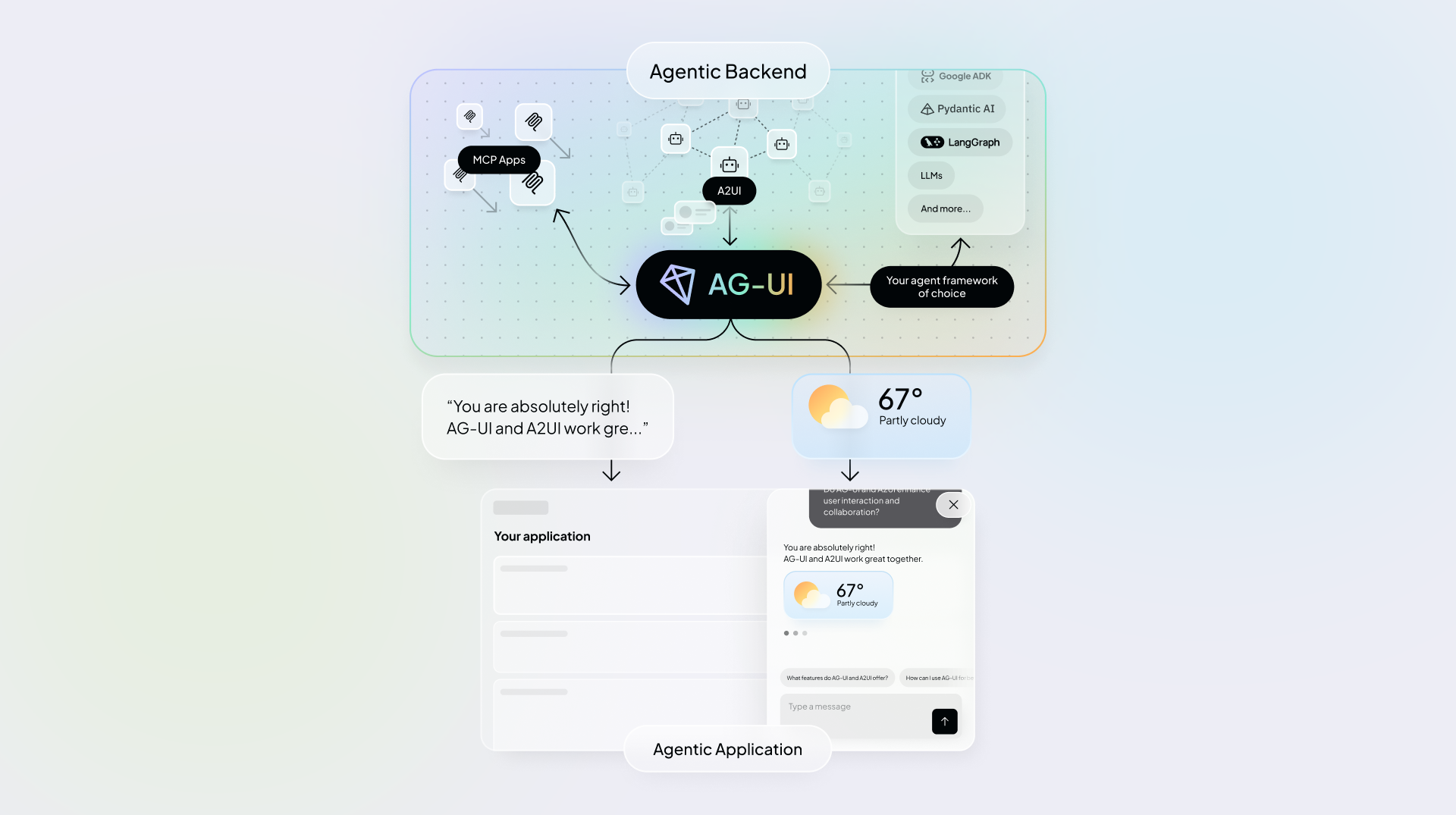
This repository walks through how agentic UI protocols (AG-UI, A2UI, MCP Apps) enable Generative UI patterns (Controlled, Declarative, Open-ended) and how to implement them using CopilotKit.
👉 OpenGenerativeUI - Open source framework for building Generative UI in agentic apps
👉 Generative UI Guide (PDF) - a conceptual overview of Generative UI, focused on trade-offs, UI surfaces and how agentic UI protocols work together.
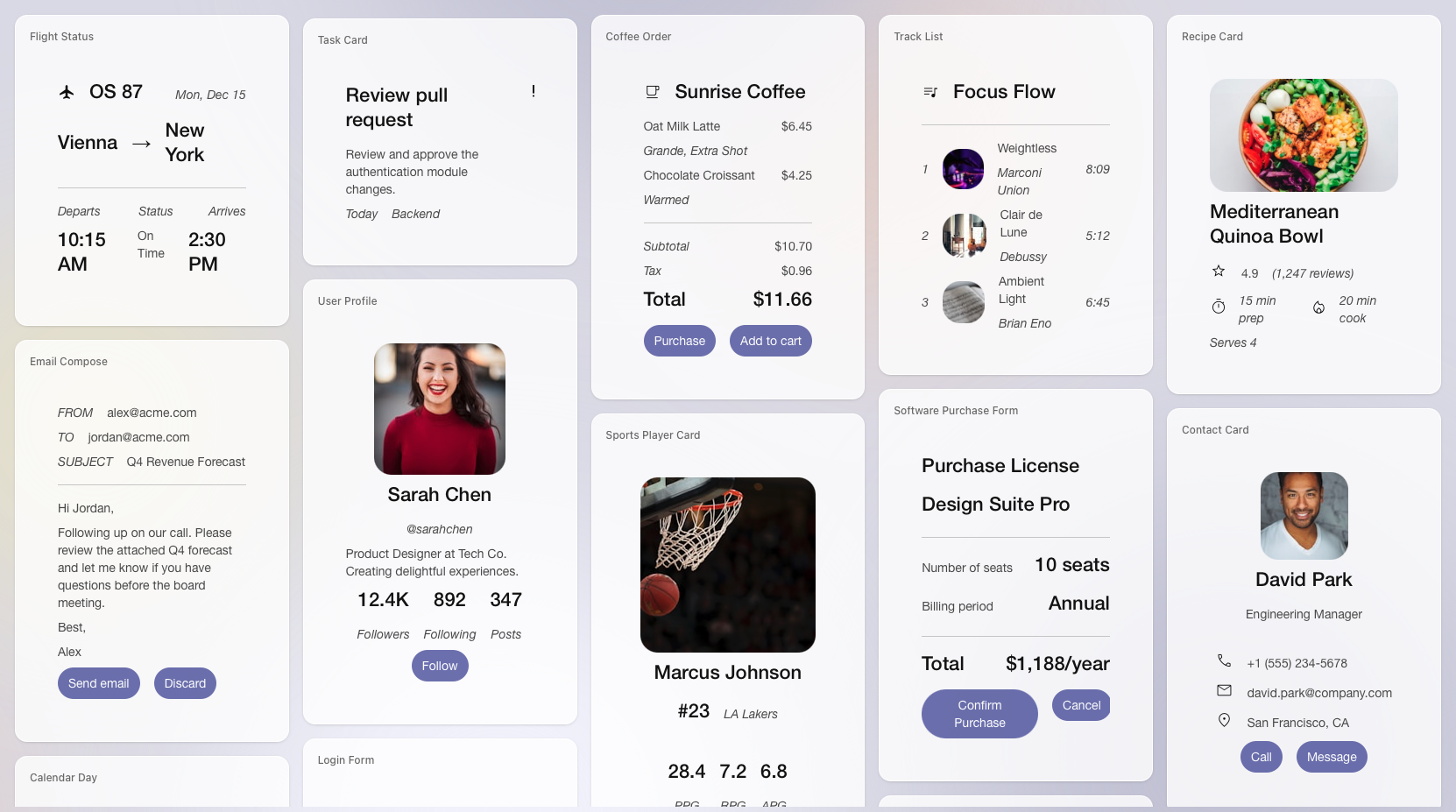
Generative UI is a pattern in which parts of the user interface are generated, selected, or controlled by an AI agent at runtime rather than being fully predefined by developers.
Instead of only generating text, agents can send UI state, structured UI specs, or interactive UI blocks that the frontend renders in real time. This turns UI from fixed, developer-defined screens into an interface that adapts as the agent works and as context changes.
In the CopilotKit ecosystem, Generative UI is approached in three practical patterns, implemented using different agentic UI protocols and specifications that define how agents communicate UI updates to applications:
AG-UI (Agent-User Interaction Protocol) serves as the bidirectional runtime interaction layer beneath these patterns, providing the agent ↔ application connection that enables Generative UI and works uniformly across A2UI, MCP Apps, Open-JSON-UI, and custom UI specifications.
The rest of this repo walks through each pattern from most constrained to most open-ended and shows how to implement them using CopilotKit.
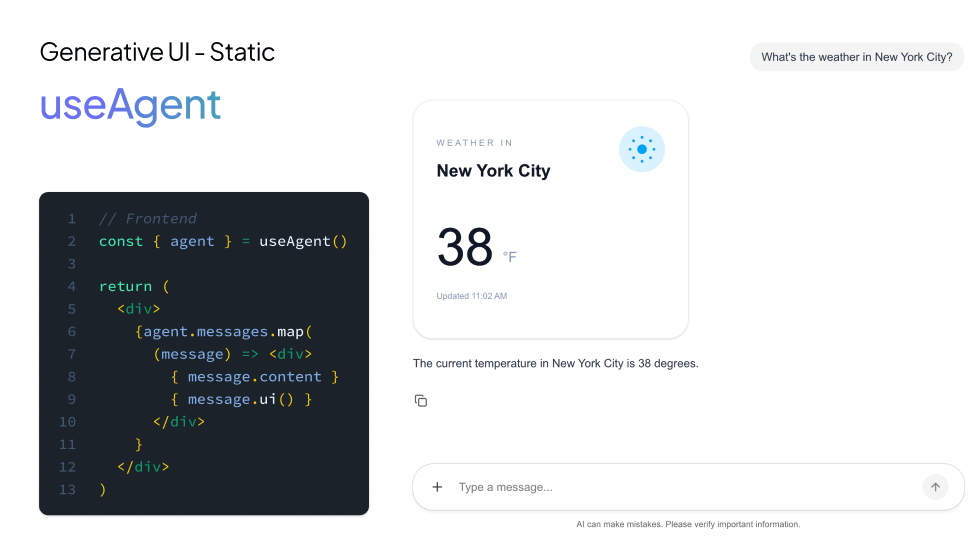
Controlled Generative UI means you pre-build UI components, and the agent chooses which component to show and passes it the data it needs.
This is the most controlled approach: you own the layout, styling, and interaction patterns, while the agent controls when and which UI appears.
In CopilotKit, this pattern is implemented using the useFrontendTool hook, which lets the application register the get_weather tool and define how the predefined React UI is rendered across each phase of the tool’s execution lifecycle.
// Weather tool - callable tool that displays weather data in a styled card
useFrontendTool({
  name: "get_weather",
  description: "Get current weather information for a location",
  parameters: z.object({ location: z.string().describe("The city or location to get weather for") }),
  handler: async ({ location }) => {
    await new Promise((r) => setTimeout(r, 500));
    return getMockWeather(location);
  },
  render: ({ status, args, result }) => {
    if (status === "inProgress" || status === "executing") {
      return <WeatherLoadingState location={args?.location} />;
    }
    if (status === "complete" && result) {
      const data = JSON.parse(result) as WeatherData;
      return (
        <WeatherCard
          location={data.location}
          temperature={data.temperature}
          conditions={data.conditions}
          humidity={data.humidity}
          windSpeed={data.windSpeed}
        />
      );
    }
    return <></>;
  },
});
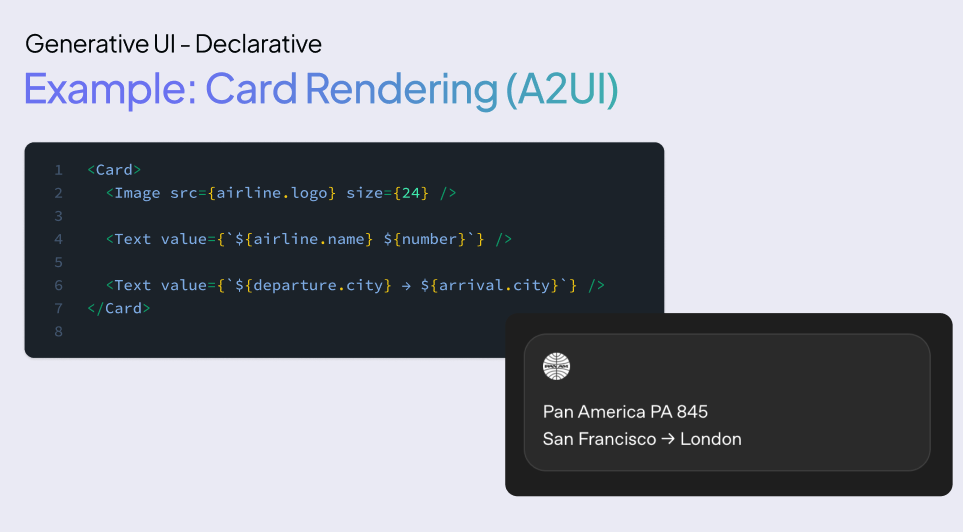
Declarative Generative UI sits between controlled and open-ended approaches. Here, the agent returns a structured UI description (cards, lists, forms, widgets) and the frontend renders it.
Two common declarative specifications used for Generative UI are A2UI and Open-JSON-UI.
A2UI → declarative Generative UI spec from Google, described as JSONL-based and streaming, designed for platform-agnostic rendering
Open‑JSON‑UI → open standardization of OpenAI’s internal declarative Generative UI schema
Let's first understand the basic flow of how to implement A2UI.
Instead of writing A2UI JSON by hand, you can use the A2UI Composer to generate the spec for you. Copy the output and paste it into your agent’s prompt as a reference template.
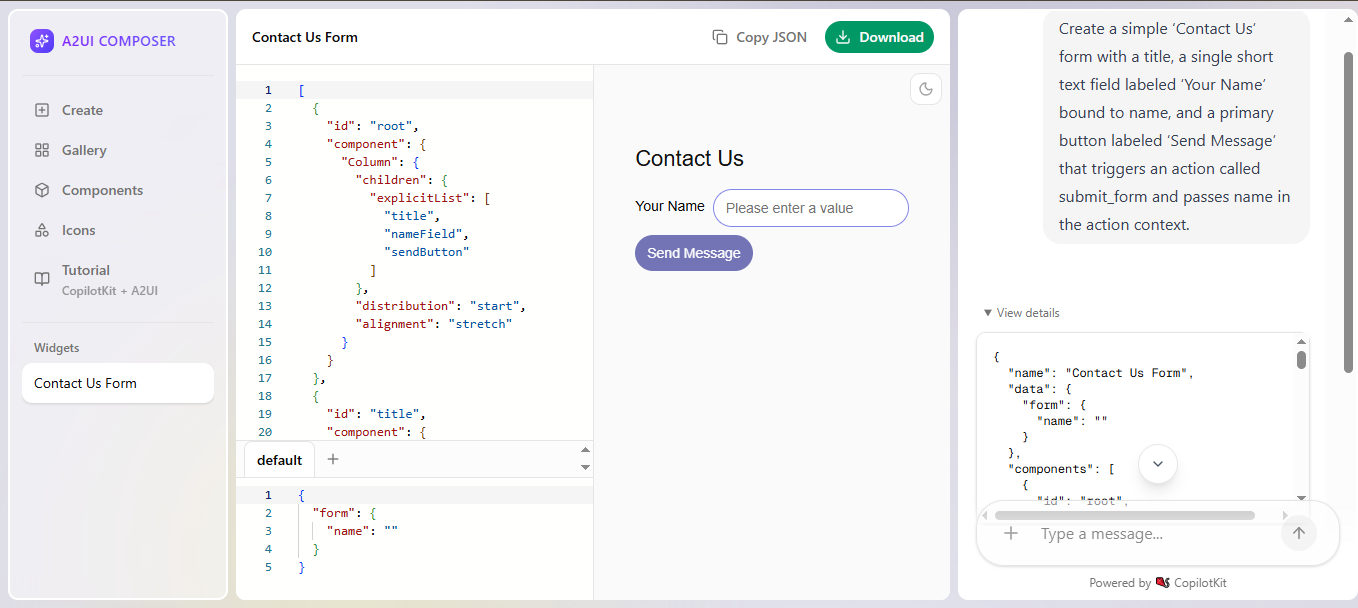
In prompt_builder.py, add one A2UI JSONL example so the agent learns the three message envelopes A2UI expects: surfaceUpdate (components), dataModelUpdate (state), then beginRendering (render signal).
UI_EXAMPLES = """
---BEGIN FORM_EXAMPLE---
{"surfaceUpdate":{"surfaceId":"form-surface","components":[ ... ]}}
{"dataModelUpdate":{"surfaceId":"form-surface","path":"/","contents":[ ... ]}}
{"beginRendering":{"surfaceId":"form-surface","root":"form-column","styles":{ ... }}}
---END FORM_EXAMPLE---
"""
Inject UI_EXAMPLES into the agent instruction so it can output valid A2UI message lines when a UI is requested.
instruction = AGENT_INSTRUCTION + get_ui_prompt(self.base_url, UI_EXAMPLES)

return LlmAgent(
    model=LiteLlm(model=LITELLM_MODEL),
    name="ui_generator_agent",
    description="Generates dynamic UI via A2UI declarative JSON.",
    instruction=instruction,
    tools=[],
)
Final step: on the frontend, pass createA2UIMessageRenderer(...) into renderActivityMessages so CopilotKit renders streamed A2UI output as UI and forwards UI actions back to the agent.
import { CopilotKitProvider, CopilotSidebar } from "@copilotkitnext/react";
import { createA2UIMessageRenderer } from "@copilotkit/a2ui-renderer";
import { a2uiTheme } from "../theme";

const A2UIRenderer = createA2UIMessageRenderer({ theme: a2uiTheme });

export function A2UIPage({ children }: { children: React.ReactNode }) {
  return (
    <CopilotKitProvider
      runtimeUrl="/api/copilotkit-a2ui"
      renderActivityMessages={[A2UIRenderer]}   // ← hook in the A2UI renderer
    >
      {children}
      <CopilotSidebar defaultOpen labels={{ modalHeaderTitle: "A2UI Assistant" }} />
    </CopilotKitProvider>
  );
}
Here is a calendar demo using A2UI and Agent Spec.
https://github.com/user-attachments/assets/48158b9d-188d-42d1-835b-32d7425cc43a
The pattern is the same for Open‑JSON‑UI. An agent can respond with an Open‑JSON‑UI payload that describes a UI “card” in JSON and the frontend renders it.
// Example (illustrative): Agent returns a declarative Open-JSON-UI–style specification
{
  type: "open-json-ui",
  spec: {
    components: [
      {
        type: "card",
        properties: {
          title: "Data Visualization",
          content: { ... }
        }
      }
    ]
  }
}
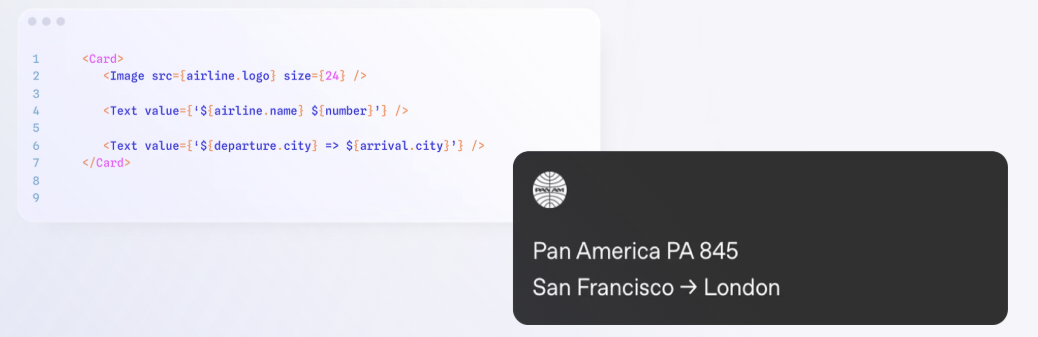
https://github.com/user-attachments/assets/48eeab8d-7845-4d06-83ef-d518a807da03
Open-ended Generative UI is when the agent returns a complete UI surface (often HTML/iframes/free-form content), and the frontend mostly serves as a container to display it.
The trade-offs are higher: security/performance concerns when rendering arbitrary content, inconsistent styling, and reduced portability outside the web.
This pattern is commonly used for MCP Apps. In CopilotKit, MCP Apps support is enabled by attaching MCPAppsMiddleware to your agent, which allows the runtime to connect to one or more MCP Apps servers.
import { BuiltInAgent } from "@copilotkit/runtime/v2";
import { MCPAppsMiddleware } from "@ag-ui/mcp-apps-middleware";

const agent = new BuiltInAgent({
  model: "openai/gpt-5.2",
  prompt: "You are a helpful assistant.",
}).use(
  new MCPAppsMiddleware({
    mcpServers: [
      {
        type: "http",
        url: "https://mcp.excalidraw.com/mcp", // or your local server: http://localhost:3001/mcp
        serverId: "my-server",
      },
    ],
  }),
);
We built an MCP-powered AI diagramming app with CopilotKit and a modified Excalidraw MCP server. Describe anything in chat and get a fully editable Excalidraw diagram back in seconds.
The full CopilotKit runtime setup in src/app/api/copilotkit/route.ts:
import {
  CopilotRuntime,
  ExperimentalEmptyAdapter,
  copilotRuntimeNextJSAppRouterEndpoint,
} from "@copilotkit/runtime";
import { BuiltInAgent } from "@copilotkit/runtime/v2";
import { NextRequest } from "next/server";
import { MCPAppsMiddleware } from "@ag-ui/mcp-apps-middleware";

const agent = new BuiltInAgent({
  model: "openai/gpt-5",
  prompt: `You are an AI diagramming assistant powered by Excalidraw...`, // full prompt in repo
}).use(
  new MCPAppsMiddleware({
    mcpServers: [
      {
        type: "http",
        url: process.env.MCP_SERVER_URL ?? "http://localhost:3001/mcp",
        serverId: "excalidraw",
      },
    ],
  }),
);

const serviceAdapter = new ExperimentalEmptyAdapter();

const runtime = new CopilotRuntime({
  agents: {
    default: agent,
  },
});

export const POST = async (req: NextRequest) => {
  const { handleRequest } = copilotRuntimeNextJSAppRouterEndpoint({
    runtime,
    serviceAdapter,
    endpoint: "/api/copilotkit",
  });

  return handleRequest(req);
};
The agent calls create_view on the MCP server with a JSON array of Excalidraw elements and CopilotKit renders that iframe directly in chat via the MCP Apps protocol. We extended the original Excalidraw MCP server with a checkpoint store, REST workspace endpoints, streaming, and widget buttons. Every diagram auto-saves to disk and opens as a full editable canvas. One click pushes any diagram live to Excalidraw straight from chat.
https://github.com/user-attachments/assets/18dd56de-6f14-4a1d-b743-52fccf145bbe
OpenGenerativeUI is an open source showcase for building rich, interactive UI with CopilotKit and LangGraph. It uses the same open-ended philosophy as MCP Apps but with a different architecture.
Instead of connecting to an external MCP server, a LangGraph agent generates raw HTML/SVG/Canvas directly, and useComponent on the frontend receives it as a named tool call and renders it in a themed, sandboxed iframe. The agent can produce algorithm visualizations, 3D animations (Three.js, WebGL), charts, interactive simulations, math plots, D3 force layouts, and more, anything expressible as self-contained HTML.
import { useComponent } from "@copilotkit/react-core/v2";
import {
  WidgetRenderer,
  WidgetRendererProps,
} from "@/components/generative-ui/widget-renderer";

// Register a named component: the agent calls "widgetRenderer" with
// { title, description, html } and the frontend renders it in a sandboxed iframe
useComponent({
  name: "widgetRenderer",
  description:
    "Renders interactive HTML/SVG visualizations in a sandboxed iframe. " +
    "Use for algorithm visualizations, diagrams, widgets, and simulations.",
  parameters: WidgetRendererProps,
  render: WidgetRenderer,
});
How useComponent differs from MCP Apps: with MCP Apps, the agent calls a tool on a remote server and the server returns an iframe URL. The heavy lifting is server-side. With useComponent, the agent generates the content directly (HTML string) and passes it through the tool call itself. No server round-trip, no URL, just structured output that the frontend component renders however it wants.
https://github.com/user-attachments/assets/ed28c734-e54e-4412-873f-4801da544a7f
The Generative UI Playground is a hands-on environment for exploring how all three patterns work in practice and seeing how agent outputs map to UI in real time.
https://github.com/user-attachments/assets/f2f52fae-c9c6-4da5-8d29-dc99b202a7ad
Contributions welcome: PRs adding examples (Controlled/Declarative/Open‑ended), improving explanations or adding assets.
Discord for help and discussions. GitHub to contribute. @CopilotKit for updates.
| Project | Preview | Description | Links |
|---|---|---|---|
| Open Generative UI | 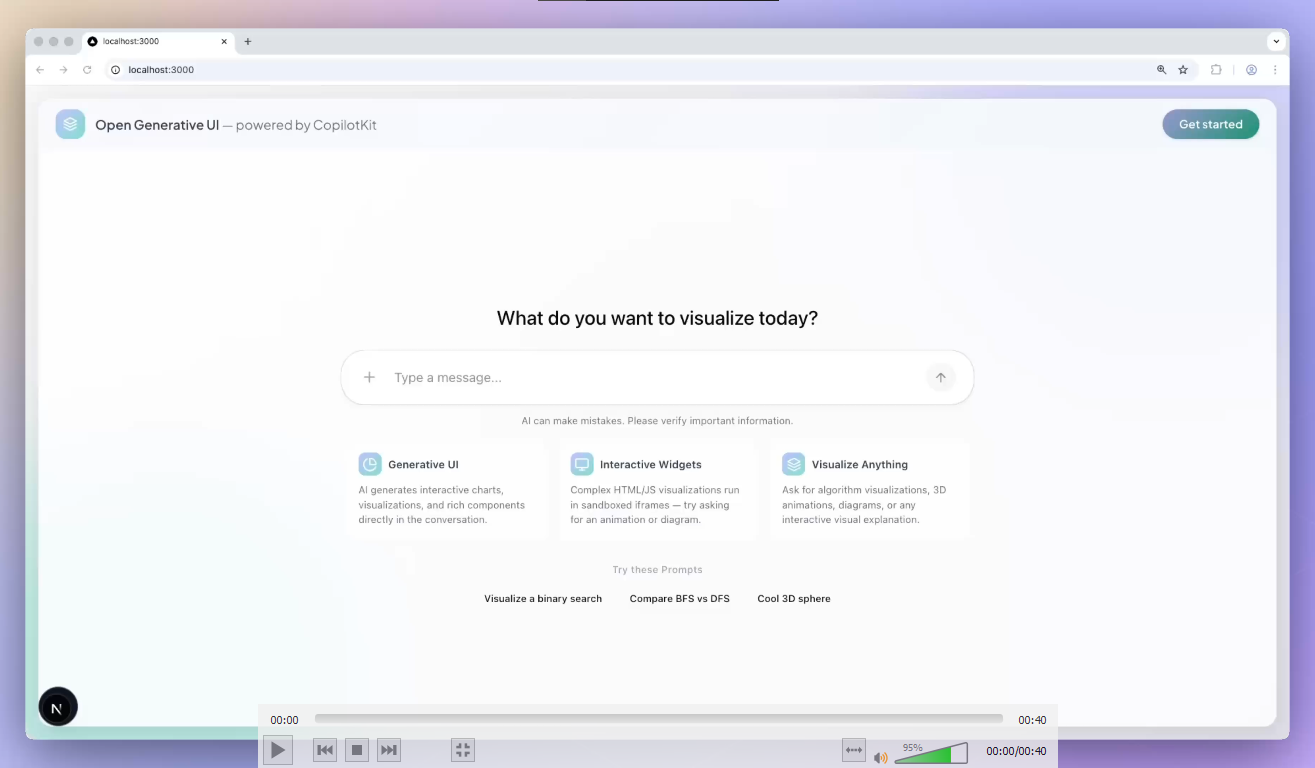 |
Open-ended generative UI: agent generates HTML/SVG visuals rendered in sandboxed iframes, no MCP server needed. | Repo |
| Generative UI Playground | 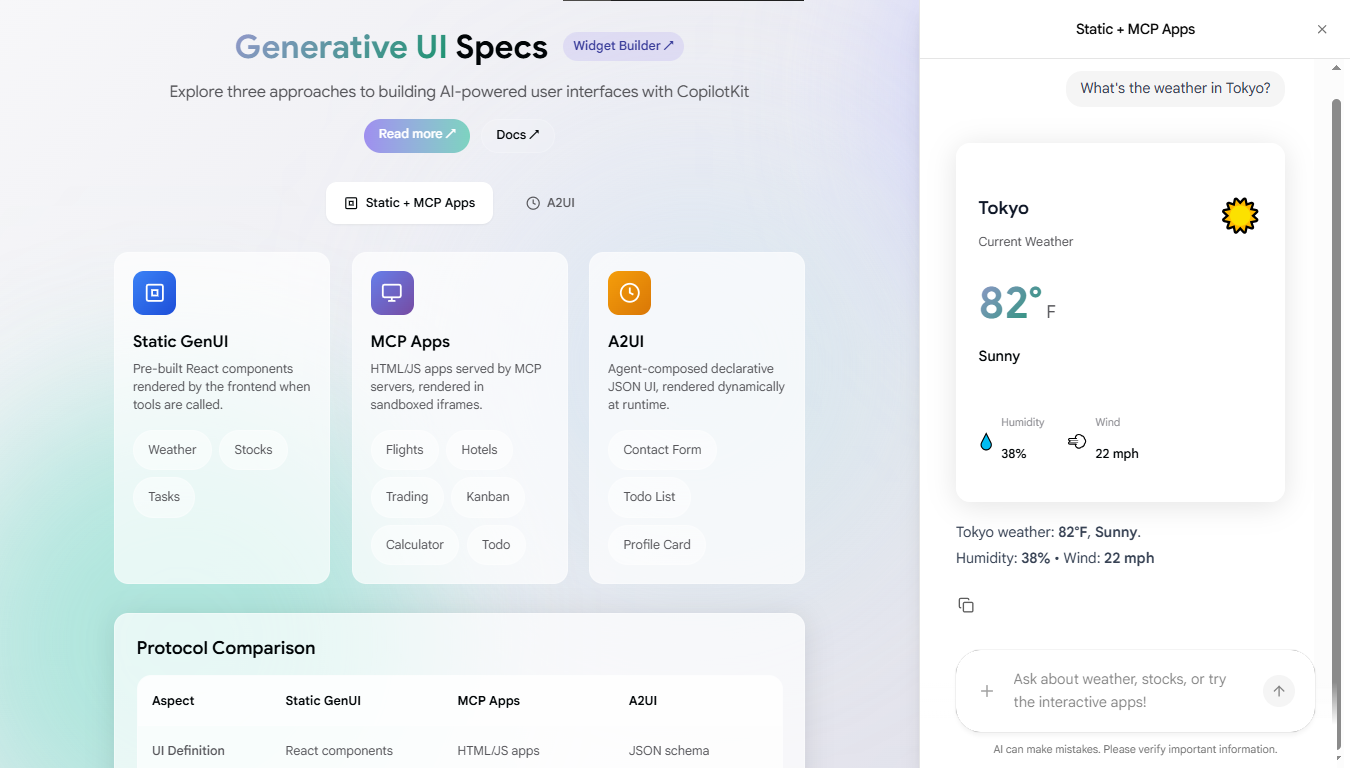 |
Shows the three Gen UI patterns with runnable, end-to-end examples. | Repo Demo |
| Excalidraw MCP App | 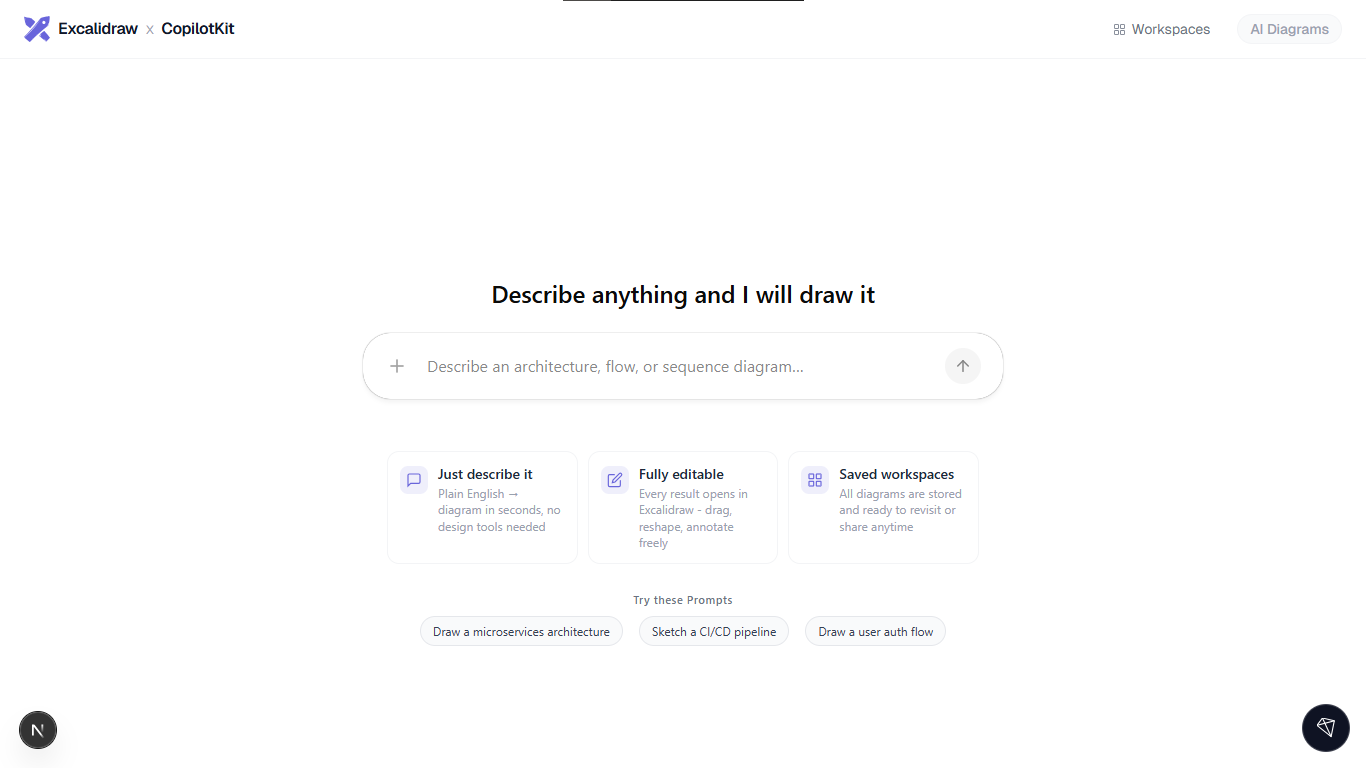 |
Describe anything, get a fully editable Excalidraw diagram in chat via MCP Apps. | Repo |
Built something? Open a PR or share it in Discord.
For AI/LLM agents: docs.copilotkit.ai/llms.txt
Note: This project has been consolidated into the CopilotKit monorepo. The latest version lives at
examples/showcases/generative-ui. Please open issues and pull requests in the main CopilotKit repository.
CopilotKit/generative-ui is a public repo on GitHub by CopilotKit. Generative UI examples for: AG-UI, A2UI/Open-JSON-UI, and MCP Apps.
It declares no license on GitHub. Public does not mean open source: without a license, nobody is granted the right to reuse it.
Its maker has not tagged a system, so it is unknown here. Its README says what it needs.
Open "Take it" on its page: Take My Repo writes an install plan for your machine and hands it to your AI agent (Claude Code, Codex or Cursor), which asks you before each step. Take My Repo has not tested it on any machine.
Its last change on GitHub was on 2026-03-20. GitHub counts 0 open issues and pull requests. Take My Repo does not judge from that whether it is maintained.
Nobody has reviewed it on Take My Repo yet, which says nothing about its quality.
Open-source generative UI framework: agents stream layout data, and apps render it with native components in React, Angular, Lit, Flutter, SwiftUI and Jetpack Compose.
AutoGPT is the vision of accessible AI for everyone, to use and to build on. Our mission is to provide the tools, so that you can focus on what matters.
Composable, accessible components with thoughtful defaults. Build your own component library with code you can customize, extend, and make your own.
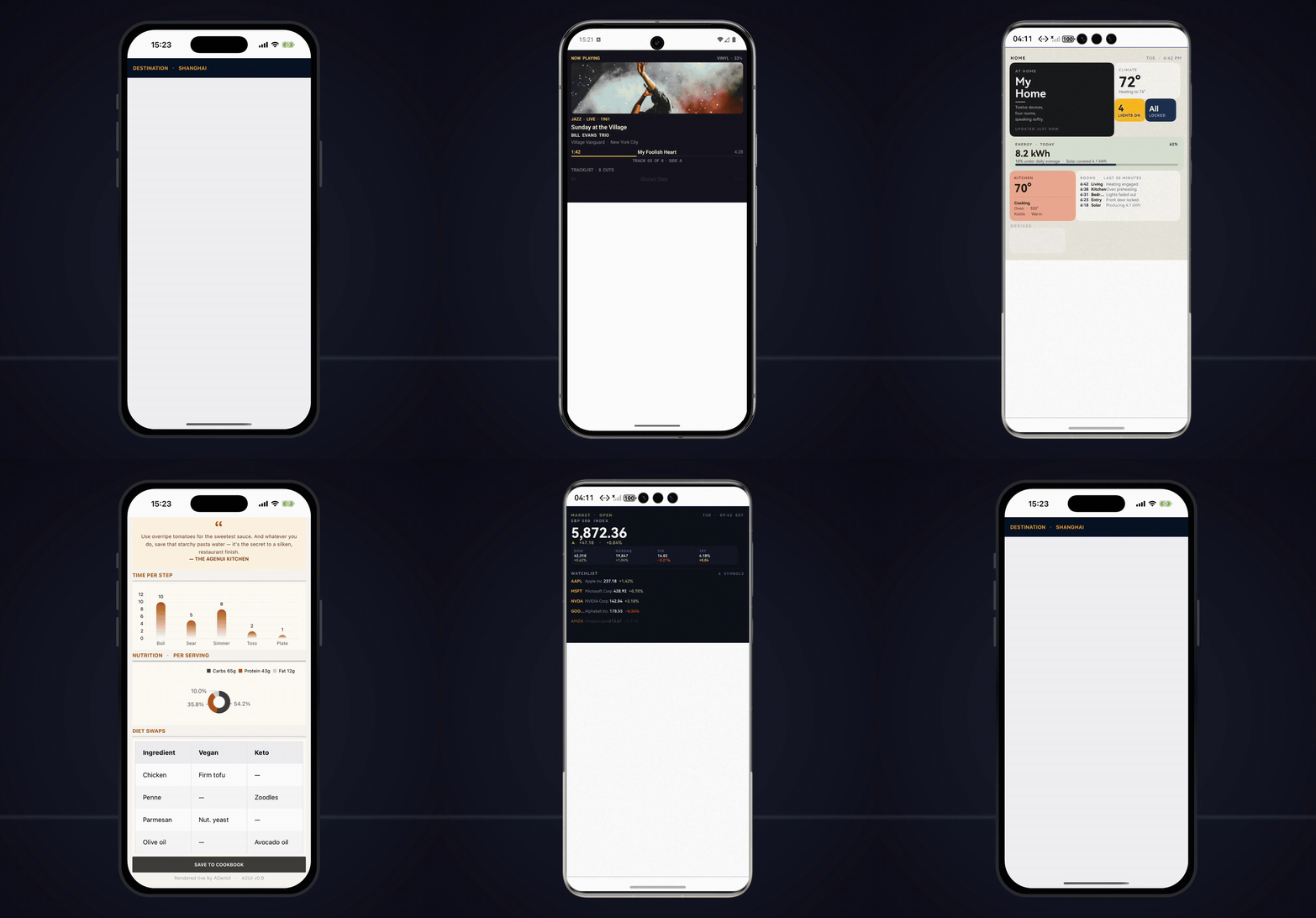
Native A2UI Renderer for iOS/Android/HarmonyOS. High performance streaming Generative UI. Custom Components, Styles and more.
The Frontend Stack for Agents & Generative UI. React, Angular, Mobile, Slack, and more. Makers of the AG-UI Protocol
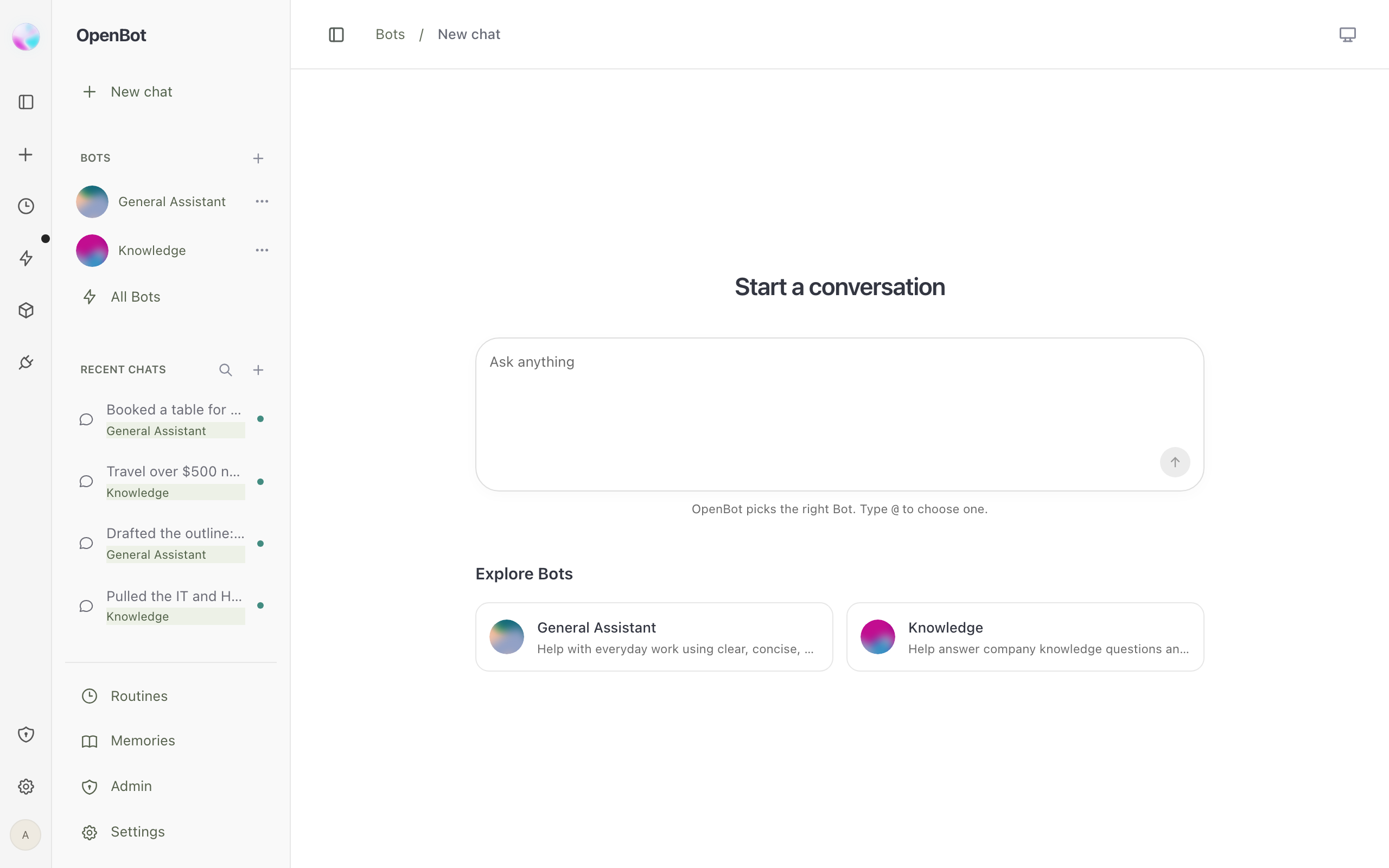
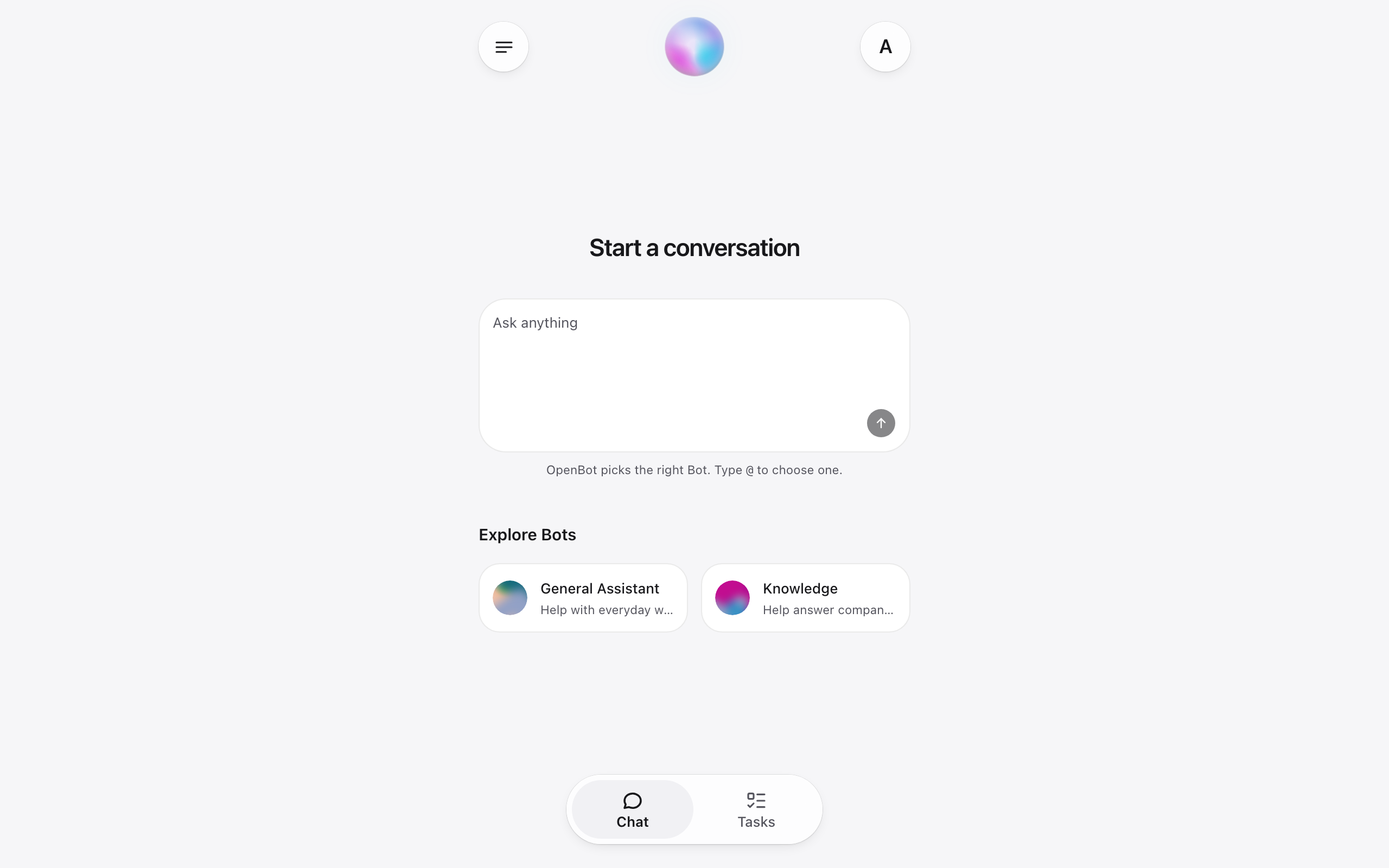
The open, self-hostable alternative to closed AI bots. Production-ready, fully customizable, and plugs into every stack: any agent, any model, any tool.
Your always-on AI coworkers that move between text, calls, and Slack.
A personal agent with a browser, terminal, files, and work that keeps going built with CopilotKit and AG-UI.
An Open Source template for a proactive AI agent that gets your work done and keeps you in the loop.