Vox-Intel-Engine
🎙️ Real-Time Multi-Modal Speech Telemetry & Acoustic DSP Engine (FastAPI, Python 3.11, Autocorrelation Pitch, FFT Spectral Energy & Lexical Pacing Analytics).
- 46
- Python
- MIT
- 2 d ago
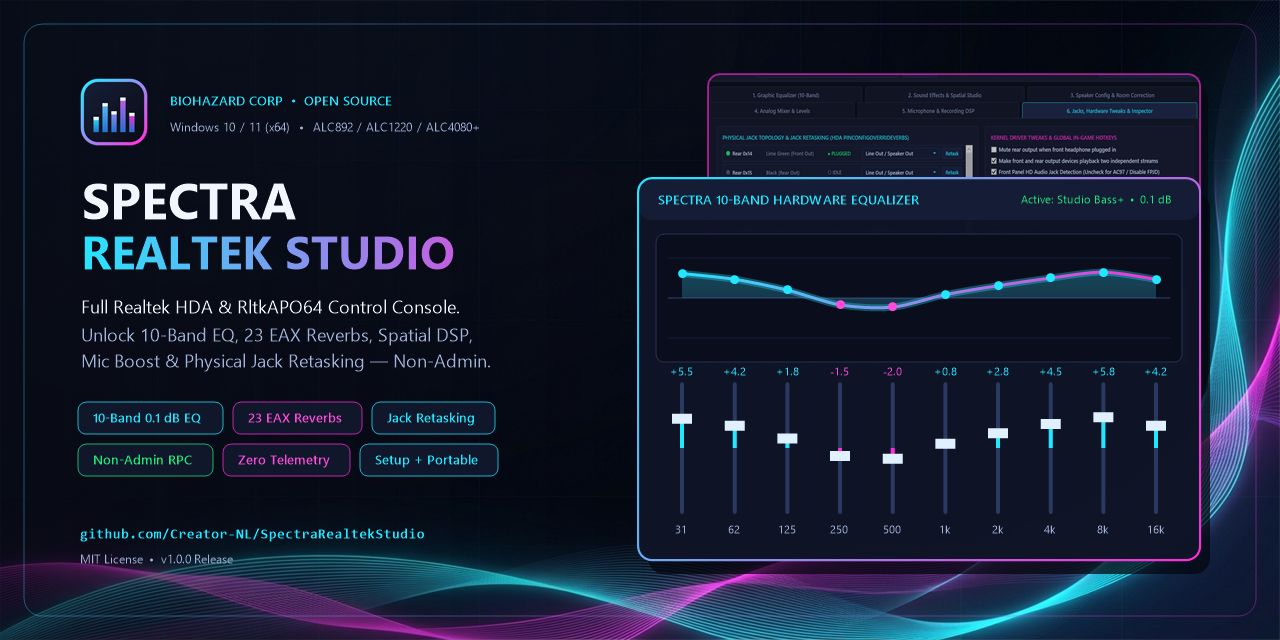
Open-source replacement for Realtek Audio Console on Windows 10/11 (x64). Unlocks 10-band 0.1 dB EQ, 23 EAX reverbs, Karaoke, 3D Spatial DSP, Room Correction, Analog Mixer, Mic Boost/DSP & Jack Retasking directly via native RltkAPO64 & non-admin RPC — zero telemetry.
Repo Creator-NL/SpectraRealtekStudio, read from GitHub 18 h ago. Creator-NL has not joined Take My Repo.
Creator-NL/SpectraRealtekStudio is a public repo on GitHub by Creator-NL. Open-source replacement for Realtek Audio Console on Windows 10/11 (x64). Unlocks 10-band 0.1 dB EQ, 23 EAX reverbs, Karaoke, 3D Spatial DSP, Room Correction, Analog Mixer, Mic Boost/DSP & Jack Retasking directly via native RltkAPO64 & non-admin RPC — zero telemetry. It declares the MIT license on GitHub. It is written mainly in C#, has 2 stars and last changed on 2026-11-23. Nobody has reviewed it on Take My Repo yet, which says nothing about its quality. Read from GitHub on 2026-11-25.
🎙️ Real-Time Multi-Modal Speech Telemetry & Acoustic DSP Engine (FastAPI, Python 3.11, Autocorrelation Pitch, FFT Spectral Energy & Lexical Pacing Analytics).
Millions of motherboards (MSI, ASUS, Gigabyte, ASRock, Dell, HP, Lenovo) ship with Realtek High Definition Audio codecs (ALC887, ALC888, ALC892, ALC897, ALC898, ALC1150, ALC1200, ALC1220, ALC4080, etc.) whose drivers include the complete hardware audio engine (RTKVHD64.sys) and System Effects APO (RltkAPO64.dll), yet:
"Cannot connect to RPC service" or missing settings where the Equalizer, Environment Reverb, Karaoke, and Room Correction disappear completely).RltkAPO64.dll, RtCOM64.dll, RtkApi64.dll, RtkCfg64.dll) registered and active inside Windows Audio.Spectra Realtek Studio communicates directly with the native Realtek APO and Windows Audio RPC service (RtkCfg64.dll / IPolicyConfig + RtCOM64.dll + CoreAudio IDeviceTopology), restoring every single feature of your Realtek audio card — and expanding it into a complete 9-Module Audio Control, 60 FPS Hi-Res Visualizer, Lossless Recorder / Sample & Loop Editor, and Dual-Deck DJ Mixing Studio — faster, cleaner, open-source, 100% offline with zero telemetry, and without requiring Administrator privileges for daily use.
Grab the latest self-contained Windows 10/11 (x64) binaries from the GitHub Releases page:
| Package | File | Description |
|---|---|---|
| Windows Installer | SpectraRealtekStudio-v1.1.0-Setup.exe |
Modern Inno Setup 6 installer with Start Menu shortcuts, optional Desktop icon, and optional Start minimized to tray on Windows sign-in. |
| Portable Edition | SpectraRealtekStudio-v1.1.0-Portable.zip |
Extract anywhere and run SpectraRealtekStudio.App.exe directly — zero installation required! Includes SpectraRealtekStudio.Cli.exe. |
| Checksums | SHA256SUMS.txt |
Verified SHA-256 checksums for both packages. |
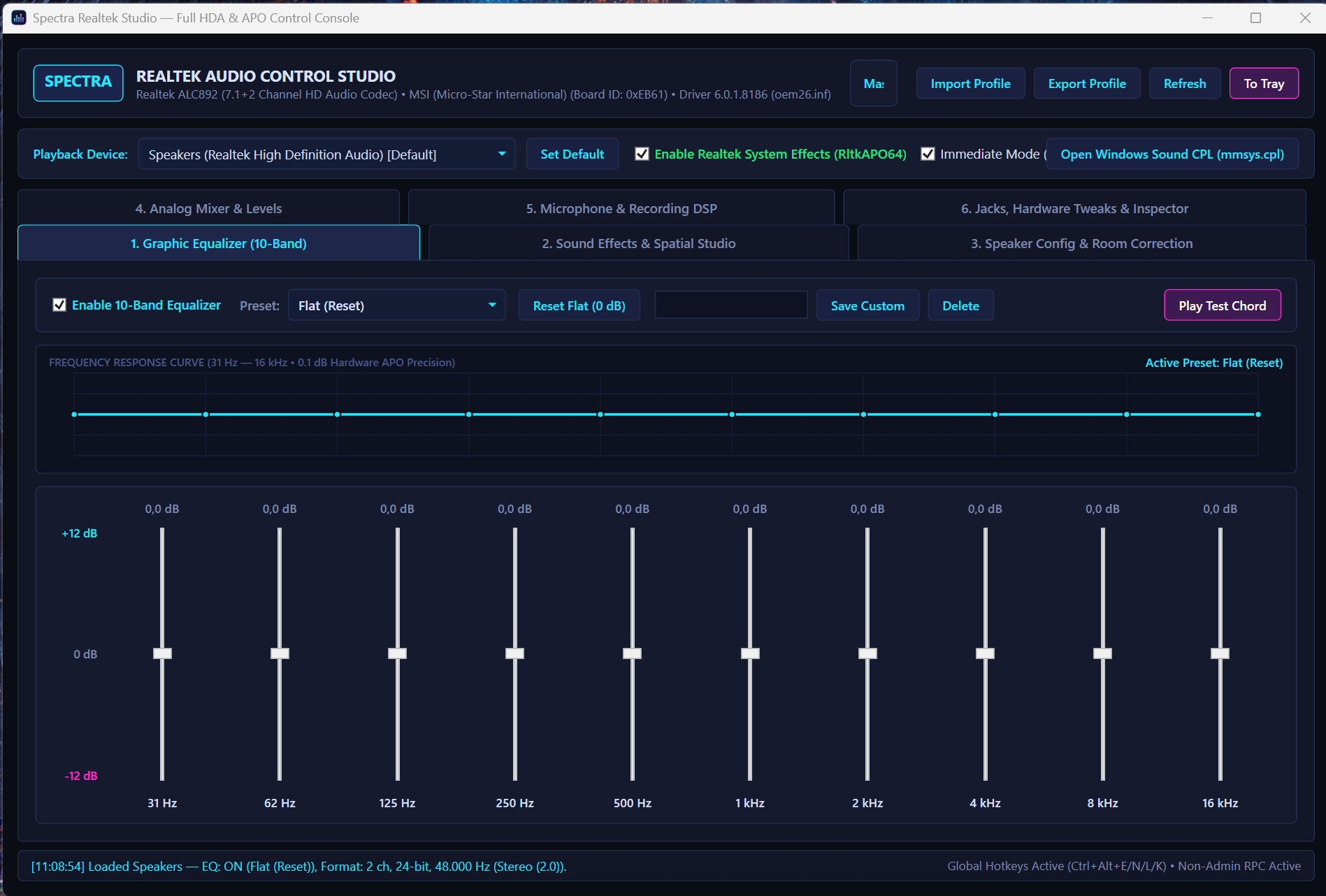
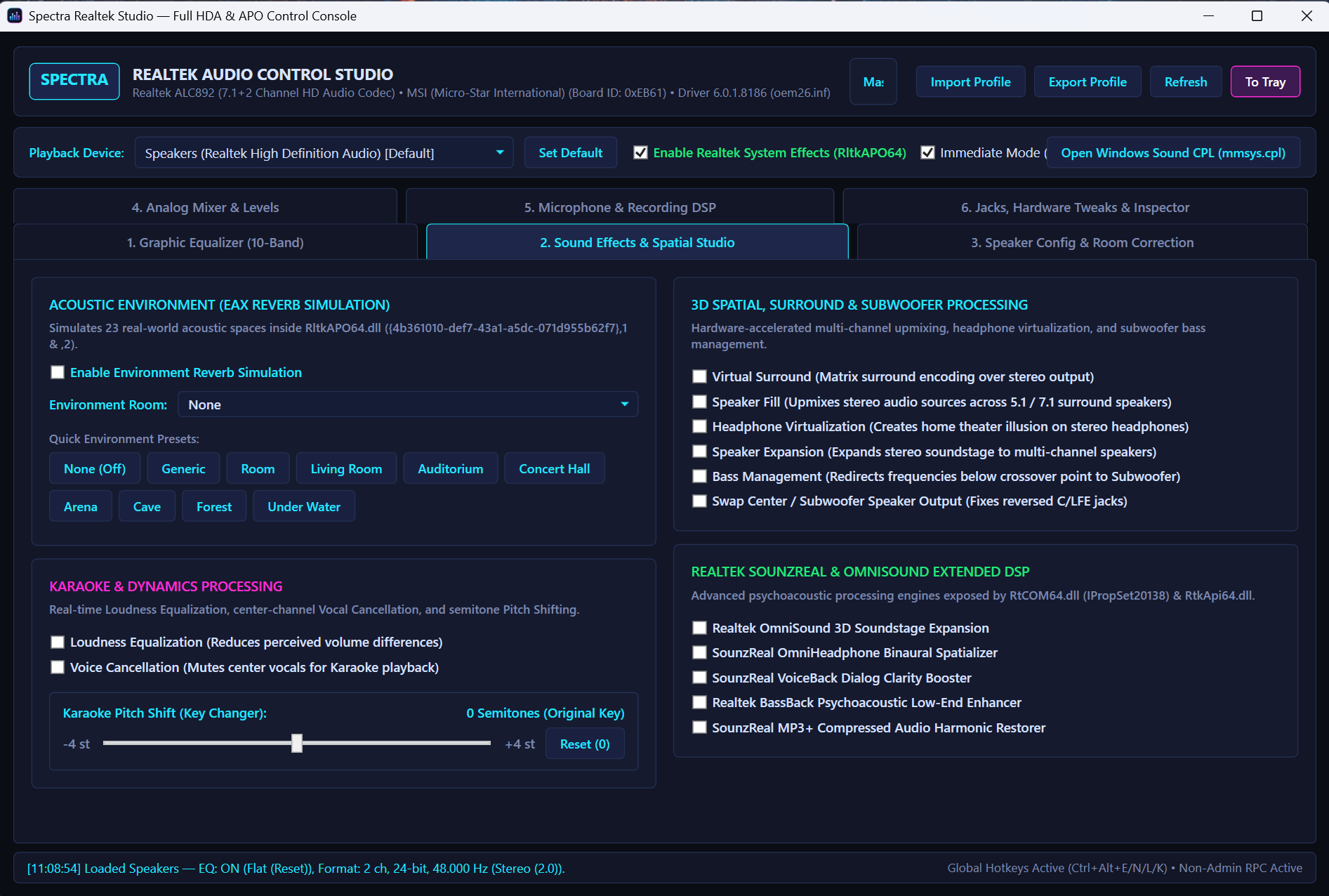
| 1. 10-Band Graphic Equalizer | 2. Sound Effects, EAX & Spatial Studio |
|---|---|
 |
 |
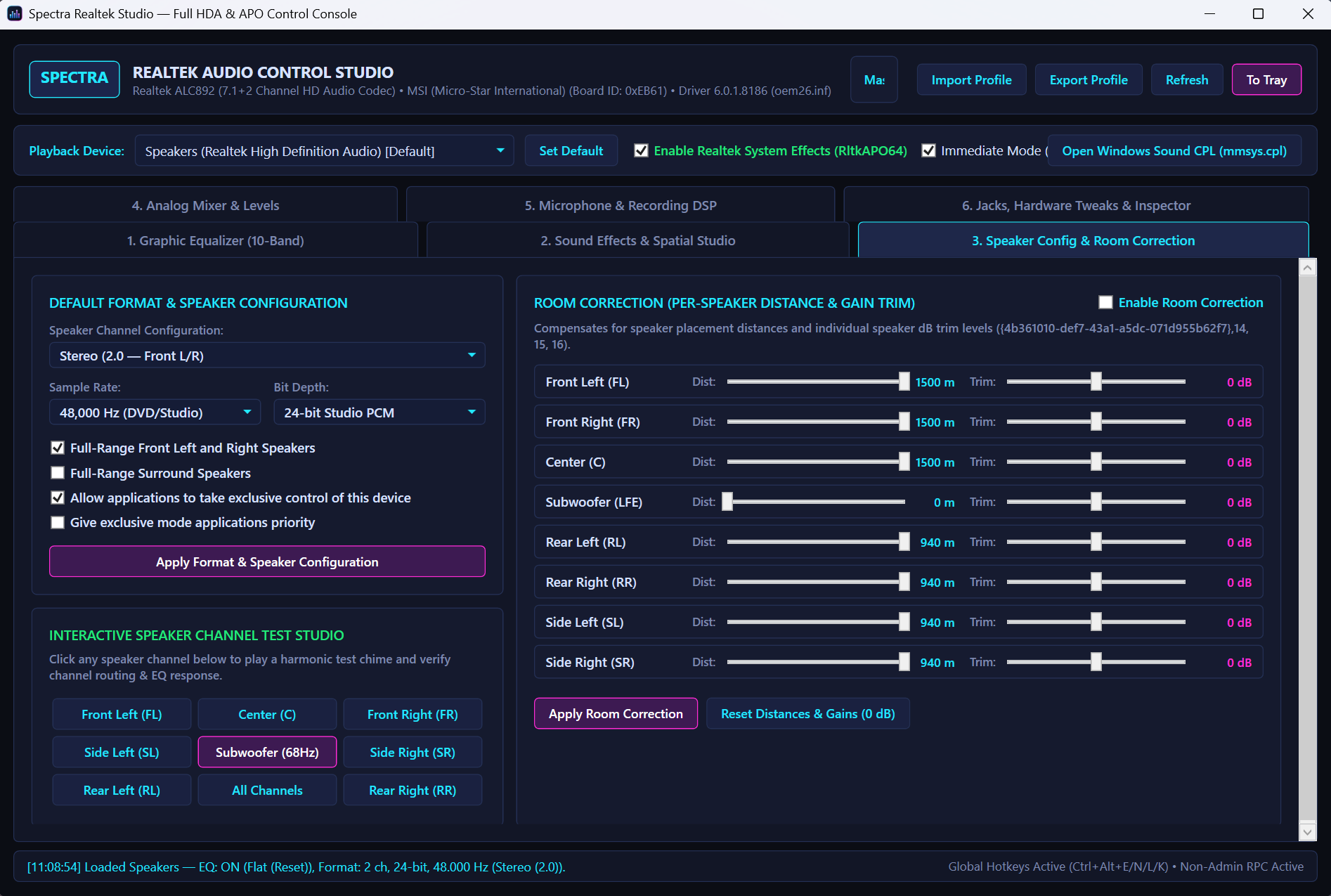
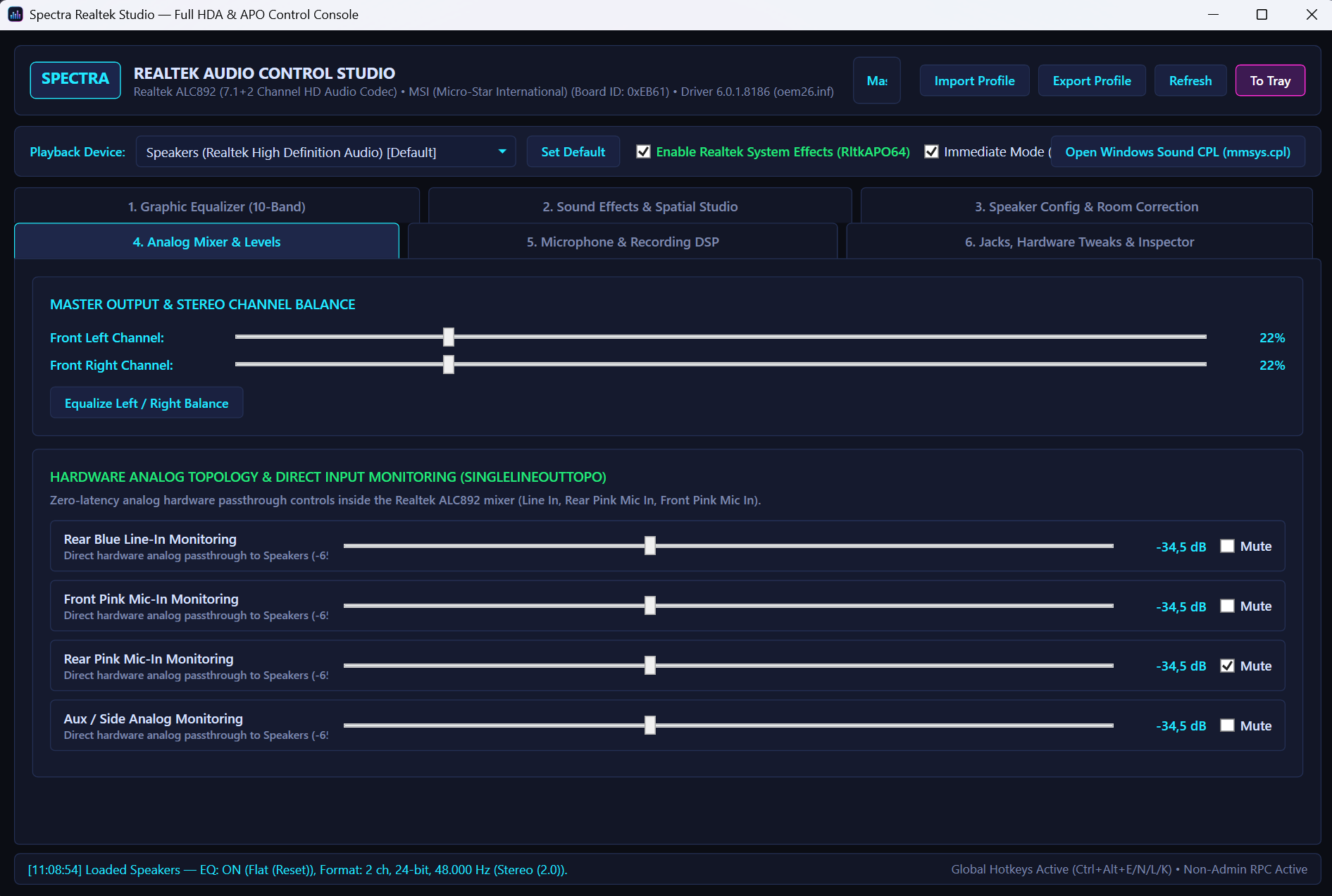
| 3. Speaker Config, Sweeps & Room Correction | 4. Analog Mixer & Direct Input Monitoring |
|---|---|
 |
 |
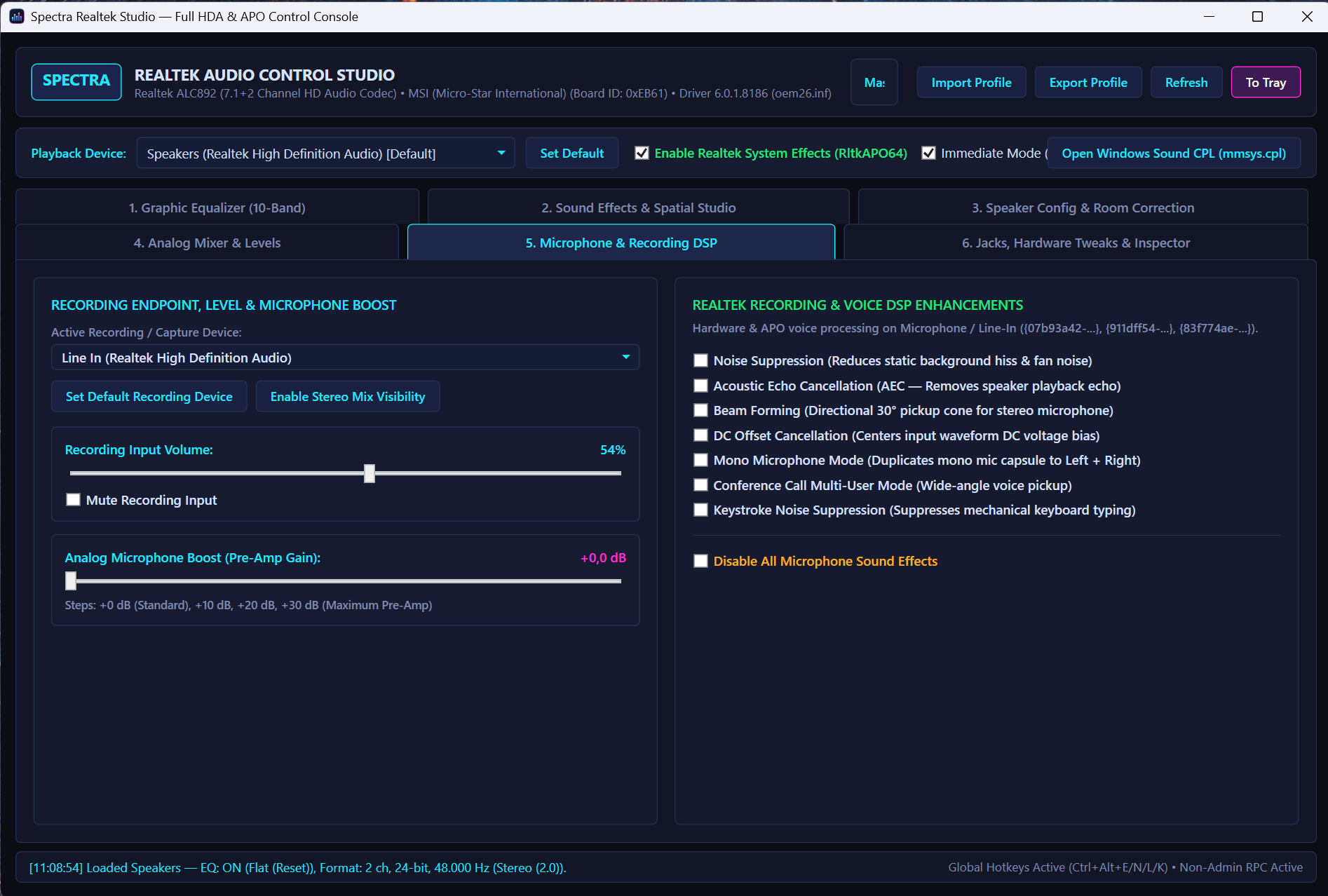
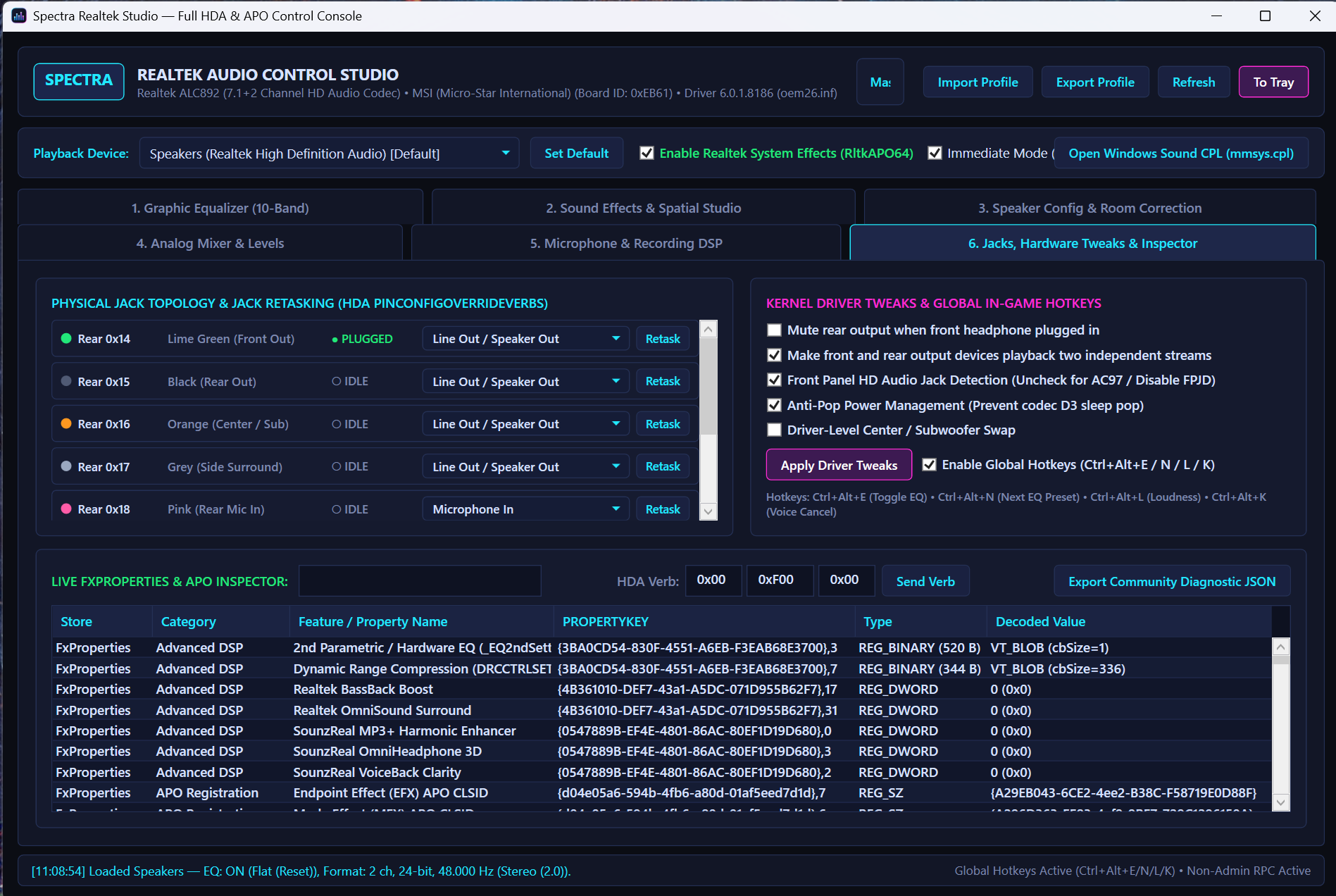
| 5. Microphone & Recording DSP | 6. Physical Jack Retasking, Tweaks & FxProperties Inspector |
|---|---|
 |
 |
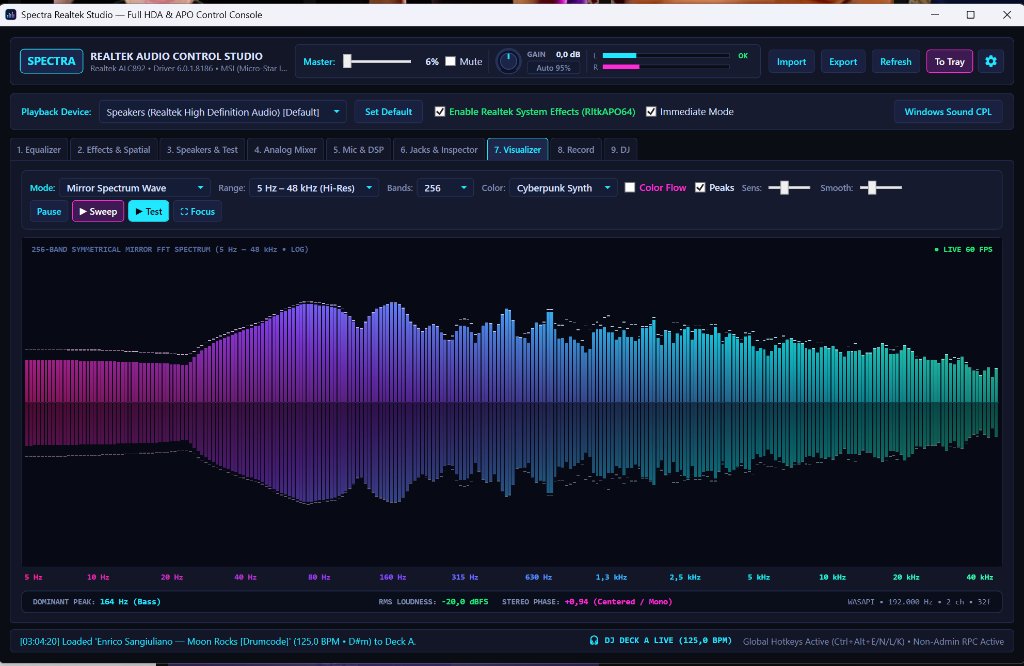
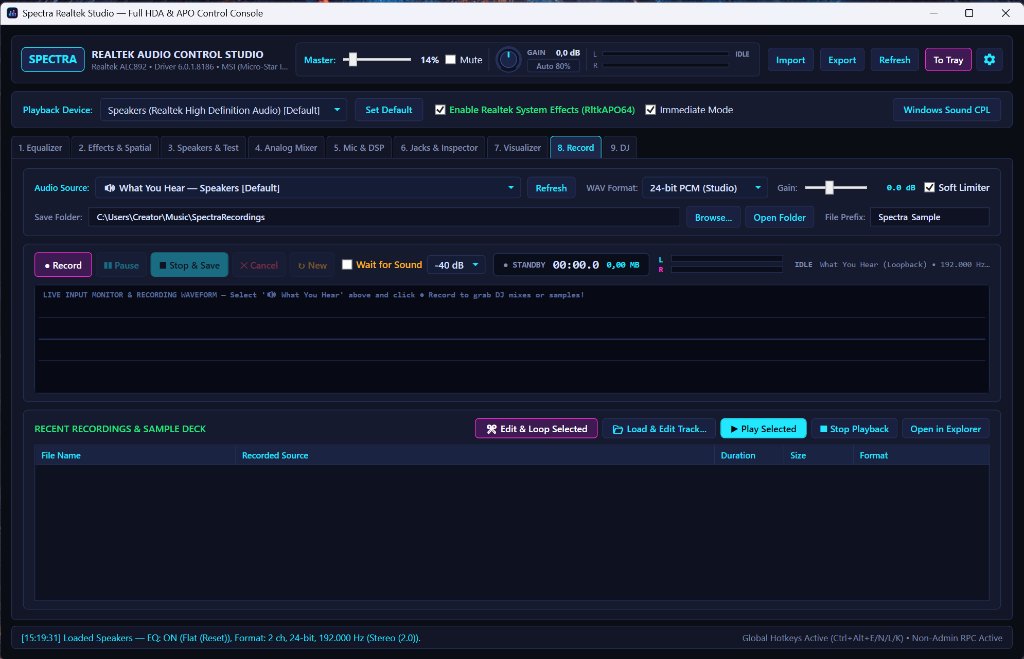
| 7. Live 60 FPS 256-Band Audio Visualizer (5 Hz – 48 kHz) | 8. Studio Audio Recorder & Sample/Loop Editor |
|---|---|
 |
 |
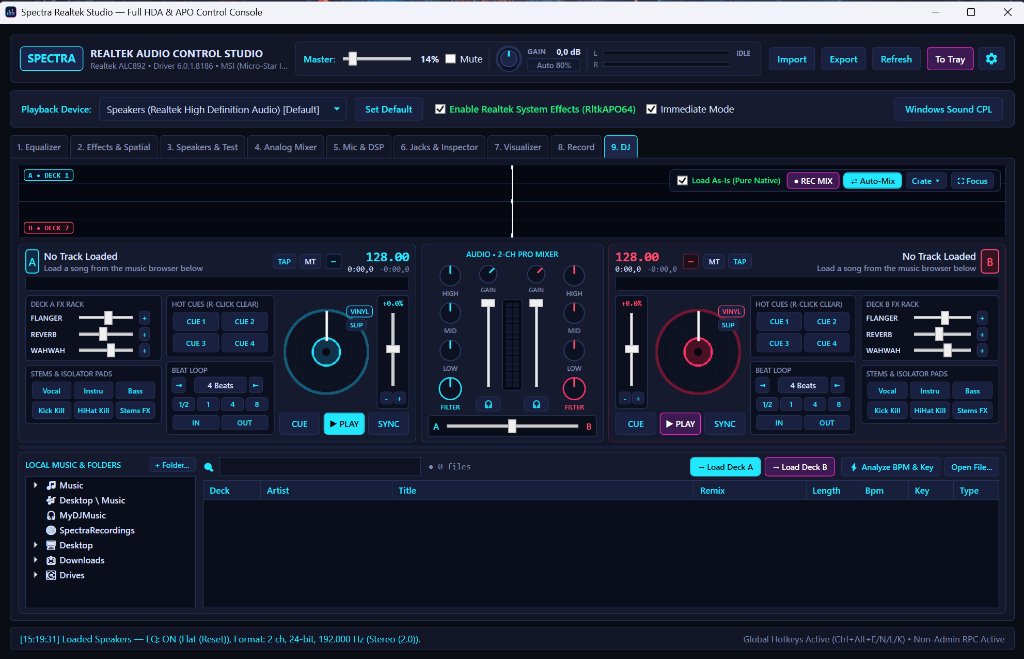
| 9. Dual-Deck DJ Mixing Studio (Bit-Pure Native Mode) |
|---|
 |
flowchart LR
    UI["Spectra Realtek Studio (9-Tab WPF Console + Sample Editor + Tray + Hotkeys)"]
    CLI["SpectraRealtekStudio.Cli (Automation & 11-Check Verification)"]
    CORE["SpectraRealtekStudio.Core"]

    RPC["RtkCfg64.dll / IPolicyConfig\n(Non-Admin AudioSrv RPC)"]
    COM["RtCOM64.dll (PropSet COM)\nRoom Correction, EAX, Jack Sense, HDA Verbs"]
    CA["Windows CoreAudio & WASAPI\nPeak Meters, 60 FPS FFT, Recorder, Sample Loop & DJ Engine"]
    REG["HKLM Driver Registry (Optional UAC)\nGlobalSettings, PowerSettings, PinConfigOverrideVerbs"]

    APO["audiodg.exe -> RltkAPO64.dll\n10-Band EQ, EAX Reverb, Spatial, Karaoke, Mic DSP"]
    DRV["RTKVHD64.sys -> Realtek HDA Codec\n(ALC892 / ALC1220 / ALC4080 / etc.)"]

    UI --> CORE
    CLI --> CORE
    CORE --> RPC
    CORE --> COM
    CORE --> CA
    CORE --> REG

    RPC --> APO
    COM --> APO
    COM --> DRV
    CA --> DRV
    REG --> DRV
31 Hz — 16 kHz) & Master Anti-Clip Gain0.1 dB Hardware Precision: Controls all 10 Realtek APO bands (31 Hz to 16 kHz) across -12.0 dB to +12.0 dB with neon Cyan/Silver vertical sliders, double-click band reset to 0.0 dB, and a live 40-byte VT_BLOB hex payload console ({4b361010-def7-43a1-a5dc-071d955b62f7},6).-24.0 dB to +12.0 dB) & Auto-Gain Anti-Clip Limiter: Pre-mix 32-bit float digital headroom (-24..0 dB, works even when RltkAPO64 is bypassed) + configurable 70%–95% Auto-Gain peak ceiling guard and OK / LIM / CLIP status badge.⚙), Tooltips & Update Checker: Toggleable hover tooltips & startup idle notices, live bidirectional Master/Balance volume sync, and manual Check for Updates... against GitHub Releases.-4 to +4 semitones.44.1 kHz to 192 kHz), Bit Depth (16-bit / 24-bit), Full-Range speaker flags, and Exclusive Mode controls.FL, C, FR, SL, Subwoofer (68 Hz LFE pulse), SR, RL, RR, and All Channels — plus Logarithmic Frequency Sweeps (5 Hz–20 kHz & 5 Hz–48 kHz up to 192 kHz), Pink & White Noise, and a Logarithmic Pure Tone Generator (5 Hz–48 kHz).0..30 m) and individual dB gain trim (-12..+12 dB) across all 8 surround channels.SingleLineOutTopo): Direct analog passthrough mixer controls inside the Realtek codec (Rear Blue Line-In Monitoring, Front Pink Mic-In Monitoring, Rear Pink Mic-In Monitoring, Aux / Side Monitoring).+0 dB, +10 dB, +20 dB, +30 dB).IRtkPropSet20146): Polls physical 3.5mm jacks (0x14..0x1B) live via kernel KS property, filters per-pin hardware capability bitmasks, supports instant non-admin role retasking with zero reboot plus one-click Reset Defaults.GlobalSettings & PowerSettings):HpShutsOffRearSpeaker)EnableDynamicDevices)HpMode / DisableFPJD)IdlePowerState to prevent codec D3 sleep pop)CenterLfeSwap)Ctrl+Alt+E — Toggle 10-Band Graphic Equalizer On/OffCtrl+Alt+N — Cycle to Next EQ PresetCtrl+Alt+L — Toggle Loudness Equalization On/OffCtrl+Alt+K — Toggle Karaoke Voice Cancellation On/Off--minimized to start directly in the System Tray.FxProperties Inspector & Raw HDA Verb Console: Searchable table of all FxProperties and Properties values with real-time PROPVARIANT decoding and one-click Community Diagnostic JSON export.0 Hz — 48 kHz, Up to 256-Band FFT)44.1–192 kHz) whether RltkAPO64 is enabled or bypassed.0 Hz – 20 kHz (Default), 0 Hz – 20 kHz (Linear)Creator-NL/SpectraRealtekStudio is a public repo on GitHub by Creator-NL. Open-source replacement for Realtek Audio Console on Windows 10/11 (x64). Unlocks 10-band 0.1 dB EQ, 23 EAX reverbs, Karaoke, 3D Spatial DSP, Room Correction, Analog Mixer, Mic Boost/DSP & Jack Retasking directly via native RltkAPO64 & non-admin RPC — zero telemetry.
It declares the MIT license on GitHub.
Flexible toolkit for making desktop shells with QtQuick, for Wayland and X11
Music player with audio analysis, highlights, tempo and key detection, DSP and VST plugins, implemented in Python.
Turn an Android phone into a Stream Deck for your Windows PC. Free and open source: hotkeys, macros, per-app audio mixer, media, live stats, Discord, OBS, Spotify, Twitch, YouTube, Home Assistant and Tuya. Flutter app + .NET 8 tray app.
Its maker tagged it for Windows. That is declared by the maker; Take My Repo has not tested it.
Open "Take it" on its page: Take My Repo writes an install plan for your machine and hands it to your AI agent (Claude Code, Codex or Cursor), which asks you before each step. Take My Repo has not tested it on any machine.
Its last change on GitHub was on 2026-11-23. GitHub counts 0 open issues and pull requests. Take My Repo does not judge from that whether it is maintained.
Nobody has reviewed it on Take My Repo yet, which says nothing about its quality.
Take My Repo cannot say: it does not audit code and has not run SpectraRealtekStudio. What is known comes from GitHub. It declares the MIT license on GitHub. Its last change was on 2026-11-23. It has 2 stars, which measure popularity, not safety. Nobody has reviewed it on Take My Repo yet, which says nothing about its quality. Read the source before you run it. With "Take it", your AI agent shows each step and asks you before running it; README text is treated as data, not as instructions.