lvgl
LVGL is a free, full-featured embedded UI library for small MCUs and 3D-capable MPUs, enhanced by LVGL Pro, a professional editor and tooling.
- 25k
- C
- MIT
- 15 h ago
ARM, Articulated Robotic Manipulator: a 6-DOF robot arm with 270° servos on an Arduino Uno and PCA9685. Joystick, keyboard, slider, IK and phone control, macros, live sync between controllers, RIFT fleet mode, and controllers in Python, C++, C#, Go, Rust and Julia.
Repo CursedPrograms/ARM-Robot-v01, read from GitHub 4 h ago. CursedPrograms has not joined Take My Repo.
CursedPrograms/ARM-Robot-v01 is a public repo on GitHub by CursedPrograms. ARM, Articulated Robotic Manipulator: a 6-DOF robot arm with 270° servos on an Arduino Uno and PCA9685. Joystick, keyboard, slider, IK and phone control, macros, live sync between controllers, RIFT fleet mode, and controllers in Python, C++, C#, Go, Rust and Julia. It declares the MIT license on GitHub. It is written mainly in Python, has 2 stars and last changed on 2026-11-08. Nobody has reviewed it on Take My Repo yet, which says nothing about its quality. Read from GitHub on 2026-11-25.
LVGL is a free, full-featured embedded UI library for small MCUs and 3D-capable MPUs, enhanced by LVGL Pro, a professional editor and tooling.
Python sample codes and textbook for robotics algorithms.

A DREAM Robotics Agent


ARM
scripts/arm and scripts/center_first_motor are for the Arduino UNO and need the Adafruit PWM Servo Driver Library (Library Manager)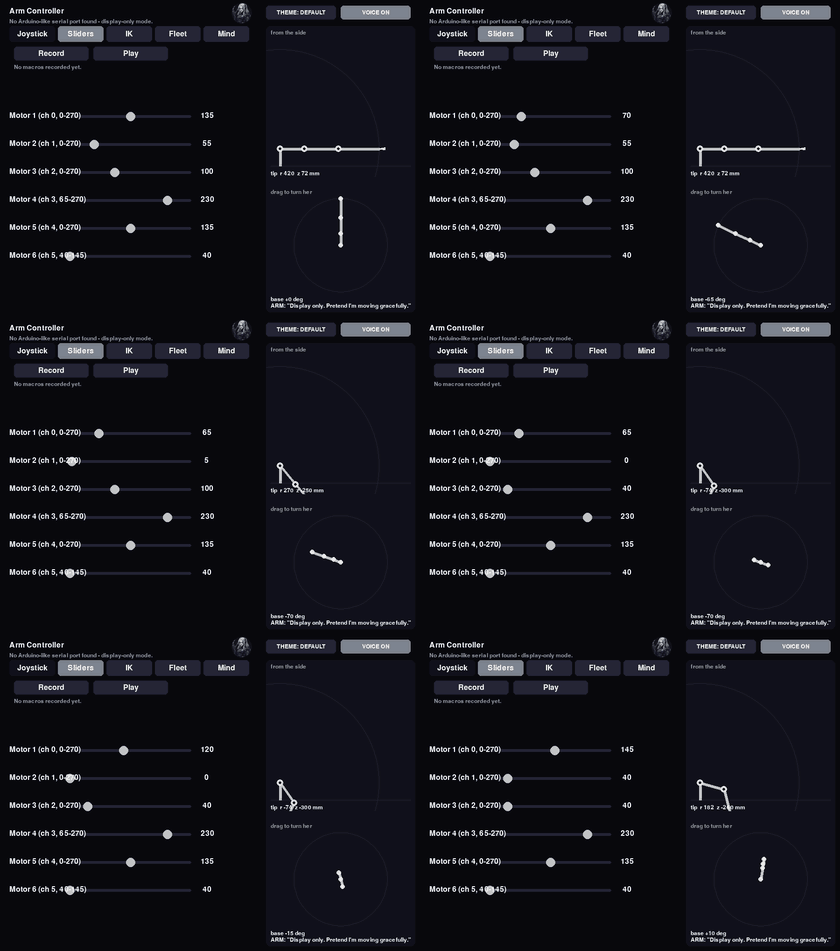
Windows controller: builds/ARM-Controller.exe shows ARM's own web page in a window, so it always matches the page. Source: scripts/web_controller.
Keyboard on her web page: the same keys as her Python controller: A D, W S, R F, T G and Q E move a joint 5 degrees (1 with Shift), Space holds the claw shut, Home is her rest pose.
 ARIA |
 KIDA-01 |
 KIDA-00 |
 WHIP |
 NORA |
 MILA |
 NIKA |
|
 IDA |
 DREAM |
 RIFT |
 RITA |
 NINA |
 TINA |
 AURA |
 FLORA |
Website: https://cursedprograms.github.io/ARM-Robot-v01/
ARM is a six-joint robotic arm: an Arduino UNO drives six 270° servos through a PCA9685, and a controller on the PC talks to it over USB.
http://<PC>:5011/; the Windows controller shows that same page in a window.5011, so the dashboard can drive her too.config.json; the claw stays between 40 and 145°.| Component | Details |
|---|---|
| Microcontroller | Arduino Uno (scripts/arm/arm.ino, 115200 baud) |
| Servo driver | PCA9685 16-channel PWM driver, I2C address 0x40, 50 Hz |
| Servos | 6× 270° servos (claw limited to 40–145°) |
| Servo power | External 5–6 V supply to the PCA9685's V+ terminal (not the Uno's 5 V pin) |
| Controllers | USB joystick, keyboard, phone / browser, RIFT |
| Camera (Mind mode) | Any USB webcam pointed at the arm and the desk around it (--camera N) |
| Signal | Connection |
|---|---|
| PCA9685 SDA / SCL | Uno A4 / A5 |
| PCA9685 VCC / GND | Uno 5 V / GND |
| PCA9685 V+ | External servo supply (share GND with the Uno) |
| Buzzer + / − | Uno D8 / GND (passive buzzer - her voice in the fleet's conversations) |
| Motor 1 base | PCA9685 channel 0 |
| Motor 2 shoulder | channel 1 |
| Motor 3 elbow | channel 2 |
| Motor 4 wrist pitch | channel 3 |
| Motor 5 wrist roll | channel 4 |
| Motor 6 claw | channel 5 |
Channels, limits, rest angles and directions live in config.json.
[!NOTE] The arm's link lengths in
config.json(geometry) are still unmeasured placeholders, so IK mode can't be accurate yet. Measure them in millimetres and fill them in.
| Motor | 1 base | 2 shoulder | 3 elbow | 4 wrist pitch | 5 wrist roll | 6 claw |
|---|---|---|---|---|---|---|
| Rest angle | 135 | 55 | 100 | 230 | 135 | 40 (open) |
The arm goes to this pose:
arm.ino hears nothing for 2 s (controller closed or crashed, cable pulled), the arm eases back to rest.The values live in two places, so change both: rest in config.json (the controllers) and REST_ANGLE in scripts/arm/arm.ino (the Arduino, reflash after changing).
The same list opens in its own window: F1 in any of the controllers (Python, C++, C#, Rust, Go and Julia), or python scripts/keymap.py. They all take the keyboard, the joystick and a gamepad the same way, and notice a joystick or gamepad plugged in or out while they run. The C++ controller reads gamepads through XInput (Xbox pads, a Logitech F710 switched to X); the others go through SDL2, so PlayStation and Switch pads work there too. The other controllers' F1 window reads scripts/keymap.json: after changing the list in keymap.py, write it again with python scripts/keymap.py --json scripts/keymap.json.
Joystick (Joystick mode)
| Key | Does |
|---|---|
| Stick left / right (axis 0) | motor 1, base |
| Stick forward / back (axis 1) | motor 2, shoulder |
| Twist (axis 2) | motor 5, wrist roll |
| Hat up / down | motor 3, elbow: 5 degrees a press |
| Button 3 / button 2 | motor 4, wrist pitch: 5 degrees a press |
| Trigger (button 0) | motor 6, claw: a click closes / opens it (Hold position), or held = closed |
| Hold position (tick box) | ticked: the stick sets speed and letting go holds her where she is; unticked: the stick sets position and letting go sends her back to rest one joint at a time, wrist roll first (Python and C++ controllers; the others: centred = rest) |
| a held hat direction or button is one press; motors 3 and 4 stay where you stepped them | |
| every motor stays inside its min / max from config.json; invert flips its direction |
Gamepad (Joystick mode, when no joystick is plugged in)
| Key | Does |
|---|---|
| Left stick across / up-down | motor 1, base / motor 2, shoulder |
| Right stick across | motor 5, wrist roll |
| D-pad up / down | motor 3, elbow: 5 degrees a press |
| Y (3) / X (2) | motor 4, wrist pitch: 5 degrees a press |
| A (0) | motor 6, claw: like the trigger |
| a joystick always wins over a gamepad; plug either in any time |
Keyboard (every mode except IK; click the window first)
| Key | Does |
|---|---|
| A / D | motor 1, base: -5 / +5 degrees |
| W / S | motor 2, shoulder: up / down 5 degrees |
| R / F | motor 3, elbow: up / down 5 degrees |
| T / G | motor 4, wrist pitch: up / down 5 degrees |
| Q / E | motor 5, wrist roll: -5 / +5 degrees |
| Space | motor 6, claw: held = closed, released = open |
| Shift + any of those | 1 degree steps, for fine positioning |
| Home | every motor back to the rest pose |
| Mind (button) | her LLM mind picks things up: a colour button, a click on the camera, or type what (Python controller) |
| 1 - 9 | pick a macro |
| F1 | this window |
| Esc | quit |
| holding a key repeats it; in Joystick mode a key moves a stick motor until you move that stick again |
--connectCursedPrograms/ARM-Robot-v01 is a public repo on GitHub by CursedPrograms. ARM, Articulated Robotic Manipulator: a 6-DOF robot arm with 270° servos on an Arduino Uno and PCA9685. Joystick, keyboard, slider, IK and phone control, macros, live sync between controllers, RIFT fleet mode, and controllers in Python, C++, C#, Go, Rust and Julia.
It declares the MIT license on GitHub.
Its maker has not tagged a system, so it is unknown here. Its README says what it needs.
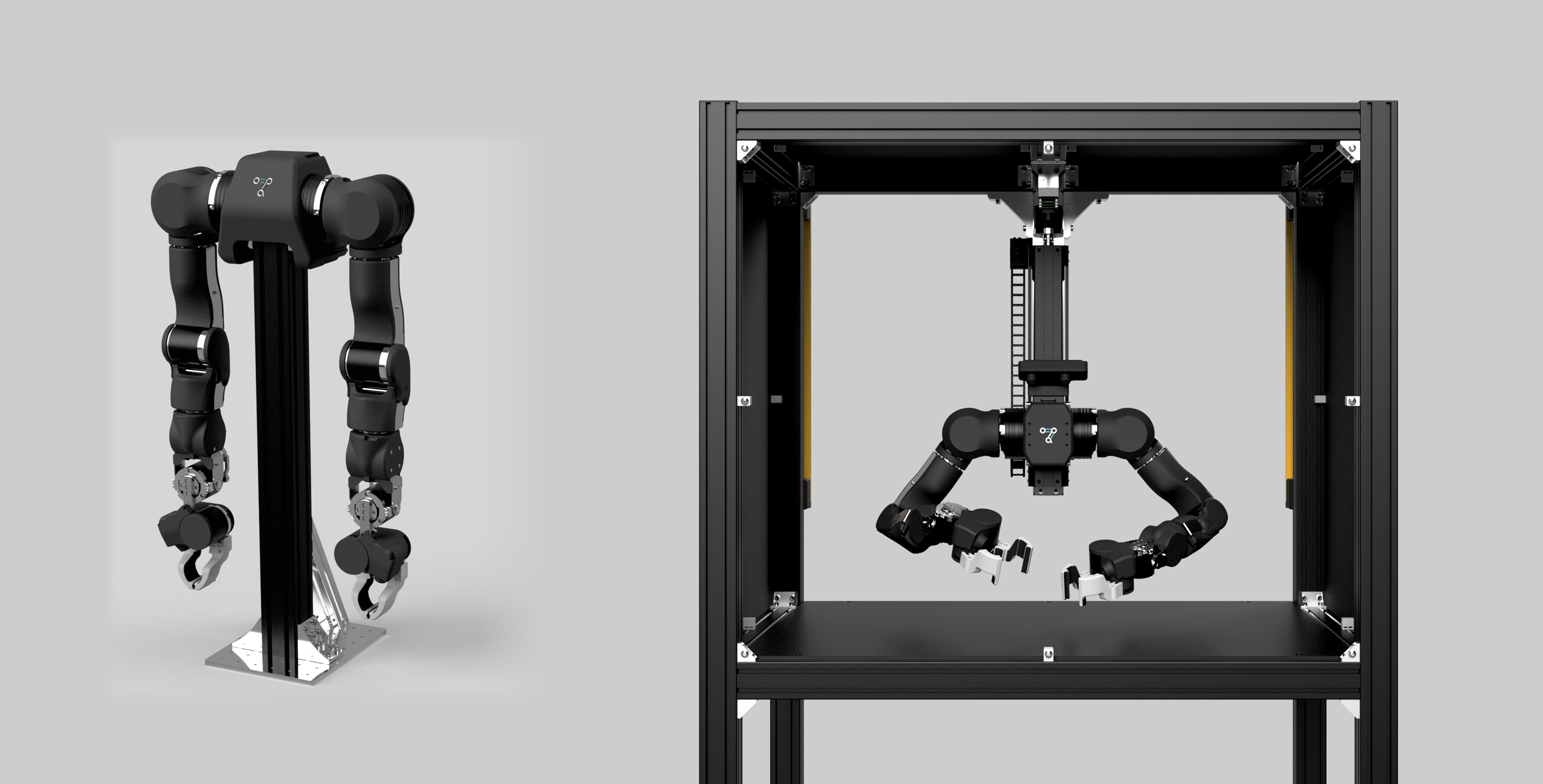
A fully open-source humanoid arm for physical AI research and deployment in contact-rich environments.
:house_with_garden: Open source home automation that puts local control and privacy first.
π RuView turns commodity WiFi signals into real-time spatial intelligence, vital sign monitoring, and presence detection — all without a single pixel of video.
Alternative firmware for ESP8266 and ESP32 based devices with easy configuration using webUI, OTA updates, automation using timers or rules, expandability and entirely local control over MQTT, HTTP, Serial or KNX. Full documentation at
Open "Take it" on its page: Take My Repo writes an install plan for your machine and hands it to your AI agent (Claude Code, Codex or Cursor), which asks you before each step. Take My Repo has not tested it on any machine.
Its last change on GitHub was on 2026-11-08. Take My Repo does not judge from that whether it is maintained.
Nobody has reviewed it on Take My Repo yet, which says nothing about its quality.
Take My Repo cannot say: it does not audit code and has not run ARM-Robot-v01. What is known comes from GitHub. It declares the MIT license on GitHub. Its last change was on 2026-11-08. It has 2 stars, which measure popularity, not safety. Nobody has reviewed it on Take My Repo yet, which says nothing about its quality. Read the source before you run it. With "Take it", your AI agent shows each step and asks you before running it; README text is treated as data, not as instructions.