
orca
Orca lets you run a fleet of coding agents (e.g. Claude Code, Codex) with your own subscription. Available on desktop, mobile and remote runtime.
- 129k
- TypeScript
- MIT
- 2 h ago
A feature-rich Python-based Telegram bot / AI helper for OpenAI API & Perplexity API and more
Repo FlyingFathead/TelegramBot-OpenAI-API, read from GitHub 1 min ago. FlyingFathead has not joined Take My Repo.
FlyingFathead/TelegramBot-OpenAI-API is a public repo on GitHub by FlyingFathead. A feature-rich Python-based Telegram bot / AI helper for OpenAI API & Perplexity API and more. It declares no license on GitHub. Public does not mean open source: without a license, nobody is granted the right to reuse it. It is written mainly in Python, has 40 stars and last changed on 2026-11-04. Nobody has reviewed it on Take My Repo yet, which says nothing about its quality. Read from GitHub on 2026-11-19.
In the maintainer's words. Shown from GitHub; Take My Repo does not keep a copy.
Required OpenAI key migration: OpenAI scheduled legacy user API keys for deactivation on October 22, 2026. Affected installations must create a key inside the intended OpenAI project, replace every deployed secret, verify the replacement, and then revoke the legacy key. See the migration guide.
gpt-4o-transcribe, gpt-4o-mini-transcribe, and legacy whisper-1holidays module
UseOpenAIWebSearch to include OpenAI in the initial search. FallbackToOpenAI controls retries through OpenAI after other sources fail. Combined searches share one timeout. Configuration and smoke tests@BotFather bot on Telegram to set up your bot and get a Telegram Bot API token for itOPENAI_API_KEY; never commit it to GitYes, when OpenAI has notified your organization that a key is a legacy user API key or it appears in the legacy User API Keys list. A key already created inside the intended project does not need replacement solely because of this deadline.
The request format remains:
OPENAI_API_KEY=<project key>
Authorization: Bearer <project key>
ChatKeke v0.8.5 removes the mutable global openai.api_key. The credential is now resolved once at startup and passed explicitly into every raw HTTP request and OpenAI SDK client. Optional OPENAI_ORG_ID and OPENAI_PROJECT_ID overrides are supported, but a normal project key does not require them.
Current users must:
OPENAI_API_KEY in every VPS/service environment, Docker secret or .env, GitHub Actions secret, staging deployment, and config/api_token.txt fallback still in use.python3 scripts/verify_openai_key.py --live-request.Full instructions: docs/API_KEY_MIGRATION.md.
3.10.12 to 3.12.2pip install -r requirements.txt (tested and working with the versions listed in requirements.txtpydub usually requires ffmpeg to be installed separately. Note that neither pydub nor ffmpeg are practically not required if you are not utilizing the voice message/WhisperAPI functionality, but if you are, suggested install (Debian/Ubuntu Linux): sudo apt-get install ffmpeglynx to be installed on your system; it needs to be run as a subprocess. (Install on Debian/Ubuntu Linux with: sudo apt-get install lynx)git clone https://github.com/FlyingFathead/TelegramBot-OpenAI-API/ && cd TelegramBot-OpenAI-API/
pip install -r requirements.txt
sudo apt-get install -y ffmpeg lynx
TELEGRAM_BOT_TOKEN environment variable, or put it into config/bot_token.txt.PreferEnvForBotToken in config/config.ini:
PreferEnvForBotToken = True: use TELEGRAM_BOT_TOKEN first, then config/bot_token.txt if fallback is enabled.PreferEnvForBotToken = False: use config/bot_token.txt first, even when TELEGRAM_BOT_TOKEN is set. This is the manual/local override mode.AllowBotTokenFallback = False.config/config.ini when updating. Do not replace it wholesale with the repository default; use src/configmerger.py or merge the changed settings manually.OPENAI_API_KEYconfig/api_token.txt and run chmod 600 config/api_token.txtOPENWEATHERMAP_API_KEY and the MAPTILER_API_KEY environment variables accordingly. You can get the API keys from OpenWeather and MapTilerWEATHERAPI_KEY environment variable to use it.OPENROUTESERVICE_API_KEY environment variable from OpenrouteservicePERPLEXITY_API_KEYconfig/config.ini to your likingpython src/main.pyDocker must be installed on your machine.
Telegram Bot API Key and OpenAI project API key:
First, clone the repository from GitHub:
git clone https://github.com/FlyingFathead/TelegramBot-OpenAI-API.git
cd TelegramBot-OpenAI-APIThis project includes a setup script that will guide you through entering your API keys and generating a .env file.
Run the script:
./docker_setup.sh
Follow the instructions provided by the script. It hides the OpenAI key while it is entered and writes .env with owner-only permissions.
Verify the replacement before revoking the old key:
python3 scripts/verify_openai_key.py --live-request
The GitHub Actions deployment uses a repository secret named OPENAI_API_KEY. Updating a local .env does not update that secret.
Once your .env file has been created, you need to build the Docker image.
You can run the featured docker_deploy.sh to build the Docker image:
sudo ./docker_deploy.sh
Or, you can build it manually:
sudo docker build -t telegrambot-openai-api .This will build the image locally based on the Dockerfile in the repository.
After the image is successfully built, you can start the bot in a Docker container.
Run the container with the following command:
sudo docker run --env-file .env --name telegrambot-openai-api -d telegrambot-openai-api
-d flag runs the container in detached mode (in the background).--env-file .env flag injects your API keys into the container.You can check if the container is running by using:
sudo docker ps
This will list all running containers. If your bot is running correctly, it should appear in the list.
If you need to stop the bot, you can do so by running:
sudo docker stop <container_id>
Replace <container_id> with the actual container ID, which you can obtain from the docker ps output.
Logs: If you need to view the bot’s logs to troubleshoot any issues, you can use:
sudo docker logs <container_id>
Restart the Container: If you stop the container and want to start it again, you can either run the docker run command again or restart the existing container with:
sudo docker start <container_id>
If the repository receives updates and you want to apply them, follow these steps:
Pull the latest changes from GitHub:
git pull origin main
Rebuild the Docker image:
sudo docker build -t telegrambot-openai-api .Stop the currently running container:
sudo docker stop <container_id>
Start a new container using the updated image:
sudo docker run --env-file .env --name telegrambot-openai-api -d telegrambot-openai-api
There is also a docker_deploy.sh script included that aims to make the rebuilding and deploying less of a hassle.
You should now have the TelegramBot-OpenAI-API running in a Docker container, fully connected to both Telegram and OpenAI. Enjoy your bot!
If you run into any issues, consult the logs or reach out on the repository's Issues page.
config.iniUse the configmerger.py to update old configuration files into a newer version's config.ini. You can do this by saving a copy of your existing config to i.e. a file named myconfig.txt and including in it the lines you want to keep for the newer version.
After that, just run i.e. python src/configmerger.py myconfig.txt and all your existing config lines will be migrated to the new one. Works in most cases, but remember to be careful and double-check any migration issues with i.e. diff!
(Example) How to merge and update your existing configuration:
python3 src/configmerger.py myconfig.txt
The current application version is stored in the repository-root
VERSIONfile and loaded by the runtime from there. UpdateVERSIONonce for a release instead of duplicating the current version in source files.
v0.8.10 - Preserve formatting in replies with web citations
v0.8.9 - Fetch DuckDuckGo and webpages directly with Lynx
lynx -dump to fetch the results page. Its dump joins OpenAI and enabled Perplexity results in the combined search response.get_website_dump tool also fetches URLs directly with Lynx. Timeouts cancel and reap the Lynx process.v0.8.8 - Restore Lynx browsing after web search
get_website_dump after receiving combined search results and use the retrieved page content in its final answer.[WebSearch] MaxWebToolCalls defaults to four calls per reply.v0.8.7 - Combined web search and news retrieval fallback
v0.8.6 - GPT-6 Luna default and model-specific tool/reasoning compatibility
gpt-6-luna.ReasoningEffort = none as the shipped default so GPT-6 Luna custom function tools work through /v1/chat/completions.reasoning_effort = none whenever function tools are attached, preventing invalid tool requests even if a local config selects a higher effort.none when the configuration explicitly requests none.chat_history_with_es_context, which is passed to the same tool-enabled Chat Completions payload builder.VERSION to 0.8.6.v0.8.5 - OpenAI project-key migration and explicit credential handling
openai.api_key and passed one resolved credential object explicitly into raw HTTP requests and the OpenAI SDK client.OPENAI_ORG_ID and OPENAI_PROJECT_ID routing overrides without requiring them for normal project keys.docs/API_KEY_MIGRATION.md and a current-user migration section to this README.scripts/verify_openai_key.py for secret-safe project access and live Chat Completions checks.PreferEnvForBotToken = False continues to force config/bot_token.txt ahead of TELEGRAM_BOT_TOKEN.config/config.ini, so local token-selection overrides are not clobbered.NoneType/await traceback when Telegram reports polling errors such as a getUpdates conflict.VERSION file; runtime banners, /about, and the DuckDuckGo User-Agent now use that single source of truth.v0.8.4 - DuckDuckGo search reliability hotfix
httpx.AsyncHTTPTransport(retries=2) provides up to three connection attempts before a request fails.httpx.ConnectError failures observed in live service operation, including failures whose underlying cause surfaced as BrokenResourceError.v0.8.3 - GPT-5.6 Luna, backwards-compatible reasoning effort, and compatibility fixes
ReasoningEffort in [DEFAULT] for OpenAI Chat Completions models.ReasoningEffort = default normally preserves existing behaviour by omitting the field and using the selected model's API default.reasoning_effort.minimal vocabulary.none, low, medium, high, xhigh, and max where the selected endpoint/tool combination permits them.none tool rule; v0.8.6 narrows that exception to the GPT-6 Luna/Sol models for which current Chat Completions documentation requires it.temperature field.httpx for HTTPS transport and feed the downloaded HTML to Lynx locally for text rendering. This avoids observed intermittent Lynx/GnuTLS handshake failures under service execution while preserving the existing Lynx dump/parser behavior; the canonical https://html.duckduckgo.com/html/ endpoint is used directly.v0.8.2 - Configurable OpenAI speech-to-text model support for Telegram voice messages
config.ini:
STTModel = gpt-4o-transcribeSTTModel = gpt-4o-mini-transcribeSTTModel = whisper-1EnableWhisper config flag so existing configs do not break.OPENAI_STT_MODEL environment-variable fallback for overriding the configured STT model in Docker/systemd/shell deployments.whisper-1 to modern gpt-4o-transcribe.src/voice_message_handler.py so the STT model is read from the main TelegramBot config object instead of being hardcoded in the voice module.whisper-1 as a fallback model.🎤📝context.user_data["transcribed_text"].MaxDurationMinutes is correctly treated as minutes while Telegram/audio duration values are handled as seconds.bot.log.chat.log when ChatLoggingEnabled = True.main.py voice handler registration:
self.voice_message_handlerload_config() directory creation logging by replacing undefined logger references with a local TelegramBotLogger.v0.8.1 - Startup status banner cleanup
[Perplexity] -> Enabled in config.ini.utils.py.v0.8.0 - OpenAI 5.x-era cleanup + Perplexity/DuckDuckGo compatibility hardening
src/api_perplexity_search.py for the current Perplexity/Sonar API workflow.https://api.perplexity.ai/chat/completions[Perplexity] -> Endpoint.sonar as the default Perplexity model._cfg_get()_cfg_getint()_cfg_getfloat()PERPLEXITY_API_KEY._extract_perplexity_content().fact_check_with_perplexity()query_perplexity()smart_chunk()rejoin_chunks()format_headers_for_telegram()markdown_to_html()sanitize_urls()split_message()send_split_messages()handle_long_response()detect_language()detect_language() helper for newer OpenAI model payload rules:
temperature for non-GPT-4-family modelsmax_completion_tokens for newer non-GPT-4-family modelsmax_tokens retained for GPT-4-family modelsgpt-4o-mini fallback from Perplexity language detection.src/api_get_duckduckgo_search.py for modern OpenAI tool-calling compatibility.functions / function_call handling.tools / tool_choice payload support for the DuckDuckGo sub-agent.tool_callsfunction_callchoices[0]["message"]["content"] assumptions.temperaturetemperaturemax_completion_tokensmax_tokensgpt-4 assumptions to the newer configured model path / GPT-5.x-era default.lynx webpage dump handling for DuckDuckGo agentic browsing.[DuckDuckGo] -> EnableContentSizeLimit[DuckDuckGo] -> MaxContentSizev0.77.1 - OpenAI newer model (5.x series) / tools compatibility update
tools / tool_choice / tool_calls.tool_calls and legacy function_call responses.build_openai_tools() to convert the existing legacy ChatKeke custom_functions format into OpenAI's modern tools format.extract_function_call_or_none() so function-call detection no longer depends only on the old message["function_call"] field.temperature to GPT-4-family models only, avoiding API errors from newer reasoning-style models that reject sampling parameters.max_completion_tokens for newer non-GPT-4 models while keeping max_tokens for GPT-4-family models.KeyError: 'choices' failures when the API returns an error body.choices responses.include_functions=False, reducing accidental recursive tool calls.calculate_expressionget_weatherget_duckduckgo_searchget_website_dumpget_stock_pricequery_perplexitymanage_reminderv0.7616 - Changed default Perplexity API model to sonar as per new model changes in the Perplexity API
v0.7615 - Parsing improvements
v0.7614 - Better stock market data fetching from Yahoo Finance
src/api_get_stock_prices_yfinance.pyv0.7613 - Improved timestamps on multiple timezones
src/timedate_handler.py to assist the modelv0.7611 - Parsing hotfix for notifications
v0.761 - Timed notifications / user reminders
[Reminders] -> ShowPastRemindersCount).MaxAlertsPerUser; set to 0 for unlimited alerts).v0.76 - Premium mode auto-switching + usage DB synergy
[ModelAutoSwitch] in config.ini).PremiumTokenLimit, the bot seamlessly switches to the fallback model.MiniTokenLimit, the bot can either deny usage or proceed, according to FallbackLimitAction.model_info for logging function calls, so the “Bot” lines in your chat log can show which model/tier is used (i.e. model=gpt-4, tier=premium, usage=12345/500000).premium_tokens or mini_tokens after each request based on the usage field in OpenAI’s response.0.75056 - switched to newer Perplexity API models due to new models / old model depreciation
v0.75055 - fixes to the html sanitizer (for Telegram's API; better handling of malformed html), using BeautifulSoup4+lxml for parsing now
v0.75054 - small fixes and more error catching in calc_module.py
v0.75053 - only include eligible territories in U.S. NWS queries
config.ini under the NWS sectionv0.75052 - include the details from U.S. National Weather Service on alerts
v0.75051 - updated config.ini for configuring NWS weather forecasts & alerts
config.ini is highly recommended, even if you have other fetching methods enabled (i.e. OpenWeatherMap), rather be safe than sorryv0.7505 - U.S. NWS (National Weather Service, weather.gov) added as a weather data source
v0.7504 - fixed usage logs and charts directory mapping
v0.7503 - improved message formatting & error catching
v0.7502 - added docker_setup.sh for easier Docker-based deployment
v0.7501 - Dockerfile and better error catching when receiving 401 Unauthorized
v0.75 Major refactoring (5. Oct 2024) 👀💦🌀
python src/main.py to start the bot from here on outconfig.inisource for them whenever called via function calls, so that any external data pulls are now logged more clearlyv0.7431 - potential handling of API keys as textfiles moved under config/ by default
v0.743 - config loading changes & streamlining
config/whisper-transcriber-telegram-botbot_token.py changed and updated accordinglyconfig_paths.py now has the project-wide configuration for configuration file paths (config.ini, etc...)bot_token.txt (if used) to config/configmerger.py to update with your custom configsv0.742 - Finnish name day RAG step fetch
v0.741 - changed to most current Perplexity API model (llama-3.1-sonar-small-128k-online) due to deprecations and updates in their models
v0.74 - sub-agentic browsing with DuckDuckGo search engine searches is here!
config.ini via EnableAgenticBrowsing = Truev0.7373 - small fixes to api_get_duckduckgo_search.py; agentic link following WIP
v0.7372 - Further parsing logic changes (markdown_to_html in modules.py)
v0.7371 - Improved parsing for markdown/html
v0.737 - Changes to Perplexity API inclusion (main model now includes it in the context for better applicability and coherence.)
v0.736 - Calculator module calc_module.py added for precision in calculation requests.
v0.735 - Lynx website browsing with allow/disallow lists for domains allowed/disallowed to be viewed
v0.734 - Now hosting over 100 RSS feeds by default (when RAG triggered)
v0.733 - RSS parsing logic streamlined into RAG context
v0.7321 - RSS parsing improvements
v0.732 - added ElasticSearch RAG function calls to RSS feeds
rss_parser.py)v0.73101 - modularized Perplexity API calls further into a separate handler
perplexity_handler.py)v0.731 - added Yahoo! Finance as an API function call for stock price searches (requires the yfinance pip package)
v0.730 - added Alpha Vantage API function calling to fetch stock prices in real time (requires Alpha Vantage API key)
v0.729 - switched to gpt-4o-mini in default configurations instead of gpt-3.5-turbo (newer, cheaper, better)
v0.728 - more edge case handling when fetching multi-API weather data
v0.727 - fixed WeatherAPI & weather fetching edge case API glitches (returning odd values, etc)
v0.726 - switched to OpenAI API from langdetect when using i.e. Perplexity API for information queries
detect_language function in api_perplexity_search.py)langdetect and can be further leveraged with model selectionv0.7251 - small robustness improvements & fixes to the api_key.py module
v0.725 - additional Perplexity API call + translation adjustments
v0.724 - splitting logic for lengthier Perplexity API responses
v0.723 - added jitter, modified retry logic in Perplexity API+translation requests
v0.7201 - added Perplexity API model configuration to config.ini
v0.72 - improved error catching + messaging with Perplexity's API
v0.71 - holiday mentions via Python's holidays module (can be extended)
v0.708 - improved astronomy data combining via WeatherAPI
v0.707 - code cleanup + enhancements to Perplexity API handling
v0.706 - further weather fetching options; additional country-based data fetching
v0.705 - improved weather data combining; small tweaks
v0.703 - Language translations and tweaks to WeatherAPI data fetching
v0.70 - WeatherAPI support added, to enable, get an API key from weatherapi.com
v0.61 - improved handling of weather and time/data data globally
v0.60 - url info pre-parsing and additional info fetching for media sources, i.e. with yt-dlp
v0.59 - custom function calling via Elasticsearch RAG (if enabled)
v0.58.4 - more parsing & formatting fixes
v0.58.3 - parsing, formatting & chunking adjustments
v0.58.2 - improved formatting in pplx API calls
v0.58.1 - improved markdown parsing in translated Perplexity API calls
v0.58 - chunking, parsing and other small fixes
v0.57.5 - changes made to Perplexity API handling; new sonar-online models
v0.57.1 - improved fallbacks on external API calls like Perplexity API
v0.57 - improved error catching & failsafe fallbacks
v0.56 - Added Elasticsearch support for RAG - use the ElasticsearchEnabled flag in new config.ini (set to True or False to enable or disable)
v0.55.4 - API call tracking, extra wait times if needed for external API calls
v0.55.3 - reply activity, better chunking logic
v0.55 - better reply animation handling
v0.52 - more accurate weather data globally via the OpenWeatherMap API & Maptiler API
v0.51 - "smart" chunking of external requests to mitigate timeout-related issues
v0.50.3 - langdetect & handling fixes
v0.50.2 - typing animation on replies, adjustments on processing logic
v0.50.1 - langdetect on auto-assessing translation requirements
v0.50 - Custom function call: Perplexity API fact-checking
v0.49.1 - Modularity adjustments
v0.48 - Openrouteservice API implementation
v0.47 - more token counting & polling logic fixes
v0.46.2 - fixes to token count & polling logic
v0.46 - rewrote the polling logic on daily token count resets
v0.45 - /usagechart feature added for utilization charts (requires matplotlib)
v0.44 - API function calling, OpenWeatherMap API weather searches and MapTiler API geolookup
v0.43.2 - Fixed a small bug in daily token caps
v0.43.1 - Better error catching
v0.43 - New admin commands: /setsystemmessage <message> (valid until bot restart) and /resetsystemmessage (reset from config.ini)
v0.42 - /reset command added for bot reset. Set ResetCommandEnabled and AdminOnlyReset flags in config.ini accordingly.
v0.41 - modularized text message handling to text_message_handler.py and voice message handling to voice_message_handler.py
v0.40 - session timeout management for compacting chat history (see config.ini => SessionTimeoutMinutes, MaxRetainedMessages)
v0.39.5 - small fixes to OpenAI API payload implementation
v0.39.4 - modularized log_message & rotate_log_file (log file handling) => modules.py
v0.39.3 - modularized check_global_rate_limit => modules.py
v0.39.2 - text style parsing and WhisperAPI STT pre-processing for the model improved
v0.39 - better parsing for codeblocks, html and other markups, modularized more; see modules.py
v0.38 - keep better record of daily token usage, streamlined (note: you will need to clear out your existing token_usage.json, the file structure has changed from the previous version)
v0.37 - better enforcing of voice msg limits
v0.36 - bot command fixes and adjustments
v0.35 - modularized bot commands to bot_commands.py, fixed configmerger.py version
v0.34 - added configmerger.py to ease updating the bot (merge old configuration flags with new versions)
v0.33 - more performance fixes and added+unified async functionalities
v0.32 - Daily token counter reset polling & small bugfixes
v0.31 - Context memory token counter adjusted & fixed to be more precise
v0.30 - Whisper API interaction fine adjustments & small fixes
v0.29 - WhisperAPI transcriptions via voice messages added
WhisperAPI voice messages use the same OpenAI API token as the regular text chat version
config.ini to turn the option on or offv0.28 - customizable /start greeting in config.ini
v0.27 - added /usage command to track token usage (for bot owner only, 0 to disable in config.ini)
v0.26 - added separate chat logging and a global limiter functionality for requests/min (see config.ini)
v0.25 - daily token usage limit functionality
config.iniutils.pyv0.24 - bug fixes & rate limit pre-alpha
v0.23 - option to log to file added, see new logging options in config.ini
v0.22 - escape_markdown moved into a separate .py file, it was unused anyway
v0.21 - Comprehensive Refactoring and Introduction of Object-Oriented Design
v0.20 - modularization, step 1 (key & token reading: api_key.py, bot_token.py)
v0.19 - timeout error fixes, retry handling; Timeout value added to config.ini
v0.18 - model temperature can now be set in config.ini
v0.17 - time & date stamping for better temporal awareness
v0.16 - /help & /about
v0.15 - chat history context memory (trim with MAX_TOKENS)
v0.14 - bug fixes
v0.13 - parsing/regex for url title+address markdowns
v0.12 - more HTML regex parsing from the API markdown
v0.11 - switched to HTML parsing
v0.10 - MarkdownV2 tryouts (code blocks + bold is mostly working)
v0.09 - using MarkdownV2
v0.08 - markdown for bot's responses
v0.07 - log incoming and outgoing messages
v0.06 - API system message fixed
v0.05 - retry, max retries, retry delay
v0.04 - chat history trimming
FlyingFathead/TelegramBot-OpenAI-API is a public repo on GitHub by FlyingFathead. A feature-rich Python-based Telegram bot / AI helper for OpenAI API & Perplexity API and more.
It declares no license on GitHub. Public does not mean open source: without a license, nobody is granted the right to reuse it.
Its maker has not tagged a system, so it is unknown here. Its README says what it needs.
Open "Take it" on its page: Take My Repo writes an install plan for your machine and hands it to your AI agent (Claude Code, Codex or Cursor), which asks you before each step. Take My Repo has not tested it on any machine.
Its last change on GitHub was on 2026-11-04. Take My Repo does not judge from that whether it is maintained.
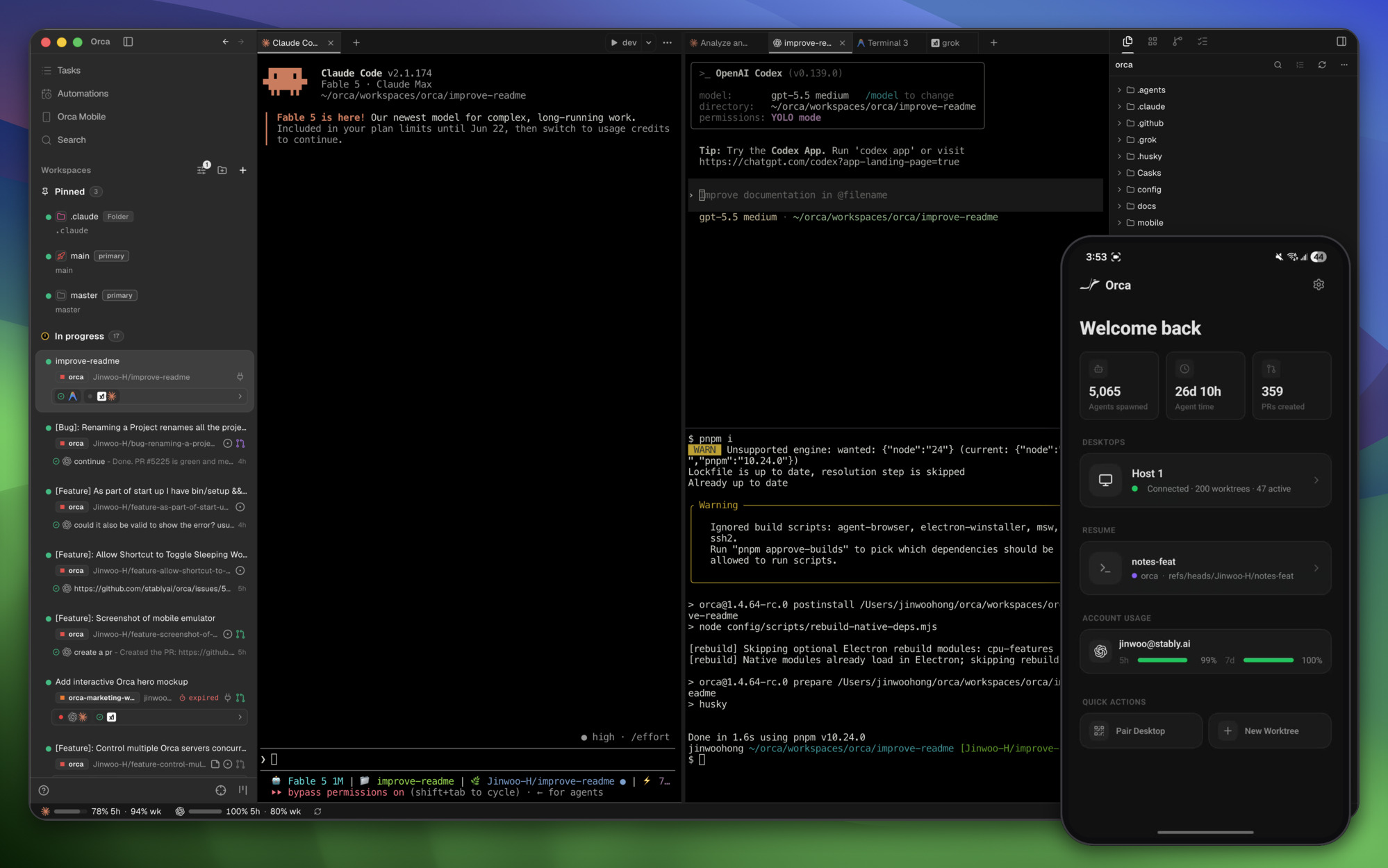
Orca lets you run a fleet of coding agents (e.g. Claude Code, Codex) with your own subscription. Available on desktop, mobile and remote runtime.
Nobody has reviewed it on Take My Repo yet, which says nothing about its quality.
💬 Open source machine learning framework to automate text- and voice-based conversations: NLU, dialogue management, connect to Slack, Facebook, and more - Create chatbots and voice assistants
Leaked system prompts of ChatGPT, Claude, Gemini and more. The hidden system prompt of every popular chatbot, in full, every version since May 2025. Also Anthropic Claude Code, OpenAI Codex, Google Antigravity, xAI Grok, Meta Muse, Moonshot Kimi, Alibaba Qwen, Z.ai GLM ZCode, MiniMax, Cursor, Perplexity, DeepSeek and 30+ others. Updated daily.
f.k.a. Awesome ChatGPT Prompts. Share, discover, and collect prompts from the community. Free and open source — self-host for your organization with complete privacy.
VoiceStudio is the open-source, fully-local ElevenLabs alternative — voice cloning, voice design, video dubbing, dictation, transcription & audiobook creation in 646 languages.

利用 AI 大模型和自动化工作流,根据主题或关键词一键生成高清短视频。Generate HD short videos from a topic or keyword with an automated AI workflow.
Python tool for converting modern audio into 8-bit or 4-bit formats, ideal for Commodore 64 (with or without MSSIAH) and other retro systems.
This page is also available as structured data, with the same sources and dates.
/api/v1/resources/gh/FlyingFathead/TelegramBot-OpenAI-APITake My Repo has not tested this on your machine. Requirements come from the project's own documentation.


