NmapScan
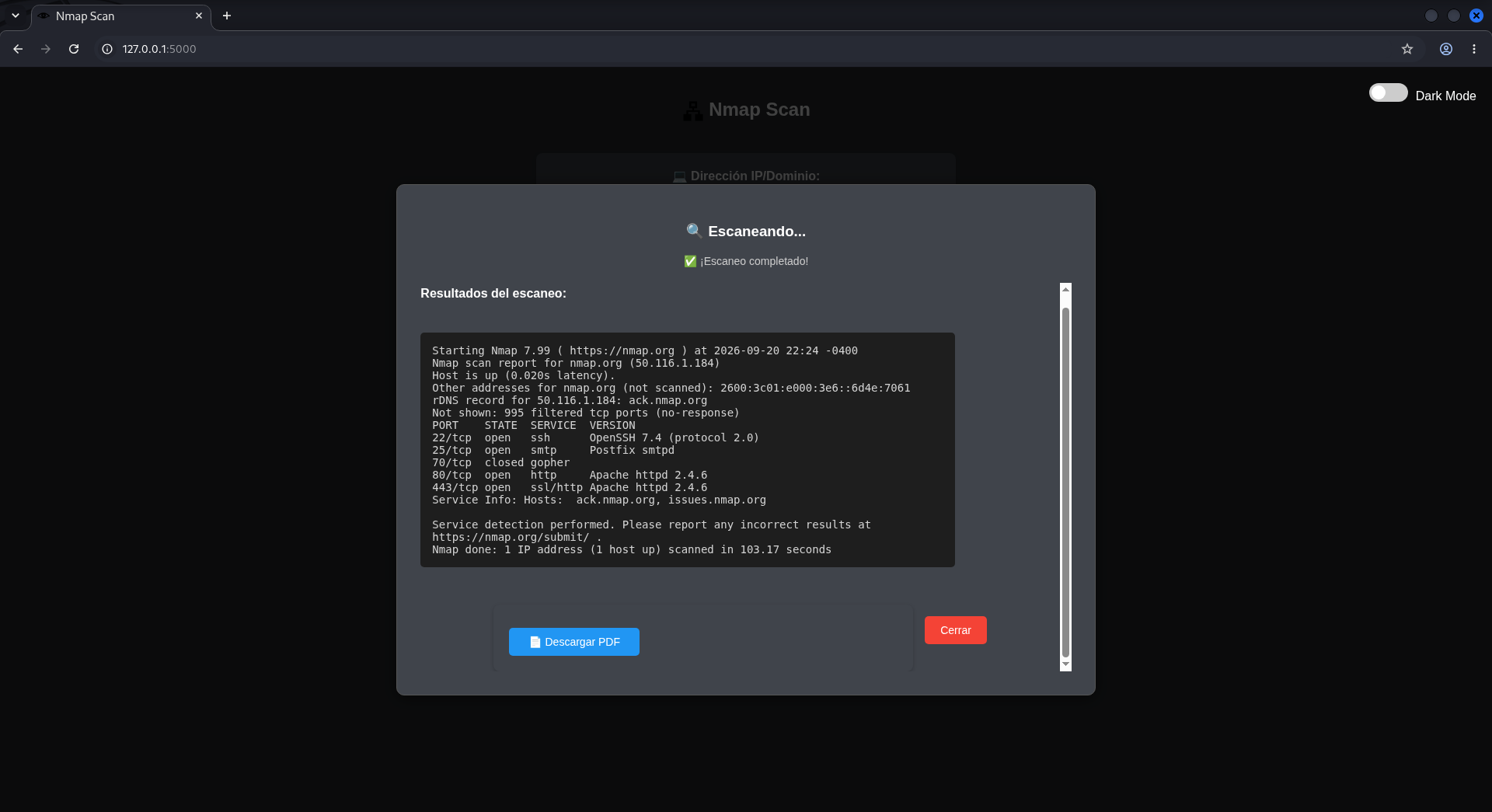
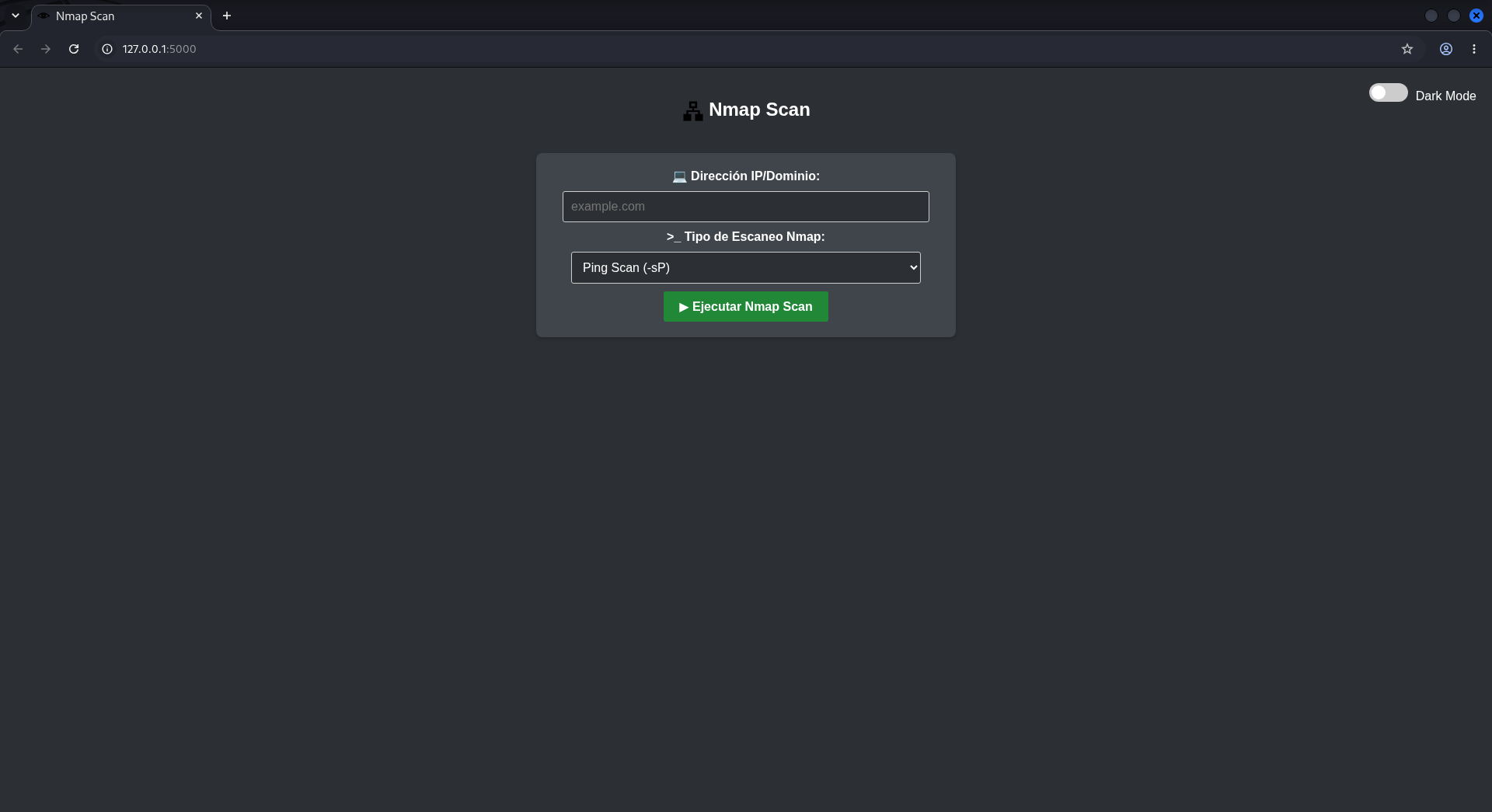
Tool to use Nmap, in Flask with different types of scans. 👁
The project is open to partners.
SUPPORTED DISTRIBUTIONS
| Distribution |
Verified version |
Supported |
Status |
| Kali Linux |
2026.2 |
✅ |
Working |
| Parrot Security OS |
6.3 |
✅ |
Working |
| Windows |
11 |
✅ |
Working |
| BackBox |
9 |
✅ |
Working |
| Arch Linux |
2024.12.01 |
✅ |
Working |
Root privileges:
To run some types of advanced scans with Nmap (such as -sS, -O, -A), sudo is required. Make sure that the user running the application has the necessary permissions or configure sudo to not prompt for a password when running Nmap (this should be done with caution).
System Settings:
Sudo permissions without password (optional): If you want to prevent Flask from requesting the sudo password when running certain scans, you can configure sudo to allow the user to run nmap without a password:
Then, add a line like the following to the end of the file (replace username with the system user name):
username ALL=(ALL) NOPASSWD: /usr/bin/nmap
Solutions:
Run the program as sudo: Since the Flask application is running the Nmap command and it needs root permissions, a straightforward solution is to run Flask with sudo:
Example:
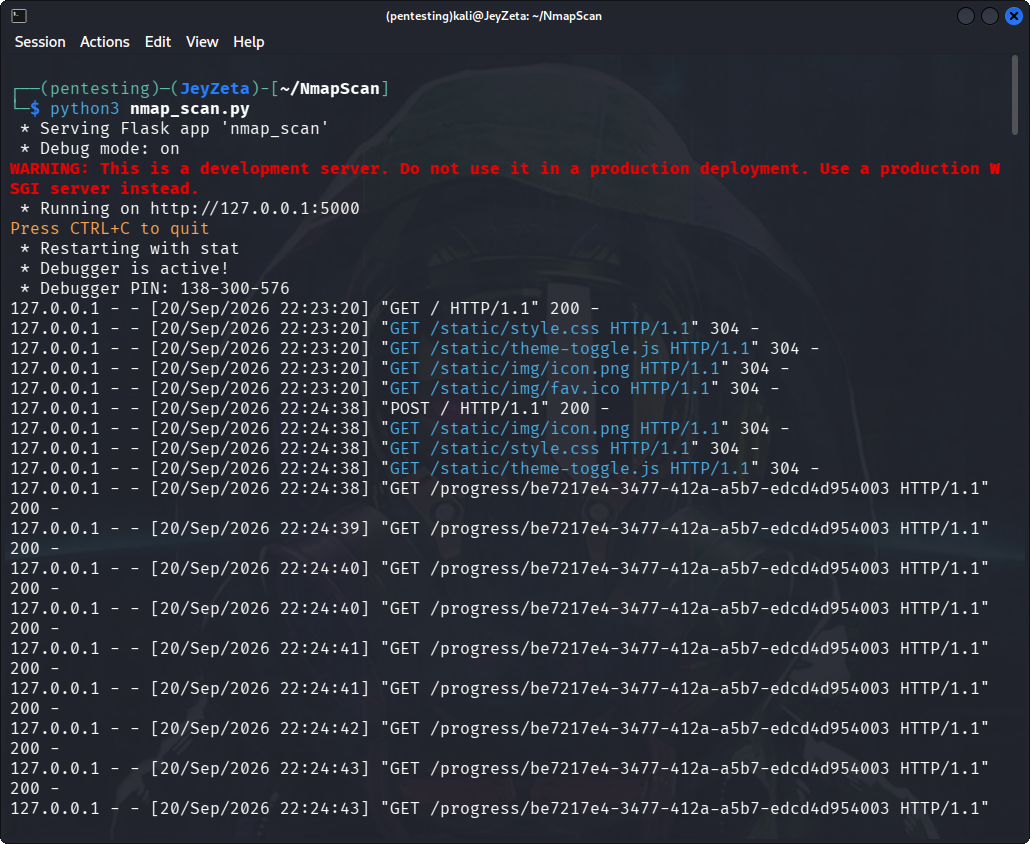
sudo python3 nmap_scan.py
However, this is not the most secure solution, especially in a production environment. If you decide to use this method, make sure it is only enabled in controlled environments.
Assign specific permissions to Nmap using setcap: If you want to avoid running the entire Flask script with sudo, you can grant specific permissions to Nmap to run without needing root permissions for certain scans:
sudo setcap cap_net_raw,cap_net_admin,cap_net_bind_service+eip $(which nmap)
USAGE
git clone https://github.com/HackUnderway/NmapScan.git
REQUIREMENTS
pip install -r requirements.txt
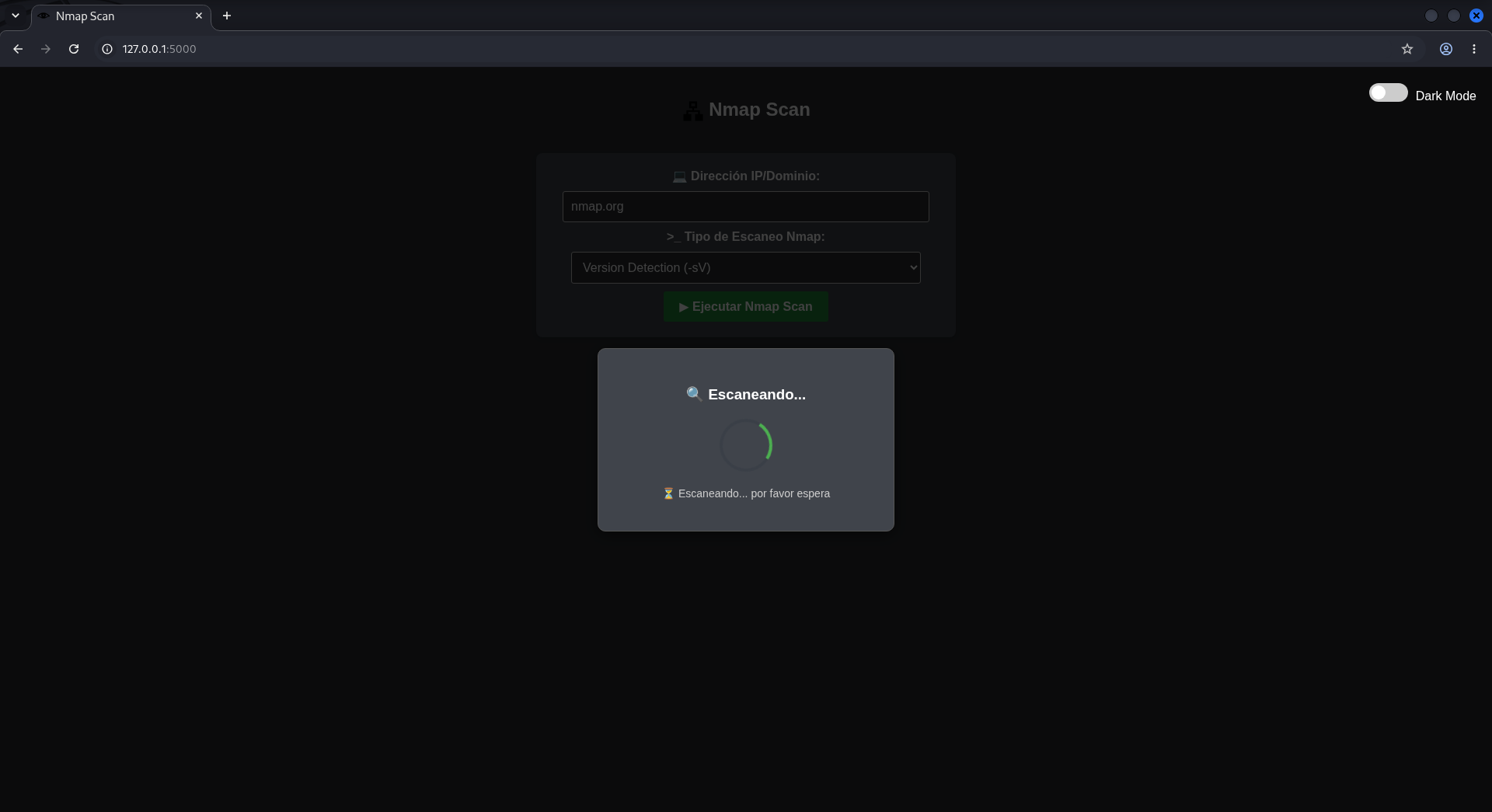
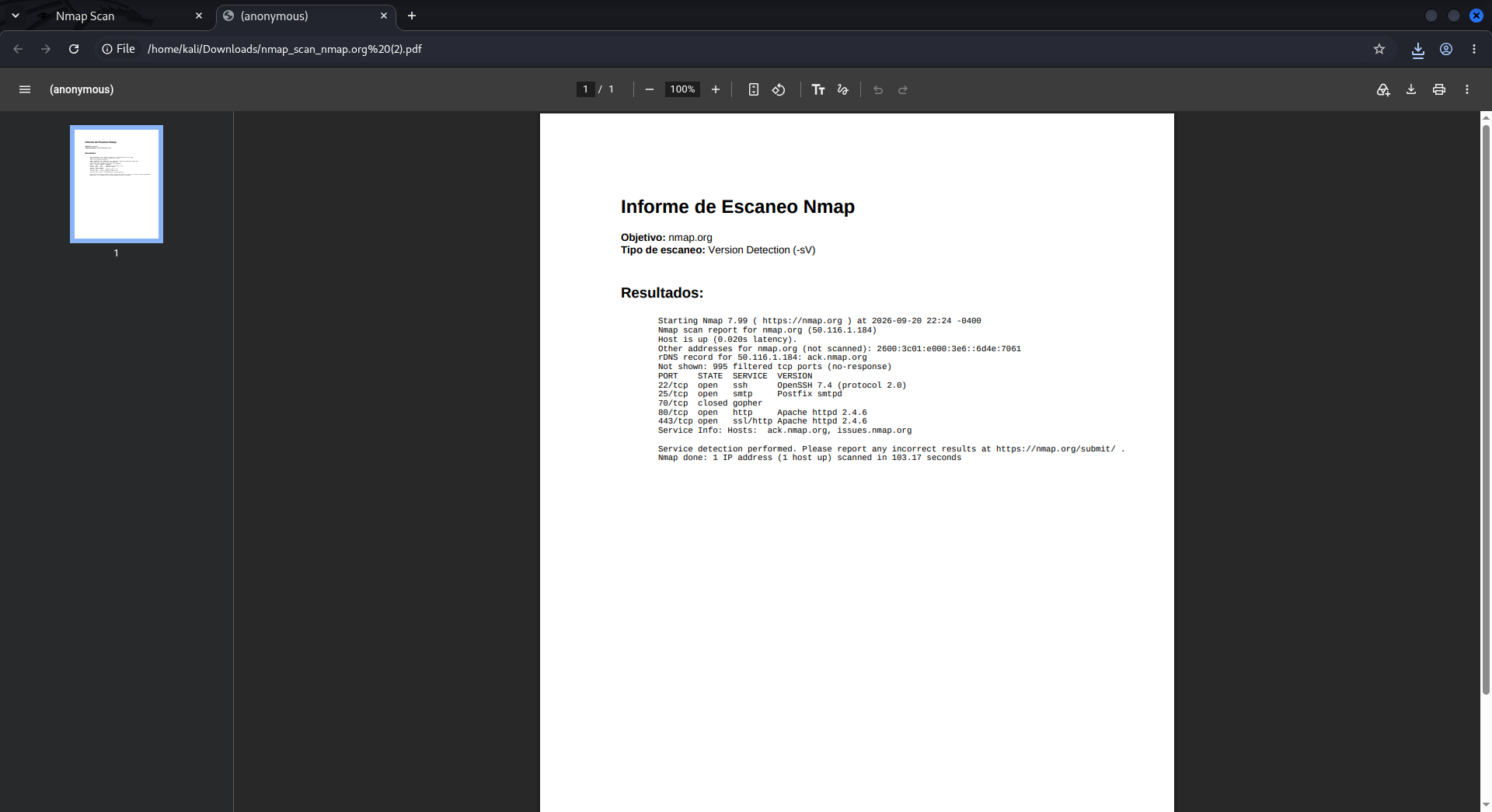
SUPPORT
Questions, bugs or suggestions to : info@hackunderway.com
LICENSE
- NmapScan is licensed.
- See LICENSE for more information.
We need partners and sponsors, if you're interested in support or help contact.
👨💻 Author
🕵️♂️ OSINT Platform
Automate OSINT processes
New Enterprise Mode – Maltego-inspired interface with visual graphs and professional workflows.
📢 See what's new
🔗 Links
☕️ Support the project
If you like this tool, consider buying me a coffee:
🌞 Subscriptions
from  made in
 + with
 by: Victor Bancayan
© 2026