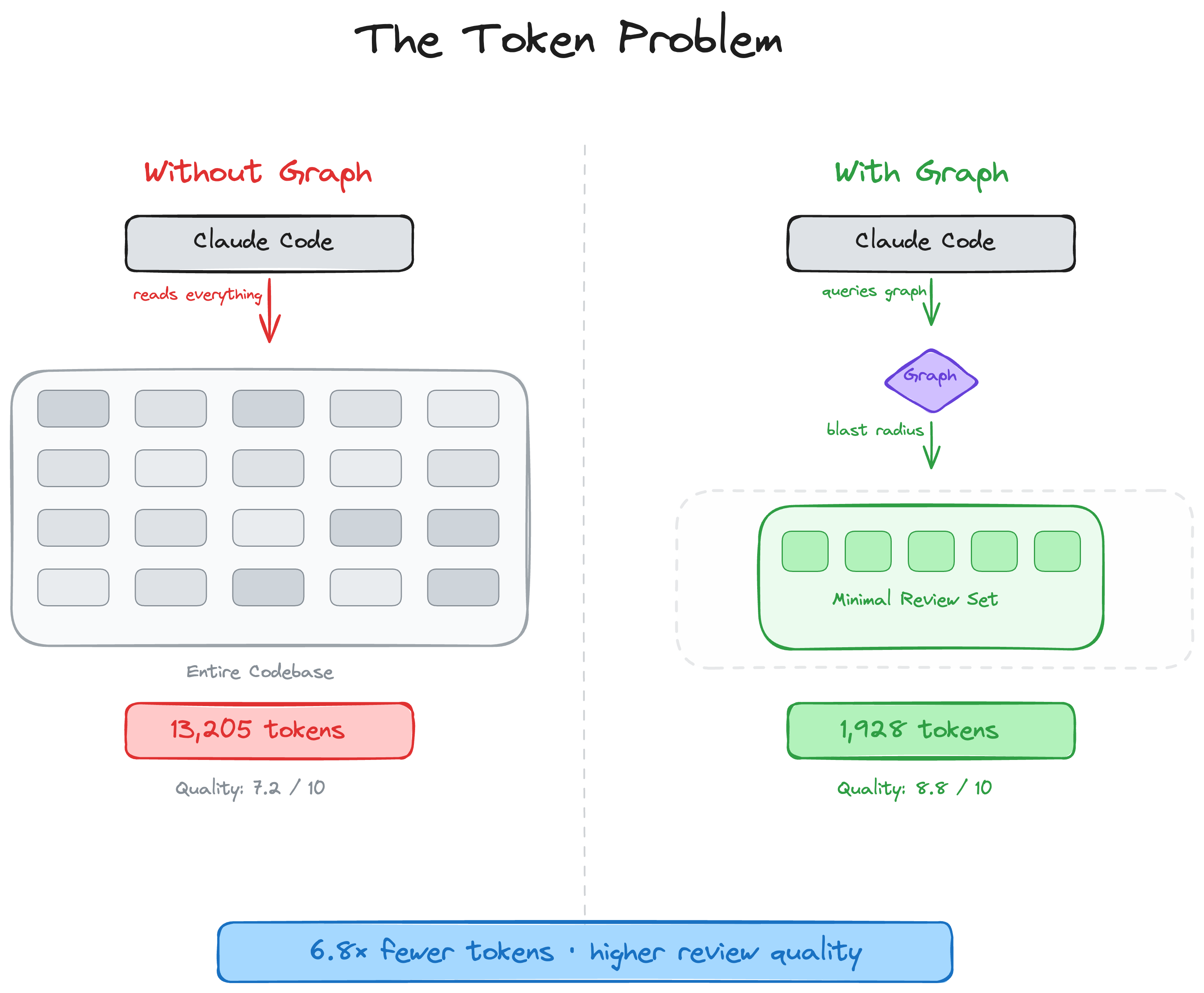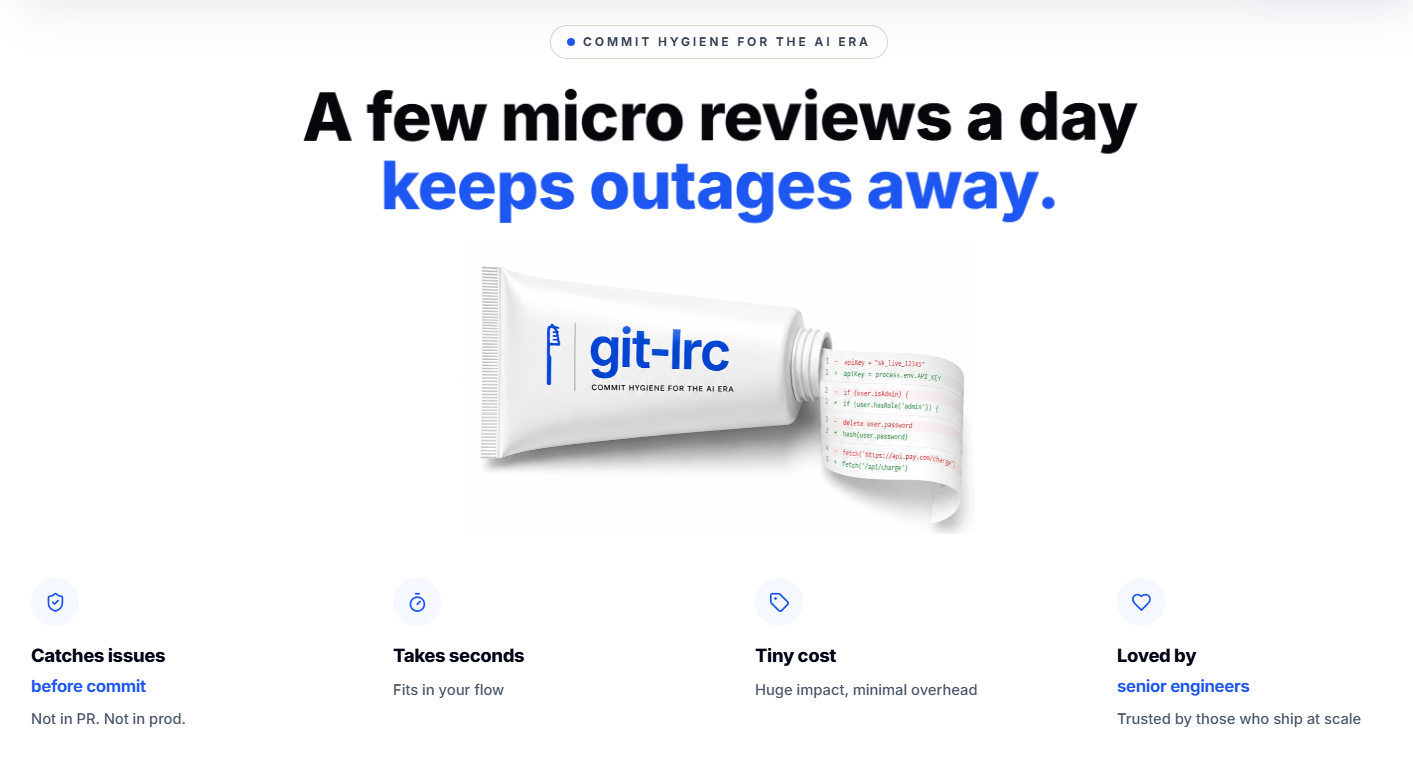
GenAI today is a race car without brakes. It accelerates fast -- you describe something, and large blocks of code appear instantly. But AI agents silently break things: they remove logic, relax constraints, introduce expensive cloud calls, leak credentials, and change behavior -- without telling you. You often find out in production.
git-lrc is your braking system. It hooks into git commit and runs an AI review on every diff before it lands. 60-second setup. Completely free.
In short, git-lrc helps Prevent Outages, Breaches, and Technical Debt Before They Happen
At a glance: 10 risk categories · 100+ failure patterns tracked · every commit scanned automatically.
# Try it now (Linux/macOS)
curl -L https://hexmos.com/ipm-install | bash && ipm i HexmosTech/git-lrc
Windows, alternative installs, and full setup walkthrough: see Get Started.
Issue Navigator
A wall of inline comments is hard to triage. The Issue Navigator turns every review into a structured, filterable view across 10 risk categories and 100+ patterns — so you can see exactly what's wrong, ranked by how much it can hurt you.
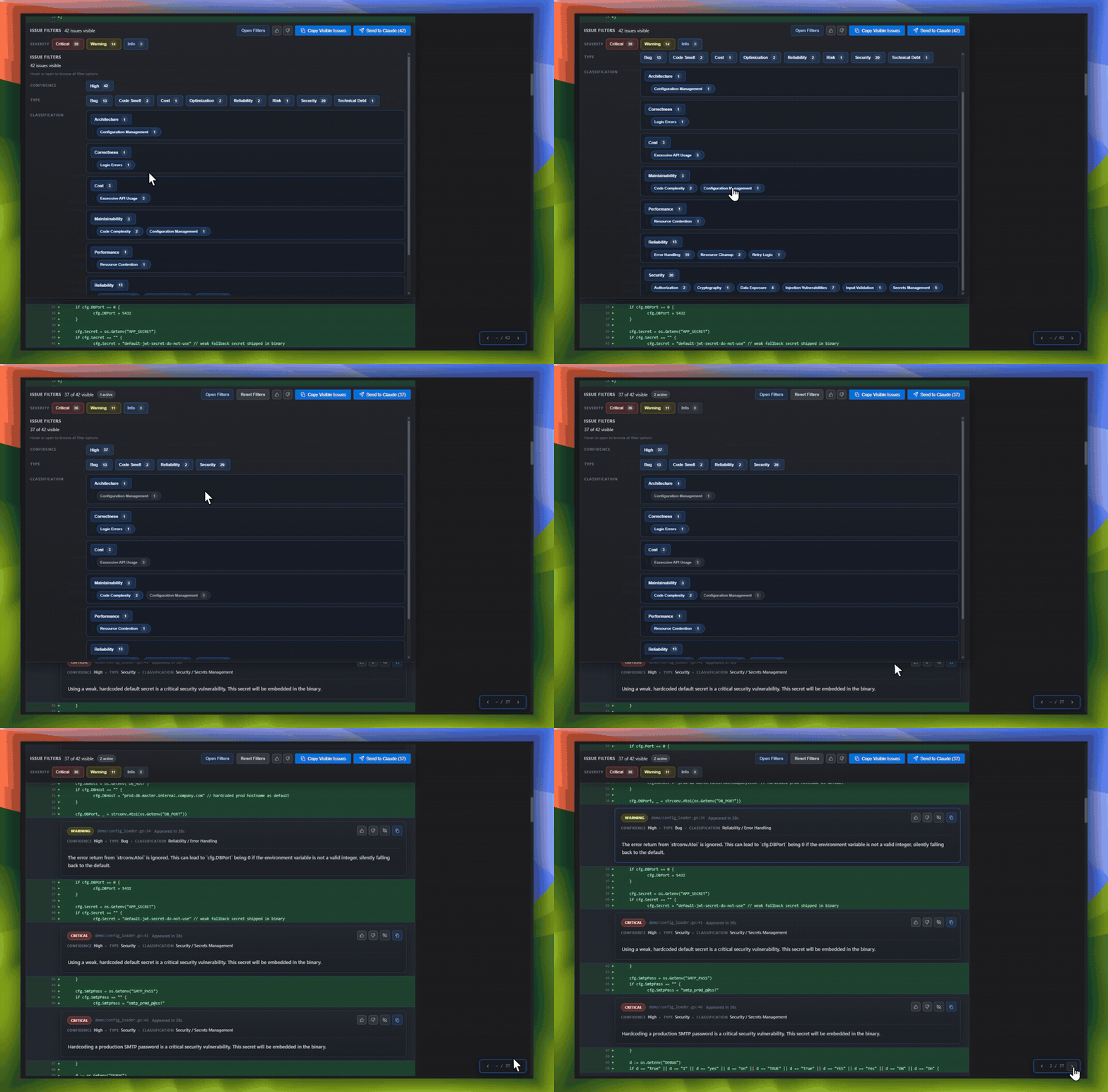
- Filter by severity — Critical, Warning, Info — fix what matters first instead of scrolling through everything.
- Drill into categories and subcategories — Security → Secrets Management, Reliability → Error Handling, and 100+ more, each with a live count of how many issues were found.
- Slice by type and area — Bug, Code Smell, Reliability, Security — to see exactly where risk is concentrated in a diff.
- Send straight to your AI agent — copy the visible issues or "Send to Claude" and feed them back into the fix loop without retyping anything.
- Feedback loop built in — thumbs up/down on each finding tunes future reviews, so signal-to-noise improves the more your team uses it.
Summary Deck
Every completed review also generates a short slide deck — a 60-second summary of what changed, why, and what risks were flagged, without anyone having to write it.
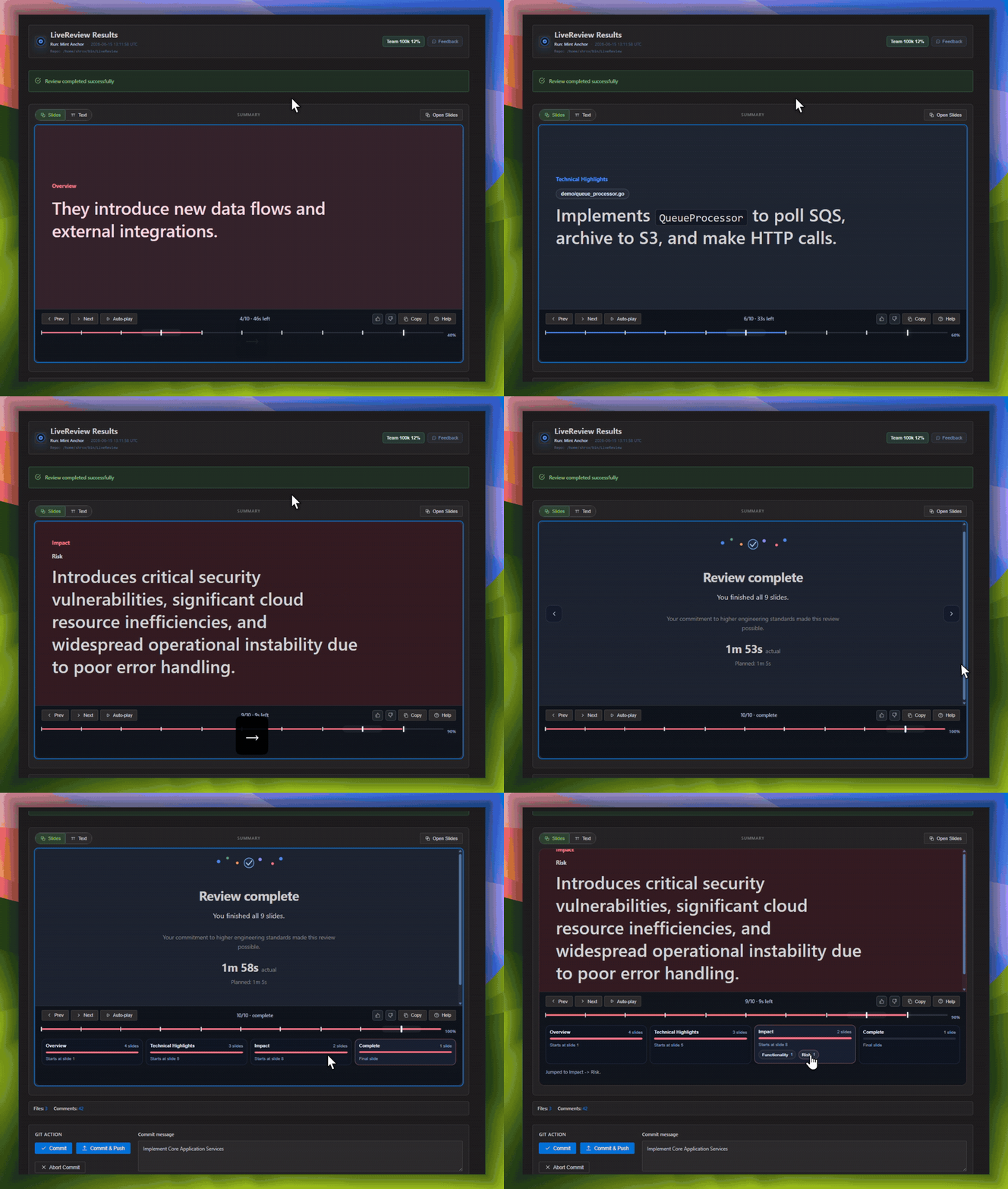
- What was implemented, in plain English — a short narrative of the change, not just a diff.
- Risks called out up front — security, cost, and reliability issues get their own highlighted slides, in red when they matter.
- Technical highlights, isolated — new config, new endpoints, new data flows — the things a reviewer (or future-you) actually needs to know about.
- Pairs with Git Log Tracking — between the iteration/coverage history in your git log and the summary deck for each review, your team gets institutional memory of every change without anyone maintaining a changelog.
For onboarding new engineers, post-incident reviews, or just remembering why a change was made six months ago, this is the fastest way to get oriented — without re-reading the diff.
See It In Action
See git-lrc catch serious security issues such as leaked credentials, expensive cloud
operations, and sensitive material in log statements
https://github.com/user-attachments/assets/cc4aa598-a7e3-4a1d-998c-9f2ba4b4c66e
Why
- AI agents silently break things. Code removed. Logic changed. Edge cases gone. You won't notice until production.
- Catch it before it ships. AI-powered inline comments show you exactly what changed and what looks wrong.
- Build a habit, ship better code. Regular review → fewer bugs → more robust code → better results for your team.
- Why not wait for a PR? By PR time, the faulty code is already committed, pushed, and visible. That is too late for issues you could have fixed yourself while the change was still fresh, without pulling team attention into avoidable cleanup.
- Why not rely on IDE extensions? Extensions are convenience, not a universal trigger. An engineer may choose to run them or not, and teams do not share one editor.
- Why commit? Commit is the sweet spot: early enough to catch problems before they enter permanent git history, but not so early that review depends on individual discretion or special tooling.
- Git is the common denominator. You can't force every engineer onto one IDE or one AI assistant -- but everyone commits.
git-lrc plugs into the one workflow step every team already shares.
- Built on habit, not hype. No new dashboard to check, no new ritual to adopt. It rides the commit you were already going to make.
Get Started
Install
Via IPM (Recommended):
# Linux/macOS
curl -L https://hexmos.com/ipm-install | bash && ipm i HexmosTech/git-lrc

# Windows
iwr https://hexmos.com/ipm-install-ps | iex; ipm i HexmosTech/git-lrc
Alternative (direct install):
Linux / macOS:
curl -fsSL https://hexmos.com/lrc-install.sh | bash
Windows (PowerShell):
iwr -useb https://hexmos.com/lrc-install.ps1 | iex
GitHub Codespaces
curl -fsSL https://git.new/lrc-install | bash
Binary installed. Hooks set up globally. Done.
Also Included: claude-lrc for Claude Code
Installing git-lrc also gives you claude-lrc -- the same review, vouch, and skip workflow, available as slash commands right inside Claude Code. No separate install, no leaving the chat.
| What you want |
How |
| Natural language |
review with lrc |
| Slash command |
/lrc:review |
| Quality vouch |
/lrc:vouch |
| Intentional bypass |
/lrc:skip |
Use git-lrc when you want editor-independent, commit-time enforcement across repos and tools. Use claude-lrc when you want natural-language and slash-command control directly inside Claude Code.
Setup
git lrc setup
Here's a quick video of how setup works:
https://github.com/user-attachments/assets/392a4605-6e45-42ad-b2d9-6435312444b5
Two steps, both open in your browser:
- LiveReview API key — sign in with Hexmos
- Free Gemini API key — grab one from Google AI Studio
~1 minute. One-time setup, machine-wide. After this, every git repo on your machine triggers review on commit. No per-repo config needed.
Pricing
Predictable, LOC-based. 30k LOC free every month. Premium starts at $32 for 100k LOC. No headcount based pricing, scales with workload.
| Tier |
What you get |
Notes |
| 1. Free Individual |
Install git-lrc and start with 30k LOC per month |
Bring your own AI keys. Keep git-lrc and the VS Code extension. |
| 2. Premium |
Upgrade when 30k LOC is not enough |
Starts at $32 for 100k LOC. Scales by workload, not by seat. |
| 3. Enterprise |
Move further for privacy and deployment control |
Self-hosting, SSO, custom domains, and tighter data control. |
No credit card required for the free tier. See the full pricing page for details.
How It Works
Option A: Review on commit (automatic)
git add .
git commit -m "add payment validation"
# review launches automatically before the commit goes through
Option B: Review before commit (manual)
git add .
git lrc review          # run AI review first
# or: git lrc review --vouch   # vouch personally, skip AI
# or: git lrc review --skip    # skip review entirely
git commit -m "add payment validation"
Either way, a web UI opens in your browser.
https://github.com/user-attachments/assets/ae063e39-379f-4815-9954-f0e2ab5b9cde
The Review UI
- GitHub-style diff — color-coded additions/deletions
- Inline AI comments — at the exact lines that matter, with severity badges
- Review summary — high-level overview of what the AI found
- Staged file list — see all staged files at a glance, jump between them
- Diff summary — lines added/removed per file for a quick sense of change scope
- Copy issues — one click to copy all AI-flagged issues, ready to paste back into your AI agent
- Cycle through issues — navigate between comments one by one without scrolling
- Event log — track review events, iterations, and status changes in one place
https://github.com/user-attachments/assets/b579d7c6-bdf6-458b-b446-006ca41fe47d
The Decision
| Action |
What happens |
| Commit |
Accept and commit the reviewed changes |
| Commit & Push |
Commit and push to remote in one step |
| Skip |
Abort the commit — go fix issues first |
📎 Screenshot: Pre-commit bar showing Commit / Commit & Push / Skip buttons
The Review Cycle
Typical workflow with AI-generated code:
- Generate code with your AI agent
git add . → git lrc review — AI flags issues- Copy issues, feed them back to your agent to fix
git add . → git lrc review — AI reviews again- Repeat until satisfied
git lrc review --vouch → git commit — you vouch and commit
Each git lrc review is an iteration. The tool tracks how many iterations you did and what percentage of the diff was AI-reviewed (coverage).
Vouch
Once you've iterated enough and you're satisfied with the code:
git lrc review --vouch
This says: "I've reviewed this — through AI iterations or personally — and I take responsibility." No AI review runs, but coverage stats from prior iterations are recorded.
Skip
Just want to commit without review or responsibility attestation?
git lrc review --skip
No AI review. No personal attestation. The git log will record skipped.
Agent Mode (for coding agents / CI)
Coding agents (Claude Code, Cursor, etc.) shouldn't sit and wait for a
browser-based review UI. --agent-mode runs a real AI review non-interactively
and reports the findings as JSON:
git add .
git lrc review --agent-mode
git commit -m "add payment validation"
--agent-mode bundles: no browser/TUI, JSON output, and staged-diff scope
(commit/range reviews still take priority if you pass --commit/--range
explicitly). If the review completes, it records an agent-reviewed
attestation — distinct from skipped