
PaddleOCR
Turn any PDF or image document into structured data for your AI. A powerful, lightweight OCR toolkit that bridges the gap between images/PDFs and LLMs. Supports 100+ languages.
- 93k
- Python
- Apache-2.0
- 2 mo ago
PDF Studio by NavigatorsLab — the free, open-source PDF editor that edits the text inside your PDF, fills forms, OCRs scans, signs, redacts, diffs revisions, and runs an on-device AI. 100% in-browser. No uploads, no accounts, no watermarks, no page caps.
Repo Kayforkind/NavigatorsLab-PDF-Studio, read from GitHub 14 h ago. Kayforkind has not joined Take My Repo.
Kayforkind/NavigatorsLab-PDF-Studio is a public repo on GitHub by Kayforkind. PDF Studio by NavigatorsLab — the free, open-source PDF editor that edits the text inside your PDF, fills forms, OCRs scans, signs, redacts, diffs revisions, and runs an on-device AI. 100% in-browser. No uploads, no accounts, no watermarks, no page caps. It declares the MIT license on GitHub. It is written mainly in TypeScript, has 1 stars and last changed on 2026-11-17. Nobody has reviewed it on Take My Repo yet, which says nothing about its quality. Read from GitHub on 2026-11-24.
Turn any PDF or image document into structured data for your AI. A powerful, lightweight OCR toolkit that bridges the gap between images/PDFs and LLMs. Supports 100+ languages.
A PDF editor with no backend. It rewrites the file's content stream, in your browser.
▶ Try it live — no install, no upload, no account
Use the engine directly. The MCP server installs from npm; the CLI builds from the repo.
npx pdfstudio-mcp --root ./docs --read-only  # MCP: 10 PDF tools over stdio, no API key
npx pdfstudio info contract.pdf              # CLI — from a clone, after `npm run build:packages`
MIT · TypeScript · zero server · the whole pipeline auditable in this repo.
🎬 See it in action (31 sec) — edit text in place, redact for real, add sticky notes, highlight, compare two PDFs, and print. Recorded from the live app; nothing leaves the browser.
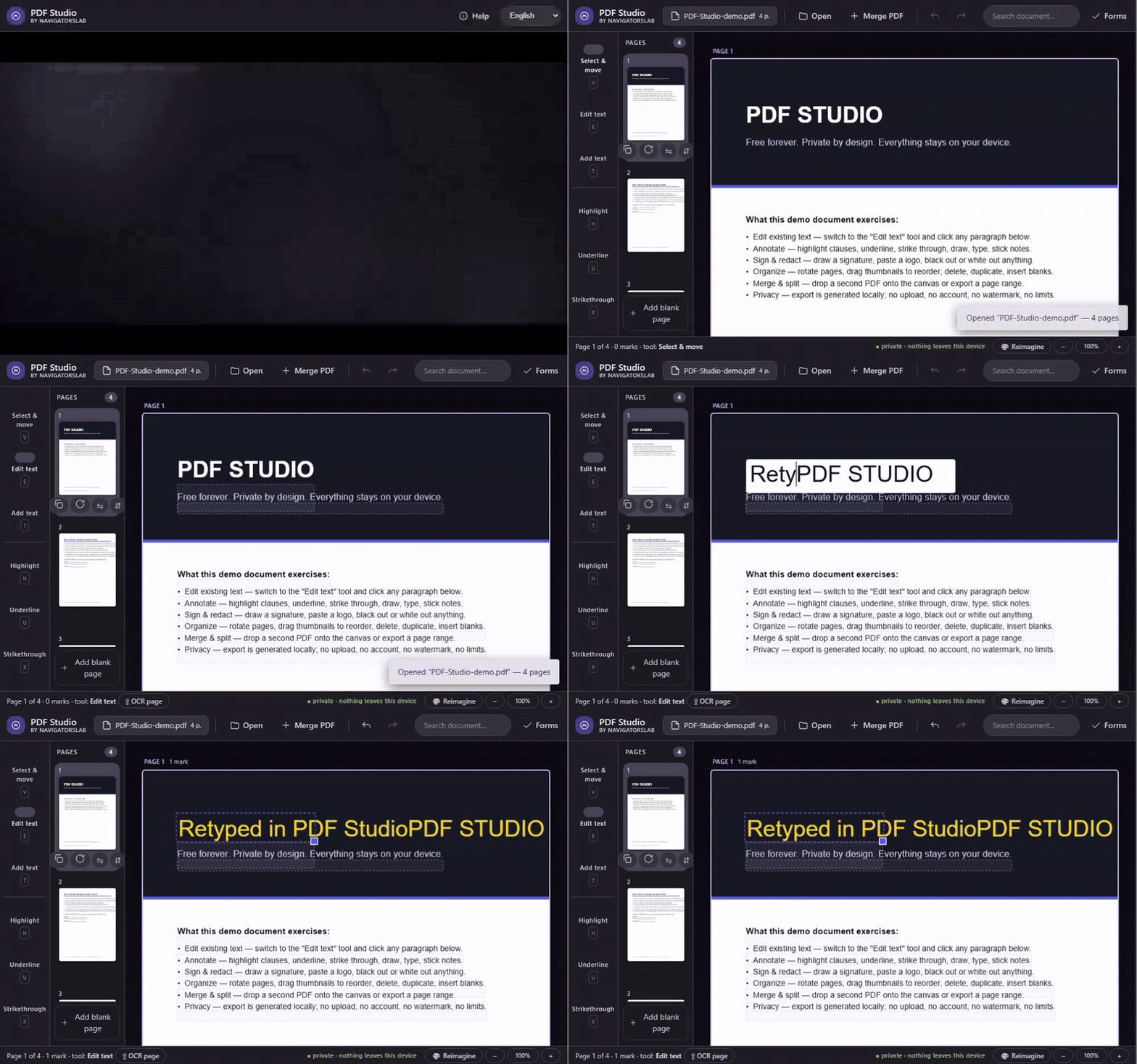
Real recording: the tagline above is retyped live — the original text operators are rewritten in the file, not overlaid.
Find this useful? A star at the top of the page helps others find it.
In your browser, nothing to install: navigatorslab.com/pdf-studio
Self host with Docker, one command:
docker run -p 8080:80 ghcr.io/kayforkind/navigatorslab-pdf-studio:latest
# → http://localhost:8080
CLI, from source (three commands):
git clone https://github.com/Kayforkind/NavigatorsLab-PDF-Studio && cd NavigatorsLab-PDF-Studio
npm install && npm run build:packages
npx pdfstudio info contract.pdf
Most "free" PDF editors work the same way: upload your contract or your ID to somebody's server, edit three pages, then get hit with a paywall, a watermark, a page cap, or a sign-up screen the moment you press Save. (The honest exceptions are self-hosted tools — but those make you run the infrastructure.) Desktop editors that genuinely modify existing text cost a subscription.
PDF Studio runs 100% in your browser. Your files are opened, edited, and saved on your own machine — there is no server to upload to. And unlike most free editors, it doesn't fake the editing: the Edit tool rewrites the page's content stream itself. The original text is deleted from the file and your replacement is written in as real vector text. Not an overlay. Not a text box on top. The old bytes are gone.
Try it in 30 seconds: open the live app, drop in any PDF, press E, click any line of existing text, retype it.
| ✏️ True text editing | Click any line — or any table cell — and retype it. Exports as real vector text, searchable and print-crisp. |
| 📝 Forms | Fill real AcroForms (text, checkboxes, radios, dropdowns), then flatten them so nobody can change your answers. |
| 🖋️ Sign & annotate | Signature pad, highlight, pen, arrows, shapes, sticky notes, image stamps — all real vector content. |
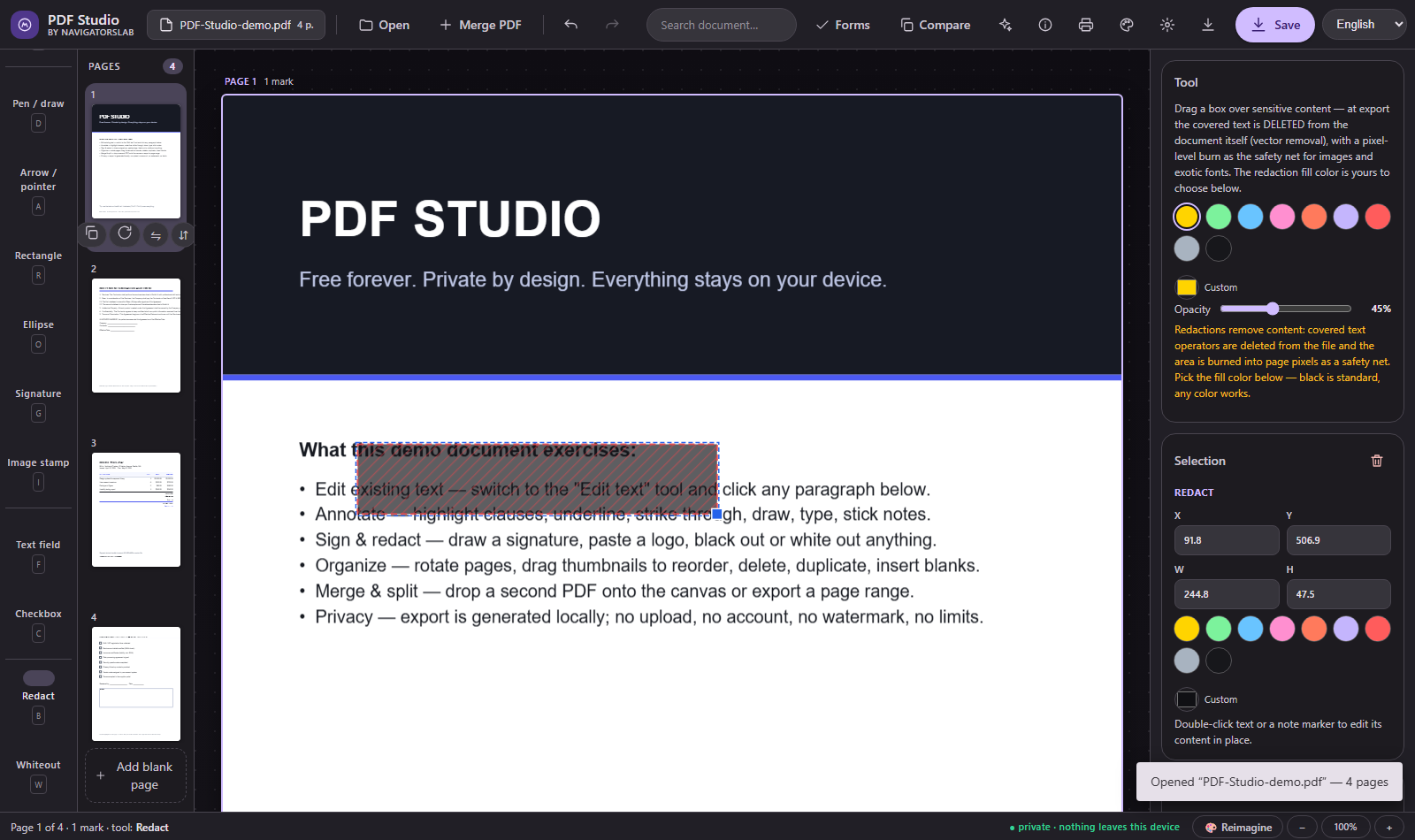
| 🖤 Redaction | True redaction — covered text is deleted from the file at export, not painted over. (Whiteout covers are visual-only; use redaction for sensitive data.) |
| 🔠 OCR | Scanned pages become editable text via on-device Tesseract (EN/ES/FR/DE). No upload, ever. |
| 🤖 On-device AI | Ask questions about your document; a real LLM runs in your browser via WebAssembly. Your data never leaves. |
| ⚖️ Revision diff | Drop in two versions, get a line-by-line diff. Did the payment terms change? Now you know. |
| 📄 Pages | Reorder, rotate, merge, split, duplicate, delete. Stamp page numbers, watermarks, headers & footers at export. |
| 📱 Anywhere | PWA — installs to your phone or desktop, works offline, autosaves and resumes your session. |
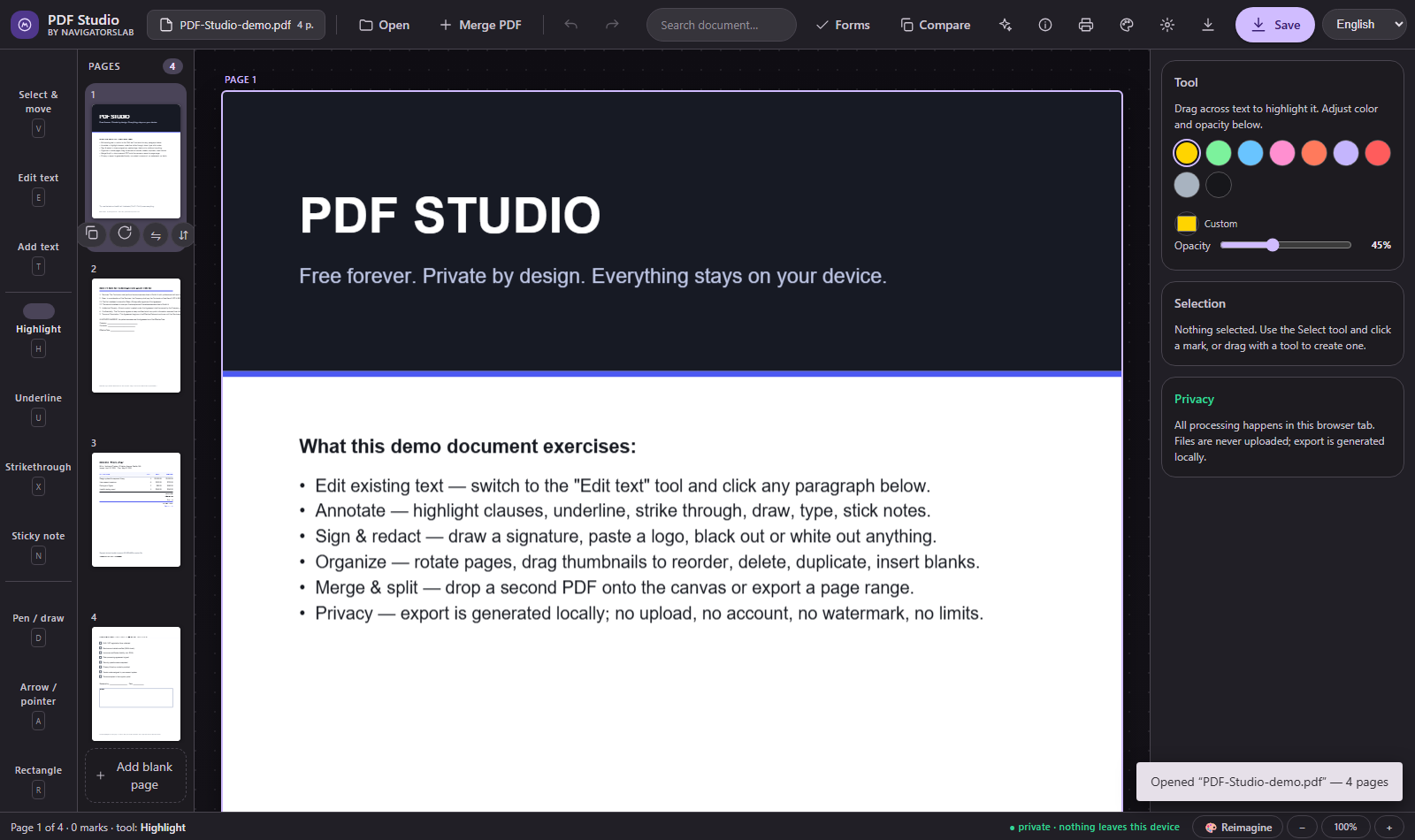
The full editor — free forever, private by design
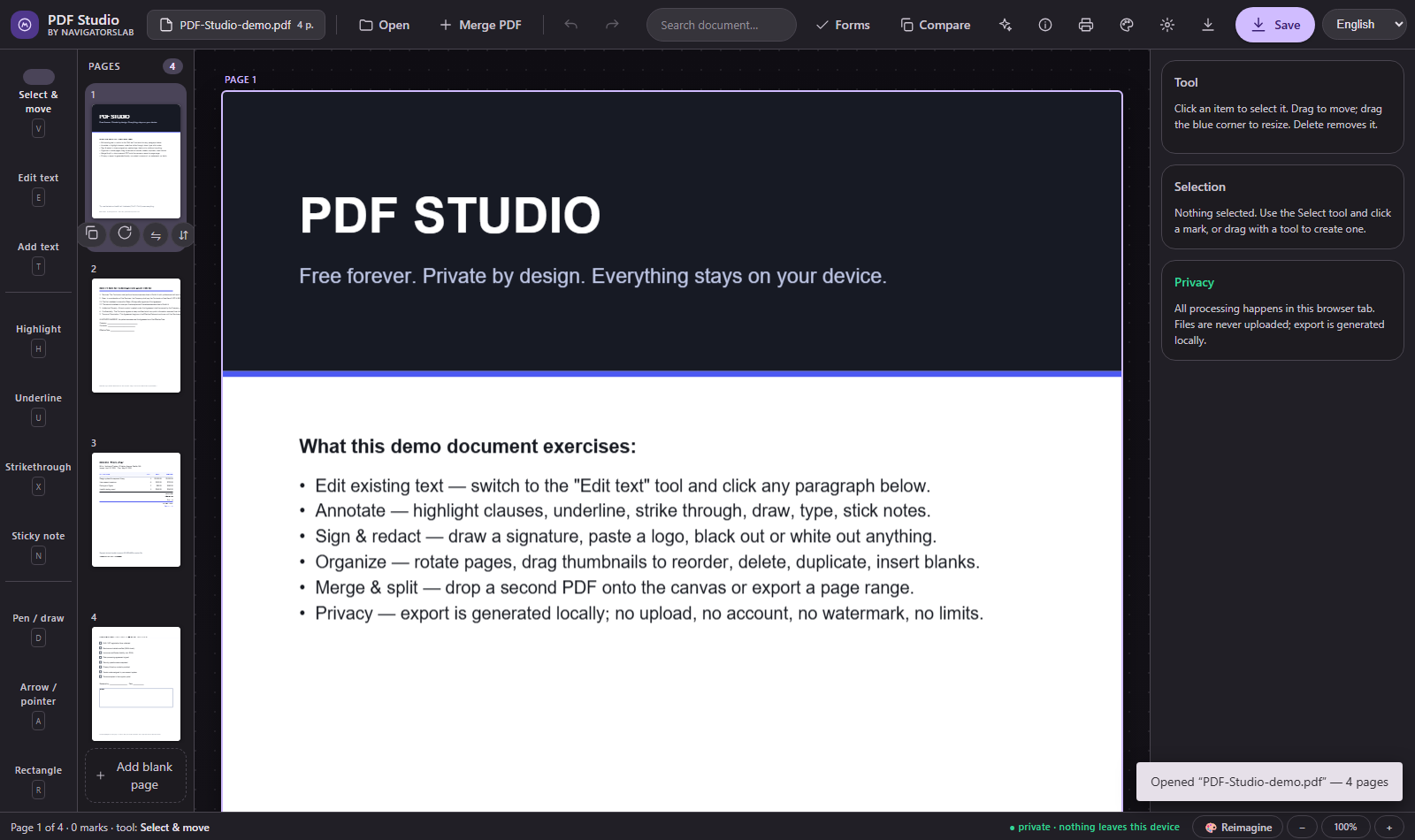
Edit hints — every line of the original text is a clickable target
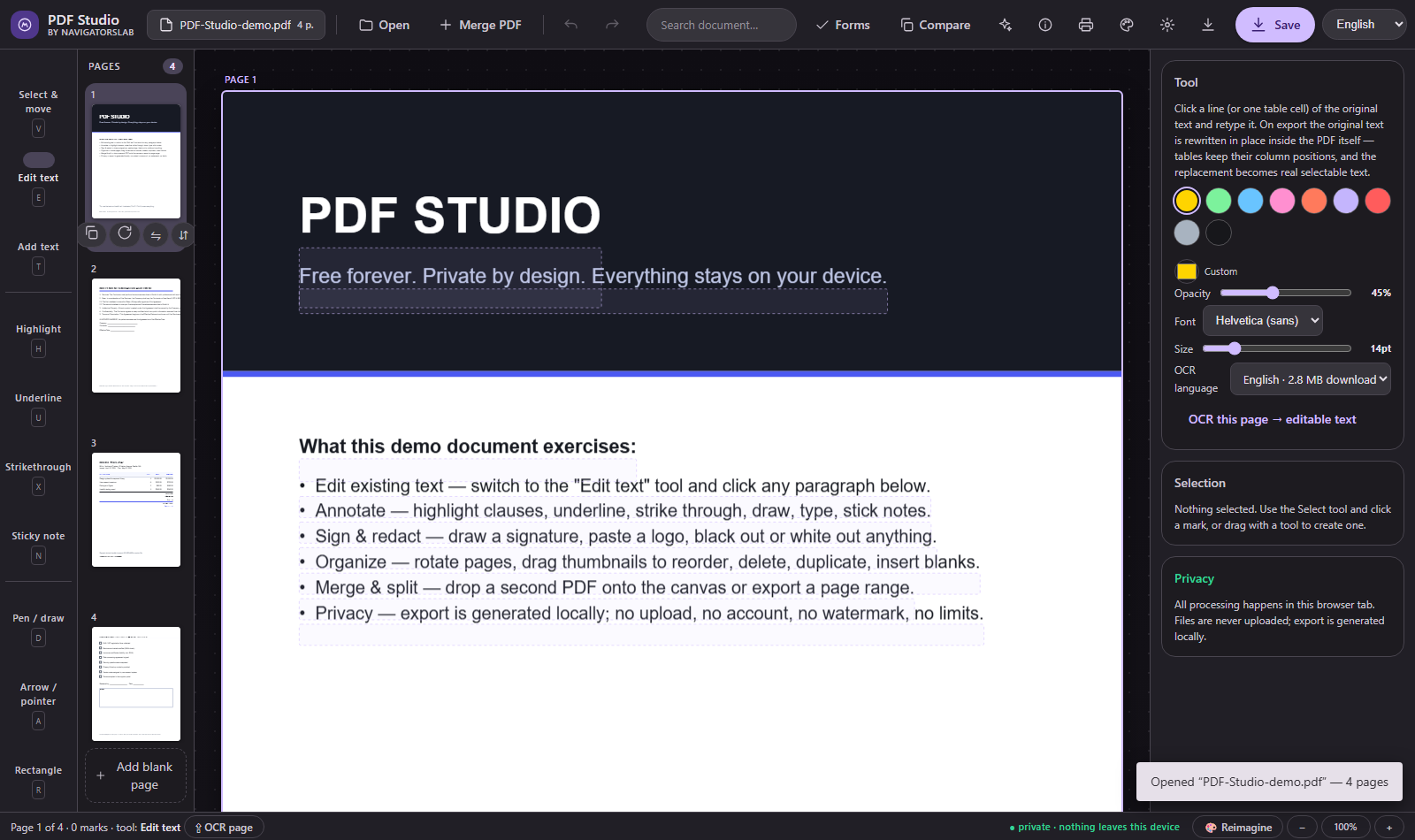
Annotate — underline tool with color and opacity controls
True redaction — covered text is deleted from the file, not painted over
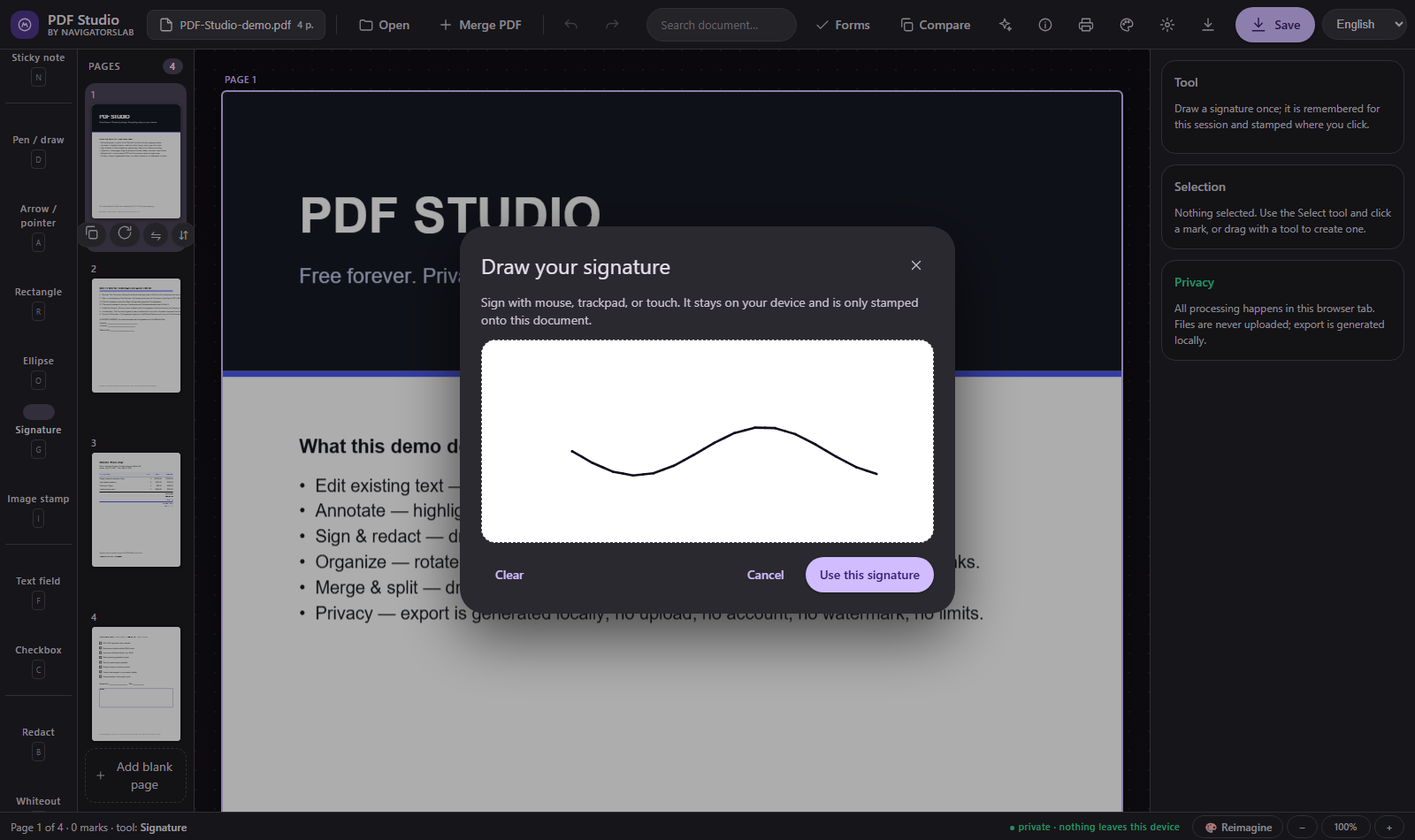
Signature pad — draw with mouse, trackpad, or touch
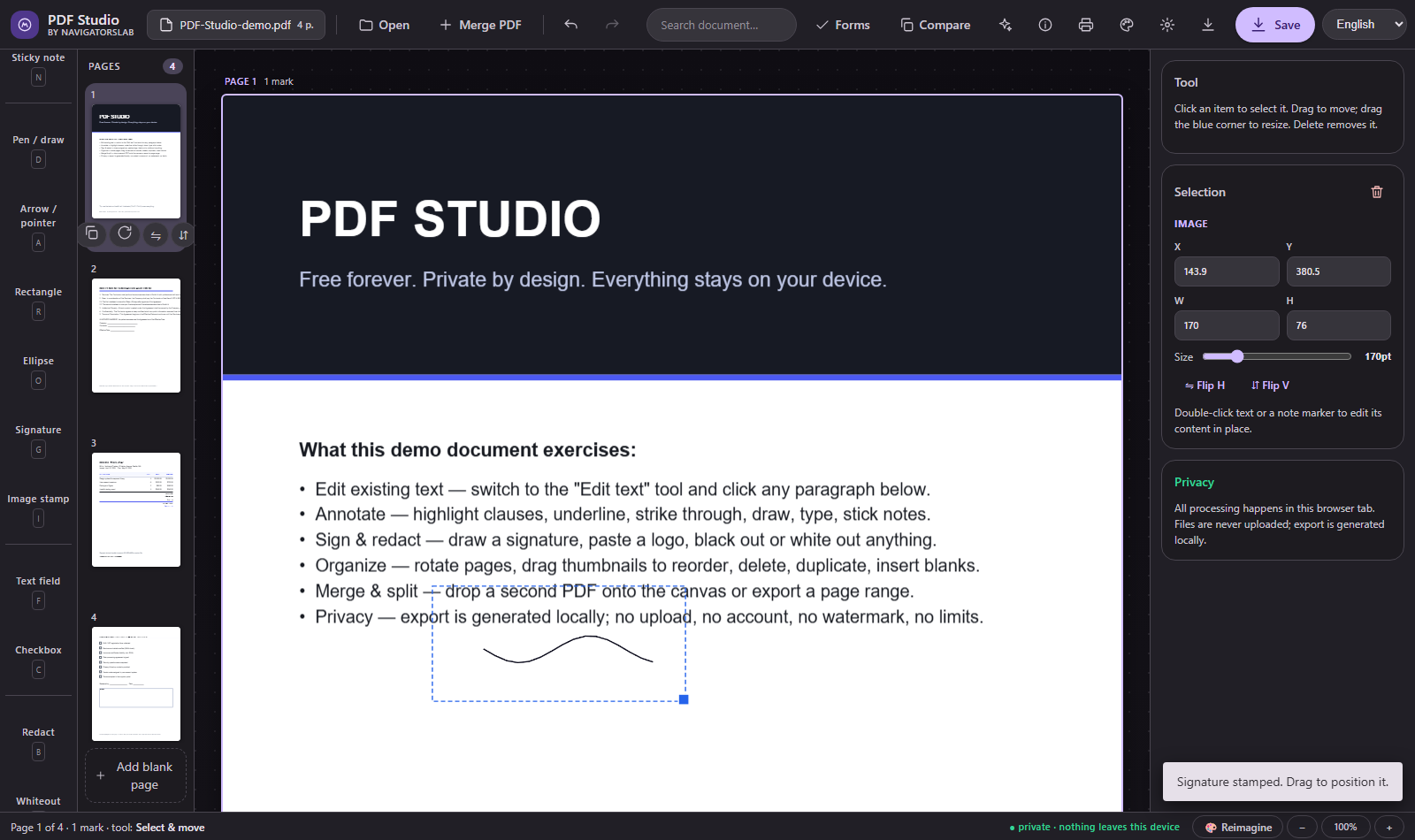
Signature — stamped onto the page
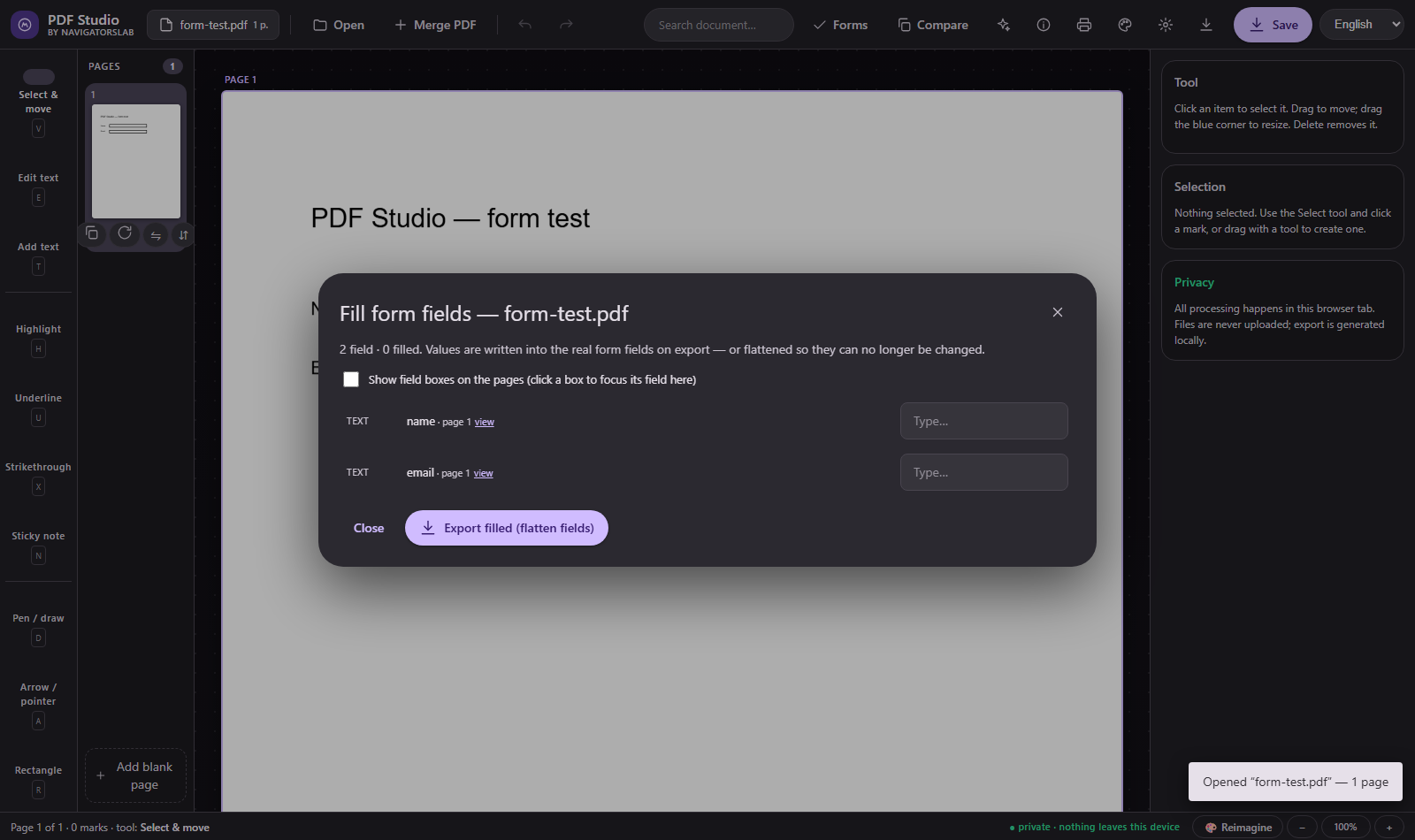
Forms — values written into the real AcroForm fields
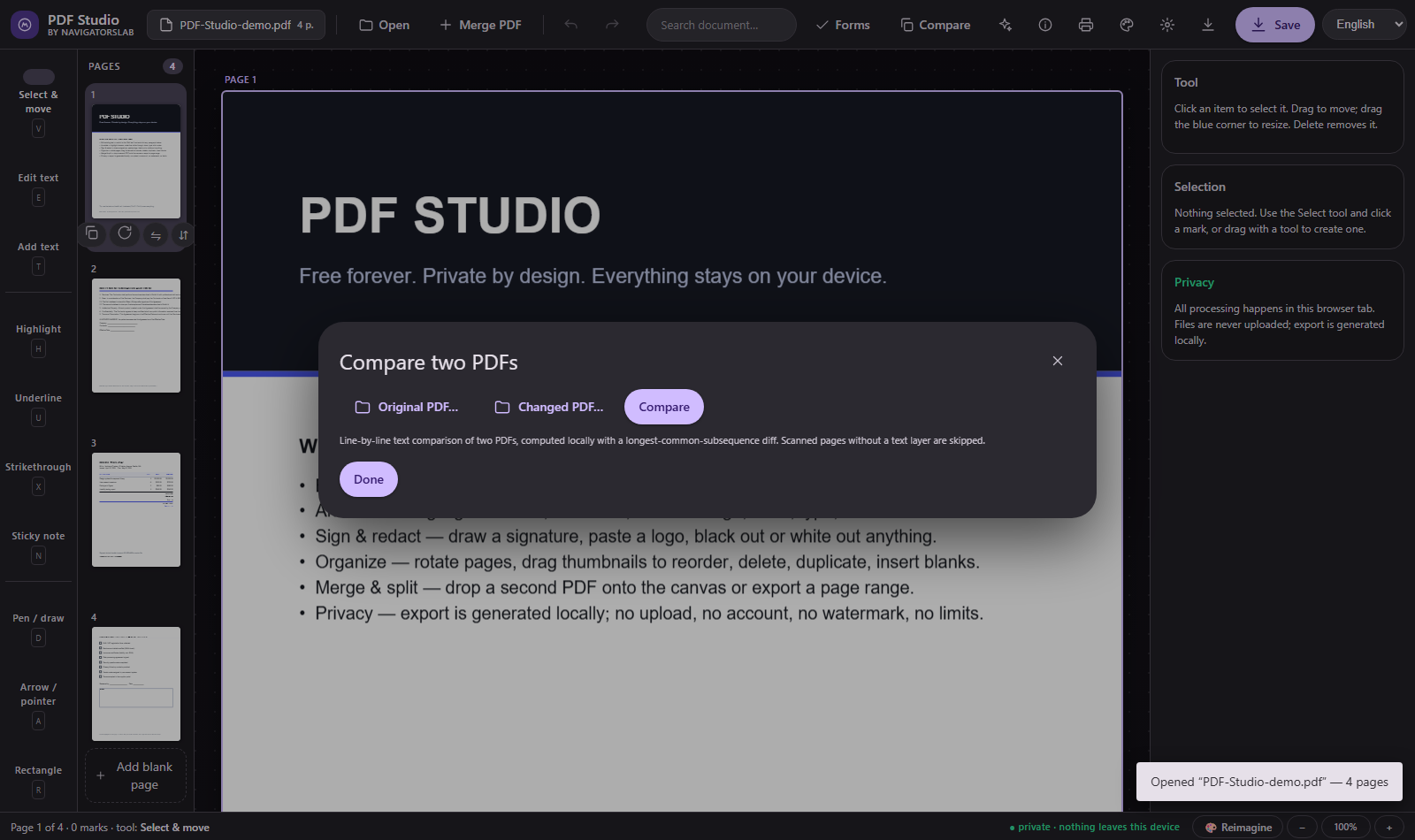
Compare — line-by-line diff of two versions
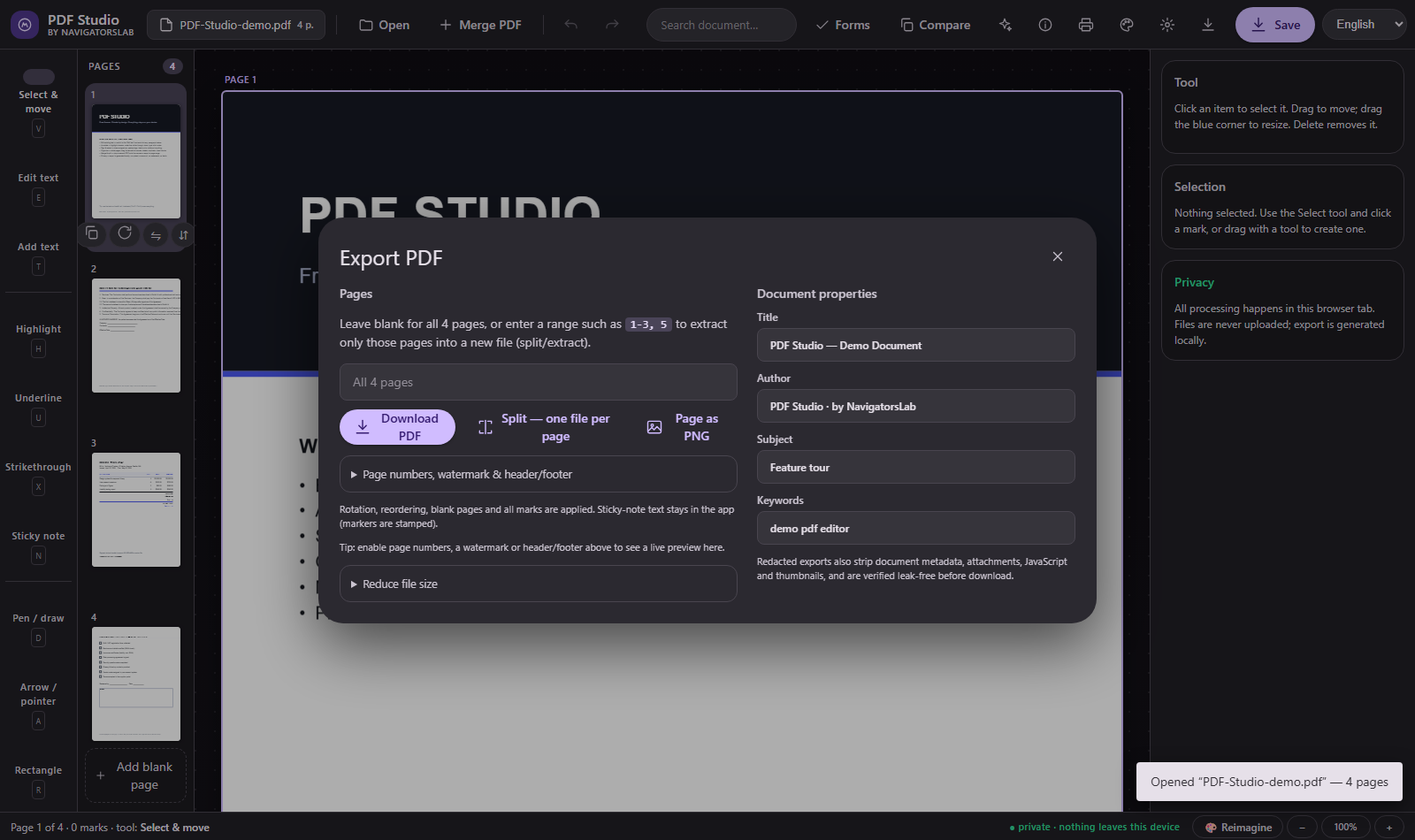
Export — page ranges, split, stamps, document properties
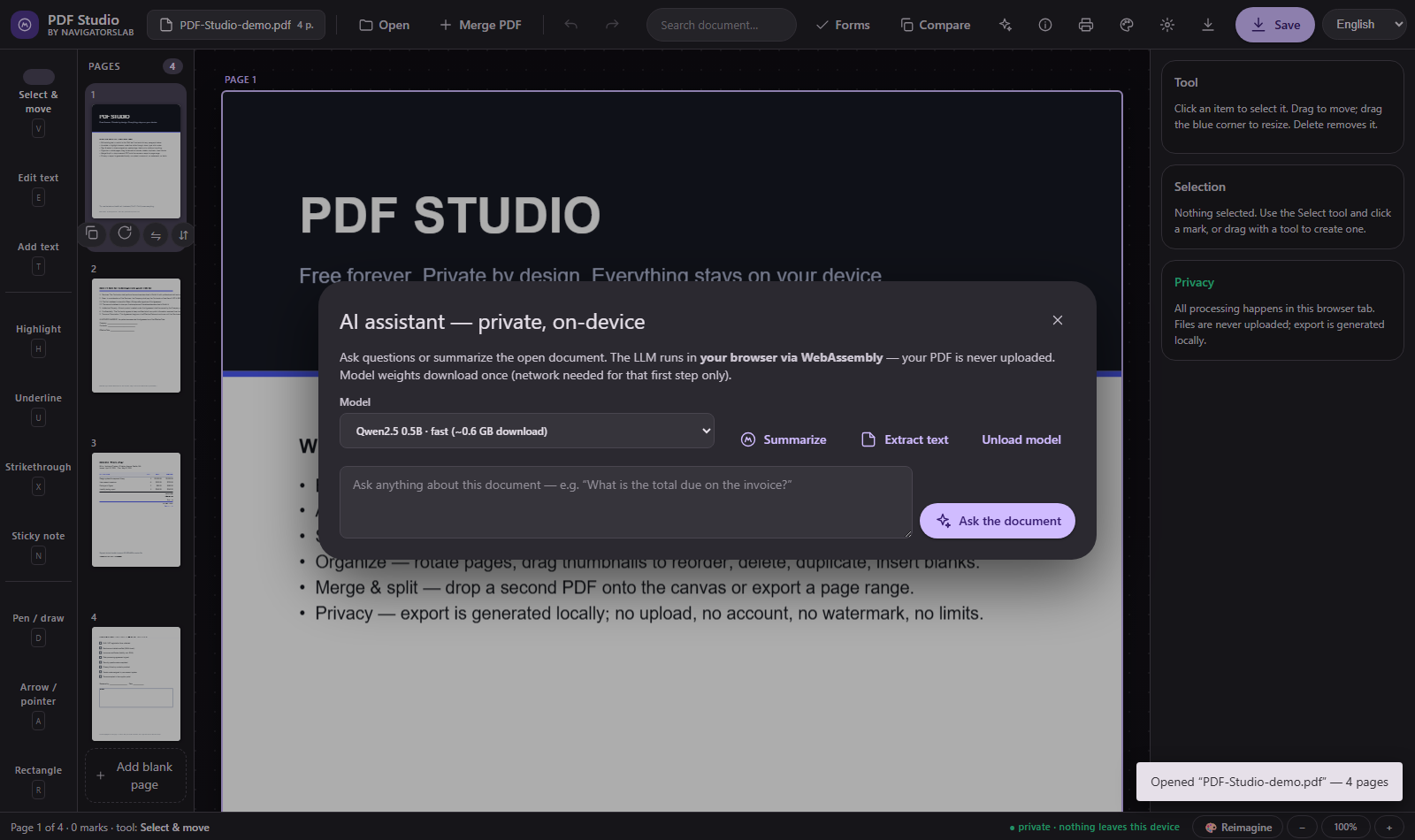
On-device AI — ask questions about your document, nothing uploaded
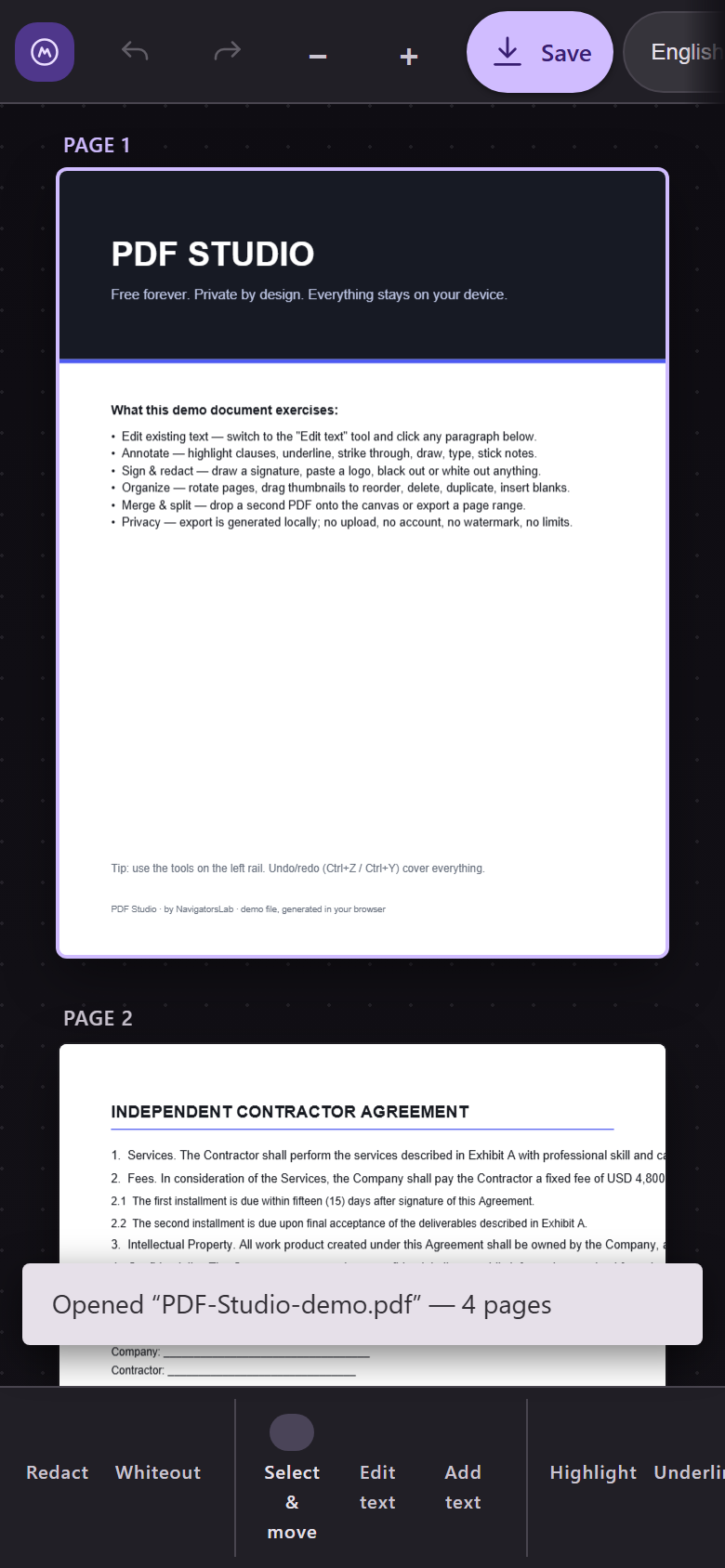
Mobile — bottom toolbar, full-width pages
Everything happens in your browser — your file is opened, edited, and saved on your own machine. The pipeline:
After export the app shows a verification report (regions redacted, strings checked, recoverable: zero). Whiteout, by contrast, is visual-only — it covers content without removing it. Use redaction for sensitive data.
Full detail: How it works — docs
PDF Studio is the zero-setup option that keeps a full editor and never uploads your files.
| PDF Studio | Adobe Acrobat Pro | Stirling-PDF | Free web editors¹ | |
|---|---|---|---|---|
| Price | Free, MIT | ~US$19.99/mo (annual, billed monthly)² | Open core, free to self-host | Free tier, caps and ads |
| Where your document goes | Nowhere — it never leaves the browser | Adobe's servers | Your own server | Their servers |
| True in-place text editing | Yes | Yes | Alpha | No — annotate/overlay |
| Redaction | Bytes deleted, then verified before export | Yes (Pro) | Yes | Varies by product — verify it |
| CLI + MCP for agents | Yes — same engine, 100% local | No | No | No |
| Zero setup | Yes | No | No (Docker) | Yes |
| Works offline | Yes (PWA) | Desktop only | Your server | No |
| Open source | MIT | No | Open core | No |
¹ Smallpdf, iLovePDF, PDF24 and similar. They differ from each other; the row reflects the category, not one product. ² Adobe's published plan, checked 2026-10-08 — prices and plans change.
Full, sourced breakdown: COMPARISONS.md · web version.
The developer difference: redaction here is not a promise, it's a gate. The exporter scans its own output for every covered string in UTF-8, UTF-16BE/LE and hex, through both the delivered bytes and a decompressed re-serialization. If anything is recoverable, no file is produced.
What PDF Studio does not do yet:
| Question | Answer |
|---|---|
| Where do my files go? | Nowhere. There is no upload endpoint. Open devtools while you edit: your document bytes never leave the machine. |
| Is any of my data collected? | No. No accounts, no analytics on your documents. Sessions autosave locally in your browser. |
| What does download? | The app itself, plus optional public AI/OCR model weights (cached after first fetch). Your documents never transit the network. |
| Can I air-gap it? | Mostly. The app and OCR engine are bundled and work offline. Only the optional AI assistant downloads model weights (from Hugging Face, on first use). Skip the AI assistant on an offline network; the model source cannot be changed to an internal mirror yet. |
Security assessment — 2026-09-28 — overall grade A−. Each claim was checked against the source code. Full assessment: SECURITY_ASSESSMENT.md · agentic (CLI/MCP) addendum · reporting policy.
Residual risks (stated plainly): autosave is plaintext on your disk, so wipe after use on a shared machine; AI model weights come from HuggingFace over TLS without hash verification. Neither lets data leave your device.
Found something? Please report it privately — see SECURITY.md.
Kayforkind/NavigatorsLab-PDF-Studio is a public repo on GitHub by Kayforkind. PDF Studio by NavigatorsLab — the free, open-source PDF editor that edits the text inside your PDF, fills forms, OCRs scans, signs, redacts, diffs revisions, and runs an on-device AI. 100% in-browser. No uploads, no accounts, no watermarks, no page caps.
It declares the MIT license on GitHub.
Privacy-first AI meeting note taker for Windows, macOS and Linux. Free, open source (MIT). On-device Whisper/Parakeet transcription and speaker diarization, no meeting bot. Open-source alternative to Granola, Otter and Fireflies. https://meetily.ai
#1 PDF Application on GitHub that lets you edit PDFs on any device anywhere
Reverse engineer anything with agents, from app behavior down to native binaries.
A list of Free Software network services and web applications which can be hosted on your own servers
Its maker has not tagged a system, so it is unknown here. Its README says what it needs.
Open "Take it" on its page: Take My Repo writes an install plan for your machine and hands it to your AI agent (Claude Code, Codex or Cursor), which asks you before each step. Take My Repo has not tested it on any machine.
Its last change on GitHub was on 2026-11-17. Take My Repo does not judge from that whether it is maintained.
Nobody has reviewed it on Take My Repo yet, which says nothing about its quality.
Take My Repo cannot say: it does not audit code and has not run NavigatorsLab-PDF-Studio. What is known comes from GitHub. It declares the MIT license on GitHub. Its last change was on 2026-11-17. It has 1 stars, which measure popularity, not safety. Nobody has reviewed it on Take My Repo yet, which says nothing about its quality. Read the source before you run it. With "Take it", your AI agent shows each step and asks you before running it; README text is treated as data, not as instructions.



