OntoProtein
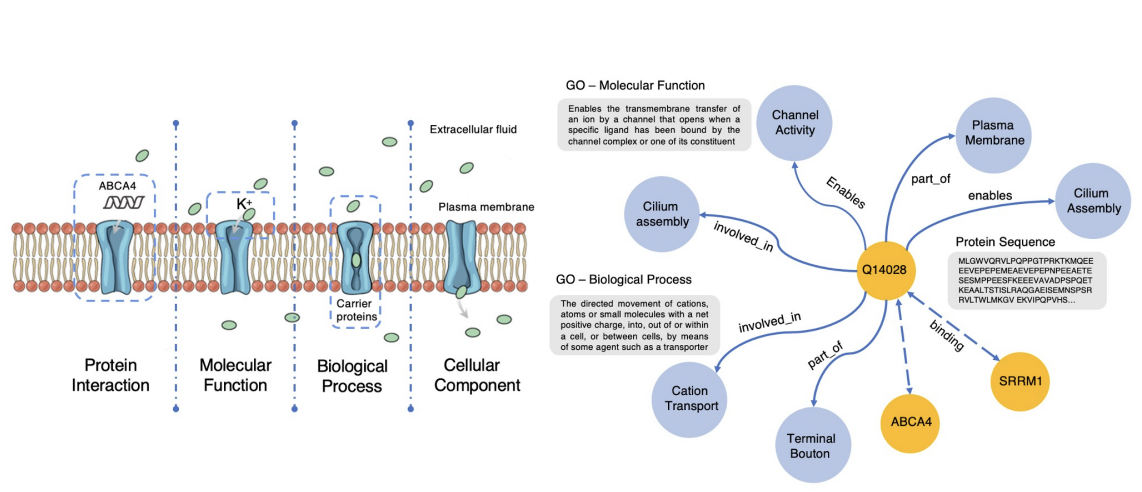
[ICLR 2022] OntoProtein: Protein Pretraining With Gene Ontology Embedding
- 153
- Python
- MIT
- 21 mo ago
[ICLR 2026] Lost in Tokenization: Context as the Key to Unlocking Biomolecular Understanding in Scientific LLMs
Repo OpenRaiser/CoKE, read from GitHub 17 min ago. OpenRaiser has not joined Take My Repo.
OpenRaiser/CoKE is a public repo on GitHub by OpenRaiser. [ICLR 2026] Lost in Tokenization: Context as the Key to Unlocking Biomolecular Understanding in Scientific LLMs. It declares the MIT license on GitHub. It is written mainly in Python, has 19 stars and last changed on 2025-11-25. Nobody has reviewed it on Take My Repo yet, which says nothing about its quality. Read from GitHub on 2026-11-25.
[ICLR 2022] OntoProtein: Protein Pretraining With Gene Ontology Embedding
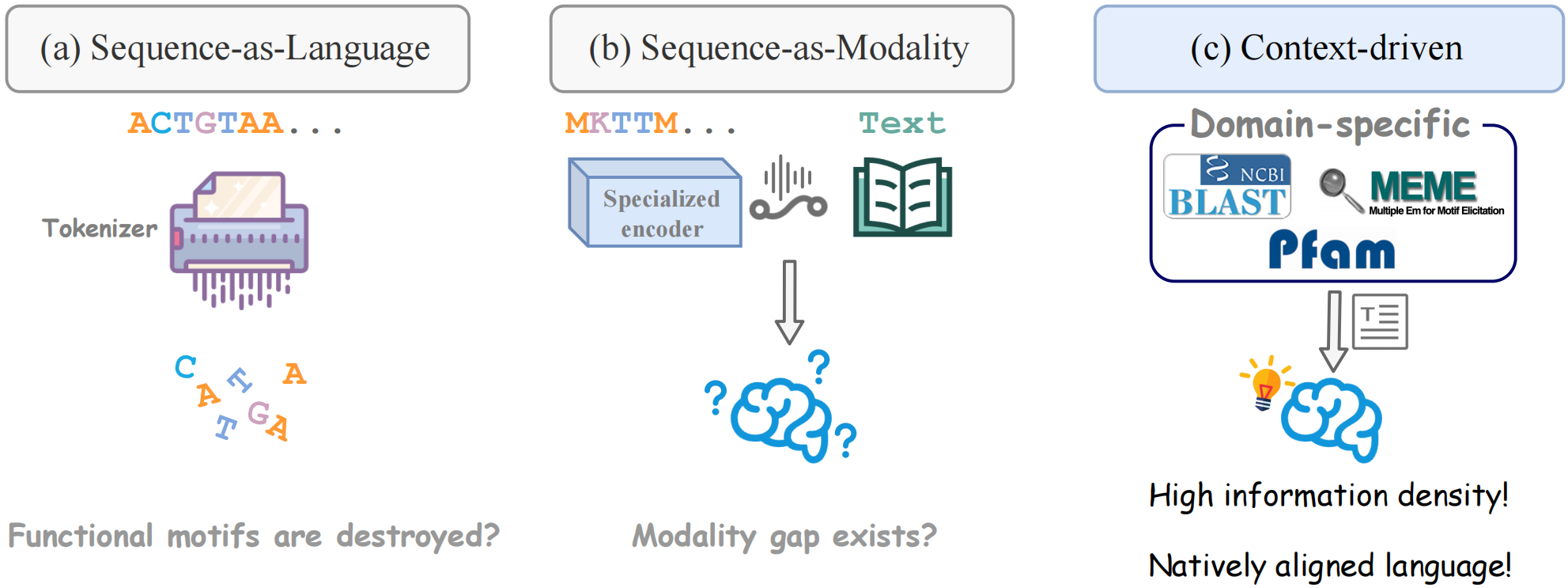
Forget tokenizing sequences—start talking to them.
By constructing a knowledge-guided cognitive from established bioinformatics tools. CoKE redefines how we interpret biomolecules. Without fine-tuning or domain-specific training, we harness the full power of general LLMs by feeding them structured biological knowledge. A train-free system where off-the-shelf language models consistently outperform state-of-the-art scientific LLMs on protein function reasoning. This isn’t just prediction—it’s dialogue with biology. Starting with proteins, but designed for all sequences.
📄 Paper: Lost in Tokenization: Context as the Key to Unlocking Biomolecular Understanding in Scientific LLMs (arXiv:2510.23127)
🌐 Web Service: http://hi-protein.cn/CoKE/
📦 Data & Resources: Hugging Face Dataset
The Hugging Face dataset contains essential files required to run this pipeline, including:
data/ directory: Preprocessed data files (Pfam descriptions, GO information, InterPro data)
Lost_in_tokenization/
├── examples/                    # Examples
│   ├── input.fasta             # Example input FASTA file
│   ├── pids.txt                # Example protein ID list
│   └── *.pdb                   # Example PDB structure files
├── tools/                       # Tool modules
│   ├── blast.py                # BLAST helper
│   ├── interproscan.py         # InterProScan helper
│   └── go_integration_pipeline.py  # GO integration pipeline
│   └── foldseek.py              # Foldseek helper
├── utils/                       # Utilities
│   ├── utils.py                # Common helpers
│   ├── prompts.py              # LLM prompt templates
│   ├── openai_access.py        # OpenAI API access
│   ├── get_protrek_text.py     # Fetch ProTrek text
│   ├── generate_protein_prompt.py  # Protein prompt generation
│   ├── protein_go_analysis.py  # GO analysis
│   └── mpr.py                  # Multiprocess runner
├── scripts/                     # Scripts
│   └── run_protrek_text.sh     # ProTrek batch script
├── data/                        # Data directory
│   ├── raw_data/               # Raw data
│   │   ├── all_pfam_descriptions.json  # Pfam descriptions
│   │   ├── go.json             # GO information
│   │   └── interpro_data.json  # InterPro information
│   └── processed_data/         # Processed data
│       ├── gt_protein2go_sp20250623.json  # Ground truth protein to GO mappings
│       └── swissprot_pid2seq.json  # SwissProt protein ID to sequence mappings
├── integrated_pipeline.py       # Main pipeline
├── setup.sh                     # Environment setup
└── README.md                    # This file
Run the setup script to configure the environment:
bash setup.sh
This script will:
Note: If you encounter network issues or slow downloads for InterProScan or Foldseek database, you can download them manually from the Hugging Face dataset. See Alternative: Manual Download from Hugging Face below.
Ensure the following tools are properly installed:
Place the following files under data/raw_data/:
all_pfam_descriptions.json: Pfam domain descriptionsgo.json: GO term definitionsinterpro_data.json: InterPro database metadataPlace the following files under data/processed_data/:
gt_protein2go_sp20250623.json: Ground truth protein to GO mappingsswissprot_pid2seq.json: SwissProt protein ID to sequence mappingsImportant: All commands must be run in the bioanalysis conda environment. After running setup.sh, activate the environment before using the pipeline:
# Activate conda (if not already activated)
source $(conda info --base)/etc/profile.d/conda.sh

# Activate the bioanalysis environment
conda activate bioanalysis
If you're using the example script scripts/run_example.sh, the environment will be activated automatically.
If setup.sh downloads are slow or fail due to network issues, you can manually download InterProScan and Foldseek database from the Hugging Face dataset.
Install huggingface-cli:
pip install huggingface_hub
Or use git-lfs (if you prefer Git-based download):
# Install git-lfs
git lfs install
Download both InterProScan and Foldseek database from Hugging Face:
# Method 1: Using huggingface-cli
huggingface-cli download opendatalab-raiser/CoKE \
    --local-dir . \
    --repo-type dataset

# Method 2: Using git-lfs (clone the repository)
git clone https://huggingface.co/datasets/opendatalab-raiser/CoKE
Important:
interproscan-5.75-106.0-64-bit.tar.gz and interproscan-5.75-106.0-64-bit.tar.gz.md5) in the interproscan/ directory. The setup.sh script will automatically detect and use them.foldseek_db/ directory (not nested):# Extract the archive
tar -xzf foldseek_db.tar.gz
After manual download, you can run bash setup.sh again. The script will detect existing files and skip downloading them.
Try the pipeline online without installation: http://hi-protein.cn/CoKE/
The web service provides an interactive interface to analyze protein sequences and get function predictions without setting up the local environment.
The easiest way to get started locally is to run the example script that demonstrates all major features:
bash scripts/run_example.sh
This script will:
bioanalysis conda environmentoutput/ directoryNote: Make sure you have run bash setup.sh first to set up the environment.
All commands below assume you have activated the bioanalysis conda environment:
conda activate bioanalysis
The simplest invocation with default parameters:
python integrated_pipeline.py \
    --output_dir output/my_analysis
This uses examples/input.fasta as the input and runs the full analysis pipeline.
For enzyme analysis, add --is_enzyme to use the enzyme-specific prompt template:
python integrated_pipeline.py \
    --input_fasta examples/input.fasta \
    --output_dir output/enzyme_analysis \
    --is_enzyme
Note: --is_enzyme selects the ENZYME_PROMPT template, which includes self-correction mechanisms and conflict resolution specific to enzyme analysis. The actual output format depends on the question asked in the prompt.
python integrated_pipeline.py \
    --input_fasta path/to/your/proteins.fasta \
    --output_dir output/custom_analysis
python integrated_pipeline.py \
    --input_fasta examples/input.fasta \
    --output_dir output/parallel_analysis \
    --n_process_prompt 128 \
    --n_process_llm 32 \
    --blast_num_threads 128
Parameter notes:
--n_process_prompt: Number of processes for prompt generation (default: 256)--n_process_llm: Number of processes for LLM answers (default: 64)--blast_num_threads: Threads used by BLAST (default: 256)If ProTrek is required for function prediction:
python integrated_pipeline.py \
    --input_fasta examples/input.fasta \
    --output_dir output/protrek_analysis \
    --protrek_dir output/protrek_results \
    --selected_info_types motif go protrek
The pipeline will automatically check whether ProTrek results are complete. If missing, it will run the ProTrek script.
Note: ProTrek may take a long time (especially on unstable networks). If you already ran the ProTrek script manually, skip the automatic check with --skip_protrek_check:
python integrated_pipeline.py \
    --input_fasta examples/input.fasta \
    --output_dir output/protrek_analysis \
    --protrek_dir output/protrek_results \
    --selected_info_types motif go protrek \
    --skip_protrek_check
Foldseek is enabled by default and combines with BLAST results for better GO annotation. To use Foldseek, you need PDB files:
python integrated_pipeline.py \
    --input_fasta examples/input.fasta \
    --output_dir output/foldseek_analysis \
    --pdb_dir path/to/pdb_files \
    --foldseek_database foldseek_db/sp \
    --foldseek_num_threads 64
Note: Foldseek is enabled by default. If you want to disable it, you'll need to modify the code or ensure --use_foldseek is not set (depending on your argument parser configuration).
If these tools have already been run, reuse prior outputs:
python integrated_pipeline.py \
    --input_fasta examples/input.fasta \
    --output_dir output/reuse_analysis \
    --interproscan_info_path output/previous/tool_results/interproscan_info.json \
    --blast_info_path output/previous/tool_results/blast_info.json \
    --foldseek_info_path output/previous/tool_results/foldseek_info.json
Choose which information sources to include:
python integrated_pipeline.py \
    --input_fasta examples/input.fasta \
    --output_dir output/custom_info \
    --selected_info_types motif go protrek
Available information types:
motif: Pfam domainsgo: GO annotationsprotrek: ProTrek predictionsdomain: InterPro domainsfamily: Protein familyAfter the pipeline finishes, the output directory looks like this:
output_dir/
├── tool_results/                # Intermediate tool outputs
│   ├── interproscan_info.json  # InterProScan results
│   ├── blast_info.json         # BLAST results
│   └── foldseek_info.json      # Foldseek results (if enabled)
└── llm_answers/                 # LLM‑generated answers
    ├── protein_id_1.json       # Result for protein 1
    ├── protein_id_2.json       # Result for protein 2
    └── ...
LLM answer format (non‑QA mode):
{
  "protein_id": "P40571",
  "prompt": "Full input prompt...",
  "llm_answer": "LLM‑generated functional analysis..."
}
LLM answer format (QA mode):
{
  "protein_id": "P40571",
  "index": 0,
  "question": "Customized question",
  "ground_truth": "Reference answer...",
  "llm_answer": "LLM‑generated answer...",
  "question_type": "function"
}
python integrated_pipeline.py --help
--output_dir: Path to the output directoryI/O:
--input_fasta: Input FASTA file (default: examples/input.fasta)--temp_dir: Temporary directory (default: temp)Skipping steps:
--interproscan_info_path: InterProScan results file (if set, skip InterProScan)--blast_info_path: BLAST results file (if set, skip BLAST)--foldseek_info_path: Foldseek results file (if set, skip Foldseek)Parallelism:
--n_process_prompt: Processes for prompt generation (default: 256)--n_process_llm: Processes for LLM answers (default: 64)BLAST parameters:
--blast_database: BLAST database name (default: uniprot_swissprot)--expect_value: E‑value threshold (default: 0.01)--blast_num_threads: Number of BLAST threads (default: 256)InterProScan:
--interproscan_path: Path to InterProScan executableFoldseek parameters:
--use_foldseek: Whether to use Foldseek for structure-based search (default: True)--foldseek_database: Path to Foldseek database (default: foldseek_db/sp)OpenRaiser/CoKE is a public repo on GitHub by OpenRaiser. [ICLR 2026] Lost in Tokenization: Context as the Key to Unlocking Biomolecular Understanding in Scientific LLMs.
It declares the MIT license on GitHub.
Its maker has not tagged a system, so it is unknown here. Its README says what it needs.
Open "Take it" on its page: Take My Repo writes an install plan for your machine and hands it to your AI agent (Claude Code, Codex or Cursor), which asks you before each step. Take My Repo has not tested it on any machine.
🧬 SeqStudio: Generative reasoning system for protein functional annotation
BioReason-Pro 2: Multimodal Reasoning LLM for Protein Function Prediction
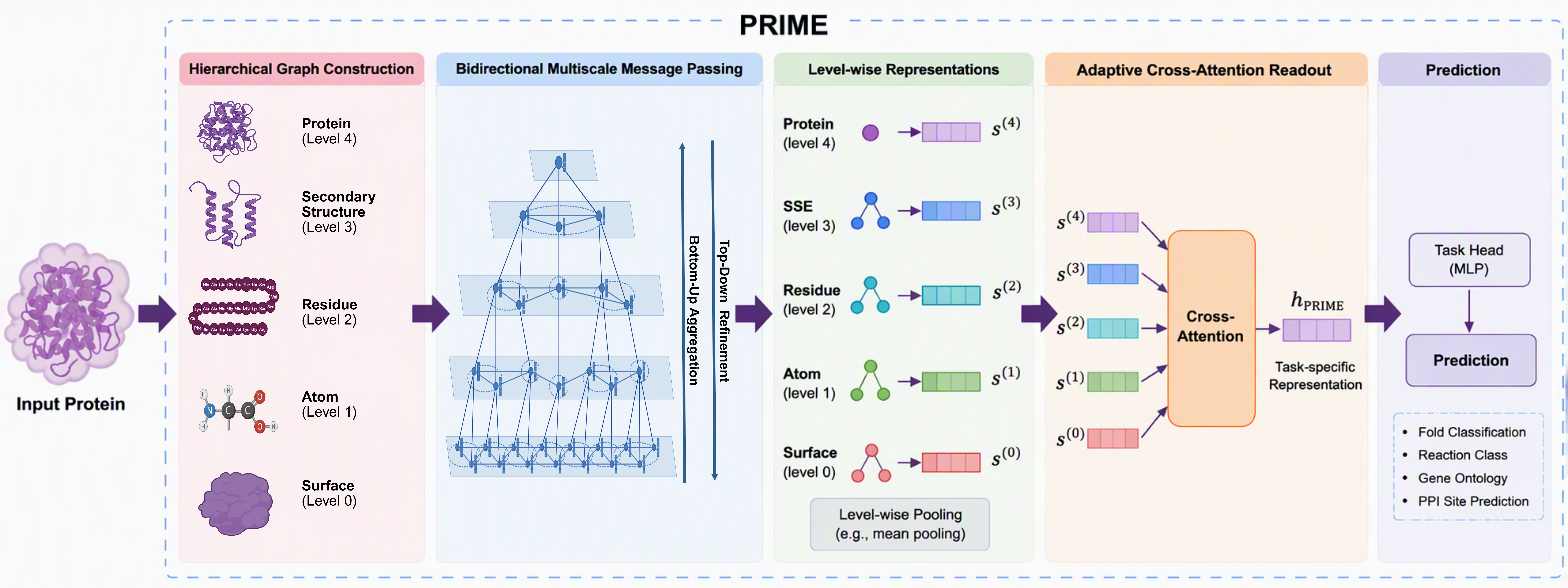
PRIME: Protein Representation via Physics-Informed Multiscale Equivariant Hierarchies
A comprehensive bioinformatics platform/suite for molecular biology research and analysis, integrating tools for protein structure visualization, sequence analysis, and gene ontology exploration.
Its last change on GitHub was on 2025-11-25. Take My Repo does not judge from that whether it is maintained.
Nobody has reviewed it on Take My Repo yet, which says nothing about its quality.
Take My Repo cannot say: it does not audit code and has not run CoKE. What is known comes from GitHub. It declares the MIT license on GitHub. Its last change was on 2025-11-25. It has 19 stars, which measure popularity, not safety. Nobody has reviewed it on Take My Repo yet, which says nothing about its quality. Read the source before you run it. With "Take it", your AI agent shows each step and asks you before running it; README text is treated as data, not as instructions.