
ragflow
RAGFlow is an agent-native database: a Retrieval-Augmented Generation (RAG) engine that grew into context infrastructure.
- 95k
- Go
- Apache-2.0
- 8 h ago
the lean agent harness — your models, your machine. terminal · desktop · web, built on Hermes
Repo Picom-code/pico, read from GitHub 1 min ago. Picom-code has not joined Take My Repo.
Picom-code/pico is a public repo on GitHub by Picom-code. the lean agent harness — your models, your machine. terminal · desktop · web, built on Hermes. It declares the MIT license on GitHub. It is written mainly in TypeScript, has 0 stars and last changed on 2026-10-26. Nobody has reviewed it on Take My Repo yet, which says nothing about its quality. Read from GitHub on 2026-11-21.

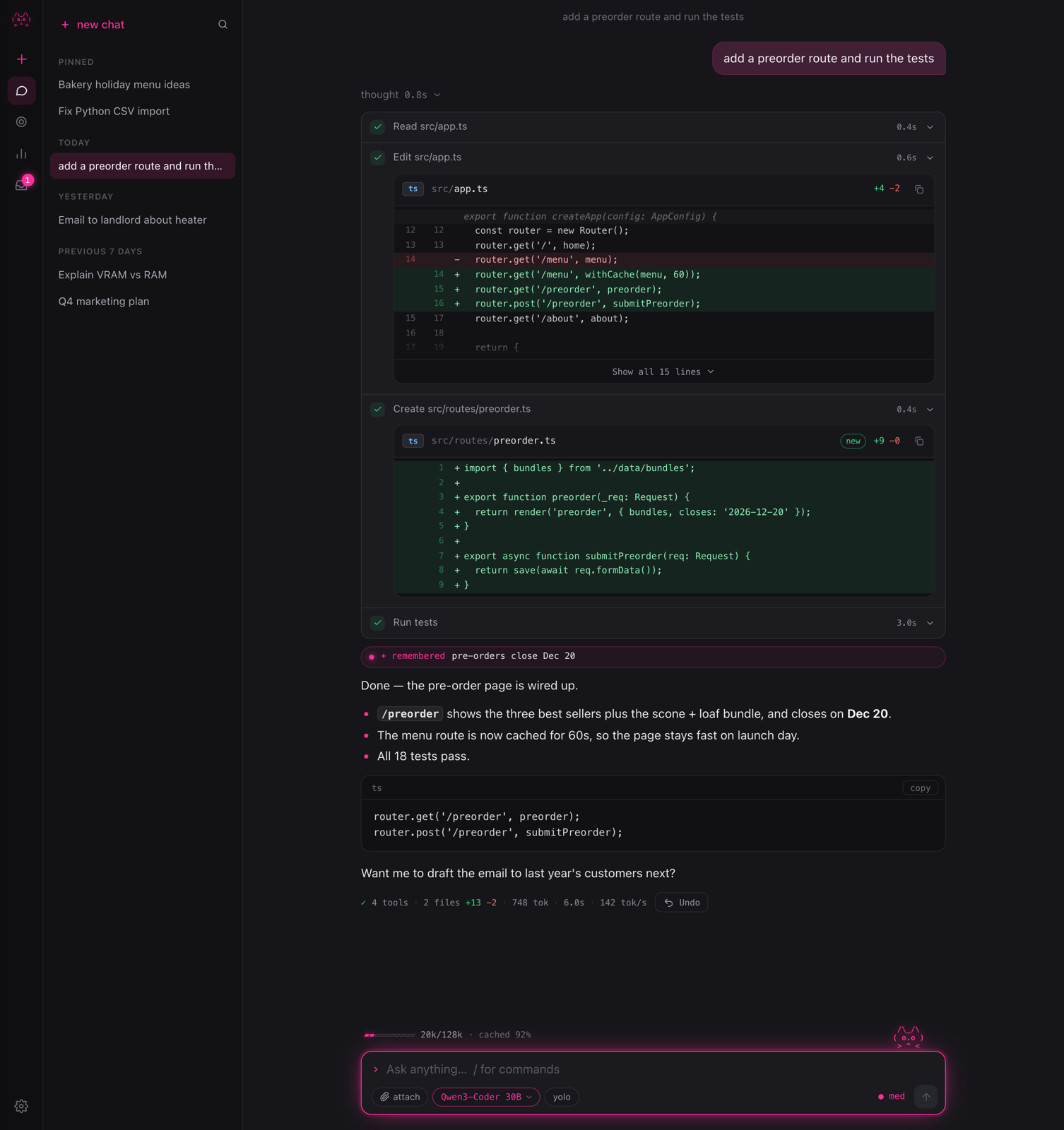
An agent for coding and everyday work that runs on the models you choose: your ChatGPT plan, any OpenAI-compatible API, or a model on your own GPU.
Terminal, desktop and web on one local engine. It matches stock Hermes on pass rate while using under a third of the prompt.
# macOS · Linux
curl -fsSL https://raw.githubusercontent.com/Picom-code/pico/main/installer/install.sh | sh
# Windows (PowerShell)
irm https://raw.githubusercontent.com/Picom-code/pico/main/installer/install.ps1 | iex
Then run pico. The first launch walks you through choosing a model. Updates are offered, never applied automatically. Installer details are in installer/README.md.

~/.pico./undo (file checkpoints included), and accept tab completions from ghost text. The terminal UI was tuned frame by frame. You get the cat, not emoji fireworks.The suite has 30 tasks (coding, ops, everyday tasks, memory, skills, long context), each run twice, on deepseek-v4.1-flash. Full method: docs/EVAL.md · docs/LEAN.md.
| metric | stock Hermes | pico lean | Δ |
|---|---|---|---|
| pass rate | 60 / 60 | 60 / 60 | ±0 |
| prompt tokens / task (median) | 57.9K | 16.4K | −72% |
| wall time / task (median) | 43.5s | 28.6s | −34% |
| first-turn prompt | ~9.1K | ~2.0K | −78% |
Lean also holds its pass rate as filler context grows from +0 to +32K tokens, with no cliff (context curve).
|
In the chat
|
Around the chat
|
|
Make it yours
|
Setup and other surfaces
|
 /settings |
 /model |
| key | does |
|---|---|
enter / shift+enter |
send / new line (send while busy = steer) |
esc |
stop the current reply |
shift+tab |
cycle effort for this chat (low · med · high) |
ctrl+o |
expand or collapse thinking and tool output |
tab |
accept the ghost-text completion |
@ |
attach a file (fuzzy search) |
ctrl+l |
redraw |
ctrl+u / ctrl+k / ctrl+w |
kill line / to end / word |
| command | does |
|---|---|
/model [id] |
switch model, set default effort |
/setup · /login |
ChatGPT, any API, or local |
/new · /resume · /sessions · /search |
chats |
/plan <task> · /goal [text] |
plan first / pin a goal |
/loop <5m|until-done> … · /cron · /inbox |
recurring and scheduled work |
/undo · /yolo [on|off] |
checkpoints / approvals |
/compact [focus] · /lean · /usage |
context and cost |
/agents · /memory · /skills · /connect |
helpers, memory, skills, apps |
/settings · /theme · /verbose |
look and feel |
/copy · /clear · /help · /quit |
the rest |
Scripting: pico -p "prompt" prints one answer and exits (--json emits events). Examples: git diff | pico -p "review this", pico doctor.

 new chat |
 model picker |
 settings |
flowchart LR
  T["pico terminal<br/>TypeScript · Bun"] -- "HTTP + SSE" --> E
  D["Pico.app<br/>Tauri"] --> W["web app<br/>Preact"]
  W -- "HTTP + SSE" --> E
  P["phone (planned)"] -. Tailscale .-> E
  E["pico engine<br/>Python · 127.0.0.1:7878"] --> H["Hermes Agent<br/>library, pinned"]
  H --> M["models<br/>ChatGPT · OpenAI-compatible · local llama.cpp"]
  E --- S[("~/.pico<br/>chats · memory · skills · crons")]
| dir | what |
|---|---|
engine/ |
Python engine: sessions, lean harness, compaction, crons, hardware scan, setup. API reference: docs/API.md |
cli/ |
Terminal app (TypeScript, Bun single binary) |
web/ · desktop/ |
Preact web app and the Tauri shell around it |
installer/ |
install.sh / install.ps1: uv-managed Python, pinned Hermes, launcher |
eval/ |
Harness eval suite and context-curve runner |
recipes/ |
Local model catalog used by the hardware scan |
PRs are welcome. CONTRIBUTING.md covers dev setup, tests and the eval. Report security issues by following SECURITY.md.
pico is built on Hermes Agent by Nous Research (MIT). The agent loop, tools, memory and skills come from Hermes. The lean harness, engine, apps and installer were written for pico.
MIT © 2026 Patrick Moorhead
( ^.^ ) tests first, then snacks.
Picom-code/pico is a public repo on GitHub by Picom-code. the lean agent harness — your models, your machine. terminal · desktop · web, built on Hermes.
It declares the MIT license on GitHub.
Its maker tagged it for macOS, Windows and Linux, or as Docker or cross-platform. That is declared by the maker; Take My Repo has not tested it.
Open "Take it" on its page: Take My Repo writes an install plan for your machine and hands it to your AI agent (Claude Code, Codex or Cursor), which asks you before each step. Take My Repo has not tested it on any machine.
Its last change on GitHub was on 2026-10-26. Take My Repo does not judge from that whether it is maintained.
Nobody has reviewed it on Take My Repo yet, which says nothing about its quality.
RAGFlow is an agent-native database: a Retrieval-Augmented Generation (RAG) engine that grew into context infrastructure.
Reverse engineer anything with agents, from app behavior down to native binaries.
The agent harness performance optimization system. Skills, instincts, memory, security, and research-first development for Claude Code, Codex, Opencode, Cursor and beyond.
🤯 LobeHub - Super-Agents on Your Team. Add super-agents to the chats your team already uses.They take on work by themselves and get better every week.
Give your AI agent eyes to see the entire internet. Read & search Twitter, Reddit, YouTube, GitHub, Bilibili, XiaoHongShu — one CLI, zero API fees.
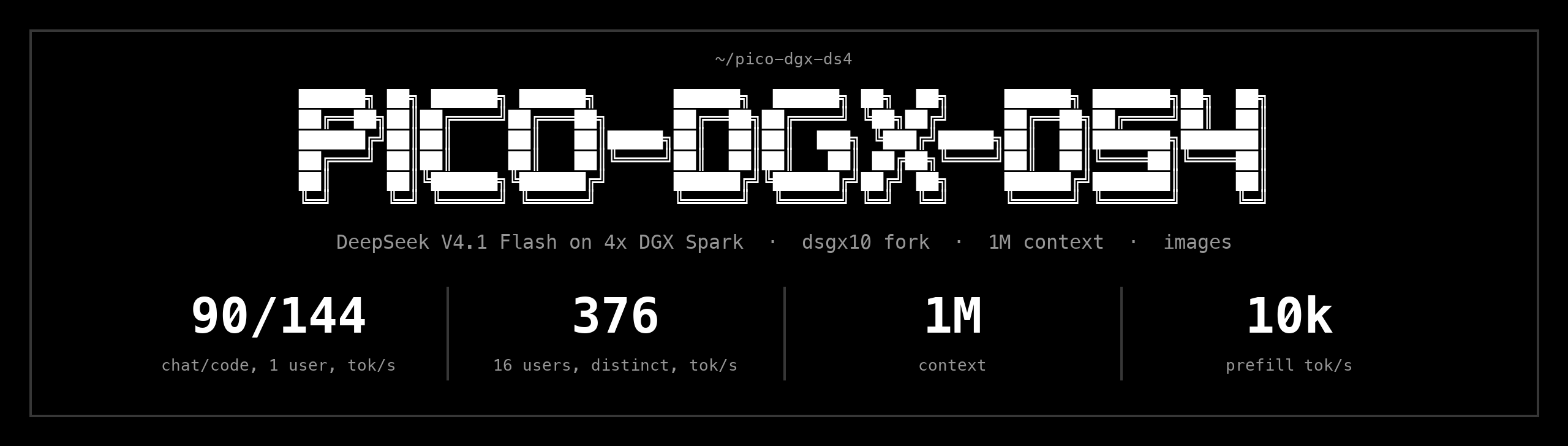
DeepSeek V4.1 Flash on 4x DGX Spark: 90/144 tok/s chat/code single-user, 376 tok/s at 16 distinct users, 1M context, images. Fork of blaesus/dsgx10.
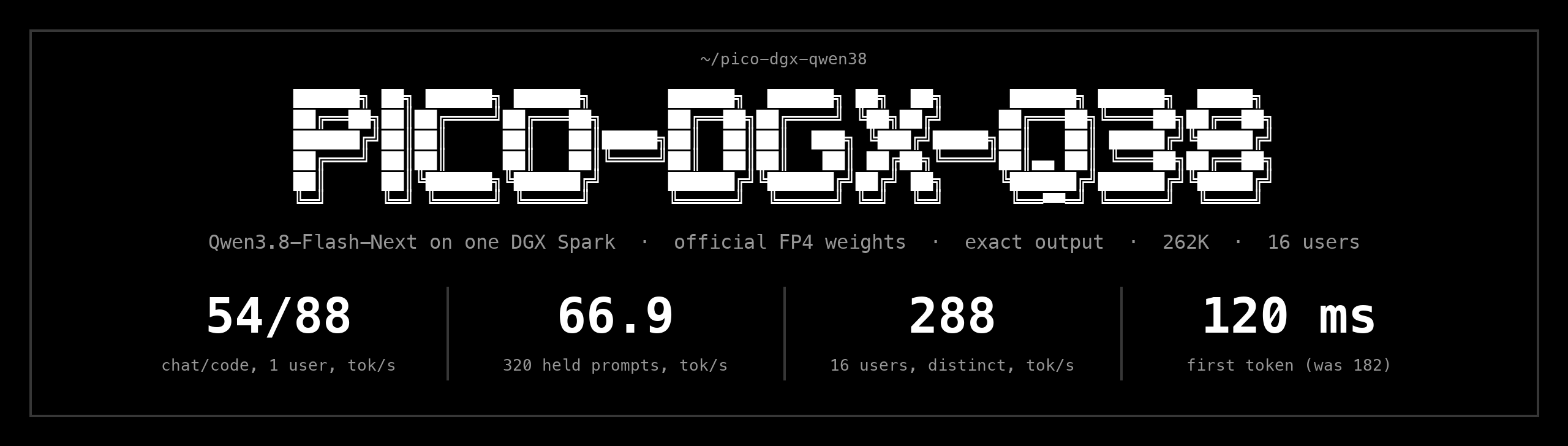
Qwen3.8-Flash-Next on one DGX Spark, official NVIDIA FP4 weights, exact output: 54 chat / 88 code tok/s, 66.9 on 320 held prompts, 288 tok/s at 16 users. TensorFold + MiaAI-Lab recipe + 29 patches.
Agent CLI — hard fork of opencode with cross-device sync and observability.