
PySimpleGUI Playground
Programs I use every day, written in PySimpleGUI
I'm a heavy Windows user. PySimpleGUI was written specifically to help me write a Windows program after I struggled to code using the normal GUI OO SDKs. It's the only way I know how to make programs for myself that I can use on Windows. Naturally, when I began experimenting with LLMs, I stuck with having all my tools written in PySimpleGUI, only this time I managed to partner up with a PySimpleGUI expert.
All of these programs were written over the past 10 weeks of me poking at Claude to see what it can do.... and wow, it can do. I wrote some myself a long time ago as Demo Programs and had Claude make them better. Several of these were written in the past couple of days. Often 5 or 10 minutes was all that was needed to write the complete app.
The Playground idea is to share what I think are some interesting designs in a place where it's clear these are AI-authored applications. The Toybox is the Demo Browser reimagined and polished. Have fun!
Installing
One pip command installs everything, including the Toybox - the program that shows you what's here and runs it:
python -m pip install --upgrade https://github.com/PySimpleGUI/psgplayground/zipball/main
psgplayground
Use python3 on Mac and Linux. If psgplayground isn't on your PATH, python -m psgplayground does the same thing.
You need Python 3.8 or later and PySimpleGUI 6. Most of the programs run anywhere; the ones marked Windows use the Win32 API.
The Toybox
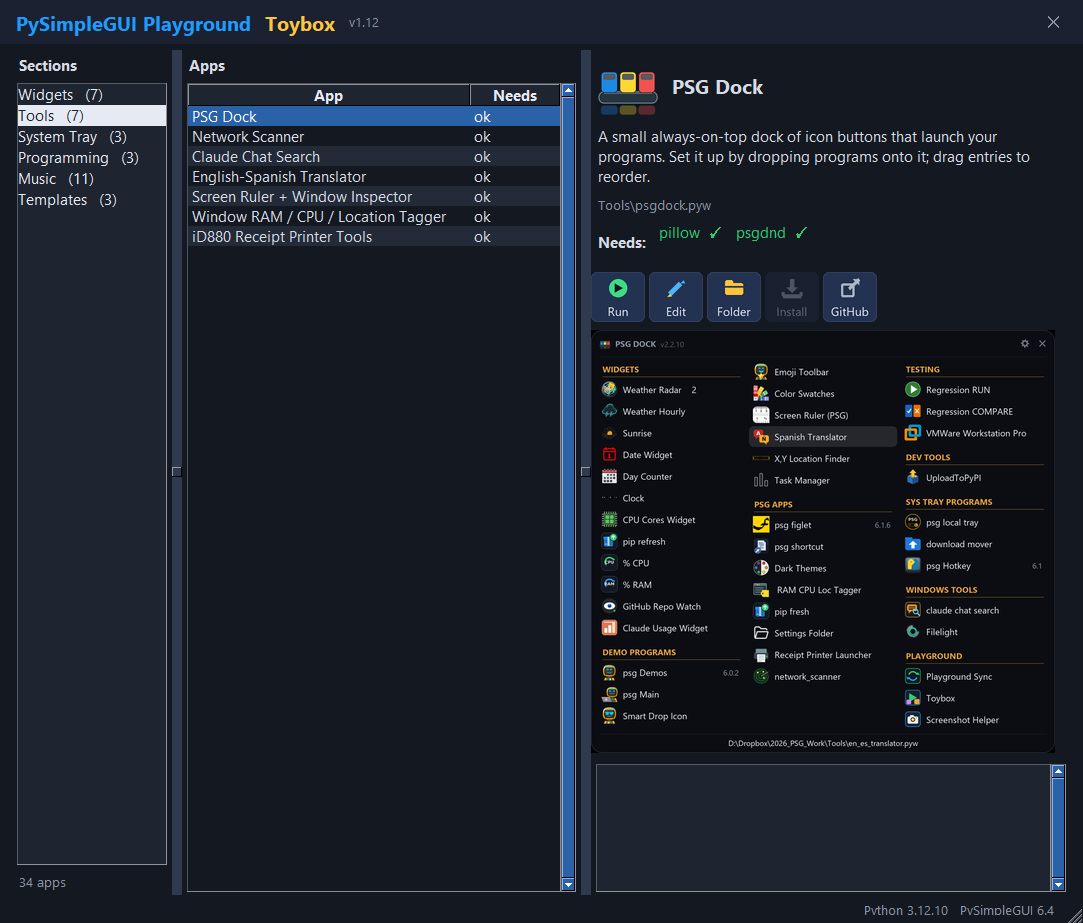
Pick a section on the left and a program in the middle. On the right you'll see what it does and which packages it needs (green means installed).
Run starts it, Edit opens the source in your editor, Install missing runs pip for you, Open folder takes you to the file.
The three panes can be dragged to whatever widths you like; the window remembers them.
Built-in themes
The widgets (% CPU, % RAM, Clock, Pip Refresh) and PSG Dock carry their own 32 themes, 16 dark and 16 light, apart from PySimpleGUI's.
Right-click one and pick a theme by its color chip in the Theme menu; it changes as you choose.
Brightness... then makes that theme darker or lighter with a slider, so each theme comes in many shades.
The Widget Template has all of it, ready for a widget of your own.
What's here
Paths are inside the psgplayground package - in this repo, or in site-packages once you've installed it.
Widgets
Small (optionally) always-on-top desktop widgets that sit in a corner and quietly keep you informed.
| Program |
What it does |
Needs |

GitHub Repo Watch |
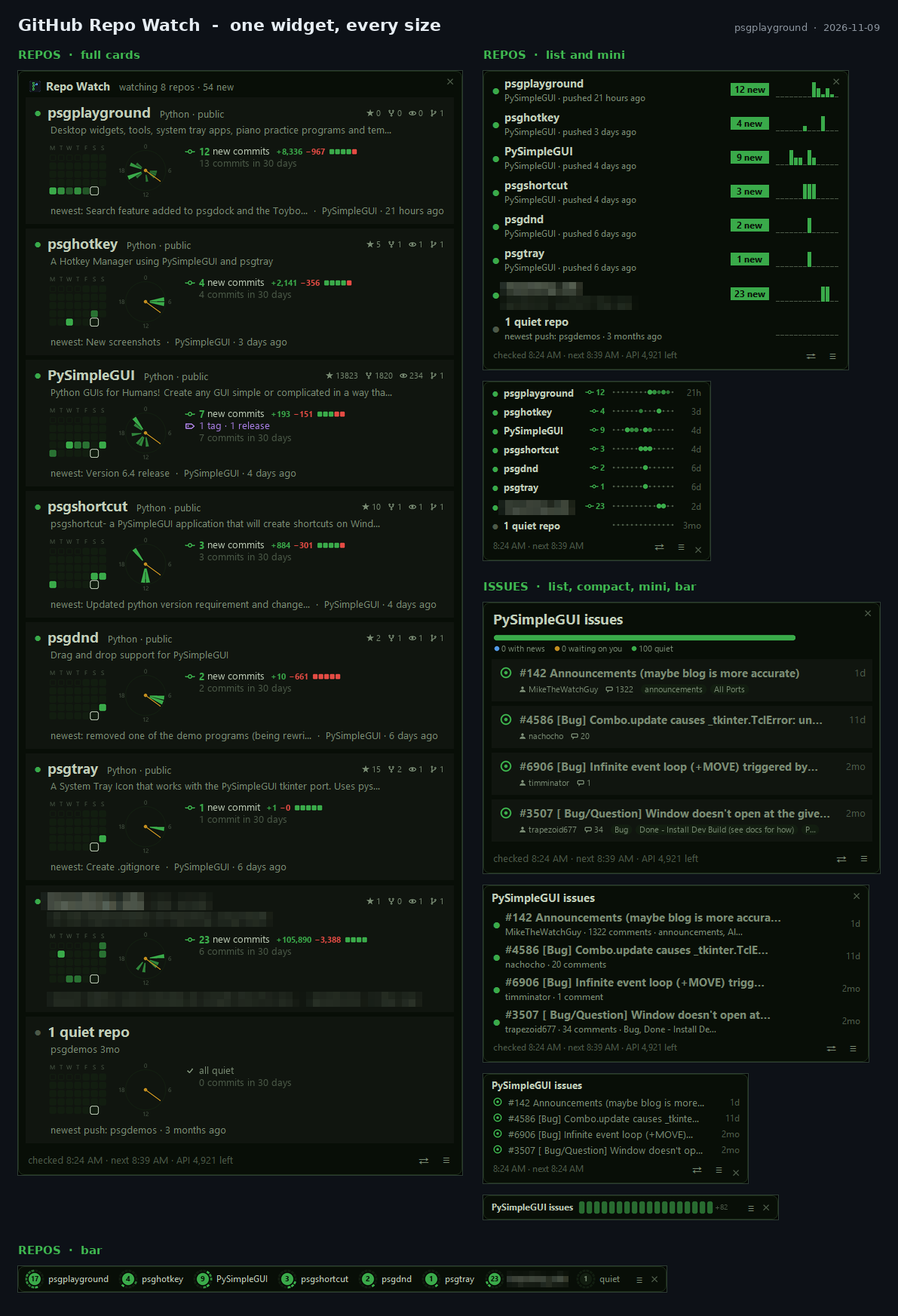
Notices commits, releases and issues on the repos (or whole accounts) you watch - because GitHub never emails you about plain pushes.
Widgets/github_repo_watch.pyw
 |
- |

CPU Cores Widget |
One scrolling graph per core. Click a core to see which processes are running on it.
Widgets/cpu_cores_widget.pyw
 |
psutil (optional: pywintrace) |

CPU % Widget |
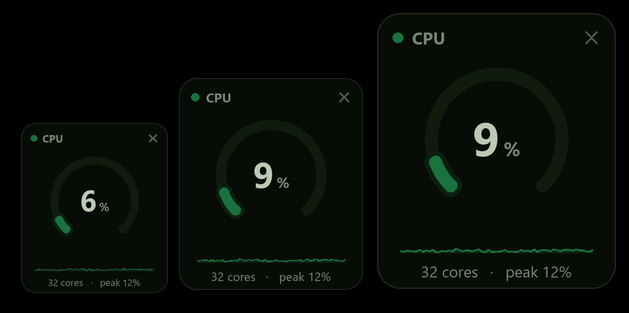
CPU load on a ring gauge that goes green to amber to red, with a sparkline of the last minute. No title bar; right-click for 32 themes.
Widgets/cpu_percent_widget.pyw
 |
psutil, pillow |

RAM % Widget |
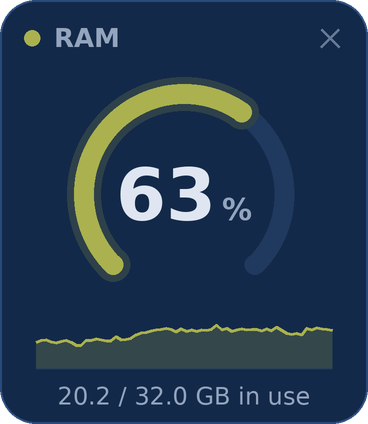
Memory in use on the same ring-gauge card - GB used of the total, and a sparkline. Themes, sizes and opacity on the right-click menu.
Widgets/ram_percent_widget.pyw
 |
psutil, pillow |

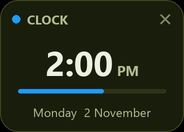
Clock Widget |
The time and the date on a small card, with a bar that fills up every minute. 12 or 24 hours, 32 themes, Brightness, sizes and opacity on the right-click menu.
Widgets/clock_widget.pyw
 |
pillow |

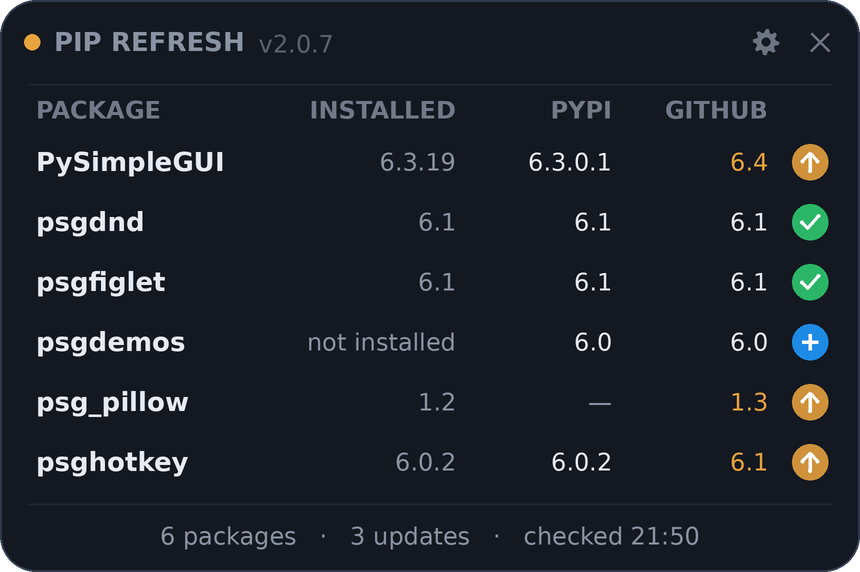
Pip Refresh |
Your pip packages beside their latest release on PyPI and newest version on GitHub - click one to pick a version (GitHub's newest or any PyPI release) and install it. Edit the list in a Settings window.
Widgets/pip_refresh.pyw
 |
pillow (optional: psgdnd) |

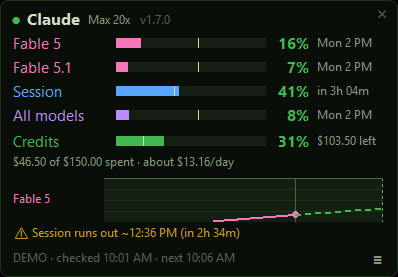
Claude Usage Widget |
How much of your Claude plan is used, per limit, with a forecast of when you'll hit the wall.
Widgets/claude_usage_widget.pyw
 |
- |
Tools
Everyday utilities - a program dock, a network scanner, a task manager, chat search, a translator, screen and window inspectors, printer tools.
| Program |
What it does |
Needs |

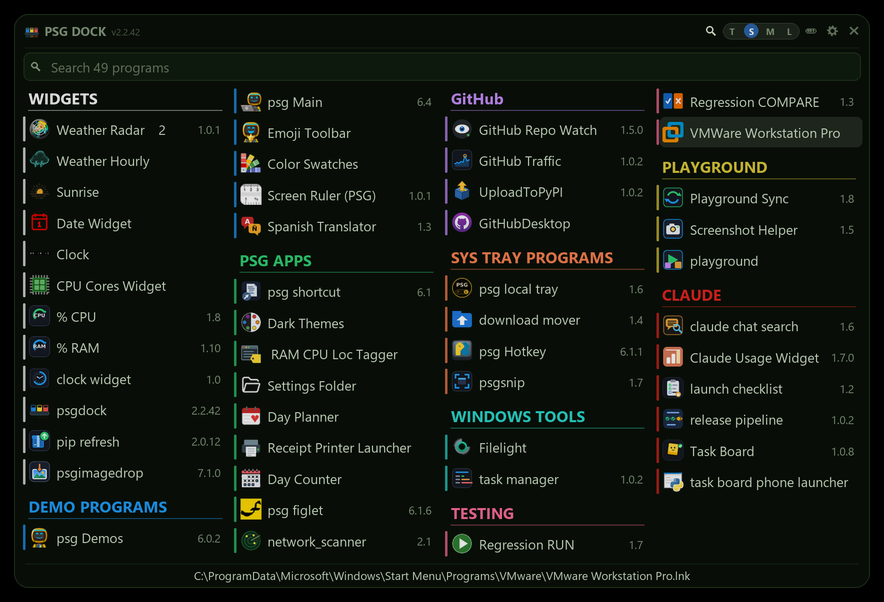
PSG Dock |
A small always-on-top dock of icon buttons that launch your programs. Set it up by dropping programs onto it; drag entries to reorder.
Tools/psgdock.pyw
 |
pillow, psgdnd |

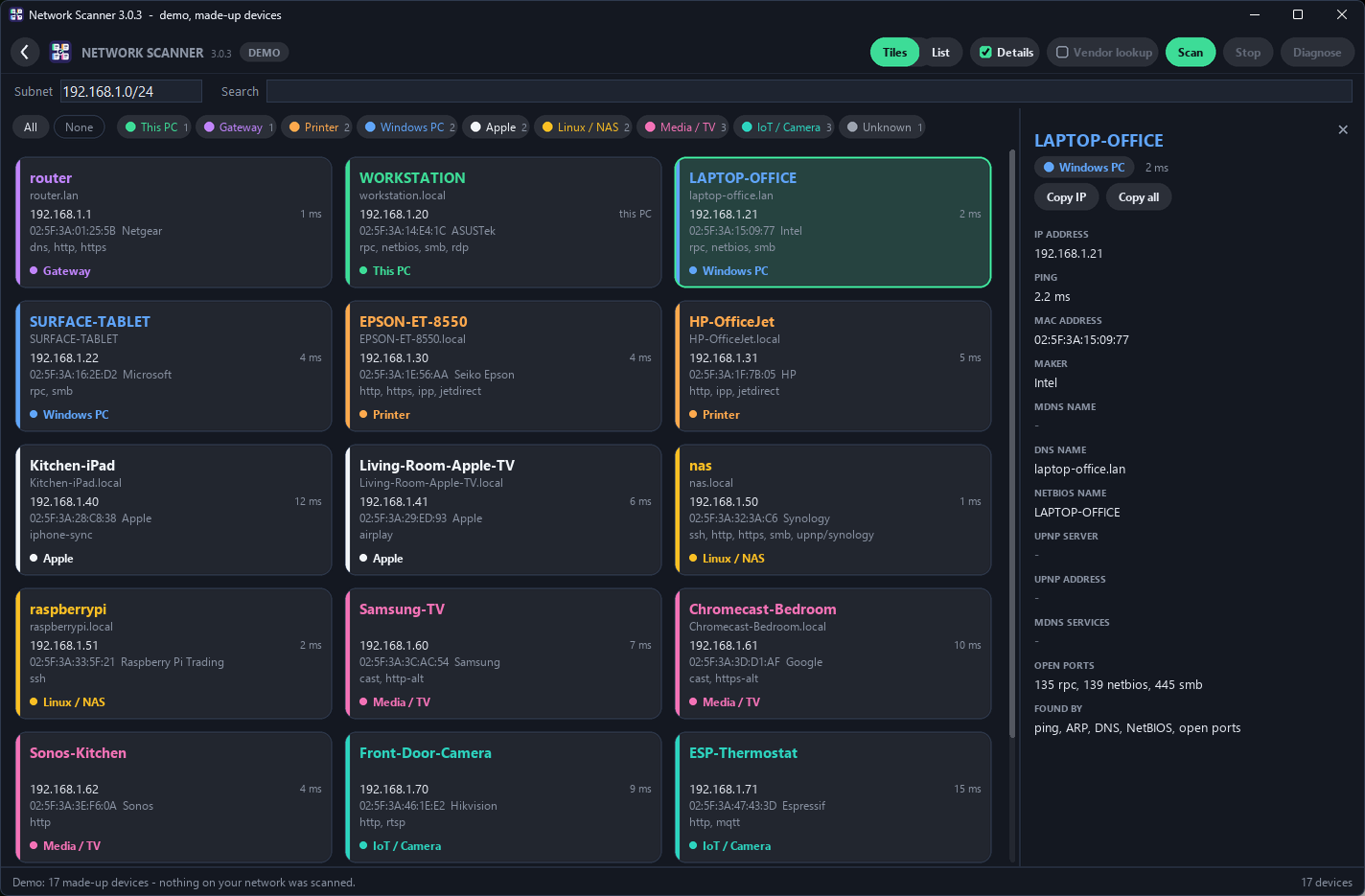
Network Scanner |
Every device on your network, as tiles that fill the window or as a list you can sort: names, IPs, MACs, makers, open ports, kind. Ctrl + wheel sizes the tiles.
Tools/network_scanner.pyw
 |
pillow |

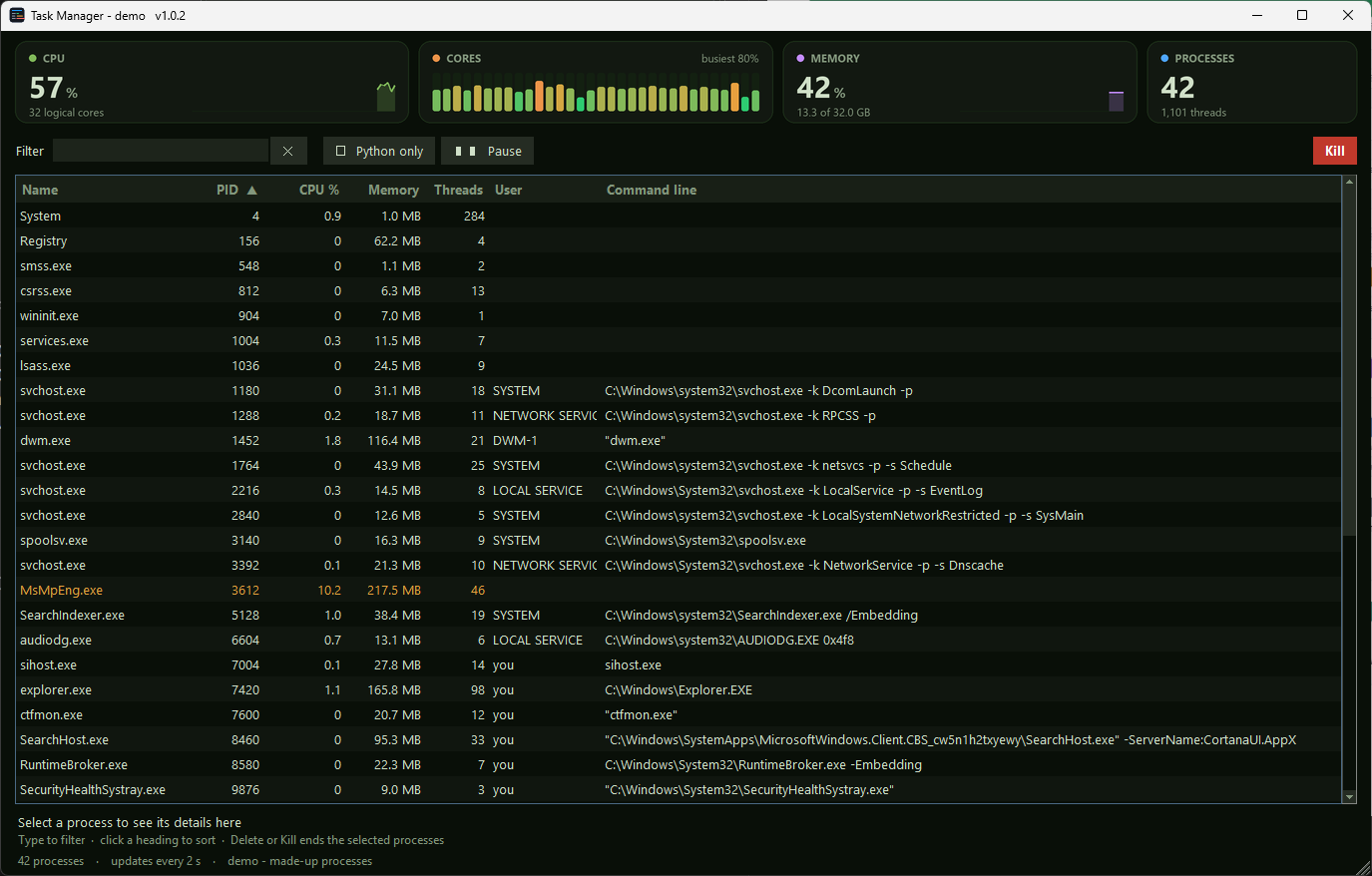
Task Manager |
Every running process with its CPU, memory, threads and command line, kept up to date in place. Type to filter, click a heading to sort, Delete ends a process and all it started.
Tools/task_manager.pyw
 |
psutil, pillow |

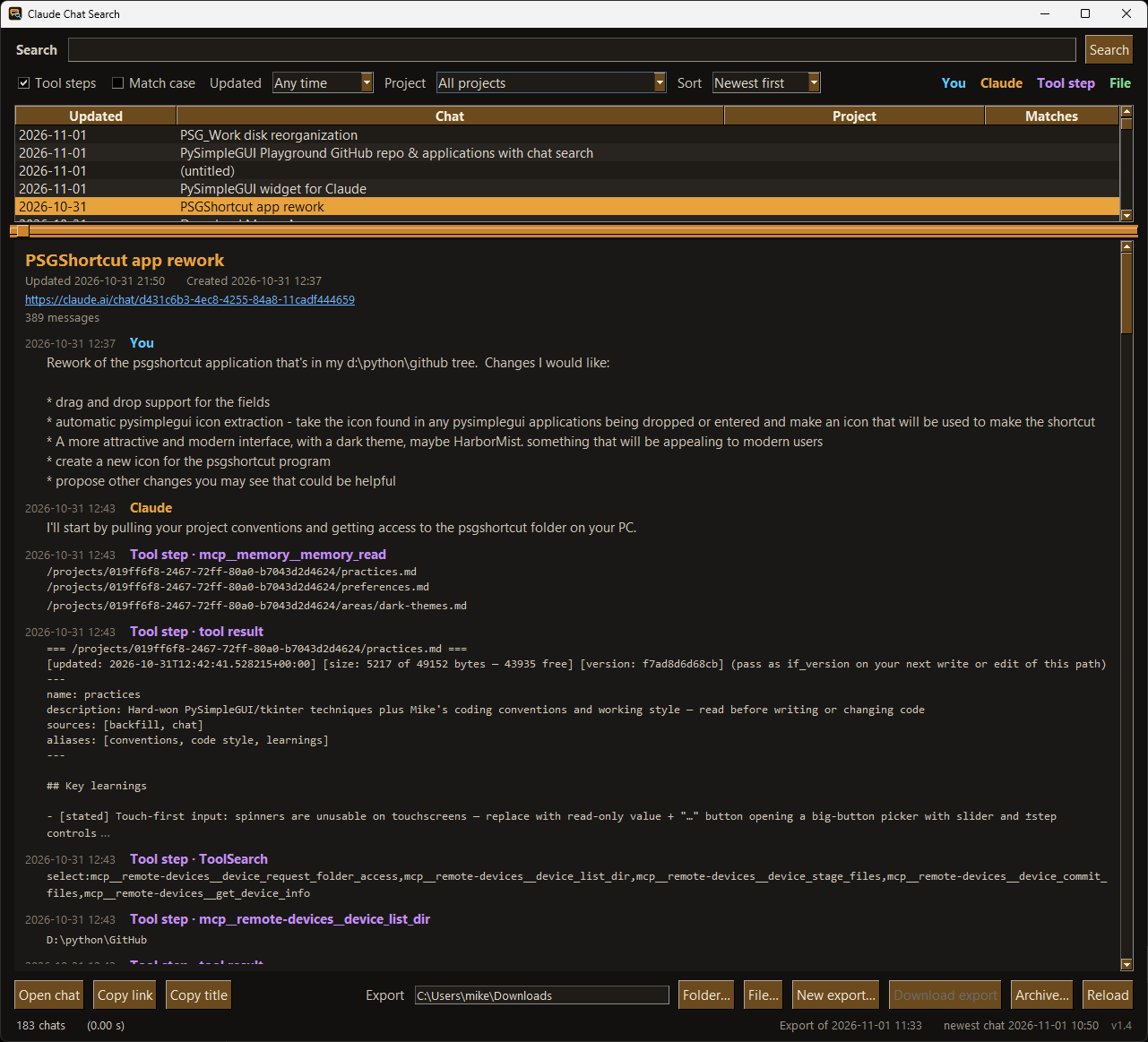
Claude Chat Search |
Full-text search of every Claude chat you ever had, from Claude's data export - including the tool steps the built-in search can't see.
Tools/claude_chat_search.pyw
 |
- |

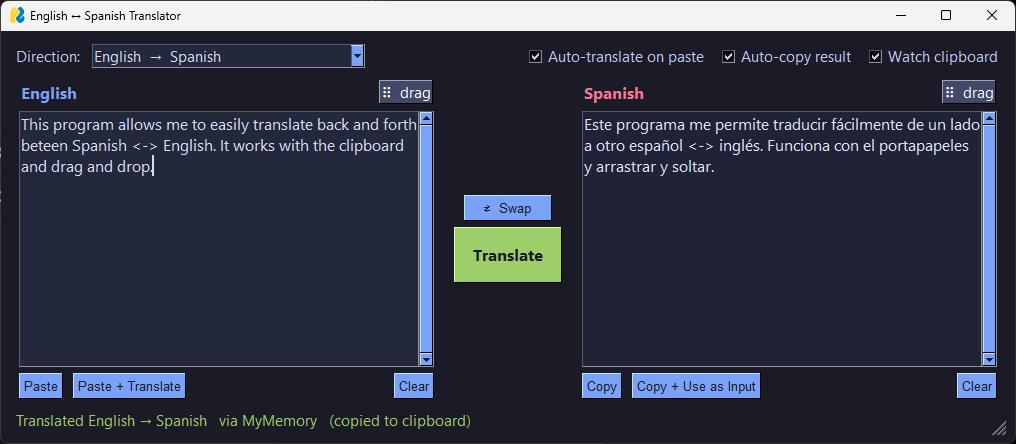
English-Spanish Translator |
Translate from the clipboard, by drag-and-drop from any app, or by typing. Four engines, cached.
Tools/en_es_translator.pyw
 |
deep-translator, psgdnd (optional: argostranslate) |

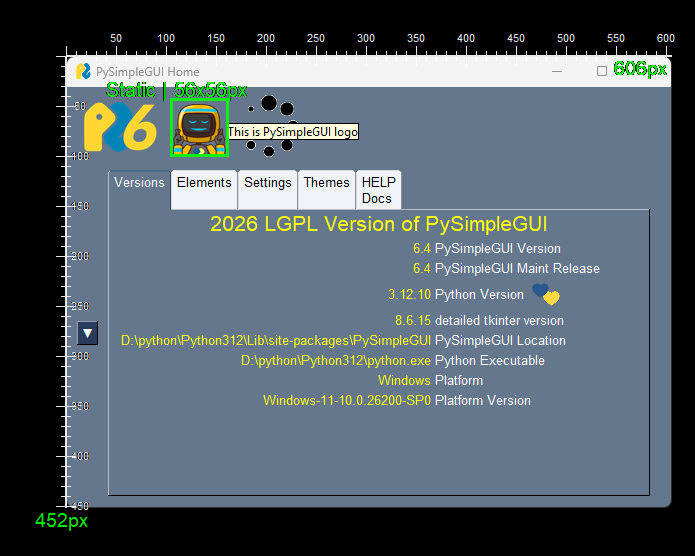
Screen Ruler + Window Inspector
Windows |
Drag to measure anything on screen, drop rulers, inspect windows WinSpy-style, save the rectangle as a screenshot.
Tools/psgScreenRuler2.pyw
 |
pywin32, keyboard, mouse, pillow |

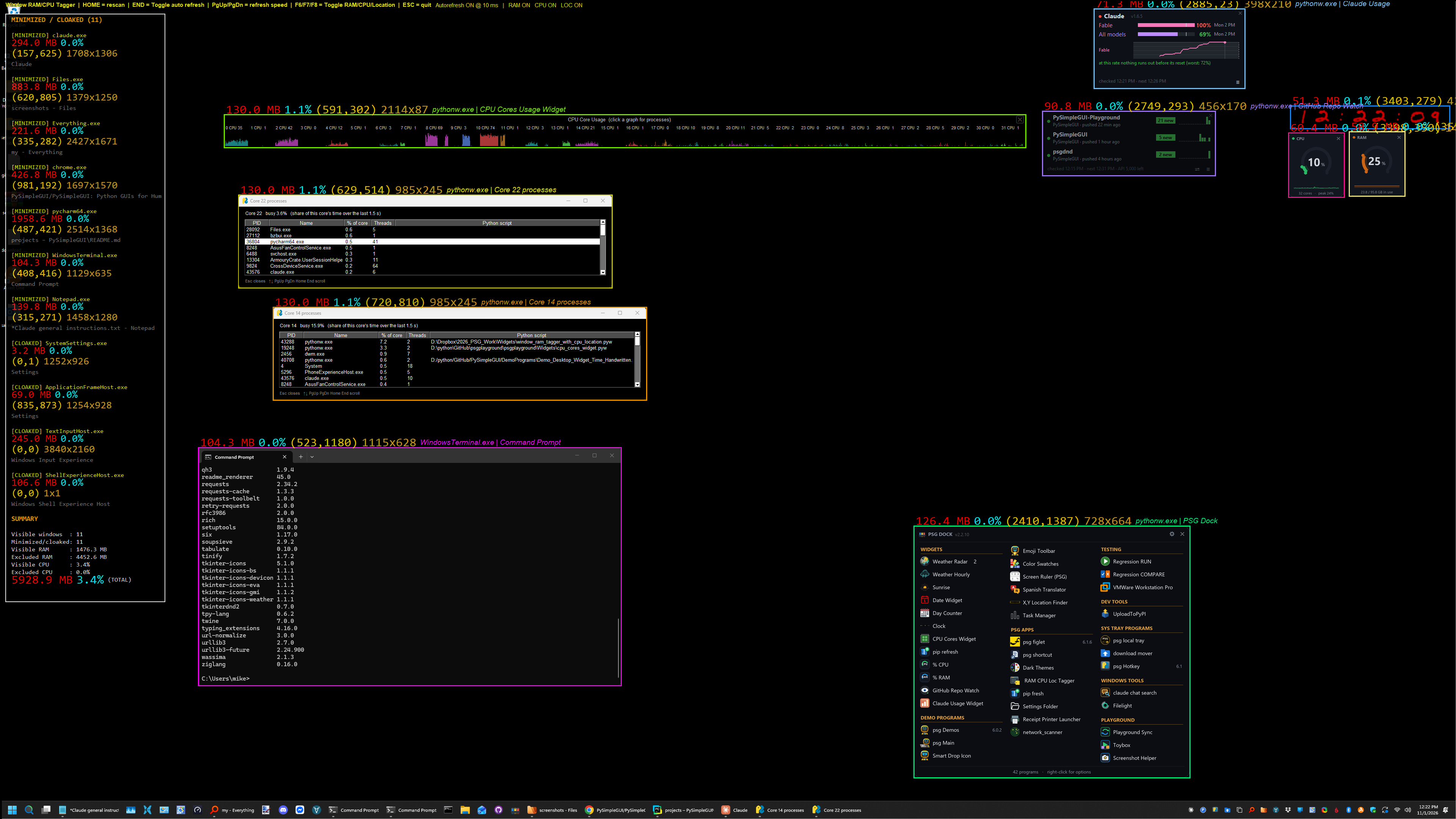
Window RAM / CPU / Location Tagger
Windows |
Outlines every window on screen and labels it with its RAM, CPU and position. F6/F7/F8 toggle each.
Tools/window_ram_tagger_with_cpu_location.pyw
 |
pywin32, keyboard, psutil |

iD880 Receipt Printer Tools
Windows |
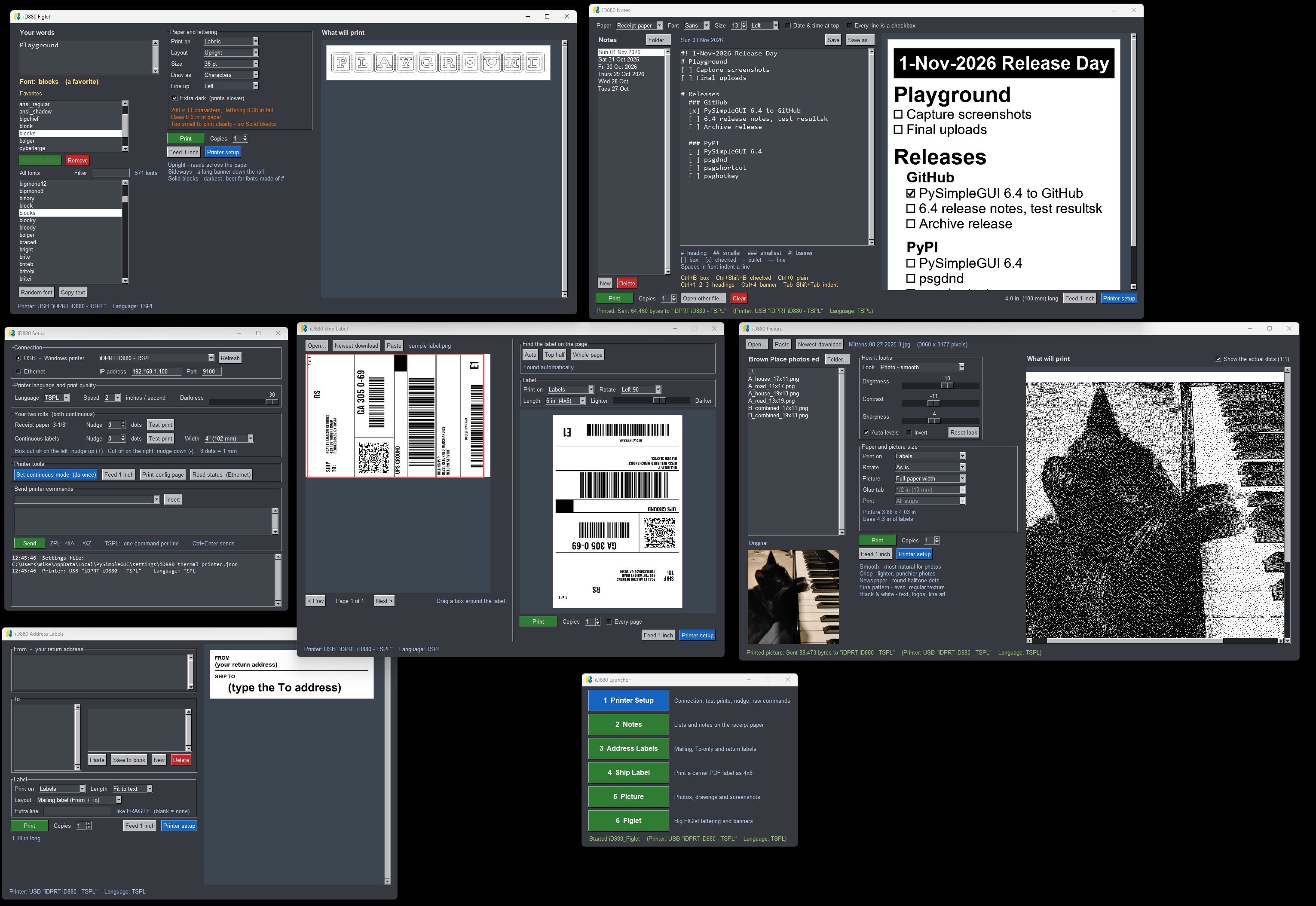
Six programs for a cheap thermal printer: setup, notes, address labels, 4x6 shipping labels from carrier PDFs, pictures, FIGlet banners.
Tools/iD880/iD880_Launcher.pyw
 |
pillow, pywin32, pymupdf, pyfiglet, psgdnd |
System Tray
Programs that live in the system tray, out of the way until you need them - right-click the icon for the menu.
| Program |
What it does |
Needs |
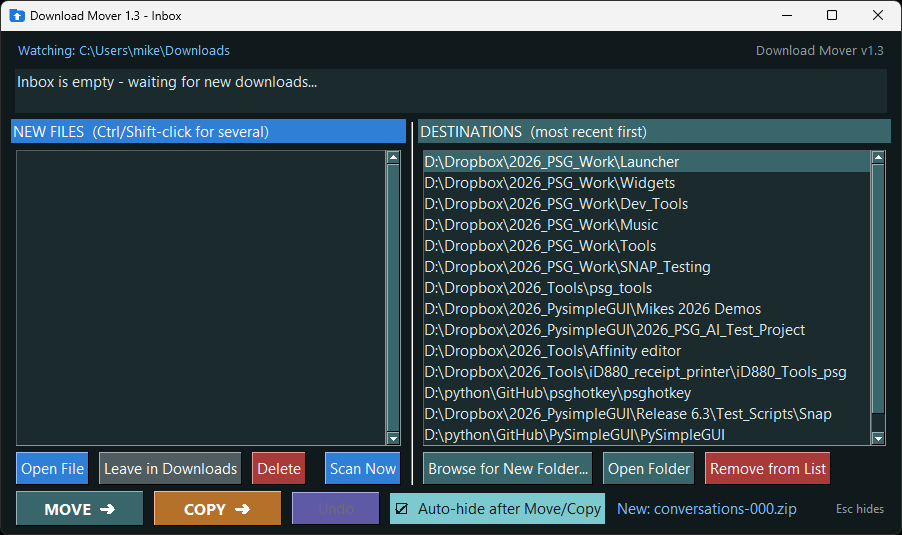
Download Mover |
Tray watcher for your Downloads folder - a new file pops up an Inbox, pick where it goes, Move or Copy, Undo.
Tray/download_mover.pyw
 |
psgtray, pystray, pillow (optional: watchdog) |

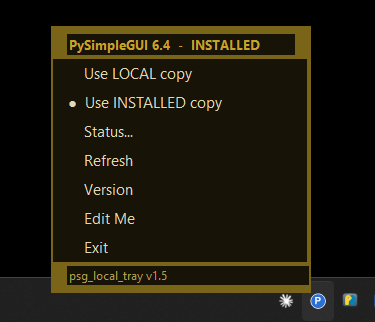
PSG Local Tray |
Tray switch: do programs on this Python import your local PySimpleGUI repo or the pip-installed copy? L / P at a glance.
Tray/psg_local_tray.pyw
 |
psgtray, pillow |
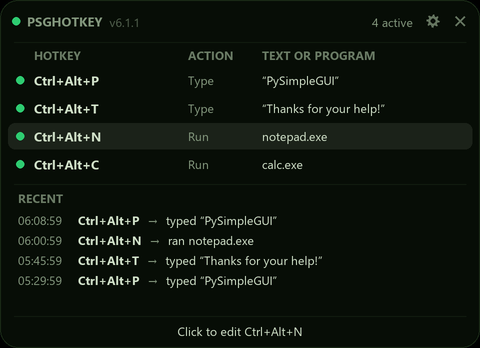
psghotkey
Windows |
Global hotkeys that type text or launch programs, from the tray. Lives in its own repo - pip install psghotkey.
pip install psghotkey
 |
- |
Programming
Tools that help with PySimpleGUI programming - screenshot regression tests and a previewer for dark themes.
| Program |
What it does |
Needs |

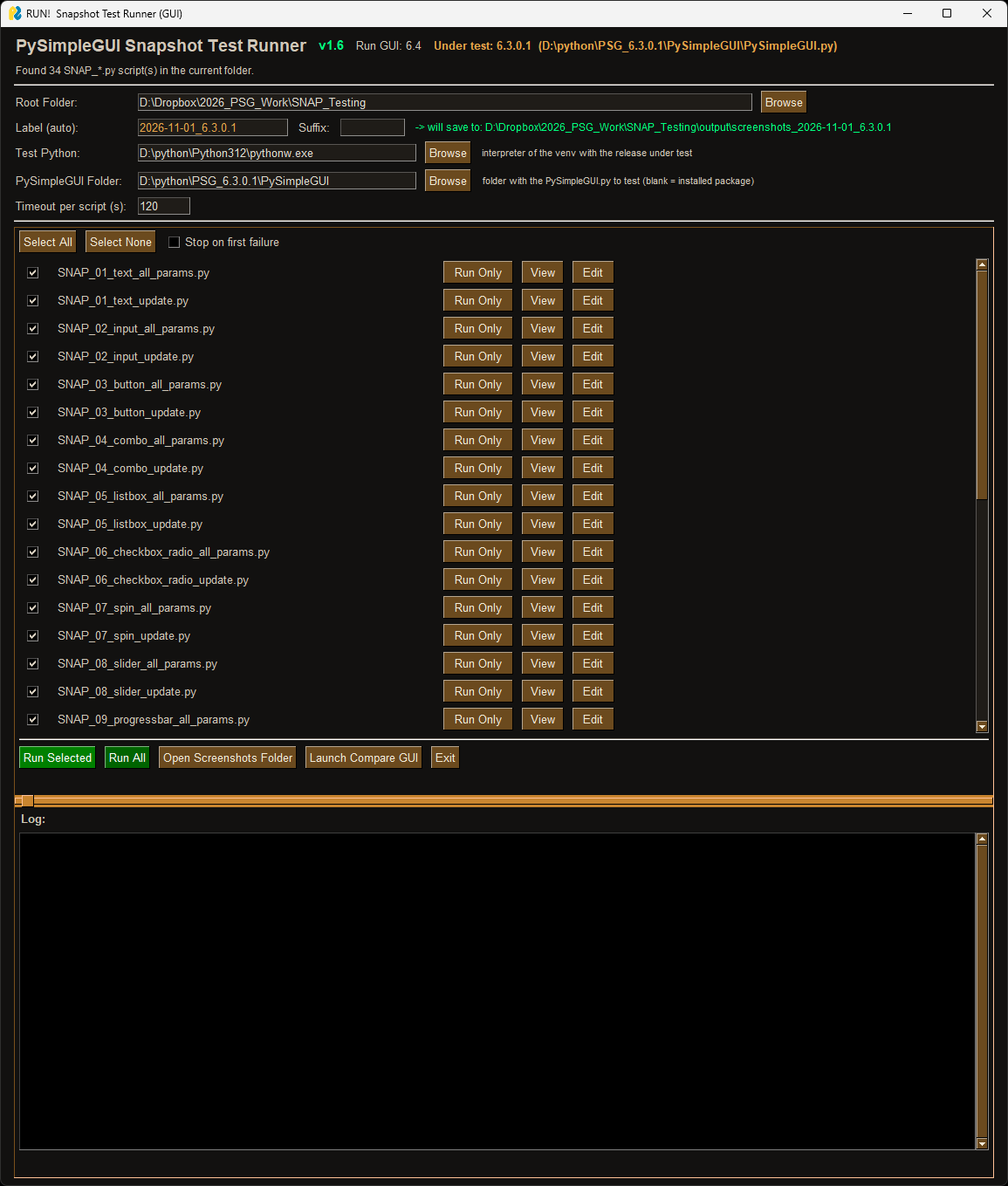
Snapshot Test Runner |
Runs the SNAP_*.py screenshot tests against any PySimpleGUI.py you point it at - installed or a local folder - and labels the run.
Programming/snap_regression/run_snapshots_gui.py
 |
pillow, psgdnd |

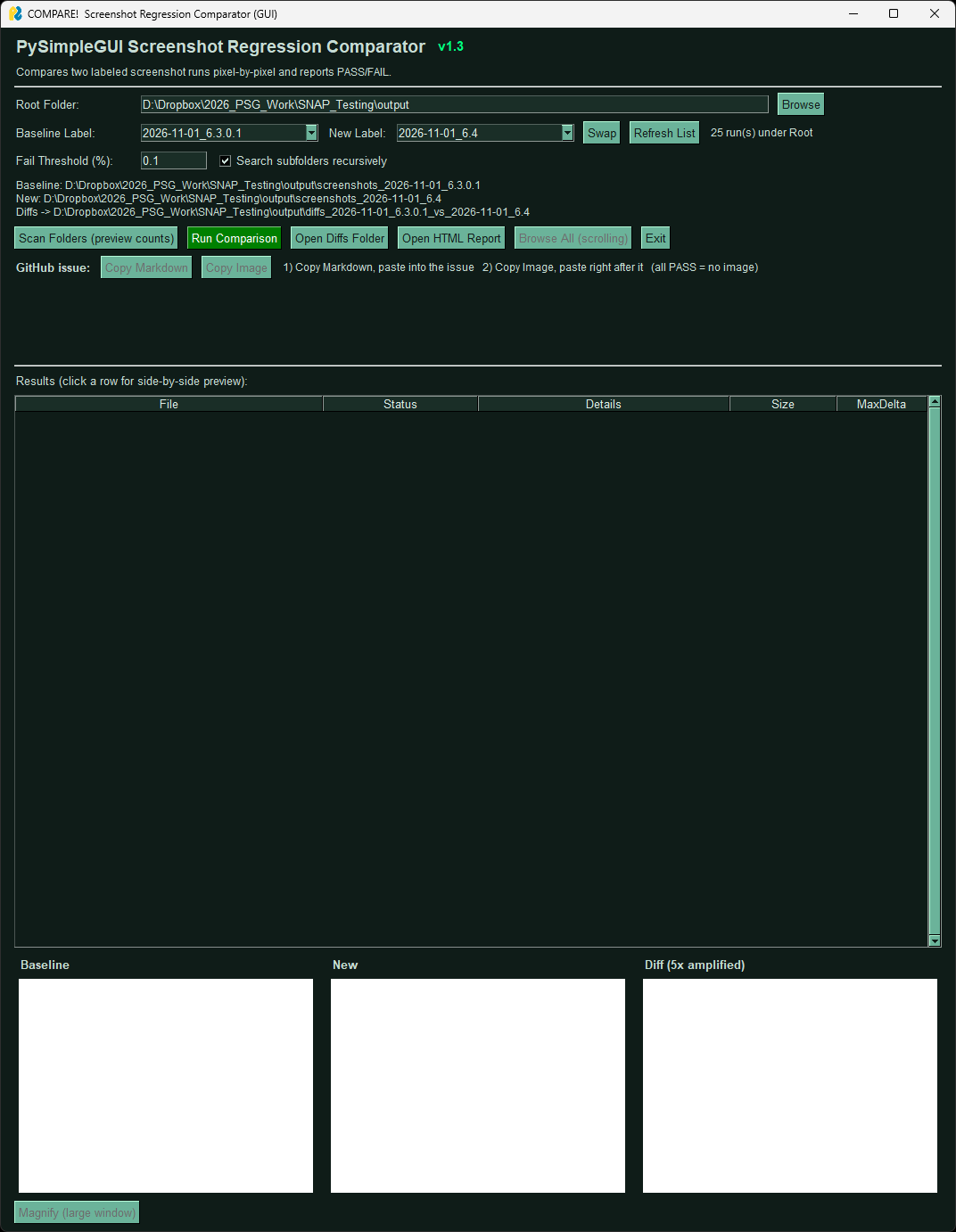
Snapshot Compare |
Pixel-compares two labeled runs and writes a release-ready report.html plus a GitHub-issue-ready report.md and flagged image.
Programming/snap_regression/compare_screenshots_gui.py
 |
pillow |

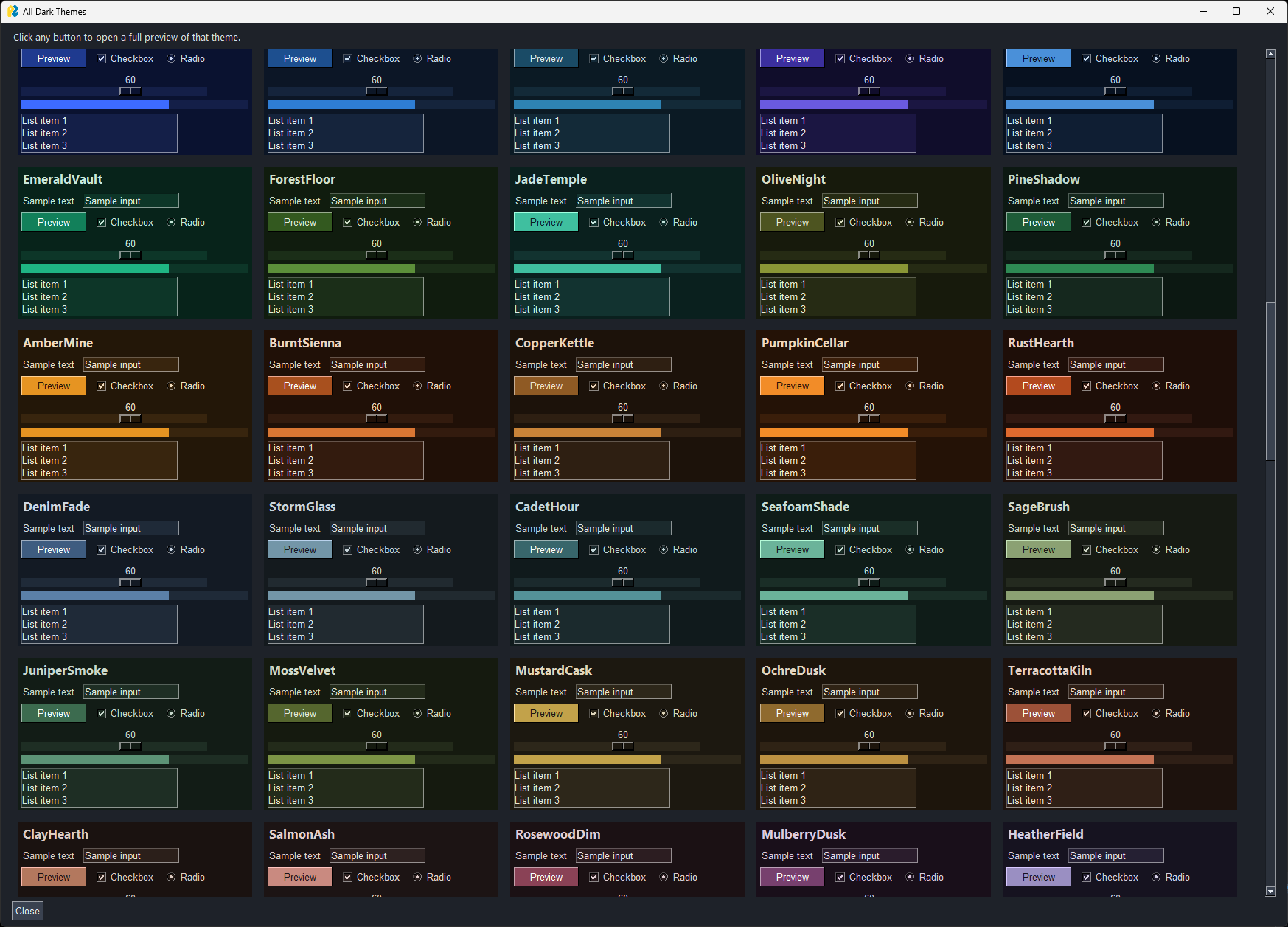
Dark Theme Preview |
Dozens of custom dark PySimpleGUI themes with a previewer - view them all at once or try one live. Copy the dict into your program.
Programming/dark_theme_preview.py
 |
- |
Music
MIDI piano practice tools. Plug in a MIDI keyboard, pick its port, play - every one of these listens and shows you something interesting and maybe even helpful. I use the Tempo and Harmony Wheel daily. I was using the Staff Trainer for a few weeks working on music theory.
There's one additional music application, Player Coach, that I use constantly when playing/practicing. I want to spend a little more time getting that one documented first.
Warning
Lightly tested. I've only run these on Windows, a few of them only briefly, and they have no screenshots yet. Expect rough edges on Linux and Mac.
| Program |
What it does |
Needs |

Piano Dynamics Monitor |
How hard you hit the keys, as a 1-10 loudness line that scrolls as you play - overall and per voice (bass / middle / top). Plays MIDI files too.
Music/piano_dynamics_monitor.pyw |
mido, python-rtmidi |

Tempo Widget |
A 1970s-stereo VU meter that floats over everything and shows your tempo against the target. Collapses to a one-line strip.
Music/tempo_widget.pyw |
mido, python-rtmidi |

Note Roll |
A live note roll: bar height = how long each key was held, color = loudness. Gaps, overlaps and pedal smears become visible.
Music/note_roll.pyw |
mido, python-rtmidi |

Groove Lane |
Your timing against a metronome, note by note - early notes pushed left, late ones right. Triplet play-along mode, latency calibration.
Music/groove_lane.pyw |
mido, python-rtmidi |

Run Tachometer |
Evenness of scales, arpeggios and trills with no metronome: notes per second on a dial, a bar per gap, the hiccups named.
Music/run_tachometer.pyw |
mido, python-rtmidi |

Harmony Wheel |
Real-time chord and key detection on a circle of fifths, with roman numerals and a tension meter.
Music/harmony_wheel.pyw |
mido, python-rtmidi |

Staff Trainer |
Flashcards on a grand staff answered on the piano - notes, intervals, triads, sevenths, short melodies. The next card deals itself.
Music/staff_trainer.pyw |
mido, python-rtmidi |

Call and Response |
An ear and memory game: the piano plays a short phrase through MIDI out, you play it back. Levels up as you get cleaner.
Music/call_response.pyw |
mido, python-rtmidi |

Duet Partner |
Plays along with you through the piano: echo, harmony, drone, bass and arpeggio reactions to whatever you play.
Music/duet_partner.pyw |
mido, python-rtmidi |

Ripples |
An ambient visualizer - every note becomes an expanding ring. No numbers, no judgement.
Music/ripples.pyw |
mido, python-rtmidi |

MIDI Link Tester |
How well a MIDI connection keeps time - USB against Bluetooth. Sends chords and scales, measures how rolled they arrive.
Music/midi_link_tester.pyw |
mido, python-rtmidi |
Templates
Starting points that already follow the Playground conventions. Copy one and go.
| Program |
What it does |
Needs |

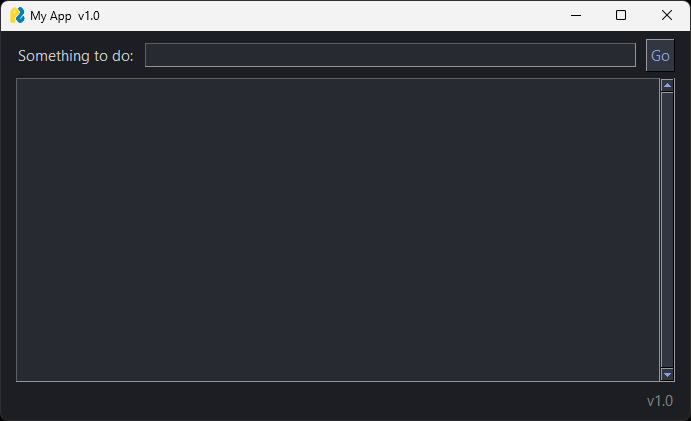
App Template |
A one-file PySimpleGUI app with the Playground conventions baked in: K_ keys, VERSION, right-click menu, scroll keys, crash popup, settings.
Templates/app_template.pyw
 |
- |

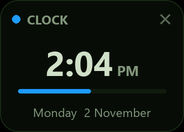
Widget Template |
A card widget to build on: no title bar, see-through rounded corners on Windows, the 32 themes on a menu of color chips, a Brightness slider, sizes, opacity and keep-on-top - all remembered. A clock shows where your own content goes.
Templates/widget_template.pyw
 |
pillow |

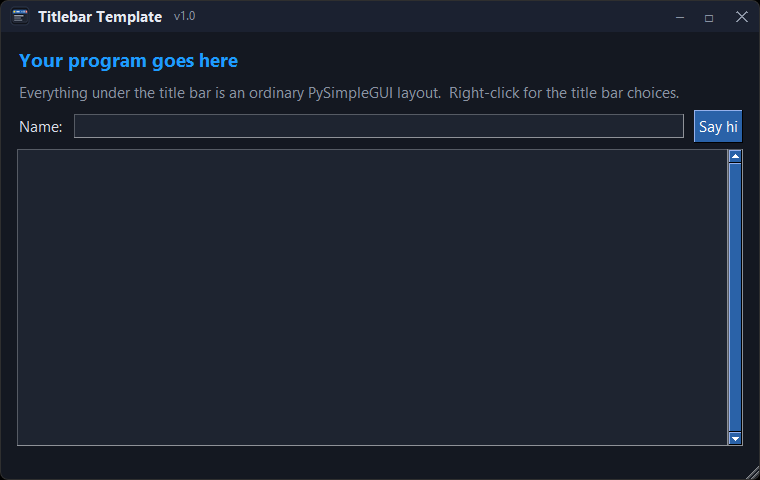
Titlebar Template |
A window with the Toybox's own title bar: icon, title, version, minimize / maximize / close, drag it by the bar. Right-click to switch to the normal title bar (the default on Linux and Mac) and, on Windows 11, to round the corners.
Templates/titlebar_template.pyw
 |
- |
How I write these
A few habits you'll see in every file:
- One file per program. A single
.pyw (no console window on Windows). Where two programs share a helper, it sits next to them.
- Keys are constants.
K_NAME = '-NAME-' so my editor completes them; repeated elements use KT_NAME = lambda n: (K_NAME, n).
- A VERSION and a change log at the top. The version shows somewhere in the window.
- A right-click menu with Edit Me / Version / Exit -
sg.MENU_RIGHT_CLICK_EDITME_VER_EXIT.
- Keyboard everywhere. Scrollable areas take Up/Down, PgUp/PgDn, Home/End; Esc closes.
- No silent crashes.
main() is wrapped so an exception shows sg.popup_error_with_traceback instead of vanishing (pythonw has no console).
- Settings persist through
sg.user_settings - window position, last choices, tokens.
If you want the same for your own program, start from Templates/app_template.pyw.
For a desktop widget start from Templates/widget_template.pyw; for a window with its own title bar, Templates/titlebar_template.pyw.
Build your own
Every program here was written with an AI assistant, and the tricks that make them feel polished are small. The prompts folder
has one page per trick - the frameless window, the draggable panes, the picture buttons, drag-to-reorder, drop-a-file, background work -
each with a prompt you can paste into any chatbot and the few PySimpleGUI calls it needs to get right.
About this repo
Like all PySimpleGUI repos, pull requests aren't taken. Have a question or problem? Feel free to open an issue.
dev/ holds the tools I use to copy the programs in from my working folders and build this README; it isn't part of the Playground.
License
LGPL 3 - see LICENSE.


