
HushTelegram
HushTelegram v0.0.26: Morphe patches that take sponsored messages, search ads, Stories and upsells out of Telegram and keep its usage reports on your phone. 82 patches for Telegram 13.2.2.
- 179
- GPL-3.0
- 5 d ago
Repo SysAdminDoc/HushTelegram, read from GitHub 5 h ago. SysAdminDoc has not joined Take My Repo.
In short
SysAdminDoc/HushTelegram is a public repo on GitHub by SysAdminDoc. HushTelegram v0.0.26: Morphe patches that take sponsored messages, search ads, Stories and upsells out of Telegram and keep its usage reports on your phone. 82 patches for Telegram 13.2.2. It declares the GPL-3.0 license on GitHub. It is written mainly in Java, has 179 stars and last changed on 2026-11-19. Nobody has reviewed it on Take My Repo yet, which says nothing about its quality. Read from GitHub on 2026-11-24.
Similar repos
rea
Reverse engineer anything with agents, from app behavior down to native binaries.


If HushTelegram makes Telegram better for you, a coffee helps me keep testing patches and maintaining them as Telegram changes.
 HushTelegram
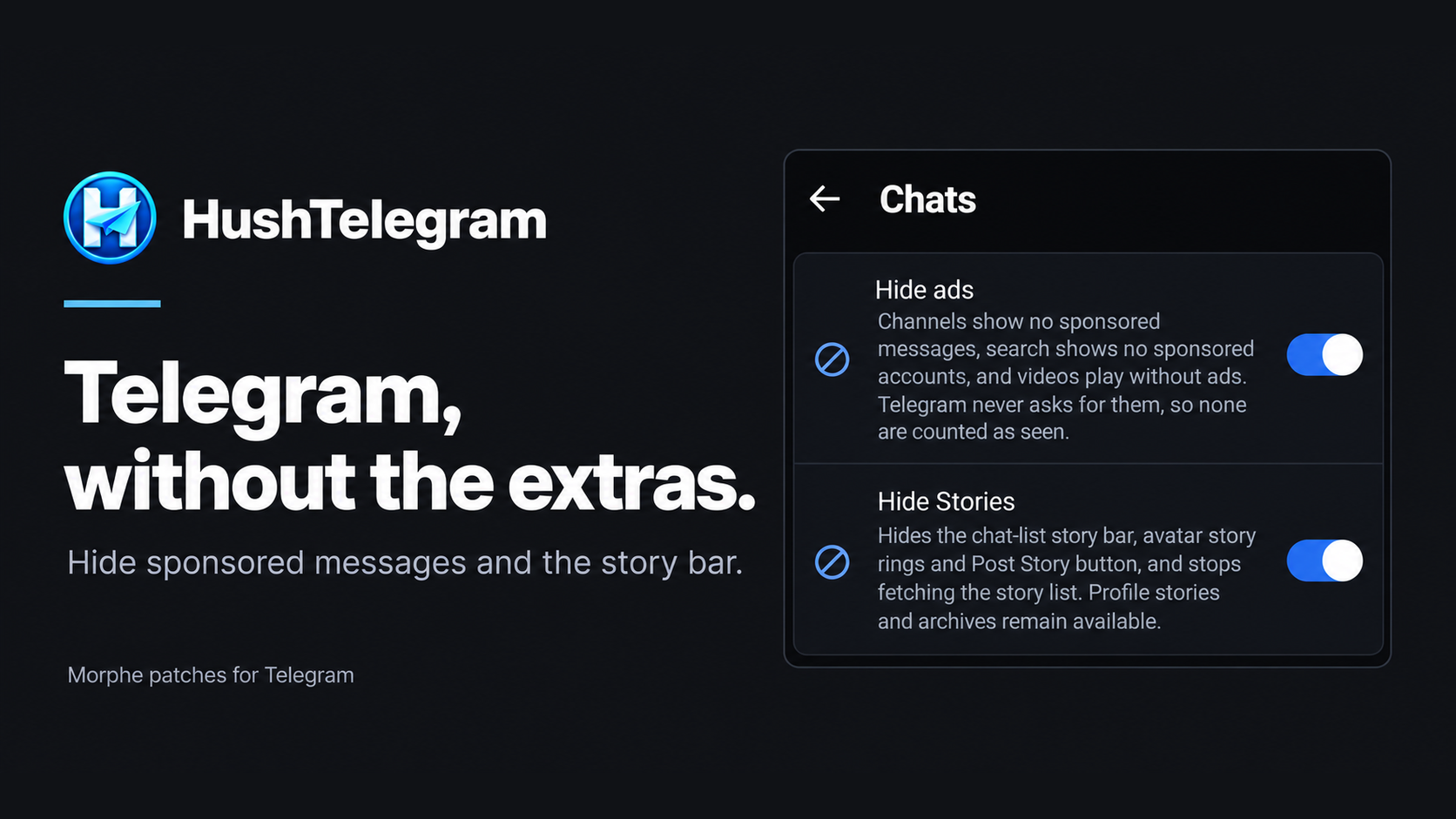
 is a set of Morphe patches for Telegram on Android. It takes the sponsored messages and search ads out of Telegram and keeps the app's usage reports on your phone. Everything else is a switch in its own settings screen, so you can hide Stories and the Premium upsells, keep messages other people delete, translate a whole chat, get notifications through UnifiedPush, go AMOLED black and plenty more. It doesn't give away paid Premium features. The switches that save, screenshot or keep what a chat doesn't allow (view-once media and secret chats included) all start off.
The latest release is v0.0.26, with 82 patches for Telegram 13.2.2 from Google Play and telegram.org. It needs Morphe Manager 2.6.0 or newer. What changed in each version is in the changelog.
Add HushTelegram to Morphe Manager | Download a release | Browse the patches
[!IMPORTANT] Back up your signing key right after your first patch. Android only installs an update over your patched Telegram when it carries the same key. In Morphe Manager open Settings > System > Import & export > Signing key and tap Export, then keep
Morphe.keystoreprivate, since anyone who has it can sign an APK your phone will accept. On a new phone, import it before you patch anything.
Install
- Install Morphe Manager 2.6.0 or newer.
- Open the add-source link on your phone to add HushTelegram as a patch source.
- Get Telegram 13.2.2 from Google Play (version code 73031), or from telegram.org's Download button (version code 73039). APKMirror carries the Google Play build too. telegram.org always hands out its newest build, so once it moves past 13.2.2, Telegram's own Telegram APKs for Android channel still has this one. Check the checksum before you patch.
- Pick the file in Morphe Manager, keep the default selection and patch. It has every patch that comes with a switch.
- Four patches start unselected: Use registered Telegram API credentials, Use registered Maps API key, HushTelegram icon and name, and Black and white launch logo. To add one, turn on Settings > Advanced > Expert mode in Morphe Manager and fill in its options before you patch.
When you sign in, Telegram often turns down the API ID that ships with a patched build, so no code arrives and you see API_ID_PUBLISHED_FLOOD. Other patched Telegram builds run into it too. The one-time fix is to register a free app at my.telegram.org and patch with Use registered Telegram API credentials, and Your Telegram account walks through it.
Coming from stock Telegram? The keys differ, so you'll have to uninstall stock Telegram before the patched copy goes on. That deletes this phone's secret chats for good, though cloud chats come back when you sign in. Stay signed in on another device until the patched app is in, because that's usually where the login code shows up.
There are Hush patch sources for other apps too: Hushfacebook for Facebook, HushGram for Instagram, HushMessenger for Messenger, HushPine for PineDrama, HushPinterest for Pinterest, HushThreads for Threads, Hushfeed for TikTok and HushTumblr for Tumblr. Each one is a separate source in Manager, so add only the ones for apps you patch.
Settings
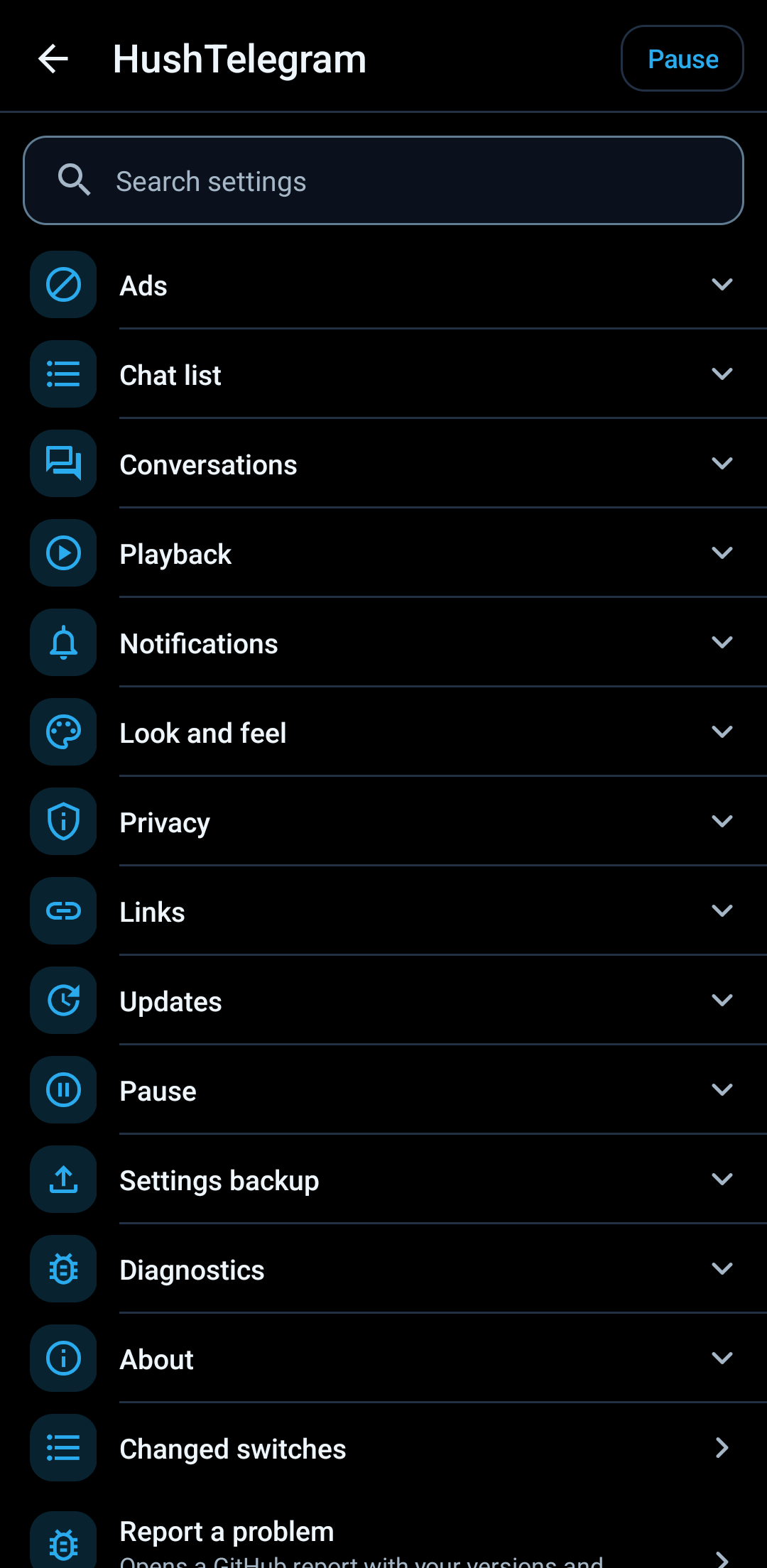
Open Telegram's Settings and tap HushTelegram settings, or press and hold the Telegram title at the top of your chat list. Long-pressing Telegram's icon and tapping HushTelegram works too, and so does Additional settings in the app on Telegram's App info page (Samsung calls it Configure in Telegram).
Tap a section to open its switches in place. The Pause button at the top turns HushTelegram's changes off from the next start and keeps your choices for when you resume. Quick setups in Settings backup turns on the Quiet or Privacy switches in one tap, or puts every switch back the way it started. Changed switches lists only what you've changed, and Report a problem opens a GitHub bug report with your versions and switches already filled in.
Patches
The current release has 82 patches. Each description is the one Morphe Manager shows, and it says which page of HushTelegram settings holds the switch and whether it starts on or off. The table runs in the order of those pages.
A few descriptions are behind the app. Since 0.0.20, Save downloaded files has a second switch under it, Also save from chats that don't allow saving, which starts off. With both on, files and songs from those chats get a copy too, and so does each photo and video you open or auto-download there, so only use it where the owner is fine with that. Secret chats always stay in Telegram, and so does self-destructing media unless Also save view-once and timed media is on as well. In ordinary chats, photos and videos still go through Save to Gallery. The What to copy row right under the main switch narrows the copies down to the kinds you tick: documents, music, photos, videos and voice messages. Below them, the Gallery folder row picks where Save to Gallery puts photos and videos on Android 10 and newer. Telegram's Pictures/Telegram and Movies/Telegram are the default, and you can switch to DCIM/Telegram or to DCIM/Telegram/Photos and DCIM/Telegram/Videos. In the Chat list page, Move All Chats starts off and keeps the All Chats tab where you drag it, on this phone only. Under Keep Telegram's files in internal storage, the Folder in internal storage row names the folder those files go in, like Internal storage/Plus. It's Telegram until you change it, and a new name takes a restart. Keep videos muted on volume keys has a Start videos without sound switch, off to start, that plays each video you open muted until you press a volume key. Hide Premium, gifts and Stars also takes Send a Gift out of the three-dot menu on profiles and channels. Add Repeat to the message menu has more switches than its four items now, one of them Allow screenshots in chats that don't allow saving, off to start.
Translate with an outside service also has a Translate into row under Translation service. Telegram's language is the default. Tap it to pick any of the 250 or so languages Google's web translate knows, Persian and others Telegram's own list leaves out included. There's a search at the top, and Translate here and Translate this chat both write in the language you pick.
| Patch | What it does |
|---|---|
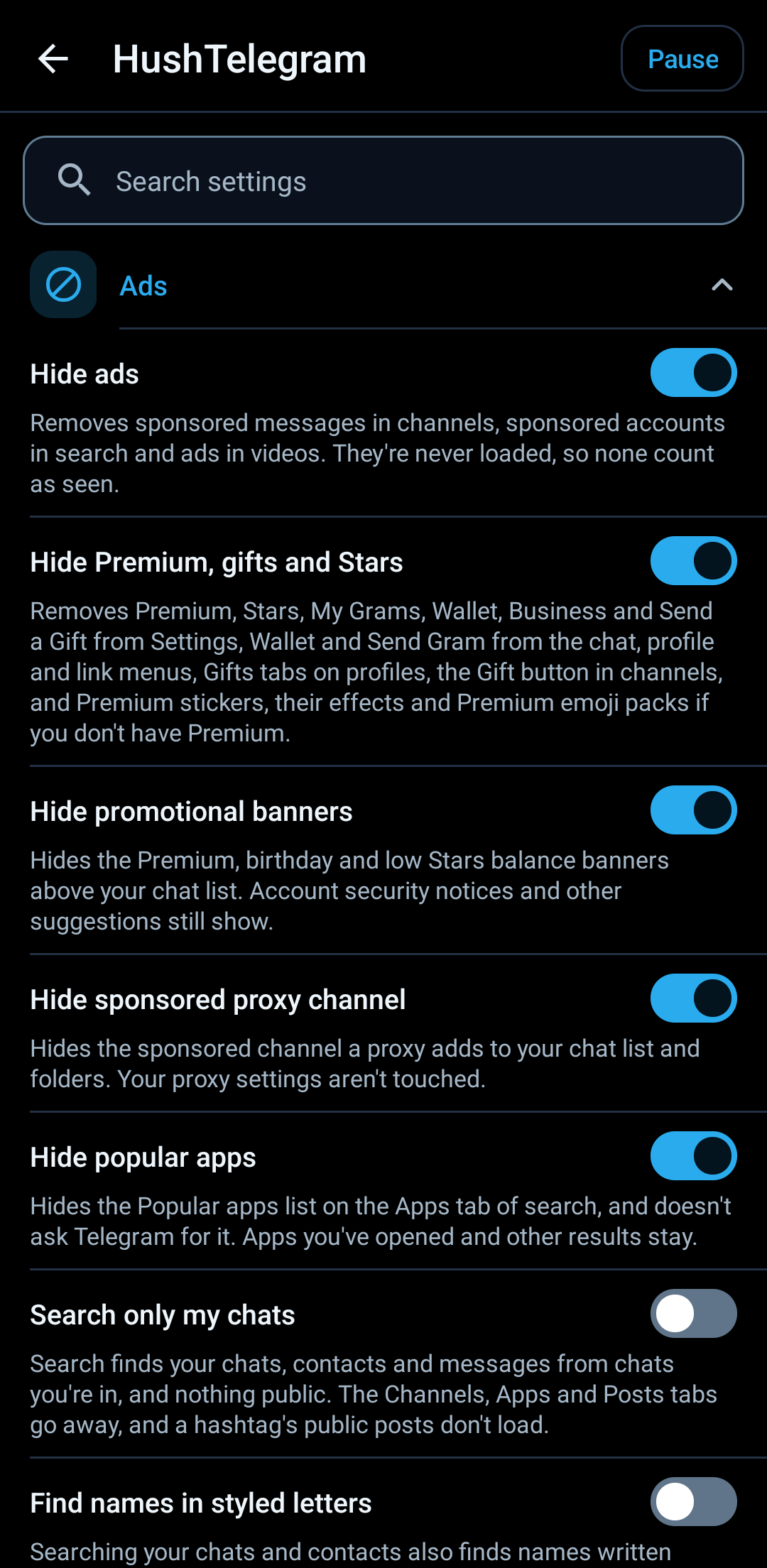
Hide ads |
Removes sponsored messages in channels, sponsored accounts in search and ads in Telegram's video player, so you see fewer ads. On by default. Turn it off in HushTelegram settings > Ads. |
Hide Premium, gifts and Stars |
Removes Premium, Stars, My Grams, Wallet, Business and Send a Gift from Settings, Wallet and Send Gram from the chat, profile and link menus, Gifts tabs on profiles, the Gift button in channels, and Premium stickers, their effects and Premium emoji packs for an account without Premium, for a less cluttered app. On by default. Turn it off in HushTelegram settings > Ads. |
Hide promotional banners |
Hides Premium, birthday and low Stars balance banners above your chat list. Account security notices still show. On by default. Turn it off in HushTelegram settings > Ads. |
Hide sponsored proxy channel |
Hides the sponsored channel a proxy adds to your chat list and folders. Your proxy settings aren't touched. On by default. Turn it off in HushTelegram settings > Ads. |
Hide popular apps |
Hides the Popular apps list on the Apps tab of search and stops Telegram from loading it. On by default. Turn it off in HushTelegram settings > Ads. More switches there start off. Search only my chats keeps search to your own chats and contacts, with nothing public. Find names in styled letters finds names written in decorative letters when you type plain ones. Disable secret chats ignores it when someone asks for a secret chat, with no answer sent back. |
Hide Stories |
Removes the story bar above your chats, the rings around profile pictures and the Post Story button. Profile stories and archives stay. On by default. Turn it off in HushTelegram settings > Chat list. |
Hide contacts on Telegram |
Hides the Your contacts on Telegram list that shows under a short chat list. Chats, folders and search stay. Starts off. Turn it on in HushTelegram settings > Chat list. |
Disable chat swipe actions |
Stops a sideways swipe on a chat from archiving, muting, pinning, deleting or marking it read, so a slip can't change a chat. Press and hold still has every action. Starts off. Turn it on in HushTelegram settings > Chat list. |
Chat preview buttons |
Adds Open chat and Close preview to the menu under a chat you press and hold, so the preview opens fully or goes away with one tap. Starts off. Turn it on in HushTelegram settings > Chat list. |
Hide folder tab counters |
Hides the unread count on each folder tab above the chat list, for a calmer look. A second switch, Open a folder at launch, opens the chat list on a folder you pick instead of All Chats. Both start off. Turn them on in HushTelegram settings > Chat list. |
Folders by chat type |
Makes Private, Groups, Channels and Bots folders in one tap. They're Telegram's own folders, so they show as tabs above the chat list and on your other devices too. Turning it off removes the ones it made, unless you renamed or changed them. Starts off. Turn it on in HushTelegram settings > Chat list. |
Disable pull to archive |
Stops pulling down the chat list from opening the hidden archive. Open it from Archived chats in the chat list's menu instead. Starts off. Turn it on in HushTelegram settings > Chat list, then restart Telegram. |
Hide Contacts tab |
Removes the Contacts tab from the bar at the bottom of the main screen, and swiping doesn't open its page either. The Calls or Settings tab stays as Telegram has it, and the chat list's new message button still opens your contacts. A second switch, Compact bottom bar, makes that bar shorter and only as wide as its tabs need. A third, Side menu, brings back a menu that slides in when you swipe right on the chat list. All three start off. Turn them on in HushTelegram settings > Chat list. |
Proxy in the chat list menu |
Keeps Proxy in the chat list's menu, which Telegram only shows while a proxy is on or where Telegram is blocked. Starts off. Turn it on in HushTelegram settings > Chat list. |
Free proxies |
Downloads a public list of MTProto proxies, times them and keeps the 10 fastest in Telegram's proxy list, refreshed every 6 hours. Telegram connects through them unless you use a proxy of your own. The phone number screen also always has the proxy button, so you can add one before you sign in, and Proxy order puts Telegram's proxy list in an order of your own, with pinned proxies on top. V2Ray-style servers routes Telegram through your own VMess, VLESS, Trojan and Shadowsocks servers by way of a proxy that runs inside Telegram. Finding proxies and V2Ray-style servers start off. Turn them on in HushTelegram settings > Chat list. |
Questions
What is HushTelegram?
SysAdminDoc/HushTelegram is a public repo on GitHub by SysAdminDoc. HushTelegram v0.0.26: Morphe patches that take sponsored messages, search ads, Stories and upsells out of Telegram and keep its usage reports on your phone. 82 patches for Telegram 13.2.2.
Is HushTelegram open source?
It declares the GPL-3.0 license on GitHub.
Does HushTelegram run on macOS, Windows or Linux?
Its maker tagged it for Windows. That is declared by the maker; Take My Repo has not tested it.





