csharp_file_shredder
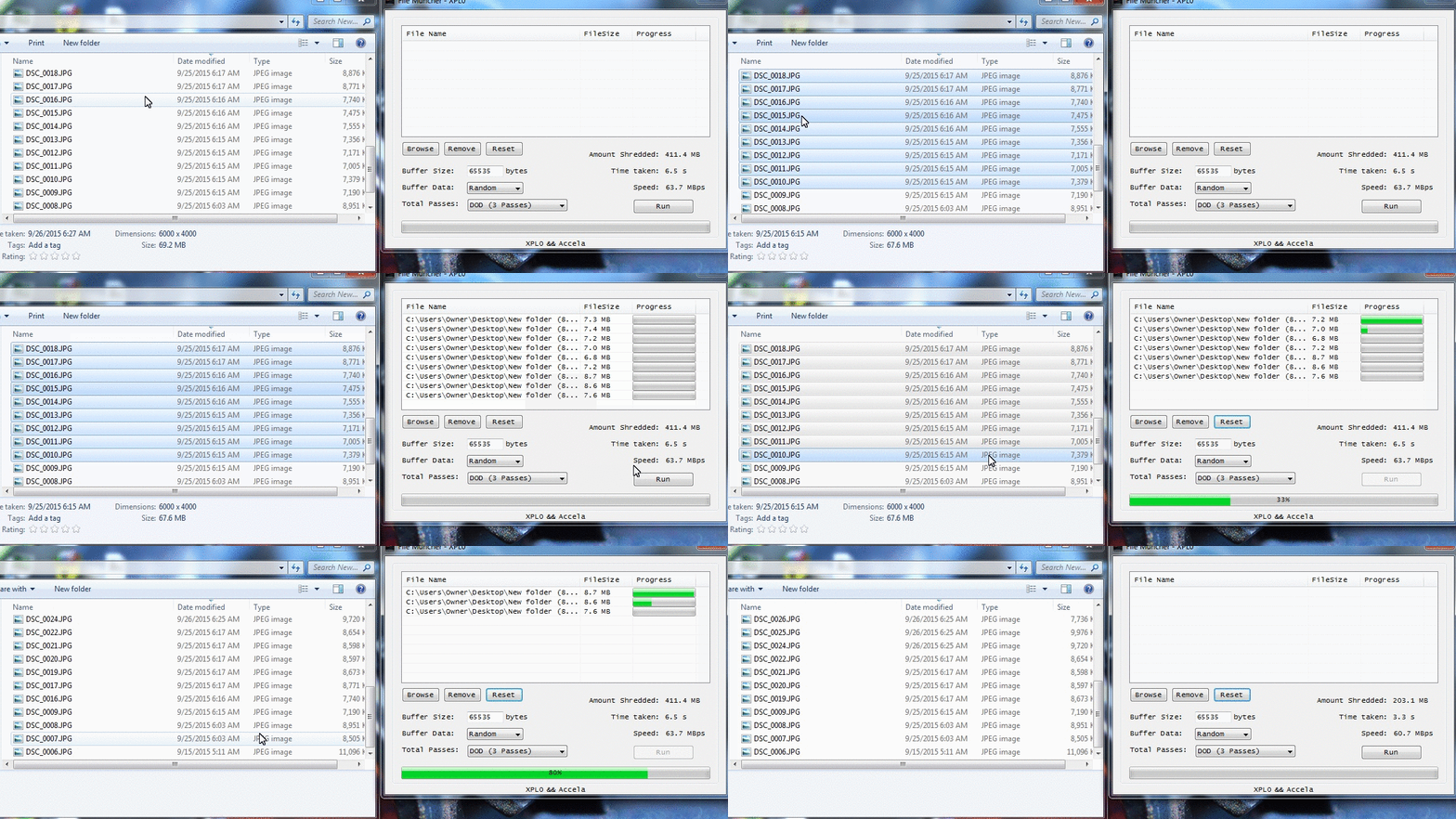
A "secure" open source file deleting tool for Windows programmed in C#, supports drag and drop, customizable delete options etc.
- 19
- C#
- MIT
- 8 y ago
A professional PowerShell GUI toolkit for filesystem repair, stubborn file deletion, permission management, and drive diagnostics. Features a modern dark-themed interface with comprehensive educational panels explaining the underlying Windows concepts.
Repo SysAdminDoc/PathForge, read from GitHub 1 min ago. SysAdminDoc has not joined Take My Repo.
SysAdminDoc/PathForge is a public repo on GitHub by SysAdminDoc. A professional PowerShell GUI toolkit for filesystem repair, stubborn file deletion, permission management, and drive diagnostics. Features a modern dark-themed interface with comprehensive educational panels explaining the underlying Windows concepts. It declares the MIT license on GitHub. It is written mainly in PowerShell, has 2 stars and last changed on 2026-11-19. Nobody has reviewed it on Take My Repo yet, which says nothing about its quality. Read from GitHub on 2026-11-21.
Windows Filesystem Repair & Deletion Suite
A professional PowerShell GUI toolkit for filesystem repair, stubborn file deletion, permission management, and drive diagnostics. Features a modern dark-themed interface with comprehensive educational panels explaining the underlying Windows concepts.
If this project helps you, a coffee helps me keep working on it.
Every major feature includes an expandable info panel explaining:
| Requirement | Details |
|---|---|
| OS | Windows 10 / 11 / Server 2016+ |
| PowerShell | 5.1 or later (built into Windows) |
| Privileges | Administrator (auto-enforced) |
| Dependencies | None — uses native Windows components |
PathForge.ps1 and the PathForge.Core.psm1 module it needs, together in the same folder.PathForge.ps1 and select Run with PowerShell.Note: If you encounter execution policy restrictions:
Set-ExecutionPolicy -ExecutionPolicy Bypass -Scope Process -Force
.\PathForge.ps1
PathForge offers six deletion methods in order of escalation:
| Method | Best For |
|---|---|
| PowerShell | Standard files, first attempt |
| .NET | Files with special characters |
| Long Path | Paths exceeding 260 characters |
| Short Name | Unicode issues, malformed names |
| Robocopy Mirror | Folders with deep nesting or permissions |
| WMI | Last resort before boot-time deletion |
If all methods fail, use Schedule Boot-Time Deletion — the file will be removed before Windows fully loads.
Use Pending Queue to inspect the raw next-boot operation pairs. PathForge preserves Windows queue prefixes and unselected entries exactly, and refuses a cancellation if another process changed the queue after it was loaded.
Enable Dry-run only to inventory the target, preview a bounded sample, and see which deletion API would run at each escalation step without changing files, ownership, links, the Recycle Bin, or the reboot queue.
Use Batch Delete to load either CSV or plain text. CSV supports Path, Method, and optional DryRun columns:
Path,Method,DryRun
C:\Temp\old.log,Standard,true
C:\Temp\locked-folder,Robocopy,false
C:\Temp\remove-at-boot.sys,BootTime,false
Text files use path|method|dry-run; method and dry-run are optional. Supported methods are Auto, Standard, DotNet, LongPath, ShortName, Robocopy, WMI, RecycleBin, Quarantine, BootTime, and ReparsePoint. PathForge previews every row and asks once before processing any mutating row.
Open Quarantine Zone from File Operations to move the current target into recovery storage, restore a selected item to its original path, permanently purge selected entries, or change the retention period (30 days by default). PathForge runs retention maintenance when the application opens; an invalid policy or manifest fails closed and is never auto-purged.
Each local or mapped volume uses its own hidden PathForge.Quarantine directory so folder quarantine is a same-volume move instead of a recursive copy. Every item has an atomic JSON recovery manifest. Purge walks the quarantined tree without following nested junctions or symbolic links, and restore refuses to overwrite an existing destination. Top-level reparse points remain under Link Inspector rather than quarantine.
Use Link Inspector on a file or directory to distinguish ordinary objects, hard links, symbolic links, junctions, and volume mount points. For hard links, every sibling name is listed. Safe Delete Link re-inspects the object immediately before deletion and removes only the selected directory entry; it refuses ordinary files/directories and opaque reparse-point types. Dry-run mode previews this action without changing the link.
Use Reparse Explorer on a directory to list reparse type, native tag, path, and target. Its iterative scan never enqueues a discovered reparse-point directory, so target trees are not traversed. Results can be inspected individually or exported to CSV.
Open ACL Diff from File Operations to compare two files or folders. The report separates owner and inheritance changes from normalized access-rule changes, evaluates each standard and detailed permission for one identity, and exports the complete comparison to CSV without modifying either ACL.
For the signed-in account, PathForge evaluates the actual logon token and its enabled groups. For another account or SID, Windows Authz resolves that identity's groups; the dialog labels this mode because logon-only groups and runtime claims can differ from a real sign-in token.
Open MFT Layout from Diagnostics to inspect the selected NTFS volume without modifying it. The report shows valid and allocated MFT size, estimated file-record count, cluster/record sizes, fragmentation boundaries, and every native extent. The graph plots logical MFT order against physical cluster placement and marks the reserved MFT zone; the extent table can be exported to CSV.
The report is NTFS-only and uses the application's required administrator access. If Windows provides volume metadata but refuses the extent query, PathForge keeps the size report visible and explains why the placement map is unavailable.
Open USN Journal from Diagnostics to read a bounded recent window of an NTFS change journal. Filter by native reason flags (create, delete, rename, data, security, reparse, stream, or basic-information changes), request final close summaries, cap retained records, and export the normalized results to CSV. PathForge only calls query/read controls; it never creates, resizes, or deletes a journal.
USN records do not contain a process ID or executable name. When Correlate process evidence is enabled—or a process-name filter is entered—PathForge makes a best-effort name/time correlation against existing Security event 4663 records. This is labeled as correlated evidence, not direct USN attribution, and is available only when Audit File System and a matching object SACL already produced those events. PathForge does not change audit policy or SACLs.
For corrupted systems, run repairs in this order:
1. DISM /RestoreHealth  →  Repairs the component store
2. SFC /scannow         →  Repairs system files using the store
3. CHKDSK /F            →  Repairs filesystem structures
The Full Repair Sequence button automates this process.
Reusable deletion, repair, and diagnostic commands are also available for automation:
Import-Module .\PathForge.Core.psm1
Get-Command -Module PathForge.Core
| Tab | Purpose |
|---|---|
| File Operations | Deletion, ownership, permissions, ADS management |
| Filesystem Repair | CHKDSK, DISM, SFC, NTFS self-healing |
| Diagnostics | Drive health, SMART, event logs, TRIM |
| Help | Quick reference and methodology guide |
All operations log to: %USERPROFILE%\Documents\PathForge_Logs\Session_*.log
PathForge includes detailed explanations accessible via ℹ️ Show Details buttons:
| Topic | Key Concepts |
|---|---|
| ACLs | DACL vs SACL, inheritance flags (OI)(CI)(IO), permission types |
| Alternate Data Streams | Zone.Identifier, NTFS-only feature, security implications |
| Ownership | TrustedInstaller, SeTakeOwnershipPrivilege, why ownership matters |
| Orphaned SIDs | S-1-5-21-* patterns, causes, safe removal |
| Boot-Time Deletion | MoveFileEx API, PendingFileRenameOperations registry key |
| Robocopy Mirror | /MIR flag technique, why empty folder sync works |
| CHKDSK | /scan vs /F vs /R vs /spotfix, when each is appropriate |
| SFC vs DISM | Critical ordering, component store architecture |
| SMART | Attributes 05/C5/C6, failure prediction statistics |
| Dirty Bit | What triggers it, fsutil behavior, boot implications |
| NTFS Self-Healing | Background repair, Event IDs 55/98, when to disable |
| Long Paths | MAX_PATH 260 limit, \\?\ prefix, registry enablement |
| 8.3 Short Names | DOS compatibility, fsutil enumeration, deletion workaround |
| Reparse Points | Symlinks vs junctions, safe removal techniques |
\\?\ prefix bypasses MAX_PATHfsutil file setshortname enumeration/MIR with empty source efficiently removes nested structuresGet-Item -Stream *Coming soon — contributions welcome!
Some files are protected by Windows Resource Protection (WRP). These cannot be modified even with ownership. This is by design for system stability.
Offline repairs (/F, /R) on the system drive require exclusive access. Schedule for next boot and restart.
Check for:
Contributions are welcome! Please:
git checkout -b feature/amazing-feature)git commit -m 'Add amazing feature')git push origin feature/amazing-feature)This project is licensed under the MIT License — see the LICENSE file for details.
Use at your own risk. Filesystem operations can result in data loss if used incorrectly. Always maintain backups before performing repairs or bulk deletions. The authors assume no liability for any damages resulting from the use of this software.
PathForge — Because some files just won't go quietly.
SysAdminDoc/PathForge is a public repo on GitHub by SysAdminDoc. A professional PowerShell GUI toolkit for filesystem repair, stubborn file deletion, permission management, and drive diagnostics. Features a modern dark-themed interface with comprehensive educational panels explaining the underlying Windows concepts.
It declares the MIT license on GitHub.
Its maker tagged it for Windows. That is declared by the maker; Take My Repo has not tested it.
Open "Take it" on its page: Take My Repo writes an install plan for your machine and hands it to your AI agent (Claude Code, Codex or Cursor), which asks you before each step. Take My Repo has not tested it on any machine.
Its last change on GitHub was on 2026-11-19. Take My Repo does not judge from that whether it is maintained.
A "secure" open source file deleting tool for Windows programmed in C#, supports drag and drop, customizable delete options etc.
Nobody has reviewed it on Take My Repo yet, which says nothing about its quality.
Build smaller, faster, and more secure desktop and mobile applications with a web frontend.
Dear ImGui: Bloat-free Graphical User interface for C++ with minimal dependencies
Hushfacebook Morphe patches for Facebook. Hide ads, suggested posts, save videos and photos, tune playback and Reels, and use a focused Marketplace mode, and much more.
HushGram v0.0.21: Morphe patches for Instagram that hide ads, suggested posts and much more. 186 patches for Instagram 456.0.0.53.78.
Morphe patches for Facebook Messenger. Privacy switches and fewer promotions.
Local-first, open-source Android automation with readable rules, honest permission gates, and no account or cloud runtime.
Inspect, debloat, back up, freeze, and control Android apps from one open-source package manager. Works without root, with Shizuku, ADB, or root when needed.