efcore
EF Core is a modern object-database mapper for .NET. It supports LINQ queries, change tracking, updates, and schema migrations.
- 15k
- C#
- MIT
- 1 h ago

Asp Net Core Web API programming tutorial: Weather Control application that uses (netcore3.1/net6.0) with either EntityFramework and EdgeDb plus Wissance.WebApiToolkitpi
Repo Wissance/WeatherControl, read from GitHub 1 min ago. Wissance has not joined Take My Repo.
Wissance/WeatherControl is a public repo on GitHub by Wissance. Asp Net Core Web API programming tutorial: Weather Control application that uses (netcore3.1/net6.0) with either EntityFramework and EdgeDb plus Wissance.WebApiToolkitpi. It declares no license on GitHub. Public does not mean open source: without a license, nobody is granted the right to reuse it. It is written mainly in C#, has 6 stars and last changed on 2025-11-09. Nobody has reviewed it on Take My Repo yet, which says nothing about its quality. Read from GitHub on 2026-11-22.

This project uses Wissance.WebApiToolkit so please give us a star! And for this project too!
This project from the one side is a tutorial about how to design REST API using C#, but from the other side it is also fully functional Web API (REST) for working with meteorological stations or with indoor conditions sensors.
REST API with EntityFramework ORM - Wissance.WeatherControl.WebApi projectREST API with EdgeDb Graph DB - Wissance.WeatherControl.WebApi.V2 projectThese 2 Project previously having had (< 2.0) different data Model, but starting from 2.0 they have the same data model.
These projects targets multiple platforms - netcore 3.1, net6 and net8.
Station - weather station that has name, description, coordinates and it can collect and store any number of parameters, 1 measuring parameter - 1 Sensor;Sensor - sensor that measures physical values like Temparature, Pressure, Humidity and so on, 1 sensor measures only one 1 physical value;MeasureUnit - physical value itself that is measuring by Sensor.Measurement - Sensor values = timestamp + numeric (decimal) value.Web API (REST) service (.Net Core) could store weather data from multiple weather station with multiple (any number) sensors, typically meteo stations store/manage following physical value measurements getting from appropriate sensors:
temperature;atmosphere pressure;humidity;wind speed;Application has 4 resources = Domain objects
Application uses MsSql (Sql Server) as Database Server (this could be easily changed, but this required to re-generate migration).
StationSensorMeasureUnitMeasurementHere is relations between objects in SQL database:

This is a very simple application (demo), if any feature is needed open new issue/request. Every REST resource described in a separate sub chapter.
First we should configure what we would like to measure, we could do it via POST ~/api/MeasureUnit with body i.e.:
{
  "name": "Wind speed",
  "description": "",
  "abbreviation": "V, mm/s"
}
curl -X 'POST' \ 'http://127.0.0.1:8058/api/MeasureUnit' \ -H 'accept: text/plain' \ -H 'Content-Type: application/json' \ -d '{ "name": "Wind speed", "description": "", "abbreviation": "V, mm/s" }'
We could edit created MeasureUnit via PUT ~/api/MeasureUnit/{id}, with new body, i.e.:
{
  "name": "Wind speed",
  "description": "Wind speed in mm/s",
  "abbreviation": "V, mm/s"
}
curl -X 'PUT' \ 'http://127.0.0.1:8058/api/MeasureUnit/b23b25dc-49df-42e3-8374-08dcf37af278' \ -H 'accept: text/plain' \ -H 'Content-Type: application/json' \ -d '{ "name": "Wind speed", "description": "Wind speed in mm/s", "abbreviation": "V, mm/s" }'
Or get multiple objects - GET ~/api/MeasureUnit
POST http://localhost:8058/api/station
{
	"name": "Ufa meteo station",
	"description": "Meteo station in Ufa city",
	"longitude": "55°96'0\"E",
	"latitude": "54°7'0\"N",
	"sensors": []
}
curl -X 'POST' \ 'http://127.0.0.1:8058/api/Station' \ -H 'accept: text/plain' \ -H 'Content-Type: application/json' \ -d '{ "name": "Ufa meteo station", "description": "Meteo station in Ufa city", "longitude": "55°96'\''0\"E", "latitude": "54°7'\''0\"N", "sensors": [] }'
We got a Operation result response:
{
    "success": true,
    "message": null,
    "data": {
        "id": "7b5dab63-b9d9-4aac-dd19-08dcf42ec6b0",
        "name": "Ufa meteo station",
	    "description": "Meteo station in Ufa city",
        "longitude": "55°96'0\"E",
        "latitude": "54°7'0\"N",
        "sensors": null
    }
}
Example of station creation postman (different from upper requests)

Example of station with sensors creation in postman (different from upper requests)

PUT http://localhost:8058/api/station/9bea7375-b27a-4c48-ee97-08dcf4490c3f
Body and response are the same as at Create operation, unlike Sensors are not editable through PUT:
{
    "name": "Nizniy Tagil meteostation",
    "description": "Nizniy Tagil meteostation (Sverdlovskaya region)",
    "longitude": "60°07'0\"E",
    "latitude": "57°88'0\"N",
    "sensors": []
}
curl -X 'PUT' \ 'http://127.0.0.1:8058/api/Station/9bea7375-b27a-4c48-ee97-08dcf4490c3f' \ -H 'accept: text/plain' \ -H 'Content-Type: application/json' \ -d '{ "name": "Nizniy Tagil meteostation", "description": "Nizniy Tagil meteostation (Sverdlovskaya region)", "longitude": "60°07'0\"E", "latitude": "57°88'0\"N", "sensors": [] }'
Example of running different station update in Postman:

3.1 to get one by id - GET http://localhost:8058/api/station/{id}
3.2 to get collection with paging - GET http://localhost:8058/api/station/?page=1&size=10

9bea7375-b27a-4c48-ee97-08dcf4490c3f use endpoint DELETE http://localhost:8058/api/station/9bea7375-b27a-4c48-ee97-08dcf4490c3fOperation with Sensors are the same as for Sensor.
POST ~/api/Sensor, i.e.curl -X 'POST' \ 'http://127.0.0.1:8058/api/Sensor' \ -H 'accept: text/plain' \ -H 'Content-Type: application/json' \ -d '{ "name": "Temperature sensor ЕТ1", "description": "", "latitude": "", "longitude": "", "stationId": "7004ccf8-8c6a-47dd-dd18-08dcf42ec6b0", "measureUnitId": "7f319181-31d3-44ce-8371-08dcf37af278" }'
curl -X 'PUT' \
  'http://127.0.0.1:8058/api/Sensor/cb018a8a-cb03-4dbd-2b3c-08dcf466fe52' \
  -H 'accept: text/plain' \
  -H 'Content-Type: application/json' \
  -d '{
  "name": "Temperature sensor ЕТ1",
  "description": "Temperature sensor",
  "latitude": "",
  "longitude": "",
  "stationId": "7004ccf8-8c6a-47dd-dd18-08dcf42ec6b0",
  "measureUnitId": "7f319181-31d3-44ce-8371-08dcf37af278"
}'
one by id - GET http://localhost:8058/api/sensor/{id}collection with paging - GET http://localhost:8058/api/station/?page=1&size=10 with 2 additional params:
Guid) for filtering Sensors by relation to stationGuid) for filtering Sensors by MeasureUnitExamples of usage:
7f319181-31d3-44ce-8371-08dcf37af278 - http://127.0.0.1:8058/api/Sensor?mu=7f319181-31d3-44ce-8371-08dcf37af278http://127.0.0.1:8058/api/Sensor?station=9694eacb-6470-46c2-dd1a-08dcf42ec6b0&mu=7f319181-31d3-44ce-8371-08dcf37af278POST http://localhost:8058/api/measurement
One measurement is one sample of measuring some MeasureUnit, Measurement directly relates to Sensor, not MeasureUnit (this could be discussed)
{
    "SampleDate": "2024-10-25T12:10:00",
    "Value": 7.45,
    "SensorId": "cb018a8a-cb03-4dbd-2b3c-08dcf466fe52"
}
We got following result in the output:
{
    "success": true,
    "message": null,
    "data": {
        "id": "af27b058-4f6b-46f3-ff6b-08dcf4c8e236",
        "sampleDate": "2024-10-25T12:10:00+05:00",
        "value": 7.45,
        "sensorId": "cb018a8a-cb03-4dbd-2b3c-08dcf466fe52"
    }
}
PUT http://localhost:8058/api/measurements/af27b058-4f6b-46f3-ff6b-08dcf4c8e236 with same body and result as at create measurements operation.
GET http://localhost:8058/api/measurements/af27b058-4f6b-46f3-ff6b-08dcf4c8e236GET http://localhost:8058/api/measurements/?page=1&size=10DELETE http://localhost:8058/api/measurements/af27b058-4f6b-46f3-ff6b-08dcf4c8e236Here we've got a net6.0 REST Service that have the same model as previous service but persistent storage is EdgeDB not an SQL Server.
MeasureUnitMeasurementSensorStationModel schema is here:

Data project is Wissance.WeatherControl.GraphData
Edgedb instance from Wissance.WeatherControl.GraphData directoryedgedb instance start -I Wissance_WeatherControl --foreground
apply migration via
edgedb -I Wissance_WeatherControl migrateedgedb -I Wissance_WeatherControl configure set allow_user_specified_id trueedgedb ui
Once you loaded project you could use it in current application:
appsettings.Development.jsonconfig file:"Application": { "Database": { "ProjectName": "Wissance_WeatherControl" } }
See how configuration works via project Name here
This package build connnection string using following scheme: edgedb://user:password@host:port/database
you could see your project credential on:
Windows machine in a directory: %USER_PROFILE%\AppData\Local\EdgeDB\config\credentialsLinux machine in a directory $HOME/.config/edgedb/credentialWe are having following Key Items:
Controllers - we are using base classes from a Wissance.WebApiToollit, in this lib we have
either controllers for read-only and for full CRUD resources.Managers - classes that are responsible for manage all business logic, in this project we have
only one manager class - EdgeDbManager that is common for CRUD operation over all resourcesEqlResolver - class that is responsible for association model (resource) with operation
(read , create, update or delete)Factories - static classes that constructs DTO from Models and params (dictionary for
create and update perform) from DTO.All controllers are located in a folder Controllers, just look how simply look full CRUD Controller:
namespace Wissance.WeatherControl.WebApi.V2.Controllers
{
    public class MeasurementController : BasicCrudController<MeasurementDto, MeasurementEntity, Guid, , MeasureUnitFilterable>
    {
        public MeasurementController(EdgeDBClient edgeDbClient)
        {
            Manager = new EdgeDbManager<MeasurementDto, MeasurementEntity, Guid>(ModelType.Measurement, edgeDbClient,
                MeasurementFactory.Create, MeasurementFactory.Create);
        }
    }
}
We have only one manager for all controllers due to the power of C# generics we just have to pass
to EdgeDbManager:
modelType that is using to find appropriate eql statements from EqlResolverEdgeDbClient client to edgedb databaseDTO) from model and how to convert
DTO to parameters list for insert and update operationsJust a set of dictionaries every dictionary for one operation:
They are static classes in a Factories directory, the looking quite simple:
namespace Wissance.WeatherControl.WebApi.V2.Factories
{
    public static class SensorFactory
    {
        public static SensorDto Create(SensorEntity entity)
        {
            SensorDto dto = new SensorDto()
            {
                Id = entity.Id,
                Name = entity.Name,
                Latitude = entity.Latitude,
                Longitude = entity.Longitude
            };

            if (entity.Measurements.Any())
            {
                dto.Measurements = entity.Measurements.Select(m => MeasurementFactory.Create((m))).ToList();
            }

            return dto;
        }

        public static IDictionary<string, object?> Create(SensorDto dto, bool generateId)
        {
            IDictionary<string, object?> dict = new Dictionary<string, object?>()
            {
                {"Name", dto.Name},
                {"Latitude", dto.Latitude},
                {"Longitude", dto.Longitude},
                {"Measurements", dto.Measurements.Where(m => m.Id.HasValue)
                    .Select(m => m.Id.Value).ToArray()}
            };

            // TODO(this if for further getting created object)
            dict["id"] = generateId ? Guid.NewGuid() : dto.Id;

            return dict;
        }
    }
}
Wissance/WeatherControl is a public repo on GitHub by Wissance. Asp Net Core Web API programming tutorial: Weather Control application that uses (netcore3.1/net6.0) with either EntityFramework and EdgeDb plus Wissance.WebApiToolkitpi.
It declares no license on GitHub. Public does not mean open source: without a license, nobody is granted the right to reuse it.
Its maker tagged it for Windows and Linux. That is declared by the maker; Take My Repo has not tested it.
Open "Take it" on its page: Take My Repo writes an install plan for your machine and hands it to your AI agent (Claude Code, Codex or Cursor), which asks you before each step. Take My Repo has not tested it on any machine.
Its last change on GitHub was on 2025-11-09. GitHub counts 4 open issues and pull requests. Take My Repo does not judge from that whether it is maintained.
EF Core is a modern object-database mapper for .NET. It supports LINQ queries, change tracking, updates, and schema migrations.
Nobody has reviewed it on Take My Repo yet, which says nothing about its quality.
Microservices on .NET platforms used ASP.NET Web API, Docker, RabbitMQ, MassTransit, Grpc, Yarp API Gateway, PostgreSQL, Redis, SQLite, SqlServer, Marten, Entity Framework Core, CQRS, MediatR, DDD, Vertical and Clean Architecture implementation with using latest features of .NET 8 and C# 12
.NET & C# Knowledge Base in Russian 🇷🇺 — C#, ASP.NET Core, EF Core, Clean Architecture, DDD, SOLID, interview prep. 50+ detailed guides with code examples. | База знаний .NET на русском: от основ C# до архитектуры и собеседований.
Weather Forecast App, a mobile and web utility designed to track real-time weather conditions, radar maps, and atmospheric predictions. It provides a seamless user experience to help users monitor daily temperature changes, receive severe storm alerts, and plan outdoor activities efficiently.
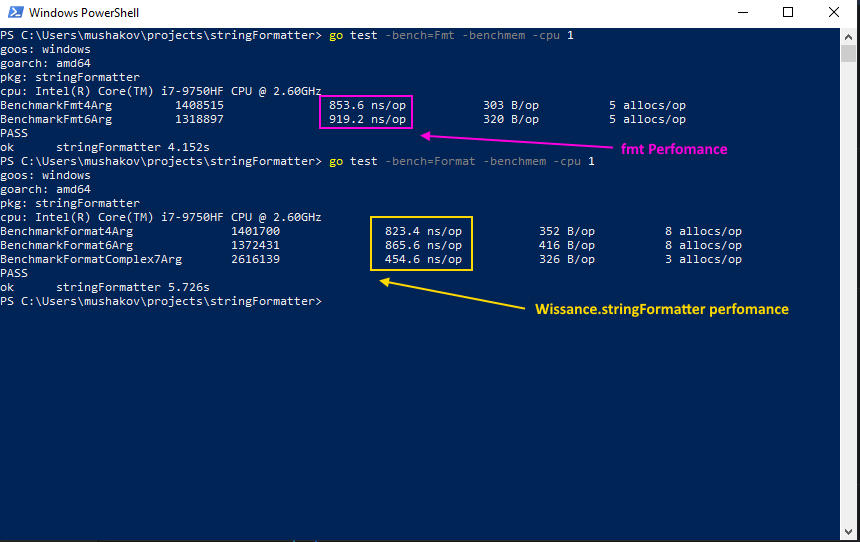
A set of tools to manipulate text, i.e. making text from templates in C#/Python way is faster than fmt.Sprintf
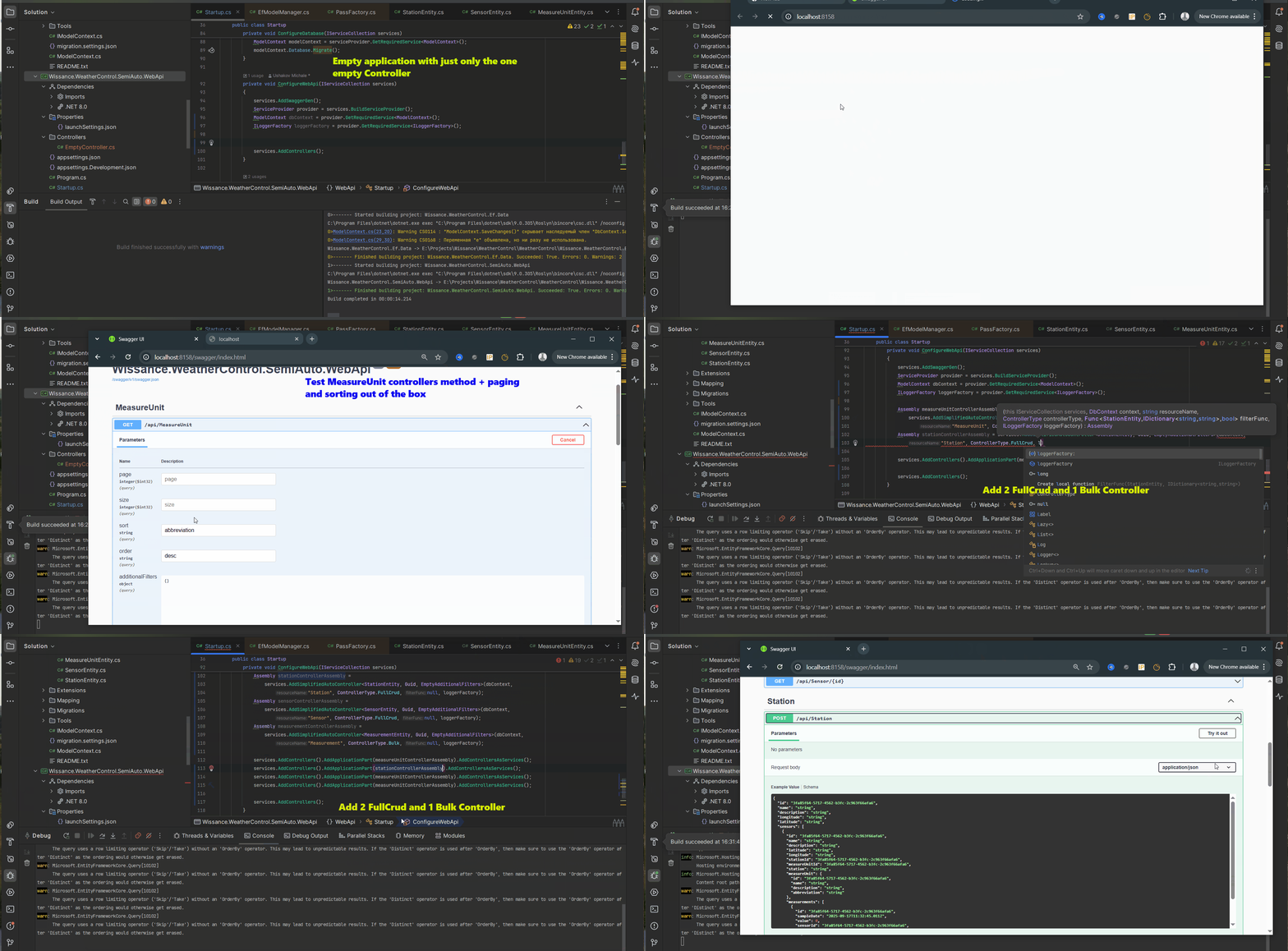
WebApi toolset that allows you to make CRUD REST APIs with one line of code and to create gRPC and SignalR from reusable components too
Simple and Fast (3K simultaneous users, 5K RPS) OpenId-Connect authorization server with Keycloak compatible API written in GO. The possibility to increase application clients number and authentication/authorization speed without any modification due to the API compatibility
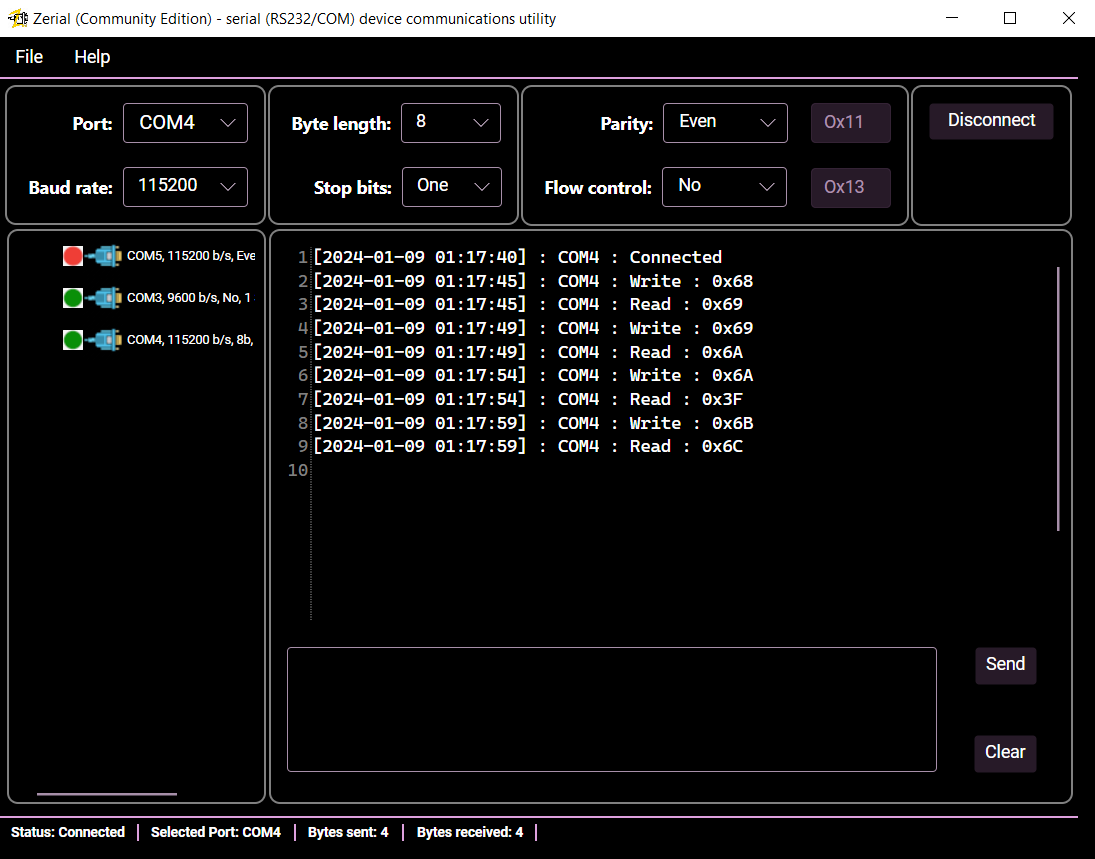
Powerful and useful GUI Cross-platform tool for interact with Serial Port (RS-232, COM) devices
A simple utility for testing and debug websocket interaction with servers
Two Verilog SPI module implementations (hard and soft) with advanced options and AXI Full Interface