ZenVox
Voice to text. Cleaned by AI. Yours to keep.
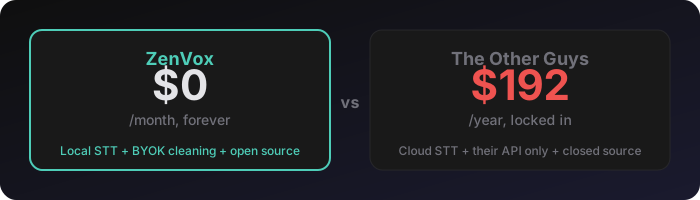
Wispr Flow charges you $16/month to wrap Whisper in a pretty UI and clean your text with an API call.
ZenVox does the same thing for $0. Whisper runs locally. Cleaning runs through your API key — Gemini free tier, Ollama on your machine, whatever you want. Your audio never leaves your computer for transcription. No subscription. No telemetry. No vendor lock-in.
Press a hotkey. Talk. It types the cleaned text wherever your cursor is. That's it. That's the app.
How it works

- Ctrl+Alt+F12 — start recording
- ZenVox listens. When you stop talking, it auto-stops (VAD silence detection — no button to click)
- Whisper transcribes your speech locally
- Your chosen LLM cleans the output — removes filler words, fixes punctuation, preserves meaning
- The cleaned text is pasted wherever your cursor was
Ctrl+Alt+F11 — re-paste the last transcription (both hotkeys are configurable)
What you get that Wispr Flow doesn't give you
|
ZenVox |
Wispr Flow |
| Price |
Free |
$8–16/month |
| Audio leaves your machine |
Never |
Yes (cloud STT) |
| Choose your own LLM |
5 providers |
Their API only |
| Use Ollama (fully local, fully private) |
Yes |
No |
| Adjustable silence timeout |
Yes |
No |
| Multiple cleaning modes |
4 presets |
1 mode |
| Bilingual FR/EN (Franglais) |
Native |
English-centric |
| Searchable history |
SQLite |
No history |
| GPU acceleration |
CUDA auto-detect |
N/A (cloud) |
| Open source |
Yes |
No |
The $0/month stack
ZenVox doesn't require any paid API. Here's what most people use:
| Component |
What |
Cost |
| Whisper (Faster-Whisper) |
Speech-to-text, runs locally |
Free |
| Gemini Flash Lite |
AI text cleaning |
Free tier (1500 req/day) |
| ZenVox |
Glues it together |
Free, forever |
If you want fully offline (zero API calls), use Ollama as your cleaning provider. Everything stays on your machine.
Features
Transcription
- Faster-Whisper with models:
tiny, base, small, large-v3-turbo
- Silero VAD — auto-stops when you stop talking. Adjustable silence timeout (default 2.5s)
- GPU acceleration — auto-detects CUDA. Falls back to CPU gracefully
- Languages: English, French, French Canadian, Auto-detect
AI Cleaning
Five LLM providers, because your voice-to-text app shouldn't lock you into one vendor:
| Provider |
Default Model |
API Key? |
| Gemini |
gemini-3.1-flash-lite-preview |
Yes (free tier works) |
| OpenAI |
gpt-4o-mini |
Yes |
| Anthropic |
claude-haiku-4-5 |
Yes |
| Groq |
llama-3.3-70b-versatile |
Yes (free tier works) |
| Ollama |
llama3.2:3b |
No (fully local) |
Four cleaning presets:
- General — removes filler words, fixes punctuation, preserves bilingual mix
- Technical — preserves camelCase, CLI flags; converts spoken symbols: "dot" →
., "slash" → /, "dash" → -, "underscore" → _, "equals" → =, "colon" → :, "open paren" → (, "close paren" → )
- Minimal — only fixes typos and capitalization, keeps everything else
- Structured — adds paragraph breaks and bullet lists from rambling speech
Bilingual / Franglais
ZenVox was built by a bilingual developer who talks like this:
"euh j'ai besoin de like checker le workflow pour voir si ca marche"
Cleaned output:
"J'ai besoin de checker le workflow pour voir si ca marche."
Other tools either butcher the French, translate everything to English, or choke on code-switching. ZenVox's cleaning prompts are specifically engineered for bilingual speech.
Output
- Auto-paste — cleaned text is typed wherever your cursor is (restores your clipboard after)
- Clipboard only — copies to clipboard, you paste when ready
- Append to file — writes timestamped entries to a text file (great for meeting notes)
Desktop Experience
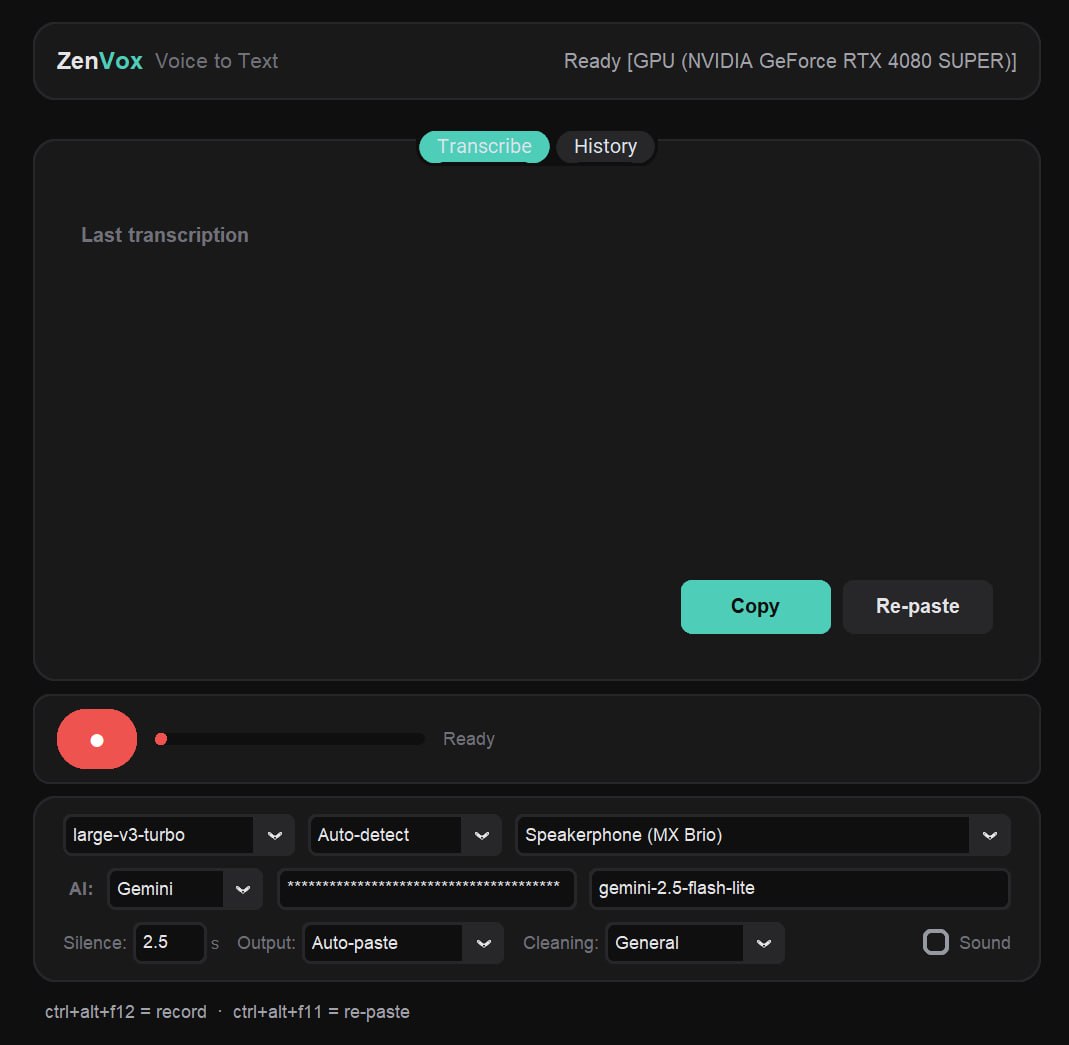

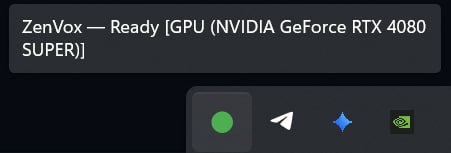
- **System tray** — lives in your taskbar, always ready
- **Floating overlay** — pill-shaped indicator at the bottom of your screen during recording/transcription (like Otter.ai)
- **Audio feedback** — optional beep on record start/stop
- **Configurable hotkeys** — change from Ctrl+Alt+F12 to whatever you want
- **History** — full searchable history with raw + cleaned text, duration, model used
- **API keys in Windows Keyring** — not sitting in a plain text config file. Falls back to DPAPI-encrypted storage if Keyring is unavailable (still user-scoped, never plaintext unless all else fails)
Quick Start
Option 1: Download the .exe (no Python needed)
Coming soon — pre-built releases will be available on the Releases page.
Option 2: Run from source
git clone https://github.com/ZenSystemAI/ZenVox.git
cd ZenVox
python install.py
That's it. The install script creates a venv, installs all dependencies, auto-detects your GPU for CUDA acceleration, builds the app icon, and creates a Start Menu shortcut.
# Then run it:
.venv\Scripts\pythonw.exe zenvox.py
# Or launch "ZenVox" from the Start Menu
Option 3: Build the .exe yourself
python install.py
build.bat
# Output: dist/ZenVox/ZenVox.exe
First run
- ZenVox opens its settings window on first launch
- Pick your Whisper model (
large-v3-turbo for best quality, base for speed)
- Pick your cleaning provider (Gemini recommended — paste your API key)
- Select your microphone
- Close the window — ZenVox lives in your system tray now
- Ctrl+Alt+F12 and start talking
Configuration
All settings are persisted in settings.json. When running as a bundled .exe, ZenVox stores its data files (settings.json, history.db, zenvox.log) in %LOCALAPPDATA%\ZenVox\ — a per-user, NTFS-protected location. When running from source, files stay next to the script. API keys are stored in Windows Credential Manager when available, falling back to DPAPI-encrypted values in settings.json.
| Setting |
Default |
What it does |
model_name |
large-v3-turbo |
Whisper model size |
lang_name |
Auto-detect |
Transcription language |
clean_provider |
Gemini |
Which LLM cleans your text |
clean_model |
gemini-3.1-flash-lite-preview |
Specific model for cleaning |
silence_timeout |
2.5 |
Seconds of silence before auto-stop |
output_mode |
Auto-paste |
Where cleaned text goes |
cleaning_preset |
General |
Which cleaning prompt to use |
hotkey_record |
Ctrl+Alt+F12 |
Start/stop recording |
hotkey_repaste |
Ctrl+Alt+F11 |
Re-paste last transcription |
audio_feedback |
false |
Beep on record start/stop |
Architecture
zenvox.py       Main app — engine, overlay, GUI, tray, hotkeys
config.py       Settings, constants, GPU detection, audio generation
providers.py    Multi-provider LLM cleaning (Gemini, OpenAI, Anthropic, Groq, Ollama)
history.py      SQLite-backed transcription history with search
install.py      One-command setup (venv + deps + GPU + shortcuts)
build.bat       PyInstaller build script
The app follows a clean separation: ZenVoxEngine (thread-safe recording/transcription/cleaning) is completely independent from ZenVoxApp (GUI/tray/hotkeys). You could use the engine headlessly if you wanted.
Requirements
- Windows 10/11 (uses Win32 hotkey registration + system tray)
- Python 3.10+ (if running from source)
- Microphone
- NVIDIA GPU (optional — for faster transcription via CUDA)
Why this exists
I was paying $16/month for Wispr Flow. Then I realized the entire product is:
- Record audio (free — your OS does this)
- Run Whisper (free — open source)
- Clean with an LLM (free — Gemini free tier)
- Paste the result (free — pyautogui)
So I built my own in a weekend. Then I added the features Wispr Flow wouldn't give me: multiple LLM providers, adjustable silence detection, cleaning presets, bilingual support, and fully local mode via Ollama.
If you're paying for voice-to-text in 2026, you're overpaying.
Built with spite, shipped with love.
Made by ZenSystem AI