VisualClaw
Official Implementation of VisualClaw: A Real-Time, Personalized Agent for the Physical World
- 57
- Python
- MIT
- 5 mo ago
Free, open-source iPhone app for L801 AI camera glasses: ask what you see, translate, listen, remember. No vendor app, no account.
Repo adrbn/iris, read from GitHub 6 h ago. adrbn has not joined Take My Repo.
adrbn/iris is a public repo on GitHub by adrbn. Free, open-source iPhone app for L801 AI camera glasses: ask what you see, translate, listen, remember. No vendor app, no account. It declares the MIT license on GitHub. It is written mainly in Swift, has 0 stars and last changed on 2026-11-15. Nobody has reviewed it on Take My Repo yet, which says nothing about its quality. Read from GitHub on 2026-11-23.
Official Implementation of VisualClaw: A Real-Time, Personalized Agent for the Physical World
Your camera glasses, without the vendor's app.
A free, open-source iPhone app for L801 AI glasses. Ask about what you see, translate, listen, remember.




English · Français
Iris talks to your glasses directly, over Bluetooth and their own Wi-Fi. Press the button on the temple and ask what you are looking at: the photo goes to the AI you chose, the answer comes back in your ears. Walk through a city and the glasses tell you about the building in front of you. Sit across from someone who speaks another language and hear them in yours.
No account, no vendor cloud, no tracking. Your photos stay on your iPhone, your keys stay in its Keychain, and the AI is the one you pick, down to a model running on your own Mac.
[!NOTE] The app speaks French for now. English is the next item on the roadmap.
| Ask what you see Press the temple or say it. The glasses take a photo, your AI looks at it, the answer plays in the glasses. Short questions stay on the iPhone with Apple's on-device model. |
A guide that walks with you GPS and Wikipedia: what is this church, this square, this statue. Told out loud in a few sentences, and it doesn't make things up. |
Translate a conversation Face to face, or simultaneous interpretation in your ears. Point at a menu or a sign and read it in your language. Apple's Translation, on the iPhone. |
| See through them Every photo and video the glasses took, with zoom and a proper player, and a live view from their camera (experimental). |
Remember the day Voice notes, a photo memory you can search ("passport", "menu"), and an evening journal your AI writes from the day. |
Part of the iPhone Battery in the Dynamic Island and in widgets, "What song is this?" with ShazamKit, and the glasses' settings in one place. |
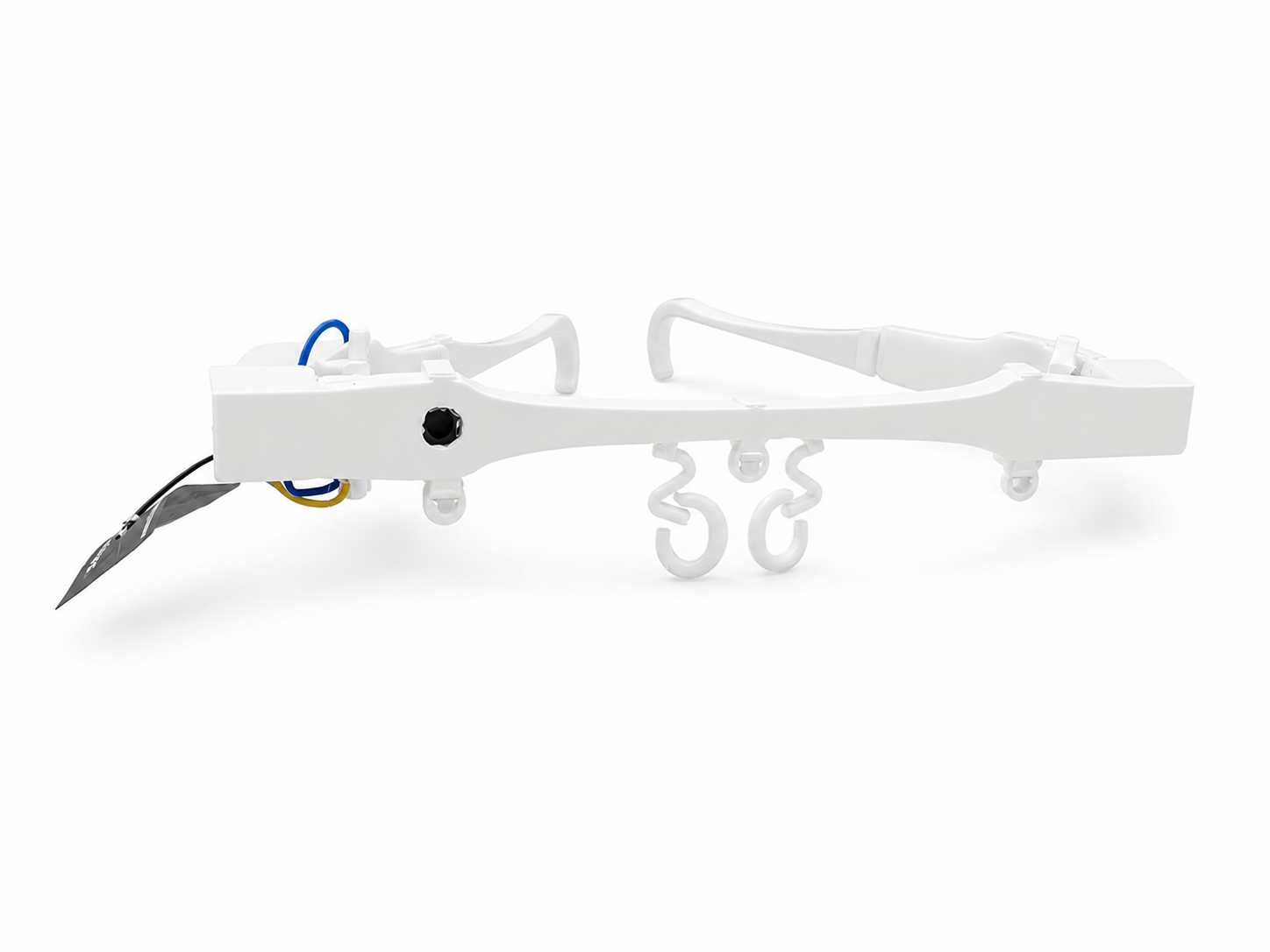
Iris works with the L801 for now, one model, tested every day. They are sold under many names (on Amazon, for example, as SINOTE'CA AI Smart Glasses). You have them if:
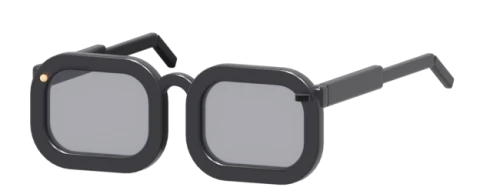
The 3D model is in assets/iris-glasses.glb, ready for any glTF
viewer. It is the same pair Iris draws on its home screen.
Other glasses built on the same chip are likely to be close. If yours look like these and Iris finds them but something is off, open an issue with the name they show in Bluetooth and the app's technical log (Settings, Technical log).
What to know:
On a Mac with Xcode 26 and an iPhone paired over Wi-Fi or USB:
git clone https://github.com/adrbn/iris && cd iris
./scripts/install.sh
No Xcode project: swiftc compiles the sources, actool the icon, codesign signs with a
development profile already on your Mac, devicectl installs. It also works when Xcode's iOS
platform is not downloaded. ./scripts/install.sh --ipa builds the unsigned IPA instead.
Iris speaks the OpenAI chat format, so any of these work. Paste a key in Settings, Iris tests it.
| Provider | Notes |
|---|---|
| Apple, on the iPhone | Free, offline, used for short text answers when available |
| OpenRouter | One key, every model |
| OpenAI, Mistral, Groq, Google Gemini | Gemini and Groq have free tiers |
| Ollama or any OpenAI-compatible server | Your own Mac or server, nothing leaves your network |
 glasses ──Bluetooth LE──▶ Iris ──▶ your AI
    │      button, voice,    │      (or Apple, on the iPhone)
    │      photos, battery   │
    └──── their Wi-Fi ───────┘
          live view, videos
AA12) with a command
characteristic (AA13), an event one (AA14: button, battery, charging) and one that
streams photos (AA15). Iris keeps the link in the background.192.168.169.1 (media over HTTP, live stream over RTSP).The sources are in Iris/, one file per feature. mac/ holds IrisLive, a small Mac app
that shows the glasses' live view on a bigger screen.
Ideas and bug reports are welcome in the issues.
MIT, see LICENSE.
Iris is an independent project. It is not affiliated with, endorsed by or supported by the makers or sellers of the L801 glasses. Names are used only to tell you which glasses work.
adrbn/iris is a public repo on GitHub by adrbn. Free, open-source iPhone app for L801 AI camera glasses: ask what you see, translate, listen, remember. No vendor app, no account.
It declares the MIT license on GitHub.
Its maker tagged it for macOS. That is declared by the maker; Take My Repo has not tested it.
Open "Take it" on its page: Take My Repo writes an install plan for your machine and hands it to your AI agent (Claude Code, Codex or Cursor), which asks you before each step. Take My Repo has not tested it on any machine.
bluetooth mesh chat, IRC vibes
Flutter makes it easy and fast to build beautiful apps for mobile and beyond
f.k.a. Awesome ChatGPT Prompts. Share, discover, and collect prompts from the community. Free and open source — self-host for your organization with complete privacy.
An open research platform for wearable sensing, nearby-device local multimodal inference, and local-first visual assistance.
Primary Git Repository for the Zephyr Project. Zephyr is a new generation, scalable, optimized, secure RTOS for multiple hardware architectures.
Its last change on GitHub was on 2026-11-15. Take My Repo does not judge from that whether it is maintained.
Nobody has reviewed it on Take My Repo yet, which says nothing about its quality.
Take My Repo cannot say: it does not audit code and has not run iris. What is known comes from GitHub. It declares the MIT license on GitHub. Its last change was on 2026-11-15. It has 0 stars, which measure popularity, not safety. Nobody has reviewed it on Take My Repo yet, which says nothing about its quality. Read the source before you run it. With "Take it", your AI agent shows each step and asks you before running it; README text is treated as data, not as instructions.