Bash-Oneliner
A collection of handy Bash One-Liners and terminal tricks for data processing and Linux system maintenance.
- 11k
- MIT
- 2 mo ago
An open research platform for wearable sensing, nearby-device local multimodal inference, and local-first visual assistance.
Repo OpenSQZ/OpenGlass, read from GitHub 1 min ago. OpenSQZ has not joined Take My Repo.
OpenSQZ/OpenGlass is a public repo on GitHub by OpenSQZ. An open research platform for wearable sensing, nearby-device local multimodal inference, and local-first visual assistance. It declares no license on GitHub. Public does not mean open source: without a license, nobody is granted the right to reuse it. It is written mainly in Python, has 51 stars and last changed on 2026-10-17. Nobody has reviewed it on Take My Repo yet, which says nothing about its quality. Read from GitHub on 2026-11-22.
An open-source research platform for local-first visual assistance, connecting lightweight first-person sensing with multimodal inference on a nearby laptop or edge host.
中文 · Setup and Run · Hardware Guide · ACL 2026 Paper · Safety & Privacy · Roadmap

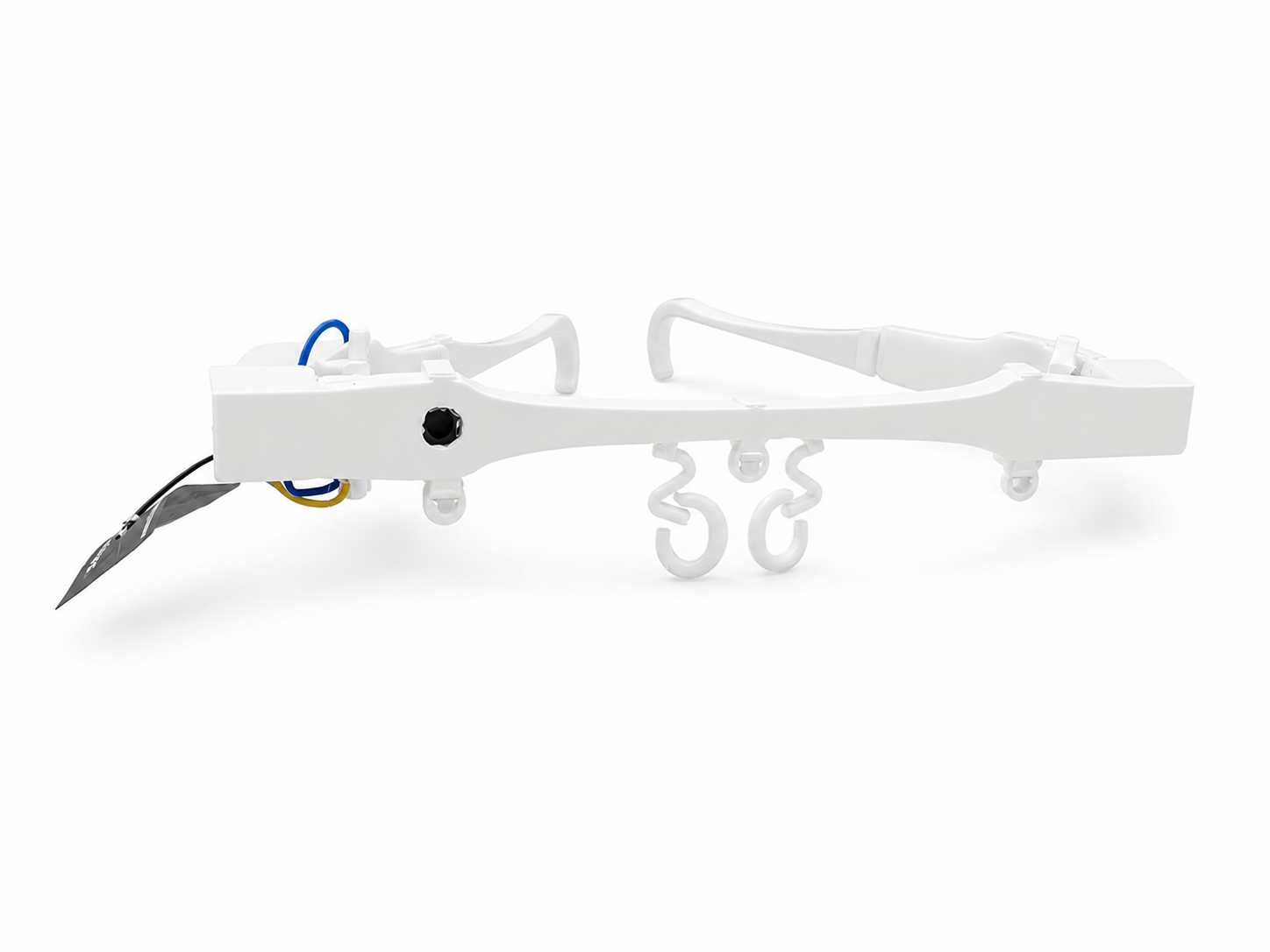
OpenSQZ Glass 3D-printed frame and sensing hardware.
The glasses capture first-person images and audio. A nearby computer runs model inference and generates speech.
OpenSQZ Glass provides wearable capture, local multimodal inference and voice interaction components for ESP32-based glasses and Rokid glasses.

System overview adapted from Figure 1 of the UbiComp/ISWC paper.
| On the glasses | On the nearby host | In this repository |
|---|---|---|
| ESP32-S3 camera and PDM microphone capture first-person context | A laptop or edge host runs ASR/VLM/TTS or MiniCPM-o locally | Firmware, host bridges, evaluation tools, experimental runtime, session replay, and hardware documentation |
The host supports MiniCPM-V with separate ASR/TTS components and MiniCPM-o multimodal conversation. The instructions below cover the MiniCPM-o panel; research references are listed under Publications.
flowchart LR
  subgraph D["Wearable sensing"]
    ESP["ESP32-S3 glasses\ncamera + microphone"]
    ROKID["Rokid\nHarness + live recording"]
    RAYNEO["RayNeo\nplanned adapter"]
  end

  ESP --> BRIDGE["OpenSQZ host bridge"]
  ROKID --> BRIDGE
  RAYNEO -.-> BRIDGE

  subgraph H["Nearby laptop / edge host"]
    BRIDGE --> CORE["Core path\nMiniCPM-V 4.5\nmodular ASR / VLM / TTS"]
    BRIDGE --> OMNI["Omni path\nMiniCPM-o 4.5\nllama.cpp-omni"]
    CORE --> OUT["Local speech output"]
    OMNI --> OUT
    BRIDGE --> SESSION["Local logs and replay"]
  end
Solid arrows indicate integrated devices; dashed arrows indicate planned adapters.
After preparing the environment and device, use the panel to start the services together. ESP32 and Rokid share the host backend; follow the device-specific branch for your glasses.
The steps below use Windows, Conda/Python and an NVIDIA GPU. Building the backend requires Visual Studio 2022 C++ Build Tools, CMake and a compatible CUDA environment. Match Python and dependency versions to your upstream checkout.
The glasses and PC must be reachable over the network. Prepare model weights, MiniCPM-o-Demo and llama.cpp-omni outside this repository.
Keep OpenGlass, MiniCPM-o-Demo and llama.cpp-omni in separate directories. The panel locates them through local configuration. The V2 startup order is llama-omni-server, worker, then gateway; the panel also starts the device adapter.
# Clone the llama.cpp-omni backend for MiniCPM-o
git clone --branch master https://github.com/tc-mb/llama.cpp-omni.git
# Build the inference server with CUDA support
cd llama.cpp-omni
cmake -B build -DCMAKE_BUILD_TYPE=Release -DGGML_CUDA=ON -DLLAMA_CURL=OFF
cmake --build build --config Release --target llama-omni-server -j
cd ..

# Clone MiniCPM-o-Demo (including worker and gateway)
git clone --branch master https://github.com/OpenBMB/MiniCPM-o-Demo.git
cd MiniCPM-o-Demo
# Install MiniCPM-o-Demo dependencies
python -m pip install -r requirements.txt
cd ..

# Clone OpenGlass
git clone https://github.com/OpenSQZ/OpenGlass.git
cd OpenGlass
# Install OpenGlass runtime dependencies
python -m pip install -r runtime/openglass_omni/requirements.txt
Store the MiniCPM-o 4.5 GGUF modules together outside the repository. The launcher passes the main model via -m; follow your llama.cpp-omni version's layout for vision, audio, TTS and Token2Wav:
MiniCPM-o-4_5-gguf/
├── MiniCPM-o-4_5-Q4_K_M.gguf
├── vision/
├── audio/
├── tts/
└── token2wav-gguf/
See the upstream prerequisites for downloads and exact filenames.
Use the same Conda environment as MiniCPM-o-Demo. From the OpenGlass root:
python -m pip install -r runtime/openglass_omni/requirements.txt
python -m pip install -r extensions/assistive_harness/phase_b/requirements-phase-b.txt
The functional dependency file also includes ESP32 image-selection components. Download the FunASR model named in the configuration example and set its directory as asr_model below.
115200 baud and note the IP assigned after connecting. Enter it in the device registry in the next step.Phone setup
Install the official Rokid AI phone app and connect your glasses. In settings, enable developer mode and authorize glasses ADB debugging.
Build and install the sensor app
Source is in rokid_app/OpenGlassRokidSensor. Install Android SDK and JDK; Gradle dependencies download during the first build.
Sensor app 0.1.3 accepts the PC address from the panel at launch. No PC IP is needed at build time; configure it locally after installation.
From the OpenGlass root:
# Connect USB and obtain the serial with adb devices -l
.\rokid_app\build_install.cmd -Sdk "<ANDROID_SDK_PATH>" -Install -Serial "<USB_SERIAL>"
Omit -Install to build only. Equivalent Gradle/ADB commands are in the sensor app guide.
Allow camera and microphone permissions and configure Wi-Fi through the device or companion app. See Troubleshooting below for installation errors. Keep USB connected for the first panel startup until wireless initialization is complete.
Run these commands from the repository root. Copy the template on first setup; edit an existing local file rather than overwriting it:
Copy-Item runtime/openglass_omni/runtime.example.json runtime/openglass_omni/runtime.local.json
Set your local paths:
| Key | Value |
|---|---|
minicpm_demo_root |
MiniCPM-o-Demo directory containing worker.py and gateway.py |
llama_server |
Built llama-omni-server.exe |
llama_model |
Main GGUF model |
asr_model |
Local FunASR model directory |
conda_env |
Named environment; leave empty to use the externally activated environment |
The panel loads runtime.local.json at startup. Restart it after configuration changes; use the default ports for initial setup.
ESP32 device registry
Copy-Item examples/configs/devices.example.json runtime/openglass_omni/devices.json
Fill in the device name, esp32_host obtained above, HTTP port and clockwise camera rotation rotate (0, 90, 180 or 270).
Rokid settings
Add or update these fields in the complete local configuration:
{
  "rokid_mode": "wifi",
  "rokid_adb": "<ADB_EXE_ABSOLUTE_PATH>",
  "rokid_serial": "",
  "rokid_adb_addr": "",
  "rokid_pc_url": "http://<PC_LAN_IP>:18080"
}
Use ipconfig to find the PC IPv4 reachable from the glasses. rokid_pc_url is the PC ingest address; rokid_adb_addr is the glasses wireless debugging address, established and saved by the panel. With one pair of glasses, rokid_serial can be empty.
After changing networks, configure Wi-Fi on the glasses, update the local PC URL and restart the panel. The panel enables Wi-Fi and reconnects a saved network.
Activate the prepared Conda environment and run from the OpenGlass root:
python glasses_panel.py
Choose a mode and, for ESP32, a device. Click Start All; the panel waits for each service in sequence:
llama-omni-server :22500 → worker :22400 → gateway :8006
                                            ├─ ESP32 basic adapter
                                            └─ Harness :8021 → ESP32 / Rokid functional adapter
Live view :8080; Rokid sensor input :18080
Open the live view, confirm that frames update and speak to test a response.
First Rokid wireless setup: keep USB attached while the panel enables Wi-Fi, waits for an address, connects wireless ADB and launches the sensor. Unplug after logs confirm wireless ADB and both image/audio input work. If initialization fails, keep USB attached and check glasses Wi-Fi.
Optional: play audio through Rokid glasses. Pair your Rokid glasses with the PC over Bluetooth and select them as the audio output device before starting the panel. This can reduce speaker audio being picked up again by the glasses’ microphone.
Later panel or PC restarts reuse the saved address. If a glasses restart breaks wireless access, follow Troubleshooting below.
Click Stop All when finished and wait for session cleanup and recording export before closing the window. See the startup guide for details.
| Menu entry | Function |
|---|---|
| ESP32基础对话 | Basic ESP32 multimodal conversation, without Harness or image selection. |
| ESP32功能对话 | Harness voice control and image quality filtering; rejection does not automatically pause conversation or play a warning. |
| Rokid功能对话 | Rokid input and Harness voice control, without the ESP32 image-selection funnel. |
Harness provides pause, resume, restart and skills such as object finding, text reading and scene description. Activation phrases and task prompts are configurable.
Activation phrases determine which utterances trigger controls or skills. Copy the example, edit the local file and restart Harness:
Copy-Item runtime/openglass_omni/voice_commands.example.yaml runtime/openglass_omni/voice_commands.local.yaml
Skill prompts determine how the model performs a task. Edit files such as find_object_zh.txt and read_text_zh.txt in prompts, then reactivate the skill or create a new session.
Panel idle-chat prompts come from CONFIG["presets"] in panel.py. The Rokid --prompt overrides idle_chat_zh.txt; editing only that file may not change panel chat behavior.
Use --record-live with --ui-port 8080 in the Rokid command. Recordings go to live_sessions/rokid_<timestamp>/; --live-record-dir changes the parent directory.
Normal stop saves user/model WAV files, closes services and exports live_session.mp4 using FFmpeg on PATH. Without FFmpeg, WAV and images remain available. Left/right channels contain user/model audio respectively.
Live view: http://localhost:8080/. Replay: http://localhost:8080/replay, while the corresponding UI service is running. ESP32 recording and command-line replay are described in the runtime guide.
Audio is written on stop. Use the page stop button or panel Stop All and wait for export to finish.
Frame designs, print files and materials:
Use STEP to modify the frame, 3MF for the print layout and the BOM for component selection.
OpenGlass/
├── glasses_panel.py                 # Panel entry
├── runtime/openglass_omni/          # Panel, device startup, configuration and guides
├── rokid_app/                      # Sensor app source and build/install scripts
├── extensions/assistive_harness/    # ASR, controls, prompts and device adapters
├── CameraWebServer_PDM_Audio/       # ESP32 camera/PDM firmware
├── eval_benchmark/                 # Evaluation and latency scripts
├── hardware/                       # CAD, BOM and assembly
├── papers/                         # Publications
├── docs/                           # Architecture and roadmap
└── examples/configs/               # Configuration examples
For not allow package install!, check companion-app developer mode and glasses debugging/install authorization.
For INSTALL_FAILED_UPDATE_INCOMPATIBLE, use the original signing key to build the update, or uninstall the old collector if its data is no longer needed. Uninstallation clears its settings and permissions; grant camera/microphone permissions again after installing.
Reconnect USB, authorize debugging and start from the panel. It enables Wi-Fi, waits for the saved network and re-establishes wireless ADB. Reinstalling the sensor app is unnecessary.
For Rokid, inspect image_count and audio_packets_in at http://127.0.0.1:18080/health. If both remain zero, check glasses networking, the PC URL and Windows inbound TCP 18080 rules for the active Python executable.
For ESP32, compare devices.json with the IP printed by the firmware and confirm network connectivity.
Look for live_user.wav, live_ai.wav and images. If present, run ffmpeg -version in the panel terminal and inspect recording logs for export errors. If WAV files are also missing, check whether the process stopped normally: force-killing can lose audio still in memory.
When the backend exits, restart the full service chain; reconnecting the glasses alone will not restore inference:
The ACL 2026 paper describes OpenGlass's sensing-computing split architecture and visual assistance applications.
ACL Anthology · PDF · DOI
@inproceedings{li2026openglass,
  title={OpenGlass: A Sensing-Computing Split Architecture for Local MLLM-Driven Real-Time Visual Assistance},
  author={Li, Mengzhang and Yao, Yuan},
  booktitle={Proceedings of the 64th Annual Meeting of the Association for Computational Linguistics (Volume 3: System Demonstrations)},
  pages={829--839},
  year={2026}
}
OpenSQZ Glass is licensed under Apache License 2.0.
Issues and pull requests are welcome at OpenSQZ/OpenGlass. For runtime issues, include the device model, environment, versions, reproduction steps and incident time, together with relevant excerpts from the panel, device adapter (Rokid or ESP32), Harness, gateway, worker and llama logs for that period. Remove credentials and personal information before sharing.
OpenSQZ/OpenGlass is a public repo on GitHub by OpenSQZ. An open research platform for wearable sensing, nearby-device local multimodal inference, and local-first visual assistance.
It declares no license on GitHub. Public does not mean open source: without a license, nobody is granted the right to reuse it.
Its maker tagged it for Windows. That is declared by the maker; Take My Repo has not tested it.
Open "Take it" on its page: Take My Repo writes an install plan for your machine and hands it to your AI agent (Claude Code, Codex or Cursor), which asks you before each step. Take My Repo has not tested it on any machine.
Its last change on GitHub was on 2026-10-17. GitHub counts 5 open issues and pull requests. Take My Repo does not judge from that whether it is maintained.
A collection of handy Bash One-Liners and terminal tricks for data processing and Linux system maintenance.
Nobody has reviewed it on Take My Repo yet, which says nothing about its quality.

Awesome Pretrained Chinese NLP Models,高质量中文预训练模型&大模型&多模态模型&大语言模型集合
The agent harness performance optimization system. Skills, instincts, memory, security, and research-first development for Claude Code, Codex, Opencode, Cursor and beyond.
Cook up amazing AI applications effortlessly with MiniCPM / MiniCPM-V / MiniCPM-o
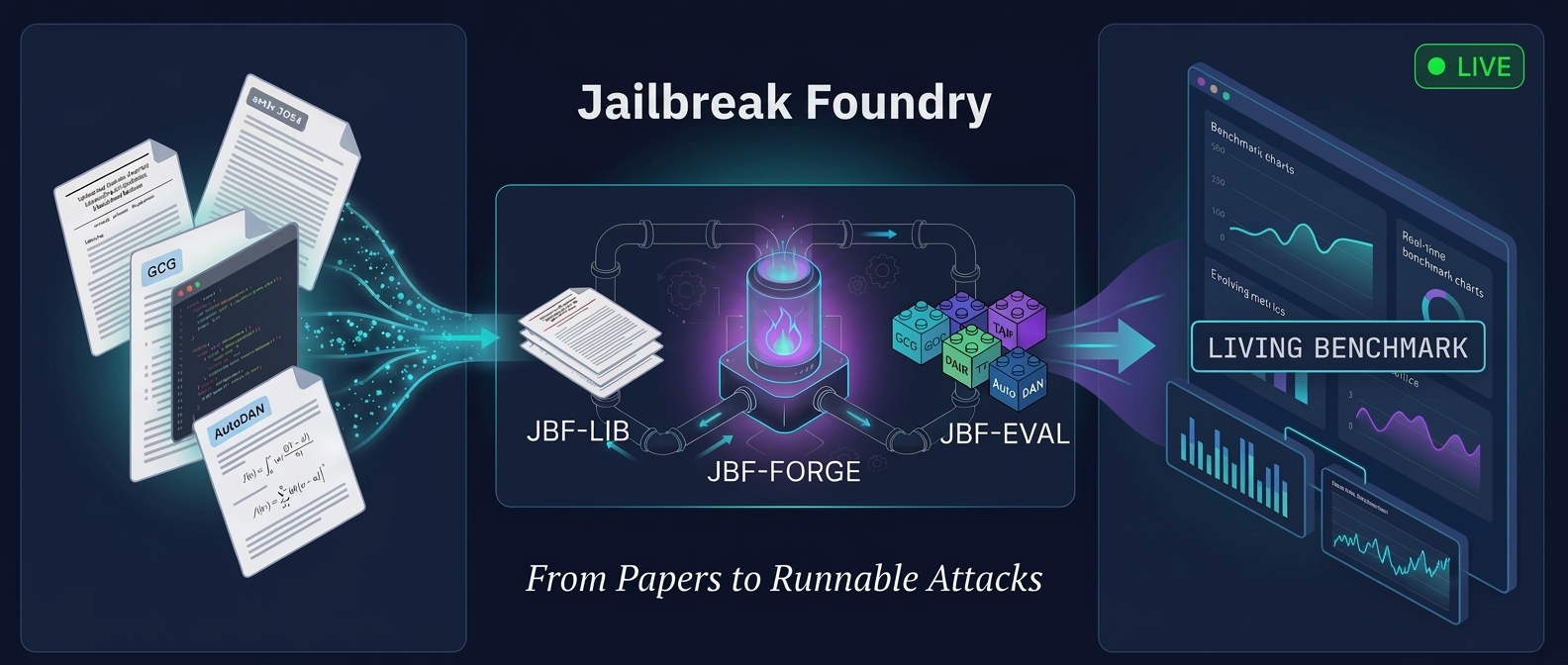
A system that turns jailbreak papers into runnable attacks and benchmarks — live, as research evolves.
A machine learning-enhanced automatic theorem prover for the Coq formal proof system