BackwardCompatibilityCheck
:ab: Tool to compare two revisions of a class API to check for BC breaks
- 605
- PHP
- MIT
- 22 h ago
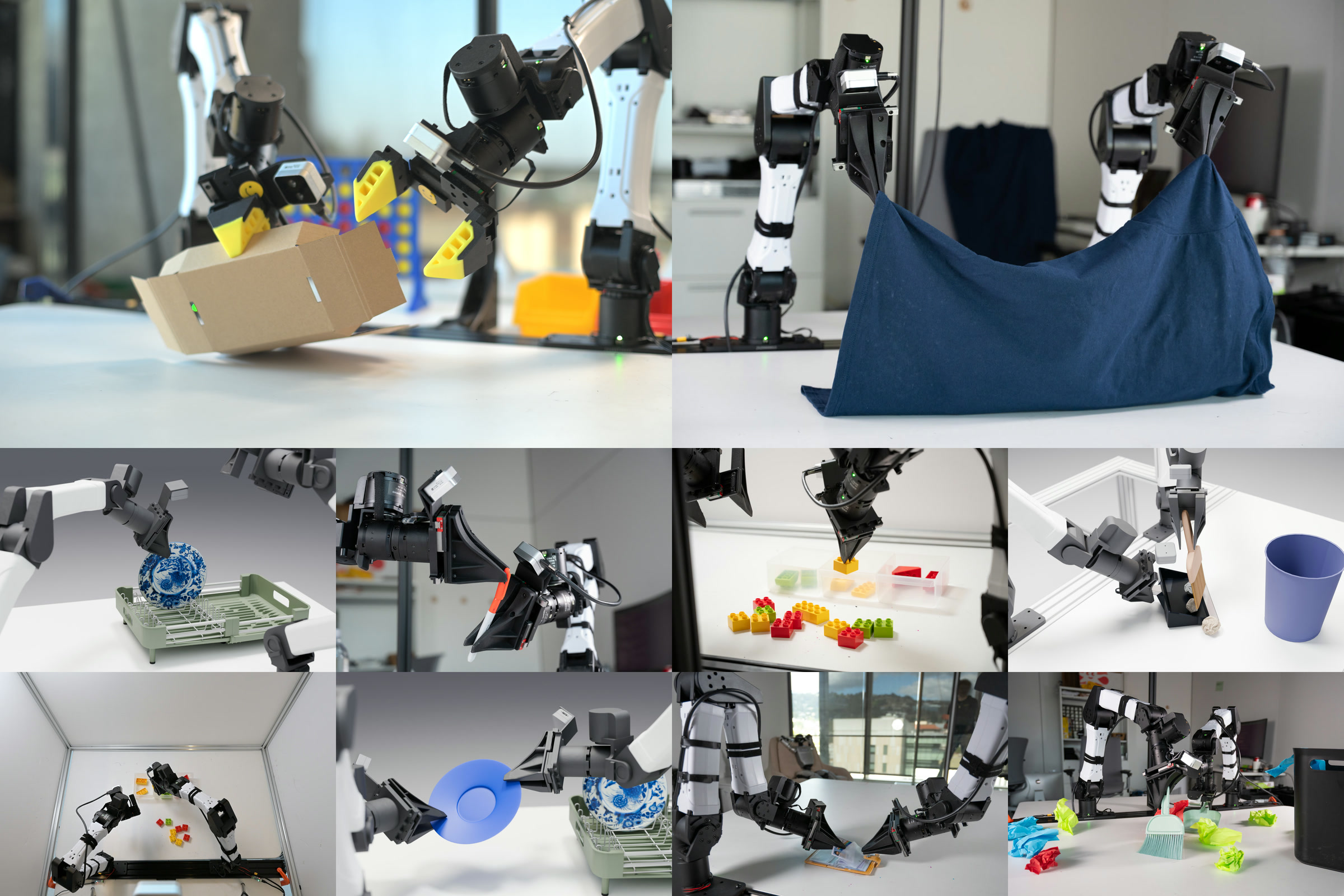
ABC: Scalable Behavior Cloning with Open Data, Training, and Evaluation
Repo amazon-far/abc, read from GitHub 16 h ago. amazon-far has not joined Take My Repo.
amazon-far/abc is a public repo on GitHub by amazon-far. ABC: Scalable Behavior Cloning with Open Data, Training, and Evaluation. It declares the Apache-2.0 license on GitHub. It is written mainly in Python, has 401 stars and last changed on 2026-09-26. Nobody has reviewed it on Take My Repo yet, which says nothing about its quality. Read from GitHub on 2026-11-25.
:ab: Tool to compare two revisions of a class API to check for BC breaks
Project Website | Paper | Raw Data
Code for the ABC project.
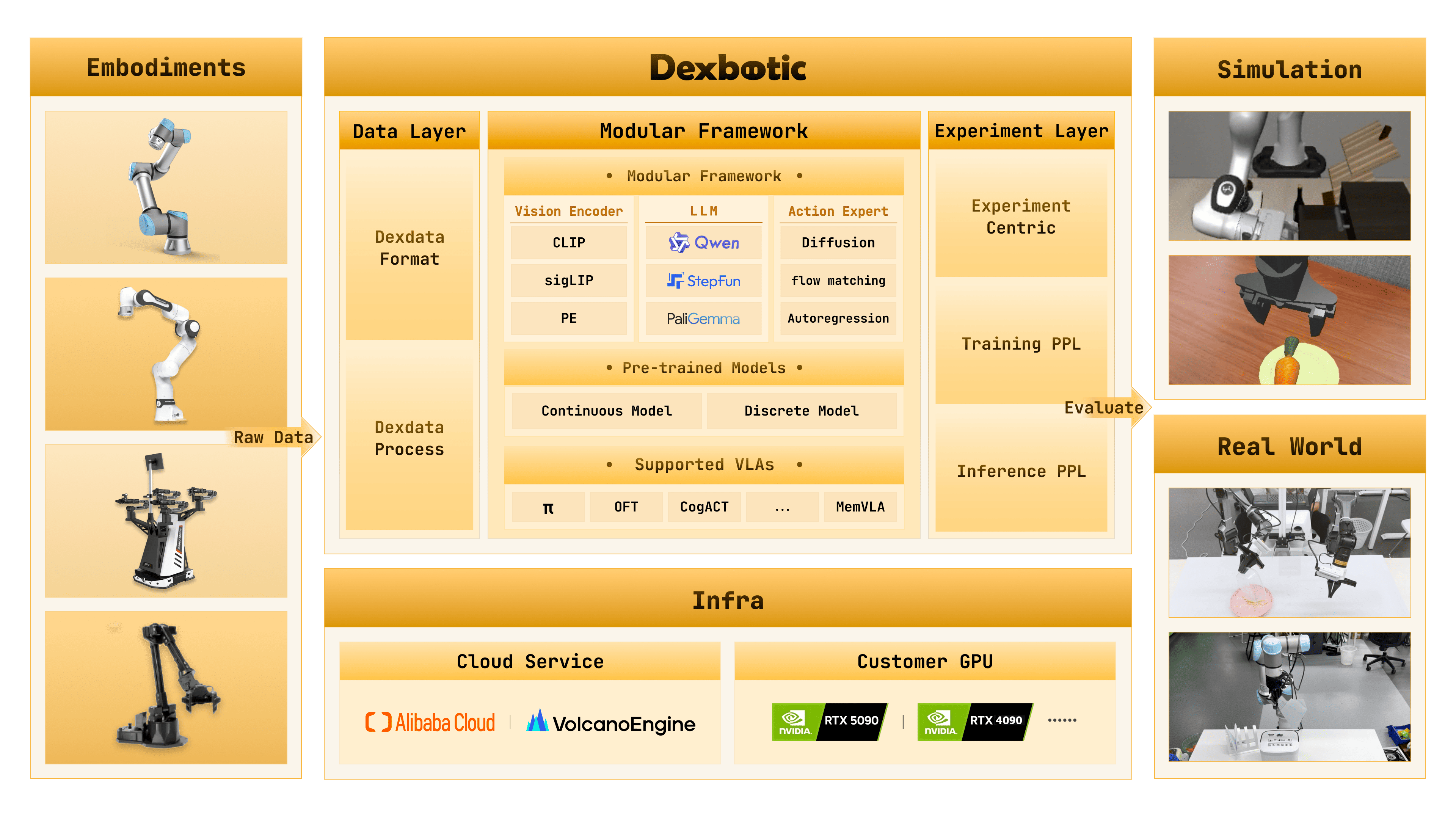
This release includes ABC-DiT and ABC-VLA training, pretrained and
task-finetuned checkpoints, simulation and evaluation tools, real-robot
deployment, and data conversion utilities. Use prepare.py --sim-data-list
to see the currently published simulation datasets and
prepare.py --sim-bundle-list to browse available evaluation bundles.
This README covers setup, a short evaluation smoke test, and training. The package READMEs below hold the full reference for their areas.
| Package | What it holds |
|---|---|
abc_minimal/ |
ABC models, dataloader, training loop, policy inference, episode tools |
abc_sim/ |
self-contained simulator: MuJoCo scenes, task catalogue, randomization, evaluators, Gym API, sim eval |
deploy/ |
real-robot deployment: local/remote inference, RTC, teleop, DAgger, recording |
| GELLO hardware | printable parts, bill of materials, and assembly guide |
train.py, eval_policy.py, viz_episode.py, viz_policy.py, and prepare.py at the root are the entrypoints; scripts/ holds the data conversion utilities.
The training and default GPU evaluation commands below target Linux with an
NVIDIA GPU and a driver compatible with CUDA 12.8 (the pinned PyTorch build).
Use Python 3.12. The reference DiT training run uses 8 H100/H200 GPUs with
80 GB VRAM each; reduce the GPU count and per-GPU --batch-size for smaller
machines. Minimum evaluation VRAM has not been established.
# Install uv if you don't have it.
curl -LsSf https://astral.sh/uv/install.sh | sh
# Install ffmpeg.
sudo apt-get install -y ffmpeg     # on Linux
git clone https://github.com/amazon-far/abc.git
cd abc
# Pin Python and create the project venv. uv reads pyproject.toml here.
uv python pin 3.12
uv sync
After setup, download the bottles checkpoint (~8.1 GB), preview data, and its simulation assets, then run one short rollout on a single NVIDIA GPU:
uv run prepare.py --checkpoint
uv run eval_policy.py \
    --checkpoint "${ABC_CACHE:-cache}/bottles_75k.pt" \
    --num-worlds 1 --num-chunks 2 --no-fast-inference \
    --save-video --video-every-n-actions 15
The checkpoint includes its vision backbone and normalization statistics; no separate DINO weight download is needed for this evaluation. The first launch compiles MJWarp CUDA kernels (approximately one minute); download and rollout times depend on your connection and GPU. This short run skips the optional inference compilation.
Expect summary.json and a world_*.mp4 video under
outputs/sim_eval_put_plastic_bottles_in_bin/. Completing the run checks
checkpoint loading, rendering, and policy inference. Two action chunks are
too short to measure task success; use the full evaluation
instructions for that.
First we need to download the requisite data (norm stats and either a sample or full data.)
uv run prepare.py            # preview (a few episodes of data, ~130MB)
uv run prepare.py --full     # all data for bottles in bin (~35GB)
uv run prepare.py --checkpoint  # add to also pull the pretrained 75k policy (~8.1GB)
uv run prepare.py --sim-data sim_spell_abc  # one sim task's episodes + its assets (--sim-data-list to browse)
This populates the cache dir (default cache/, or ABC_CACHE if set) with:
cache/
  norm_stats.json                       # state/action z-score stats
  train_real/episode_<uuid>/{states_actions.bin, combined_camera-images-rgb.mp4, episode_metadata.json}
  val_real/...
  train_sim/...
  val_sim/...
Set ABC_CACHE=/path/to/cache before running commands if you want the cache
outside the repository.
:warning: Note: prepare.py does not download DINO weights. Review and follow the DINO license terms, then download the weights from Meta or Hugging Face. Save the file as dinov3_vitb16_pretrain_lvd1689m.pth in the cache dir. :warning:
The command to run training is below. Note that this is for single node training with 8 GPUs, change nproc-per-node if you want.
uv run torchrun --standalone --nproc-per-node 8 train.py

# Resume from a local checkpoint, including optimizer/scheduler and data stream position.
uv run torchrun --standalone --nproc-per-node 8 train.py --resume-from cache/finetune_checkpoints/last.pt
The dataclass config is exposed as CLI flags; uv run python train.py --help shows training, optimizer, flow, CLIP asset, and model options. The default model config is the checkpoint-compatible ABC-DiT XL shape.
If you pulled with --full above, this checkpoint is expected to work for the bottles in bin task in both sim and real. The performance should be similar to this.
Training defaults in abc_minimal/config.py match the production reference finetune (lr 1e-4 with a 1k-step linear warmup, AdamW(0.9, 0.95), wd 0.01, grad clip 10, prefix conditioning max 8 with noise 0.05, 10% state masking, batch 90/GPU, 75k steps, hours-weighted 2-component mixture).
If you have fewer GPUs than 8 you need to reduce nproc per node or if you have less than 80Gb of VRAM you may need to reduce --batch-size. The above training yields ~2.6-3 iterations / sec on H100/H200. It achieves a training loss of ~`0.048after 75k steps. The DiT policy also supports a CLIP ViT-B/16 vision backbone (in place of DINOv3) via--model.vision-backbone clip`.
A diffusion-only port of the Gemma 3 VLA: Gemma 3 4B with SigLIP at 224x224, one selectable Gemma feature layer, QK-normalized learned-query pooling, a state token plus optional direct state conditioning, and a small AdaLN DiT head. FAST tokens and the alternative conditioners are not included. VLA training supports FSDP with the restrictions described below.
Training from the Gemma base needs Google's gemma_pytorch checkpoint
(google/gemma-3/pyTorch/gemma-3-4b-pt on Kaggle, under the Gemma Terms of Use);
the Hugging Face format is not compatible. Select the policy with --policy vla:
uv run torchrun --standalone --nproc-per-node 8 train.py \
    --policy vla \
    --vla-model.backbone.checkpoint /path/to/gemma3_4b_pt.pt \
    --flow.num-diffusion-draws 4
The --prompt.* subtask and operator options apply to the VLA as to the DiT;
neither has been validated for it. --fsdp shards parameters, gradients, and
Adam state across the ranks instead of replicating them, roughly halving
per-GPU memory on two GPUs. Launch with torchrun --nproc-per-node greater
than 1; --fsdp is VLA-only and cannot be combined with --compile-siglip.
To finetune from a released checkpoint instead of training from scratch, download the parent and pass --load-pretrained (fresh optimizer, step 0).
# Pulls cache/abc_dit_xl_200k_model.pt (~8.1 GB)
uv run prepare.py --pretrained
uv run train.py --load-pretrained
--pretrained-ckpt-name picks the checkpoint file inside the cache dir (default
abc_dit_xl_200k_model.pt, which is what --pretrained downloads). Use
--model.vision-backbone clip when the parent is a CLIP-DiT checkpoint; DINOv3
is the default.
The same weights-only path works for VLA checkpoints and needs no Gemma base:
uv run prepare.py --vla-pretrained

uv run train.py \
    --policy vla \
    --load-pretrained \
    --pretrained-ckpt-name vla_abc130k_200000_v2.pt
--vla-pretrained fetches the recommended abc130k step-200000 parent, verifies
its checksum, and installs the assets for its five sim tasks;
--vla-pretrained-family {abc130k,200k} and --vla-pretrained-step {50000,100000,200000} select the others (the 200k family trained on xdof only).
The v2 files embed norm stats and architecture metadata, which is checked against
the CLI config before strict loading; --resume-from is only for a stateful
continuation.
Multi-node training, the episode data format, and prompt conditioning options are documented in the abc_minimal README.
To download and view particular tasks from the sim data, and visualise the episodes, use the following
uv run prepare.py --sim-data-list # list possible tasks
uv run prepare.py --sim-data conveyor_pick # download one from the list
uv run viz_episode.py --root cache/train_sim --port 8080 # visualise data
The replay modes (pose playback vs physics re-simulation) are described in the abc_minimal README.
eval_policy.py evaluates a checkpoint on the abc_sim/ task catalogue: one
you trained yourself (cache/finetune_checkpoints/last.pt) or a released one:
# bottles_75k.pt: the 75k-step bottles-only policy, with norm_stats.json and the preview tar.
uv run prepare.py --checkpoint

# abc_dit_xl_200k_model.pt: the multi-task DiT parent.
uv run prepare.py --pretrained

# vla_abc130k_200000_v2.pt: the VLA parent, with its five tasks' assets.
uv run prepare.py --vla-pretrained

# A per-task finetune at its recommended step, sha-verified, with its eval command
# printed. --sim-checkpoint-list shows the catalogue with results;
# --sim-checkpoint-full-state fetches the ~24 GB training-state file instead.
uv run prepare.py --sim-checkpoint pour
Every download installs the sim assets its checkpoint needs and prints eval and
viewer commands. Both tools use the prompt each checkpoint trained under, so
--sim.prompt and --sim.checkpoint are only for overrides.
To watch a policy live in a viser window at localhost:8080, prepare its task
bundle once (the assets plus the recommended model-only checkpoint, no episode
data), then select the task in the viewer. Every task has a DiT bundle and a
vla_ bundle; --sim-bundle-list shows all of them with their results, and
--sim-force refreshes a cached manifest:
uv run prepare.py --sim-bundle-list
uv run prepare.py --sim-bundle put_plastic_bottles_in_bin
uv run prepare.py --sim-bundle vla_lego_blocks_sorting
uv run viz_policy.py --sim.task put_plastic_bottles_in_bin --port 8080
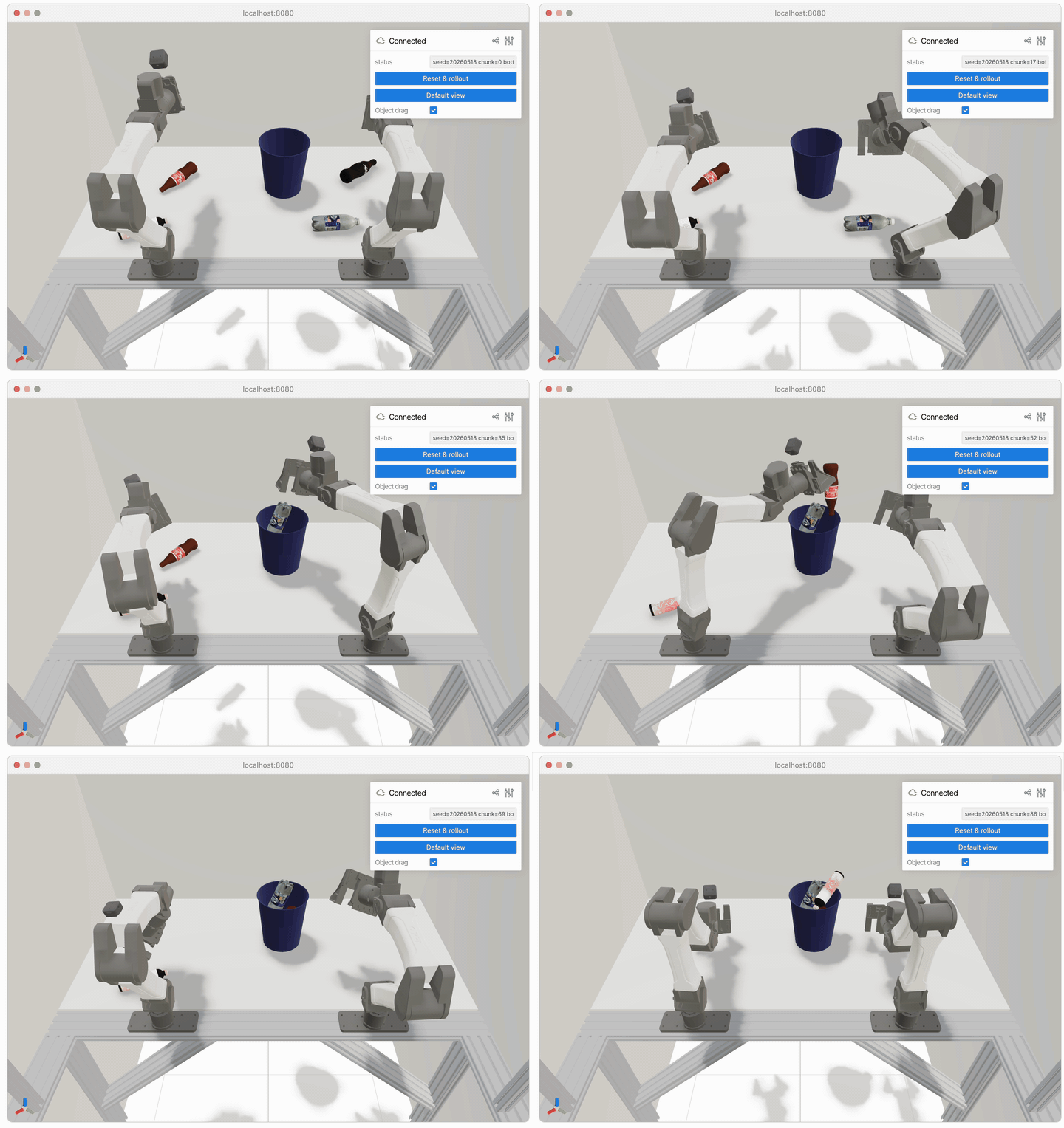
To run the evaluation, download the sim assets once (uv run prepare.py --sim;
the first launch also compiles MJWarp's CUDA kernels, ~1 min):
# 20 worlds, save a video of each rollout, log per-chunk progress.
uv run eval_policy.py \
    --checkpoint cache/bottles_75k.pt \
    --num-worlds 20 \
    --save-video --video-every-n-actions 15 --log-every-chunk

# Output: $REPO/outputs/sim_eval_put_plastic_bottles_in_bin/
#   summary.json     — success_rate, num_success, mean_reward,
#                      mean_max_progress, mean_max_bottles_in_bin
#   world_*.mp4      — per-world rollout videos (with --save-video)

# 100 worlds stepped together in MJWarp physics (see the abc_sim README).
uv run eval_policy.py \
    --checkpoint cache/bottles_75k.pt \
    --num-worlds 100 --parallel-worlds 100 \
    --randomization '{"bottle_count": 6, "randomize_variants": false, "randomize_scales": false}'
Any catalogue task is selected by name with --task. The task list, eval
flags, prompt defaults, and the released checkpoints' expected numbers are all
documented in the abc_sim README.
The deployment stack, including RTC, teleoperation, and recording, is
documented in deploy/README.md. Install its optional
hardware dependencies with uv sync --extra deploy. Our five real-robot
DAgger checkpoints download with
uv run prepare.py --dagger-checkpoint <name>.
The quickstart real-data download covers the bottles task; simulation data for
additional tasks is available through prepare.py --sim-data-list. To prepare
other real-data tasks, the ABC-130k MCAPs are hosted on Hugging Face at
XDOF/ABC-130k (the dataset
is gated, so accept access on the dataset page and set HF_TOKEN). Download
all MCAPs for one task and convert them in place:
uv run scripts/export_hf_task.py --task organize_the_condiment_bottles
amazon-far/abc is a public repo on GitHub by amazon-far. ABC: Scalable Behavior Cloning with Open Data, Training, and Evaluation.
It declares the Apache-2.0 license on GitHub.
Its maker tagged it for Linux. That is declared by the maker; Take My Repo has not tested it.
Open "Take it" on its page: Take My Repo writes an install plan for your machine and hands it to your AI agent (Claude Code, Codex or Cursor), which asks you before each step. Take My Repo has not tested it on any machine.
Its last change on GitHub was on 2026-09-26. GitHub counts 21 open issues and pull requests. Take My Repo does not judge from that whether it is maintained.
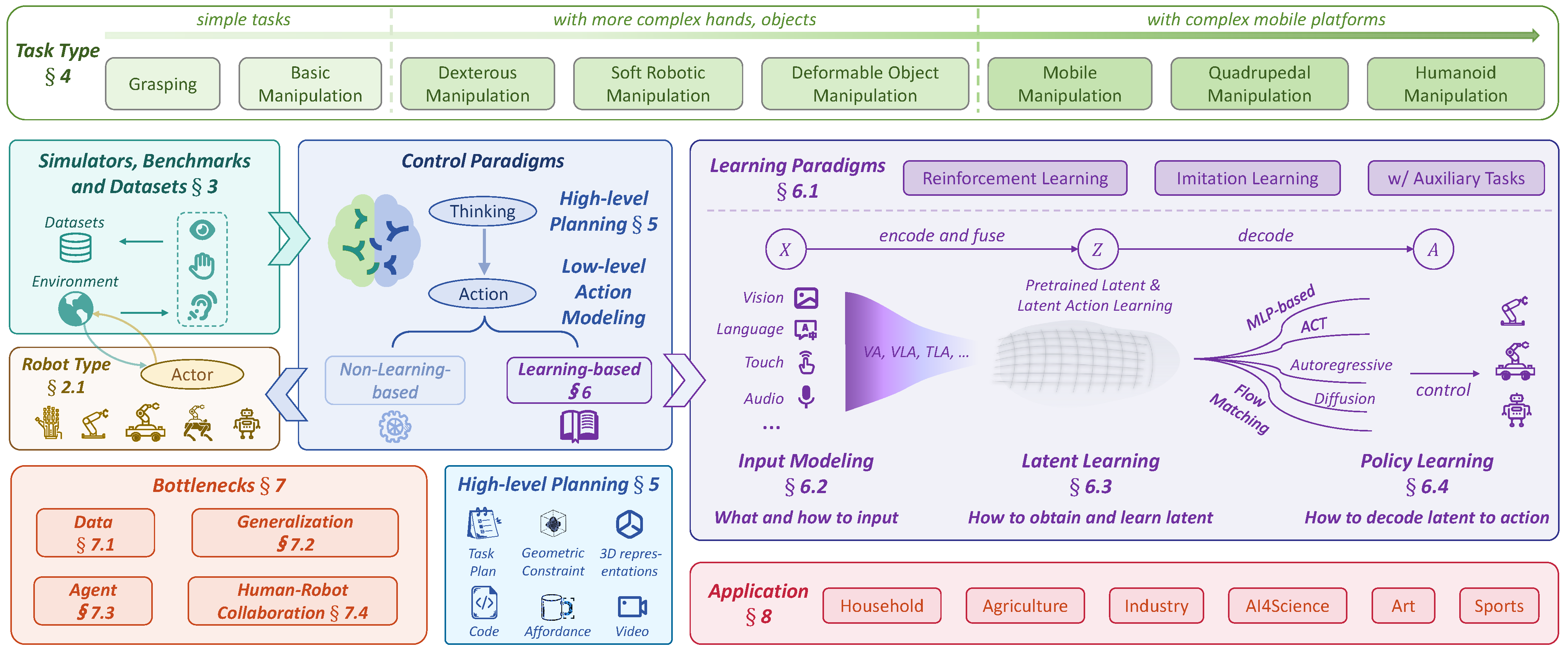
A comprehensive list of papers about Robot Manipulation, including papers, codes, and related websites.
:house_with_garden: Open source home automation that puts local control and privacy first.
π RuView turns commodity WiFi signals into real-time spatial intelligence, vital sign monitoring, and presence detection — all without a single pixel of video.
Nobody has reviewed it on Take My Repo yet, which says nothing about its quality.
Take My Repo cannot say: it does not audit code and has not run abc. What is known comes from GitHub. It declares the Apache-2.0 license on GitHub. Its last change was on 2026-09-26. It has 401 stars, which measure popularity, not safety. Nobody has reviewed it on Take My Repo yet, which says nothing about its quality. Read the source before you run it. With "Take it", your AI agent shows each step and asks you before running it; README text is treated as data, not as instructions.