SlipNet
Android VPN client with DNS tunneling (DNSTT, NoizDNS & Slipstream), NaiveProxy, SSH, Tor, and DoH support — featuring a built-in DNS scanner.
- 1.6k
- C
- AGPL-3.0
- 3 wk ago
⏺ SlipGate — Unified tunnel manager for Linux servers. Deploys and manages DNS tunnels (DNSTT, NoizDNS, Slipstream) and HTTPS proxies (NaiveProxy) with systemd integration, multi-tunnel DNS routing, user management, and one-tap client sharing via slipnet:// URIs.
Repo anonvector/slipgate, read from GitHub 21 h ago. anonvector has not joined Take My Repo.
anonvector/slipgate is a public repo on GitHub by anonvector. ⏺ SlipGate — Unified tunnel manager for Linux servers. Deploys and manages DNS tunnels (DNSTT, NoizDNS, Slipstream) and HTTPS proxies (NaiveProxy) with systemd integration, multi-tunnel DNS routing, user management, and one-tap client sharing via slipnet:// URIs. It declares the AGPL-3.0 license on GitHub. It is written mainly in Go, has 461 stars and last changed on 2026-11-03. Nobody has reviewed it on Take My Repo yet, which says nothing about its quality. Read from GitHub on 2026-11-21.
In the maintainer's words. Shown from GitHub; Take My Repo does not keep a copy.
Unified tunnel manager for Linux servers. Manages DNS tunnels (DNSTT, NoizDNS, Slipstream, VayDNS, Soar) and HTTPS proxies (NaiveProxy) with systemd services, multi-tunnel DNS routing, and user management. Designed for use with the SlipNet Android VPN app.
slipnet:// URIs for one-tap app importOne-liner install:
curl -fsSL https://raw.githubusercontent.com/anonvector/slipgate/main/install.sh | sudo bash
Or build from source:
git clone https://github.com/anonvector/slipgate.git
cd slipgate
make build
sudo ./slipgate install
Offline install (SCP to server):
Download the binaries you need from the latest release:
# On your local machine — download binaries
mkdir slipgate-bundle && cd slipgate-bundle
curl -LO https://github.com/anonvector/slipgate/releases/latest/download/slipgate-linux-amd64
curl -LO https://github.com/anonvector/slipgate/releases/latest/download/dnstt-server-linux-amd64
curl -LO https://github.com/anonvector/slipgate/releases/latest/download/slipstream-server-linux-amd64
curl -LO https://github.com/anonvector/slipgate/releases/latest/download/caddy-naive-linux-amd64

# SCP to server
scp * user@server:/tmp/slipgate/

# On the server
chmod +x /tmp/slipgate/*
sudo cp /tmp/slipgate/slipgate-linux-amd64 /usr/local/bin/slipgate
sudo slipgate install --bin-dir /tmp/slipgate
Then launch the interactive menu:
sudo slipgate
slipgate                        # Interactive TUI menu
slipgate install                # Install dependencies and configure server
slipgate uninstall              # Remove all services, configs, and binaries
slipgate update                 # Self-update and restart all services
slipgate restart                # Restart all services (DNS router, tunnels, SOCKS)
slipgate backup [file]          # Back up config, keys and users (file, or text to copy-paste)
slipgate restore [file]         # Restore a backup on this server ("-" reads stdin)
slipgate users                  # Manage SSH/SOCKS users and view configs
slipgate users add              # Add a single user
slipgate users bulk_add         # Add multiple users in one batch (random creds, up to 500)
slipgate users remove           # Remove a user
slipgate users list             # List users and their per-tunnel configs
slipgate users configs          # Show every slipnet:// config (all tunnels and users, incl. no-login Soar)
slipgate stats                  # Live dashboard (CPU, RAM, traffic, connections, tunnels)
slipgate diag                   # Run diagnostics (services, ports, keys, DNS, boot status)
slipgate mtu [value]            # Set MTU for all DNSTT/NoizDNS/VayDNS tunnels at once

# Tunnel management
slipgate tunnel add             # Add tunnel(s) — supports multi-select and "both" backend
slipgate tunnel edit [tag]      # Edit tunnel settings (tag, MTU, keys)
slipgate tunnel remove [tag]    # Remove a tunnel
slipgate tunnel remove --all    # Remove all tunnels at once
slipgate tunnel start [tag]     # Start a tunnel
slipgate tunnel stop [tag]      # Stop a tunnel
slipgate tunnel status          # Show all tunnel statuses
slipgate tunnel status [tag]    # Show tunnel details (keys, MTU, port)
slipgate tunnel share [tag]     # Generate slipnet:// URI for clients
slipgate tunnel logs [tag]      # View tunnel logs

# DNS routing
slipgate router status          # Show DNS routing config
slipgate router mode            # Switch between single/multi mode
slipgate router switch          # Change active tunnel (single mode)

# Configuration
slipgate config export          # Print config.json (no keys; use backup to move a server)
slipgate config import [path]   # Replace config.json (no keys)
slipgate config address [ip]    # Public IP or hostname for StunTLS/SSH/SOCKS5 configs ("auto" to detect)

# Internal (used by systemd services)
slipgate dnsrouter serve        # Start DNS router
slipgate socks serve            # Start built-in SOCKS5 proxy
slipgate stuntls serve          # Start StunTLS proxy
All commands support flags for scripting and automation. If any required flag is omitted, slipgate falls back to an interactive prompt.
# DNSTT tunnel
sudo slipgate tunnel add \
  --transport dnstt \
  --backend socks \
  --tag mydnstt \
  --domain t.example.com

# DNSTT tunnel with custom Curve25519 keys
sudo slipgate tunnel add \
  --transport dnstt \
  --backend socks \
  --tag mytunnel \
  --domain t.example.com \
  --private-key <64-char-hex> \
  --public-key <64-char-hex>   # optional, validated if provided

# DNSTT with both backends (creates mydnstt-socks + mydnstt-ssh)
sudo slipgate tunnel add \
  --transport dnstt \
  --backend both \
  --tag mydnstt \
  --domain t.example.com

# VayDNS tunnel (KCP + Curve25519)
sudo slipgate tunnel add \
  --transport vaydns \
  --backend socks \
  --tag myvaydns \
  --domain v.example.com

# VayDNS with all tuning parameters
sudo slipgate tunnel add \
  --transport vaydns \
  --backend both \
  --tag myvaydns \
  --domain v.example.com \
  --record-type txt \
  --idle-timeout 10s \
  --keep-alive 2s \
  --clientid-size 2 \
  --queue-size 512

# Soar tunnel (built into slipgate, no extra binary). Direct backend: no
# login, the server reaches public sites itself (works with stock soar clients)
# Optional: --private-key <base64 Ed25519 seed> to import an existing key
sudo slipgate tunnel add \
  --transport soar \
  --backend direct \
  --tag mysoar \
  --domain r.example.com \
  --allow-ports 80,443

# Soar with the SSH backend: the server reaches only the SSH server, so each
# person needs their own SSH user (SlipNet; share with 'slipgate tunnel share')
sudo slipgate tunnel add \
  --transport soar \
  --backend ssh \
  --tag mysoar-ssh \
  --domain rs.example.com

# Slipstream tunnel
sudo slipgate tunnel add \
  --transport slipstream \
  --backend ssh \
  --tag myslip \
  --domain s.example.com

# NaiveProxy tunnel
sudo slipgate tunnel add \
  --transport naive \
  --backend socks \
  --tag myproxy \
  --domain example.com \
  --email admin@example.com \
  --decoy-url https://www.wikipedia.org

# StunTLS tunnel (SSH over TLS + WebSocket)
sudo slipgate tunnel add \
  --transport stuntls \
  --tag mytls

# External DNS routing (forward queries to a custom port)
sudo slipgate tunnel add \
  --transport external \
  --tag my-proto \
  --domain j.example.com \
  --port 5301
# Queries for j.example.com route to 127.0.0.1:5301

# Direct SSH / SOCKS5 transports
sudo slipgate tunnel add --transport direct-ssh --tag myssh
sudo slipgate tunnel add --transport direct-socks5 --tag mysocks

# Rename a tunnel
sudo slipgate tunnel edit --tag mydnstt --new-tag my-tunnel

# Change MTU on a DNSTT tunnel
sudo slipgate tunnel edit --tag mydnstt --mtu 1232

# Set MTU for all DNSTT/NoizDNS/VayDNS tunnels at once (rewrites and restarts each service)
sudo slipgate mtu 1200

# Tune VayDNS parameters
sudo slipgate tunnel edit --tag myvaydns \
  --mtu 1232 \
  --record-type txt \
  --idle-timeout 10s \
  --keep-alive 2s \
  --clientid-size 2 \
  --queue-size 512

# View tunnel details (keys, MTU, port, status)
sudo slipgate tunnel status --tag mydnstt

# Share tunnel config as slipnet:// URI
sudo slipgate tunnel share mydnstt

# Move to a new server: same keys and passwords, so client configs keep working.
# Afterwards point the DNS records (ns.<domain>, NaiveProxy domains) at the new IP.
ssh root@old-server slipgate backup - | ssh root@new-server slipgate restore - --yes

# Bulk-add SSH/SOCKS users (random passwords, up to 500 per call)
sudo slipgate users bulk_add --count=50 --prefix=user
# Creates user001..user050 with random passwords. A single SOCKS reload
# and WARP rule sync runs for the whole batch.
                       ┌──────────────────┐
                       │  SlipNet Client  │
                       │                  │
                       └────────┬─────────┘
                                │
              DNS :53/udp+tcp ──┼────── HTTPS/TLS :443/tcp
                    │           │           │
┌───────────────────┼───────────┼───────────┼──────────────────┐
│  SERVER           v           │           v                  │
│                               │                              │
│  ┌────────────────────────┐   │   ┌───────────────────────┐  │
│  │      DNS Router        │   │   │     NaiveProxy        │  │
│  │  domain-based dispatch │   │   │  Caddy + Auto-TLS     │  │
│  │  single / multi mode   │   │   │  + decoy website      │  │
│  │  + external routing    │   │   └───────────┬───────────┘  │
│  └──┬────────┬────────┬───┘   │               │              │
│     │        │        │       │   ┌───────────────────────┐  │
│     v        v        v       │   │     StunTLS           │  │
│  ┌──────┐┌────────┐┌──────┐   │   │  SSH over TLS + WS   │  │
│  │DNSTT ││Slip-   ││VayDNS│   │   │  self-signed cert     │  │
│  │NoizDN││stream  ││      │   │   └───────────┬───────────┘  │
│  │──────││────────││──────│   │               │              │
│  │DNS   ││QUIC    ││KCP   │   │               │              │
│  │Curve ││TLS cert││Curve │   │               │              │
│  │25519 ││        ││25519 │   │               │              │
│  └──┬───┘└───┬────┘└──┬───┘   │               │              │
│     └────────┼────────┘       │               │              │
│              │                │               │              │
│              v                v               v              │
│  ┌──────────────────────────────────────────────────────┐    │
│  │                    Backend Layer                     │    │
│  │                                                      │    │
│  │   ┌──────────────────┐    ┌──────────────────────┐   │    │
│  │   │  SOCKS5 Proxy    │    │   SSH Forwarding     │   │    │
│  │   │  built-in Go     │    │   port forwarding    │   │    │
│  │   │  :1080           │    │   :22 (configurable) │   │    │
│  │   └────────┬─────────┘    └──────────┬───────────┘   │    │
│  │            └─────────┬───────────────┘               │    │
│  └──────────────────────┼───────────────────────────────┘    │
│                         v                                    │
│              ┌──────────────────────┐                        │
│              │   WARP (optional)    │                        │
│              │  Cloudflare outbound │                        │
│              └──────────┬───────────┘                        │
│                         v                                    │
│                    Internet                                  │
└──────────────────────────────────────────────────────────────┘

  systemd: slipgate-dnsrouter, slipgate-socks5, slipgate-{tag}
| Transport | Protocol | Port | Description |
|---|---|---|---|
| DNSTT/NoizDNS | DNS | 53/udp | Curve25519 encrypted DNS tunnel. A single server serves both DNSTT and NoizDNS clients. NoizDNS adds DPI evasion with base36/hex encoding and CDN prefix stripping |
| Slipstream | QUIC DNS | 53/udp | QUIC-based tunnel with certificate authentication |
| VayDNS | KCP DNS | 53/udp | KCP-based DNS tunnel with Curve25519 encryption. Supports configurable idle timeout, keepalive, queue size, and multiple DNS record types |
| Soar | DNS | 53/udp | Soar multipath DNS tunnel (X25519 + Ed25519-signed handshake), served by slipgate itself. Soar has no per-user login, so it has two backends. Direct: like soar-server, it dials the destination each stream names, limited to public addresses and the allowed ports (default 80,443, or any); anyone who finds the zone can use it, and it works with stock soar clients (zone + base64 public key from tunnel status). SSH: it reaches only the SSH server, so access goes through SSH users, added and removed one by one. Both export slipnet:// configs for a SlipNet version with Soar support |
| NaiveProxy | HTTPS | 443/tcp | Caddy with forwardproxy plugin. Auto-TLS via Let's Encrypt. Probe-resistant with decoy site |
| StunTLS | TLS/WSS | 443/tcp | SSH over TLS + WebSocket proxy. Auto-detects WebSocket, HTTP CONNECT, raw TLS, and payload (DPI bypass) modes. Self-signed TLS cert, no domain required |
| External | DNS | 53/udp | Routes DNS queries for a domain to a user-specified UDP port. No managed service — use for custom/private protocol testing |
Each DNS tunnel instance requires its own subdomain. When using both SOCKS and SSH backends, the install auto-generates subdomains by appending s to the SSH variant:
| Tunnel | Domain | Backend |
|---|---|---|
| dnstt-socks | t.example.com |
SOCKS5 |
| dnstt-ssh | ts.example.com |
SSH |
| slipstream-socks | s.example.com |
SOCKS5 |
| slipstream-ssh | ss.example.com |
SSH |
| vaydns-socks | v.example.com |
SOCKS5 |
| vaydns-ssh | vs.example.com |
SSH |
| soar-direct | r.example.com |
Direct (dials client destinations) |
| soar-ssh | rs.example.com |
SSH |
| naive-socks | example.com |
SOCKS5 (shared domain) |
| naive-ssh | example.com |
SSH (shared domain) |
NaiveProxy tunnels share a domain since they use HTTPS (port 443), not DNS. DNSTT and NoizDNS also share a domain — the same server handles both client types.
Required DNS records (for the example above):
A   ns.example.com       → <server IP>
NS  t.example.com        → ns.example.com
NS  ts.example.com       → ns.example.com
NS  s.example.com        → ns.example.com
NS  ss.example.com       → ns.example.com
NS  v.example.com        → ns.example.com
NS  vs.example.com       → ns.example.com
A   example.com           → <server IP>
The DNS router answers on both UDP and TCP port 53. Queries arriving over TCP (RFC 7766, pipelined) are forwarded to the tunnel over UDP and the answers returned on the same TCP connection, so every DNS tunnel works for resolvers and clients that use TCP/53 (e.g. Soar clients on networks that block UDP/53), with no change to the tunnel servers.
After creating a tunnel, generate a shareable config:
sudo slipgate tunnel share mytunnel
This outputs a slipnet:// URI that can be scanned or imported into the SlipNet Android app. For DNSTT tunnels, you'll be asked to choose between a DNSTT or NoizDNS client profile — both connect to the same server, but NoizDNS profiles enable DPI evasion on the client side.
To print every config at once, for all tunnels and users (also in the menu under Users → Show all configs):
sudo slipgate users configs
StunTLS, direct SSH and direct SOCKS5 configs carry the server's IP, since clients connect to it directly. Cloud servers only see a private IP (e.g. 10.0.0.5) on their network interface, so slipgate looks for the public one: the server's own IP when it is public, otherwise the IP that ns.<your domain> or a NaiveProxy domain points at. If it finds none, it asks once and saves the answer. Set or change it at any time (also in the menu under Tunnels → Server address):
sudo slipgate config address 203.0.113.7   # an IP or hostname, without a port
sudo slipgate config address auto          # detect it again
Configs for DNS tunnels, Soar and NaiveProxy connect by domain and don't depend on it.
Users are global, not scoped to specific tunnels or transports. slipgate users add only asks for a username and password — the protocol is a property of the tunnel, chosen at tunnel add time. Every user can authenticate against every tunnel using the same credentials, and slipgate users list prints one config block per (user × tunnel) pair. slipgate users configs prints them all at once, together with the configs that need no login (Soar with the direct backend), which belong to no user. The client picks which tunnel to use by importing the matching slipnet:// URI.
| Path | Description |
|---|---|
/etc/slipgate/config.json |
Main configuration |
/etc/slipgate/tunnels/ |
Per-tunnel keys, certs, and configs |
/usr/local/bin/slipgate |
SlipGate binary (includes built-in SOCKS5 proxy) |
/usr/local/bin/dnstt-server |
DNSTT transport binary |
/usr/local/bin/slipstream-server |
Slipstream transport binary |
/usr/local/bin/vaydns-server |
VayDNS transport binary |
/usr/local/bin/caddy-naive |
Caddy with NaiveProxy plugin |
make build              # Build for current platform
make build-linux        # Cross-compile for linux/amd64 and linux/arm64
make test               # Run tests
make release            # Build release binaries
SlipGate builds on these projects:
AGPL-3.0
anonvector/slipgate is a public repo on GitHub by anonvector. ⏺ SlipGate — Unified tunnel manager for Linux servers. Deploys and manages DNS tunnels (DNSTT, NoizDNS, Slipstream) and HTTPS proxies (NaiveProxy) with systemd integration, multi-tunnel DNS routing, user management, and one-tap client sharing via slipnet:// URIs.
It declares the AGPL-3.0 license on GitHub.
Its maker has not tagged a system, so it is unknown here. Its README says what it needs.
Open "Take it" on its page: Take My Repo writes an install plan for your machine and hands it to your AI agent (Claude Code, Codex or Cursor), which asks you before each step. Take My Repo has not tested it on any machine.
Its last change on GitHub was on 2026-11-03. Take My Repo does not judge from that whether it is maintained.
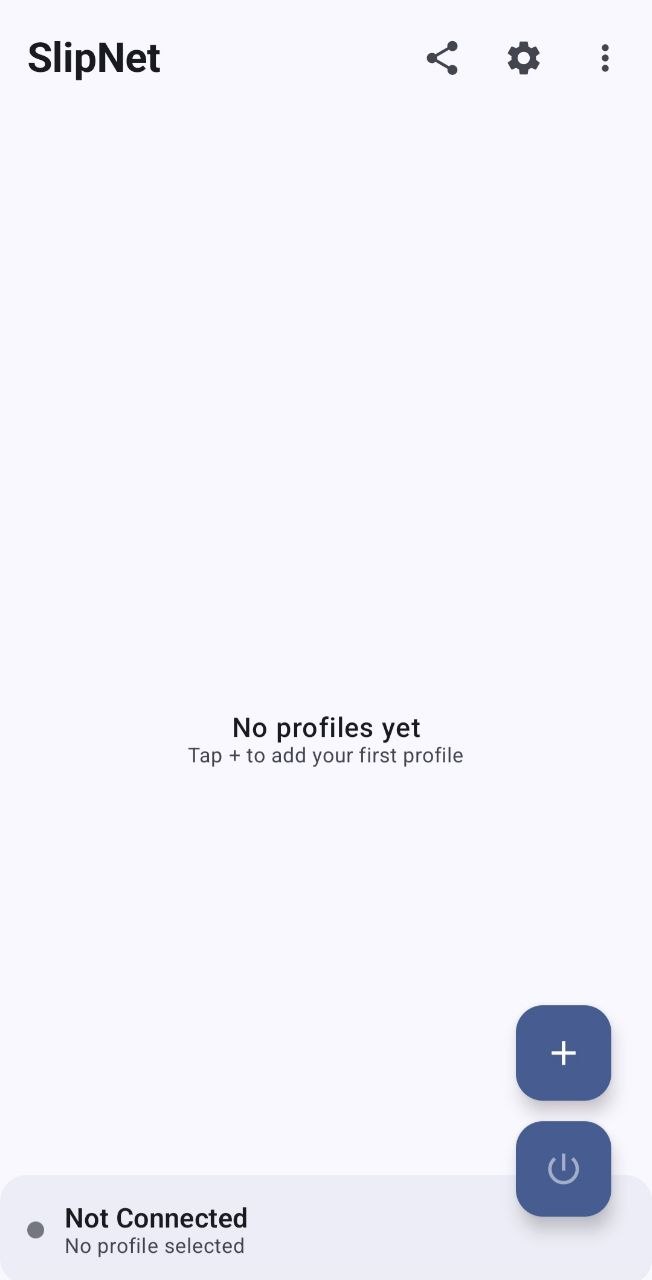
Android VPN client with DNS tunneling (DNSTT, NoizDNS & Slipstream), NaiveProxy, SSH, Tor, and DoH support — featuring a built-in DNS scanner.
Nobody has reviewed it on Take My Repo yet, which says nothing about its quality.
One-click dnstt + NoizDNS server deployment for Linux