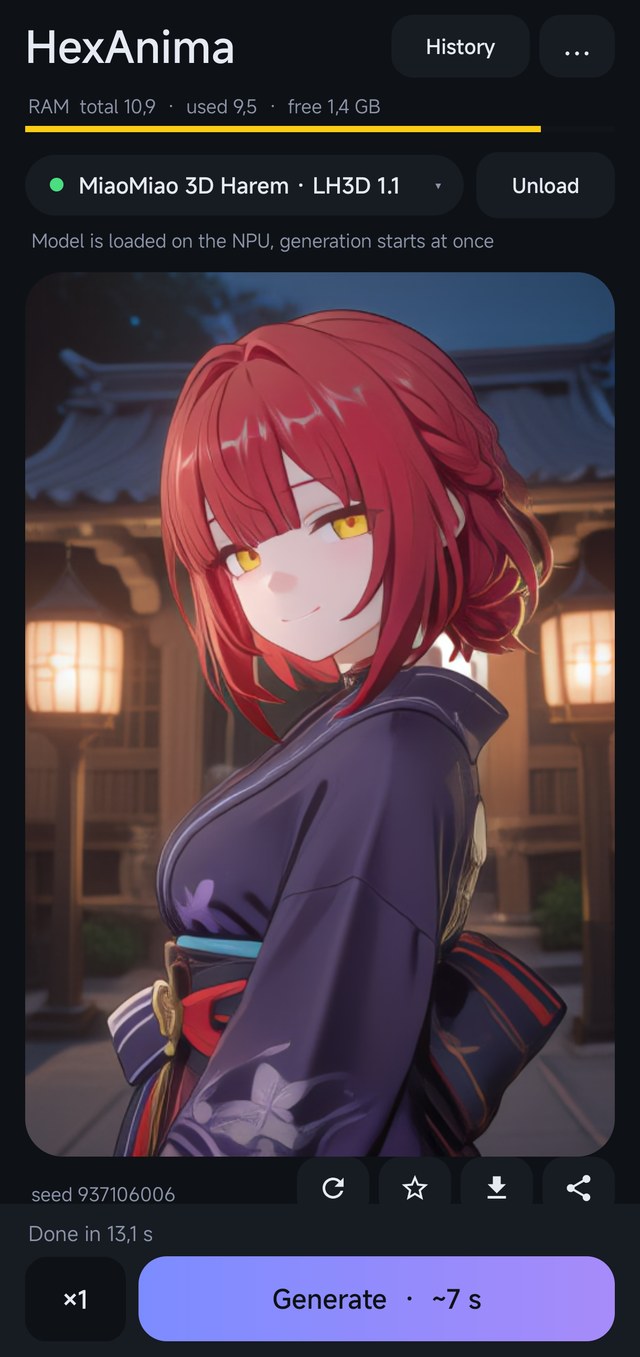

hexanima
Offline anime image generation on the Snapdragon 8 Gen 1 NPU (Hexagon V69), no root. Android app.
- 31
- 4 d ago
Repo ayanoby/hexanima, read from GitHub 2 h ago. ayanoby has not joined Take My Repo.
- v1.8.3Release
HexAnima 1.8.3
What is new
Model management (offline list, export / import, a smaller MiniMax-H3 Ref2VA download), a real-time estimate that learns from the phone, and a few fixes.
Models: export and import to a folder (SD card, USB drive, backup), the model list and Delete without internet, MiniMax-H3 Ref2VA fetches only the 26 GB text encoder it needs instead of the whole MiniMax-H3-Image (63 GB in all instead of 85), new RIFE and WD Tagger cards, confirmation before deleting a model and before stopping a generation.
Pictures: choose where the Download button saves (the phone gallery or any folder) and turn on saving right after every generation; swipe down closes a picture or a video in the viewer.
Time: the estimate on the Generate button learns from your phone and follows the picture size; Time calibration in the menu measures three sizes for the selected model; Anima and Klein runs show text / DiT / decode seconds in the viewer.
Fixed: changing "pictures per run" during a batch lengthened the running batch; a model that fails to load now shows why instead of loading forever.
Snapdragon 8 Elite (Galaxy S25) is still not supported: the Hexagon V73+ kernel work is in the tree, detection stays off until the noise on big pictures is fixed. Thanks to the testers in issues #6, #7, #8 and #9.
Install: download
HexAnima-1.8.3.apk(it updates 1.8.2, 1.8.1, 1.8.0 and 1.7.1, same signature), allow installs from unknown sources, open it. Verify withsha256sum -c SHA256SUMS.txt.Details
- Export and import of models: on the Models screen an installed model has an Export link (next to Delete) that copies its files into a folder picked with the system folder picker (internal storage, SD card, USB drive;
HexAnima-<id>/withhexanima-model.json: relative paths, sizes, sha256, written last, so an unfinished export is refused and removed). Import a model from a folder puts them back: every file is checked (size and sha256), the sparse safetensors stub of an Anima model is rebuilt fromhdr.bin, the model is marked installed. Ref2VA takes the MiniMax-H3 text encoder along; the 4 step Qwen / MOSS add-ons travel with their base pack. Weights are not run from the external folder (the NPU streams them from the phone's own storage). Asked in issue #9. - Models without internet: the catalog is saved after every online run (
files/catalog.cache); offline the saved copy is shown, so installed models can still be managed and deleted (asked in issue #9). The first start of this version has no saved copy yet: open Models once online. - MiniMax-H3 Ref2VA no longer needs the whole MiniMax-H3-Image: when its text encoder is missing, only the encoder files (
te/, tokenizer, licence, 26 GB) are fetched from the H3-Image pack together with the video model (the list row and the button show the total, 63 GB instead of 37 GB; deleting Ref2VA removes them again unless MiniMax-H3-Image owns them). Asked in issue #9. - New cards on the Models screen: RIFE (the 15 frame-size networks, 0.34 GB, Download all / Delete) and WD Tagger (picture to tags, 0.67 GB). Every Delete asks first, and the Stop button asks before it cancels a generation (not the automatic out-of-memory stop).
- Where pictures are saved (Settings): the Download button saves to the phone gallery (Pictures/Anima, Movies/Anima; the default) or to any folder you pick (a persisted permission like the archive folder; if it is gone the picture goes to the gallery). Save right after generating (off by default) copies every finished picture and video there by itself, for every model and for RIFE videos.
- Swipe down closes a picture or a video in the viewer (the picture follows the finger and the bars fade; horizontal drags still turn the pages, zoomed pictures still pan; a video swipe closes the whole viewer, a tap still shows the controls).
- The time on the Generate button learns from the phone: after every picture the measured seconds are stored per model (
files/timings.json, the last 20 with the size, steps, frames and the formula's estimate); the estimate is the median of the runs with the same settings, otherwise the formula corrected by the measured / estimated ratio interpolated between the measured sizes (fading to the plain formula far from every measurement; the first run after the app started is ignored). Time calibration (menu): short runs at the smallest, a middle and the largest size of the selected model (estimate up to 150 s each). Anima and Klein runs also keep the text / DiT / decode seconds, shown in the viewer. - Fixed: changing "pictures per run" while a batch runs lengthened the running batch (the 1.5.2 queue behaviour: 1 to 10 during a picture made 10); now the value applies to the next run, with a message.
- A model that fails to load shows why instead of "Loading the model..." forever (a dialog with the chip and the last log lines; a 5 minute limit; issues #7 and #8).
- For developers: the Hexagon V73+ HMX drain (a bias / scale block in VTCM;
hexagon/mega/hmxv73.c, a v73 branch inhmxacc.S,hmx_bias_setup,build_hyb.shbuilds a skel for V73+ with the kernel code for v69 and only the drain for v73; verified in hexagon-sim on v73 / v75 / v79 cores) is in the tree but chip detection for the Snapdragon 8 Elite stays off (Compat.V79_ENABLED = false): the Anima blocks run correctly on a Galaxy S25 in tests, big pictures still show noise there. Snapdragon 8 Gen 3 (V75) was reported to work with V73 kernels in issue #7; a build for it needs V75 QNN contexts and a worker count for its five DSP sessions. - Translations: the new strings in the 11 other languages (673 strings in all).
- Export and import of models: on the Models screen an installed model has an Export link (next to Delete) that copies its files into a folder picked with the system folder picker (internal storage, SD card, USB drive;