Offline voice dictation & voice assistant for Windows - paste text anywhere, manage notes & reminders hands-free, and speak symbols & code directly (say forward slash, dash, one two three → / - 123).
🌐 getwrither.com ·
⬇️ Download ·
🎬 Demo video
⚠️ First-launch note: WritHer downloads the speech model from Hugging Face on first start, and their CDN is occasionally very slow. If it stays on "Downloading speech model..." for a long time: quit from the tray and relaunch (the download resumes on a fresh connection), or use the verified manual download procedure - a single PowerShell paste, no Python required.
🆕 What's New
- 🎚️ GPU settings without editing code - Compute device (CPU / CUDA) and precision (int8 / float16 / float32) are now selectable from Settings and persisted, so packaged-exe users can enable CUDA without touching
config.py. Takes effect after a restart. (requested by @MaxiKingXXL)
- 🔊 Recording sound cues (opt-in) - enable in Settings to hear a short high tone when dictation starts and a low tone when it stops - eyes-free confirmation and a pacing cue so you don't clip the start of your speech. Tones are generated in memory and played non-blocking; dictation is never delayed or broken if audio playback fails. (requested by @MaxiKingXXL)
- 🛡️ Hold-mode recording safety cap - if a key-release event is ever lost, hold-to-record could previously leave the microphone recording indefinitely.
MAX_RECORD_SECONDS now caps both recording modes; when the cap is hit in hold mode the mic stops and the audio is discarded (never pasted), and the shared recorder now tracks a single session owner so audio can't leak from one mode into another. (root-caused by @MaxiKingXXL)
- 🤖 OpenAI-compatible providers - the assistant now works with llama.cpp, LM Studio and any OpenAI-compatible local server, not just Ollama. Pick the provider in Settings; models are discovered automatically via
/v1/models, and each provider keeps its own URL and model settings. (thanks @aladin7)
- 🖼️ Clipboard keeps your images and files - dictating no longer destroys non-text clipboard content: screenshots, copied files and other formats are preserved and restored after the paste. If you copy something new while WritHer is pasting, your fresh copy wins. Restore delay is configurable via
CLIPBOARD_RESTORE_DELAY. (thanks @aladin7)
- 👻 Quit really quits - closing WritHer from the tray now always terminates the process. No more invisible ghost instance holding the single-instance lock and blocking the next launch.
- 🚀 Visible first-launch feedback - the widget now appears right away with a "Downloading speech model…" status and animated loading eyes while the model loads, then confirms "Ready - hold ‹your hotkey›". No more silent minutes where the app looked dead.
- 👋 Welcome toast - the very first launch ends with a Windows notification explaining both hotkeys. If the model download fails (no internet on first launch), a clear error state and toast tell you what to do.
- 🔁 Second-instance toast - launching WritHer twice now shows "WritHer is already running" instead of exiting silently.
- 📚 Custom vocabulary - teach WritHer to render your spoken jargon or acronyms as their written form. Case-insensitive whole-word matching, multi-word spoken forms supported. Priming terms also feed faster-whisper's
initial_prompt to nudge recognition.
- 🔢 Symbol & spelling mode (opt-in) - enable in Settings and say "forward slash", "dash", "semicolon", or number words to get actual characters. Spell code letter-by-letter: "W H forward slash F A T" →
WH/FAT. Contractions (don't, we're) stay intact and prose is never mangled.
- 🌐 Recognition language dropdown - pick Whisper's language independently of the UI:
Auto (default), en, it, de. The detected language is logged for every clip.
- 📋 Clipboard restore (default) - your clipboard is saved before paste and restored after. Optional toggle keeps the transcript in the clipboard for re-pasting.
- 🔒 Single-instance lock (per-session) - launching a second copy exits immediately. Now scoped to the current Windows user so it does not block other users on the same machine.
- 🎨 Per-mode colour themes - dictation widget renders in cyan, assistant in violet.
- ⌨️ Combo hotkeys - assistant hotkey is now
Ctrl+Alt+R (avoids browser conflicts). Settings window captures live key combos.
- 📜 Log viewer in Settings - tail the latest log lines directly from the Settings window.
- 🗑️ Delete by voice - say "delete the dentist appointment" or "remove the shopping list" and WritHer finds and removes it. Voice confirmation required before any deletion (15s timeout).
- ⌨️ Customizable hotkeys - change dictation and assistant shortcuts from Settings. Press the ⌨ button, hit any key, done. No restart needed.
- 🎙️ Microphone selection - pick your input device from Settings, with hot-plug refresh
- 🔄 Toggle recording mode - press once to start, press again to stop (alternative to hold)
- ⏱️ Safety timeout - caps recording length in both modes: auto-stops toggle mode if you forget, and bounds hold mode if a key-release is lost
- 🎨 Redesigned UI - CustomTkinter with unified Pandora Blackboard theme (pure black + bright white)
- 🖥️ Resizable Notes window - drag to resize, maximize/restore, DPI-aware
- ⚡ Faster Ollama responses - timeout increased from 10s to 30s for larger models
- 🐛 Bug fixes - clean shutdown, widget positioning, visual artifacts removed
- 🔌 Reliable mic switching - select any microphone (USB, Bluetooth, AirPods) from Settings and switch on the fly without restart. Tested with Bluetooth HFP devices.
- 📦 Standalone exe - download and run, no Python installation required. Whisper model downloads automatically on first launch.
- ⚙️ Full Settings panel - Ollama model/URL, Whisper model, language, microphone, recording mode - all configurable from the tray menu.
- 🎯 Toggle mode fix - resolved issue where Ctrl+Alt+R required double-press to start recording. Added debounce to prevent key-repeat interference.
- 🎤 Sample rate fix - microphones with 48kHz default (e.g. Logitech C310) now work correctly. Audio is recorded at 16kHz when possible, resampled if not.
- 📁 Portable data paths - database, logs, and recovery files stored in %APPDATA%/WritHer when running as exe, preventing permission issues.
- ✓ Cleaner widget feedback - assistant confirmations show minimal icons instead of long text that overflowed the widget.
💬 Feedback welcome! If you test WritHer with different microphones or setups, please open an issue and let us know how it goes. Your feedback helps improve the app for everyone.
What is WritHer?
WritHer sits quietly in your system tray and gives you two super-powers:
| Mode |
Hotkey (default) |
What it does |
| Dictation |
AltGr |
Transcribes your voice and pastes the text directly into whichever app has focus - editors, browsers, chat windows, anything. Optional Symbol & spelling mode substitutes spoken symbols and digits. |
| Assistant |
Ctrl+Alt+R |
Understands natural-language commands and saves notes, creates appointments, sets reminders, manages lists - all by voice. |
Both hotkeys are fully customizable from the Settings window, click the ⌨ button next to each shortcut and press your preferred key. The change takes effect immediately, no restart required.
Both hotkeys support two recording modes, configurable from the Settings window in the system tray:
| Recording mode |
How it works |
| Hold (default) |
Hold the key to record, release to stop. |
| Toggle |
Press once to start recording, press again to stop. A configurable safety timeout auto-stops the recording if you forget. |
Everything runs locally: speech recognition via faster-whisper, intent parsing via Ollama or an OpenAI-compatible local server such as llama.cpp, and data stored in a local SQLite database. No cloud required, no account, no telemetry.
Features
- Real-time dictation - speak and text appears. Supports both hold-to-record and toggle (press to start/stop) modes. Clipboard is saved and restored automatically (opt-in toggle to keep the transcript in the clipboard).
- Custom vocabulary - a user-defined map of
spoken form → written form, applied whole-word and case-insensitively before any symbol substitution. Multi-word spoken forms and longest-first precedence are supported. Editable from Settings and persisted in the SQLite DB.
- Priming terms - a free-text list joined into faster-whisper's
initial_prompt to bias recognition toward domain terms. Labelled best-effort in the UI hint.
- Symbol & spelling mode (opt-in) - toggle in Settings. When ON, spoken symbol names and number words are substituted ("W H forward slash F A T" →
WH/FAT, "one two three" → 123, "semicolon" → ;) and letter-by-letter spelling is glued. Contractions like don't are preserved and prose is never mangled: multi-character words on either side of a symbol block gluing.
- Recognition language - independent of the UI language. Set to
Auto (default) to let Whisper detect each clip, or pin to en / it / de.
- Voice-controlled assistant - save notes, create shopping/todo lists, schedule appointments, set reminders, and delete items by voice. All through natural speech.
- Voice delete with confirmation - say "delete the shopping list" or "remove the dentist appointment". WritHer finds the item by keyword and asks for voice confirmation before deleting. 15-second timeout for safety.
- Smart date parsing - say "remind me tomorrow at 9" or "meeting next Monday at 3pm" and the LLM converts relative times to absolute datetimes.
- Toast notifications - get Windows notifications when reminders fire or appointments are approaching.
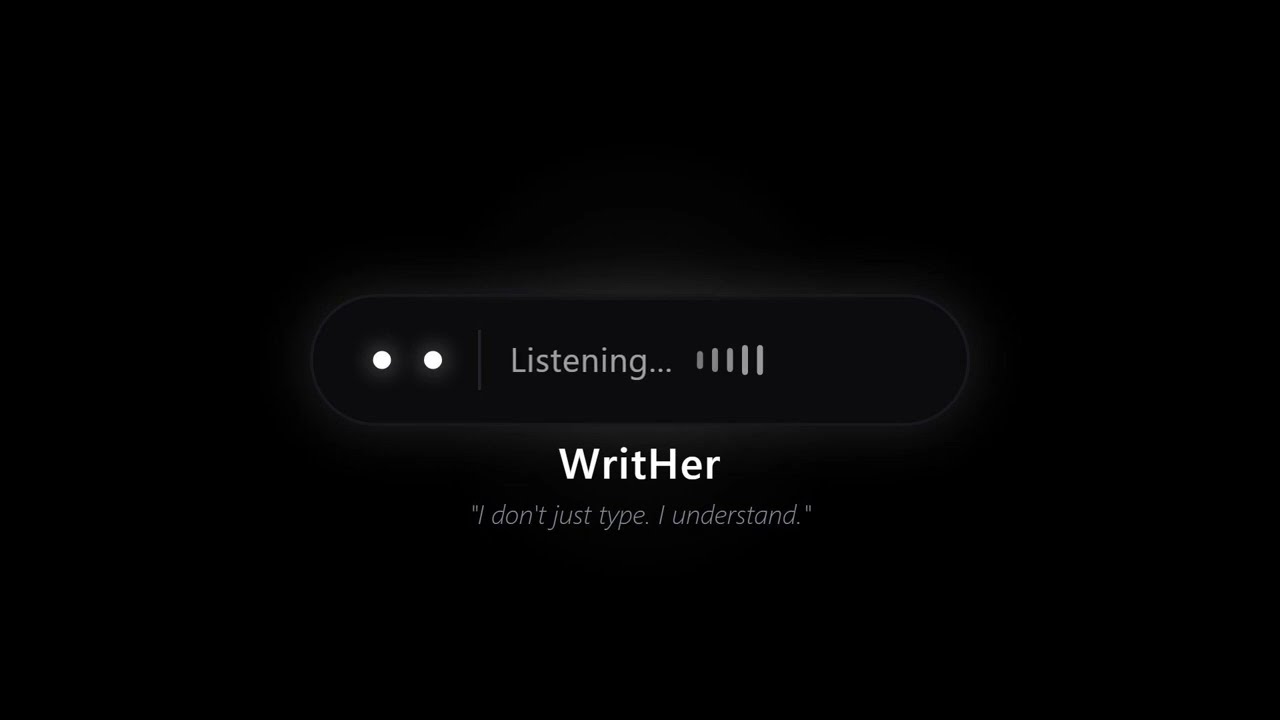
- Animated floating widget - a minimal pill-shaped overlay with expressive "Pandora Blackboard" eyes that react to state (listening, thinking, happy, error, etc.). Cyan for dictation, violet for assistant.
- Notes & Agenda window - a dark-themed resizable window to browse, check off list items, and delete notes/appointments/reminders. Supports maximize/restore and drag-to-resize.
- Settings window - configure recording mode, max recording duration, keyboard shortcuts, and microphone device directly from the system tray. All settings are persisted across restarts.
- Customizable combo hotkeys - reassign dictation and assistant keys (including multi-key combos like
Ctrl+Alt+R) from the Settings window. Blocked keys are rejected, duplicate detection prevents conflicts.
- Microphone selection - choose your input device from a dropdown in Settings. Supports hot-plug detection with a refresh button - no restart needed.
- Single-instance protection - a per-session mutex prevents two copies running at once, eliminating the double-paste bug.
- Modern UI - built with CustomTkinter and a unified "Pandora Blackboard" theme (pure black + bright white) defined in a single
theme.py file.
- Multi-language UI - ships with English, Italian and German; easy to add more via the
locales.py string table.
- Log viewer - the Settings window tails the latest lines of
writher.log for quick diagnostics.
- Fully offline - no internet required after model download.
Architecture